

The best email protection tools can help safeguard one of your most important online accounts from hackers, phishing scams, data breaches, and identity theft. Since your email is connected to your bank accounts, shopping websites, social media, healthcare portals, and countless other services, protecting it should be a top priority.
In this guide, you’ll discover the best email protection tools available today, compare their features, learn how they work, and find out which solutions are best for your specific needs. Whether you’re looking for identity monitoring, a password manager, a VPN, or a secure email provider, this article will help you choose the right tools to keep your email and personal information safe.
Table of Contents
What Are the Best Email Protection Tools?
The best email protection tools are software and services designed to help protect your email account from hackers, phishing scams, malware, data breaches, and identity theft. Since your email is often connected to your bank accounts, online shopping, social media, healthcare, and work accounts, it has become one of the most valuable targets for cybercriminals. If someone gains access to your email, they may be able to reset passwords, access personal information, and take control of many of your other online accounts.
Rather than relying on a single security program, the best email protection tools work together to provide multiple layers of protection. Depending on the solution you choose, these tools can monitor your email address for data breaches, alert you if your information appears on the dark web, help you create stronger passwords, encrypt your internet connection, block phishing attempts, and notify you of suspicious account activity before it becomes a bigger problem.
For most people, a complete email protection strategy includes several types of security tools:
- Identity monitoring services that detect data breaches and monitor for identity theft.
- Password managers that create and store strong, unique passwords for every account.
- VPN services that protect your internet connection, especially on public Wi-Fi.
- Secure email providers that offer enhanced privacy and encryption.
- Antivirus software that helps block malware designed to steal login credentials.
- Dark web monitoring tools that alert you if your email address or passwords have been exposed.
Using several security tools together provides much stronger protection than relying on only one. For example, if your email password is exposed in a data breach, a password manager can help you replace it with a stronger one, while identity monitoring can alert you if criminals attempt to use your personal information.
This layered approach follows the same security principles recommended by government cybersecurity organizations, which encourage using multiple protective measures instead of relying on a single tool. Combining strong passwords, multi-factor authentication, secure internet connections, and continuous account monitoring creates a much stronger defense against phishing attacks, account takeovers, and identity theft than any one product can provide.
When comparing the best email protection tools, don’t choose based only on price. Instead, look for features such as real-time breach alerts, phishing protection, password management, dark web monitoring, identity restoration assistance, VPN access, ease of use, and responsive customer support. Choosing the right combination of tools for your online habits will provide better long-term protection than simply purchasing the least expensive option.
Why You Need Email Protection Tools in 2026
Your email account is more than just a place to send and receive messages—it’s the central hub for nearly every online account you own. Whether you’re logging into your bank, shopping online, managing investments, accessing healthcare records, or using social media, your email is usually the account that verifies your identity. That’s exactly why cybercriminals continue to target it.
If you’re wondering how cybercriminals get access to email accounts in the first place, read our guide on How Hackers Get Your Email Address to understand the most common tactics they use.
In 2026, data breaches, phishing scams, credential theft, and account takeovers remain some of the most common cyber threats affecting individuals. Once hackers gain access to your email, they can often reset passwords, intercept security codes, read sensitive conversations, and lock you out of your own accounts. Recovering from a compromised email account can take days, weeks, or even months, depending on how much personal information is exposed.
This is why investing in the best email protection tools is no longer just an option for businesses or technology experts. They have become essential for anyone who wants to protect their personal information, financial accounts, and digital identity.
Email Attacks Are Becoming More Sophisticated
Modern cybercriminals rarely rely on obvious scam emails filled with spelling mistakes. Instead, many phishing emails closely resemble messages from trusted companies, banks, delivery services, or even your coworkers. Some attacks use information gathered from previous data breaches to make their emails appear even more convincing.
According to guidance from the Cybersecurity and Infrastructure Security Agency (CISA), phishing continues to be one of the most effective ways attackers steal login credentials and gain unauthorized access to online accounts. A single click on a malicious link can sometimes expose your email account, passwords, or personal information if proper security measures aren’t in place.
Using the best email protection tools adds multiple layers of defense that help identify suspicious activity before it turns into a serious security incident.
One Data Breach Can Affect Multiple Accounts
Many people reuse the same email address across dozens—or even hundreds—of online accounts. If that email address appears in a data breach, criminals may immediately begin testing leaked usernames and passwords on banking websites, shopping accounts, streaming services, and social media platforms.
This technique, known as credential stuffing, has become increasingly common because many people still reuse passwords across multiple websites.
The best email protection tools help reduce this risk by offering features such as:
- Real-time breach alerts
- Dark web monitoring
- Password management
- Identity monitoring
- Multi-factor authentication support
These features allow you to react quickly before criminals can take advantage of stolen information.
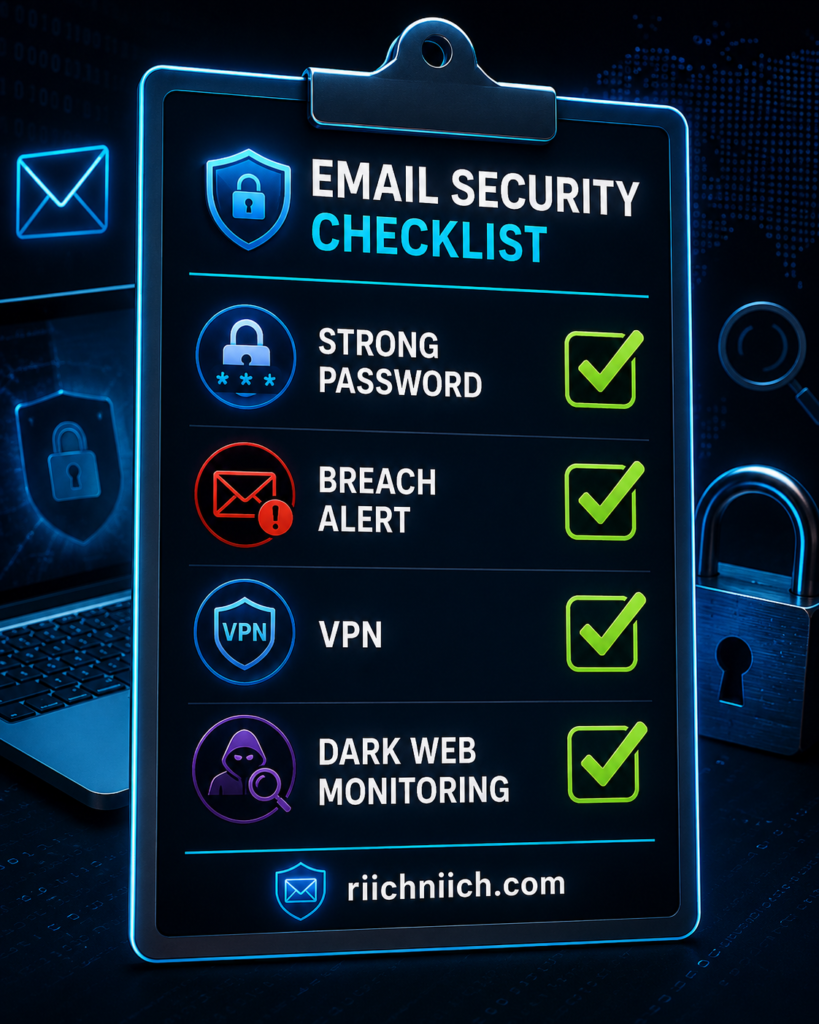
Email Is Often the First Step in Identity Theft
Most identity theft cases don’t begin with someone stealing your wallet—they begin with someone gaining access to your email.
Once inside your inbox, criminals may discover:
- Financial statements
- Tax documents
- Medical information
- Password reset emails
- Personal conversations
- Online shopping receipts
- Account verification messages
This information can be used to open fraudulent accounts, impersonate you online, or bypass security questions on other websites.
That’s why the best email protection tools focus on more than just blocking spam. They help detect suspicious activity, monitor your personal information, and alert you before small problems become much larger ones.
Prevention Costs Less Than Recovery
Recovering from identity theft or a hacked email account often requires changing passwords across dozens of websites, contacting financial institutions, monitoring your credit, securing personal devices, and restoring compromised accounts. Depending on the severity of the attack, the recovery process can consume significant time and create unnecessary stress.
By comparison, using the best email protection tools helps reduce those risks before they become expensive or time-consuming problems. Investing in preventive security is often far easier than dealing with the consequences after your personal information has already been exposed.
As recommended by the Federal Trade Commission (FTC), maintaining strong passwords, enabling multi-factor authentication, and monitoring your accounts regularly are some of the most effective ways to reduce the risk of identity theft. Many modern email security solutions combine these recommendations into a single, easy-to-manage protection strategy, making them a smart investment for anyone who relies on email every day.
How Email Protection Tools Keep You Safe
At first glance, it may seem like the best email protection tools simply block spam or filter unwanted messages. In reality, today’s email security solutions do much more. They combine several layers of protection to defend your email account before, during, and after an attempted cyberattack.
Rather than relying on a single feature, the best email protection tools work together to reduce the risk of phishing scams, account takeovers, malware infections, identity theft, and data breaches. The more layers of protection you have, the harder it becomes for cybercriminals to gain access to your personal information.
They Alert You When Your Email Is Found in a Data Breach
One of the most valuable features offered by many email security tools is breach monitoring. These services continuously monitor known data breaches and notify you if your email address appears in newly leaked databases.
Early detection allows you to change your passwords, enable additional security measures, and secure your accounts before criminals have the opportunity to misuse your information.
This proactive approach can significantly reduce the chances of unauthorized access and identity theft.
They Help You Create Strong, Unique Passwords
Weak or reused passwords remain one of the biggest reasons email accounts are compromised.
Many of the best email protection tools include password managers that can:
- Generate strong, random passwords
- Store passwords securely
- Automatically fill login credentials
- Alert you if a password has been reused
- Warn you when saved passwords are involved in a data breach
Using a different password for every account ensures that a breach on one website doesn’t automatically give criminals access to your email or other important accounts.
They Detect Suspicious Activity Early
Many identity monitoring and email security services continuously watch for unusual account activity.
For example, they may notify you if they detect:
- A login attempt from an unfamiliar location
- Your email address appearing on the dark web
- Personal information linked to suspicious activity
- Newly exposed credentials after a data breach
Receiving these alerts quickly gives you valuable time to secure your accounts before attackers can cause more damage.
They Reduce the Risk of Phishing Attacks
Phishing remains one of the most common ways hackers steal email credentials. Modern phishing emails often look almost identical to legitimate messages from banks, online retailers, delivery companies, or government agencies.
Many the best email protection tools include phishing protection that helps identify dangerous links, suspicious attachments, and fraudulent websites before you accidentally interact with them.
According to the Cybersecurity and Infrastructure Security Agency (CISA), verifying unexpected emails and avoiding suspicious links are two of the most effective ways to prevent phishing attacks. Email security tools add another layer of protection by helping detect these threats automatically.
Even the best security software works better when you understand how phishing attacks operate. Learn more in our complete guide on How Phishing Scams Work.
They Protect Your Email on Public Wi-Fi
Public Wi-Fi networks found in airports, hotels, coffee shops, and restaurants can expose your internet traffic if they are unsecured.
Some of the best email protection tools include a VPN (Virtual Private Network), which encrypts your internet connection and helps prevent others on the same network from intercepting your data.
This is especially important if you frequently check your email while traveling or working remotely.
They Help Protect Your Identity
Your email account often contains years of sensitive information, including financial documents, password reset emails, purchase receipts, tax records, medical information, and personal conversations.
If hackers gain access to this information, they may attempt to impersonate you, open fraudulent accounts, or take control of your online identity.
Many of the best email protection tools include identity monitoring, dark web monitoring, and recovery assistance to help detect potential identity theft early and guide you through the recovery process if your information is ever compromised.
Layered Protection Provides the Strongest Defense
No single security feature can stop every cyber threat. That’s why cybersecurity professionals recommend using multiple layers of protection rather than relying on just one product.
By combining password management, breach monitoring, phishing protection, VPN encryption, dark web monitoring, and identity monitoring, the best email protection tools provide a much stronger defense against today’s constantly evolving cyber threats. This layered approach helps protect not only your email account but also the many personal and financial accounts connected to it, giving you greater peace of mind every time you go online.
Best Email Protection Tools Compared
Choosing the best email protection tools isn’t always easy because every service focuses on different aspects of email security. Some specialize in identity monitoring and dark web alerts, while others focus on password management, secure internet connections, or encrypted email. The right choice depends on how you use your email and which risks concern you the most.
Instead of relying on a single product, many people achieve the strongest protection by combining several email security tools. For example, pairing an identity monitoring service with a password manager and a VPN provides multiple layers of defense against phishing scams, hacked accounts, and data breaches.
Here’s a quick overview of the best email protection tools featured in this guide.
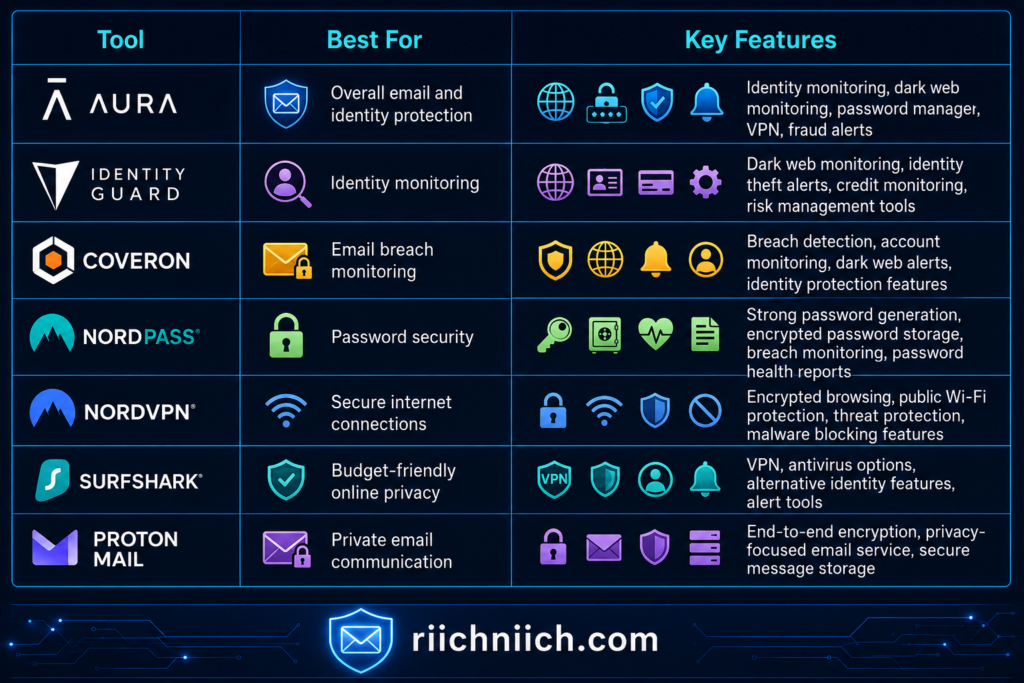
No single product can eliminate every online threat, which is why the best email protection tools often complement one another. For example:
- An identity monitoring service can alert you if your email appears in a data breach.
- A password manager helps secure every account with strong, unique passwords.
- A VPN encrypts your internet connection while checking email on public Wi-Fi.
- A secure email provider adds an extra layer of privacy for sensitive communications.
Using these tools together creates a much stronger security strategy than relying on only one type of protection.
As you compare the best email protection tools, consider more than just the monthly subscription price. Look at the overall value each service provides by asking questions such as:
- Does it monitor for data breaches?
- Does it include dark web monitoring?
- Can it help protect against phishing attacks?
- Does it offer password management?
- Is a VPN included?
- Does it provide identity restoration assistance?
- Is it easy to use for beginners?
- Can it protect multiple family members?
These questions will help you choose a solution that matches both your budget and your security needs.
In the following sections, we’ll take a closer look at each of the best email protection tools, explaining where each one excels, who it’s best suited for, and how it can help strengthen your overall email security. This side-by-side approach makes it easier to compare features, understand the differences, and decide which combination of tools offers the best protection for your personal information.
Aura: Best Overall Email Protection Tool
If you’re looking for the best email protection tools that combine multiple security features into one easy-to-use platform, Aura is one of the strongest overall choices. Instead of requiring you to purchase separate services for identity monitoring, password management, VPN protection, and dark web monitoring, Aura brings these essential features together under a single subscription.
This all-in-one approach makes Aura a great option for individuals, families, and anyone who wants comprehensive protection without managing several different security products.
👉 If you want one service that combines identity monitoring, dark web monitoring, a password manager, and VPN protection, Aura is our top overall recommendation because it provides the most complete email security solution in one place.
Why Aura Stands Out
Many email security tools focus on only one area of protection. Aura takes a broader approach by helping secure both your email account and the personal information connected to it.
Some of Aura’s most valuable features include:
- Identity theft monitoring
- Dark web monitoring
- Data breach alerts
- Password manager
- VPN for secure internet browsing
- Safe browsing and anti-scam features
- Identity theft insurance (where applicable)
- 24/7 U.S.-based customer support
Because your email account is connected to many other online services, having several layers of protection in one platform helps reduce the risk of account takeovers and identity theft.
How Aura Helps Protect Your Email
While Aura isn’t a secure email provider, it helps protect the accounts connected to your email in several important ways.
For example, Aura continuously monitors for signs that your email address has appeared in known data breaches. If your credentials are exposed, you’ll receive an alert so you can change your password before hackers attempt to access your accounts.
Its built-in password manager also encourages stronger password habits by generating unique passwords for every account and storing them securely. This greatly reduces the risk of credential stuffing attacks, where criminals try passwords leaked from one website on many others.
If you frequently check your email while traveling or using public Wi-Fi, Aura’s VPN encrypts your internet connection, helping protect your login credentials from interception on unsecured networks.
Who Should Choose Aura?
Aura is an excellent choice for people who want one service that covers most aspects of email and identity protection.
It may be especially well suited for:
- Families managing multiple online accounts
- Seniors looking for simple, all-in-one protection
- Remote workers who frequently use public Wi-Fi
- Online shoppers with dozens of retail accounts
- Anyone concerned about identity theft and data breaches
Instead of juggling several subscriptions, Aura simplifies online security by combining multiple protective features into one dashboard.
What to Consider Before Buying
Aura offers a wide range of features, but it may include tools that some users don’t need. If you’re only looking for a password manager or a VPN, purchasing a dedicated service could be a more affordable option.
However, if your goal is comprehensive protection for your email, online accounts, and personal information, Aura provides strong overall value because several security services are bundled together.
For many people comparing the best email protection tools, paying for one integrated solution can also be more convenient than managing multiple separate subscriptions.
Bottom Line
Aura earns its place among the best email protection tools because it protects much more than just your inbox. By combining identity monitoring, dark web monitoring, breach alerts, password management, VPN protection, and recovery assistance into one platform, it helps secure the many accounts connected to your email address.
If you’re looking for an easy-to-manage solution that offers broad protection without piecing together several different services, Aura is one of the strongest options to consider.
Identity Guard: Best for Identity and Dark Web Monitoring
If your biggest concern is detecting identity theft before it causes serious financial or personal damage, Identity Guard is one of the best email protection tools to consider. Rather than functioning as a secure email provider, Identity Guard focuses on monitoring the personal information connected to your email address and notifying you if it detects signs of suspicious activity.
This makes it an excellent choice for people who want early warnings when their personal information may have been exposed in a data breach or is being misused by cybercriminals.
👉 If early breach detection and identity monitoring are your top priorities, Identity Guard is an excellent choice for staying informed before identity theft has a chance to escalate.
Why Identity Guard Stands Out
Identity Guard is designed to help you stay ahead of identity theft by continuously monitoring your personal information and providing alerts when potential risks are detected.
Depending on your plan, features may include:
- Dark web monitoring
- Identity theft monitoring
- Data breach notifications
- Credit monitoring
- Social Security number monitoring
- Financial account monitoring
- Identity theft insurance (where available)
- Dedicated identity restoration support
Because your email address is often linked to many online accounts, these monitoring features can help you respond quickly if your personal information becomes compromised.
How Identity Guard Helps Protect Your Email
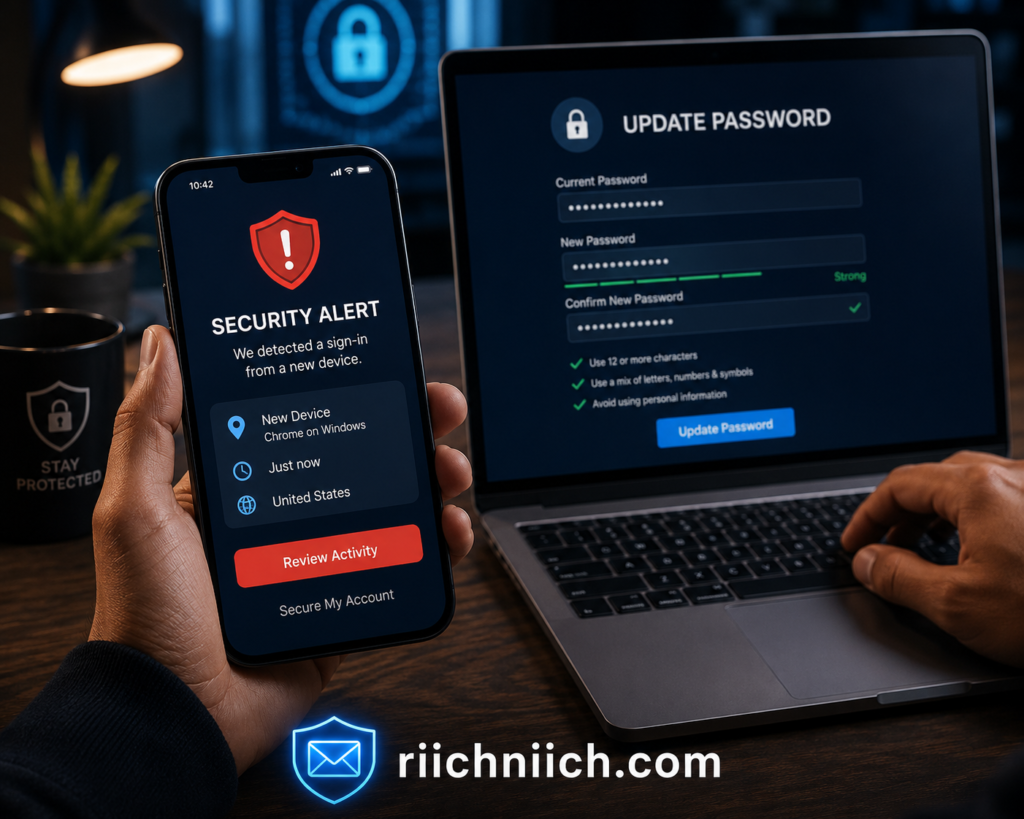
One of the biggest advantages of Identity Guard is its ability to monitor for data breaches involving your personal information. If your email address is discovered in a newly reported breach or your information appears in places associated with identity theft, you’ll receive an alert so you can take action immediately.
For example, after receiving an alert, you can:
- Change your email password.
- Update passwords on other important accounts.
- Enable multi-factor authentication.
- Review recent account activity.
- Watch for unauthorized financial transactions.
Responding quickly can often prevent criminals from turning a leaked email address into a larger identity theft incident.
Who Should Choose Identity Guard?
Identity Guard is a strong option for people who want ongoing monitoring rather than simply reacting after something goes wrong.
It may be especially beneficial for:
- Individuals concerned about identity theft.
- People affected by previous data breaches.
- Frequent online shoppers.
- Families managing multiple financial accounts.
- Anyone who wants continuous dark web monitoring.
Its focus on monitoring and early detection makes it particularly valuable for users who store sensitive personal information across many online accounts.
What to Consider Before Buying
Identity Guard specializes in identity monitoring, so it doesn’t replace every type of email security tool. For example, it isn’t a password manager, VPN, or encrypted email provider.
Many people receive the strongest protection by pairing Identity Guard with other solutions, such as a password manager for stronger login security and a VPN for safer browsing on public Wi-Fi. This layered approach helps address several different types of cyber threats instead of relying on one service alone.
Bottom Line
Identity Guard earns its place among the best email protection tools because it helps detect problems before they become identity theft disasters. With continuous monitoring, dark web alerts, breach notifications, and identity restoration support, it gives users valuable time to secure their accounts if their personal information is exposed.
If your priority is staying informed about potential identity theft and responding quickly to data breaches, Identity Guard is an excellent addition to your overall email security strategy.
Coveron: Best for Email Breach Monitoring
If your primary concern is finding out quickly when your email address has been exposed, Coveron is one of the best email protection tools to consider. Instead of waiting until criminals misuse your personal information, Coveron is designed to monitor for potential exposure and notify you when your email address or other sensitive data appears in known data breaches.
Early detection is one of the most effective ways to reduce the risk of account takeovers and identity theft. The sooner you’re notified that your information has been compromised, the sooner you can update your passwords, secure your accounts, and prevent hackers from causing additional damage.
👉 If you’d rather know immediately when your email appears in a data breach instead of discovering it months later, Coveron is one of the smartest tools you can add to your email security strategy.
Why Coveron Stands Out
Coveron focuses on helping users stay informed about potential security threats involving their personal information. Rather than only protecting your device, it continuously monitors for signs that your email address or other monitored data may have been exposed.
Depending on your plan, features may include:
- Continuous email breach monitoring
- Dark web monitoring
- Data breach alerts
- Identity monitoring
- Personal information monitoring
- Actionable security recommendations
- Identity restoration support (where available)
These features allow you to respond quickly instead of discovering months later that your information has already been misused.
How Coveron Helps Protect Your Email
Every time you create an online account, your email address becomes another potential target if that company experiences a data breach. Since most people use the same email address for banking, shopping, streaming services, healthcare portals, and social media, one exposed email account can increase the risk across dozens of connected accounts.
Coveron continuously monitors for newly reported breaches involving your monitored information. If your email address is detected, you’ll receive an alert so you can take immediate action.
After receiving a breach notification, you can:
- Change the password for the affected account.
- Update any other accounts using the same or a similar password.
- Enable multi-factor authentication.
- Review recent login activity.
- Watch for suspicious emails or password reset requests.
Taking these steps promptly can significantly reduce the likelihood of unauthorized account access.
Who Should Choose Coveron?
Coveron is an excellent choice for people who want continuous visibility into whether their email address has been exposed.
It may be especially beneficial for:
- People who have experienced previous data breaches.
- Frequent online shoppers.
- Individuals who manage many online accounts.
- Remote workers who rely heavily on email.
- Anyone looking for ongoing breach monitoring without constantly checking manually.
Its emphasis on early breach detection makes it a valuable addition to a layered cybersecurity strategy.
What to Consider Before Buying
Coveron specializes in breach monitoring and identity protection, but it is not intended to replace every email security solution. It doesn’t function as a password manager or VPN, so pairing it with complementary security tools can provide more complete protection.
Many users combine Coveron with a password manager to strengthen account security and a VPN to protect their internet connection when accessing email on public Wi-Fi. This layered approach helps defend against multiple types of cyber threats instead of focusing on only one area.
Bottom Line
Coveron earns its place among the best email protection tools because it helps you discover email exposures before they become much larger security problems. Continuous breach monitoring, dark web monitoring, and timely alerts give you the opportunity to secure your accounts before cybercriminals can take advantage of leaked information.
If your goal is to know as quickly as possible when your email address has been compromised, Coveron is a strong option that can help you stay one step ahead of identity thieves and reduce the impact of future data breaches.
NordPass: Best Password Manager for Email Security
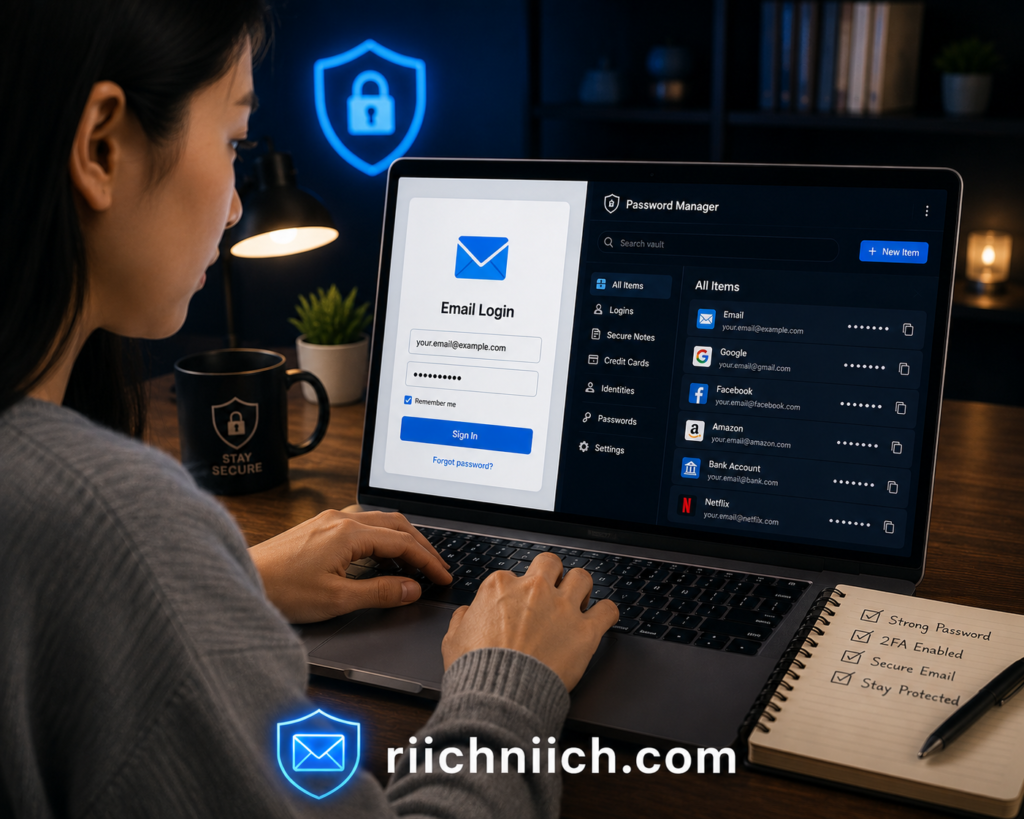
Your email account is only as secure as the password protecting it. If you reuse passwords across multiple websites or choose passwords that are easy to guess, even the strongest email provider can’t fully protect your account. That’s why NordPass earns its place among the best email protection tools by helping you create, store, and manage strong, unique passwords for every online account.
Instead of trying to remember dozens of complex passwords, NordPass securely stores them in an encrypted vault and automatically fills them in when you log in. This makes it much easier to follow good security practices without sacrificing convenience.
👉 If you’re still reusing passwords or creating your own, NordPass makes securing every online account dramatically easier by generating strong, unique passwords automatically.
Why NordPass Stands Out
NordPass is designed to eliminate one of the biggest cybersecurity risks: weak and reused passwords. Since many account takeovers begin with stolen login credentials, having a dedicated password manager is one of the simplest ways to strengthen your overall email security.
Depending on your plan, NordPass includes features such as:
- Strong password generator
- Encrypted password storage
- Automatic password saving and autofill
- Password Health reports
- Data Breach Scanner
- Secure storage for personal notes and sensitive information
- Multi-device synchronization
These features help you maintain better password habits while reducing the chances of unauthorized access to your email and other online accounts.
How NordPass Helps Protect Your Email
Many people unknowingly use the same password for several websites. If one of those websites experiences a data breach, hackers often try the same password on email providers, banking websites, and shopping accounts. This attack method, known as credential stuffing, is one of the most common causes of account takeovers.
NordPass helps reduce this risk by generating a unique password for every account you create. Even if one password is exposed, your other accounts—including your email—remain protected because they all use different credentials.
The built-in Data Breach Scanner also monitors whether your saved credentials have appeared in known data breaches. If compromised information is detected, NordPass alerts you so you can update your passwords before criminals have the opportunity to misuse them.
Strong passwords are one of the biggest factors in email security. If you’re comparing options, check out our guide to the Best Password Managers before making your decision.
Who Should Choose NordPass?
NordPass is an excellent choice for anyone who struggles to remember multiple passwords or wants to improve their online security without making everyday logins more difficult.
It may be especially beneficial for:
- People who reuse passwords across multiple websites.
- Online shoppers with numerous retail accounts.
- Remote workers managing several business logins.
- Families sharing multiple online subscriptions.
- Anyone looking for a simple way to strengthen email security.
Because your email account is connected to many other services, improving your password security can significantly reduce your overall cybersecurity risk.
What to Consider Before Buying
NordPass is a password manager, not a complete identity protection service. While it does an excellent job of securing your login credentials, it doesn’t replace features such as identity monitoring, VPN protection, or credit monitoring.
For the strongest protection, many users combine NordPass with an identity monitoring service and a VPN. Together, these tools provide multiple layers of security that help protect your email account, personal information, and online activity from a wide range of cyber threats.
Bottom Line
NordPass deserves its place among the best email protection tools because strong passwords remain one of the most effective defenses against account takeovers. With password generation, encrypted storage, autofill capabilities, Password Health reports, and a built-in Data Breach Scanner, it helps eliminate many of the password-related risks that hackers exploit every day.
If you’re looking for an easy way to secure your email account and every other online login you use, NordPass is one of the smartest investments you can make as part of a complete email security strategy.
NordVPN: Best VPN for Protecting Email on Public Wi-Fi
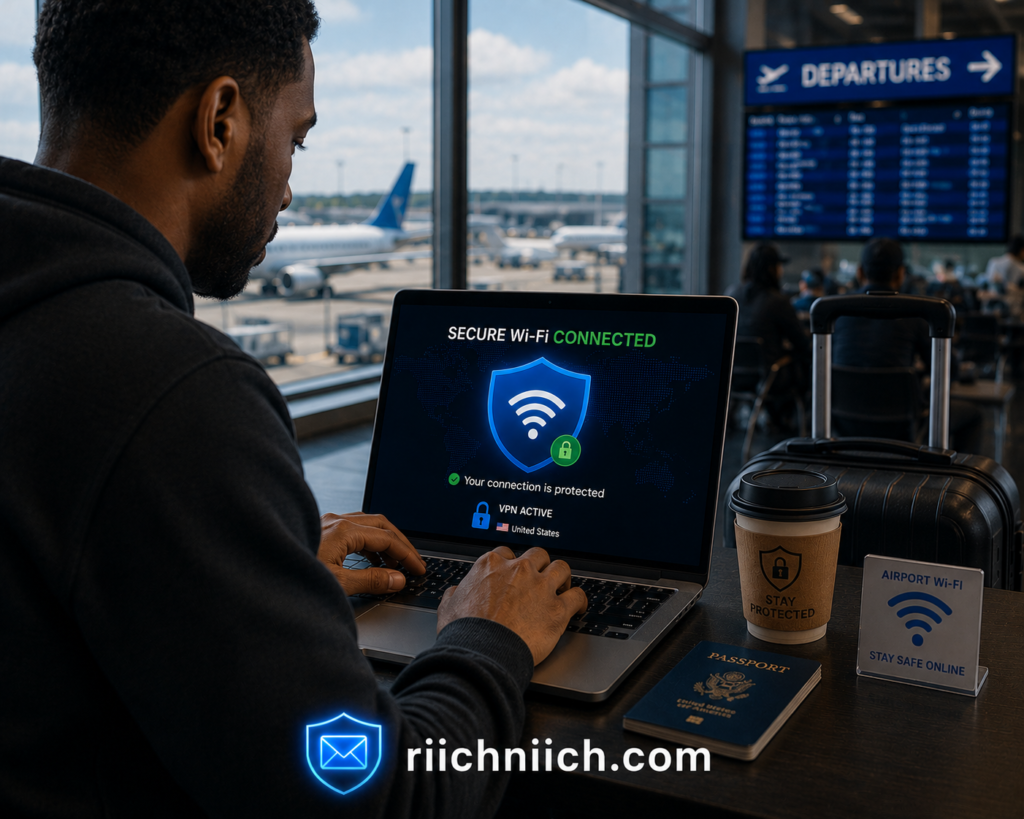
Checking your email while connected to public Wi-Fi may seem harmless, but it can expose your personal information if the network isn’t properly secured. Whether you’re at a coffee shop, airport, hotel, library, or restaurant, public networks can create opportunities for cybercriminals to intercept your internet traffic or trick you into connecting to fraudulent Wi-Fi hotspots. That’s why NordVPN is one of the best email protection tools for anyone who frequently accesses email away from home.
By encrypting your internet connection, NordVPN helps keep your email activity private and makes it much more difficult for others on the same network to view or intercept your data.
👉 If you regularly check your email while traveling or using public Wi-Fi, NordVPN is one of the best investments you can make to protect your personal information from network-based attacks.
Why NordVPN Stands Out
Unlike password managers or identity monitoring services, NordVPN focuses on protecting the connection between your device and the internet. This additional layer of security is especially valuable when you’re using networks you don’t control.
Depending on your subscription, NordVPN includes features such as:
- Encrypted internet connection
- Threat Protection features
- Malware and malicious website blocking
- Public Wi-Fi protection
- Secure browsing
- Meshnet for secure device connections
- Multi-device support
These features help reduce the risk of attackers intercepting sensitive information while you browse the web or access your email.
How NordVPN Helps Protect Your Email
Whenever you log into your email account, information travels between your device and your email provider. On an unsecured network, attackers may attempt to monitor internet traffic, create fake Wi-Fi access points, or direct users to fraudulent websites designed to steal login credentials.
NordVPN encrypts your connection, making your online activity much more difficult for unauthorized individuals to access. This added privacy is particularly valuable when you:
- Check email while traveling.
- Work remotely from public locations.
- Access financial accounts after opening your email.
- Log into multiple online accounts throughout the day.
- Use shared or unfamiliar Wi-Fi networks.
Its Threat Protection features also help block known malicious websites and reduce the chances of accidentally visiting phishing pages that imitate trusted companies.
If you frequently connect to public Wi-Fi, you should also read our guide explaining the Dangers of Public Wi-Fi and how to stay protected while traveling.
Who Should Choose NordVPN?
NordVPN is an excellent choice for people who frequently use public internet connections or want additional privacy while managing their online accounts.
It may be especially beneficial for:
- Business travelers.
- Remote workers.
- College students.
- Frequent coffee shop visitors.
- Digital nomads.
- Anyone who regularly checks email away from home.
Even if you already use strong passwords and multi-factor authentication, encrypting your internet connection adds another important layer of protection.
What to Consider Before Buying
NordVPN provides outstanding network security, but it doesn’t replace other important email security tools. It won’t monitor your identity for data breaches, store your passwords, or notify you if your personal information appears on the dark web.
For the strongest overall protection, many cybersecurity experts recommend combining a VPN with a password manager and an identity monitoring service. This layered security approach helps protect your email account from multiple types of cyber threats rather than relying on a single solution.
Bottom Line
NordVPN earns its place among the best email protection tools because it helps secure one of the most overlooked parts of online safety—your internet connection. By encrypting your data, protecting you on public Wi-Fi, and helping block malicious websites, it reduces the risk of cybercriminals intercepting sensitive information while you access your email.
If you regularly check your email outside your home or office, NordVPN is a smart investment that adds an important layer of security to your overall email protection strategy.
Surfshark: Best Budget VPN for Email Protection
If you’re looking for strong online privacy without paying premium prices, Surfshark is one of the best email protection tools for budget-conscious users. It offers many of the security features people need to protect their email while browsing the internet, making it an excellent choice for individuals, families, and anyone who frequently connects to public Wi-Fi.
Like other VPN services, Surfshark encrypts your internet connection so your online activity is much harder for hackers, internet service providers, or other third parties to monitor. This added layer of security helps protect your email login credentials and other sensitive information whenever you’re online.
👉 If you’re looking for reliable VPN protection without paying premium prices, Surfshark offers excellent value and is a great choice for protecting your email while staying within budget.
Why Surfshark Stands Out
Surfshark combines strong privacy features with affordable pricing, making it a popular option for users who want comprehensive online protection without purchasing several separate services.
Depending on your subscription, Surfshark may include features such as:
- Secure VPN encryption
- Alternative ID for added online privacy
- Alert notifications for data breaches
- Antivirus protection (available with select plans)
- Private browsing
- Multi-device protection
- Unlimited simultaneous device connections
These features help improve your overall cybersecurity while reducing the risks associated with checking email on unsecured networks.
How Surfshark Helps Protect Your Email
Every time you sign in to your email account, your device exchanges information with your email provider. On unsecured networks, attackers may attempt to intercept this traffic or redirect users to fake websites that steal login credentials.
Surfshark helps reduce these risks by encrypting your internet connection before your data leaves your device. This makes it much more difficult for unauthorized users to view your online activity or capture sensitive information.
Certain Surfshark plans also include Alert, which monitors for data breaches involving your email address and notifies you if your personal information has been exposed. Some plans also offer Alternative ID, allowing you to create an alternative online identity for websites that don’t require your real personal information. These additional privacy features can help reduce spam and limit the amount of personal information shared across the internet.
Who Should Choose Surfshark?
Surfshark is an excellent choice for users who want reliable online protection while keeping subscription costs low.
It may be especially beneficial for:
- Students.
- Families with multiple devices.
- Frequent travelers.
- Remote workers.
- Online shoppers.
- Anyone looking for an affordable VPN with additional privacy features.
Because one subscription supports unlimited devices, Surfshark can be particularly cost-effective for households that want to protect several computers, smartphones, and tablets under a single account.
What to Consider Before Buying
While Surfshark offers excellent VPN protection and privacy tools, it isn’t a complete identity monitoring service. It won’t replace a password manager or provide the same level of identity restoration support offered by dedicated identity protection providers.
For more complete protection, many people combine Surfshark with an identity monitoring service and a password manager. Together, these tools create multiple layers of security that help protect your email account, passwords, personal information, and online activity.
Bottom Line
Surfshark deserves its place among the best email protection tools because it delivers strong online privacy, secure VPN encryption, and valuable privacy features at an affordable price. Its combination of encrypted internet connections, data breach alerts on eligible plans, Alternative ID, and unlimited device support makes it an attractive option for users who want dependable protection without overspending.
If you’re searching for a budget-friendly way to secure your email while using public Wi-Fi and browsing the web, Surfshark is one of the best value-focused solutions available today.
Proton Mail: Best Secure Email Provider for Privacy
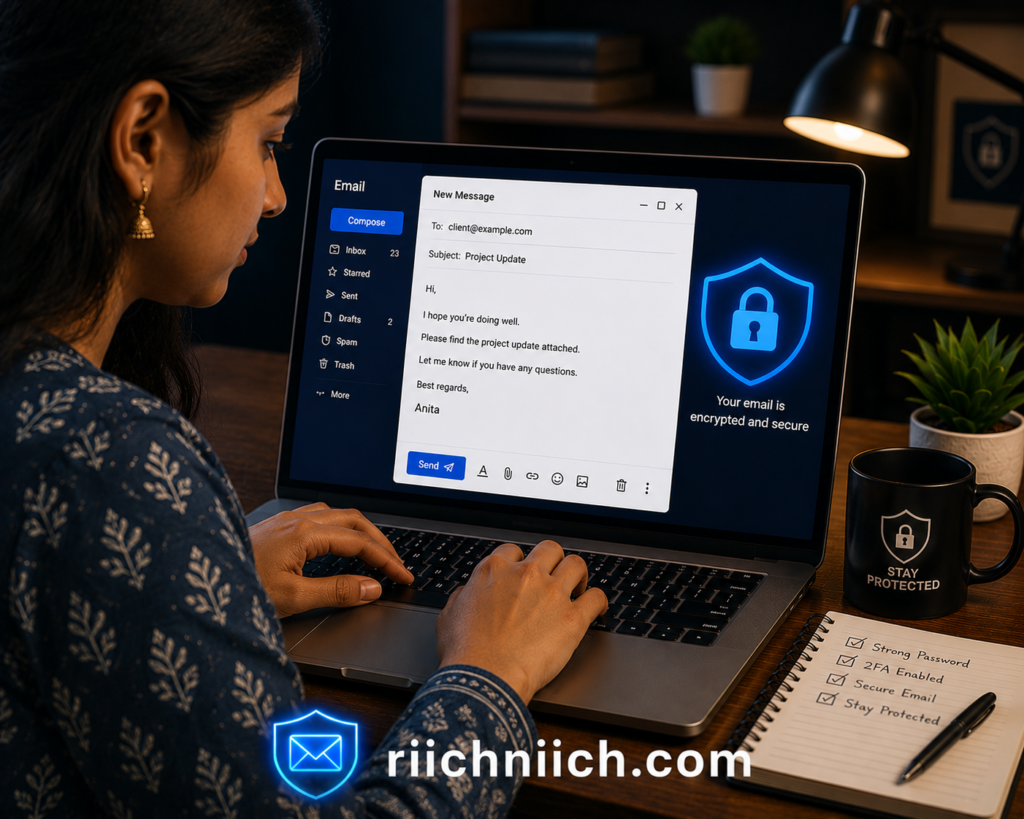
If protecting the privacy of your email conversations is your top priority, Proton Mail is one of the best email protection tools available. Unlike identity monitoring services, password managers, or VPNs, Proton Mail is a secure email provider built with privacy at its core. It uses end-to-end encryption to help ensure that only you and your intended recipient can read your messages.
For users who regularly send sensitive information or simply want greater control over their personal data, Proton Mail offers an extra layer of privacy beyond what traditional email providers typically provide.
Why Proton Mail Stands Out
Many popular email providers offer strong security, but Proton Mail is designed specifically with privacy in mind. It minimizes data collection and uses encryption technologies that help keep your email content private.
Depending on your plan, Proton Mail includes features such as:
- End-to-end encrypted emails between Proton Mail users
- Zero-access encryption for stored messages
- Spam and phishing protection
- Email aliases
- Custom email domains (on eligible plans)
- Encrypted contacts and calendar integration
- Multi-device access
These features make Proton Mail an excellent option for users who want more control over the privacy of their communications.
How Proton Mail Helps Protect Your Email
Unlike tools that monitor for identity theft or secure your internet connection, Proton Mail focuses on protecting the contents of your email account.
Its encryption helps prevent unauthorized parties from reading your messages while they are stored or transmitted between compatible users. Built-in spam filtering also helps reduce unwanted emails, while phishing protections can help identify potentially dangerous messages before you interact with them.
For users concerned about data privacy, Proton Mail also supports email aliases, allowing you to create separate addresses for different purposes. This can reduce spam and limit the exposure of your primary email address when signing up for online accounts.
Who Should Choose Proton Mail?
Proton Mail is an excellent choice for people who value privacy and want greater control over their email communications.
It may be especially beneficial for:
- Privacy-conscious individuals.
- Journalists and researchers.
- Business professionals handling confidential information.
- Remote workers.
- Anyone who wants a more private alternative to traditional email providers.
While most users can benefit from stronger email privacy, Proton Mail is particularly valuable for those who regularly exchange sensitive information online.
What to Consider Before Buying
Proton Mail is a secure email provider, but it doesn’t replace every other type of email security tool. It won’t monitor your identity for fraud, manage your passwords, or provide a VPN unless you subscribe to additional Proton services.
For comprehensive protection, many users pair Proton Mail with a password manager, a VPN, and an identity monitoring service. Combining these tools creates multiple layers of protection that safeguard not only your email messages but also the accounts and personal information connected to them.
Bottom Line
Proton Mail earns its place among the best email protection tools because it puts privacy first. With end-to-end encryption, strong spam filtering, email aliases, and privacy-focused features, it helps users communicate more securely while reducing unnecessary exposure of their personal information.
If your primary goal is protecting the privacy of your email conversations, Proton Mail is one of the strongest secure email providers available and a valuable addition to a well-rounded email security strategy.
Comparison Table: Best Email Protection Tools at a Glance
Choosing between the best email protection tools can feel overwhelming because each service focuses on a different aspect of email security. Some are designed to monitor for identity theft and data breaches, while others help you create stronger passwords, protect your internet connection, or keep your email communications private.
The comparison table below highlights the strengths of each solution, making it easier to identify which tool best matches your needs. In many cases, the strongest protection comes from combining two or more services rather than relying on a single product.
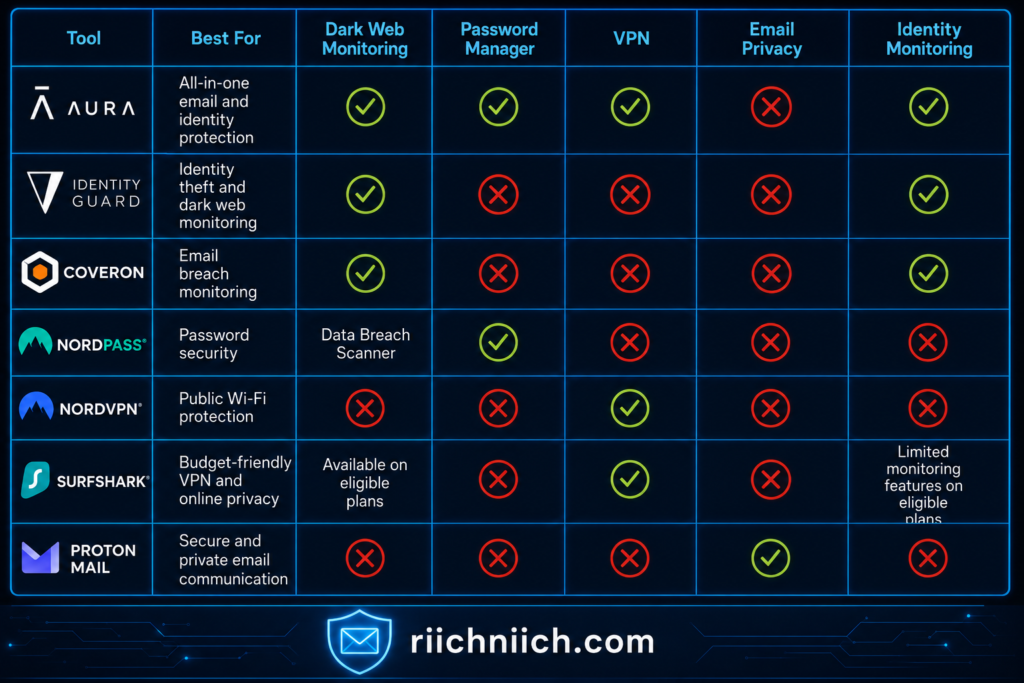
As you compare the best email protection tools, think about the type of protection you need most.
- Choose Aura if you want one platform that combines identity monitoring, password management, VPN protection, and dark web monitoring.
- Choose Identity Guard if your priority is detecting identity theft and monitoring your personal information.
- Choose Coveron if you want to receive alerts when your email address appears in a data breach.
- Choose NordPass if improving your password security is your primary goal.
- Choose NordVPN if you regularly access your email while traveling or using public Wi-Fi.
- Choose Surfshark if you want affordable VPN protection with additional privacy features.
- Choose Proton Mail if protecting the privacy of your email conversations is your top concern.
Keep in mind that no single service protects against every cyber threat. Cybersecurity professionals often recommend a layered approach that combines password security, identity monitoring, secure internet connections, and proactive breach detection. Building multiple layers of protection significantly reduces the chances that one compromised account will lead to a much larger security incident.
The right combination depends on your online habits, the number of accounts you manage, and the level of protection you’re looking for. By understanding what each solution does best, you can confidently choose the best email protection tools that fit both your security needs and your budget.
How to Choose the Best Email Protection Tools
Not everyone needs the same level of email security. Someone who only checks personal email at home has different security needs than a business traveler who regularly logs in from airports and hotels. That’s why choosing the best email protection tools starts with understanding how you use your email and what types of cyber threats you’re most likely to face.
Instead of looking for the service with the most features, focus on the one that solves your biggest security concerns. The right combination of tools can provide excellent protection without paying for features you’ll never use.
Consider the Types of Protection You Need
Different email security tools solve different problems. Before subscribing to a service, think about which risks are most important to you.
You may benefit from:
- Identity monitoring if you’re concerned about identity theft or data breaches.
- Dark web monitoring if you want alerts when your personal information is exposed online.
- A password manager if you struggle to create or remember strong, unique passwords.
- A VPN if you frequently use public Wi-Fi while checking email.
- A secure email provider if protecting the privacy of your messages is your highest priority.
Matching the tool to your specific needs will often provide better value than purchasing the most expensive option available.
Look for Real-Time Alerts
One of the biggest advantages of the best email protection tools is early detection.
Services that provide real-time notifications can alert you if:
- Your email address appears in a data breach.
- Your personal information is found on the dark web.
- Suspicious account activity is detected.
- Your passwords have been compromised.
Receiving these alerts quickly allows you to change passwords, enable additional security measures, and secure your accounts before hackers have an opportunity to misuse your information.
Choose Tools That Work Well Together
No single product protects against every online threat. Instead of searching for one perfect solution, consider building a layered security strategy.
For example:
- An identity monitoring service can detect data breaches.
- A password manager secures your login credentials.
- A VPN protects your internet connection.
- A secure email provider improves the privacy of your communications.
Using several complementary tools creates multiple barriers that make it much harder for cybercriminals to access your accounts.
Consider Ease of Use
The most effective security tool is the one you’ll actually use every day.
When comparing the best email protection tools, look for services that offer:
- Simple dashboards.
- Easy setup.
- Automatic updates.
- Mobile and desktop compatibility.
- Helpful customer support.
- Clear security notifications.
A user-friendly platform makes it much more likely that you’ll keep your accounts protected over the long term.
Compare Long-Term Value, Not Just Price
Price is important, but it shouldn’t be your only consideration.
A lower-cost service may lack important features such as identity monitoring, password management, or breach alerts. On the other hand, paying slightly more for a solution that combines multiple security tools could eliminate the need for several separate subscriptions.
Before making your decision, compare:
- Included security features.
- Number of protected devices.
- Family plan availability.
- Identity restoration services.
- Customer support.
- Overall value for your budget.
Read Independent Reviews and Security Recommendations
Before purchasing any email security software, spend a few minutes researching the provider’s reputation. Independent product reviews, security testing organizations, and trusted cybersecurity resources can provide valuable insights into how well a service performs in real-world situations.
It’s also helpful to review guidance from organizations like the Cybersecurity and Infrastructure Security Agency (CISA), which recommends using strong passwords, enabling multi-factor authentication, keeping software updated, and remaining alert to phishing attacks. The strongest email security solutions support these best practices rather than replacing them.
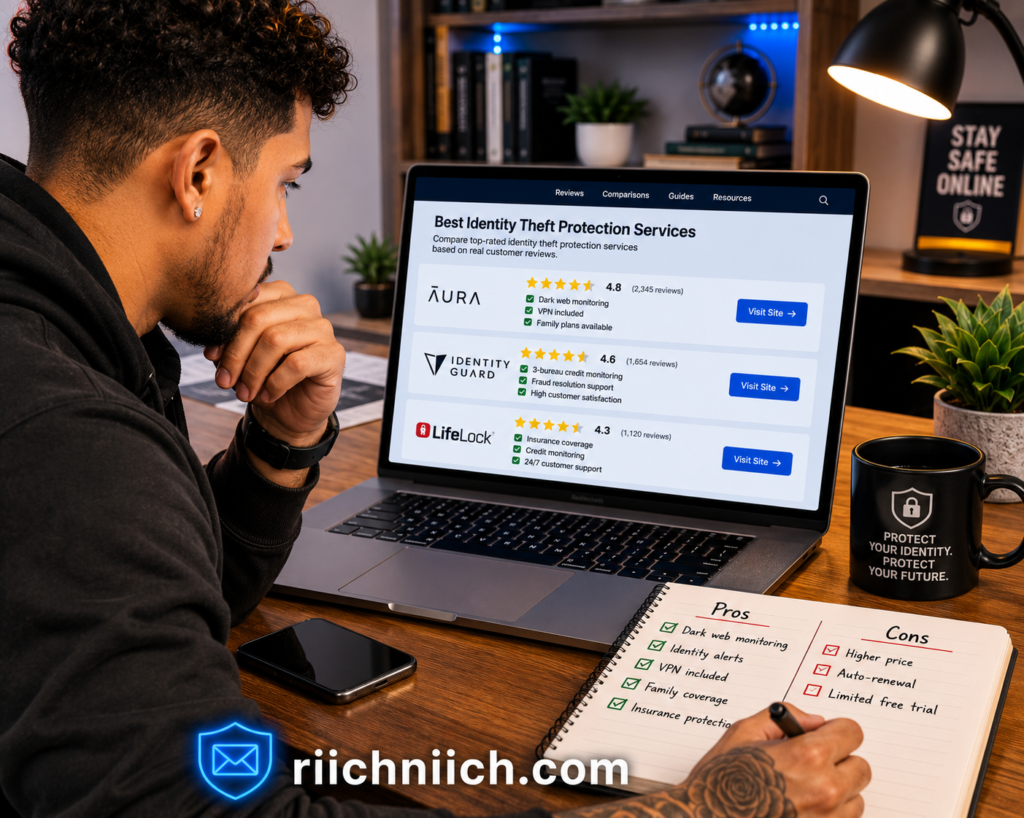
By taking the time to compare features, usability, pricing, and overall value, you’ll be better prepared to choose the best email protection tools for your specific needs. The right solution isn’t necessarily the one with the longest feature list—it’s the one that helps you protect your email, personal information, and online accounts with confidence every day.
Who Should Use Email Protection Tools?
The short answer is simple: almost everyone. Whether you use your email for personal communication, online shopping, banking, work, or managing your household, your inbox likely contains valuable information that cybercriminals would like to access. Because email serves as the gateway to so many online accounts, the best email protection tools are no longer just for businesses or technology professionals—they’re useful for anyone who wants to reduce their risk of identity theft and account compromise.
The sections below can help you determine whether investing in the best email protection tools makes sense for your situation.
Frequent Online Shoppers
If you regularly shop online, your email account probably contains order confirmations, shipping updates, digital receipts, and payment notifications. It may also be linked to dozens of retail accounts that store your personal information.
Using the best email protection tools can help you detect data breaches sooner, secure your passwords, and reduce the risk of criminals accessing shopping accounts or saved payment information.
Remote Workers and Business Professionals
Many people use the same device to access both personal and work email. A compromised email account can expose confidential documents, client communications, and sensitive business information.
A combination of a password manager, VPN, and identity monitoring service helps remote workers secure their accounts whether they’re working from home, a shared office, or while traveling.
Families Managing Multiple Online Accounts
Families often manage numerous online accounts, including banking, utilities, streaming services, healthcare portals, school accounts, and shopping websites. The more accounts connected to a single email address, the greater the potential impact if that email account is compromised.
Many of the best email protection tools offer family plans that make it easier to monitor and protect multiple household members under one subscription.
Seniors
Older adults are frequently targeted by phishing scams, fake technical support emails, and identity theft schemes. Even experienced internet users can sometimes receive convincing emails that appear to come from trusted organizations.
Email protection tools that provide breach alerts, password management, identity monitoring, and fraud notifications can help seniors recognize potential threats earlier and reduce the likelihood of becoming victims of online scams.
Travelers and Public Wi-Fi Users
If you often check your email from airports, hotels, coffee shops, or other public places, your internet connection may not always be secure.
Using a VPN alongside the best email protection tools helps protect your login credentials and other sensitive information while you’re connected to unfamiliar Wi-Fi networks.
Anyone Affected by a Previous Data Breach
If you’ve ever received a notification that one of your online accounts was involved in a data breach, you’re already at a higher risk of future attacks. Cybercriminals often continue using stolen email addresses and passwords long after the original breach occurred.
Identity monitoring services, breach alerts, and password managers can help you respond quickly if your information appears in another breach or if suspicious activity is detected.
People Who Want Peace of Mind
You don’t have to be the victim of identity theft to benefit from stronger email security. Many people choose the best email protection tools simply because they want confidence that their accounts are being monitored and that they’ll receive an alert if something unusual happens.
Having proactive security measures in place can reduce worry and make it easier to manage your online accounts safely.
No matter your age, profession, or level of technical experience, protecting your email account is one of the smartest cybersecurity investments you can make. Since your inbox is connected to so many important parts of your digital life, choosing the best email protection tools can help you safeguard your personal information, strengthen your online security, and respond quickly if your data is ever exposed.
Common Mistakes to Avoid When Protecting Your Email
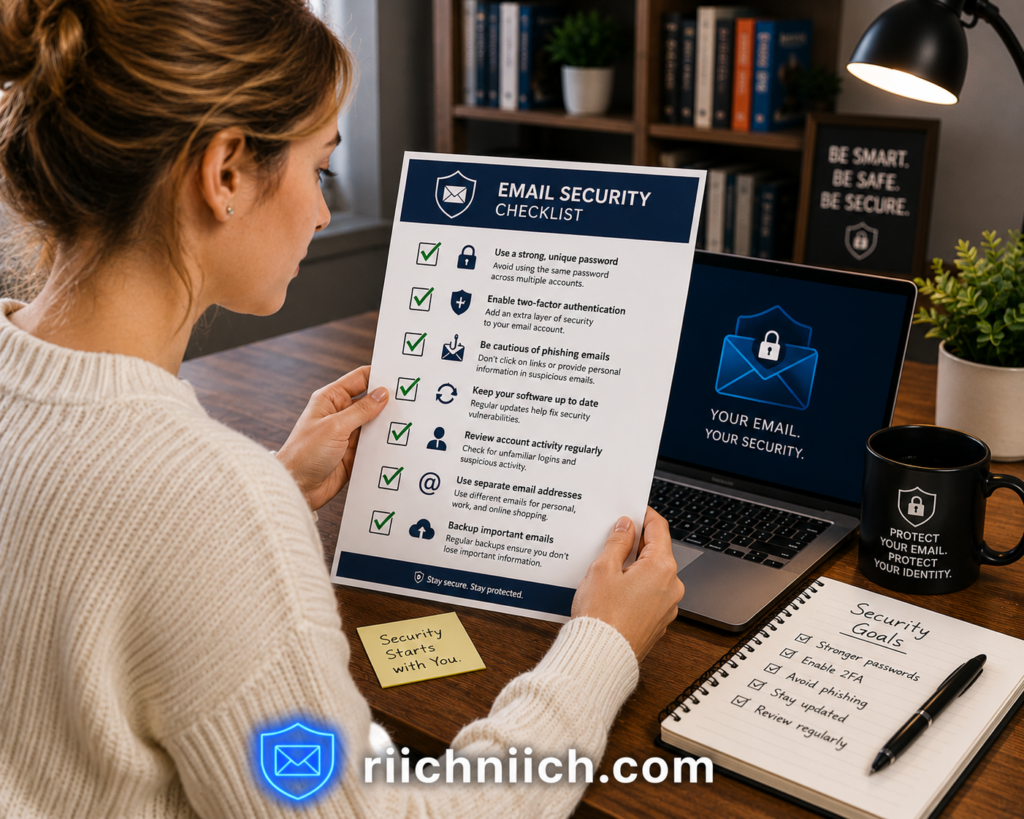
Even people who use the best email protection tools can accidentally leave their accounts vulnerable by making simple security mistakes. Cybercriminals often look for easy opportunities rather than trying to break through advanced security systems. Avoiding the following mistakes can dramatically reduce your chances of becoming the next victim of a phishing scam, account takeover, or identity theft.
Reusing the Same Password Everywhere
One of the most common mistakes is using the same password across multiple websites. While it may seem convenient, it creates a serious security risk.
If just one website experiences a data breach, cybercriminals often try those same login credentials on email providers, banking websites, and shopping accounts. This technique, known as credential stuffing, can quickly lead to multiple compromised accounts.
Using a password manager included with or alongside the best email protection tools makes it easy to create a different, strong password for every account.
Ignoring Data Breach Notifications
Many people receive breach notifications and assume there’s nothing they can do. Others postpone changing their passwords because they believe the exposed information won’t be used.
If you’ve recently received a breach notification, follow our step-by-step guide on What to Do After a Data Breach to help secure your accounts quickly.
Unfortunately, stolen email addresses and passwords are often bought, sold, and reused by cybercriminals for months or even years after a breach occurs.
Whenever you receive a breach alert, update your password immediately, enable multi-factor authentication if it’s available, and review your recent account activity for anything suspicious.
Clicking Links Without Verifying the Sender
Phishing emails continue to become more convincing every year. Many imitate banks, shipping companies, streaming services, employers, or government agencies so closely that they appear legitimate at first glance.
Before clicking any link or downloading an attachment, verify the sender’s email address and carefully inspect the message for signs of fraud. If you’re unsure whether an email is genuine, visit the company’s official website directly instead of clicking the link in the message.
Skipping Multi-Factor Authentication
A strong password provides excellent protection, but adding multi-factor authentication creates another important layer of security.
Even if someone steals your password, multi-factor authentication makes it much more difficult for them to access your email account because they’ll also need a second verification method.
Many of the best email protection tools work alongside multi-factor authentication, giving you stronger overall account security.
Using Public Wi-Fi Without Protection
Checking your email over free Wi-Fi at airports, hotels, restaurants, or coffee shops may expose your internet traffic if the network isn’t secure.
If you regularly access email while traveling, using a reputable VPN can encrypt your internet connection and help protect your login credentials from interception on public networks.
Forgetting to Review Connected Apps
Over the years, many people grant third-party apps permission to access their email accounts. Some of these apps are no longer used, while others may not need ongoing access.
Review your connected apps periodically and remove any permissions that are no longer necessary. Reducing unnecessary account access lowers your overall security risk.
Relying on One Security Tool
One of the biggest misconceptions is believing that antivirus software or spam filtering alone is enough to protect your email.
Modern cyber threats often require multiple layers of defense. Password managers, identity monitoring, VPNs, breach monitoring, and secure email practices all work together to provide better protection than any single product can offer.
That’s why many cybersecurity professionals recommend combining several of the best email protection tools instead of depending on just one solution.
Waiting Until Something Goes Wrong
Perhaps the biggest mistake of all is waiting until your email account has already been compromised before taking security seriously.
Recovering from identity theft or an email account takeover is usually far more difficult than preventing it in the first place. Taking proactive steps today—such as using strong passwords, enabling multi-factor authentication, monitoring for breaches, and investing in the best email protection tools—can save you significant time, money, and frustration in the future.
Avoiding these common mistakes won’t eliminate every cyber threat, but it will greatly improve your email security and reduce the likelihood that criminals can gain access to your personal information. A few simple habits, combined with the right security tools, can go a long way toward keeping your digital life protected.
Pros & Cons of Using Email Protection Tools
Like any cybersecurity investment, the best email protection tools come with both advantages and limitations. While these services can significantly improve your online security, it’s important to understand what they can—and cannot—do. Knowing the pros and cons will help you choose the right solution and set realistic expectations.
Pros
Stronger Protection Against Cyber Threats
One of the biggest benefits of the best email protection tools is that they add multiple layers of security to your online accounts. Features such as password management, identity monitoring, VPN protection, phishing detection, and dark web monitoring work together to reduce the risk of account takeovers and identity theft.
Early Detection of Data Breaches
Many email security services continuously monitor for newly reported data breaches. If your email address or other personal information is exposed, you’ll receive an alert so you can update your passwords and secure your accounts before criminals have an opportunity to misuse your information.
Better Password Security
Many tools include password managers that generate strong, unique passwords and securely store them for you. This helps eliminate one of the most common causes of hacked email accounts: password reuse.
Safer Browsing on Public Wi-Fi
Some of the best email protection tools include VPN services that encrypt your internet connection. This helps protect your email login credentials and other sensitive information when you’re connected to public Wi-Fi in airports, hotels, coffee shops, and other shared locations.
Greater Peace of Mind
Knowing that your email account is being monitored for suspicious activity allows you to focus on your daily life instead of constantly worrying about identity theft or data breaches. Many services also provide alerts and recovery assistance if a problem is detected.
Cons
Subscription Costs Can Add Up
Many of the best email protection tools require monthly or annual subscriptions. While the cost is often reasonable, combining multiple services can become expensive if you purchase each one separately.
Choosing an all-in-one solution may help reduce overall costs for some users.
No Tool Can Prevent Every Threat
Even the most advanced email security software cannot guarantee complete protection. Criminals continually develop new phishing techniques and attack methods, making it important to combine security tools with safe online habits.
Users should still avoid suspicious links, create strong passwords, and enable multi-factor authentication.
Some Features May Go Unused
Many comprehensive security suites include dozens of features. Depending on your needs, you may never use certain tools, meaning you could end up paying for functionality that isn’t important to you.
Before subscribing, compare plans carefully and choose one that matches your online habits.
Setup May Take Some Time
Although most modern security tools are easy to install, properly configuring password managers, VPNs, identity monitoring, and security alerts may require a little initial setup.
Fortunately, once configured, many services run automatically with very little ongoing maintenance.
They Work Best Together
No single product protects every aspect of your digital life. A VPN won’t monitor for identity theft, a password manager won’t encrypt your internet connection, and an identity monitoring service won’t secure weak passwords.
That’s why many cybersecurity professionals recommend combining several of the best email protection tools to create a layered security strategy.
The Bottom Line
For most people, the advantages of using the best email protection tools far outweigh the disadvantages. While there may be a subscription cost and a small amount of setup involved, the added protection against phishing attacks, password theft, data breaches, and identity theft makes these tools a worthwhile investment for anyone who relies on email every day.
By selecting the right combination of services for your needs, you can significantly improve your email security and reduce the likelihood of becoming the next victim of cybercrime.
Are the Best Email Protection Tools Worth It?
For most people, the answer is yes. The best email protection tools are worth the investment because your email account is connected to nearly every part of your digital life. From online banking and shopping to healthcare portals, tax accounts, and social media, your email often serves as the key to accessing your most important information. If that key falls into the wrong hands, the consequences can be costly and time-consuming.
While no security solution can eliminate every cyber threat, using the right combination of email security tools can dramatically reduce your risk of becoming a victim of phishing attacks, account takeovers, identity theft, and data breaches.
The Cost of Prevention vs. The Cost of Recovery
One of the biggest reasons people invest in the best email protection tools is that preventing a security incident is usually much easier than recovering from one.
If your email account is compromised, you may need to:
- Reset passwords for dozens of online accounts.
- Contact your bank or credit card company.
- Monitor your credit reports.
- Secure connected devices.
- Recover hacked social media accounts.
- Replace stored payment information.
- Watch for signs of identity theft.
Depending on the situation, this process can take days or even weeks. In comparison, using email security software helps reduce the likelihood of facing these problems in the first place.
They Provide Ongoing Protection
Cyber threats don’t stop after you install security software. New phishing scams, data breaches, and malware campaigns appear every day.
Many of the best email protection tools continuously monitor your personal information, alert you to suspicious activity, and notify you if your email address appears in newly reported data breaches. This ongoing protection helps you respond quickly instead of discovering a problem long after the damage has already been done.
They Help Build Better Security Habits
Another advantage of modern email security tools is that they encourage safer online behavior.
Features such as password generators, breach alerts, password health reports, and reminders to enable multi-factor authentication make it easier to follow cybersecurity best practices without requiring advanced technical knowledge.
Instead of relying on memory or manual account checks, many of these tools automate important security tasks that might otherwise be overlooked.
The Right Choice Depends on Your Needs
Not everyone needs every available feature.
For example:
- If you’re primarily concerned about identity theft, an identity monitoring service may provide the greatest value.
- If you reuse passwords, a password manager should be one of your first investments.
- If you regularly travel or work remotely, a VPN can significantly improve your online security.
- If privacy is your biggest concern, a secure email provider may be the best fit.
Many people ultimately benefit from combining several tools to create a layered security strategy tailored to their online habits.
Who Gets the Most Value?
Investing in the best email protection tools is especially worthwhile if you:
- Manage financial accounts online.
- Frequently shop on the internet.
- Store sensitive information in your email.
- Travel and use public Wi-Fi.
- Have been involved in a previous data breach.
- Want early warning if your personal information is exposed.
For these users, the added protection often outweighs the subscription cost.
A Smart Investment for Long-Term Security
Email has become one of the most valuable targets for cybercriminals because it provides access to so many other accounts. Protecting it should be viewed as part of your overall cybersecurity strategy rather than an optional expense.
By combining strong passwords, secure internet connections, breach monitoring, identity monitoring, and good security habits, the best email protection tools help you stay ahead of evolving online threats. For most individuals and families, that added protection makes them a worthwhile investment and an important step toward protecting both your personal information and your peace of mind.
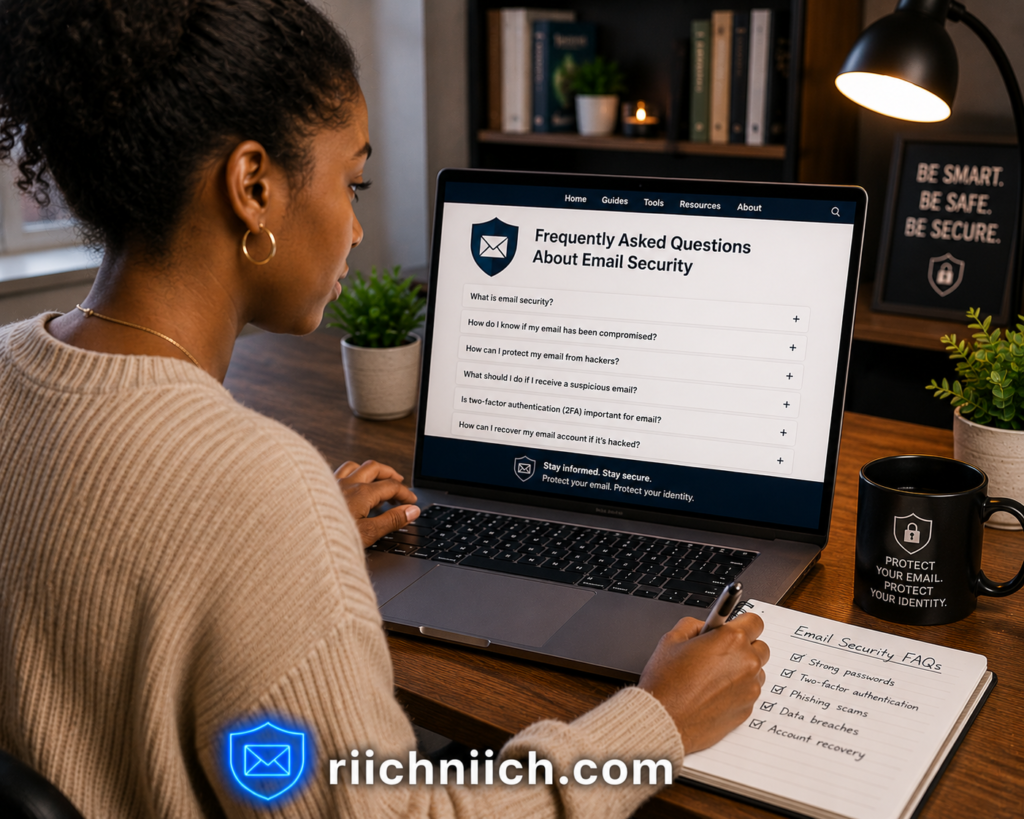
Frequently Asked Questions About the Best Email Protection Tools
Below are answers to some of the most common questions people ask when comparing the best email protection tools.
What are the best email protection tools?
The best email protection tools are services that help protect your email account from cyber threats such as phishing attacks, hacked accounts, malware, data breaches, and identity theft. Depending on the tool, they may include features like identity monitoring, dark web monitoring, password management, VPN protection, breach alerts, and secure email services. The best choice depends on your individual security needs and online habits.
Do I really need email protection tools?
If you use your email for banking, online shopping, work, healthcare, or social media, investing in the best email protection tools is a smart decision. Because your email account is connected to many other services, protecting it can help reduce the risk of identity theft, financial fraud, and account takeovers.
Can email protection tools stop phishing attacks?
Many the best email protection tools include phishing detection or security features that help identify suspicious emails, malicious websites, and dangerous links. However, no software can stop every phishing attack. It’s still important to verify unexpected emails, avoid clicking suspicious links, and enable multi-factor authentication whenever possible.
Are free email security tools good enough?
Free email security tools can provide basic protection, but they often lack advanced features such as dark web monitoring, identity monitoring, password management, VPN access, and identity restoration support. If your email contains sensitive personal or financial information, a paid solution typically offers more comprehensive protection.
What’s the difference between a password manager and an email protection tool?
A password manager helps you create, store, and manage strong passwords, while the best email protection tools often include additional features such as breach monitoring, identity monitoring, VPN protection, phishing detection, and dark web alerts. Many people use a password manager as one part of a broader email security strategy.
Should I use more than one email protection tool?
Yes. Since no single product protects against every cyber threat, many cybersecurity professionals recommend using multiple layers of protection. For example, combining an identity monitoring service, a password manager, and a VPN provides stronger protection than relying on just one security solution.
Can email protection tools prevent identity theft?
No solution can completely prevent identity theft, but the best email protection tools can significantly reduce your risk. Features such as breach monitoring, dark web monitoring, password management, and identity alerts help you detect problems early so you can secure your accounts before criminals cause more damage.
Which email protection tool is best for families?
Families often benefit from services that protect multiple users under one subscription. Look for plans that include identity monitoring, password management, dark web monitoring, and support for multiple devices. Family plans can simplify account management while helping protect everyone in the household.
Do email protection tools work on smartphones?
Yes. Most the best email protection tools offer mobile apps for Android and iPhone, allowing you to monitor your accounts, receive security alerts, manage passwords, and use VPN protection directly from your smartphone or tablet.
How do I choose the best email protection tool?
Start by identifying your biggest security concern. If you’re worried about identity theft, choose a service with identity monitoring. If password security is your priority, a password manager may be the best option. If you regularly use public Wi-Fi, consider a VPN. Many people achieve the strongest protection by combining several complementary tools instead of relying on just one.
Final Verdict: Best Email Protection Tools
Choosing the best email protection tools isn’t about finding one product that does everything—it’s about building the right combination of security features for your online lifestyle. Since your email account is connected to your banking, shopping, work, healthcare, and social media accounts, protecting it should be one of your top cybersecurity priorities.
If you’re looking for the most complete all-around solution, Aura stands out because it combines identity monitoring, dark web monitoring, a password manager, VPN protection, and additional security features into one easy-to-use platform. For users who prefer an all-in-one approach, it’s one of the strongest overall choices.
If your biggest concern is monitoring your identity and receiving early warnings about data breaches, Identity Guard and Coveron are excellent options. Both help you detect potential problems quickly, giving you valuable time to secure your accounts before criminals can take advantage of exposed information.
For stronger password security, NordPass makes it simple to generate and store unique passwords for every account. If you frequently check your email while traveling or using public Wi-Fi, NordVPN and Surfshark provide encrypted internet connections that help keep your personal information private. And if protecting the privacy of your email conversations is your highest priority, Proton Mail offers a secure email service built around encryption and user privacy.
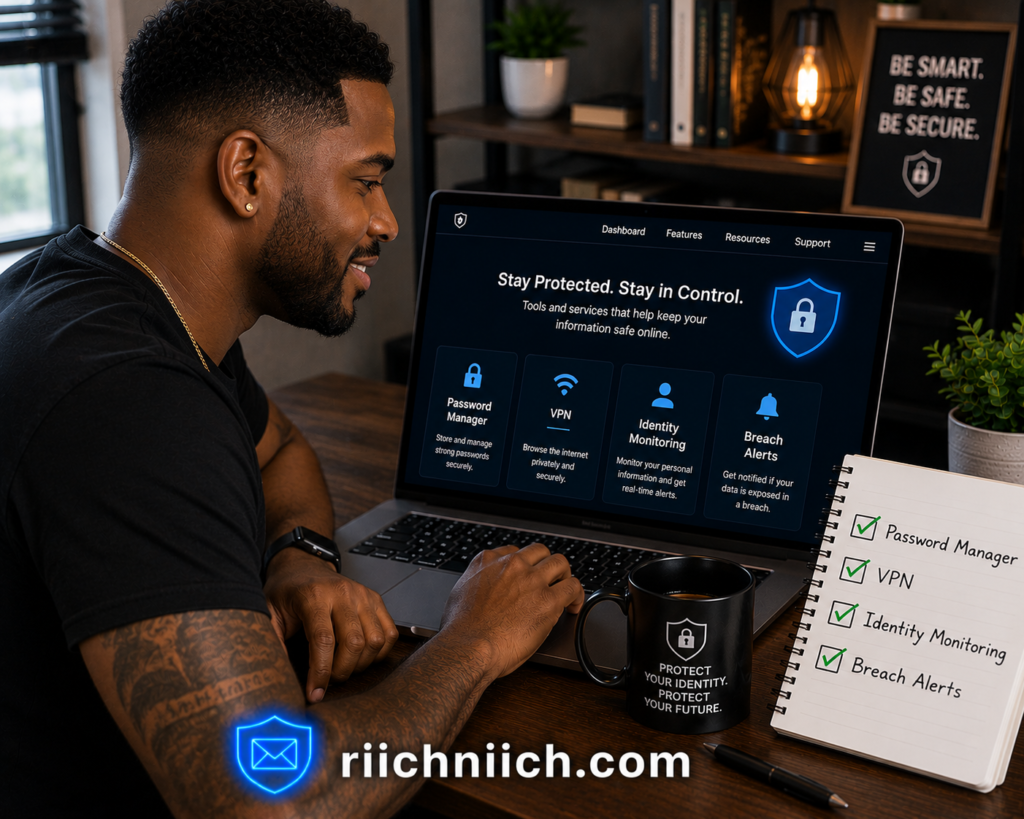
The most effective strategy is to combine several complementary tools rather than relying on a single product. For example, pairing an identity monitoring service with a password manager and a VPN creates multiple layers of protection that work together to defend against phishing attacks, password theft, public Wi-Fi risks, data breaches, and identity theft.
Before choosing the best email protection tools, consider:
- How often you use your email for banking, shopping, and work.
- Whether you’ve been affected by a previous data breach.
- How many online accounts are connected to your email address.
- Whether you frequently use public Wi-Fi.
- Which security features are most important for your needs.
The right solution isn’t necessarily the most expensive one—it’s the one that addresses your biggest risks while fitting your budget and online habits.
As cyber threats continue to evolve, taking a proactive approach to email security is far easier than recovering from a compromised account. Investing in the best email protection tools today can help protect your personal information, reduce your risk of identity theft, and give you greater confidence every time you sign in to your inbox.