

Public WiFi dangers are more common—and more serious—than most people realize. Every time you connect to free WiFi at a coffee shop, airport, hotel, or public space, you could be exposing your personal data to hackers without even knowing it.
The problem is that public networks are often unsecured, making it easy for cyber-criminals to intercept your information, steal your passwords, and even access your financial accounts. According to the Federal Trade Commission, using unsecured WiFi can significantly increase your risk of identity theft and fraud if proper precautions are not taken.

In this guide, you’ll learn exactly what public WiFi dangers are, how hackers exploit them, and most importantly, how to protect yourself using the right tools and strategies.
⚠️ Quick Warning: Public WiFi Is More Dangerous Than You Think
Public WiFi might seem convenient — but it’s one of the easiest ways for hackers to access your personal data.
In many cases, attackers don’t need to “hack” your device — they just wait for you to connect.
👉 By the time you realize something is wrong, your information may already be compromised.
Table of Contents
What Are Public WiFi Dangers?
Public WiFi dangers refer to the security risks you face when connecting to free or unsecured internet networks in places like coffee shops, airports, hotels, and shopping centers. While these networks are convenient, they are often completely unprotected, making it easy for hackers to access your personal data without you even knowing.
The biggest problem with public WiFi is that you are sharing the same network with strangers — and some of them may be actively trying to steal sensitive information like:
- Passwords
- Credit card details
- Banking login credentials
- Personal emails and messages
- Social media accounts
According to the Federal Trade Commission, unsecured networks are one of the most common ways cyber-criminals gain access to personal information. Similarly, the Identity Theft Resource Center reports that data exposure and identity theft cases continue to rise due to weak online security habits.
Why Public WiFi Dangers Matter More Than Ever
Public WiFi dangers are not just a “tech issue” — they are a financial and identity risk.
When you connect to an unsecured network, hackers can intercept your data in real time using techniques like:
- Man-in-the-middle attacks (MITM) (they secretly sit between you and the website)
- Fake WiFi hotspots (networks that look legitimate but are controlled by hackers)
- Packet sniffing (monitoring your online activity and capturing data)
This means something as simple as checking your bank account or logging into an email could expose your entire digital identity.
Why Public WiFi Dangers Are More Serious Than You Think
Public WiFi dangers are often underestimated because everything looks normal when you connect. The internet works, pages load, and there are no obvious warning signs. But behind the scenes, your data can be exposed in ways most people never realize.
The truth is: public WiFi is one of the easiest entry points for cyber-criminals.
You Don’t Need to Be “Hacked” to Be Exposed
One of the biggest misconceptions about public WiFi dangers is that hackers need advanced skills or special access.
They don’t.
On unsecured networks, attackers can use simple, widely available tools to:
- Monitor your internet activity
- Capture login credentials
- Track the websites you visit
- Intercept sensitive data in real time
This means you could be exposing your information without clicking anything suspicious.
Public WiFi Has Little to No Security
Most public networks are either:
- Unencrypted, or
- Protected with weak, shared passwords
Unlike your home network, there is no real protection layer. Everyone connected is essentially on the same digital “room,” making it easy for attackers to move between devices.
According to the Federal Trade Commission, unsecured WiFi networks allow cyber-criminals to access sensitive data if proper precautions aren’t taken.
Fake Networks Make Public WiFi Even More Dangerous
Another reason public WiFi dangers are more serious than people think is the rise of fake hotspots.
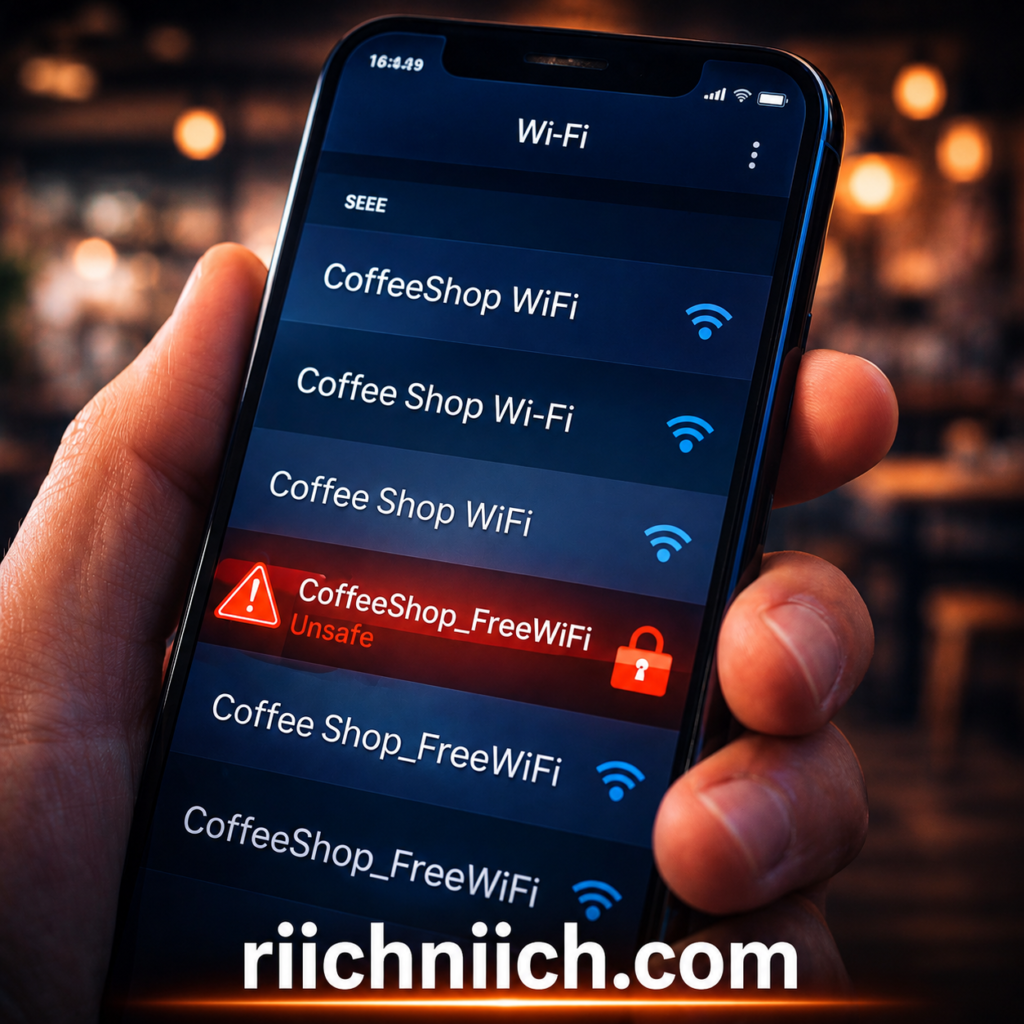
Hackers can create WiFi networks with names like:
- “Free Airport WiFi”
- “CoffeeShop_Guest”
- “Hotel WiFi”
These networks look legitimate, but once you connect, everything you do can be monitored or recorded.
The Identity Theft Resource Center warns that these types of attacks are becoming increasingly common, especially in high-traffic public areas.
Your Most Sensitive Data Is at Risk
Public WiFi dangers go beyond browsing history — they can impact your financial and personal identity.
If your data is intercepted, hackers can gain access to:
- Online banking accounts
- Credit card information
- Email accounts (used to reset passwords)
- Social media profiles
- Personal documents stored in the cloud
Once they have this information, it can quickly lead to identity theft or financial fraud.
The Federal Trade Commission provides identity theft recovery steps highlighting how widespread these incidents have become.
Buyer Intent Insight (Why You Should Care Now)
Here’s the reality:
If you’ve ever connected to public WiFi without protection, your data may already be exposed.
And the risk is not limited to one moment — hackers can:
- Store your data
- Use it later
- Sell it to other cyber-criminals
This is why cyber-security professionals strongly recommend using protective tools like VPNs and identity monitoring services.
In the next sections, you’ll see exactly how these attacks work — and more importantly, how to stop them before they cost you money or your identity.
How Hackers Exploit Public WiFi Networks
Understanding public WiFi dangers becomes much clearer when you see how hackers actually exploit these networks. Most attacks are not complex — in fact, many use simple tools that are widely available online.
The biggest issue is this: public WiFi lacks proper encryption, which allows attackers to see and intercept your data as it travels between your device and the internet.
To better understand how these attacks work in detail, read our full guide on how hackers get your personal data.
Man-in-the-Middle (MITM) Attacks
One of the most common public WiFi dangers is a Man-in-the-Middle attack.
This happens when a hacker secretly positions themselves between:
- Your device
- The website or service you’re trying to access
Instead of your data going directly to the website, it passes through the attacker first.
They can then:
- Read your messages
- Capture login credentials
- Steal financial information
According to the Cyber-security and Infrastructure Security Agency, MITM attacks are a major threat on unsecured networks and can happen without any visible warning signs.
Packet Sniffing (Data Interception)
Another major way hackers exploit public WiFi dangers is through packet sniffing.
When you use the internet, your data is broken into small pieces called “packets.” On an unsecured network, hackers can use tools to capture and analyze these packets.
This allows them to see:
- Websites you visit
- Login credentials (if not encrypted)
- Emails and messages
- Session data
The Federal Trade Commission warns that data transmitted over unsecured networks can be intercepted, especially if websites do not use proper encryption (HTTPS).

Rogue (Fake) WiFi Hotspots
One of the most dangerous public WiFi dangers is connecting to a fake hotspot created by a hacker.
These networks are designed to look legitimate, but they are actually controlled by attackers.
Once you connect:
- All your activity can be monitored
- Login pages can be faked (phishing)
- Malware can be injected into your device
The Identity Theft Resource Center highlights that fake networks are increasingly used in crowded places like airports and hotels.
Session Hijacking
Even if you log into a secure website, hackers can still exploit public WiFi dangers using session hijacking.
After you log in, websites create a “session” to keep you signed in. Hackers can steal this session and take over your account without needing your password.
This can lead to:
- Unauthorized account access
- Financial transactions
- Identity theft
Malware Injection Attacks
Hackers can also use public WiFi to inject malware directly into your device.
This can happen when:
- You download files
- Visit unsecured websites
- Use outdated apps or browsers
Once malware is installed, attackers can:
- Track your activity
- Steal stored passwords
- Access your files
- Control your device remotely
The Cyber-security and Infrastructure Security Agency recommends avoiding unsecured networks or using protective tools to reduce this risk.
Buyer Intent Insight (Why This Matters for You)
Here’s the key takeaway:
You don’t need to do anything “wrong” to be targeted.
Simply connecting to an unsecured network is enough for hackers to:
- Monitor your activity
- Capture your data
- Exploit your accounts
This is why cyber-security experts strongly recommend using a VPN (Virtual Private Network).
A VPN:
- Encrypts your internet connection
- Prevents hackers from seeing your data
- Protects you even on unsecured networks
In the next sections, you’ll learn exactly what happens if you don’t protect yourself — and which tools can stop these attacks instantly.
What Hackers Can See on Public WiFi
When you connect to an unsecured network, attackers may be able to see:
❌ Login credentials (emails, passwords)
❌ Credit card details
❌ Personal messages
❌ Browsing activity
👉 In some cases, they can even access your accounts without you knowing.
Common Public WiFi Dangers You Should Know About
To truly understand public WiFi dangers, you need to know the specific risks you face every time you connect to an unsecured network. These threats are more common than most people realize — and they can lead directly to identity theft, financial loss, and long-term damage to your personal data.
Below are the most important public WiFi dangers you should know about before connecting to any open network.
Unencrypted Connections (Your Data Is Visible)
One of the most basic public WiFi dangers is the lack of encryption.
When a network is unsecured, your data is transmitted in a way that can be easily read by others on the same network. This includes:
- Login credentials
- Emails and messages
- Credit card details
- Browsing activity
The Federal Trade Commission warns that sensitive information sent over unsecured WiFi can be intercepted if proper protections aren’t in place.

Fake Login Pages (Phishing Attacks)
Hackers often take advantage of public WiFi dangers by creating fake login pages that look identical to real websites.
For example, you might try to log into:
- Your bank
- Email account
- Social media
But instead of the real site, you’re entering your credentials into a fake page controlled by a hacker. 💀 💀 Sadly, this happened to me and this is my reason for becoming a Content Creator. I am making you aware to prevent it from happening to you!
Once you submit your information, it’s instantly stolen.
The Identity Theft Resource Center reports that phishing remains one of the most effective methods for stealing personal data.
Network Snooping (Others Watching Your Activity)
Another serious public WiFi danger is network snooping.
Anyone on the same network can potentially:
- Monitor your activity
- Track the websites you visit
- Capture unprotected data
This doesn’t require advanced hacking skills — just basic tools and access to the same WiFi network.
👉 Most people don’t realize this is happening until it’s too late.
Malware Distribution Through Public Networks
Public WiFi can also be used to spread malware.
Hackers may:
- Inject malicious code into websites
- Trick you into downloading infected files
- Exploit vulnerabilities in your device
Once infected, your device can be used to:
- Steal stored passwords
- Record keystrokes
- Access sensitive files
The Cyber-security and Infrastructure Security Agency recommends keeping devices updated and avoiding unsecured networks to reduce malware risks.
Session Hijacking (Account Takeover Without Passwords)
Even if you log into a secure site, public WiFi dangers still exist through session hijacking.
Hackers can steal session data and:
- Access your accounts
- Perform actions as if they were you
- Change account settings
This can happen without ever knowing your password.
Identity Theft and Financial Fraud
The most serious consequence of public WiFi dangers is identity theft.
Once hackers collect enough data, they can:
- Open accounts in your name
- Make unauthorized purchases
- Access financial institutions
- Sell your information on the dark web
If your information has already been exposed, here are the warning signs someone stole your identity you should watch for immediately.
👉 Most people don’t realize this is happening until it’s too late.
How Common Are Public WiFi Attacks?
Public WiFi attacks are more common than most people think.
Studies show that a significant percentage of users have experienced security issues after using public networks.
Many people also log into sensitive accounts — like banking or email — while connected to unsecured WiFi.
👉 This increases the risk of identity theft and financial fraud.
Why This Is a Serious Risk
Public WiFi doesn’t just expose your device — it can expose your entire identity.
Once hackers have your information, they can:
❌ Access your accounts
❌ Open new accounts in your name
❌ Steal money or personal data
👉 This is why protecting your connection is critical.

Buyer Intent Insight (What You Should Do Next)
Here’s the bottom line:
Every one of these public WiFi dangers can happen silently — without any warning.
By the time you notice something is wrong, your data may already be:
- Stolen
- Sold
- Used against you
This is why relying on “being careful” is not enough.
To actually protect yourself, you need:
- A VPN to encrypt your connection
- Security tools to monitor your data
- Proactive protection before connecting to public networks
In the next sections, you’ll learn exactly what happens if you don’t protect yourself — and the best tools to stop these risks immediately.
What Happens If You Use Public WiFi Without Protection
Using public networks without safeguards exposes you to serious public WiFi dangers—and the consequences can be immediate or show up weeks later. Most people don’t realize anything is wrong until accounts are compromised or money is gone.
If you suspect your data has been compromised, follow these steps on what to do immediately if your identity is stolen.
Here’s what can actually happen when you connect to public WiFi without protection.
Your Login Credentials Can Be Stolen
On unsecured networks, attackers can intercept data as you log into accounts. If a site or app isn’t fully encrypted—or if you’re tricked by a fake page—your usernames and passwords can be captured.
Once hackers have your credentials, they can:
- Access your email and reset other passwords
- Take over social media accounts
- Log into banking or shopping accounts
The Federal Trade Commission warns that using public WiFi without protection increases the risk of account compromise and fraud.
Your Financial Information Can Be Exposed
If you check your bank account, pay bills, or shop online on public WiFi, your financial data may be visible to attackers.
This can lead to:
- Unauthorized transactions
- Credit card fraud
- Access to your banking profile
According to the Identity Theft Resource Center, financial account takeovers often begin with exposed credentials on weak or unsecured connections.
Your Identity Can Be Stolen
One of the most serious public WiFi dangers is identity theft.
When hackers combine stolen data—like your email, passwords, address, and financial details—they can:
- Open new accounts in your name
- Apply for loans or credit cards
- File fraudulent claims
Your Device Can Be Infected with Malware
Public WiFi can be used to deliver malware without you realizing it. Visiting compromised sites or downloading files on unsecured networks can install malicious software on your device.
This can result in:
- Keystroke logging (everything you type is recorded)
- Stolen saved passwords
- Access to your files and camera
- Long-term monitoring of your activity
The Cyber-security and Infrastructure Security Agency recommends avoiding unsecured networks or using protection tools to reduce malware risks.

Your Accounts Can Be Taken Over (Without Your Password)
Even if your passwords are strong, attackers can still exploit session data to take over accounts.
This means:
- You stay logged in on your device
- A hacker silently gains access on theirs
From there, they can:
- Change your passwords
- Lock you out of your accounts
- Make purchases or transfers
Your Data Can Be Sold on the Dark Web
Once your information is collected, it doesn’t just disappear—it’s often sold.
Stolen data can include:
- Email/password combinations
- Credit card numbers
- Personal identification details
This data is commonly sold on underground marketplaces, where it can be reused by multiple criminals.
The Damage Can Last Months or Years
The impact of ignoring public WiFi dangers is not always immediate.
Many victims don’t realize they’ve been compromised until:
- Their credit score drops
- Accounts are flagged for suspicious activity
- Debt appears in their name
Recovering from identity theft can take months or even years, involving disputes, account recovery, and ongoing monitoring.
Buyer Intent Insight (How to Prevent This)
Here’s the reality:
If you use public WiFi without protection, you are relying on luck.
That’s not a strategy.
To protect yourself from these public WiFi dangers, you need:
- A VPN to encrypt your connection and hide your data
- Identity protection tools to monitor and alert you of suspicious activity
- Safe browsing habits combined with real security tools
In the next section, you’ll learn exactly how to stay safe on public WiFi and which tools can protect you instantly.
How To Stay Safe from Public WiFi Dangers
Avoiding public WiFi dangers is not about avoiding public networks completely—it’s about using the right protections every time you connect. With the right tools and habits, you can significantly reduce your risk of data theft, identity fraud, and account compromise.
Below are the most effective ways to stay safe from public WiFi dangers.
Use a VPN to Encrypt Your Connection
The most important step you can take is using a VPN (Virtual Private Network).
A VPN encrypts your internet traffic, which means:
- Hackers cannot see your data
- Your activity is hidden from others on the network
- Your connection is secured even on open WiFi
This directly protects you from the most common public WiFi dangers, including data interception and monitoring.
Two popular options include:
These tools are designed to secure your connection instantly, even on unsecured networks like coffee shops or airports.
If you’re choosing a VPN, see our full comparison of NordVPN vs Surfshark to find the best option for your needs.
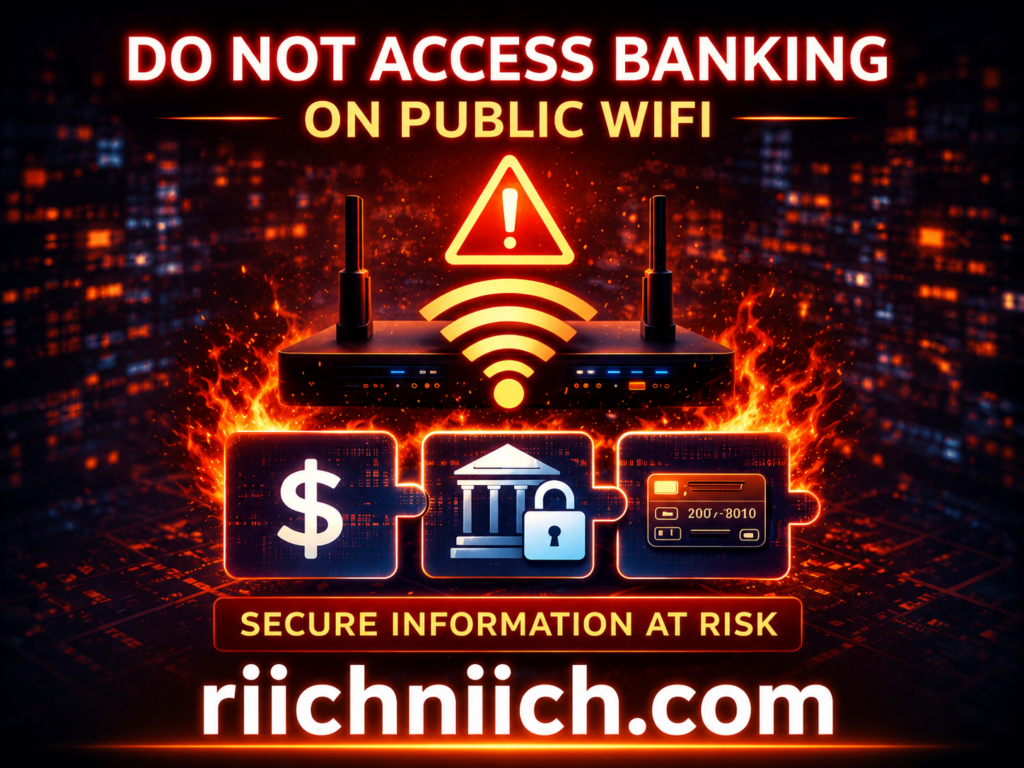
Avoid Accessing Sensitive Accounts
Even with protection, it’s best to limit high-risk activity on public WiFi.
Avoid logging into:
- Bank accounts
- Payment apps
- Work systems
- Accounts containing sensitive personal data
If you must access these, make sure you are using a VPN and secure (HTTPS) websites.
Turn Off Auto-Connect to WiFi Networks
Many devices automatically connect to available WiFi networks, which can expose you to public WiFi dangers without your knowledge.
Hackers often exploit this by creating fake networks that your device connects to automatically.
To prevent this:
- Disable auto-connect settings
- Manually choose trusted networks
- Forget networks you no longer use
Verify the Network Before Connecting
Always confirm that the network you are joining is legitimate.
Ask staff for the correct network name, especially in:
- Cafes
- Hotels
- Airports
Avoid networks with suspicious names like:
- “Free_Public_WiFi”
- Misspelled business names
- Duplicate networks with slight variations
This helps reduce the risk of connecting to a fake hotspot—one of the most dangerous public WiFi dangers.
Use HTTPS Websites Only
When browsing on public WiFi, always ensure the website uses HTTPS (look for the lock icon in the address bar).
HTTPS encrypts data between your browser and the website, adding an extra layer of protection.
However, HTTPS alone is not enough to eliminate all public WiFi dangers, which is why combining it with a VPN is recommended.
Enable Two-Factor Authentication (2FA)
Two-factor authentication adds an extra security step when logging into your accounts.
Even if your password is stolen, attackers cannot access your account without the second verification step.
Enable 2FA on:
- Email accounts
- Banking apps
- Social media
- Any important services
The Cyber-security and Infrastructure Security Agency strongly recommends multi-factor authentication as a key defense against unauthorized access.
Keep Your Device and Apps Updated
Outdated software can have vulnerabilities that hackers exploit on public networks.
Make sure to:
- Update your operating system regularly
- Keep apps and browsers up to date
- Install security patches as soon as they are available
This reduces your exposure to malware and other public WiFi dangers.
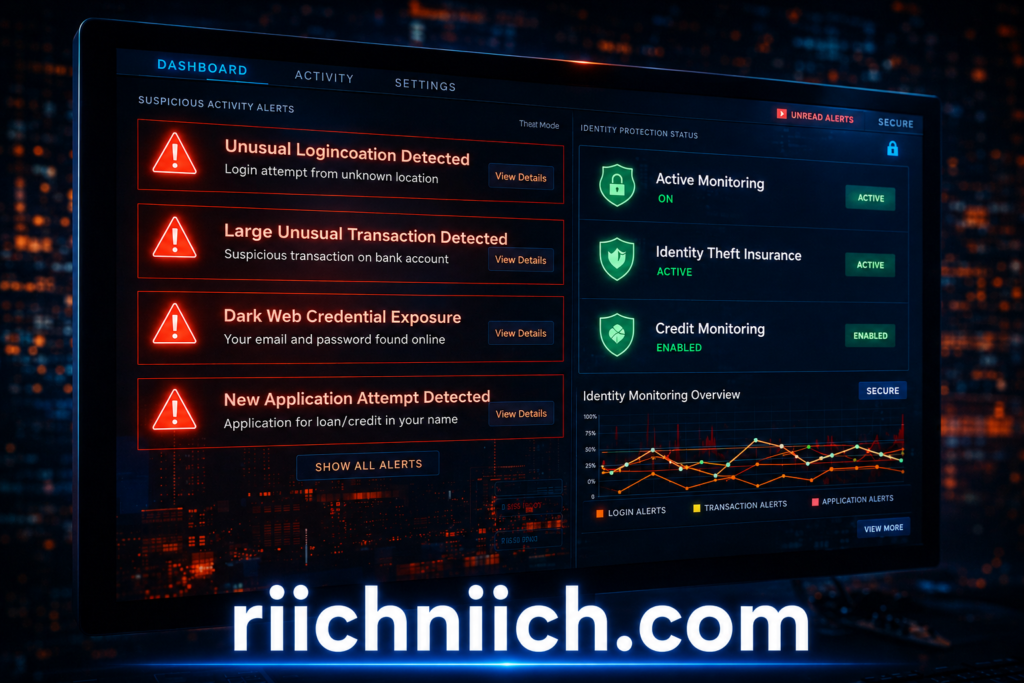
Use Identity Protection for Added Security
Even with precautions, no system is completely risk-free. That’s where identity protection services come in.
These tools can:
- Monitor your personal data
- Alert you to suspicious activity
- Help recover your identity if something goes wrong
This is especially important if you frequently use public WiFi in daily life.
Buyer Intent Insight (Your Best Protection Strategy)
Here’s the bottom line:
Avoiding public WiFi dangers requires more than just awareness—it requires action.
The most effective protection strategy includes:
- Using a VPN every time you connect
- Avoiding sensitive activity on unsecured networks
- Enabling security features like 2FA
- Monitoring your identity and personal data
If you regularly use public WiFi, investing in the right tools is not optional—it’s essential.
In the next section, you’ll see the best tools available to protect yourself immediately, including options that fit different budgets and security needs.
Best Tools to Protect Yourself from Public WiFi Dangers
Protecting yourself from public WiFi dangers is not just about awareness—it requires the right tools working together. Hackers rely on weak or unprotected connections, so your goal is to add layers of security that block, encrypt, and monitor your data.
Below are the most effective tools you should be using if you regularly connect to public WiFi.
VPN (Virtual Private Network) — Your First Line of Defense
A VPN is the most important tool for preventing public WiFi dangers.
A VPN works by:
- Encrypting your internet connection
- Hiding your IP address
- Creating a secure “tunnel” for your data
This means even if hackers intercept your data, they cannot read it.
According to cyber-security research, a VPN encrypts your traffic before it leaves your device, making it unreadable to anyone on the same network.
Recommended options:
- NordVPN
- Surfshark VPN
These tools are specifically designed to protect users on public networks like airports, hotels, and cafes.
You should also use one of the best password managers to secure your accounts and prevent credential theft.

Antivirus Software — Protection Against Malware
Public WiFi is often used to spread malware. That’s why antivirus software is essential when dealing with public WiFi dangers.
A good antivirus program can:
- Detect and block malicious downloads
- Prevent spyware and keyloggers
- Alert you to suspicious activity
The Cyber-security and Infrastructure Security Agency recommends keeping security software updated to reduce risks from cyber threats.
HTTPS Encryption — Basic but Critical Protection
Even without advanced tools, using HTTPS websites adds a layer of protection against public WiFi dangers.
HTTPS:
- Encrypts data between your browser and the website
- Prevents basic data interception
- Is indicated by a lock icon in your browser
However, this alone is not enough. The Federal Trade Commission explains that while encryption helps, unsecured networks can still expose you to risks if additional protections aren’t used.
Password Managers — Protect Your Credentials
Weak or reused passwords make public WiFi dangers much worse.
A password manager helps by:
- Generating strong, unique passwords
- Storing them securely
- Auto-filling login credentials safely
If one account is compromised, others remain protected.
Two-Factor Authentication (2FA) — Extra Account Security
Two-factor authentication adds another layer of protection.
Even if a hacker gets your password:
- They cannot access your account without a second verification step
The Federal Trade Commission recommends enabling multi-factor authentication to protect online accounts.
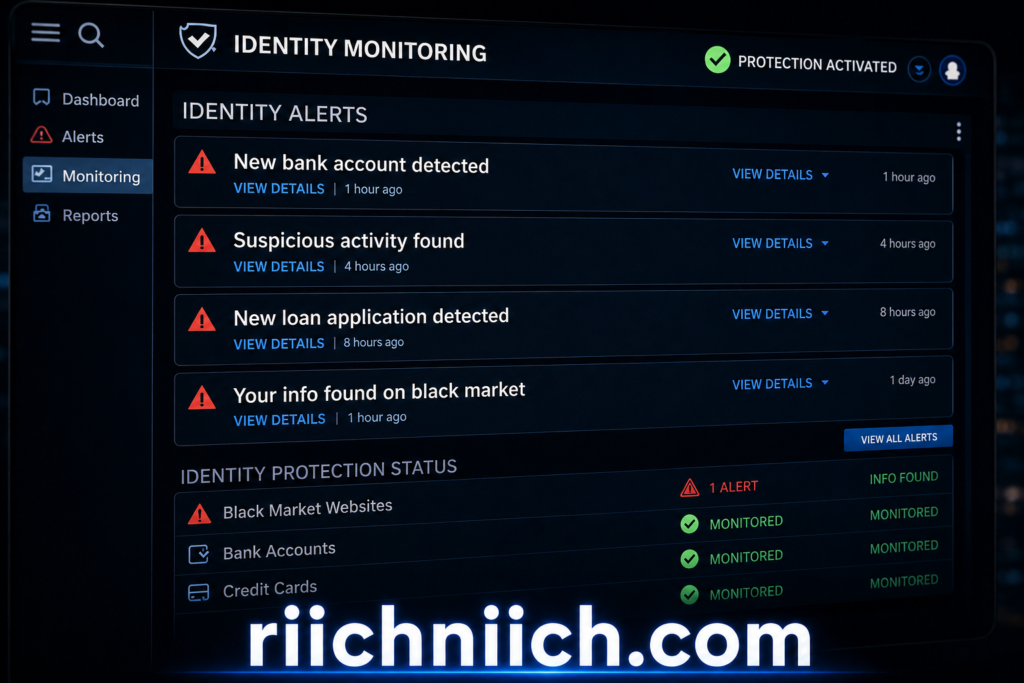
Identity Protection Services — Monitoring and Recovery
Even with strong security, public WiFi dangers can still lead to data exposure. That’s where identity protection services come in.
These tools can:
- Monitor your personal information
- Alert you to suspicious activity
- Help recover your identity if compromised
This is especially important if you frequently use public WiFi for work, travel, or daily tasks.
For full protection, consider using one of the best identity theft protection services to monitor and secure your personal data.
Buyer Intent Insight (Best Protection Setup)
To fully protect yourself from public WiFi dangers, you should combine multiple tools:
- VPN → Encrypts your connection
- Antivirus → Blocks malware
- Password manager → Secures your accounts
- 2FA → Prevents unauthorized access
- Identity protection → Monitors and recovers your data
Relying on just one tool is not enough.
A VPN is your first and most important step, but combining it with other tools creates a complete protection system.
👉 Tools like Aura help monitor your identity and alert you if your data is exposed.
👉 Check Aura pricing and protection features here!
In the next section, you’ll see whether free protection is enough—or if paid tools are actually worth it for staying safe on public WiFi.
Free vs Paid Protection Against Public WiFi Dangers
When it comes to protecting yourself from public WiFi dangers, one of the biggest questions is whether free tools are enough—or if paid protection is actually worth it.
The answer is simple: free protection can help, but it has serious limitations. Paid tools, on the other hand, are designed to provide real, consistent security—which is critical if you regularly use public WiFi.
If you’re unsure whether paid protection is worth it, read this guide, ‘Do You Really Need Identity Theft Protection?‘.
Free Protection — What You Get (and What You Don’t)
Free tools can provide a basic level of protection against public WiFi dangers, but they often leave gaps that hackers can exploit.
Common free protections include:
- HTTPS encryption (secure websites)
- Basic antivirus software
- Free VPN apps
While these can help, they come with limitations:
- Limited or no encryption in some cases
- Slower speeds and unstable connections
- Data caps or restricted features
- Weak or outdated security protocols
More importantly, some free VPN apps do not fully protect your data. According to the Federal Trade Commission, not all VPN apps encrypt your information, and some may even share your data with third parties.
Research has also shown that many free VPNs can expose users to surveillance, data collection, or even malware.
Paid Protection — What You Actually Get
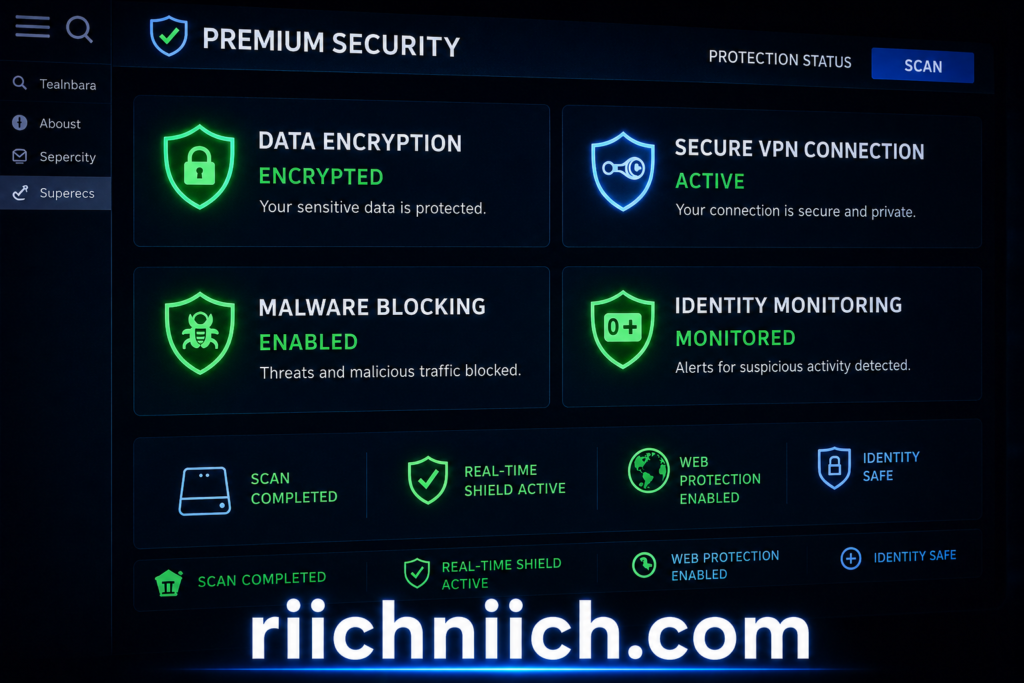
Paid tools are built specifically to eliminate public WiFi dangers, not just reduce them.
With paid protection, you typically get:
- Strong, full encryption for all internet traffic
- No data logging (privacy protection)
- Faster, more reliable connections
- Advanced security features (kill switch, leak protection)
- Ongoing updates and support
The Federal Trade Commission highlights that VPNs can help secure information on public WiFi—but only if they are trustworthy and properly implemented.
Paid services are designed to meet that standard, while many free options are not.
The Hidden Risk of “Free”
One of the biggest public WiFi dangers is thinking that “free = safe.”
In reality, many free services operate by:
- Selling your data
- Showing ads
- Tracking your activity
- Sharing information with third parties
This creates a serious problem:
You are trying to protect your privacy…
But the tool you’re using may be compromising it
Some reports have found that free VPN providers may log user activity or fail to properly secure connections, increasing exposure instead of reducing it.
When Free Protection Might Be Enough
Free protection can be acceptable if:
- You are doing low-risk browsing only
- You are not entering sensitive information
- You rarely use public WiFi
For example:
- Reading articles
- Watching videos
- Casual browsing
However, even in these cases, risks still exist because public WiFi dangers are unpredictable.
When Paid Protection Is Worth It
Paid protection becomes essential if you:
- Travel frequently
- Use coffee shop or airport WiFi regularly
- Access banking or financial accounts
- Work remotely
- Store personal or sensitive data online
In these situations, the cost of paid protection is far lower than the cost of identity theft or financial loss.
Buyer Intent Insight (What You Should Choose)
If your goal is to truly protect yourself from public WiFi dangers, relying on free tools alone is not enough.
A smart approach is:
- Use free protections as a baseline
- Add paid tools for real security and peace of mind
The most important upgrade is a trusted VPN, combined with identity protection and security tools.
Public WiFi is not going away—but the risks don’t have to affect you if you choose the right level of protection.
In the next section, you’ll see real-world examples of how these risks actually happen—and why taking action now matters.
Real-World Examples of Public WiFi Attacks
Understanding public WiFi dangers becomes much more real when you see how these attacks actually happen in everyday situations. These are not rare or highly technical events—they happen in places people trust, like coffee shops, airports, and hotels.
Below are real-world examples that show how quickly unsecured WiFi can lead to serious consequences.
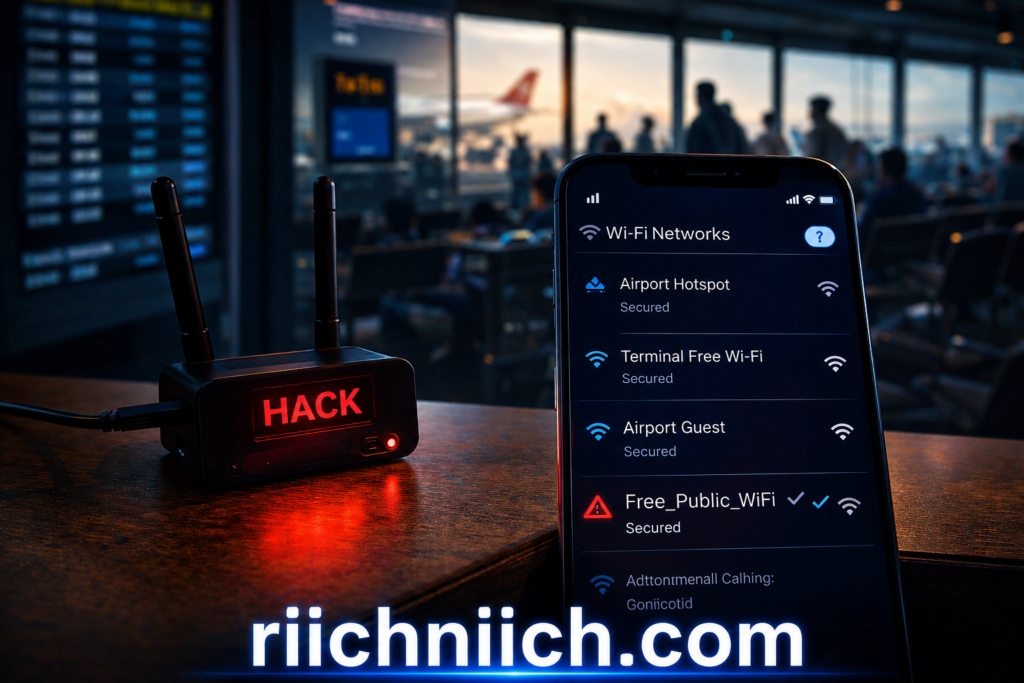
Example 1: Fake Airport WiFi Network
A traveler connects to a network labeled “Free Airport WiFi.” It looks legitimate, but it’s actually a rogue hotspot created by a hacker.
Once connected:
- The attacker monitors all activity
- Login credentials are captured
- Emails and messages are intercepted
This type of attack is commonly referred to as an “evil twin” attack. The Cyber-security and Infrastructure Security Agency warns that attackers often mimic trusted networks in high-traffic areas to steal data.
Example 2: Coffee Shop Man-in-the-Middle Attack
A person logs into their email while using public WiFi at a café. A hacker on the same network launches a man-in-the-middle attack.
What happens:
- The hacker intercepts the login session
- They gain access to the email account
- They use it to reset passwords for other accounts
This is one of the most common public WiFi dangers, and it often goes completely unnoticed until accounts are compromised.
The Federal Trade Commission advises avoiding sensitive logins on public WiFi due to these risks.
Example 3: Hotel WiFi Data Theft
A hotel guest connects to the hotel’s WiFi network to check their bank account.
Unknown to them:
- The network is poorly secured
- An attacker is monitoring traffic
The hacker captures:
- Banking login credentials
- Personal information
Days later, the victim notices unauthorized transactions.
According to the Identity Theft Resource Center, many identity theft cases begin with exposed credentials from unsecured networks.
Example 4: Malware Delivered Through Public WiFi
A user downloads a file while connected to public WiFi. The connection has been compromised, and the file contains hidden malware.
As a result:
- Spyware is installed on the device
- Keystrokes are recorded
- Passwords are stolen over time
This type of attack can continue long after the user disconnects from the network.
The Cyber-security and Infrastructure Security Agency recommends avoiding downloads on unsecured networks to reduce this risk.
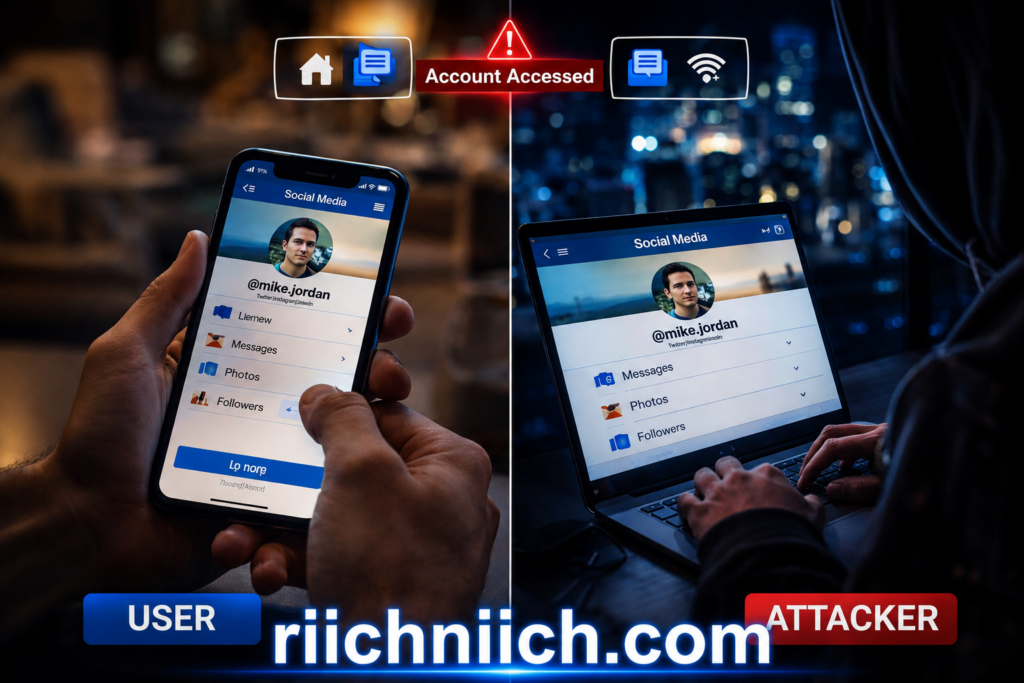
Example 5: Session Hijacking on Social Media
A user logs into a social media account using public WiFi. Even though the login is secure, a hacker captures the session token.
What happens next:
- The attacker gains access to the account
- They post content or send messages
- They may attempt scams using the account
This shows how public WiFi dangers can affect even everyday activities like checking social media.
What These Examples Prove
These real-world cases highlight a key point:
Public WiFi dangers are not theoretical—they happen every day.
- No warning signs
- No visible alerts
- No immediate indication of compromise
By the time you realize something is wrong, your data may already be:
- Stolen
- Used
- Sold
Buyer Intent Insight (Why Action Matters Now)
If you use public WiFi regularly, these scenarios are not unlikely—they are expected risks.
The difference between becoming a victim and staying protected comes down to one thing:
Preparation.
Using tools like:
- A VPN to encrypt your connection
- Security software to block threats
- Identity protection to monitor your data
can prevent these attacks from succeeding.
In the next section, you’ll see who is most at risk from public WiFi dangers—and whether you fall into that category.
Who Is Most At Risk from Public WiFi Dangers?
Public WiFi dangers can affect anyone—but some people are far more exposed than others based on how often they connect, what they do online, and how much sensitive data they handle.
If you fall into any of the groups below, your risk level is significantly higher.
Frequent Travelers
Travelers are one of the most targeted groups when it comes to public WiFi dangers.
Why?
- Airports, hotels, and train stations are full of unsecured networks
- Hackers specifically target these high-traffic environments
- Users are more likely to connect quickly without verifying networks
The Cyber-security and Infrastructure Security Agency warns that public WiFi in travel hubs is a common entry point for cyber-attacks.
Remote Workers and Freelancers
If you work remotely and rely on public WiFi, you are at increased risk.
You may be accessing:
- Work emails
- Company systems
- Client data
- Cloud-based tools
This makes you a valuable target because hackers can gain access to both personal and business information.
People Who Access Financial Accounts on Public WiFi
Anyone who logs into banking or financial apps on public WiFi is at high risk.
This includes:
- Checking bank balances
- Making payments
- Managing investments
If you’re comparing protection options, see whether Aura is better than free credit monitoring.
Students and Young Adults
Students frequently use public WiFi on:
- School campuses
- Libraries
- Cafés
They also tend to:
- Connect to multiple networks
- Reuse passwords
- Have less awareness of cyber-security risks
This combination increases exposure to public WiFi dangers, especially account takeovers and data theft.

Social Media Users and Content Creators
If you regularly access social media accounts on public WiFi, you are also at risk.
Hackers can:
- Hijack accounts
- Send messages or scams
- Access personal information
This is especially dangerous for creators or business accounts where trust and reputation matter.
People Who Use the Same Password Across Accounts
One of the biggest risk multipliers for public WiFi dangers is password reuse.
If a hacker captures one login, they can:
- Access multiple accounts
- Reset passwords
- Take control of your digital identity
The Federal Trade Commission recommends using unique passwords for each account to reduce this risk.
Anyone Without Security Tools
If you are not using protective tools, your risk increases significantly.
This includes people who:
- Do not use a VPN
- Do not enable two-factor authentication
- Do not monitor their identity or data
Without these protections, you are fully exposed to the most common public WiFi dangers.
Buyer Intent Insight (Do You Fall Into These Categories?)
Here’s the reality:
If you use public WiFi at all, you are at risk.
If you fall into any of the categories above, your risk is even higher.
The more frequently you:
- Travel
- Work online
- Access sensitive accounts
the more important it becomes to use real protection.
The safest approach is to assume that every public network is a potential threat and protect yourself accordingly.
In the next section, you’ll get a simple checklist to avoid the most common public WiFi mistakes and reduce your risk immediately.
Public WiFi Safety Checklist (Avoid These Mistakes)
Avoiding public WiFi dangers comes down to consistent habits. Most security issues happen because of simple mistakes that can be prevented with the right checklist.
Use this step-by-step guide every time you connect to public WiFi to reduce your risk of data theft, identity fraud, and account compromise.
Before You Connect
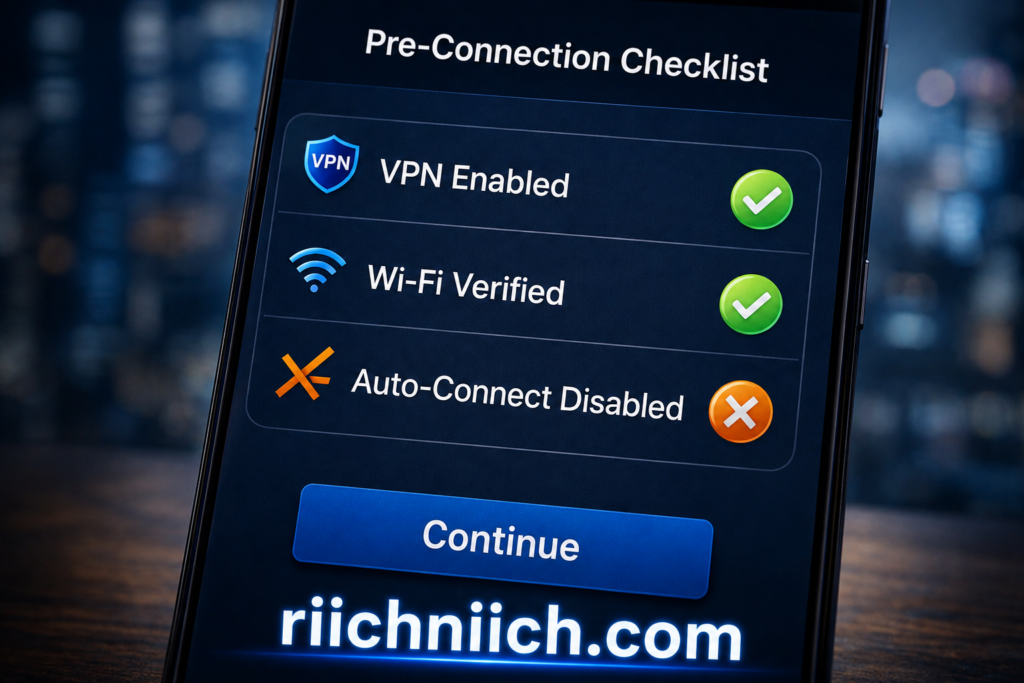
- Verify the network name
Always confirm the correct WiFi name with staff or official sources. Avoid networks with similar or suspicious names. - Turn off auto-connect settings
Prevent your device from automatically joining unknown or fake networks. - Enable your VPN before connecting
A VPN encrypts your connection immediately, protecting you from common public WiFi dangers. - Update your device and apps
Install the latest security updates to reduce vulnerabilities.
While You Are Connected
- Avoid accessing sensitive accounts
Do not log into banking, financial, or work-related systems unless absolutely necessary. - Only use HTTPS websites
Look for the lock icon in your browser to ensure your connection is encrypted. - Disable file sharing and AirDrop
Prevent others on the network from accessing your device. - Limit what you do online
Stick to low-risk activities like browsing or reading.
After You Disconnect
- Forget the network
Remove the network from your saved connections to avoid reconnecting automatically. - Log out of important accounts
Especially if you accessed any sensitive services. - Clear your browser session if needed
This helps reduce the risk of session hijacking. - Run a quick security check
Look for unusual activity on your accounts.
Ongoing Protection Habits
- Use strong, unique passwords for every account
- Enable two-factor authentication (2FA)
- Use antivirus and identity monitoring tools
- Regularly check your financial and online accounts for suspicious activity
You can also add an extra layer of protection by understanding the difference between a credit freeze vs credit lock.
Common Mistakes to Avoid
To fully protect yourself from public WiFi dangers, avoid these common errors:
- Connecting to any “free WiFi” without verification
- Logging into sensitive accounts without protection
- Relying only on HTTPS without additional security tools
- Using the same password across multiple accounts
- Skipping security updates
These mistakes are often what hackers rely on to succeed.
Buyer Intent Insight (Your Daily Protection Routine)
This checklist is not optional—it should become your standard routine.
If you frequently use public WiFi, your best protection strategy is:
- Always use a VPN before connecting
- Combine multiple security tools for layered protection
- Stay consistent with safe habits every time
Public WiFi dangers are predictable—but only if you ignore them.
Following this checklist dramatically reduces your risk and keeps your personal and financial information secure.
In the next section, we’ll answer the most common questions people have about public WiFi and how to stay protected.
Frequently Asked Questions About Public WiFi Dangers
Below are the most common questions people have about public WiFi dangers, along with clear, practical answers to help you stay protected.
Is public WiFi ever safe to use?
Public WiFi is never completely safe.
Even legitimate networks can expose you to risks because:
- Other users share the same network
- Encryption may be weak or missing
- Hackers can monitor activity
The safest approach is to treat every public network as potentially unsafe and use protection tools like a VPN.
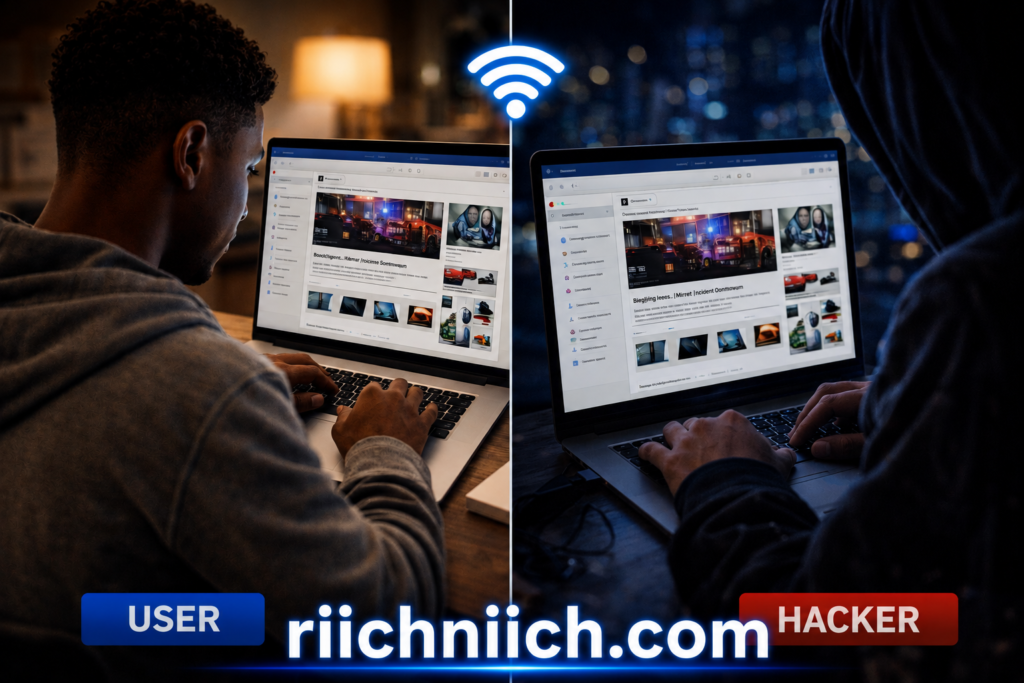
Can hackers really see what I’m doing on public WiFi?
Yes, in many cases they can.
Without protection, attackers may be able to:
- See the websites you visit
- Intercept data you send
- Capture login credentials
This is one of the core public WiFi dangers, especially on open networks without encryption.
Does HTTPS make public WiFi safe?
HTTPS helps, but it does not eliminate all public WiFi dangers.
It protects data between your browser and the website, but it does not:
- Hide your activity from the network
- Prevent all types of attacks
- Protect against fake networks or malware
This is why combining HTTPS with a VPN is strongly recommended.
Is using a VPN on public WiFi really necessary?
If you want real protection from public WiFi dangers, then yes—a VPN is one of the most effective tools available.
A VPN:
- Encrypts your internet connection
- Prevents data interception
- Protects your activity from hackers
Cyber-security agencies like the Cyber-security and Infrastructure Security Agency recommend using secure connections and protective tools when accessing public networks.
Are free VPNs safe to use on public WiFi?
Some are, but many come with risks.
Free VPNs may:
- Limit encryption strength
- Track or sell your data
- Provide inconsistent protection
The Federal Trade Commission has warned that not all VPN apps protect your privacy as expected.
For consistent protection against public WiFi dangers, trusted paid options are generally more reliable.
What should I avoid doing on public WiFi?
To reduce public WiFi dangers, avoid:
- Logging into banking or financial accounts
- Entering sensitive personal information
- Downloading unknown files
- Using the same passwords across accounts
These actions significantly increase your risk of data exposure and identity theft.
Can public WiFi lead to identity theft?
Yes, and it happens more often than people realize.
If hackers collect enough data, they can:
- Access your accounts
- Open new accounts in your name
- Commit financial fraud
The Identity Theft Resource Center reports ongoing increases in identity-related crimes linked to data exposure.
How can I quickly protect myself right now?
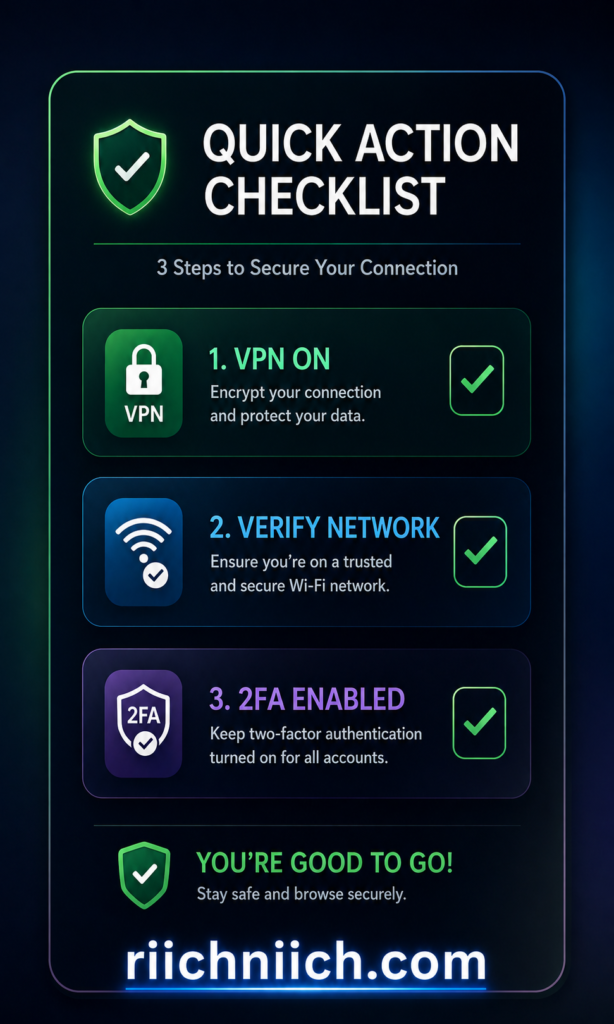
To immediately reduce public WiFi dangers, follow these steps:
- Use a VPN before connecting
- Avoid sensitive transactions
- Enable two-factor authentication
- Verify networks before joining
These actions provide a strong first line of defense against common threats.
Buyer Intent Insight (Final Takeaway)
If you’ve read this far, you already understand one thing:
Public WiFi dangers are real, and they are preventable.
The difference between staying safe and becoming a victim comes down to:
- Awareness
- The tools you use
- The habits you follow
Using the right protection—especially a VPN and identity monitoring—can stop most of these risks before they affect you.
In the final section, you’ll get a clear verdict on whether public WiFi can ever truly be considered safe.
Final Verdict — Are Public WiFi Networks Ever Safe?
The short answer is no—public WiFi dangers never fully go away.
Even when a network appears legitimate, you still face risks because:
- You are sharing the network with unknown users
- Security settings may be weak or outdated
- Hackers can still intercept or manipulate data
Public WiFi can be used more safely, but it is never completely secure.
The Reality of Public WiFi Dangers
Every section in this guide points to the same conclusion:
Public WiFi is designed for convenience—not security.
That means:
- Your data can be exposed
- Your accounts can be accessed
- Your identity can be compromised
The Federal Trade Commission clearly states that public WiFi networks increase your risk of having personal information stolen if proper precautions are not taken.
When Public WiFi Can Be “Safer”
While you cannot eliminate public WiFi dangers, you can reduce them significantly by using the right protections.
Public WiFi becomes much safer when you:
- Use a VPN to encrypt your connection
- Avoid sensitive activities
- Verify networks before connecting
- Enable two-factor authentication
- Use secure, updated devices
Cyber-security guidance from the Cyber-security and Infrastructure Security Agency emphasizes layered protection as the best defense against online threats.
The Cost of Doing Nothing
Choosing not to protect yourself from public WiFi dangers can lead to:
- Stolen passwords
- Financial loss
- Identity theft
- Long-term damage to your credit and personal data
The Identity Theft Resource Center continues to report rising cases of identity theft linked to data exposure and weak security practices.

For additional protection across devices, consider using one of the best antivirus tools for families.
Buyer Intent Final Insight (What You Should Do Next)
Here is the bottom line:
If you use public WiFi—even occasionally—you should not rely on luck.
To properly protect yourself from public WiFi dangers, you need to take action:
- Use a trusted VPN every time you connect
- Combine multiple security tools for full protection
- Treat every public network as a potential risk
This is not just about security—it is about protecting your:
- Money
- Identity
- Personal data
Public WiFi is not going away. But with the right tools and habits, the risks do not have to affect you.
Your safety depends on what you do next.
Stay Safe on Public WiFi
Public WiFi risks aren’t going away — and most people don’t realize how exposed they are.
Taking simple steps now can prevent serious problems later.
Pingback: Cybersecurity Tips Everyone Should Know (2026 Guide) - Riich Niich
Pingback: How to Stay Safe on Social Media in 2026 (Avoid These Costly Mistakes) - Riich Niich
Pingback: Is Online Banking Safe in 2026? (Risks + How to Protect Your Money) - Riich Niich
Pingback: Is NordVPN Worth It? Full Review, Pros, Cons & Who Should Use It - Riich Niich
Pingback: How to Protect Yourself from Identity Theft (Step-by-Step Guide) - Riich Niich
Pingback: How to Check If Your Information Is on the Dark Web - Riich Niich
Pingback: How Data Brokers Get Your Information - Riich Niich
Pingback: Is Surfshark Worth It? Full Review, Pros, Cons & Real Value - Riich Niich
Pingback: Best VPN for Privacy (Stay Anonymous & Protect Your Data Online) - Riich Niich
Pingback: Free vs Paid VPNs (What's Actually Safe?) - Riich Niich
Pingback: Why Insider Threats Are More Dangerous Than Hackers (Real Risks Explained) - Riich Niich
Pingback: Is Public WiFi Safe For Banking? - Riich Niich
Pingback: How to Stay Anonymous Online (Step-by-Step Guide) - Riich Niich
Pingback: How Hackers Get Your Email Address - Riich Niich
Pingback: NordVPN vs ProtonVPN: Which VPN Is Better in 2026? - Riich Niich
Pingback: How to Remove Your Phone Number From Data Broker Sites - Riich Niich