
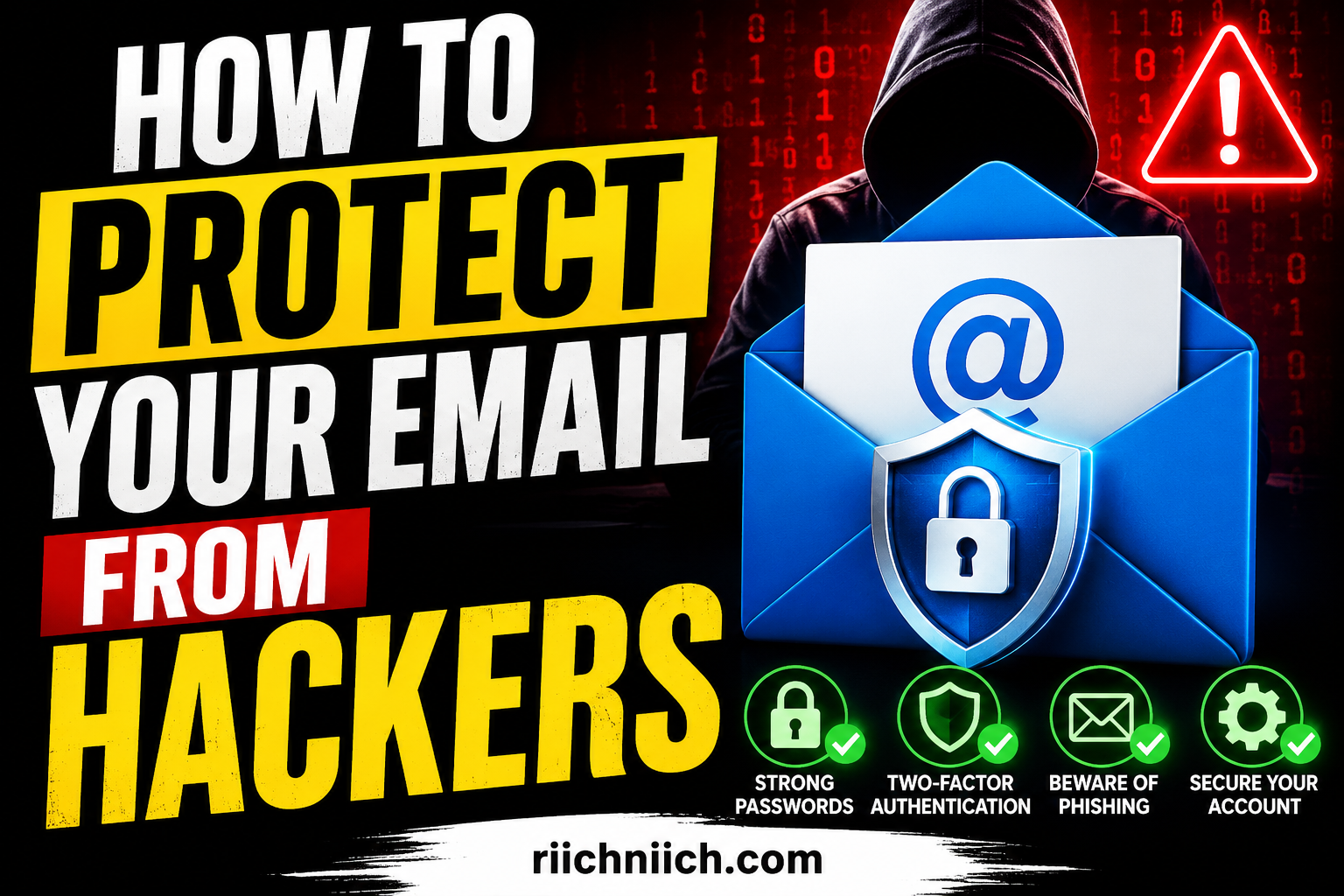
How to protect your email from hackers is becoming more important than ever as cybercriminals continue targeting personal accounts through phishing scams, data breaches, weak passwords, and public WiFi attacks. Since your email account is connected to banking apps, social media profiles, shopping accounts, and sensitive personal information, a hacked inbox can quickly lead to identity theft and financial fraud.
In this guide, you will learn how hackers gain access to email accounts, the warning signs of a compromised inbox, and the best ways to improve your email security using stronger passwords, multi-factor authentication, VPNs, password managers, and identity protection tools.
Table of Contents
🔥 Quick Answer: How to Protect Your Email From Hackers
To learn how to protect your email from hackers, you need to secure both your email account and the personal information connected to it. Hackers often target email accounts because they can use them to reset passwords, access banking accounts, steal personal data, and commit identity theft.
The best ways to improve email security include using strong unique passwords, enabling multi-factor authentication (MFA), avoiding phishing scams, keeping devices updated, and using trusted cybersecurity tools like password managers, VPNs, and identity monitoring services.
Many people do not realize that exposed personal information from data broker websites can also increase the risk of email hacking, spam messages, phishing attacks, and account takeovers. Removing your personal data from the internet can reduce your exposure to cybercriminals.
If you want to secure your email account, start by:
- Creating a strong password that is never reused
- Enabling two-factor authentication
- Avoiding suspicious email links and attachments
- Monitoring for signs of compromised accounts
- Using privacy and identity protection tools
These steps can help protect Gmail, Outlook, Yahoo, and other email accounts from phishing attacks, credential theft, and unauthorized access.
According to the Cybersecurity and Infrastructure Security Agency (CISA), strong passwords and multi-factor authentication are some of the most effective ways to prevent account compromise. The Federal Trade Commission (FTC) also warns that phishing emails remain one of the most common ways hackers steal login credentials and personal information.
Why Hackers Target Email Accounts
Hackers target email accounts because email is connected to almost every important online account people use today. If a cybercriminal gains access to your email, they may also be able to reset passwords, access financial accounts, steal sensitive information, and even take over your identity.
This is one reason why learning how to protect your email from hackers is so important. Your email account often acts as the “master key” to your digital life.
Once hackers compromise an email account, they may attempt to:
- Reset passwords for banking, shopping, and social media accounts
- Access saved personal information
- Send phishing emails to contacts
- Steal financial or identity-related data
- Monitor private conversations and login activity
- Use stolen accounts for scams or fraud
Many email hacking attacks begin with exposed personal information, weak passwords, phishing scams, or reused login credentials leaked in data breaches. Want to understand where cybercriminals get email addresses in the first place? Read our guide on How Hackers Get Your Email Address and the common tactics they use to target victims online. According to the National Cybersecurity Alliance, cybercriminals commonly target email because it can provide access to multiple connected accounts and sensitive personal data.
Hackers also know that many people use the same password across multiple websites. If one account is breached, attackers often try the same login information on email providers like Gmail, Outlook, or Yahoo. This tactic is commonly known as “credential stuffing.”
Another growing problem is phishing attacks. These scams trick users into clicking fake login pages or downloading malicious attachments. The Google Safety Center explains that phishing emails are designed to steal usernames, passwords, and financial information by pretending to come from trusted companies or services.
In some cases, hackers may not directly attack your email first. Instead, they gather personal details from social media accounts, public records, or data broker websites to make phishing attacks more believable and effective. This is why protecting your online privacy is also part of securing your email account.
Understanding why hackers target email accounts can help you recognize risks earlier and take steps to improve email security before your information is exposed.
How Hackers Gain Access to Email Accounts
Hackers use several common tactics to break into email accounts, and many of them rely on simple mistakes, weak security habits, or stolen personal information. Understanding these methods is an important part of learning how to protect your email from hackers and improving your overall online security.
One of the most common ways hackers access email accounts is through phishing attacks. These scams usually involve fake emails that appear to come from trusted companies like banks, streaming services, delivery companies, or even your email provider. The goal is to trick users into entering their login credentials on fake websites.
The Microsoft Security Support Center warns that phishing emails often create urgency by claiming there is suspicious activity, a password reset request, or a security issue that requires immediate action.
Another common method is password reuse. If you use the same password across multiple websites, hackers can take leaked credentials from one data breach and try them on your email account. This is why cybersecurity experts strongly recommend using unique passwords for every account.
Hackers also use malware and spyware to steal login information. This can happen if someone downloads infected attachments, installs fake software, or clicks malicious links. Some malware can even record keystrokes to capture usernames and passwords without the victim realizing it.
Public WiFi networks can also increase risk if they are unsecured. Cybercriminals may attempt to intercept internet traffic on unsafe networks, especially when users log into email accounts without encryption or additional security protections like a VPN.
In some cases, hackers gain access through social engineering. This involves manipulating people into sharing personal details, verification codes, or login credentials. Attackers may pretend to be customer support representatives, coworkers, or trusted contacts to trick victims into revealing sensitive information.
Data breaches are another major source of stolen email credentials. The Have I Been Pwned website allows users to check whether their email addresses have appeared in known data breaches. If your credentials have been exposed online, hackers may attempt to access your accounts using automated login attacks.
Weak recovery settings can also make email accounts vulnerable. If backup email addresses, phone numbers, or security questions are outdated or easy to guess, attackers may exploit them to reset passwords and take over accounts.
Protecting your email account requires multiple layers of security. Using strong passwords, enabling multi-factor authentication, avoiding suspicious links, and reducing your online exposure can significantly lower the risk of account compromise.
Signs Your Email Account May Already Be Hacked
Recognizing the warning signs of a compromised email account early can help prevent identity theft, financial fraud, and further account takeovers. Many people do not realize their email has been hacked until hackers begin accessing connected accounts or sending spam messages from their inbox.
Learning how to protect your email from hackers also means knowing how to identify suspicious activity before the damage becomes worse.
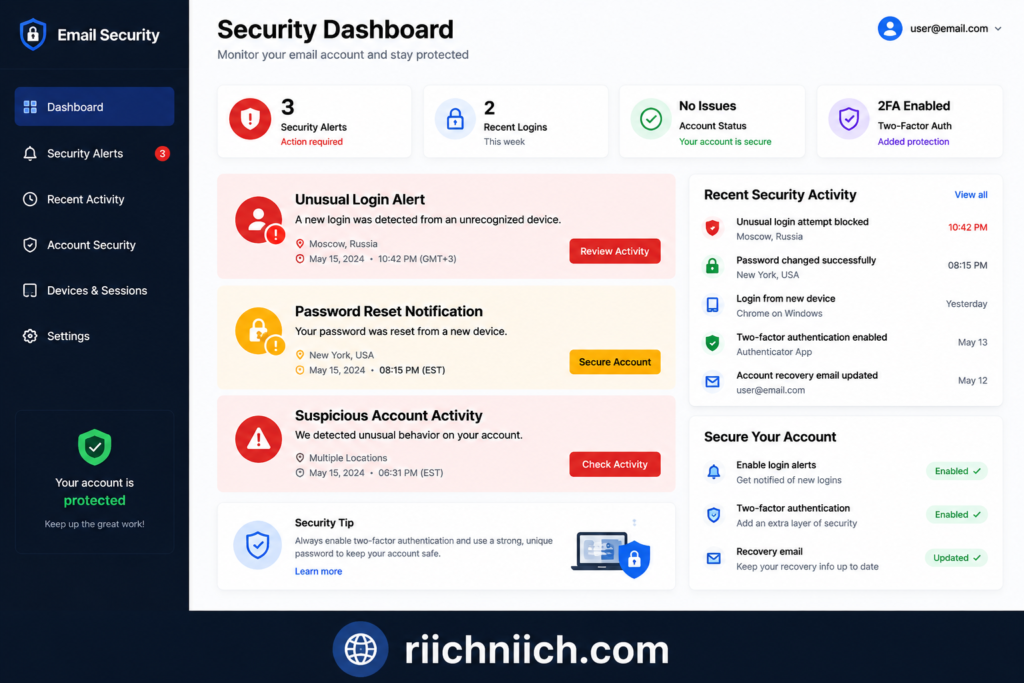
One major warning sign is receiving password reset emails that you did not request. If you suddenly receive login verification codes, password change notifications, or security alerts from websites you did not visit, someone may already be attempting to access your accounts.
Another common sign is unusual login activity. Many email providers like Gmail and Outlook notify users about logins from unfamiliar devices or locations. According to the Google Account Help Center, users should immediately review security settings if they notice unfamiliar sign-in activity or devices connected to their account.
You may also notice:
- Emails disappearing from your inbox
- Sent messages you never wrote
- Contacts receiving spam emails from your account
- Changes to account settings or recovery information
- Unexpected forwarding rules being added
- Security alerts from connected accounts
Hackers often create hidden email forwarding rules so they can secretly monitor incoming messages, financial alerts, and password resets without the account owner noticing.
Slow device performance, suspicious pop-ups, or unexpected software installations can also indicate malware infections that may be stealing email login credentials in the background.
In some cases, victims only realize there is a problem after financial accounts, social media profiles, or shopping accounts become compromised. You should also watch for the Warning Signs Someone Stole Your Identity if suspicious activity begins spreading beyond your email account. Since email accounts are connected to so many services, one hacked inbox can quickly lead to larger security problems.
The Norton Cyber Safety Insights Report notes that cybercriminals frequently use compromised email accounts to launch phishing scams, impersonate victims, and attempt identity theft.
If you suspect your email account has already been hacked, act quickly by:
- Changing your password immediately
- Enabling multi-factor authentication
- Reviewing connected devices and login sessions
- Removing suspicious forwarding rules
- Scanning devices for malware
- Updating passwords on connected accounts
Monitoring your accounts regularly and using identity protection or dark web monitoring tools can also help detect stolen credentials before hackers cause more damage.
Use Strong and Unique Passwords for Every Account
One of the most important steps in learning how to protect your email from hackers is creating strong and unique passwords for every online account you use. Weak or reused passwords remain one of the biggest reasons email accounts get compromised.
Many hackers rely on stolen login credentials from previous data breaches. If you use the same password for multiple websites, a hacker only needs to crack one account to potentially gain access to your email, banking apps, shopping accounts, and social media profiles.
Strong passwords help reduce the risk of:
- Email account takeovers
- Credential stuffing attacks
- Identity theft
- Financial fraud
- Unauthorized account access
According to the National Institute of Standards and Technology (NIST), long and unique passwords are more secure than short, complex passwords that are reused across multiple accounts.
A strong password should:
- Be at least 12–16 characters long
- Include a mix of uppercase and lowercase letters
- Use numbers and symbols when possible
- Avoid personal information like birthdays or names
- Never be reused across different websites
For example, many people still use weak passwords like:
- Password123
- Qwerty123
- Their pet’s name
- Their birth year
Hackers can crack these types of passwords very quickly using automated tools.
Using a password manager is one of the easiest ways to create and store secure passwords safely. If you are looking for better password protection, check out our guide to the Best Password Managers for securing online accounts and preventing password reuse. Password managers can generate random passwords for every account while helping users avoid password reuse.
This is especially important for email security because your inbox is often connected to password reset requests for nearly every account you own. If hackers gain access to your email, they may be able to reset passwords for other services and lock you out completely.
The Cybersecurity & Infrastructure Security Agency Password Tips recommends combining strong passwords with multi-factor authentication for better protection against account compromise.
If you have reused passwords in the past, it is a good idea to update your email password first, then gradually secure your most important accounts like:
- Banking apps
- Shopping accounts
- Social media platforms
- Cloud storage services
- Work-related accounts
Improving password security may seem simple, but it is one of the most effective ways to secure your email account and reduce the chances of hackers gaining access to your personal information.
Enable Multi-Factor Authentication on Your Email
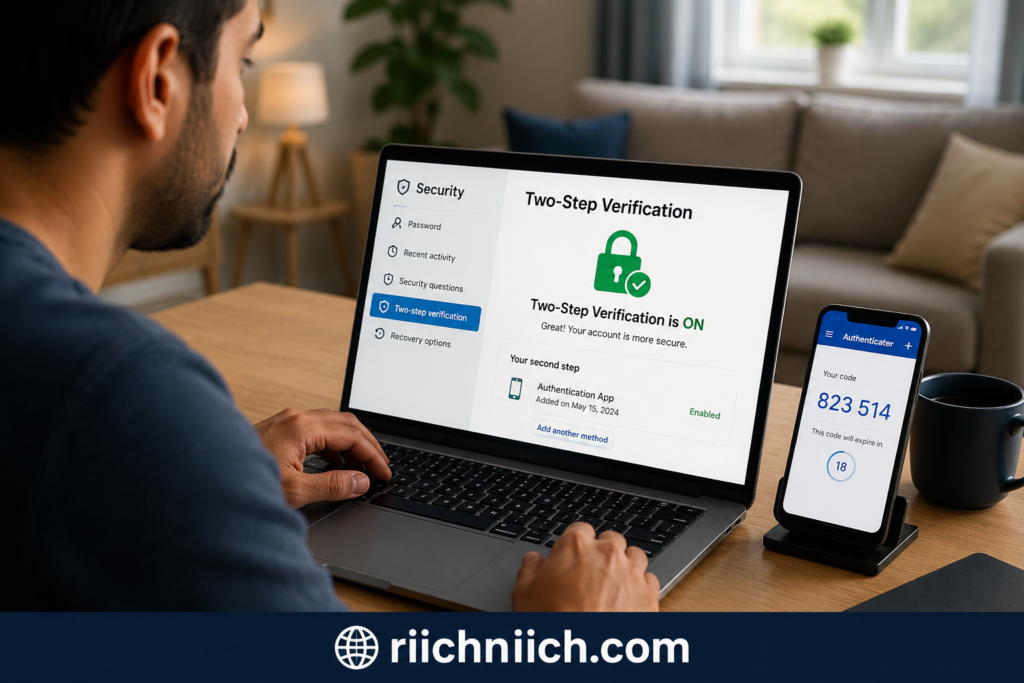
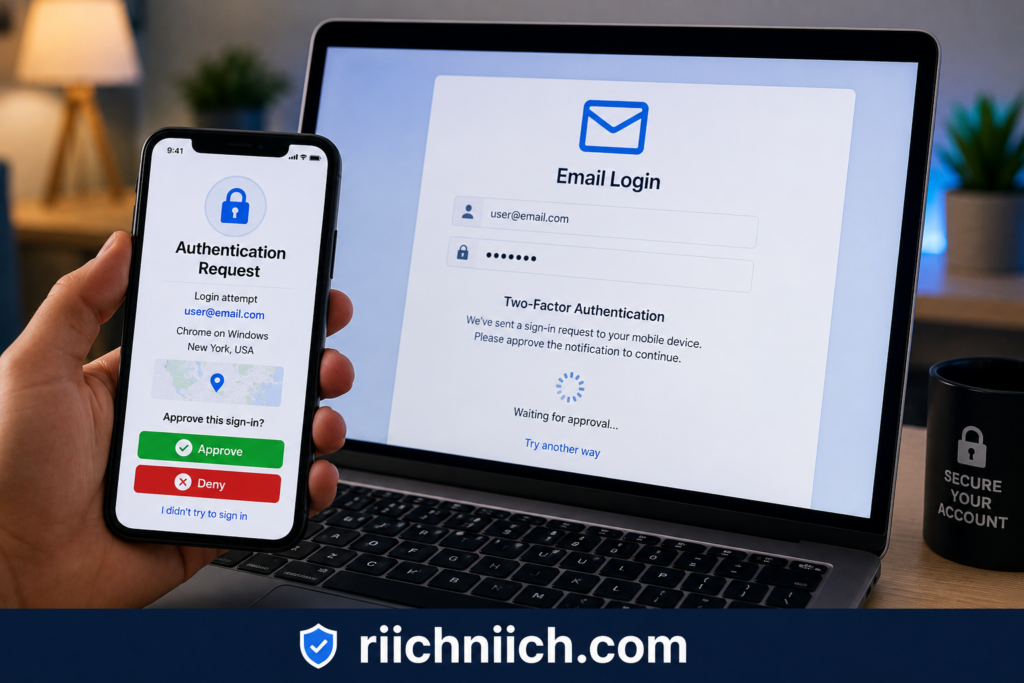
Enabling multi-factor authentication (MFA) is one of the most effective ways to improve email security and reduce the risk of account takeovers. If you want to learn how to protect your email from hackers, turning on MFA should be one of your first steps.
Multi-factor authentication adds an extra layer of protection beyond your password. Even if hackers steal your login credentials, they may still be blocked from accessing your email account because they would also need a second verification method.
Most email providers now support MFA, including:
- Gmail
- Outlook
- Yahoo Mail
- iCloud Mail
Common MFA methods include:
- Authentication apps
- Text message verification codes
- Security keys
- Push notifications
- Biometric verification
Authentication apps are generally considered safer than SMS verification because text messages can sometimes be intercepted through SIM swap attacks.
The Google Security Blog reported that enabling two-factor authentication can block many automated account takeover attempts and phishing attacks.
Hackers often target accounts protected only by passwords because passwords can be:
- Stolen in data breaches
- Guessed through brute force attacks
- Reused across websites
- Captured through phishing scams
With MFA enabled, stolen passwords alone are usually not enough to gain access.
Most email providers allow users to review trusted devices, login activity, and security settings directly inside their account dashboard. It is a good idea to regularly review:
- Connected devices
- Backup email addresses
- Recovery phone numbers
- Recent login locations
- App permissions
Keeping these settings updated can help prevent unauthorized access to your email account.
The Authy Two-Factor Authentication Guide explains that MFA works best when combined with strong passwords, secure devices, and phishing awareness.
Many cybersecurity experts also recommend enabling MFA on:
- Banking apps
- Password managers
- Social media accounts
- Cloud storage services
- Shopping accounts
Because email accounts are connected to so many important services, protecting your inbox with multi-factor authentication can help prevent larger identity theft and fraud problems later.
Avoid Phishing Emails and Fake Login Pages
Phishing scams are one of the most common ways hackers steal email passwords and personal information. If you want to understand how to protect your email from hackers, learning how to recognize phishing emails and fake login pages is essential.
Phishing attacks are designed to trick people into clicking malicious links, downloading infected attachments, or entering login credentials into fake websites that look legitimate. These scams often imitate trusted companies such as:
- Banks
- Email providers
- Streaming services
- Delivery companies
- Online stores
- Social media platforms
Many phishing emails create a false sense of urgency by claiming:
- Your account was compromised
- A payment failed
- Suspicious activity was detected
- Your password needs to be reset immediately
- A package delivery problem occurred
Hackers know that panic and urgency increase the chances that someone will click without carefully checking the message.
The Proofpoint Phishing Awareness Guide explains that phishing remains one of the most successful cyberattack methods because attackers continuously adapt their scams to appear more realistic.
Some warning signs of phishing emails include:
- Misspelled company names or domains
- Suspicious sender addresses
- Generic greetings
- Unexpected attachments
- Urgent requests for personal information
- Login links that redirect to unusual websites
Before entering your password on any website, always double-check the URL carefully. Fake login pages are often designed to look nearly identical to real Gmail, Outlook, or Yahoo login screens.
One of the safest habits is to avoid clicking email links directly. Instead, manually type the official website address into your browser when logging into important accounts.
Modern phishing attacks may also target:
- MFA verification codes
- Password reset requests
- Cloud storage accounts
- Banking logins
- Cryptocurrency wallets
The Federal Bureau of Investigation Internet Crime Complaint Center (IC3) has warned that phishing attacks continue to grow more sophisticated and increasingly target both individuals and businesses.
Using email security tools, browser protection features, password managers, and multi-factor authentication can help reduce the risk of phishing-related account compromise.
It is also important to keep your browser and devices updated because security updates often patch vulnerabilities hackers attempt to exploit through malicious websites and attachments.
Staying cautious with emails, links, and login pages can significantly improve your email privacy protection and help prevent hackers from gaining access to your accounts.
Keep Your Devices, Apps, and Browsers Updated
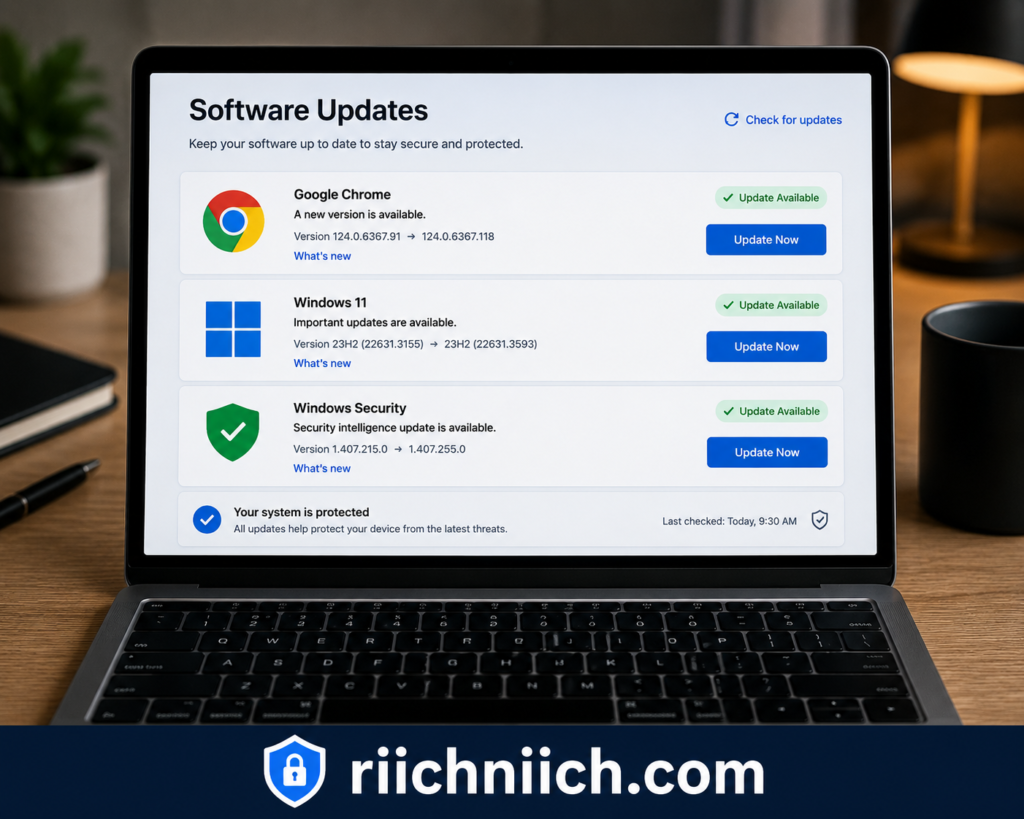
Keeping your devices, apps, and web browsers updated is an important part of learning how to protect your email from hackers. Many cyberattacks happen because hackers exploit outdated software with known security vulnerabilities.
Software updates often include security patches that fix weaknesses hackers use to steal passwords, install malware, or gain unauthorized access to accounts and devices.
This applies to:
- Smartphones
- Laptops and desktop computers
- Email apps
- Web browsers
- Operating systems
- Antivirus software
- Browser extensions
When devices are not updated regularly, hackers may use malicious websites, infected attachments, or browser vulnerabilities to compromise your system and steal email login credentials.
The U.S. Cybersecurity & Infrastructure Security Agency (CISA) Software Update Guidance explains that software updates help protect users against newly discovered security threats and cyberattacks.
Outdated browsers are especially risky because many phishing attacks and malicious websites target browser vulnerabilities directly. Modern browsers like Chrome, Edge, Firefox, and Safari regularly release updates designed to improve security and block dangerous websites.
You should also be cautious with browser extensions and apps downloaded from unofficial sources. Fake extensions or malicious apps can secretly collect passwords, monitor browsing activity, or inject harmful code into websites.
Some signs your device may need attention include:
- Frequent crashes
- Unusual pop-ups
- Slow performance
- Random redirects in your browser
- Unauthorized software installations
- Security warnings from your antivirus software
Enabling automatic updates is one of the easiest ways to improve online security without constantly checking for new patches manually.
The Mozilla Online Safety Tips recommends updating browsers and apps regularly to reduce exposure to malware, phishing attacks, and data theft.
In addition to updates, consider using:
- Antivirus software
- Browser security features
- Secure DNS protection
- VPN services on public WiFi
- Password managers for account security
These tools can add additional layers of protection while helping secure your email account and personal information from hackers.
Keeping your software updated may seem simple, but it plays a major role in preventing cybercriminals from exploiting outdated systems to gain access to your accounts.
Remove Your Personal Information From Data Broker Sites
One overlooked step in learning how to protect your email from hackers is reducing the amount of personal information available about you online. Data broker websites collect and sell personal details such as:
- Email addresses
- Phone numbers
- Home addresses
- Age and family information
- Employment history
- Social media profiles
Hackers often use this information to create targeted phishing scams, guess security questions, impersonate victims, or launch account takeover attacks.
Many phishing emails become more convincing when attackers already know personal details about their targets. For example, scammers may include your real name, location, or phone number to make fake security alerts appear legitimate.
The Electronic Frontier Foundation Privacy Resources explains that personal data collected online can increase privacy risks and expose individuals to scams, identity theft, and cyberattacks.
Data brokers gather information from:
- Public records
- Social media activity
- Online purchases
- Marketing databases
- Mobile apps
- Website tracking technologies
Learn more about How Data Brokers Get Your Information and why your personal details may already be circulating online.
Over time, this creates detailed online profiles that can be easily accessed or sold.
Removing your personal information from people-search websites and data broker databases can help reduce:
- Spam emails
- Phishing attempts
- Scam messages
- Identity theft risks
- Targeted cyberattacks
Many people choose to manually submit opt-out requests to broker websites, while others use automated data removal services that continuously monitor and remove exposed information.
Because personal information often reappears online, ongoing monitoring is important for long-term privacy protection.
The Identity Theft Resource Center Privacy Guidance recommends limiting publicly available personal information as part of a broader cybersecurity and identity protection strategy.
Reducing your digital footprint also makes it harder for hackers to:
- Guess account recovery answers
- Create convincing phishing emails
- Target you with social engineering attacks
- Link multiple online accounts together
You can also follow our step-by-step guide on How to Remove Your Personal Information From the Internet to reduce online exposure and improve privacy.
Combining data removal with strong passwords, multi-factor authentication, and phishing awareness can significantly improve your email privacy protection.
Protecting your email account is not just about securing the inbox itself — it is also about limiting the personal information hackers can use against you.
Use a Password Manager to Secure Your Accounts
Using a password manager is one of the easiest and most effective ways to improve online security and learn how to protect your email from hackers. Password managers help users create, store, and manage strong unique passwords for every account without needing to remember them manually.
Many email accounts get compromised because people reuse weak passwords across multiple websites. If one website experiences a data breach, hackers often use stolen credentials to try logging into email accounts, banking apps, and social media platforms.
Password managers help prevent this problem by generating secure passwords that are difficult for hackers to guess or crack.
Most password managers can:
- Generate long random passwords
- Store login credentials securely
- Auto-fill login forms safely
- Alert users about weak or reused passwords
- Monitor for leaked credentials from data breaches
This makes it much easier to improve email account security without relying on simple passwords that can be stolen through phishing attacks or credential stuffing.
The Consumer Reports Password Manager Guide recommends password managers as an effective way to strengthen cybersecurity and reduce password-related risks.
Many password managers also support:
- Multi-factor authentication
- Secure password sharing
- Encrypted vault storage
- Device synchronization
- Biometric logins
These features help users better protect sensitive accounts like:
- Email accounts
- Banking apps
- Shopping websites
- Cloud storage services
- Identity protection platforms
One major advantage of password managers is that they reduce the temptation to reuse passwords across accounts. Since your email account is often connected to password reset requests for other services, securing it with a strong unique password is critical.
Some password managers can even warn users if their credentials appear in known data breaches or dark web leaks, helping them change passwords before hackers can exploit exposed information.
The OWASP Password Security Best Practices emphasizes the importance of strong password management and avoiding password reuse across accounts.
When choosing a password manager, look for features such as:
- End-to-end encryption
- Zero-knowledge security architecture
- MFA support
- Security auditing tools
- Cross-device compatibility
Using a password manager alongside multi-factor authentication and phishing awareness can significantly improve your overall email privacy protection and reduce the risk of account takeovers.
Should You Use a VPN to Protect Your Email?
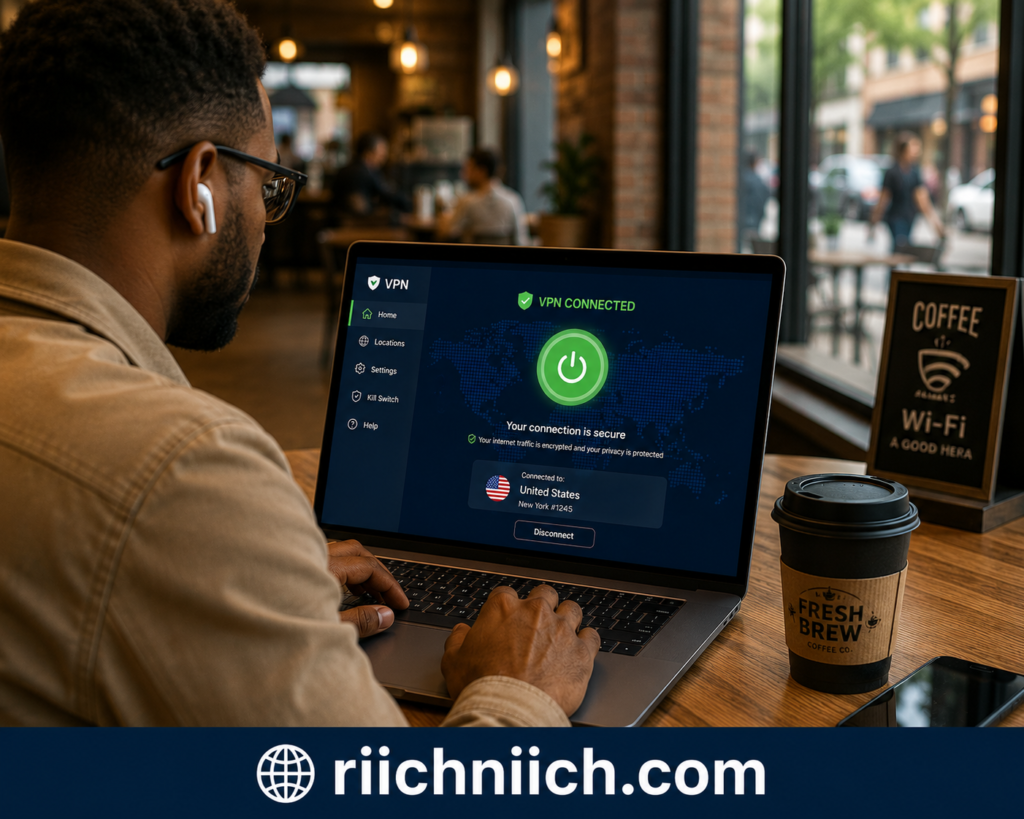
Using a VPN can add an extra layer of privacy and security when accessing your email, especially on public or unsecured internet connections. If you are learning how to protect your email from hackers, a VPN can help reduce certain online risks by encrypting your internet traffic and hiding your IP address.
A VPN, or Virtual Private Network, creates a secure encrypted connection between your device and the internet. This helps prevent hackers, internet service providers, and other third parties from easily monitoring your online activity.
VPNs are especially useful when:
- Using public WiFi at coffee shops, hotels, or airports
- Accessing sensitive accounts while traveling
- Protecting data on unsecured networks
- Reducing tracking and online exposure
Protect your email activity and personal information on public WiFi with NordVPN before hackers can intercept your connection.
Without encryption, hackers on public WiFi networks may attempt to intercept internet traffic or monitor browsing activity. While modern email providers already use encrypted connections, VPNs add another layer of protection that can help improve privacy.
The Federal Communications Commission Cybersecurity Tips recommends avoiding sensitive online activity on unsecured public WiFi and using additional security protections when possible.
It is important to understand that a VPN does not replace:
- Strong passwords
- Multi-factor authentication
- Phishing awareness
- Antivirus protection
- Safe browsing habits
Instead, VPNs work best as part of a broader cybersecurity strategy.
Some VPN providers also include additional security features such as:
- Threat protection
- Malicious website blocking
- Data breach monitoring
- Tracker blocking
- Encrypted DNS protection
These tools can help reduce exposure to phishing websites, malware, and online tracking.
When choosing a VPN for email privacy protection, look for providers with:
- Strong encryption standards
- No-logs policies
- Multi-device support
- Leak protection
- Trusted security reputation
The Privacy Guides VPN Recommendations notes that trustworthy VPN providers should prioritize transparency, encryption, and user privacy protections.
VPNs are particularly valuable for people who:
- Frequently travel
- Work remotely
- Use public WiFi often
- Handle sensitive information online
- Want additional privacy protection
You can also compare the Best VPN services for Online Privacy if you want stronger protection while accessing email accounts on public networks.
While a VPN alone will not completely secure your email account, it can be an important tool for improving online privacy and reducing the risk of hackers intercepting sensitive internet activity.
How Public WiFi Can Put Your Email at Risk
Public WiFi networks may seem convenient, but they can create serious security risks if used carelessly. Understanding these risks is an important part of learning how to protect your email from hackers and securing your personal information online.
Many public WiFi networks at coffee shops, airports, hotels, libraries, and restaurants are not fully secure. Cybercriminals sometimes exploit these networks to monitor internet traffic, steal login credentials, or launch phishing attacks against nearby users. Our full guide on Public WiFi Dangers explains how hackers target unsecured networks and what you can do to stay protected.
When people log into email accounts on unsecured WiFi, hackers may attempt to intercept sensitive information such as:
- Email login credentials
- Password reset links
- Banking information
- Personal messages
- Authentication tokens
Some attackers create fake WiFi hotspots that mimic legitimate public networks. Once victims connect, hackers may monitor activity or redirect users to malicious websites designed to steal passwords and personal information.
The National Security Agency Mobile Device Best Practices recommends avoiding sensitive account logins on public WiFi whenever possible and using secure connections to reduce cyber risks.
Even if your email provider uses encrypted connections, unsecured networks can still increase exposure to:
- Fake login pages
- Session hijacking
- Malware attacks
- Network snooping
- Man-in-the-middle attacks
Hackers often target travelers and remote workers because they frequently rely on public internet connections.
👉 Using Surfshark VPN can help encrypt your internet traffic and reduce the risk of hackers spying on your email activity over public WiFi.
To reduce risks while using public WiFi:
- Avoid logging into sensitive accounts unless necessary
- Use a trusted VPN service
- Disable automatic WiFi connections
- Verify network names before connecting
- Avoid clicking suspicious pop-ups
- Keep your browser and apps updated
Using a VPN on public WiFi helps encrypt your internet traffic, making it harder for cybercriminals to monitor your activity or intercept sensitive data.
👉 If you want additional privacy protection while checking email online, ProtonVPN can help secure your connection on unsecured networks.
The Kaspersky Public WiFi Safety Guide explains that unsecured public networks remain common targets for cybercriminals looking to steal passwords, financial information, and personal data.
Public WiFi risks become even more dangerous when combined with weak passwords or phishing scams. If hackers gain access to your email account, they may also gain access to connected accounts and personal information.
Taking extra precautions on public networks can help improve your email privacy protection and reduce the chances of hackers compromising your accounts.
How to Protect Gmail, Outlook, and Yahoo Accounts
Whether you use Gmail, Outlook, or Yahoo Mail, securing your email account should be a top priority. These platforms are frequent targets for cybercriminals because they often contain sensitive personal information, password reset links, financial notifications, and connected account access.
Learning how to protect your email from hackers applies to every major email provider, and the security basics are largely the same across platforms.
To improve email account security, users should:
- Use strong unique passwords
- Enable multi-factor authentication
- Review login activity regularly
- Remove suspicious devices
- Watch for phishing emails
- Keep recovery settings updated
Most email providers offer built-in security dashboards that allow users to monitor suspicious activity and strengthen account protection.
For Gmail users, the Google Security Checkup allows users to review connected devices, recent security events, recovery methods, and third-party app access.
Outlook users can improve account protection through Microsoft’s security settings, including sign-in monitoring, MFA, and passwordless login options. The Microsoft Account Security Guide recommends enabling advanced security features and reviewing account recovery information regularly.
Yahoo users should also enable two-step verification and monitor account activity for suspicious login attempts or forwarding rules. Yahoo provides security tools that help users detect unauthorized access and secure compromised accounts.
No matter which provider you use, avoid:
- Reusing passwords
- Clicking suspicious email links
- Downloading unknown attachments
- Ignoring security alerts
- Logging into accounts on unsecured public WiFi
Hackers often target email accounts through phishing attacks designed to steal credentials by imitating official login pages from Gmail, Outlook, or Yahoo.
Another important step is reviewing third-party app permissions connected to your inbox. Some apps may retain unnecessary access to your email account long after you stop using them.
You should also regularly check:
- Backup email addresses
- Recovery phone numbers
- Email forwarding settings
- Trusted devices
- Security notifications
If anything looks unfamiliar, update your password immediately and revoke unauthorized access.
The Yahoo Account Security Resources recommends using account keys, strong passwords, and suspicious activity alerts to reduce the risk of account compromise.
Securing your Gmail, Outlook, or Yahoo account with multiple layers of protection can significantly reduce your risk of phishing attacks, identity theft, and email account takeovers.
What to Do Immediately If Your Email Gets Hacked
If your email account gets hacked, acting quickly can help limit the damage and prevent hackers from accessing additional accounts or sensitive information. Knowing what steps to take is an important part of learning how to protect your email from hackers and recovering from an account compromise safely.
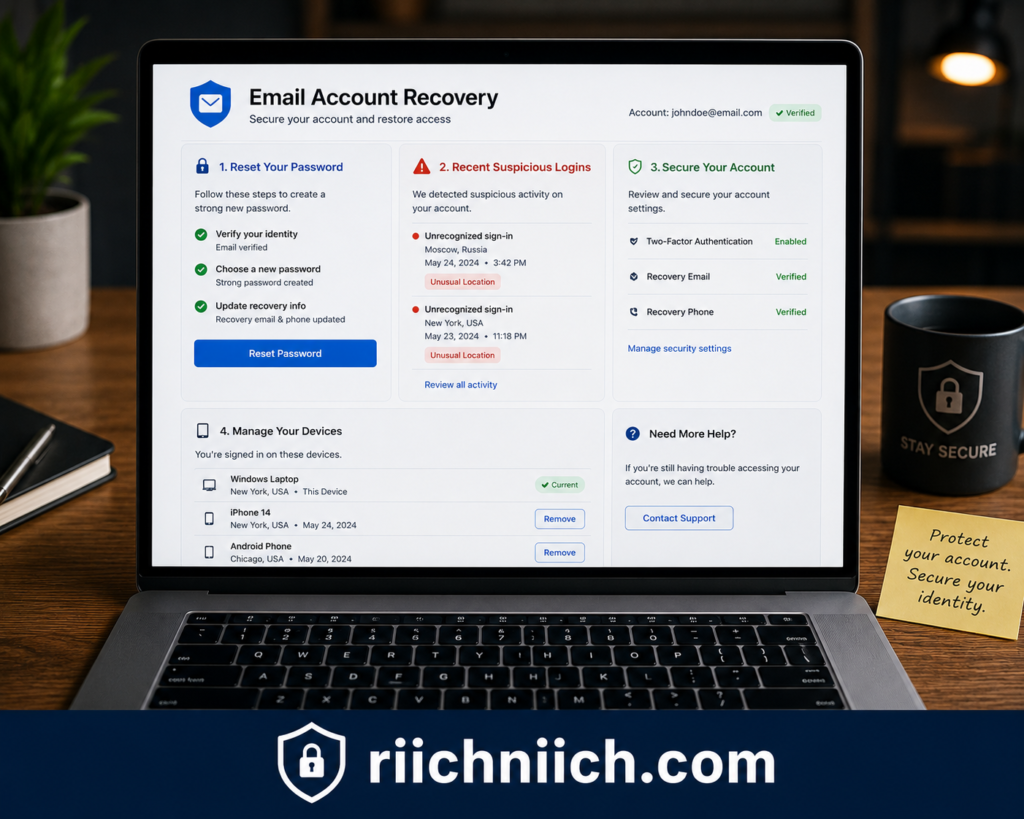
The first thing you should do is change your email password immediately. Create a strong unique password that has never been used before. If you cannot access your account, start the account recovery process through your email provider as soon as possible.
After securing your password:
- Enable multi-factor authentication
- Log out of all active sessions
- Review connected devices
- Remove suspicious login activity
- Check recovery email addresses and phone numbers
- Delete unauthorized forwarding rules
Hackers often create hidden forwarding settings that secretly send copies of your emails to another account. This allows them to monitor password resets, financial alerts, and private messages even after you regain access.
The Google Account Recovery Help recommends reviewing recent security events, removing suspicious devices, and updating account recovery information after suspected account compromise.
Next, update passwords for any important accounts connected to your email, including:
- Banking accounts
- Shopping websites
- Social media accounts
- Cloud storage services
- Work-related accounts
- Password managers
Because email accounts are linked to password reset requests, hackers may attempt to access multiple services once they compromise your inbox. If you are worried about stolen personal information, read our guide on How to Protect Yourself From Identity Theft after an account compromise.
You should also scan your devices for malware or spyware. Some hackers use malicious software to steal login credentials or monitor activity in the background.
Signs your email hack may be part of a larger attack include:
- Unauthorized purchases
- Missing emails
- Friends receiving spam messages from you
- Unknown devices connected to your accounts
- Login alerts from unfamiliar locations
The Federal Trade Commission Identity Theft Recovery Guide recommends monitoring financial accounts and credit activity if personal information may have been exposed during an email compromise.
👉 Aura can help monitor your identity, dark web exposure, and suspicious activity after an email account compromise.
If sensitive personal information was stored in your inbox, consider:
- Monitoring your credit reports
- Freezing your credit if necessary
- Watching for identity theft signs
- Using identity monitoring services
- Checking if your credentials appeared in data breaches
You should also notify important contacts if hackers may have used your email account to send phishing messages or scams.
Recovering from a hacked email account can feel overwhelming, but taking immediate action can help prevent further damage and improve your long-term cybersecurity protection.
Best Tools to Help Protect Your Email From Hackers
Using the right cybersecurity tools can make it much easier to improve your online security and learn how to protect your email from hackers. While strong passwords and safe browsing habits are important, security tools add extra layers of protection that help reduce the risk of phishing attacks, malware infections, identity theft, and account takeovers.
Different tools protect different parts of your digital life, which is why many cybersecurity experts recommend combining multiple security solutions together.
Password Managers
Password managers help users create and store strong unique passwords for every account. This reduces the risk of credential stuffing attacks caused by password reuse.
Most password managers also include:
- Password breach monitoring
- Secure password generation
- Autofill protection
- Encrypted storage
These features help improve email account security while making it easier to manage multiple online accounts safely.
VPN Services
VPNs help encrypt internet traffic and improve privacy when using public WiFi or unsecured networks. They can help reduce the chances of hackers intercepting sensitive data while accessing email accounts online.
VPNs are especially useful for:
- Travelers
- Remote workers
- Coffee shop WiFi users
- Airport and hotel internet connections
Antivirus and Malware Protection
Antivirus software can help detect:
- Malware
- Spyware
- Malicious downloads
- Fake applications
- Dangerous websites
Since some malware is designed to steal email passwords and monitor activity, keeping devices protected with updated antivirus software is an important part of cybersecurity.
The AV-TEST Cybersecurity Research Institute regularly evaluates antivirus tools and online security products based on protection performance and threat detection.
Identity Theft Protection Services
Identity protection tools can help monitor:
- Data breaches
- Dark web exposure
- Suspicious account activity
- Credit-related fraud
- Leaked personal information
These services can alert users if compromised credentials or personal information appear online after a breach.
👉 Coveron helps monitor for data breaches, identity theft risks, and exposed personal information connected to your email accounts.
Data Removal Services
Data removal tools help remove personal information from data broker websites and people-search databases. Reducing publicly available information can lower exposure to phishing scams, spam messages, and social engineering attacks.
👉 Incogni can automatically remove your personal information from data broker websites that hackers often use to target victims.
Hackers often use publicly available information to make phishing emails appear more convincing.
Browser Security Tools
Modern browsers and browser extensions can help block:
- Malicious websites
- Phishing pages
- Suspicious downloads
- Tracking scripts
Keeping browser security protections enabled can help improve email privacy protection and reduce exposure to online threats.
The Cybersecurity Guide Online Privacy Resources explains that layered cybersecurity protection is often more effective than relying on a single tool alone.
No single tool can completely eliminate cyber risks, but combining password managers, VPNs, antivirus software, identity protection, and safe browsing habits can significantly improve your email security and help protect sensitive personal information from hackers.
Common Email Security Mistakes Most People Make
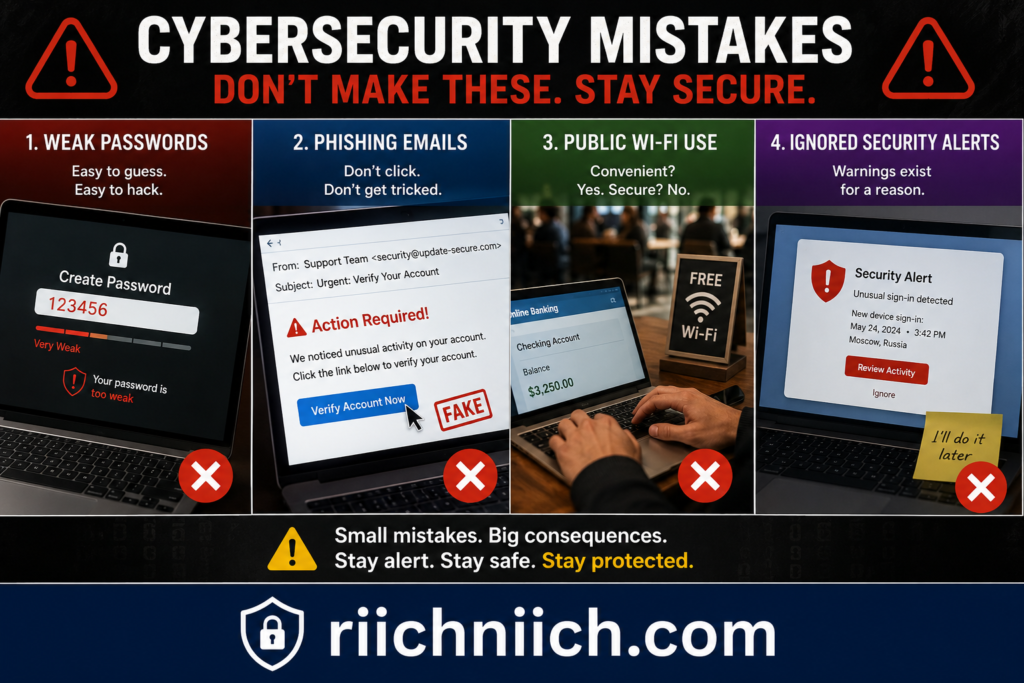
Many email accounts get compromised because of simple security mistakes that hackers know how to exploit. Understanding these common problems is an important part of learning how to protect your email from hackers and improving your overall online security.
One of the biggest mistakes people make is reusing the same password across multiple accounts. If one website experiences a data breach, hackers often use stolen credentials to attempt logins on email accounts, banking apps, and social media platforms.
Another common mistake is ignoring multi-factor authentication. Many users rely only on passwords, even though passwords can be stolen through phishing attacks, malware, or data leaks.
Other frequent email security mistakes include:
- Clicking suspicious links
- Downloading unknown attachments
- Ignoring security alerts
- Using weak passwords
- Staying logged into accounts on shared devices
- Connecting to unsafe public WiFi networks
- Failing to update devices and browsers
Hackers often target people who overlook small security warnings or assume phishing emails are harmless.
The SANS Institute Security Awareness Resources explains that human error remains one of the most common causes of cybersecurity incidents and account compromises.
Another major issue is oversharing personal information online. Details shared on social media, public records, or data broker websites can help hackers:
- Guess security questions
- Create targeted phishing scams
- Impersonate victims
- Gain trust during social engineering attacks
Some users also fail to review account settings regularly. Suspicious forwarding rules, unfamiliar connected devices, or outdated recovery information may go unnoticed for long periods.
People often assume antivirus software alone will fully protect their accounts, but cybersecurity works best when multiple layers of protection are combined together.
Many cybercriminals also rely on urgency and fear to trick victims into making mistakes quickly. Emails claiming there is suspicious activity, payment problems, or account lockouts are designed to pressure users into clicking before thinking carefully.
The Cyber Readiness Institute Email Security Tips recommends building safer online habits such as verifying links, enabling MFA, and regularly reviewing account security settings.
Avoiding these common mistakes can significantly reduce the risk of:
- Email account takeovers
- Identity theft
- Credential theft
- Malware infections
- Financial fraud
Improving email security does not always require advanced technical skills. In many cases, safer habits and better awareness can make a major difference in protecting personal information online.
How to Keep Your Personal Information Off the Dark Web
Keeping your personal information off the dark web starts with reducing the chances of your data being stolen, leaked, or exposed online in the first place. If you want to learn how to protect your email from hackers, protecting your personal information from dark web exposure should also be part of your cybersecurity strategy.
The dark web is often used by cybercriminals to buy, sell, and trade stolen information such as:
- Email addresses
- Passwords
- Phone numbers
- Credit card details
- Social Security numbers
- Banking credentials
Much of this information comes from data breaches, phishing attacks, malware infections, weak passwords, and oversharing personal details online.
One of the best ways to reduce dark web exposure is by using strong unique passwords for every account. Reused passwords make it much easier for hackers to gain access to multiple accounts after a breach.
You should also:
- Enable multi-factor authentication
- Avoid phishing scams
- Keep devices updated
- Use secure internet connections
- Monitor accounts for suspicious activity
- Limit publicly available personal information
The Identity Theft Resource Center Data Breach Resources explains that personal information exposed in data breaches can circulate online for years if users do not update compromised credentials quickly.
Another important step is reducing your exposure on data broker and people-search websites. Publicly available information can help hackers create more convincing phishing attacks or social engineering scams.
Many identity protection services and dark web monitoring tools can alert users if their:
- Email addresses
- Passwords
- Phone numbers
- Financial details
- Personal information
appear in known breaches or dark web databases. You can also learn How to Check If Your Information Is on the Dark Web and monitor for exposed credentials linked to your email accounts.
These alerts allow users to secure accounts before hackers can exploit stolen information.
You should also regularly check:
- Password breach notifications
- Financial account activity
- Credit reports
- Email security alerts
- Login history
The IBM Data Breach Prevention Resources notes that proactive security habits and faster response times can significantly reduce the damage caused by stolen credentials and online data exposure.
Using cybersecurity tools like password managers, VPNs, antivirus software, and identity monitoring services can help strengthen your overall online protection.
While no one can completely eliminate cyber risks, reducing your digital footprint and securing your accounts properly can greatly lower the chances of your personal information ending up on the dark web.
Conclusion: How to Protect Your Email From Hackers
Learning how to protect your email from hackers is one of the most important steps you can take to improve your online security and protect your personal information. Since your email account is connected to banking apps, social media accounts, shopping websites, work platforms, and password resets, a compromised inbox can quickly lead to larger cybersecurity and identity theft problems.
The good news is that most email attacks can be reduced or prevented with better security habits and the right protection tools.
To improve your email security, focus on:
- Using strong unique passwords
- Enabling multi-factor authentication
- Avoiding phishing scams
- Keeping devices and browsers updated
- Using password managers
- Protecting accounts on public WiFi
- Removing personal information from data broker sites
- Monitoring for suspicious activity and data breaches
Cybercriminals often look for easy targets, which means small improvements in your cybersecurity habits can make a major difference.
Using layered protection is usually the safest approach. For additional ways to improve your online safety, explore our Cybersecurity Tips Everyone Should Know to better protect your accounts and personal information. Combining password managers, VPNs, antivirus software, identity monitoring tools, and safe browsing practices can significantly reduce the risk of email account takeovers and credential theft.
The Cybersecurity & Infrastructure Security Agency Secure Our World Campaign recommends combining strong passwords, MFA, software updates, and phishing awareness as core cybersecurity best practices for protecting online accounts.
It is also important to remember that email security is not only about technology. Many attacks succeed because hackers use social engineering, phishing scams, or publicly available personal information to trick victims into revealing sensitive data.
Reducing your online exposure and improving privacy protection can make phishing attacks less effective and help keep your personal information off the dark web.
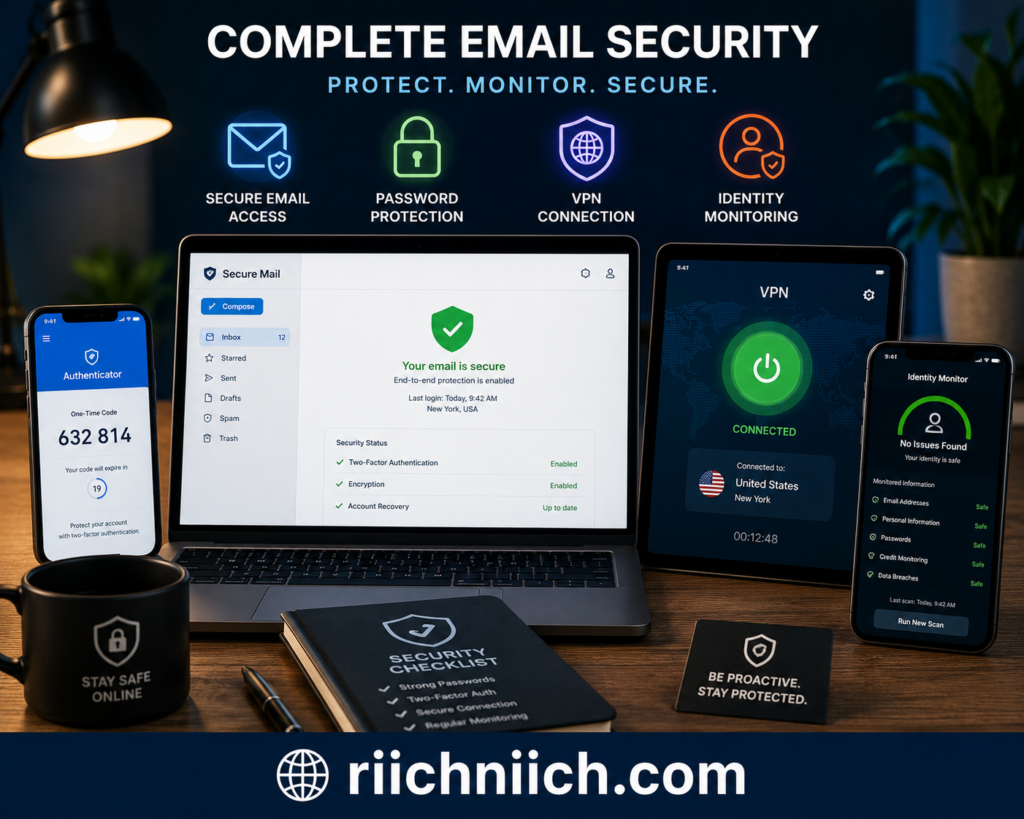
If you are serious about securing your accounts, consider using trusted cybersecurity tools that provide:
- Password protection
- VPN encryption
- Identity theft monitoring
- Data breach alerts
- Dark web monitoring
- Data removal services
The stronger your overall security setup becomes, the harder it is for hackers to gain access to your accounts and personal information.
Protecting your email account may seem overwhelming at first, but taking small steps now can help prevent much larger problems later.
Pingback: How Phishing Scams Work (And How To Avoid Becoming A Victim) - Riich Niich
Pingback: How to Know If Someone Stole Your Identity - Riich Niich
Pingback: Why Am I Getting So Many Spam Emails? - Riich Niich