

Cybersecurity Tips Everyone Should Know are essential if you want to protect your personal data, finances, and online accounts in 2026. With cyber threats increasing and personal information more exposed than ever, even small security mistakes can lead to serious consequences like identity theft or financial loss.
The good news is that staying safe online does not have to be complicated. By following proven cyber-security practices and using the right tools, you can significantly reduce your risk and take control of your digital security. In this guide, you will learn the most important cyber-security tips, how they work, and the best ways to protect yourself in today’s digital world.
🔐 Quick Reality: Cybersecurity Is Easier Than You Think — But Most People Ignore It
Most cyberattacks don’t happen because of advanced hacking…
They happen because of simple mistakes like weak passwords, outdated software, or clicking the wrong link.
The good news: small changes can dramatically improve your security.
Table of Contents
What Are Cybersecurity Tips Everyone Should Know in 2026?
Cybersecurity Tips Everyone Should Know in 2026 are essential practices that help protect your personal data, financial information, and online accounts from hackers, scams, and identity theft.
In simple terms, these tips are practical actions you take to reduce your risk online. They focus on preventing attacks, limiting your data exposure, and helping you respond quickly if something goes wrong.
The Core Idea Behind Cybersecurity in 2026
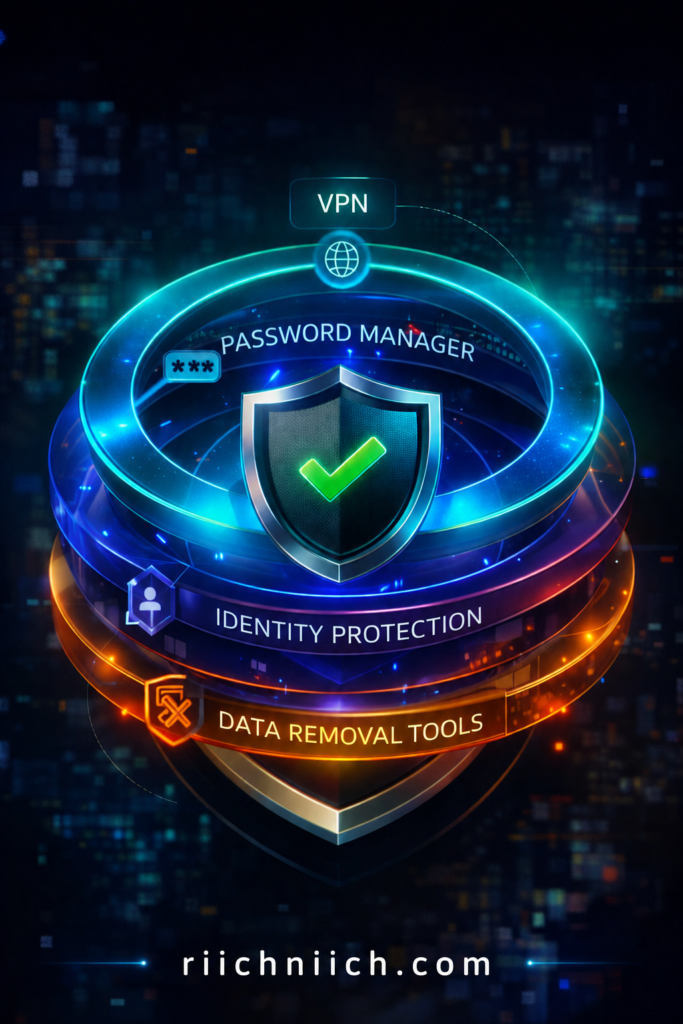
Cyber-security is no longer about using just one tool. The most effective approach is a layered security strategy, where multiple protections work together.
This includes:
- Prevention tools such as VPNs and antivirus software
- Account protection through strong passwords and two-factor authentication
- Monitoring tools like identity theft protection services
- Exposure reduction by removing your personal data from the internet
The more layers you have in place, the harder it becomes for attackers to access your information.
Why These Cybersecurity Tips Matter More Than Ever
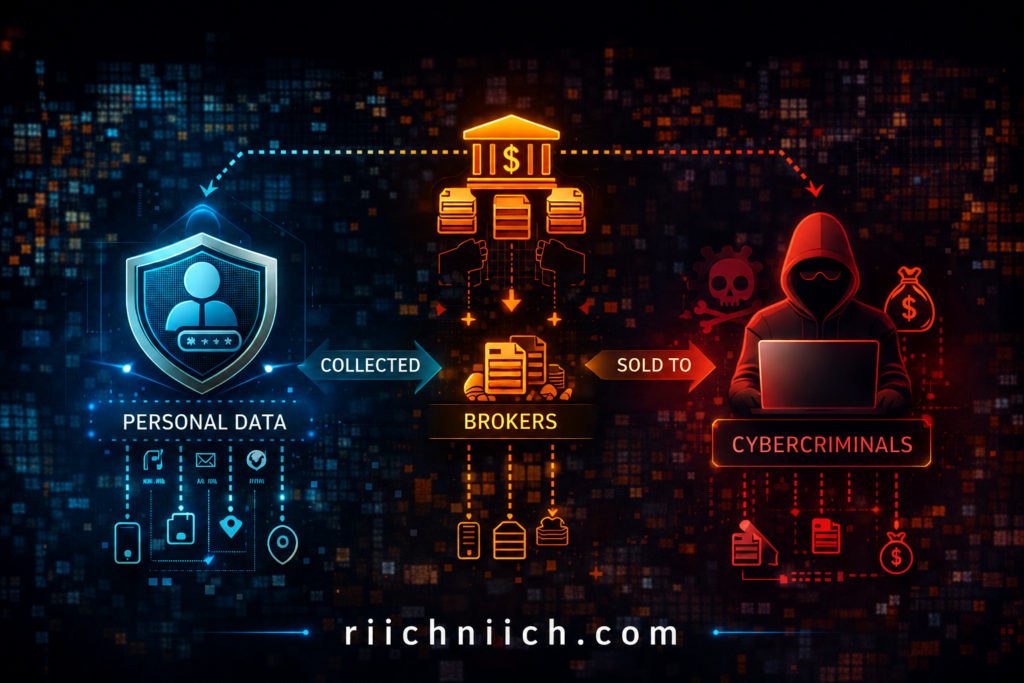
Your personal information is already being collected, stored, and shared across the internet — often without your knowledge.
According to the Federal Trade Commission, millions of identity theft and fraud cases are reported each year. Data from the Identity Theft Resource Center also shows that data breaches continue to expose sensitive personal information at a growing rate.
This creates a major risk:
- Your data can be bought or found online
- Criminals use it for fraud, scams, and account takeovers
- You may not even realize you are exposed until damage is done
What “Cybersecurity Tips Everyone Should Know” Really Include
When people search for Cybersecurity Tips Everyone Should Know, they are looking for clear and actionable ways to stay safe online.
These tips typically include:
- Protecting your internet connection, especially on public WiFi
- Securing your accounts with strong passwords and two-factor authentication
- Monitoring your identity and financial activity
- Reducing your digital footprint so your data is harder to find
- Using trusted tools that automate your protection
These are not advanced techniques. They are foundational habits that significantly reduce your risk.
The Biggest Mistake Most People Make
One of the most common mistakes is assuming that cyber threats only target specific individuals.
In reality, most attacks are automated and opportunistic. Cyber-criminals look for easy targets — people with weak security, exposed data, or no protection in place.
Following Cybersecurity Tips Everyone Should Know helps you avoid being an easy target and reduces your chances of being affected.
The Smart Approach: Combine Tips with the Right Tools
Basic habits are important, but combining them with the right tools creates a much stronger level of protection.
For example:
- A VPN secures your internet connection
- A password manager protects your login credentials
- Identity theft protection services monitor your personal data
- Data removal services reduce your online exposure
👉 A secure option like NordPass makes it easy to manage your passwords across all your devices.
Bottom Line
Cybersecurity Tips Everyone Should Know in 2026 are about taking control of your online safety.
By reducing your exposure, strengthening your defenses, and using the right tools, you significantly lower your risk of identity theft, fraud, and data breaches.
Why Cybersecurity Tips Everyone Should Know Are More Important Than Ever
Cybersecurity Tips Everyone Should Know are more important than ever because the way cyber-crime works has changed. You are no longer just protecting your devices — you are protecting your identity, finances, and digital footprint, all of which are constantly being collected and exposed online.
Cyber Threats Are Increasing Every Year
Cyber-crime is growing at a rapid pace, and it is becoming more automated and easier to execute.
According to the Federal Trade Commission, millions of fraud and identity theft reports are filed each year in the United States alone. At the same time, the Cyber-security and Infrastructure Security Agency warns that both individuals and businesses are increasingly being targeted by sophisticated cyber-attacks.
This means:
- Attacks are more frequent
- Tools used by hackers are more advanced
- Everyday users are now primary targets
Your Personal Data Is Already Exposed
One of the biggest reasons Cybersecurity Tips Everyone Should Know matter today is because your personal data is already circulating online.
Data brokers collect and sell information such as:
- Full name
- Address
- Phone number
- Online behavior
The Identity Theft Resource Center reports that data breaches continue to expose millions of records every year, making it easier for criminals to access and misuse personal information.
This creates a dangerous reality:
- You do not need to be “hacked” directly
- Your data can be purchased or found online
- Criminals use that data to impersonate you
This process is a major reason attacks succeed, which is why understanding how identity theft happens is critical.
Cyber Attacks Are No Longer Just Technical
In the past, cyber threats required technical skill. Today, many attacks rely on human behavior, not just technology.
Common modern threats include:
- Phishing emails that look legitimate
- Fake login pages designed to steal passwords
- Social engineering scams using personal information
These attacks are designed to trick you, not just hack your system. That is why following Cybersecurity Tips Everyone Should Know is critical — they help you recognize and avoid these tactics.
Financial Damage Happens Faster Than Ever
Cyber-crime today is not just about data — it is about money.
Once attackers gain access to your information, they can:
- Open credit accounts in your name
- Access bank or payment accounts
- Make unauthorized purchases
- Lock you out of your own accounts
The Federal Trade Commission provides extensive resources showing how quickly identity theft can escalate into serious financial loss.
Prevention Is Easier Than Recovery
Recovering from identity theft or fraud can take weeks or even months. Preventing it, on the other hand, is much simpler.
By following Cybersecurity Tips Everyone Should Know, you can:
- Block most common attack methods
- Detect suspicious activity early
- Reduce how much of your data is exposed online
The Cybersecurity and Infrastructure Security Agency emphasizes that proactive security measures are the most effective way to reduce risk.
The Shift Toward a “Security Stack”
In 2026, relying on a single solution is no longer enough. The most effective approach is using a combination of tools and habits together.
A strong setup typically includes:
- Securing your internet connection
- Protecting your accounts
- Monitoring your identity
- Removing your data from public databases
This layered approach ensures that even if one defense fails, others are still in place.
Bottom Line
Cybersecurity Tips Everyone Should Know are more important than ever because threats are increasing, personal data is widely exposed, and financial risks are higher than before.
The reality is simple:
If you are online, you are a target.
Taking action now — by following proven cyber-security practices and using the right tools — is the most effective way to protect yourself in 2026 and beyond.
The 3 Core Areas of Cybersecurity
To stay safe online, you need to focus on three key areas:
- Protect your accounts (passwords, logins)
- Protect your devices (updates, antivirus)
- Protect your identity (monitoring, alerts)
Most people focus on one — but ignore the others.
Cybersecurity Tips Everyone Should Know to Protect Your Personal Data
Cybersecurity Tips Everyone Should Know to protect your personal data are focused on one goal: reducing how much information is exposed and making it difficult for anyone to access it.
Your personal data — including your name, address, Social Security number, and financial details — is one of the most valuable targets for cybercriminals. This is exactly how your information gets exposed in the first place, as explained in how hackers get your personal data. Once it is exposed, it can be used for identity theft, fraud, and account takeovers.
Limit How Much Personal Data Is Available Online
One of the most important Cybersecurity Tips Everyone Should Know is to reduce your digital footprint.
Your data is often collected and shared by:
- Data brokers
- Social media platforms
- Online accounts and services
The Federal Trade Commission advises consumers to be mindful of how much personal information they share online, as it can be used for scams and identity theft.
To reduce exposure:
- Avoid oversharing on social media
- Remove unused accounts
- Opt out of data broker sites when possible
Use Strong Passwords and a Password Manager
Weak or reused passwords are one of the easiest ways for attackers to gain access to your accounts.
The Cyber-security and Infrastructure Security Agency recommends using long, unique passwords for every account.
Best practices include:
- Use at least 12–16 characters
- Avoid using the same password across multiple sites
- Store passwords securely using a password manager
This ensures that even if one account is compromised, others remain protected.
Most cyberattacks succeed because of simple oversights like this.
Enable Two-Factor Authentication (2FA)
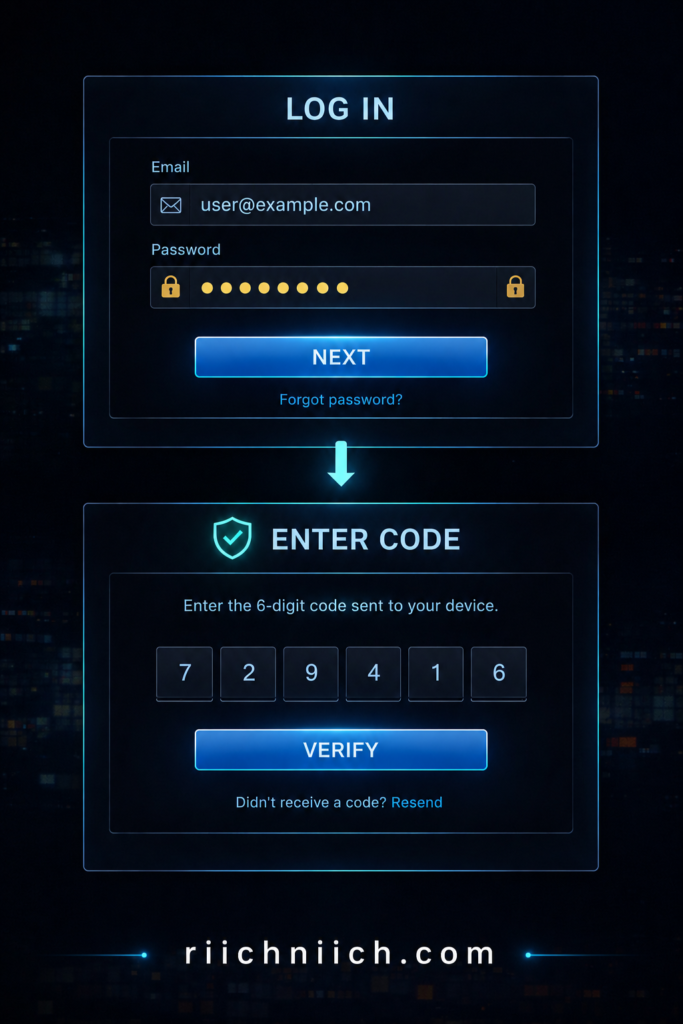
Two-factor authentication adds an extra layer of security beyond your password.
Even if someone gains access to your login credentials, they still need a second form of verification, such as:
- A text message code
- An authentication app
- A biometric scan
The Cyber-security and Infrastructure Security Agency strongly recommends enabling 2FA on all important accounts, especially email, banking, and social media.
Secure Your Internet Connection
Unsecured internet connections — especially public WiFi — can expose your personal data to interception.
To protect your data:
- Avoid accessing sensitive accounts on public WiFi
- Use a VPN to encrypt your connection
- Ensure websites use HTTPS
According to the Federal Trade Commission, unsecured networks are a common entry point for cyber-criminals to intercept personal information.
Monitor Your Personal and Financial Information
Monitoring your data helps you detect problems early before they escalate.
This includes:
- Checking bank and credit card statements regularly
- Reviewing your credit reports
- Watching for unfamiliar accounts or activity
The Identity Theft Resource Center emphasizes early detection as a key factor in minimizing damage from identity theft.
Most cyberattacks succeed because of simple oversights like this.
Remove Your Personal Data from Data Broker Sites
Even if you follow all security best practices, your personal data can still be exposed through third-party databases.
Data broker sites collect and sell your information without direct interaction from you. Removing your data from these sources is one of the most effective ways to reduce your risk.
Your options include:
- Manual removal requests (time-consuming)
- Automated data removal services (faster and ongoing)
👉 Instead of doing it manually, Incogni automates the entire process for you.
Keep Your Devices and Software Updated
Outdated software can contain security vulnerabilities that hackers exploit.
To stay protected:
- Install updates as soon as they are available
- Keep operating systems and apps current
- Use security software where appropriate
The Cyber-security and Infrastructure Security Agency highlights regular updates as one of the simplest and most effective cyber-security practices.
Be Cautious with Emails, Links, and Downloads
Many cyber-attacks start with a simple click.
To protect your personal data:
- Avoid clicking unknown links
- Do not download attachments from untrusted sources
- Verify senders before responding to emails
Phishing attacks are designed to look legitimate, making awareness a critical defense.
👉 Most cyberattacks succeed because of simple oversights like this.
The Most Common Cybersecurity Mistakes
Even people who understand cybersecurity often make these mistakes:
❌ Reusing passwords
❌ Ignoring software updates
❌ Clicking unknown links
❌ Not enabling two-factor authentication
👉 These simple errors are responsible for most security breaches.
Bottom Line
Cybersecurity Tips Everyone Should Know to protect your personal data focus on reducing exposure, strengthening account security, and staying alert to potential threats.
By combining these practices with the right tools, you create a strong defense that makes it significantly harder for cyber-criminals to access or misuse your information.
Why Cybersecurity Matters More Than Ever
Cyber threats are becoming more advanced — but attackers still rely on basic weaknesses.
If your accounts or data are compromised, it can lead to:
❌ Identity theft
❌ Financial loss
❌ Account takeovers
👉 This is why basic protection isn’t optional anymore.
How to Build a Simple Cybersecurity Setup
To stay protected, you should combine:
✔ Strong passwords + password manager
✔ Two-factor authentication
✔ Device protection (updates, antivirus)
✔ Identity monitoring tools
👉 This layered approach provides much stronger protection.
👉 Learn more about the best identity theft protection services here!
👉 Tools like Aura monitor your identity and alert you to suspicious activity before serious damage occurs.
👉 Check Aura pricing and protection features here!
Use a VPN on Public WiFi (One of the Most Important Cybersecurity Tips Everyone Should Know)
Using a VPN on public WiFi is one of the most important Cybersecurity Tips Everyone Should Know because unsecured networks are one of the easiest ways for hackers to access your personal data.
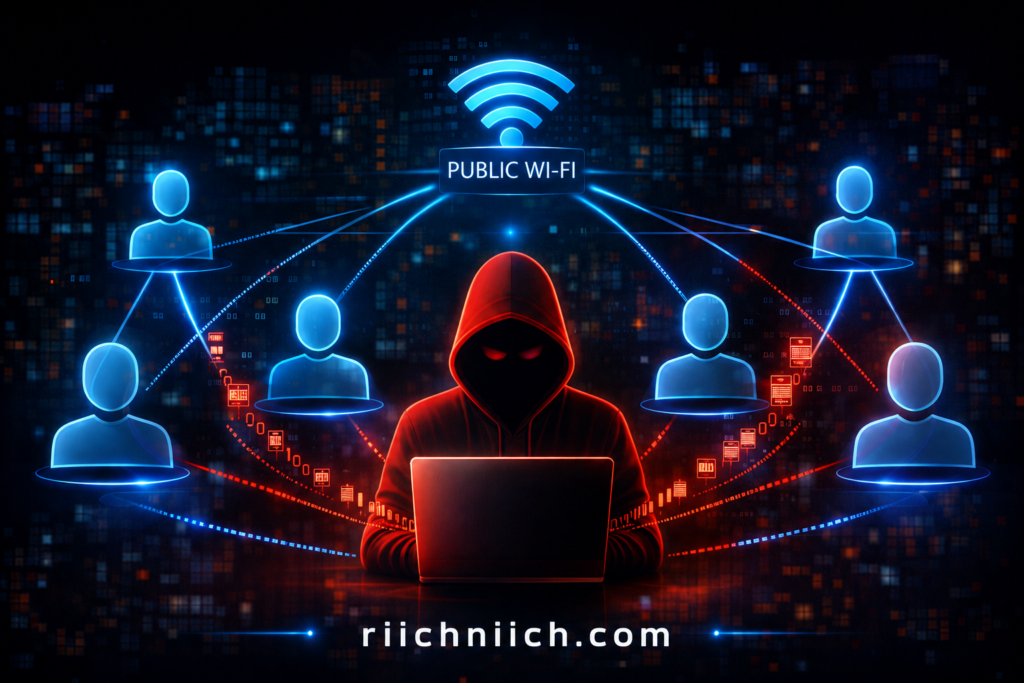
Public WiFi networks — like those in coffee shops, airports, hotels, and libraries — are often unprotected or poorly secured, making them a common target for cyber-criminals. These risks are more serious than most people realize, especially when you consider the full scope of public WiFi dangers.
Why Public WiFi Is Dangerous
When you connect to public WiFi, your data can be exposed to anyone else on the same network.
According to the Federal Trade Commission, attackers can use unsecured networks to intercept sensitive information such as:
- Login credentials
- Credit card numbers
- Emails and messages
The Cyber-security and Infrastructure Security Agency also warns that public WiFi networks can allow attackers to monitor your online activity if proper protections are not in place.
This means:
- You may think you are browsing safely
- But your data could be visible in real time
What a VPN Actually Does
A VPN (Virtual Private Network) protects your connection by encrypting your internet traffic.
Instead of sending data openly across the network, a VPN:
- Encrypts your data before it leaves your device
- Routes it through a secure server
- Prevents others from seeing or intercepting it
This makes your activity unreadable to hackers, even on unsecured networks.
How a VPN Protects Your Personal Data
Using a VPN directly supports the goal of Cybersecurity Tips Everyone Should Know, which is to reduce exposure and protect sensitive information.
A VPN helps by:
- Hiding your IP address
- Encrypting login credentials and financial data
- Preventing session hijacking attacks
- Securing your activity on public networks
Without a VPN, your data can be captured using simple tools that are widely available online.
When You Should Always Use a VPN
You should use a VPN anytime you connect to an untrusted network, including:
- Coffee shops and restaurants
- Airports and airplanes
- Hotels and public spaces
- Shared workspaces
Even networks that require a password are not always secure.
The Federal Trade Commission recommends avoiding sensitive transactions on public WiFi unless you are using a secure connection.
Free vs Paid VPNs: What Actually Protects You?
Not all VPNs offer the same level of protection.
Free VPNs often:
- Have limited encryption
- Track or sell your data
- Offer slower and less secure connections
Paid VPNs typically provide:
- Strong encryption standards
- No-logs policies
- Faster, more reliable connections
- Better protection against tracking
If your goal is to follow Cybersecurity Tips Everyone Should Know, using a trusted VPN service is a more reliable option.
VPNs Are Part of a Complete Security Setup
While a VPN is powerful, it works best as part of a broader security strategy.
To fully protect your data, combine a VPN with:
- Strong passwords and a password manager
- Two-factor authentication
- Identity theft monitoring
- Data removal from broker sites
This layered approach ensures that even if one area is exposed, others remain protected.
Bottom Line
Using a VPN on public WiFi is one of the most important Cybersecurity Tips Everyone Should Know because it protects your data from being exposed on unsecured networks.
If you regularly connect to public WiFi, a VPN is not optional — it is a critical layer of protection that helps keep your personal and financial information secure.
Remove Your Personal Data from the Internet to Reduce Risk
One of the most overlooked Cybersecurity Tips Everyone Should Know is removing your personal data from the internet. Even if you use strong passwords and secure your accounts, your information can still be exposed through third-party sources you don’t control.
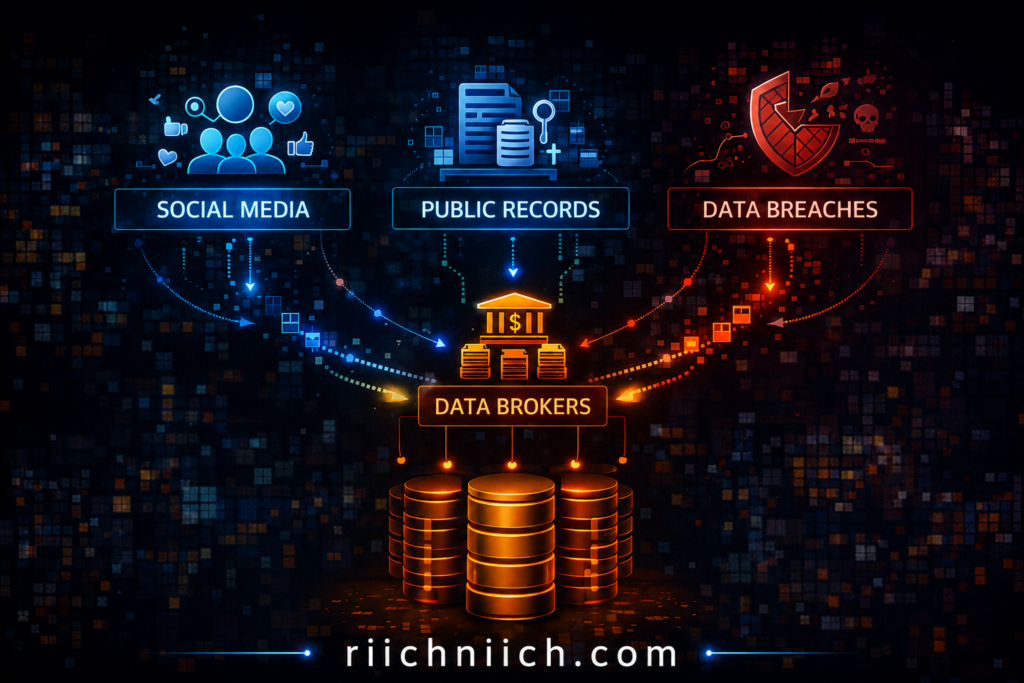
Your data is often collected, stored, and sold by companies known as data brokers — and that exposure significantly increases your risk of identity theft, scams, and fraud.
Where Your Personal Data Is Coming From
Most people assume their data is only shared when they sign up for services. In reality, your information is gathered from multiple sources:
- Public records
- Social media activity
- Online purchases
- Data breaches
- Mobile apps and websites
According to the Identity Theft Resource Center, data breaches continue to expose millions of personal records every year, feeding into databases that are later accessed or sold.
The Federal Trade Commission also warns that data brokers legally collect and sell detailed consumer profiles, often without direct consent. If you want to reduce your exposure, here is a complete guide on how to remove your personal information from the internet.
Why Removing Your Data Matters
Leaving your personal data online creates multiple entry points for cyber-criminals.
When your information is exposed, it can be used to:
- Impersonate you
- Open accounts in your name
- Target you with phishing scams
- Access your existing accounts
This is why Cybersecurity Tips Everyone Should Know go beyond protecting accounts — they focus on reducing how much of your data is available in the first place.
The less data available about you, the harder it is for attackers to succeed.
Manual Data Removal vs Automated Services
There are two main ways to remove your personal data from the internet:
Manual Removal
- Contact each data broker individually
- Submit opt-out requests
- Follow up repeatedly
Challenges:
- Time-consuming
- Requires ongoing effort
- Easy to miss sources
Automated Data Removal Services
- Submit removal requests on your behalf
- Continuously monitor for new data exposure
- Scale across dozens or hundreds of data broker sites
This approach aligns with Cybersecurity Tips Everyone Should Know, especially if you want consistent, long-term protection without constant manual work.
How Data Removal Reduces Your Risk
Removing your personal data directly impacts your security by:
- Reducing your visibility in public databases
- Limiting the information available to scammers
- Lowering the chances of identity theft
- Decreasing spam calls and phishing attempts
The Cyber-security and Infrastructure Security Agency emphasizes minimizing data exposure as a key part of protecting your digital identity.
When Data Removal Makes the Biggest Difference
Data removal is especially important if you:
- Frequently shop or bank online
- Use social media regularly
- Have been part of a data breach
- Receive spam calls or suspicious emails
- Want to proactively protect your identity
In these cases, reducing your digital footprint can significantly lower your risk.
Combine Data Removal with Other Security Measures
While removing your data is powerful, it works best when combined with other protections.
For a complete security setup:
- Use a VPN to protect your connection
- Secure accounts with strong passwords and 2FA
- Monitor your identity and financial activity
- Continuously remove exposed data
This layered approach follows the core principle behind Cybersecurity Tips Everyone Should Know — multiple defenses working together.
Bottom Line
Removing your personal data from the internet is one of the most effective Cybersecurity Tips Everyone Should Know because it reduces your exposure at the source.
The less information available about you online, the fewer opportunities cyber-criminals have to target you — making data removal a critical step in protecting your identity and financial security.
Use Identity Theft Protection Services to Stay Safe Online
Using identity theft protection services is one of the most effective Cybersecurity Tips Everyone Should Know if you want to actively monitor and protect your personal information.
While basic security habits help prevent attacks, identity theft protection services focus on detection and response — helping you catch problems early and recover quickly if your information is compromised. If you are considering protection, compare the best identity theft protection services to find the right fit.
What Identity Theft Protection Services Actually Do
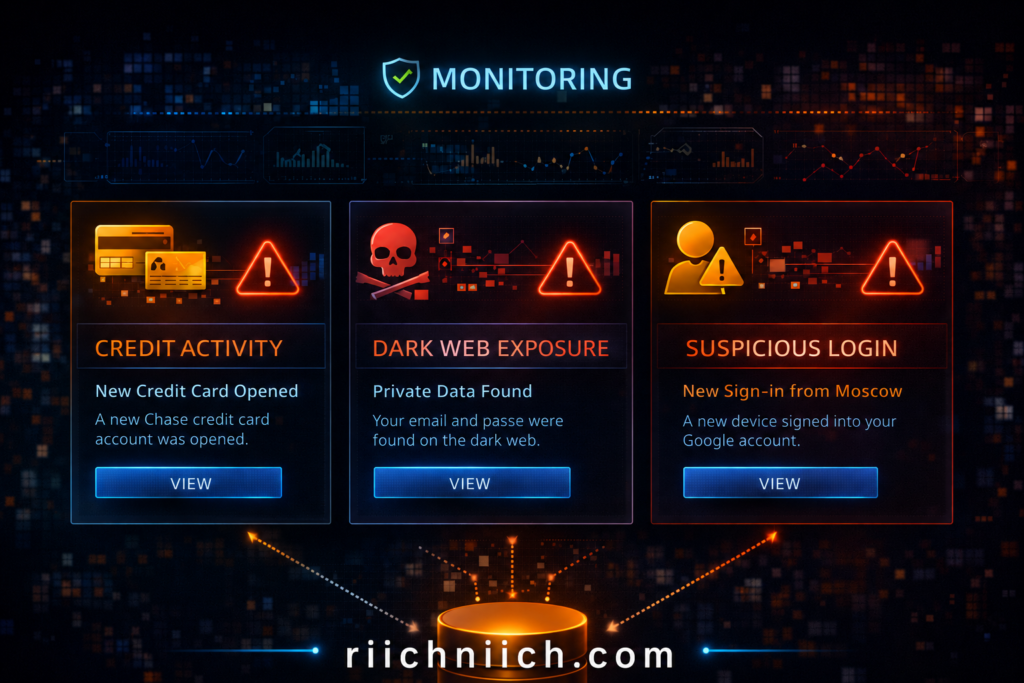
Identity theft protection services continuously monitor your personal data across multiple sources.
👉 One of the top-rated services right now is Aura, which you can check out here!
These services typically include:
- Credit monitoring across major bureaus
- Dark web monitoring for exposed data
- Alerts for suspicious activity
- Identity recovery support
- Insurance coverage for certain losses
According to the Federal Trade Commission, early detection is critical when it comes to minimizing the damage caused by identity theft.
Why Monitoring Your Identity Is Critical
Even if you follow all other Cybersecurity Tips Everyone Should Know, you cannot fully control how your data is exposed.
Your information can still be compromised through:
- Data breaches
- Leaked databases
- Stolen credentials
The Identity Theft Resource Center reports that data breaches continue to expose sensitive personal information, often without users realizing it until much later.
Without monitoring:
- Fraud can go unnoticed
- Damage can escalate quickly
- Recovery becomes more difficult
With monitoring:
- You receive alerts early
- You can act before serious damage occurs
How Identity Theft Protection Reduces Your Risk
Identity theft protection services reduce your risk by adding a layer of real-time awareness.
They help you:
- Detect unauthorized credit activity
- Identify leaked personal information
- Respond quickly to suspicious behavior
- Limit financial and reputational damage
This aligns directly with the goal of Cybersecurity Tips Everyone Should Know — not just preventing threats, but also minimizing impact when something goes wrong.
Who Should Consider Identity Theft Protection
Identity theft protection is especially valuable for people who:
- Shop or bank online frequently
- Have multiple online accounts
- Use social media regularly
- Have been affected by a data breach
- Want a proactive approach to security
If your personal or financial data is important to you, monitoring it should be part of your security strategy.
Free Monitoring vs Paid Protection Services
There is a difference between basic monitoring and full identity protection.
Free options may include:
- Limited credit monitoring
- Basic alerts
Paid services typically provide:
- Comprehensive monitoring across multiple data sources
- Faster and more detailed alerts
- Dedicated recovery specialists
- Identity theft insurance
The Cyber-security and Infrastructure Security Agency recommends using trusted tools and services to strengthen your overall cyber-security posture.
For most users, a full-service solution offers stronger and more reliable protection.
Identity Theft Protection as Part of a Complete Security Strategy
Identity theft protection should not be used alone — it works best as part of a layered approach.
To fully protect yourself:
- Use a VPN to secure your connection
- Strengthen passwords and enable 2FA
- Remove your personal data from broker sites
- Monitor your identity continuously
This combination ensures that you are protected before, during, and after a potential threat.
Bottom Line
Using identity theft protection services is one of the most practical Cybersecurity Tips Everyone Should Know because it gives you visibility and control over your personal data.
By detecting threats early and helping you respond quickly, these services play a critical role in protecting your identity, finances, and long-term security online.
Create Strong Passwords and Use a Password Manager
Creating strong passwords and using a password manager is one of the most fundamental Cybersecurity Tips Everyone Should Know because weak or reused passwords are one of the leading causes of account breaches.
Your passwords protect access to your email, banking, social media, and personal accounts. If a hacker gains access to just one weak password, they can often unlock multiple accounts using the same credentials.
Why Weak Passwords Put You at Risk
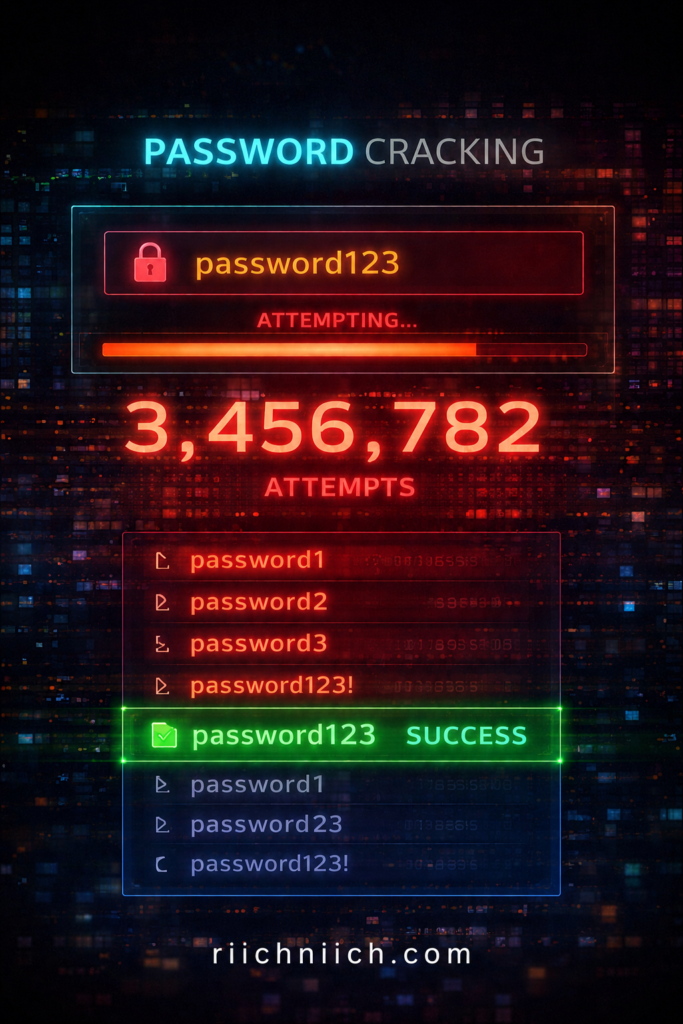
Many people still use passwords that are easy to guess or reuse across multiple sites. This creates a major vulnerability.
According to the Cyber-security and Infrastructure Security Agency, weak passwords can be quickly cracked using automated tools.
Common risks include:
- Using simple passwords like “123456” or “password”
- Reusing the same password across multiple accounts
- Storing passwords in unsecured locations
Once one account is compromised, attackers often attempt to access others using the same login details.
What Makes a Strong Password
A strong password is designed to be difficult to guess or crack.
Best practices include:
- At least 12–16 characters long
- A mix of uppercase and lowercase letters
- Numbers and special characters
- No personal information (names, birthdays, etc.)
The National Institute of Standards and Technology recommends using long, unique passwords for each account to improve security.
Stronger passwords significantly reduce the likelihood of unauthorized access.
Why You Should Never Reuse Passwords
Reusing passwords creates a chain reaction risk.
If one website experiences a data breach:
- Your login credentials may be exposed
- Attackers test those credentials on other platforms
- Multiple accounts can be compromised quickly
This is known as credential stuffing, and it is one of the most common attack methods used today.
How a Password Manager Solves the Problem
A password manager helps you generate, store, and manage strong passwords securely. If you are not using one yet, here are the best password managers to get started.
Instead of remembering dozens of passwords, you only need to remember one master password.
A password manager can:
- Generate strong, unique passwords automatically
- Store them securely in an encrypted vault
- Autofill login credentials safely
- Sync across your devices
This makes it much easier to follow Cybersecurity Tips Everyone Should Know without sacrificing convenience.
How Password Managers Protect Your Personal Data
Password managers reduce your risk by:
- Eliminating password reuse
- Strengthening account security
- Protecting credentials from unauthorized access
Even if one account is compromised, others remain secure because each password is unique.
This directly supports your overall goal of protecting personal and financial information online.
Free vs Paid Password Managers
There are both free and paid password managers available, but they differ in features and security.
Free options may include:
- Basic password storage
- Limited device syncing
Paid options typically offer:
- Advanced encryption
- Cross-device access
- Secure sharing features
- Dark web monitoring for leaked credentials
The Cyber-security and Infrastructure Security Agency recommends using trusted tools to manage credentials securely.
Combine Password Security with Other Protections
Strong passwords are essential, but they work best when combined with other security measures.
For full protection:
- Enable two-factor authentication
- Use a VPN on public networks
- Monitor your identity and accounts
- Remove exposed personal data from the internet
This layered approach ensures that even if one layer is compromised, others remain in place.
Bottom Line
Creating strong passwords and using a password manager is one of the most effective Cybersecurity Tips Everyone Should Know because it protects the entry points to your digital life.
By using unique, secure passwords and managing them properly, you significantly reduce your risk of account breaches, identity theft, and unauthorized access.
Enable Two-Factor Authentication (2FA) on All Accounts
Enabling two-factor authentication (2FA) is one of the most effective Cybersecurity Tips Everyone Should Know because it adds a critical second layer of protection to your accounts.
Even if your password is compromised, 2FA makes it significantly harder for attackers to gain access by requiring an additional verification step.
What Is Two-Factor Authentication (2FA)?
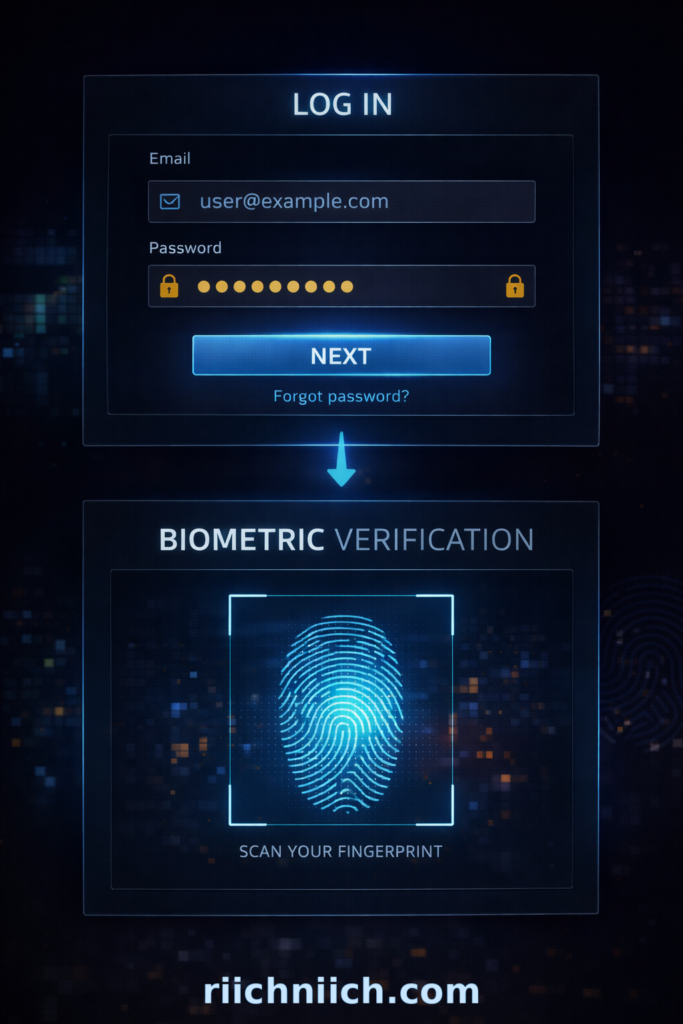
Two-factor authentication requires two forms of verification before granting access to an account:
- Something you know (your password)
- Something you have or are (a code, device, or biometric)
Common 2FA methods include:
- One-time codes sent via text message
- Authentication apps
- Push notifications
- Fingerprint or facial recognition
The Cyber-security and Infrastructure Security Agency strongly recommends enabling multi-factor authentication wherever possible to reduce unauthorized access.
Why 2FA Is So Important
Passwords alone are no longer enough to protect your accounts.
They can be compromised through:
- Data breaches
- Phishing attacks
- Credential stuffing
- Malware
According to guidance from the Federal Trade Commission, adding a second layer of authentication significantly reduces the risk of account takeover.
With 2FA enabled:
- Stolen passwords are not enough
- Attackers are blocked without the second factor
- Your accounts are much harder to access
How 2FA Protects Your Personal Data
Enabling 2FA directly supports the goal of Cybersecurity Tips Everyone Should Know by protecting your most important accounts.
It helps secure:
- Email accounts (which are often the gateway to other accounts)
- Banking and financial platforms
- Social media profiles
- Shopping and subscription services
By adding this extra layer, you reduce the chances of unauthorized access, even if your credentials are exposed.
Best Types of 2FA to Use
Not all 2FA methods offer the same level of security.
Most secure options:
- Authentication apps (such as Google Authenticator or similar tools)
- Hardware security keys
- Biometric verification
Less secure but still helpful:
- SMS text message codes
While SMS-based 2FA is better than nothing, the National Institute of Standards and Technology notes that app-based or hardware-based methods provide stronger protection.
Where You Should Enable 2FA First
To follow Cybersecurity Tips Everyone Should Know, prioritize enabling 2FA on your most sensitive accounts:
- Email accounts
- Banking and financial services
- Password manager
- Social media platforms
- Cloud storage and work accounts
Securing these accounts first provides the greatest protection for your personal data.
Common Mistakes to Avoid
When setting up 2FA, avoid these common errors:
- Only enabling it on one or two accounts
- Using the same device without backup options
- Ignoring backup recovery codes
- Relying solely on SMS if stronger options are available
Taking the time to configure 2FA properly ensures you get the full benefit of this security layer.
Combine 2FA with Other Security Practices
Two-factor authentication is powerful, but it works best when combined with other protections.
For a complete setup:
- Use strong, unique passwords
- Store credentials in a password manager
- Use a VPN on public WiFi
- Monitor your identity and financial activity
- Remove your personal data from data broker sites
This layered approach is the foundation of Cybersecurity Tips Everyone Should Know.
Bottom Line
Enabling two-factor authentication is one of the most important Cybersecurity Tips Everyone Should Know because it protects your accounts even if your password is compromised.
By adding a second layer of verification, you significantly reduce the risk of unauthorized access and strengthen your overall online security.
Be Careful What You Share on Social Media
Being careful about what you share on social media is one of the most practical Cybersecurity Tips Everyone Should Know because oversharing personal information makes it easier for cyber-criminals to target you. To reduce your risk, follow these strategies on how to stay safe on social media.
Social media platforms are designed for sharing, but every post, photo, and detail you publish can contribute to a larger profile of your identity — one that can be used for scams, phishing, or identity theft.
How Social Media Puts Your Personal Data at Risk
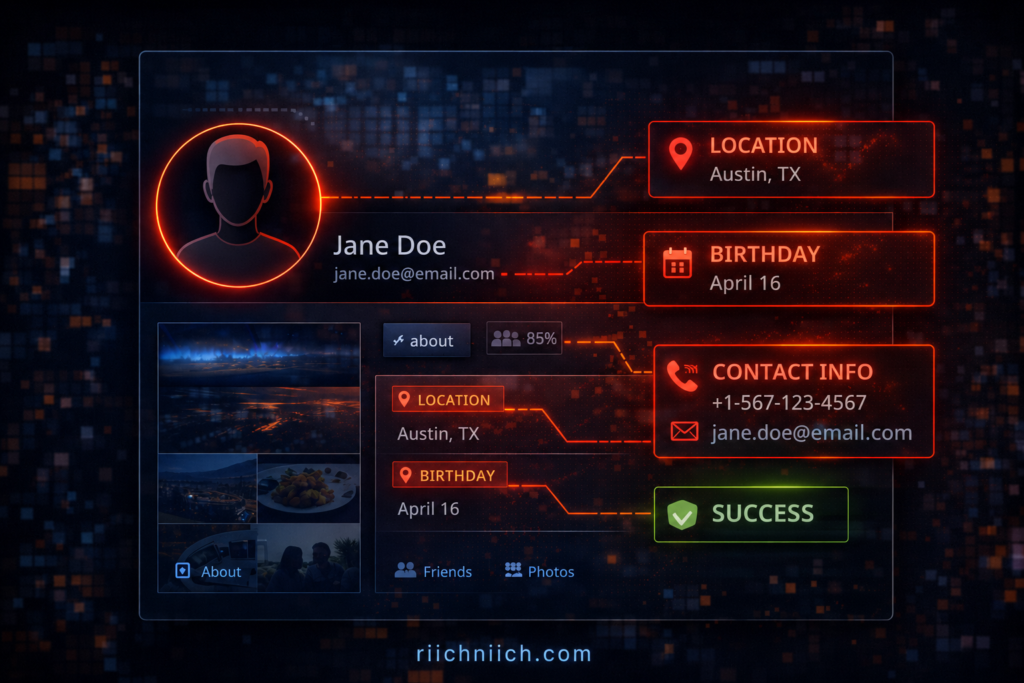
When you share information online, you may unintentionally reveal sensitive details such as:
- Full name and date of birth
- Location and daily routines
- Family members and relationships
- Work history and contact information
The Federal Trade Commission warns that scammers often use publicly available information to create convincing fraud attempts.
The more information available about you, the easier it is for someone to impersonate you or gain access to your accounts.
The Risk of Data Scraping and Profiling
Many people are unaware that their data can be collected automatically through a process called data scraping.
Companies and bad actors can:
- Collect public profile information
- Track activity and engagement
- Build detailed personal profiles
According to the Cyber-security and Infrastructure Security Agency, limiting publicly available information is an important step in reducing cyber-security risks.
This data can later be:
- Sold to third parties
- Used in targeted scams
- Combined with breached data for identity theft
How Oversharing Leads to Real-World Attacks
Oversharing does not just stay online — it can lead to real financial and security consequences.
Examples include:
- Posting travel plans → signals your home may be empty
- Sharing personal milestones → reveals answers to security questions
- Displaying location check-ins → exposes real-time movement
The Identity Theft Resource Center highlights how personal details can be used to increase the success rate of phishing and impersonation attacks.
Best Practices for Safer Social Media Use
Following Cybersecurity Tips Everyone Should Know means being intentional about what you share.
To reduce your risk:
- Avoid posting sensitive personal details
- Limit who can view your profile and posts
- Remove old or unnecessary content
- Disable location sharing when possible
- Be cautious with quizzes or surveys that collect personal data
Small changes in behavior can significantly reduce your exposure.
Adjust Your Privacy Settings
Most social media platforms offer privacy controls, but they are often not fully optimized by default.
Take time to:
- Set your profile to private or restricted
- Limit who can see your posts and personal details
- Review tagged photos and posts
- Control who can contact you
The Federal Trade Commission recommends regularly reviewing privacy settings to ensure your information is not publicly accessible.
Combine Social Media Awareness with Other Protections
Being cautious on social media is important, but it should be part of a larger security strategy.
To fully protect yourself:
- Use strong passwords and enable 2FA
- Monitor your identity and accounts
- Use a VPN on public networks
- Remove your personal data from data broker sites
This layered approach aligns with the core principle behind Cybersecurity Tips Everyone Should Know — reducing exposure and strengthening protection.
Bottom Line
Being careful about what you share on social media is one of the most important Cybersecurity Tips Everyone Should Know because it directly impacts how much information is available about you online.
By limiting what you share and controlling your privacy settings, you reduce your risk of scams, identity theft, and targeted cyber-attacks.
Keep Your Devices and Software Updated at All Times
Keeping your devices and software updated is one of the simplest yet most effective Cybersecurity Tips Everyone Should Know. Updates are not just about new features — they are critical for fixing security vulnerabilities that hackers actively exploit.
If your device or software is outdated, it can become an easy entry point for cyber-attacks.
Why Software Updates Matter for Security
Every piece of software — operating systems, apps, browsers — can contain security flaws. When these flaws are discovered, developers release updates (also called patches) to fix them.
According to the Cyber-security and Infrastructure Security Agency, failing to install updates leaves systems exposed to known vulnerabilities that attackers can easily exploit.
This means:
- Hackers already know how to exploit outdated software
- Delaying updates increases your risk
- Even one unpatched app can compromise your entire device
What Happens If You Don’t Update
Ignoring updates can lead to serious consequences, including:
- Malware infections
- Unauthorized access to your device
- Data theft or exposure
- System crashes or instability
The Federal Trade Commission emphasizes that software updates are a key defense against common cyber threats.
Once a vulnerability becomes public, attackers often move quickly to exploit it — targeting users who have not updated yet.
What You Should Always Keep Updated
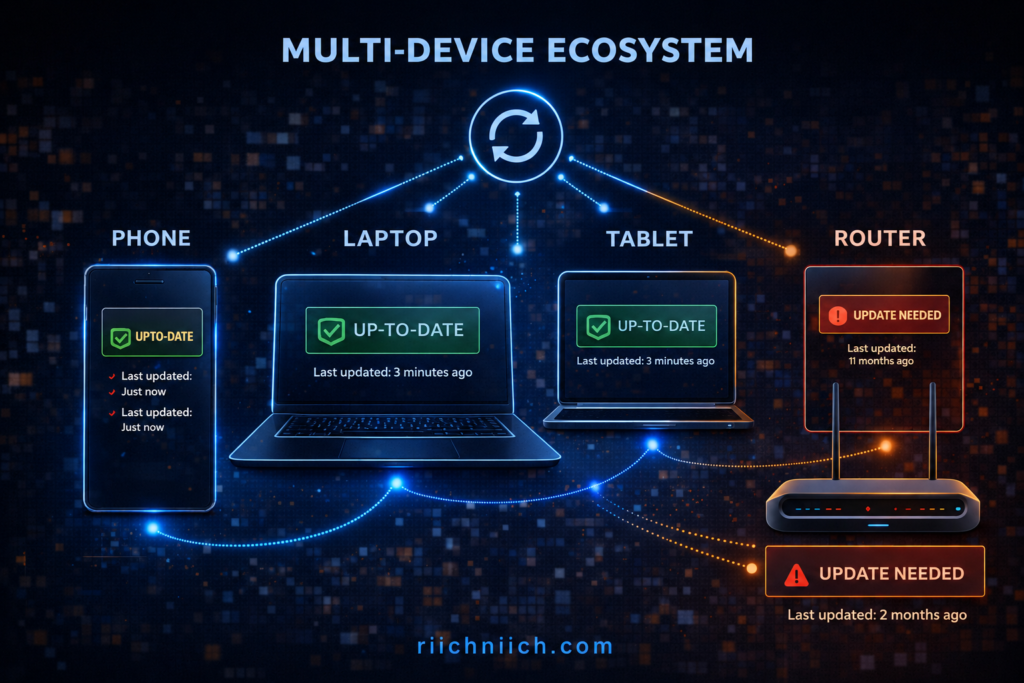
To follow Cybersecurity Tips Everyone Should Know, focus on updating all critical systems and applications:
- Operating systems (Windows, macOS, iOS, Android)
- Web browsers
- Mobile apps
- Antivirus and security software
- Routers and connected devices
Even smart devices (such as home security systems or WiFi routers) can have vulnerabilities if not updated regularly.
Enable Automatic Updates Whenever Possible
One of the easiest ways to stay protected is to enable automatic updates.
This ensures:
- Security patches are installed as soon as they are available
- You do not forget to update manually
- Your devices stay protected without extra effort
The National Institute of Standards and Technology recommends automating updates to reduce the risk of human error and delayed patching.
Updates Protect More Than Just Your Device
Updating your software does not just protect your device — it also protects your personal data.
Security patches help:
- Block known attack methods
- Prevent unauthorized access
- Protect sensitive information stored on your device
This aligns directly with the goal of Cybersecurity Tips Everyone Should Know, which is to reduce vulnerabilities and protect your data from exposure.
Common Mistakes to Avoid
When it comes to updates, many users make simple mistakes that increase risk:
- Ignoring update notifications
- Delaying updates for convenience
- Only updating major software but not smaller apps
- Using unsupported or outdated devices
Outdated systems that no longer receive updates are especially vulnerable and should be replaced when possible.
Combine Updates with Other Security Practices
Keeping your devices updated is essential, but it should be part of a complete cyber-security strategy.
For full protection:
- Use strong passwords and a password manager
- Enable two-factor authentication
- Use a VPN on public WiFi
- Monitor your identity and accounts
- Remove exposed personal data from the internet
This layered approach is the foundation of Cybersecurity Tips Everyone Should Know.
Bottom Line
Keeping your devices and software updated at all times is one of the most important Cybersecurity Tips Everyone Should Know because it closes security gaps that hackers rely on.
By installing updates promptly and enabling automatic updates, you significantly reduce your risk of malware, data breaches, and unauthorized access.
Watch for Warning Signs of Identity Theft
Watching for warning signs of identity theft is one of the most critical Cybersecurity Tips Everyone Should Know because early detection can prevent serious financial damage and long-term consequences.
Identity theft often goes unnoticed at first. By the time many people realize something is wrong, the damage has already been done. Recognizing the warning signs early allows you to act quickly and limit the impact.
If you are unsure whether your data has already been misused, review these 13 warning signs someone stole your identity.
Why Early Detection Is So Important
Identity theft is not always obvious. In many cases, criminals test small actions before committing larger fraud.
According to the Federal Trade Commission, quick action is one of the most important factors in minimizing the damage caused by identity theft.
If you catch it early, you can:
- Stop fraudulent transactions
- Secure compromised accounts
- Prevent further misuse of your information
If you miss the signs, the situation can escalate quickly.
Common Warning Signs of Identity Theft
Understanding the red flags is a key part of Cybersecurity Tips Everyone Should Know.
Look out for:
- Unfamiliar charges on your bank or credit card statements
- Unexpected credit score drops
- New accounts opened in your name
- Bills or collections notices for accounts you do not recognize
- Emails or messages about account changes you did not make
- Being locked out of your own accounts
The Identity Theft Resource Center highlights these as some of the most common indicators of identity theft.
Subtle Signs Many People Miss
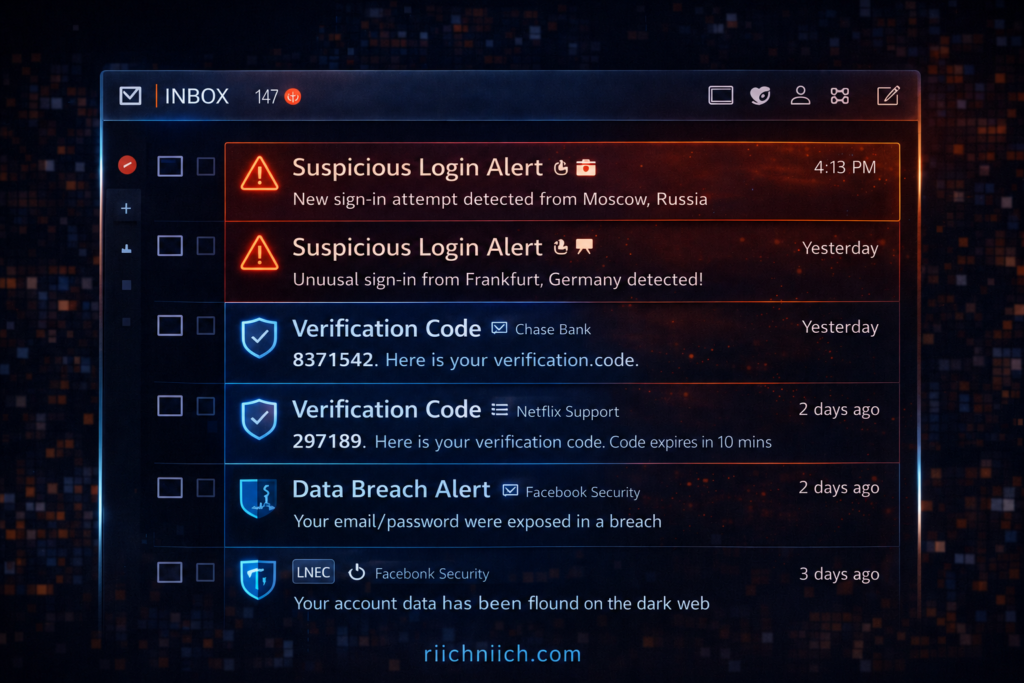
Not all warning signs are obvious. Some are easy to overlook but still important:
- Receiving verification codes you did not request
- Missing mail or statements
- Increased spam calls or phishing emails
- Notifications of data breaches involving your accounts
These small signals often appear before more serious issues develop.
Where to Check for Suspicious Activity
To follow Cybersecurity Tips Everyone Should Know, regularly review key areas where identity theft may appear:
- Bank and credit card statements
- Credit reports
- Email accounts
- Online shopping accounts
- Subscription and service accounts
The Federal Trade Commission recommends checking your financial activity frequently to detect unauthorized transactions.
How Monitoring Tools Help You Catch Issues Early
Manually checking your accounts is important, but it is not always enough.
Monitoring tools can:
- Alert you to suspicious activity in real time
- Detect unusual credit changes
- Identify leaked personal information
- Provide guidance on what to do next
These tools support Cybersecurity Tips Everyone Should Know by adding continuous visibility and faster response times.
What to Do If You Notice a Warning Sign
If you detect any signs of identity theft, take immediate action:
- Contact your bank or financial institution
- Change passwords on affected accounts
- Place a fraud alert or credit freeze
- Report the issue to the Federal Trade Commission
- Monitor your accounts closely for further activity
The faster you respond, the better your chances of minimizing damage.
Combine Awareness with Other Security Measures
Recognizing warning signs is essential, but it should be combined with preventive measures.
For stronger protection:
- Use strong passwords and enable 2FA
- Use a VPN on public WiFi
- Remove your personal data from data broker sites
- Use identity theft monitoring services
This layered approach is the foundation of Cybersecurity Tips Everyone Should Know.
Bottom Line
Watching for warning signs of identity theft is one of the most important Cybersecurity Tips Everyone Should Know because it allows you to catch problems early and take action before serious damage occurs.
By staying alert and monitoring your accounts regularly, you can protect your identity, finances, and long-term security.
Know What to Do Immediately If Your Identity Is Stolen
Knowing what to do immediately if your identity is stolen is one of the most important Cybersecurity Tips Everyone Should Know because fast action can limit financial damage and prevent further misuse of your information.
Identity theft can escalate quickly, but taking the right steps right away helps you regain control and protect your accounts. For a full step-by-step response plan, see what to do immediately if your identity is stolen.
Step 1: Contact Your Bank and Financial Institutions
If you notice suspicious activity, your first step is to secure your money.
Immediately:
- Call your bank or credit card provider
- Report unauthorized transactions
- Freeze or lock affected accounts
- Request new cards if necessary
The Federal Trade Commission advises contacting financial institutions as soon as possible to stop ongoing fraud.
Step 2: Place a Fraud Alert or Credit Freeze
Next, protect your credit from further damage.
You can:
- Place a fraud alert (alerts lenders to verify identity before opening accounts)
- Request a credit freeze (blocks new credit accounts entirely)
You can do this through the major credit bureaus or via AnnualCreditReport.com.
This step is critical to prevent new accounts from being opened in your name.
Step 3: Report the Identity Theft
Reporting the incident creates an official record and helps guide your recovery process.
File a report at:
- IdentityTheft.gov
This provides:
- A personalized recovery plan
- Official documentation of the incident
- Guidance on next steps
The Federal Trade Commission uses these reports to track and address identity theft cases nationwide.
Step 4: Secure Your Accounts Immediately
After reporting the issue, secure all your accounts to prevent further access.
Take these actions:
- Change passwords on all important accounts
- Enable two-factor authentication (2FA)
- Log out of all active sessions where possible
- Review account recovery options
This step ensures that attackers cannot continue accessing your accounts.
Step 5: Review Your Credit Reports
Carefully check your credit reports for any unfamiliar activity.
Look for:
- New accounts you did not open
- Hard inquiries from unknown lenders
- Changes to your personal information
You can access free reports through AnnualCreditReport.com.
The Identity Theft Resource Center recommends reviewing your reports regularly after an incident to ensure no additional fraud occurs.
Step 6: Continue Monitoring Your Identity
Identity theft recovery does not end after the initial response. Ongoing monitoring is essential.
Continue to:
- Check financial statements regularly
- Watch for new alerts or suspicious activity
- Monitor your credit over time
This aligns with Cybersecurity Tips Everyone Should Know, which emphasize both prevention and continuous awareness.
Step 7: Consider Identity Protection Services
After an incident, many people choose to add an extra layer of protection.
Identity protection services can:
- Monitor your data continuously
- Alert you to new threats
- Help with recovery if issues arise again
This adds long-term protection and reduces the risk of repeat incidents.
Bottom Line
Knowing what to do immediately if your identity is stolen is one of the most important Cybersecurity Tips Everyone Should Know because fast action can stop further damage and help you recover quickly.
By securing your accounts, reporting the incident, and monitoring your identity, you can regain control and protect yourself from long-term financial and personal harm.
Protect Your Online Banking with Smart Security Habits
Protecting your online banking is one of the most important Cybersecurity Tips Everyone Should Know because your financial accounts are a primary target for cyber-criminals.
Online banking is generally secure, but your safety depends heavily on how you manage your accounts, devices, and personal data. If you want a deeper breakdown, read this guide on is online banking safe. Simple mistakes can create opportunities for unauthorized access and financial loss.
Why Online Banking Is a Major Target
Cyber-criminals focus on financial accounts because they offer direct access to money.
According to the Federal Trade Commission, financial fraud and identity theft continue to impact millions of consumers each year. The Cyber-security and Infrastructure Security Agency also highlights online banking as a high-value target for attackers.
This means:
- Banking logins are constantly targeted
- Phishing scams often mimic financial institutions
- Compromised accounts can lead to immediate financial loss
Use Strong Authentication for Banking Accounts
Your first line of defense is securing access to your account.
To follow Cybersecurity Tips Everyone Should Know:
- Use a strong, unique password
- Enable two-factor authentication (2FA)
- Avoid reusing passwords from other accounts
These steps make it significantly harder for attackers to gain access, even if your credentials are exposed.
Avoid Accessing Banking on Public WiFi
Public WiFi networks increase the risk of data interception.
If you must access your bank account on a public network:
- Use a secure connection
- Avoid entering sensitive information without protection
- Use a VPN to encrypt your data
The Federal Trade Commission recommends avoiding sensitive transactions on unsecured networks whenever possible.
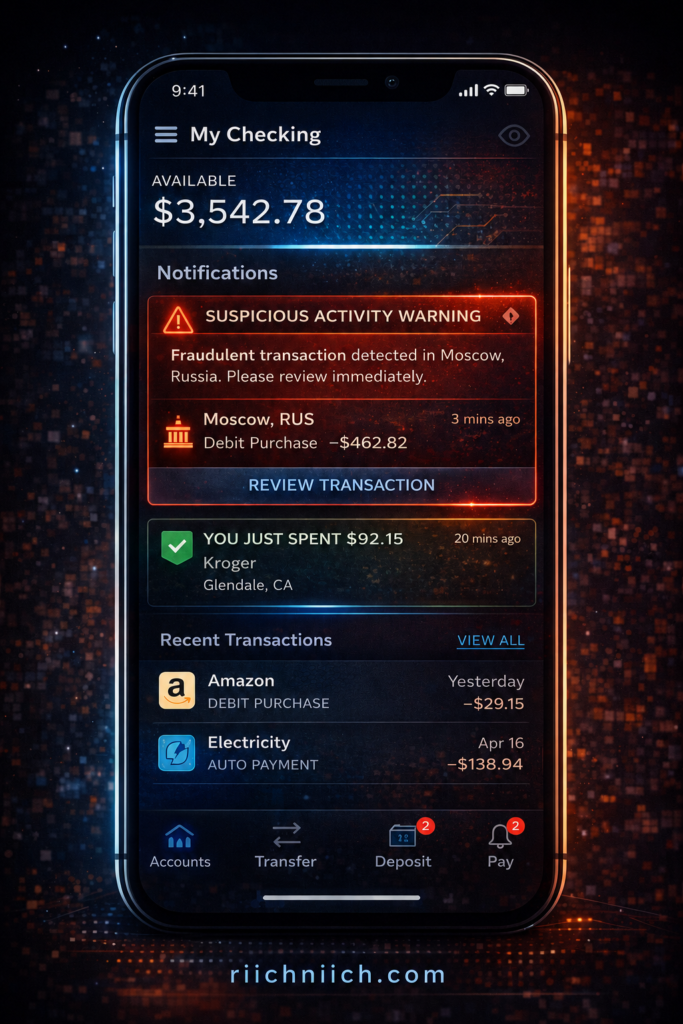
Monitor Your Accounts Regularly
Regular monitoring helps you detect suspicious activity early.
Check for:
- Unrecognized transactions
- Changes to account details
- Alerts from your bank
The Identity Theft Resource Center emphasizes that early detection is key to minimizing financial damage.
Watch for Phishing and Fake Banking Messages
Phishing attacks are one of the most common ways criminals gain access to banking accounts.
Be cautious of:
- Emails or texts claiming to be from your bank
- Urgent requests for login information
- Links that redirect to fake websites
The Cyber-security and Infrastructure Security Agency advises verifying the source before clicking links or entering credentials.
Keep Your Banking Devices Secure
The devices you use for online banking must also be protected.
To reduce risk:
- Keep your device software updated
- Use antivirus or security tools
- Avoid downloading unknown apps
- Lock your device with a PIN, password, or biometric authentication
A compromised device can expose your banking information even if your account itself is secure.
Limit How Much Financial Data Is Exposed Online
Your banking security is also affected by how much personal data is available online.
If your information is exposed through:
- Data breaches
- Public records
- Data broker sites
Attackers may use it to bypass security measures or impersonate you.
Reducing your digital footprint is a key part of Cybersecurity Tips Everyone Should Know.
Combine Smart Habits with the Right Tools
The most effective way to protect your online banking is to combine habits with security tools.
A strong setup includes:
- Secure passwords and a password manager
- Two-factor authentication
- A VPN for secure connections
- Identity theft monitoring
- Data removal from broker sites
This layered approach ensures that even if one defense fails, others remain in place.
Bottom Line
Protecting your online banking with smart habits is one of the most essential Cybersecurity Tips Everyone Should Know because it directly safeguards your finances.
By securing your accounts, monitoring activity, and reducing your data exposure, you significantly lower your risk of fraud, unauthorized access, and financial loss.
Build a Complete Cybersecurity Setup (Best Tools to Stay Protected)
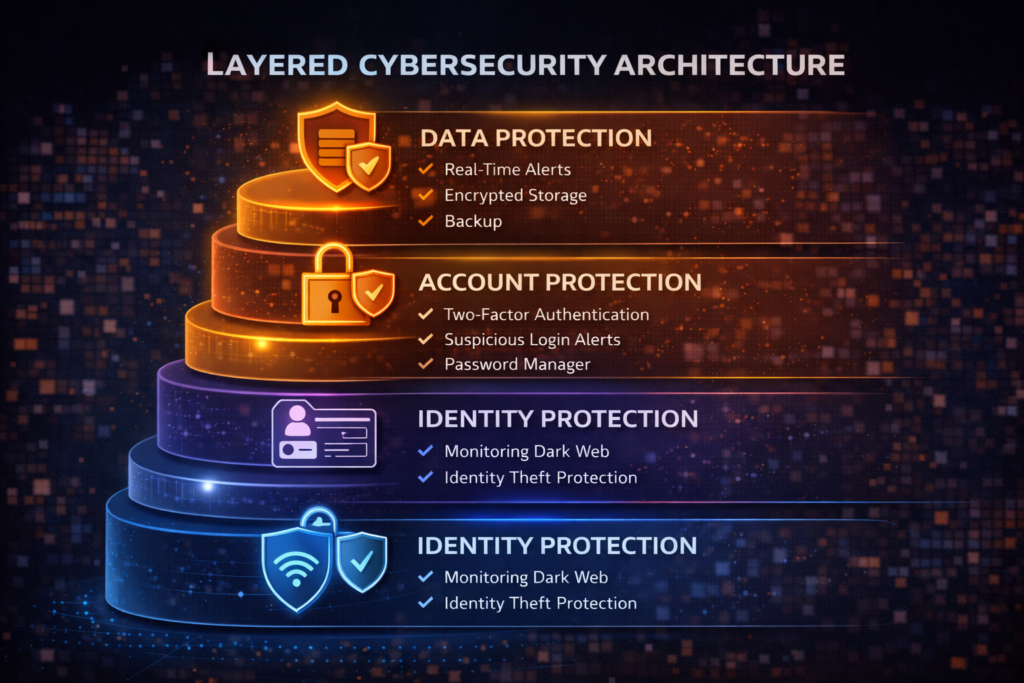
Building a complete security setup is one of the most powerful Cybersecurity Tips Everyone Should Know because no single tool can protect you from every threat. The most effective approach is combining multiple tools that work together to prevent, detect, and respond to risks.
Instead of relying on one solution, you should think in terms of a security stack — a system designed to protect every part of your digital life.
Why a Layered Security Setup Is Essential
Cyber threats come from multiple directions:
- Network attacks (public WiFi, data interception)
- Account breaches (weak passwords, phishing)
- Data exposure (data brokers, breaches)
- Identity theft and fraud
According to the Cyber-security and Infrastructure Security Agency, layered security significantly reduces risk because it ensures that if one defense fails, others are still in place.
This is the foundation of Cybersecurity Tips Everyone Should Know — not just protection, but complete coverage.
The 4 Core Tools You Need for Full Protection
To build an effective setup, focus on these four essential categories:
1. VPN (Virtual Private Network)
👉 A VPN protects your internet connection by encrypting your data. To secure your connection instantly, use a trusted VPN like NordVPN.
It helps:
- Secure your activity on public WiFi
- Hide your IP address
- Prevent data interception
This is your first layer of defense when connecting to the internet.
2. Password Manager
A password manager secures your account access.
It allows you to:
- Generate strong, unique passwords
- Store credentials securely
- Avoid password reuse
This protects the entry points to your accounts.
3. Identity Theft Protection Service
This tool monitors your personal data and alerts you to suspicious activity.
It helps:
- Detect fraud early
- Monitor credit and personal data
- Provide recovery assistance
The Federal Trade Commission emphasizes the importance of early detection in reducing identity theft damage.
4. Data Removal Service
A data removal service reduces your exposure by removing your information from data broker sites.
It helps:
- Limit how much of your data is publicly available
- Reduce spam, scams, and phishing attempts
- Lower your overall risk
This is one of the most overlooked but effective components of Cybersecurity Tips Everyone Should Know.
How These Tools Work Together
Each tool serves a different purpose, but together they create a complete defense system:
- VPN → protects your connection
- Password manager → secures your accounts
- Identity protection → monitors threats
- Data removal → reduces exposure
This combination ensures that:
- Your data is harder to access
- Threats are detected early
- Damage is minimized if something goes wrong
Free vs Paid Tools: What Should You Choose?
While free tools exist, they often come with limitations.
Free tools may:
- Offer limited features
- Lack advanced protection
- Provide minimal monitoring
Paid tools typically:
- Offer stronger security and encryption
- Provide real-time monitoring and alerts
- Include recovery support and additional features
The National Institute of Standards and Technology recommends using reliable and well-supported security solutions to reduce risk.
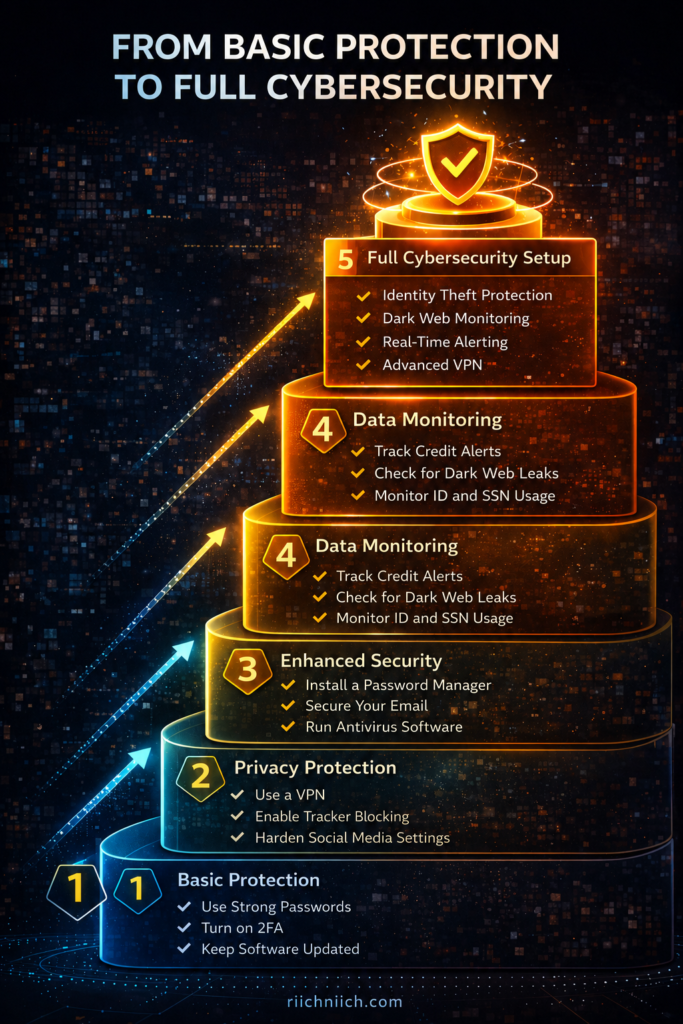
Build Your Cybersecurity Setup Step-by-Step
If you are starting from scratch, follow this order:
- Secure your accounts (password manager + 2FA)
- Protect your connection (VPN)
- Monitor your identity (identity protection service)
- Reduce your exposure (data removal service)
This approach aligns directly with Cybersecurity Tips Everyone Should Know and creates a strong, scalable security system.
Bottom Line
Building a complete cyber-security setup is one of the most effective Cybersecurity Tips Everyone Should Know because it protects every part of your digital life.
By combining the right tools into a layered system, you reduce your risk, improve your protection, and create a long-term strategy for staying safe online.
Free vs Paid Security Tools: What Actually Protects You?
One of the most common questions people ask when following Cybersecurity Tips Everyone Should Know is whether free tools are enough — or if paid security tools are actually necessary.
The reality is that both free and paid tools can play a role, but they are not equal in protection, automation, or long-term security.
What Free Security Tools Can Do
Free tools are a good starting point and can provide basic protection.
They typically include:
- Basic antivirus protection
- Limited password management
- Built-in browser security features
- Basic credit monitoring (in some cases)
According to the Cyber-security and Infrastructure Security Agency, using any level of protection is better than none — especially for general online safety.
Free tools can help:
- Block common threats
- Improve basic account security
- Raise awareness of potential risks
Where Free Tools Fall Short
While helpful, free tools often have important limitations.
Common drawbacks include:
- Limited features and coverage
- No real-time monitoring or alerts
- Lack of automation
- Minimal or no recovery support
The Federal Trade Commission emphasizes that identity theft and fraud often require ongoing monitoring and fast response — areas where free tools may not be sufficient.
This means:
- You may not know when your data is exposed
- Threats can go undetected longer
- Recovery is entirely your responsibility
What Paid Security Tools Offer
Paid tools are designed to provide more comprehensive and proactive protection.
They typically include:
- Advanced encryption and security features
- Real-time alerts and monitoring
- Identity theft detection and recovery support
- Continuous scanning for data exposure
- Broader coverage across devices and accounts
The National Institute of Standards and Technology recommends using well-supported and regularly updated tools to maintain strong cyber-security.
Paid tools help you:
- Detect threats early
- Respond quickly to incidents
- Reduce your overall exposure
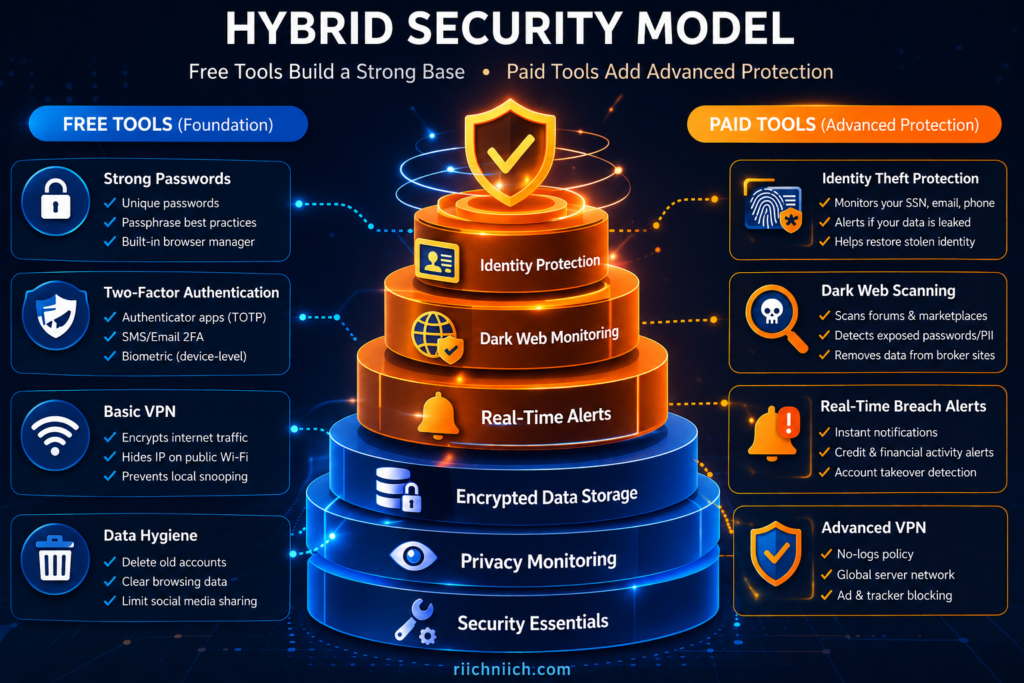
The Key Difference: Prevention vs Protection
The biggest difference between free and paid tools comes down to capability.
- Free tools → Basic prevention
- Paid tools → Prevention + detection + response
This distinction is critical when applying Cybersecurity Tips Everyone Should Know.
Free tools may stop some threats, but paid tools are designed to:
- Identify issues in real time
- Alert you immediately
- Help you recover if something goes wrong
When Free Tools Might Be Enough
Free tools may be sufficient if:
- You have minimal online activity
- You are highly disciplined with manual monitoring
- You understand and actively manage your own security
However, this requires consistent effort and awareness.
When Paid Tools Make More Sense
Paid tools are a better choice if you:
- Shop or bank online frequently
- Have multiple accounts and devices
- Want automated protection
- Prefer real-time alerts instead of manual checks
- Want support if something goes wrong
For most people, paid tools provide a more reliable and complete level of protection.
The Smart Approach: Combine Both
The best strategy is not choosing one over the other — it is combining them.
A strong setup includes:
- Free tools for basic protection
- Paid tools for advanced monitoring and automation
This balanced approach aligns with Cybersecurity Tips Everyone Should Know, ensuring you are protected at every level.
Bottom Line
Understanding the difference between free and paid tools is a key part of Cybersecurity Tips Everyone Should Know.
Free tools can provide a solid starting point, but paid tools offer the monitoring, automation, and support needed for stronger, long-term protection.
If your goal is to fully protect your personal data, identity, and finances, combining both is the most effective strategy.
Conclusion: Cybersecurity Tips Everyone Should Know to Stay Safe in 2026
The reality is simple: following Cybersecurity Tips Everyone Should Know is no longer optional in 2026. If you are online — banking, shopping, using social media, or even just browsing — you are a potential target.
The good news is that staying safe does not require advanced technical skills. It requires consistent habits, the right tools, and a layered approach to security.
The Most Important Takeaway
The most effective way to protect yourself is to combine multiple strategies into one system:
- Protect your connection (VPN)
- Secure your accounts (strong passwords + 2FA)
- Monitor your identity (identity theft protection)
- Reduce your exposure (remove personal data from the internet)
According to the Cyber-security and Infrastructure Security Agency, layered security is one of the most effective ways to reduce overall risk.
This approach ensures that even if one layer fails, others continue to protect you. If you are considering automated removal, here is a full review of is Incogni worth it.
Why Taking Action Now Matters
Cyber threats are increasing, and personal data is more exposed than ever.
The Federal Trade Commission continues to report millions of fraud and identity theft cases each year, while the Identity Theft Resource Center tracks ongoing data breaches that expose sensitive information.
Waiting to act increases your risk:
- Data can be exposed without your knowledge
- Accounts can be compromised quickly
- Financial damage can happen in minutes
Taking action now puts you in control.
The Smartest Way to Stay Protected in 2026
The smartest approach is not relying on a single solution — it is building a complete system.
A strong cybersecurity setup includes:
- A VPN for secure internet access
- A password manager for account protection
- Two-factor authentication for added security
- Identity theft protection for monitoring and alerts
- Data removal services to reduce exposure
This combination aligns with Cybersecurity Tips Everyone Should Know and creates a comprehensive defense against modern threats.
Free vs Paid: What Actually Works
Free tools can help you get started, but they often lack:
- Real-time monitoring
- Automation
- Recovery support
Paid tools provide:
- Continuous protection
- Faster detection of threats
- Assistance if something goes wrong
For most people, combining free and paid tools offers the best balance of protection and convenience.
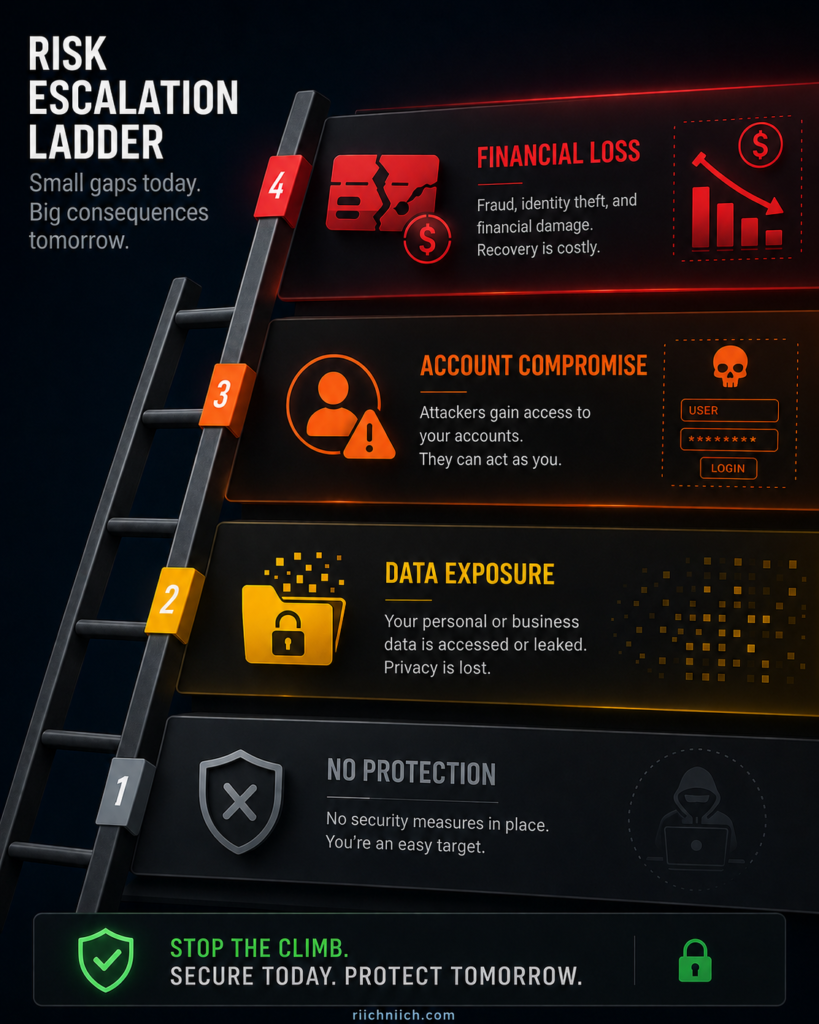
The Cost of Doing Nothing
One of the biggest risks is ignoring cyber-security altogether.
Without protection:
- Your data remains exposed
- Your accounts are easier to access
- You may not detect threats until it is too late
The Federal Trade Commission emphasizes that prevention and early action are key to avoiding long-term damage.
Final Bottom Line
Cybersecurity Tips Everyone Should Know to stay safe in 2026 come down to one principle:
Protect your data before it is exposed, secure your accounts before they are compromised, and monitor your identity before damage is done.
If you take action now and build a complete security setup, you dramatically reduce your risk and put yourself in control of your online safety.
Pingback: Best VPN for Privacy (Stay Anonymous & Protect Your Data Online) - Riich Niich
Pingback: How Data Brokers Get Your Information - Riich Niich
Pingback: Is NordVPN Worth It? Full Review, Pros, Cons & Who Should Use It - Riich Niich
Pingback: How to Remove Your Phone Number From Data Broker Sites - Riich Niich