

Is online banking safe in 2026? With more people managing their finances online than ever before, this question is becoming increasingly important. While banks use advanced security systems to protect your money, cyber-criminals are constantly evolving their tactics—often targeting users instead of the banks themselves.
In this guide, you’ll learn how online banking security really works, the biggest risks to watch for, and the exact steps you can take to protect your account. Whether you’re concerned about hacking, fraud, or identity theft, this article will help you understand how to stay safe and keep your financial information secure.
🔥 Quick Answer: Is Online Banking Safe?
Yes — online banking is generally safe when you use a trusted bank and follow basic security practices.
Banks use encryption, fraud monitoring, and multi-factor authentication to protect your data.
However, most online banking risks come from user behavior — not the bank itself.
This means your security depends on how you use it.
Table of Contents
Is Online Banking Safe in 2026?
Is online banking safe because of bank-level security?
Yes—but only if you take the right precautions. Modern banking systems are highly secure, but cyber-criminals are no longer trying to break into banks. Instead, they focus on exploiting user behavior.
In simple terms:
👉 Online banking is secure, but your personal habits determine how safe you actually are. If you want to reduce your risk right away, you can protect your data and identity with tools like Aura.
Why Online Banking Is Considered Safe
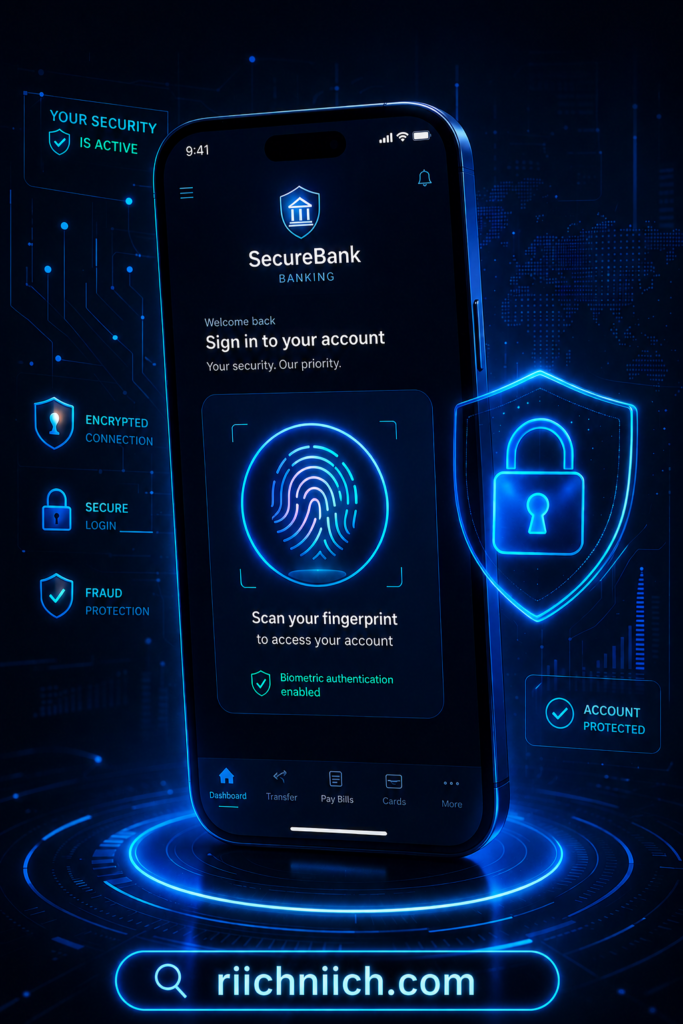
Banks use advanced security measures to protect your information, including:
✔ Encryption to protect your data
✔ Multi-factor authentication
✔ Fraud detection systems
✔ Account monitoring
These systems make online banking very secure in most cases.
According to the Federal Trade Commission, financial institutions follow strict standards to safeguard consumer data and reduce fraud risk.
The Real Risk: Human Error
Even with strong bank security, accounts can still be compromised if users make common mistakes:
- Clicking phishing links
- Using weak or reused passwords
- Accessing accounts on unsecured public WiFi
- Having personal data exposed online
Cyber-criminals rely on deception rather than direct attacks on banks.
The Identity Theft Resource Center reports that most identity theft cases begin with stolen personal information or social engineering—not system breaches.
How Hackers Actually Access Bank Accounts
Most online banking breaches happen through indirect methods:
- Phishing emails or text messages impersonating banks
- Data breaches exposing login credentials
- Credential stuffing using reused passwords
- SIM swap attacks to bypass verification codes
👉 This is why protecting your personal information is critical to protecting your financial accounts. One of the easiest ways to reduce your exposure is to remove your personal data from broker sites using Incogni.
Do You Need Extra Protection for Online Banking?
Standard bank security is strong, but additional protection significantly reduces risk:
- VPNs secure your internet connection
- Password managers create and store strong credentials
- Identity theft protection monitors suspicious activity
- Data removal services reduce your online exposure
If your personal data is widely available online, your bank account becomes a much easier target.
So, Is Online Banking Safe?
Online banking is safe when used correctly, but risky when basic security practices are ignored.
Safer when you:
- Use strong, unique passwords
- Enable multi-factor authentication
- Avoid suspicious links and messages
- Monitor your accounts regularly
Higher risk when you:
- Reuse passwords across accounts
- Ignore security warnings
- Use unsecured networks
- Have exposed personal data
Bottom Line
Is online banking safe in 2026? Yes—but only if you actively protect your information.
The most effective approach combines secure habits, reliable tools, and continuous monitoring. Protecting your financial accounts starts with protecting your personal data.
How Secure Is Online Banking? (What Banks Actually Do to Protect You)
Is online banking safe because of bank-level security?
In most cases, yes. Banks use multiple layers of advanced security to protect your money and personal data. To understand how attackers bypass these protections, see how hackers get your personal data. Understanding how these systems work will help you see where your responsibility begins—and where extra protection may be needed.
Encryption: Protecting Your Data in Transit
When you log in to your bank account, your data is protected by end-to-end encryption. This means:
- Your login credentials are scrambled before being sent
- Hackers cannot read intercepted data
- Secure connections are verified through HTTPS protocols
According to the National Institute of Standards and Technology, encryption is one of the most critical components of modern cyber-security and is widely used across financial institutions.
Multi-Factor Authentication (MFA): Adding a Second Layer
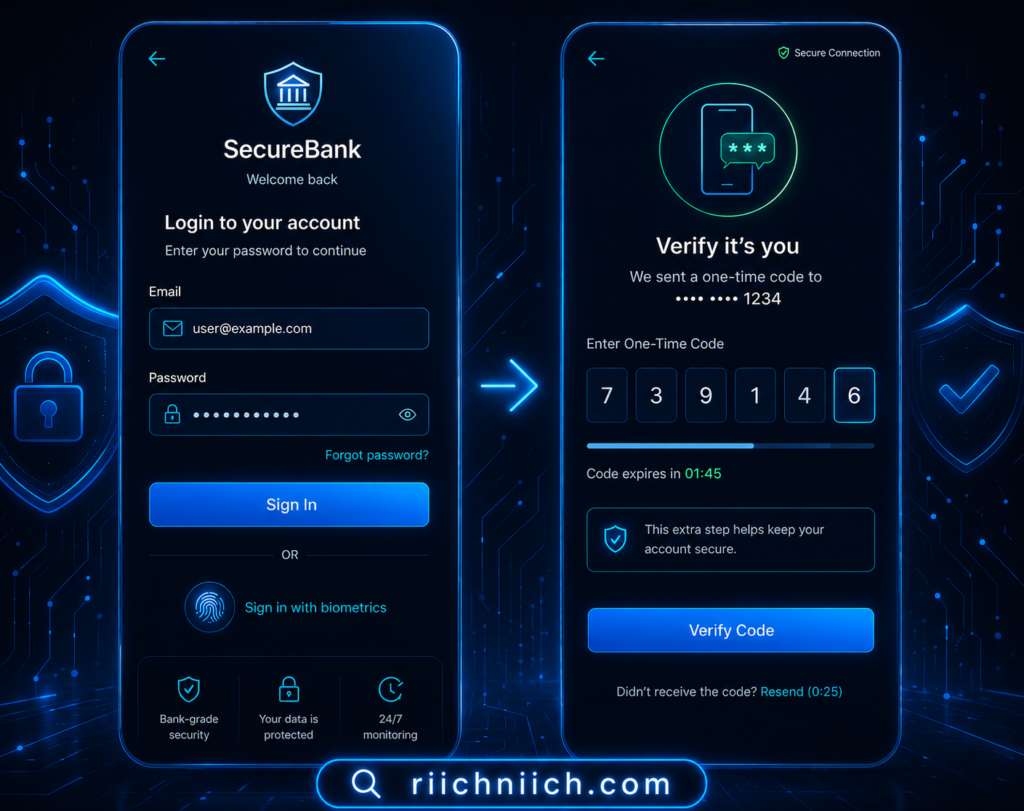
Banks require more than just a password to verify your identity. MFA typically includes:
- One-time passcodes (OTP) sent via text or app
- Authentication apps (like Google Authenticator)
- Biometric verification (fingerprint or facial recognition)
Even if someone steals your password, they cannot access your account without this second factor.
Fraud Detection and AI Monitoring
Banks use artificial intelligence to monitor your account activity in real time. These systems can:
- Detect unusual spending patterns
- Flag transactions from new locations or devices
- Temporarily freeze suspicious activity
The Federal Deposit Insurance Corporation highlights that continuous monitoring is a key part of protecting consumers from unauthorized transactions.
Secure Banking Apps and Session Protection
Modern banking apps are designed with built-in security features:
- Automatic logout after inactivity
- Device recognition and verification
- Encrypted mobile sessions
- Protection against screen recording or data extraction
Mobile banking is often safer than desktop because of these built-in protections.
Account Alerts and User Controls
Banks give users direct control over account security through:
- Instant transaction alerts
- Login notifications
- Spending limits and controls
- Ability to freeze or lock accounts
These tools help you respond quickly if something looks suspicious.
Where Bank Security Ends (And Your Responsibility Begins)
Even with strong bank protections, there are limits:
- Banks cannot stop you from entering credentials on a fake website
- They cannot prevent data exposure from third-party breaches
- They cannot control how you store or reuse passwords
This is why user-level security is critical.
Do Bank Security Measures Make Online Banking Completely Safe?
Bank security significantly reduces risk, but it does not eliminate it.
Online banking is safe when:
- Bank protections are combined with strong user habits
- You actively monitor your accounts
- You secure your personal data
However, risks increase when:
- Your personal information is exposed online
- You reuse passwords across multiple sites
- You fall for phishing attacks
Bottom Line
So, is online banking safe because of bank security?
Yes—banks provide strong protection through encryption, authentication, and monitoring systems.
But true security comes from combining those protections with your own actions. The safest approach is to treat bank security as your first layer—and add your own protection on top of it to reduce risk even further.
What Are the Biggest Risks of Online Banking?
Is online banking safe if you understand the risks?
It can be—but only if you know what threats to avoid. Most online banking issues don’t come from banks being hacked. They come from cyber-criminals targeting users directly.
Below are the biggest risks you need to be aware of in 2026.
Phishing Attacks (The #1 Threat)
Phishing is the most common way attackers gain access to bank accounts.
- Fake emails or texts pretending to be your bank
- Links that lead to lookalike login pages
- Messages that create urgency (“Your account is locked”)
Once you enter your login details, attackers can access your account almost instantly.
According to the Federal Trade Commission, phishing scams remain one of the leading causes of financial fraud.
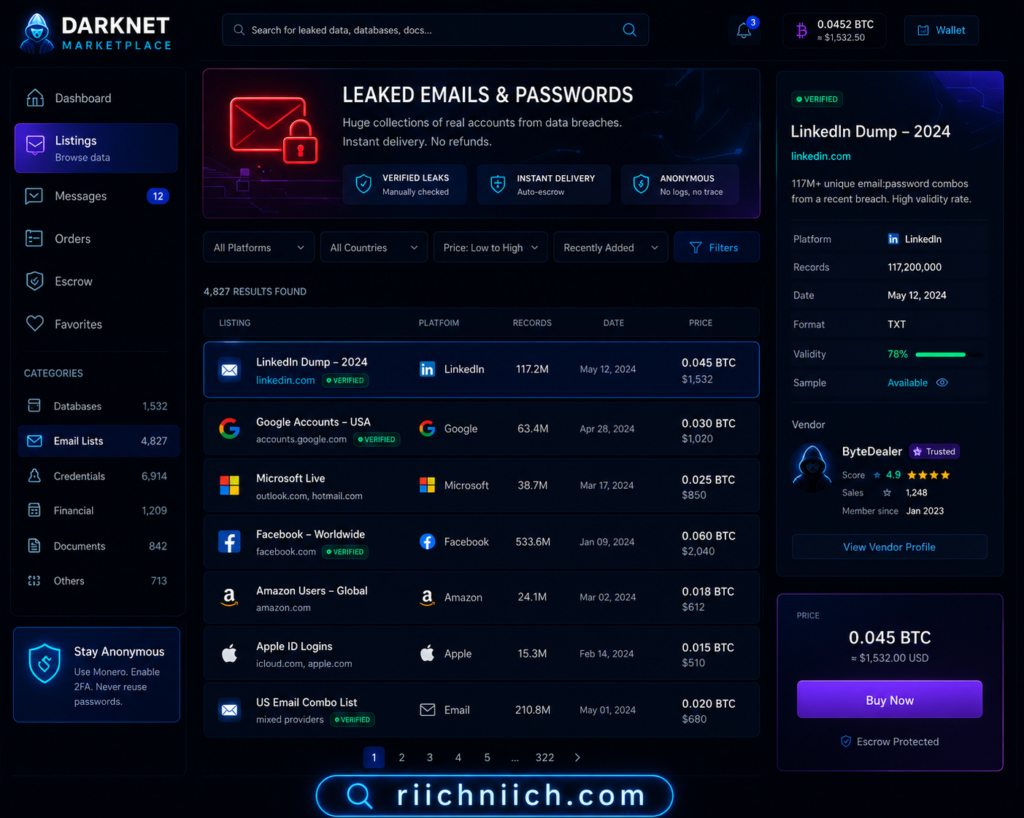
Data Breaches and Stolen Credentials
Your banking login can be exposed without you even realizing it.
- Large companies get breached
- Your email and password are leaked
- Hackers reuse those credentials on banking sites
This is called credential stuffing, and it works because many people reuse passwords.
The Identity Theft Resource Center reports thousands of data breaches each year, exposing millions of records.
Public WiFi and Unsecured Networks
Using online banking on public WiFi significantly increases your risk. If you’re unsure how serious this risk is, learn more about public WiFi dangers.
- Attackers can intercept your connection
- Fake WiFi networks can capture your data
- Sensitive information can be exposed
This is especially dangerous in places like cafés, airports, and hotels.
Malware and Spyware
Malicious software can silently steal your banking information.
- Keyloggers record what you type
- Spyware tracks your activity
- Infected apps can capture login credentials
Malware often comes from:
- Downloading unknown files
- Clicking suspicious links
- Installing untrusted apps
Weak or Reused Passwords
Passwords are still one of the weakest points in online banking security.
- Simple passwords are easy to guess
- Reused passwords can be exploited across multiple accounts
- Lack of password management increases risk
Even strong bank security cannot protect you if your password is compromised.
SIM Swap Attacks
This is a more advanced but growing threat.
- Attackers transfer your phone number to their SIM
- They receive your verification codes
- They bypass multi-factor authentication
This allows them to access your accounts without needing your device.
Social Engineering and Human Manipulation
Cyber-criminals often manipulate users rather than hacking systems.
- Pretending to be bank representatives
- Calling or messaging to request “verification”
- Creating urgency or fear
These tactics are designed to make you act quickly without thinking.
Why These Risks Matter
Each of these risks targets you, not the bank.
That’s why answering the question “is online banking safe” depends on how well you:
- Recognize threats
- Protect your personal data
- Use the right security tools
Bottom Line
Online banking is safe at the system level, but user-level risks are real and increasing.
The biggest threats—phishing, data breaches, weak passwords, and exposed personal data—can all lead to unauthorized access if left unprotected.
Understanding these risks is the first step. The next step is actively protecting yourself with stronger habits and additional security layers.
Biggest Online Banking Mistakes to Avoid
Many people unknowingly increase their risk by:
❌ Logging in on public WiFi
❌ Reusing passwords
❌ Clicking unknown links
❌ Ignoring account alerts
These mistakes are responsible for most banking-related fraud.
Why Online Banking Security Matters
If someone gains access to your bank account, the consequences can be serious.
They can:
❌ Transfer money
❌ Make unauthorized purchases
❌ Access sensitive personal information
This is why protecting your account is critical.
Can Someone Hack Your Bank Account Online?
Is online banking safe from hackers?
Yes at the system level—but your account can still be accessed if attackers obtain your login details or verification codes. In most cases, criminals don’t “hack the bank.” They gain access through you using stolen data, scams, or device compromise.
The Short Answer
- Direct bank hacks are rare due to strong security controls
- Account takeovers are possible if your credentials or codes are exposed
- Most incidents involve phishing, malware, or reused passwords
The Cyber-security and Infrastructure Security Agency notes that credential theft and phishing are among the most common entry points for financial account compromise.
How Attackers Actually Get Into Bank Accounts
1) Stolen Login Credentials
Attackers obtain your username and password from:
- Phishing emails or fake banking pages
- Data breaches on other websites
- Password reuse across accounts
Once they have valid credentials, they attempt to log in from a new device or location.
2) Bypassing Multi-Factor Authentication (MFA)
Even with MFA enabled, attackers may:
- Use SIM swap to receive your one-time codes
- Trick you into sharing verification codes
- Use malware to capture codes in real time
3) Malware on Your Device
Malicious software can capture sensitive information without you noticing:
- Keyloggers record keystrokes (including passwords)
- Banking trojans target financial apps and sessions
- Screen capture tools record login activity
The Federal Bureau of Investigation warns that malware targeting financial accounts continues to evolve, especially on compromised devices.
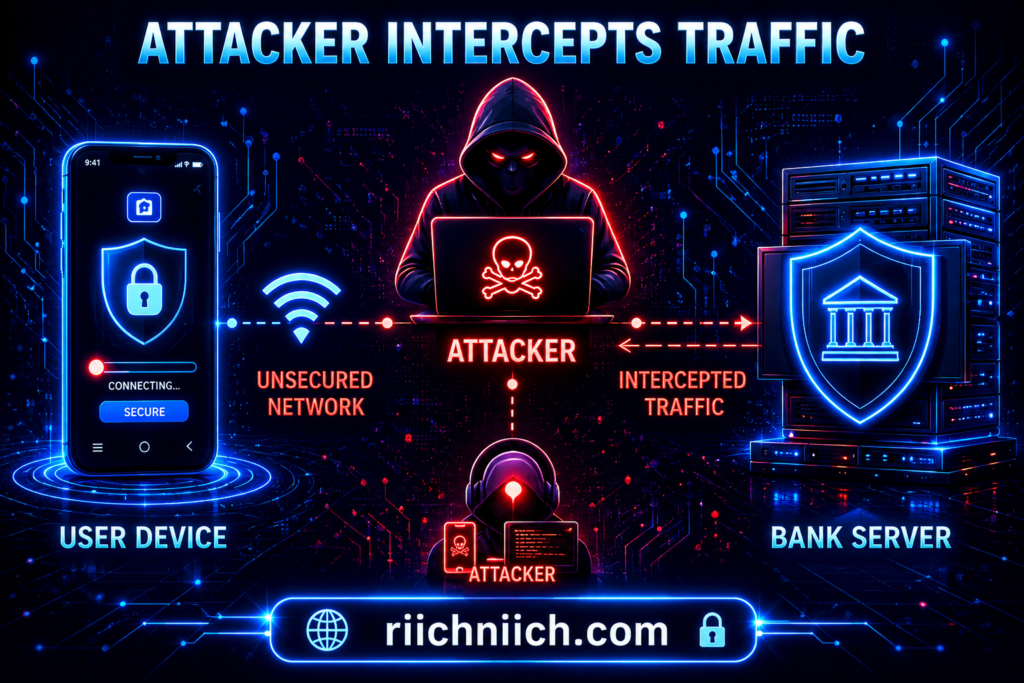
4) Man-in-the-Middle (MitM) Attacks
On insecure networks, attackers can intercept data between your device and the bank:
- Fake WiFi hotspots
- Network eavesdropping
- Session hijacking attempts
While encryption reduces this risk, unsecured connections still increase exposure.
5) Social Engineering Attacks
Attackers may impersonate bank staff or support agents:
- Calling or texting to “verify” your account
- Asking for login details or codes
- Creating urgency to pressure quick action
These attacks rely on trust—not technical hacking.
What Hackers Do After Accessing Your Account
Once inside, attackers may:
- Transfer funds or initiate payments
- Add new payees or linked accounts
- Change contact details to lock you out
- Attempt further identity theft using your information
Here are the warning signs someone stole your identity so you can act quickly.
Early detection is critical to limiting damage.
Does This Mean Online Banking Isn’t Safe?
No. Online banking is safe when used correctly.
Banks have strong defenses, but they cannot fully protect you from:
- Entering credentials on fake sites
- Reusing compromised passwords
- Using infected devices
- Sharing verification codes
Security is a shared responsibility between you and your bank.
How to Prevent Your Bank Account from Being Hacked
To reduce your risk significantly:
- Use unique, strong passwords for banking
- Enable multi-factor authentication (prefer app-based over SMS)
- Avoid logging in on public or shared networks
- Keep devices updated and malware-free
- Never share verification codes or sensitive details
If your personal data is widely exposed online, your risk increases—making proactive protection even more important.
Bottom Line
So, can someone hack your bank account online?
Yes—but not by breaking into the bank’s systems. Most attacks succeed by exploiting user behavior, stolen data, or compromised devices.
Online banking remains safe when you combine bank-level security with your own protective habits.
Is Online Banking Safe on Public WiFi?
No—using online banking on public WiFi is one of the highest-risk situations for your financial data. While banks use strong encryption, public networks introduce vulnerabilities that can expose your information if you’re not properly protected.
Why Public WiFi Is Risky for Online Banking
Public WiFi networks (cafés, airports, hotels) are often unsecured or poorly protected. This allows attackers to:
- Monitor network traffic
- Intercept sensitive data
- Create fake WiFi networks to trick users
Even when a network appears legitimate, you have no control over who else is connected—or what tools they’re using.
The Cyber-security and Infrastructure Security Agency warns that public WiFi should never be trusted for sensitive activities like banking without proper safeguards.
Man-in-the-Middle Attacks (What Happens Behind the Scenes)
One of the most common threats on public WiFi is a Man-in-the-Middle (MitM) attack.
This happens when:
- You connect to a public network
- An attacker positions themselves between you and the internet
- Your data is intercepted or manipulated
This can allow attackers to:
- Capture login credentials
- Redirect you to fake banking sites
- Steal session data
Fake Hotspots and “Evil Twin” Networks
Attackers often create WiFi networks that look legitimate, such as:
- “CoffeeShop_FreeWiFi”
- “Airport_WiFi_Secure”
These are called evil twin networks. Once you connect:
- All your activity can be monitored
- Login credentials can be captured
- Sensitive data can be exposed
You may not even realize you’re connected to a malicious network.
Is Online Banking Ever Safe on Public WiFi?
Technically, online banking can still be encrypted—but that doesn’t eliminate all risks.
It may be safer if:
- You use HTTPS (secure connection)
- You avoid entering sensitive information
- You have additional protection layers
However, without extra protection, the risk remains significantly higher compared to a secure private network.
How to Safely Use Online Banking on Public WiFi
If you must access your bank account on public WiFi, take these precautions:
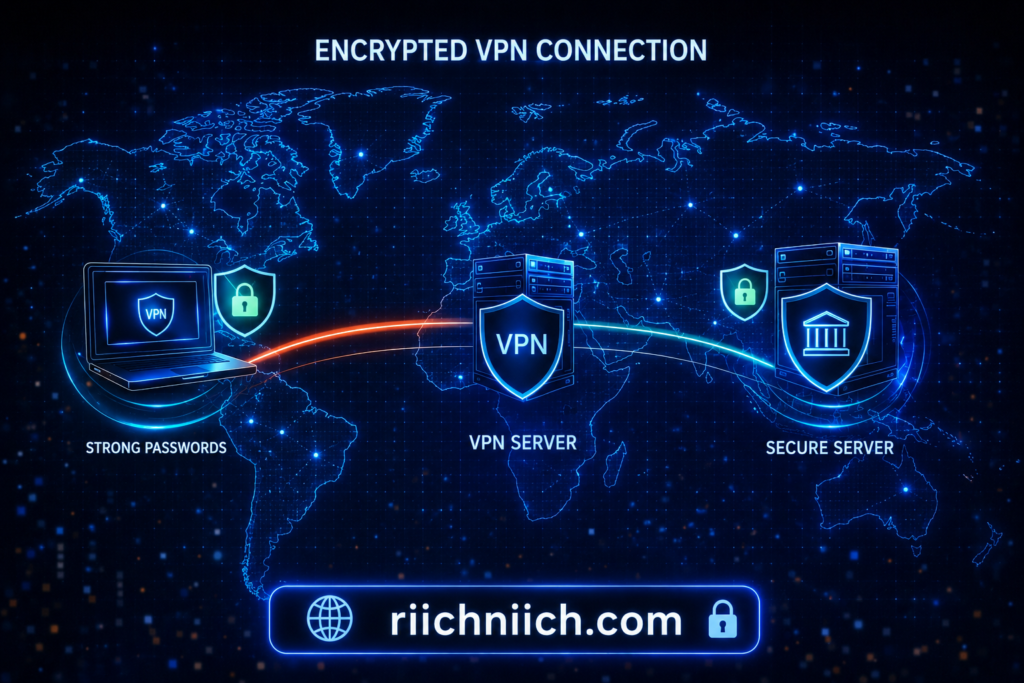
Use a VPN (Most Important)
A VPN encrypts your internet connection, making it unreadable to attackers on the same network. The safest option is to use a VPN to encrypt your connection—protect your data with NordVPN here.
Avoid Logging Into Financial Accounts
If possible, wait until you’re on a secure network.
Disable Auto-Connect
Prevent your device from automatically joining unknown networks.
Verify Network Names
Confirm the correct network with staff before connecting.
Why This Matters for Your Security
Public WiFi risks directly impact your answer to the question: is online banking safe?
Even if banks are secure, your connection can become the weakest link.
This is especially important if:
- Your personal data is already exposed online
- You reuse passwords
- You rely only on basic security measures
Bottom Line
Is online banking safe on public WiFi?
Not without additional protection.
Public networks introduce risks that can expose your login credentials and financial data. The safest approach is to avoid banking on public WiFi altogether—or use a secure connection with added protection like a VPN.
Protecting your connection is a critical step in protecting your money.
Warning Signs Your Online Banking Account May Be Compromised
Is online banking safe if your account is already showing suspicious activity?
No. Even with strong bank security, early warning signs can indicate that someone is attempting—or has already managed—to access your account. Recognizing these signs quickly is critical to preventing financial loss and identity theft.
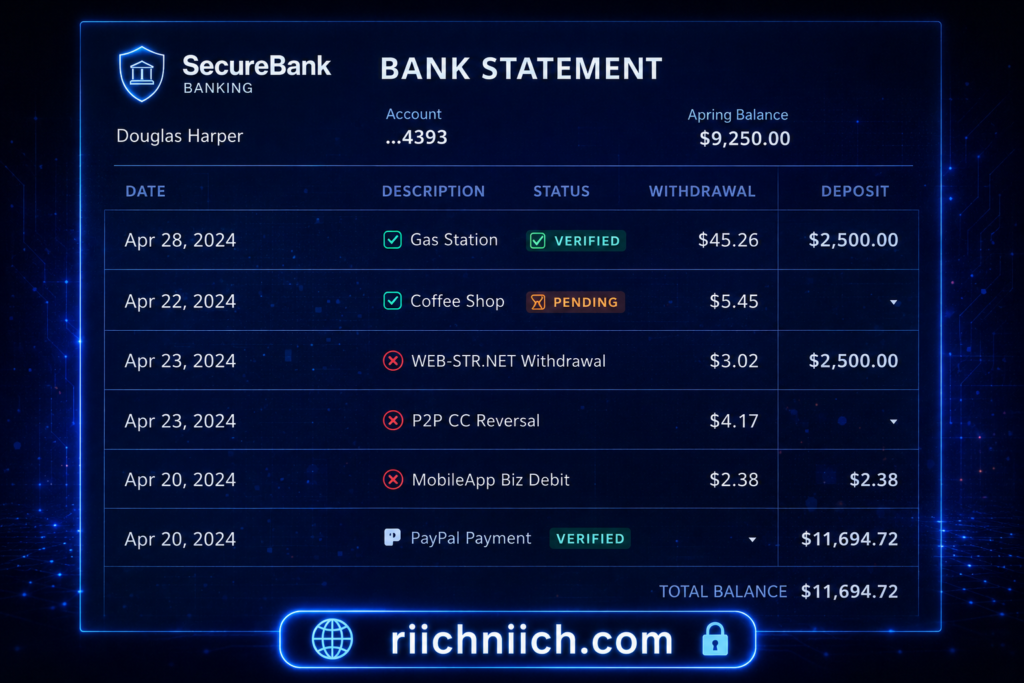
Unrecognized Transactions or Charges
One of the most obvious signs is activity you don’t recognize:
- Small “test” charges
- Purchases you didn’t make
- Transfers to unknown accounts
Attackers often start with small transactions to see if the account is active before making larger moves.
The Federal Trade Commission recommends reviewing your bank statements regularly to catch unauthorized charges early.
Login Alerts from Unknown Devices or Locations
Most banks notify you when your account is accessed from a new device or location.
Warning signs include:
- Login alerts you didn’t initiate
- Notifications from unfamiliar cities or countries
- Multiple login attempts
These alerts often indicate that someone has your login credentials.
You’re Locked Out of Your Account
If your password suddenly stops working, it could mean:
- Your credentials were changed
- An attacker has taken control of your account
- Your account was locked due to suspicious activity
This is a serious red flag that requires immediate action.
Changes to Your Account Information
Watch for updates you didn’t make:
- Email address changes
- Phone number updates
- New linked accounts or payees
Attackers often modify account details to maintain access and prevent you from regaining control.
Missing Notifications or Alerts
If you suddenly stop receiving alerts:
- Transaction notifications disappear
- Security emails are no longer arriving
An attacker may have changed your notification settings to hide their activity.
Unexpected Verification Codes or Password Reset Requests
Receiving codes you didn’t request can mean:
- Someone is trying to log in
- Your credentials are already compromised
- An attack is in progress
Never share these codes—even if the request appears legitimate.
Slow or Unusual App Behavior
While less common, compromised accounts or devices may show:
- Delayed responses in your banking app
- Unexpected logouts
- Strange interface behavior
This could indicate malware or unauthorized access attempts.
Why These Warning Signs Matter
Each of these signals suggests that your account may already be at risk.
This directly impacts the question: is online banking safe?
Online banking remains safe when accounts are properly secured—but once these warning signs appear, immediate action is required to prevent further damage.
The Identity Theft Resource Center emphasizes that early detection is one of the most effective ways to reduce the impact of identity theft and financial fraud.
What You Should Do Immediately
If you notice any of these signs:
- Change your password immediately
- Enable or update multi-factor authentication
- Contact your bank’s fraud department
- Monitor your account closely
- Check for additional compromised accounts
For a full step-by-step guide, read our blog article on what to do immediately if your identity is stolen.
Bottom Line
Online banking is safe when your account is secure—but these warning signs indicate that security may already be compromised.
The faster you recognize and respond to suspicious activity, the better your chances of protecting your money and personal information.
How to Protect Your Online Banking Account (Step-by-Step)
Is online banking safe when you follow the right steps?
Yes. Online banking becomes significantly safer when you combine bank-level security with strong personal protection. The steps below are designed to reduce your risk of account takeover, fraud, and identity theft.
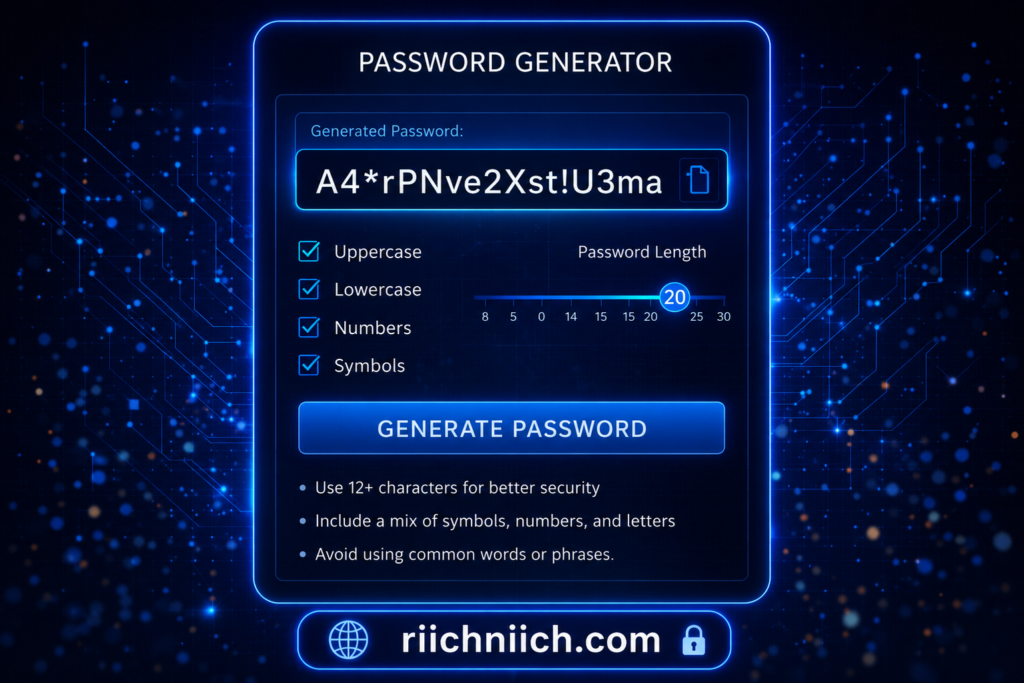
Step 1: Use a Strong, Unique Password
Your password is your first line of defense.
- Use at least 12–16 characters
- Combine uppercase, lowercase, numbers, and symbols
- Never reuse passwords across accounts
If one account is breached and you reuse passwords, attackers can access your bank account quickly.
If you need help managing secure logins, check out the best password managers.
Step 2: Enable Multi-Factor Authentication (MFA)
MFA adds a second layer of security beyond your password.
- Use authentication apps instead of SMS when possible
- Enable biometric login if available
- Never share verification codes
Even if your password is stolen, MFA can stop unauthorized access.
Step 3: Avoid Public WiFi or Use a Secure Connection
Public WiFi increases your exposure to attacks.
- Avoid logging into bank accounts on public networks
- Use a VPN to encrypt your connection
- Turn off auto-connect to unknown networks
This step is critical if you access banking on mobile devices.
Step 4: Monitor Your Accounts Regularly
Early detection can prevent major financial loss.
- Check transactions frequently
- Enable real-time alerts
- Review account activity for anything unusual
The Federal Trade Commission advises monitoring financial accounts closely to detect fraud as early as possible.
Step 5: Protect Your Personal Data
Your banking security depends on how exposed your personal data is online.
- Remove your data from broker sites
- Limit what you share on social media
- Be cautious with online forms and subscriptions
If attackers can find your personal information, they can use it to target your accounts.
Step 6: Use Identity Theft Protection
Identity theft protection services add an extra layer of defense by:
- Monitoring your personal data
- Alerting you to suspicious activity
- Helping recover compromised accounts
This is especially important if your data has already been exposed in breaches.
Step 7: Keep Your Devices Secure
Your device is a direct access point to your bank account.
- Keep your operating system updated
- Install apps only from trusted sources
- Use antivirus or security software
- Avoid clicking unknown links or downloads
The Cyber-security and Infrastructure Security Agency recommends keeping devices updated and protected to reduce vulnerability to malware and attacks.
Step 8: Stay Alert for Scams and Phishing
Most attacks rely on deception, not technical hacking.
- Verify emails and messages before clicking
- Never enter credentials on unfamiliar websites
- Contact your bank directly if unsure
If something feels urgent or suspicious, it usually is.
Bottom Line
Is online banking safe when you follow these steps?
Yes—these actions significantly reduce your risk.
The most effective protection strategy combines:
- Strong passwords and authentication
- Secure connections and devices
- Ongoing monitoring and awareness
Online banking security is not just about what banks do—it’s about how well you protect yourself.
Do You Need Extra Protection for Online Banking?
Is online banking safe without extra protection?
It can be—but relying only on your bank’s built-in security leaves gaps. Banks protect their systems well, but they cannot fully protect you from phishing, data breaches, or exposed personal information. That’s where extra protection tools come in.
Why Bank Security Alone Isn’t Enough
Banks use encryption, authentication, and fraud monitoring. However, they cannot control:
- Your password habits
- Your device security
- Your exposure to data breaches
- Your online behavior
This means attackers often bypass bank security by targeting you instead of the bank.
The Federal Deposit Insurance Corporation emphasizes that consumers play a critical role in protecting their financial accounts alongside institutional safeguards.
When You Should Consider Extra Protection
You should strongly consider additional protection if:
- You use online banking frequently
- You’ve been part of a data breach
- Your personal information is easy to find online
- You reuse passwords or have weak security habits
- You want to reduce risk as much as possible
Even one of these factors increases your exposure.
Types of Extra Protection That Matter
VPN (Virtual Private Network)
A VPN encrypts your internet connection, especially important on public or shared networks.
- Prevents interception of your data
- Secures your connection outside your home network
Password Manager
A password manager helps eliminate one of the biggest risks: weak or reused passwords.
- Generates strong, unique passwords
- Stores credentials securely
- Reduces the risk of credential stuffing attacks
Identity Theft Protection
These services monitor your personal and financial data.
- Alerts you to suspicious activity
- Tracks credit and identity usage
- Provides recovery support if your identity is compromised
Data Removal Services
Your personal information is often sold by data brokers.
- Removes your data from public databases
- Reduces your exposure to targeted attacks
- Helps prevent identity theft before it starts
Here’s how to remove your personal information from the internet step-by-step.
How Extra Protection Improves Online Banking Safety
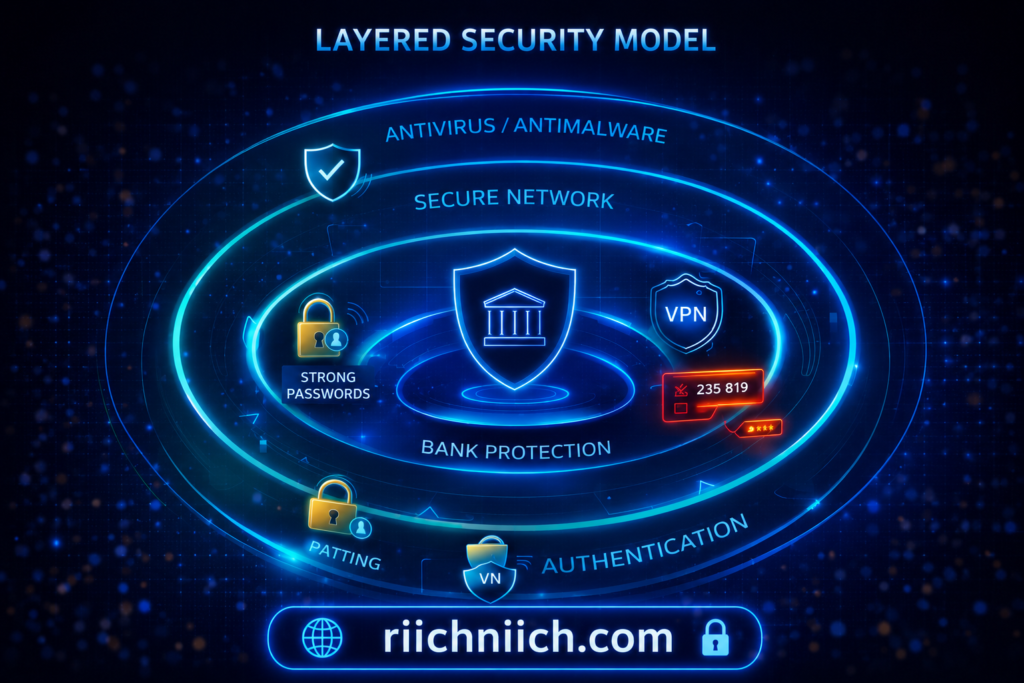
Adding these tools creates multiple layers of defense:
- Even if your password is exposed, MFA and password managers help
- Even if you use public WiFi, a VPN protects your connection
- Even if your data is leaked, monitoring services alert you quickly
This layered approach significantly strengthens your answer to the question: is online banking safe?
Is Extra Protection Worth It?
For most people, yes—especially if you value:
- Convenience
- Time savings
- Reduced risk
- Faster response to threats
Without extra protection, you rely entirely on reactive measures. With it, you move toward proactive security.
Bottom Line
Is online banking safe without extra protection?
Yes—but it’s not as secure as it could be.
Extra protection tools fill the gaps that banks cannot cover. By adding layers like a VPN, password manager, identity monitoring, and data removal, you significantly reduce your risk of account compromise and financial loss.
The safest approach is not relying on a single layer of security—but building a system that protects you from multiple angles.
Best Tools to Stay Safe While Using Online Banking
Is online banking safe when you use the right tools?
Yes. The safest approach in 2026 is not relying on a single layer of security, but combining multiple tools that protect your connection, credentials, and personal data. These tools reduce the chances of account takeover, fraud, and identity theft.
1. VPN (Virtual Private Network)
A VPN protects your internet connection by encrypting your data.
Why it matters:
- Prevents attackers from intercepting your data on public or shared networks
- Hides your IP address and location
- Secures your connection when traveling or using WiFi outside your home
This is especially important if you ever access your bank account outside a trusted network.
The Cyber-security and Infrastructure Security Agency recommends using secure connections when handling sensitive information online.
2. Password Manager
Passwords remain one of the biggest vulnerabilities in online banking.
What a password manager does:
- Generates strong, unique passwords
- Stores them securely
- Automatically fills login credentials
This prevents credential reuse, which is a major cause of account breaches.
3. Identity Theft Protection Services
These services monitor your personal and financial data for suspicious activity.
Key benefits:
- Alerts you if your data appears on the dark web
- Monitors credit activity and identity usage
- Provides recovery support if fraud occurs
This adds a layer of protection beyond your bank account.
The Federal Trade Commission advises monitoring your identity and financial activity to detect fraud early.
4. Data Removal Services
Your personal data is often collected and sold by data brokers, increasing your risk.
Why this matters:
- Exposed data makes you a target for phishing and scams
- Reducing your online footprint lowers your attack surface
Data removal tools automate the process of removing your information from these sources.
5. Antivirus and Security Software
Malware is a hidden threat that can compromise your banking information. To protect your devices, explore the best antivirus for families.
What security software protects against:
- Keyloggers that capture passwords
- Spyware that tracks your activity
- Malicious downloads and infected files
Keeping your devices clean is essential for secure banking.
6. Secure Browsers and Privacy Tools
Your browser is the gateway to your online banking session.
Best practices:
- Use updated, secure browsers
- Enable built-in security settings
- Avoid installing unnecessary extensions
Some browsers also block phishing sites and malicious scripts automatically.
7. Multi-Factor Authentication Apps
While MFA is often built into banking apps, using dedicated authentication apps adds stronger protection.
Advantages:
- More secure than SMS-based codes
- Resistant to SIM swap attacks
- Generates time-based one-time passwords
See the best tools to protect your identity and finances here!
Tools like Aura monitor your identity and alert you to suspicious activity before serious damage occurs.
👉 Check Aura pricing and protection features here!
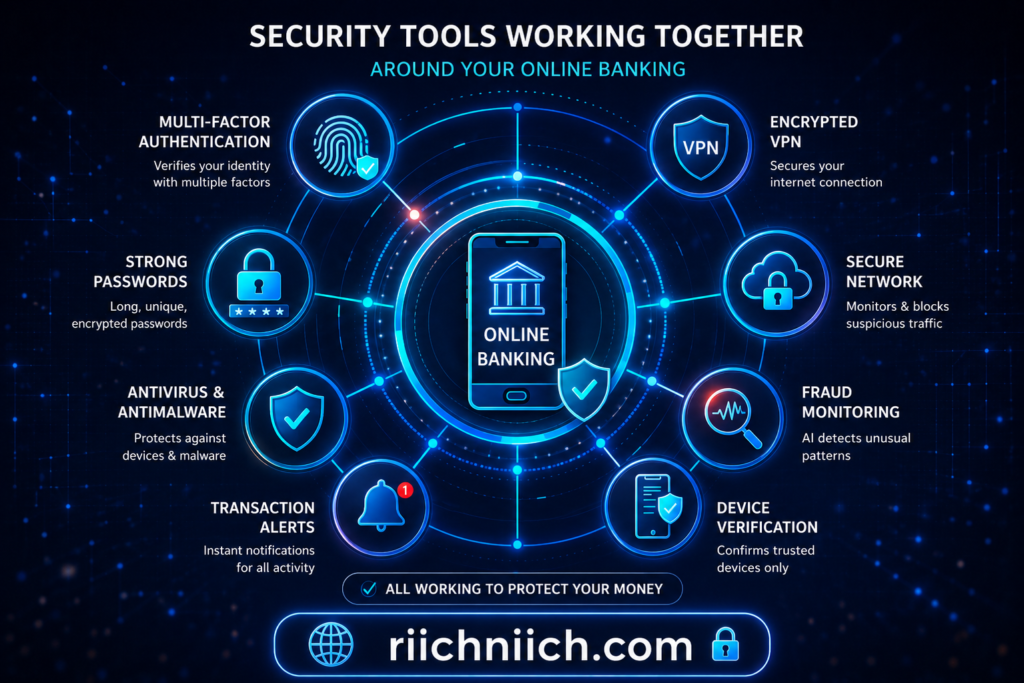
How These Tools Work Together
Each tool protects a different part of your online banking experience:
- VPN → protects your connection
- Password manager → protects your credentials
- Identity protection → monitors threats
- Data removal → reduces exposure
- Antivirus → protects your device
Together, they create a layered security system.
Bottom Line
Is online banking safe when you use these tools?
Yes—significantly safer.
The biggest risks to online banking come from exposed data, weak passwords, and unsecured connections. These tools directly address those risks and help prevent unauthorized access before it happens.
Using the right combination of security tools turns online banking from a potential risk into a controlled and secure experience.
Is Mobile Banking Safe or Riskier Than Desktop?
Is online banking safe on mobile devices compared to desktop?
In most cases, mobile banking is just as safe—and often safer—than desktop banking, as long as you use official apps and follow basic security practices. The difference comes down to how each platform is used and where the risks actually exist.
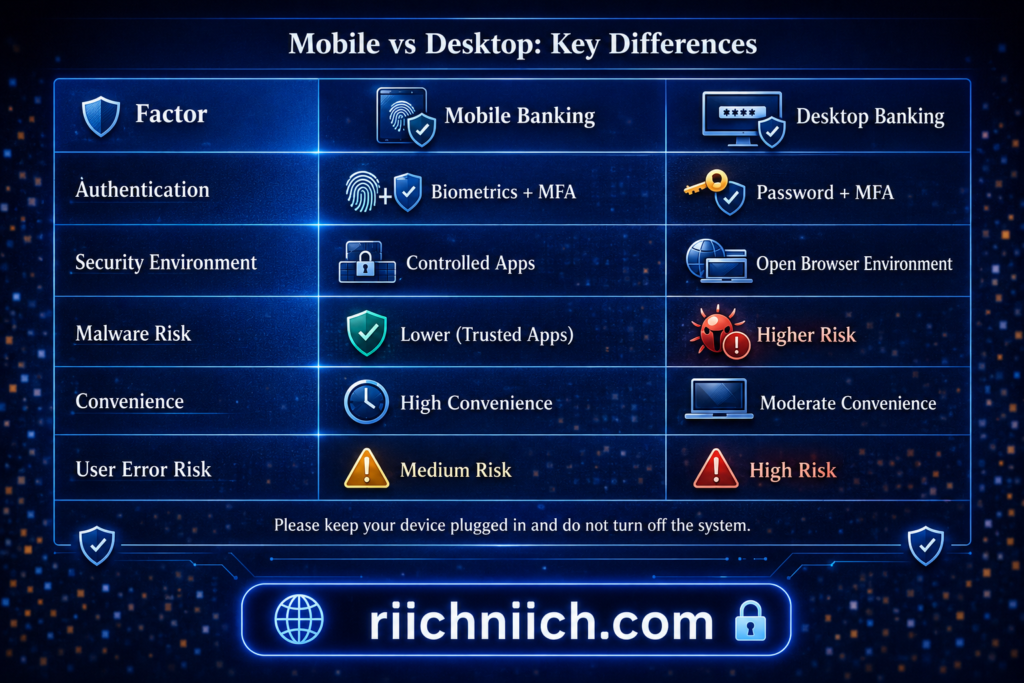
Why Mobile Banking Is Often Safer
Mobile banking apps are designed with built-in security features that many desktop setups lack:
- Biometric authentication (fingerprint or facial recognition)
- App sandboxing (apps are isolated from each other)
- Secure app environments controlled by app stores
- Automatic session protection and timeouts
These features make it harder for attackers to access your account directly through the app.
The National Institute of Standards and Technology supports the use of strong authentication methods like biometrics and multi-factor authentication to improve account security.
Where Mobile Banking Can Be Risky
Despite these advantages, mobile banking still has risks—especially if the device is not secure.
Common risks include:
- Downloading malicious or fake apps
- Clicking phishing links in text messages (smishing)
- Connecting to unsecured public WiFi
- Using outdated operating systems
Unlike desktops, mobile devices are always connected, making them a constant target.
Desktop Banking Risks
Desktop banking can be secure, but it often depends more on user setup.
Risks include:
- Malware or keyloggers installed on the computer
- Unsafe browser extensions
- Visiting phishing websites
- Lack of device-level security
Desktops are also more likely to be used across multiple accounts, increasing exposure.
Which Is Safer Overall?
Mobile banking is generally safer when:
- You use official banking apps
- Your device is updated and secure
- You avoid suspicious links and downloads
Desktop banking can be just as safe—but requires more careful management of browsers, software, and security settings.
How to Stay Safe on Both Devices
To ensure online banking is safe regardless of device:
- Use official banking apps only
- Keep your device and apps updated
- Avoid clicking links in emails or texts
- Enable multi-factor authentication
- Secure your internet connection
The Cyber-security and Infrastructure Security Agency recommends keeping devices updated and using trusted applications to reduce security risks.
Bottom Line
Is online banking safe on mobile or desktop?
Both can be secure—but mobile banking often has the advantage due to built-in protections like biometrics and app-based environments.
The safest choice isn’t about the device—it’s about how securely you use it.
Online Banking Safety Tips Everyone Should Follow
Is online banking safe if you follow the right habits?
Yes. The majority of online banking risks can be reduced—or completely avoided—by following a consistent set of security practices. These tips are designed to protect your account, your money, and your personal data.
Use Strong, Unique Passwords for Every Account
Your password is still one of the most important security layers.
- Avoid simple or predictable passwords
- Never reuse passwords across sites
- Use long, complex combinations
If one account is breached and you reuse passwords, your bank account can be exposed.
Always Enable Multi-Factor Authentication (MFA)
MFA adds an extra step that significantly reduces unauthorized access.
- Use authentication apps instead of SMS when possible
- Never share verification codes
- Enable biometrics if available
According to the National Institute of Standards and Technology, multi-factor authentication is one of the most effective ways to prevent account compromise.
Avoid Clicking Links in Emails or Text Messages
Phishing attacks are designed to look legitimate.
- Never click banking links from emails or texts
- Type your bank’s website directly into your browser
- Verify messages before taking action
The Federal Trade Commission warns that phishing remains a leading cause of financial fraud.
Keep Your Devices Updated and Secure
Outdated devices are more vulnerable to attacks.
- Install updates for your operating system and apps
- Use antivirus or security software
- Avoid downloading unknown files or apps
Keeping your device secure helps prevent malware from capturing your banking information.
Use Secure Internet Connections
Your connection plays a critical role in your security.
- Avoid public WiFi for banking
- Use a VPN when on shared networks
- Turn off automatic WiFi connections
Unsecured networks can expose your data to attackers.
Monitor Your Bank Account Regularly
Checking your account frequently helps you catch issues early.
- Review transactions often
- Enable real-time alerts
- Report suspicious activity immediately
The Federal Deposit Insurance Corporation recommends monitoring accounts regularly to detect unauthorized activity as quickly as possible.
Limit Your Personal Information Online
The more information available about you, the easier it is for attackers to target you.
- Reduce what you share on social media
- Remove personal data from broker sites
- Be cautious with online forms
Reducing your digital footprint lowers your overall risk.
Log Out and Avoid Shared Devices
Accessing your bank account on shared or public devices increases risk.
- Always log out after each session
- Avoid saving login details on shared devices
- Use private browsing when necessary
Stay Alert for Suspicious Activity
Be aware of anything unusual, including:
- Unexpected login alerts
- Unknown transactions
- Requests for personal information
Quick action can prevent further damage.
Why These Tips Matter
These habits directly impact whether online banking is safe for you.
Even with strong bank security, poor user habits can create vulnerabilities. Following these steps consistently helps close those gaps.
Bottom Line
Online banking is safe when you follow proven security practices.
Strong passwords, secure connections, updated devices, and ongoing monitoring work together to protect your account. The more consistent you are with these habits, the lower your risk of fraud or unauthorized access.
Is Online Banking Safe Without Identity Theft Protection?
Yes—but it’s not as secure as it could be. Banks provide strong security for transactions and accounts, but they do not monitor your entire digital footprint. Identity theft protection fills that gap by detecting threats that banks cannot see.
What Bank Security Covers (and What It Doesn’t)
Banks are responsible for protecting:
- Your account access (logins and authentication)
- Transactions and fraud detection
- Secure communication between you and the bank
However, banks typically do not monitor:
- Your personal data across the internet
- Data broker websites selling your information
- Dark web exposure of your credentials
- Activity outside your specific bank account
This means your account could still be at risk—even if your bank is secure.
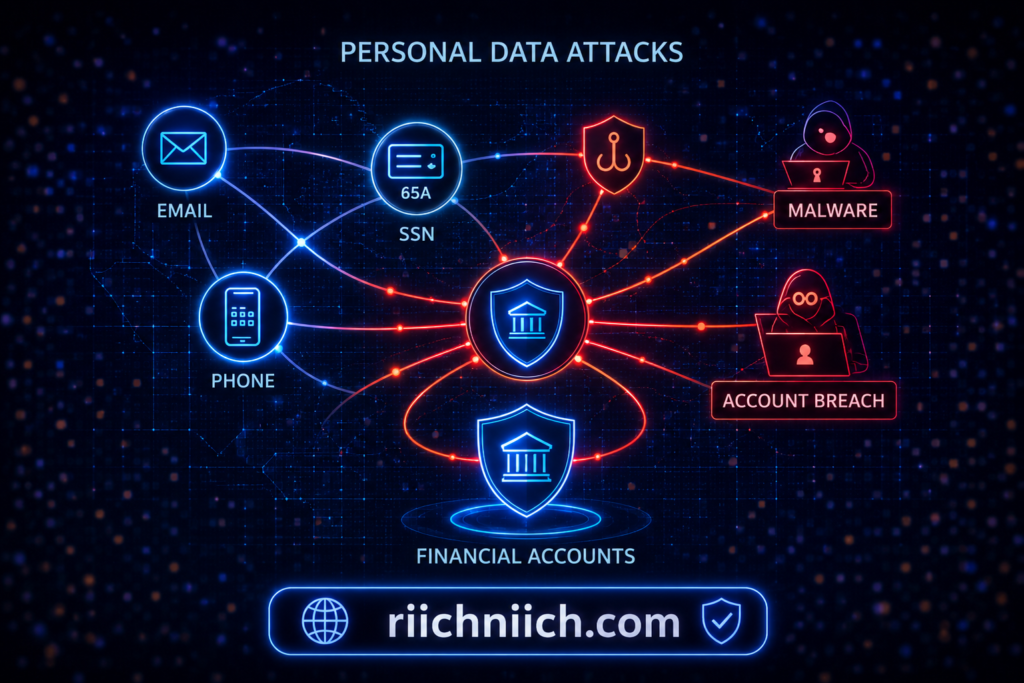
Where Identity Theft Actually Starts
Most identity theft does not begin inside your bank account. It starts with exposed personal information:
- Email addresses and passwords from data breaches
- Social Security numbers and personal details
- Phone numbers and addresses sold by data brokers
Once attackers have enough information, they can:
- Attempt to log into your accounts
- Reset passwords
- Open new financial accounts in your name
The Identity Theft Resource Center reports that identity-related crimes often begin with data exposure rather than direct account breaches.
What Identity Theft Protection Adds
Identity theft protection services go beyond basic banking security by:
- Monitoring your personal data across multiple sources
- Alerting you when your information is exposed
- Tracking suspicious activity linked to your identity
- Assisting with recovery if fraud occurs
This creates an additional layer of protection around your financial life—not just your bank account.
Is Online Banking Safe Without It?
Online banking is still safe without identity theft protection if you:
- Use strong passwords and MFA
- Avoid phishing scams
- Keep your devices secure
- Monitor your accounts regularly
However, without identity protection:
- You may not know your data has been exposed
- You may detect threats later than you should
- You are relying on reactive security instead of proactive monitoring
When You Should Consider Identity Theft Protection
You should strongly consider it if:
- Your data has been involved in a breach
- You frequently shop or bank online
- Your personal information is easy to find online
- You want early warnings about potential threats
The Federal Trade Commission recommends taking proactive steps to monitor and protect your identity to reduce the impact of fraud.
The Risk Without Identity Protection
Without this layer, your security depends entirely on:
- Bank alerts after suspicious activity occurs
- Your ability to notice unusual transactions
- Your response time after a breach
This delay can give attackers more time to cause damage.
Bottom Line
Is online banking safe without identity theft protection?
Yes—but it leaves gaps in your overall security.
Banks protect your account, but identity theft protection helps protect you. Adding this layer allows you to detect threats earlier, reduce your exposure, and respond faster if something goes wrong.
For many users, it’s the difference between reacting to fraud—and preventing it in the first place.
Conclusion: Is Online Banking Safe and What Should You Do?
Is online banking safe in 2026?
Yes—but only if you take an active role in protecting your account, your devices, and your personal data. Banks provide strong security systems, but the most common risks come from user behavior, data exposure, and online threats.
The Reality of Online Banking Security
Online banking is built on secure technology:
- Encryption protects your data
- Multi-factor authentication blocks unauthorized access
- Fraud monitoring detects suspicious activity
However, these protections are not designed to stop:
- Phishing attacks
- Reused or weak passwords
- Exposed personal information
- Unsafe internet connections
The Cyber-security and Infrastructure Security Agency emphasizes that user awareness and behavior are critical components of cyber-security.
So, Is Online Banking Safe?
Online banking is safe when:
- You follow strong security practices
- You use secure devices and networks
- You actively monitor your accounts
- You protect your personal data
Online banking becomes risky when:
- You ignore security warnings
- You reuse passwords
- You click suspicious links
- Your personal data is widely exposed
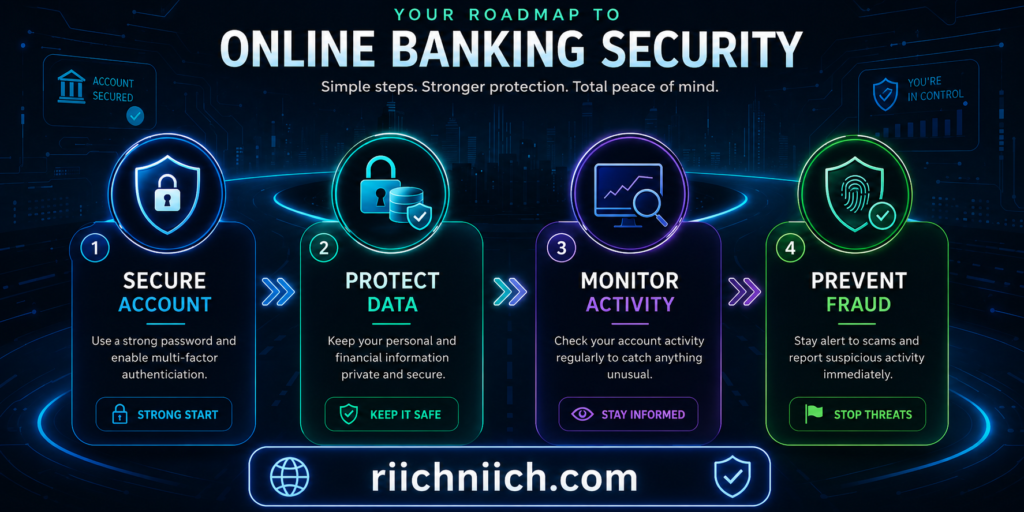
What You Should Do Next (Action Plan)
To make online banking as safe as possible, focus on these steps:
1. Strengthen Your Account Security
- Use strong, unique passwords
- Enable multi-factor authentication
2. Secure Your Connection
- Avoid public WiFi for banking
- Use a secure, private network or VPN
3. Protect Your Personal Data
- Limit what you share online
- Remove your data from broker sites
4. Monitor and Respond Quickly
- Enable transaction alerts
- Review your account regularly
- Act immediately on suspicious activity
Why Extra Protection Matters
Basic security is no longer enough in many cases.
Adding extra protection helps you:
- Detect threats earlier
- Reduce your exposure online
- Prevent attacks before they happen
To compare your options, see the best identity theft protection services.
Final Answer
Is online banking safe?
Yes—but only if you actively protect yourself.
Online banking security is no longer just about trusting your bank. It’s about combining bank-level protection with your own habits, tools, and awareness.
Bottom Line
If you want the safest experience possible:
- Treat your personal data as a critical asset
- Use layered protection instead of relying on one method
- Stay proactive, not reactive
When you follow this approach, online banking becomes not just safe—but reliably secure.
To fully protect your connection, identity, and personal data, consider using NordVPN, Aura, and Incogni together:
Pingback: Cybersecurity Tips Everyone Should Know (2026 Guide) - Riich Niich
Pingback: Is NordVPN Worth It? Full Review, Pros, Cons & Who Should Use It - Riich Niich
Pingback: Is Public WiFi Safe For Banking? - Riich Niich