

How to know if your email was leaked is a question more people are asking as data breaches, phishing scams, and identity theft continue to rise. Your email account is connected to many of your most important online accounts, making it a valuable target for cybercriminals. If your email address has been exposed, acting quickly can help prevent account takeovers, financial fraud, and other security risks.
In this guide, you’ll learn the common signs that your email may have been leaked, what causes email exposure, the steps to take immediately after a data breach, and how to better protect your email and online identity. You’ll also discover practical security tips, tools that can strengthen your protection, and ways to reduce the chances of your email being exposed again.
Table of Contents
What Is an Email Leak?
A common misconception is that an email leak only happens when your email account is hacked. In reality, an email leak occurs when your email address becomes exposed through a data breach, phishing attack, unsecured database, malware infection, or even information collected by data brokers. Once your email address is available to cybercriminals, it can be bought, sold, and shared across multiple databases, making you a more attractive target for scams and identity theft.
If you’re wondering how to know if your email was leaked, the first step is understanding what an email leak actually is and why it matters. An exposed email address may seem harmless on its own, but it often serves as the starting point for larger cybercrimes. Your email account is connected to online banking, shopping accounts, social media, healthcare portals, cloud storage, and many other services. If criminals gain access to your email—or enough information about it—they may attempt to compromise those connected accounts as well.
If you’re curious about the different ways cybercriminals collect personal information before targeting email accounts, read How Hackers Get Your Personal Data.
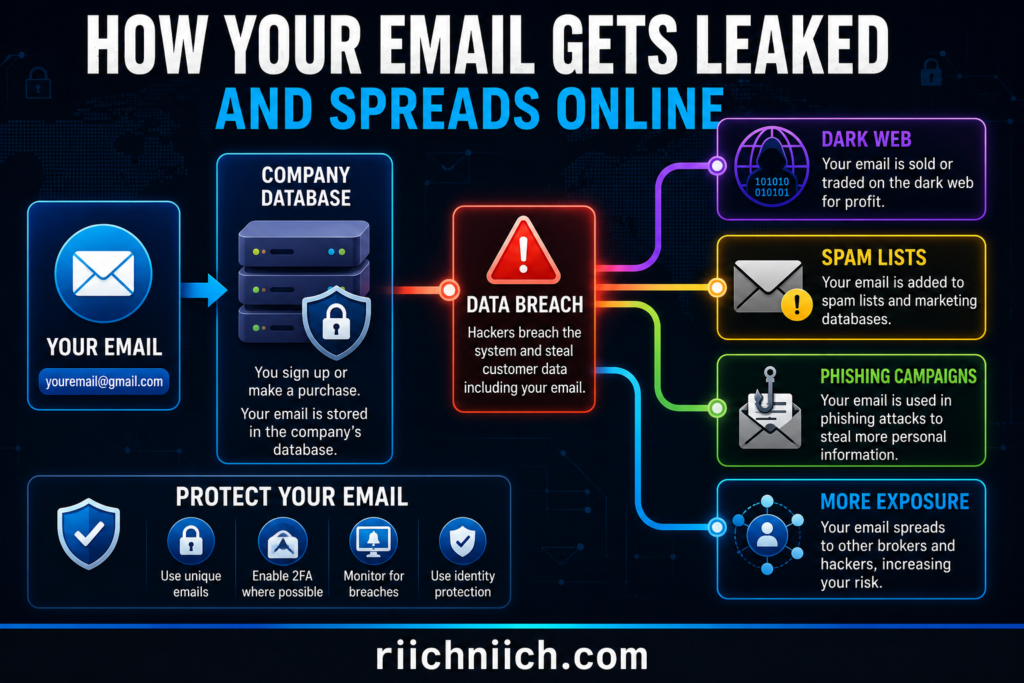
Email leaks commonly occur after:
- Large company data breaches
- Phishing attacks that collect login credentials
- Malware stealing saved account information
- Weak or reused passwords
- Third-party apps with poor security practices
- Publicly exposed databases
- Oversharing personal information online
Once an email address has been exposed, cybercriminals may use it for:
- Sending phishing emails that appear legitimate
- Credential stuffing attacks using leaked passwords
- Targeted scam campaigns
- Identity theft attempts
- Account takeover attacks
- Spam and malicious advertisements
- Selling your information to other criminals
An email leak doesn’t always mean your email account has already been compromised. However, it significantly increases your risk of future attacks, especially if you reuse passwords or don’t enable multi-factor authentication. That’s why recognizing the warning signs early is so important.
Many people first suspect an email leak after noticing a sudden increase in spam emails, password reset requests they didn’t initiate, security alerts from online accounts, or notifications that their information was involved in a company data breach. These warning signs should never be ignored because they may indicate that your personal information is already circulating among cybercriminals.
The good news is that discovering how to know if your email was leaked early gives you the opportunity to take action before criminals can do serious damage. Changing passwords, enabling multi-factor authentication, monitoring your online accounts, and using identity monitoring services can dramatically reduce your risk of becoming an identity theft victim.
How to Know If Your Email Was Leaked
If you’re wondering how to know if your email was leaked, you’re not alone. Millions of email addresses are exposed every year through data breaches, phishing attacks, malware infections, and poorly secured online databases. The problem is that many people don’t realize their information has been compromised until they start experiencing spam, suspicious account activity, or even identity theft.
Fortunately, there are several warning signs that can help you determine whether your email address has been exposed before the situation becomes much worse.
You Receive an Unusual Increase in Spam Emails
One of the earliest indicators that your email address may have been exposed is a sudden surge in spam emails. While every inbox receives some unwanted messages, a noticeable increase in phishing emails, fake invoices, cryptocurrency scams, or fraudulent delivery notifications may indicate that your email address has been added to spam databases used by cybercriminals.
If the increase happens shortly after signing up for a website or after a company announces a data breach, it’s worth taking the warning seriously.
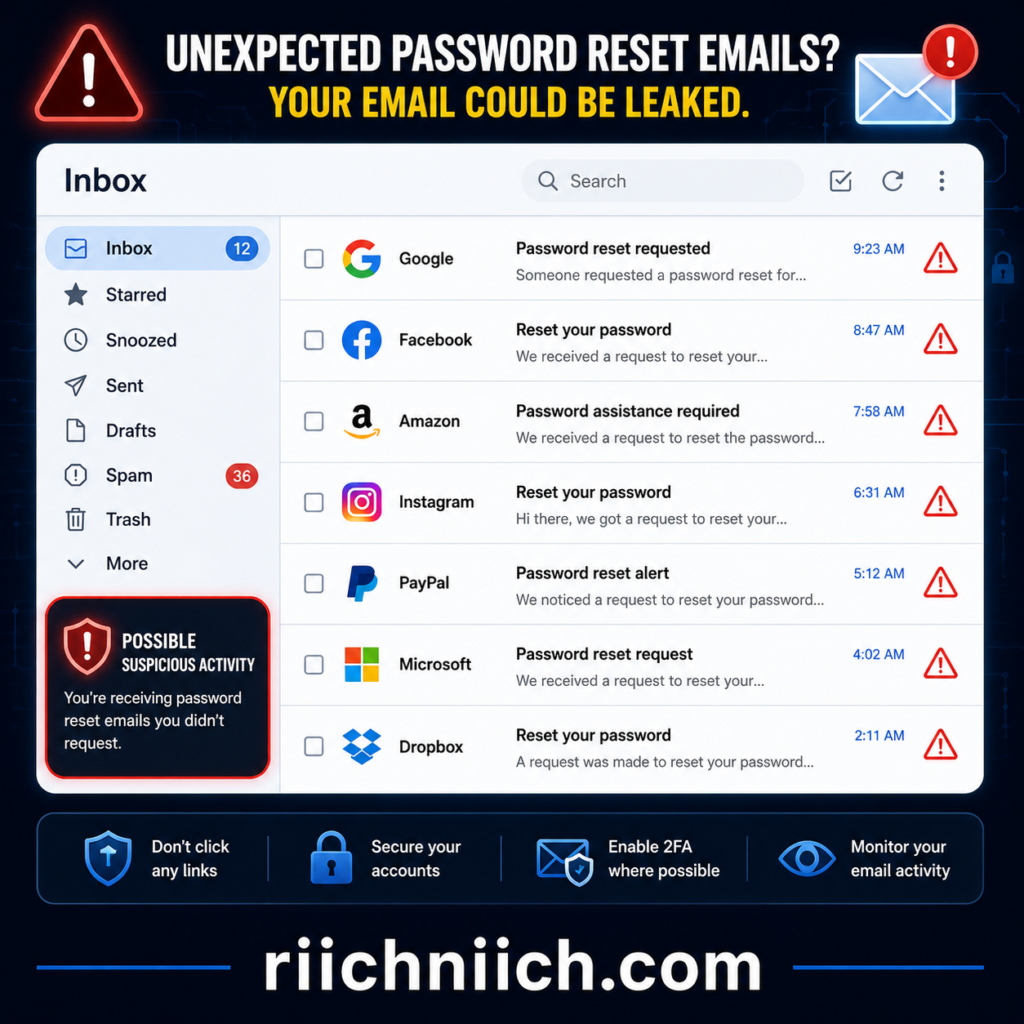
You Receive Password Reset Emails You Didn’t Request
Unexpected password reset emails are another major warning sign. If you begin receiving password reset requests for accounts you didn’t initiate, someone may already know your email address and be attempting to gain access to your online accounts.
Even if the attacker doesn’t succeed, these attempts suggest your email address is actively being targeted.
You Receive Security Alerts From Online Accounts
Many online services send login alerts whenever someone signs in from a new device or unfamiliar location. If you receive notifications about login attempts you don’t recognize, your email address may have been exposed and criminals could be trying to access your accounts using stolen credentials.
Review these alerts immediately and change your passwords if you notice any unauthorized activity.
Your Password Stops Working
If you’re suddenly locked out of one or more online accounts despite entering the correct password, it’s possible someone has already changed your login credentials.
Account takeovers often begin with an exposed email address combined with a reused or previously compromised password.
Companies Notify You About a Data Breach
Many organizations now notify customers when their information may have been involved in a security incident. While these notifications don’t always mean your account has been accessed, they do indicate that your email address and possibly other personal information may have been exposed.
Never ignore these emails. Follow the company’s recommended security steps, change affected passwords immediately, and enable multi-factor authentication whenever possible.
You Notice Suspicious Activity Across Multiple Accounts
An exposed email address often affects more than one account. Watch for unusual activity such as:
- Login attempts from unfamiliar locations
- New devices connected to your accounts
- Unauthorized purchases
- Changes to account recovery information
- Unknown forwarding rules in your email
- New accounts created using your email address
- Security notifications from multiple websites
When several of these warning signs appear together, they may indicate that your email address has been compromised.
Your Personal Information Appears in Scam Attempts
Cybercriminals frequently combine leaked email addresses with other stolen personal information to create convincing phishing attacks. If scammers begin sending emails that include your name, phone number, employer, or other personal details, they may be using information collected during a previous data breach.
These highly targeted attacks often appear much more believable than generic spam emails.
How to Confirm Whether Your Email Has Been Exposed
Recognizing the warning signs is only the first step. If you suspect your email address has been compromised, you should:
- Review recent security notifications from your email provider and online accounts.
- Check your account login history for unfamiliar devices or locations.
- Monitor financial accounts for suspicious transactions.
- Watch for unexpected password reset emails.
- Review connected apps that have access to your email account.
- Change passwords for important accounts, especially if you reuse passwords.
- Enable multi-factor authentication wherever available.
- Consider using an identity monitoring service that continuously monitors for new data breaches, dark web exposure, and suspicious activity instead of relying solely on one-time checks.
Taking these steps gives you a much better chance of detecting problems early before they develop into account takeovers or identity theft.
Why Continuous Monitoring Matters
Learning how to know if your email was leaked is important, but protecting yourself shouldn’t stop there. New data breaches occur regularly, and an email address that appears safe today could be exposed months or years later.
That’s why many cybersecurity experts recommend continuous monitoring rather than waiting until suspicious activity appears. Identity monitoring services can alert you when your personal information is detected in new data breaches, helping you respond quickly before criminals have an opportunity to misuse your information.
For additional guidance on protecting your accounts after a suspected email exposure, consult trusted resources from the Cybersecurity and Infrastructure Security Agency (CISA) and the Federal Trade Commission (FTC). These organizations provide practical recommendations for strengthening account security and reducing your risk of future cyberattacks.
Common Signs Your Email Address Has Been Exposed
One of the biggest challenges with email security is that an exposed email address rarely comes with an obvious warning. In many cases, cybercriminals quietly collect and trade stolen email addresses for weeks or even months before victims notice anything unusual. That’s why learning how to know if your email was leaked involves recognizing the subtle warning signs before they lead to account takeovers or identity theft.
The following indicators don’t always guarantee that your email has been exposed, but if you notice several of them happening at the same time, it’s wise to investigate and strengthen your account security immediately.
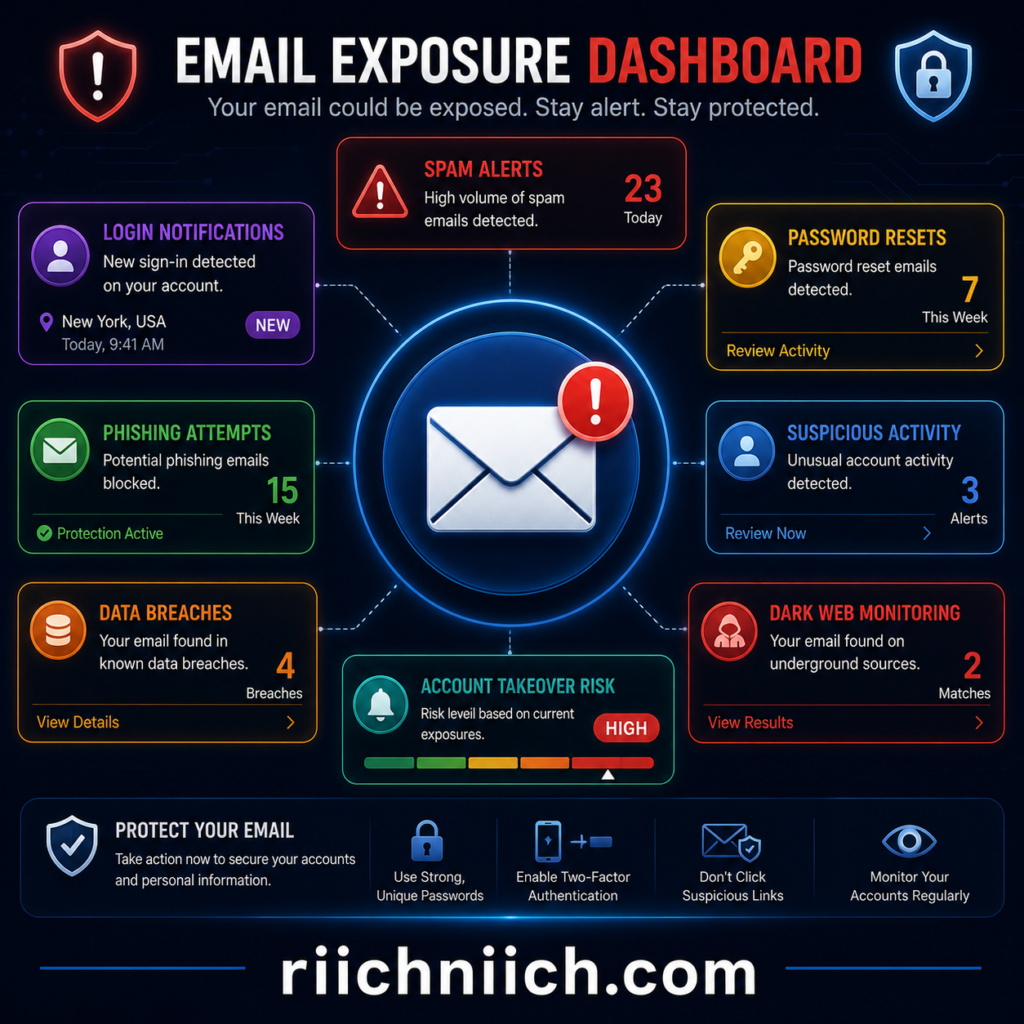
A Sudden Spike in Spam Emails
Receiving occasional spam is normal, but a dramatic increase can be a sign that your email address has been added to spam databases or sold to cybercriminals after a data breach.
You may begin receiving:
- Fake shipping notifications
- Cryptocurrency investment scams
- Lottery or prize-winning emails
- Tech support scams
- Fake banking alerts
- Malicious attachments
- Phishing emails pretending to be trusted companies
If these messages suddenly become much more frequent, your email address may have been exposed.
Unexpected Password Reset Requests
If password reset emails begin arriving for accounts you didn’t try to access, someone may already be attempting to use your email address to gain entry into your accounts.
Criminals often test stolen email addresses against hundreds of popular websites in automated credential stuffing attacks. Even unsuccessful attempts generate password reset emails that can serve as an early warning sign.
Login Alerts From Unknown Devices or Locations
Many email providers and online services notify you when someone signs in from a new device or geographic location.
Watch for alerts mentioning:
- Unknown cities or countries
- Devices you don’t recognize
- Multiple failed login attempts
- New browsers you’ve never used
- Access during unusual hours
These notifications should never be ignored because they may indicate someone is actively trying to access your accounts.
Friends or Family Receive Strange Emails From You
If people you know report receiving suspicious emails that appear to come from your address, your email account may already be compromised.
These messages often contain:
- Suspicious links
- Fake invoices
- Requests for money
- Cryptocurrency scams
- Malware attachments
Even if the emails look legitimate at first glance, they may have been sent by someone abusing your compromised account.
Unrecognized Changes to Your Email Settings
Cybercriminals who gain access to an email account often make changes that help them maintain long-term access without being noticed.
Examples include:
- New forwarding rules
- Unknown recovery email addresses
- Added phone numbers
- Security questions being changed
- New trusted devices
- Disabled security notifications
Reviewing your account settings regularly can help you catch these changes before more damage occurs.
Unauthorized Activity on Other Online Accounts
Your email account is the gateway to many other online services. Once criminals know your email address, they may attempt to access:
- Banking accounts
- Shopping websites
- Social media profiles
- Cloud storage
- Streaming services
- Healthcare portals
- Government accounts
If multiple services begin reporting suspicious login attempts, your exposed email address could be the common connection.
You Start Receiving Personalized Phishing Emails
Generic spam emails are common, but personalized phishing emails are much more concerning.
These attacks may include information such as:
- Your full name
- Employer
- Phone number
- Home address
- Previous passwords
- Partial financial information
- Websites you’ve used
The more personal information included, the more likely criminals are combining data from multiple breaches to target you.
Your Accounts Become Locked Without Explanation
If you’re suddenly unable to access an account because your password has changed or security information has been updated without your permission, your email address may have been used during an account takeover.
Because your email is connected to password recovery for many services, protecting it should always be a top priority.
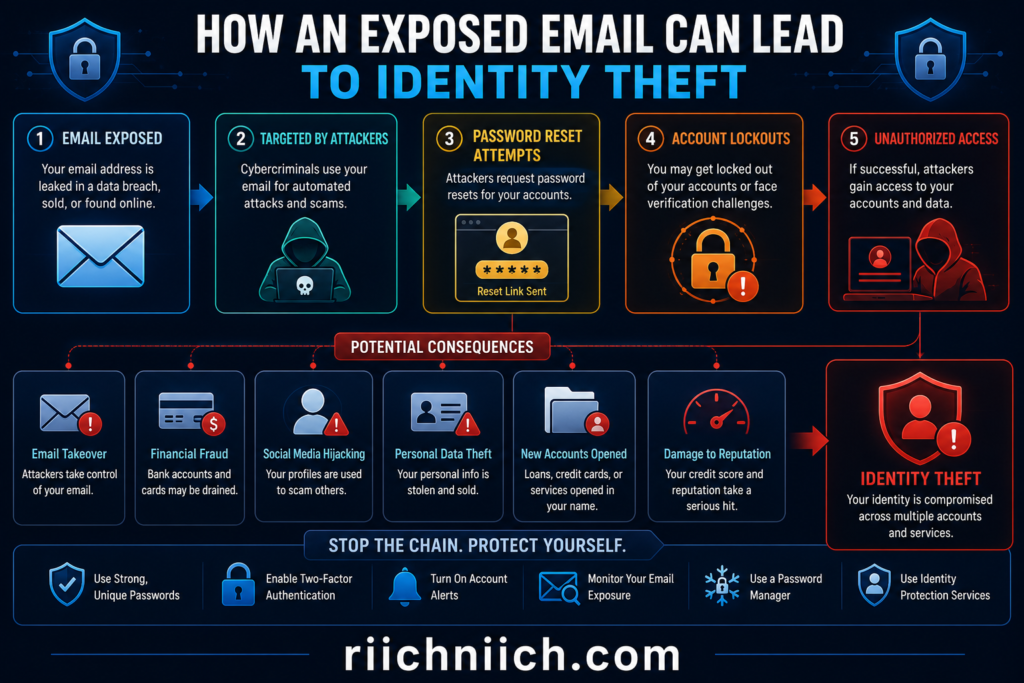
Why Recognizing These Signs Early Matters
The earlier you identify these warning signs, the easier it is to limit the damage. Learning how to know if your email was leaked allows you to respond before criminals can exploit your information for fraud or identity theft.
If you notice several of these indicators, take immediate action by:
- Changing your passwords.
- Enabling multi-factor authentication.
- Reviewing connected devices and applications.
- Monitoring your financial and online accounts.
- Using an identity monitoring service that continuously watches for new data breaches, dark web exposure, and suspicious activity.
Acting quickly can prevent a minor security issue from turning into a much larger problem.
What Causes Your Email to Be Leaked?
If you’re trying to understand how to know if your email was leaked, it’s equally important to understand how email addresses become exposed in the first place. Contrary to popular belief, most people don’t lose control of their email because they made a major mistake. In many cases, their information is exposed through security incidents completely outside of their control.
Knowing the most common causes can help you reduce your risk and better protect your online accounts in the future.
Many email leaks begin with phishing attacks designed to steal login credentials. Learn how these scams work and how to recognize them in How Phishing Scams Work.
Company Data Breaches
The most common cause of an exposed email address is a company data breach.
Businesses of every size collect customer information, including email addresses, passwords, phone numbers, and other personal details. If their systems are compromised by cybercriminals, millions of customer records can be stolen in a single attack.
Even companies with strong security programs can experience data breaches, which means your information may be exposed without you doing anything wrong.
After a breach, stolen email addresses are often sold or traded among cybercriminals, leading to spam campaigns, phishing attempts, and credential stuffing attacks.
Reusing the Same Password Across Multiple Accounts
Password reuse remains one of the biggest cybersecurity risks.
If you use the same password for multiple websites and just one of those websites experiences a data breach, criminals may attempt to use the stolen email and password combination on hundreds of other online services.
This technique, known as credential stuffing, succeeds because many people reuse passwords across banking, shopping, email, and social media accounts.
Using a password manager to generate unique passwords for every account greatly reduces this risk.
Phishing Attacks
Phishing scams are designed to trick people into voluntarily providing their login credentials.
These fraudulent emails often imitate:
- Banks
- Online retailers
- Government agencies
- Delivery companies
- Streaming services
- Email providers
Clicking a fake login page and entering your email and password gives cybercriminals direct access to your information.
Because phishing attacks continue evolving, even experienced internet users occasionally fall victim to convincing scams.
Malware and Spyware
Malware installed on your computer or mobile device can secretly collect sensitive information without your knowledge.
Certain types of malicious software are designed to steal:
- Saved email addresses
- Passwords
- Browser cookies
- Login sessions
- Banking information
- Personal documents
Keeping your operating system, browser, and antivirus software updated can significantly reduce the risk of malware infections.
Unsecured Third-Party Apps
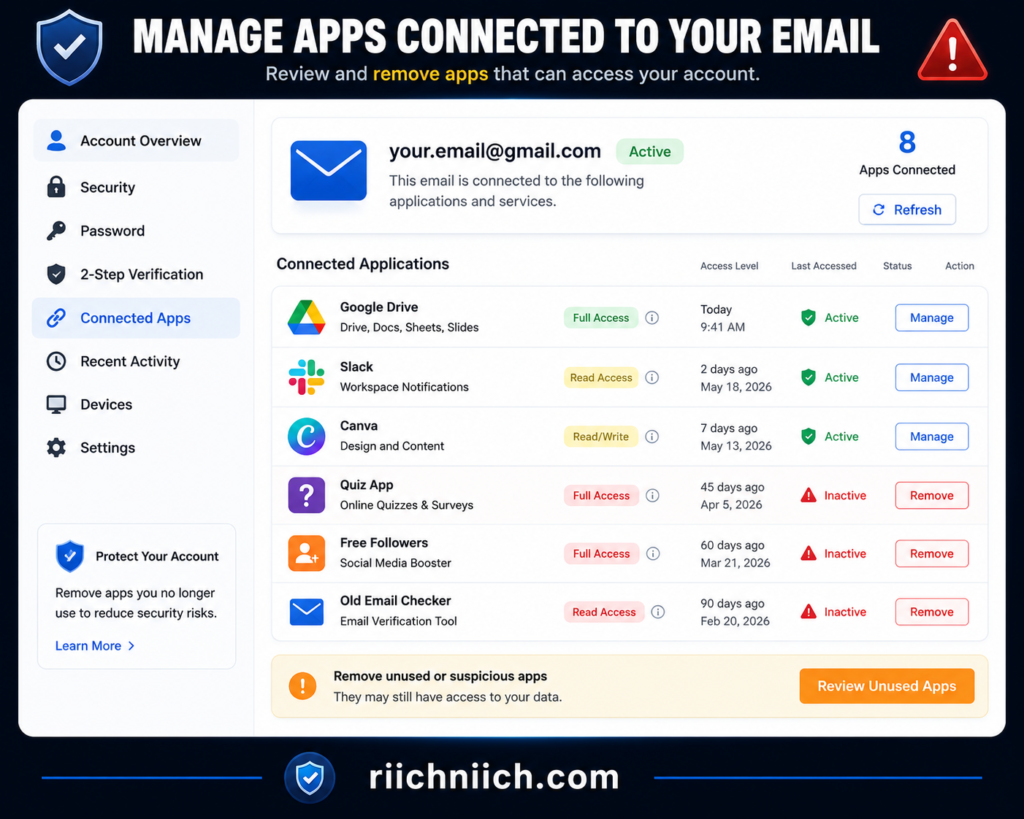
Many websites and mobile apps request permission to connect to your email account or access your personal information.
While many services are legitimate, poorly secured third-party applications can become targets for hackers. If their systems are breached, your email address and associated account information may also be exposed.
Reviewing connected applications regularly and removing those you no longer use is an important part of maintaining account security.
Publicly Exposed Databases
Not every email leak is caused by hackers breaking into secure systems.
Sometimes organizations accidentally leave databases accessible on the public internet due to configuration mistakes. These exposed databases may contain customer email addresses, account information, or other sensitive records that anyone can access if they discover the database.
Proper security practices help prevent these incidents, but accidental exposures still occur more often than many people realize.
Oversharing Personal Information Online
Every time you create an online account, subscribe to a newsletter, enter a giveaway, or post publicly on social media, you increase your digital footprint.
Some websites collect more personal information than necessary, while data brokers aggregate information from numerous public and commercial sources. Although this doesn’t always mean your email has been stolen, it can increase the number of organizations that possess your email address and create more opportunities for exposure if one of them experiences a breach.
Being selective about where you share your email address can help reduce unnecessary exposure over time.
Weak Email Security Settings
Sometimes the problem isn’t a company breach—it is the security of your own email account.
Accounts are more vulnerable when users:
- Don’t enable multi-factor authentication
- Use weak passwords
- Ignore security alerts
- Share passwords with others
- Leave recovery information outdated
- Fail to review connected devices
Strengthening your email account’s security settings makes it significantly harder for criminals to gain access, even if your email address becomes publicly known.
Why Understanding the Cause Matters
Learning how to know if your email was leaked is only part of protecting yourself online. Understanding how leaks happen helps you identify weak points before cybercriminals can exploit them.
The reality is that no one can completely eliminate the risk of future data breaches. However, you can dramatically reduce the chances of your information being misused by practicing good cybersecurity habits, securing your accounts, and monitoring for suspicious activity. Many people also choose identity monitoring services that provide ongoing alerts when their personal information appears in new data breaches or other high-risk environments, allowing them to respond much more quickly.
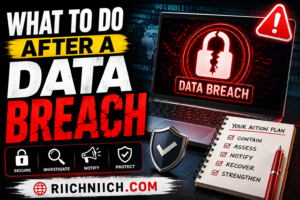
What to Do Immediately If You Discover Your Email Was Leaked
Learning how to know if your email was leaked is only the first step. If you discover that your email address has been exposed, acting quickly can significantly reduce the risk of account takeovers, financial fraud, and identity theft. The sooner you secure your accounts, the less opportunity cybercriminals have to misuse your personal information.
Here are the most important steps to take immediately.
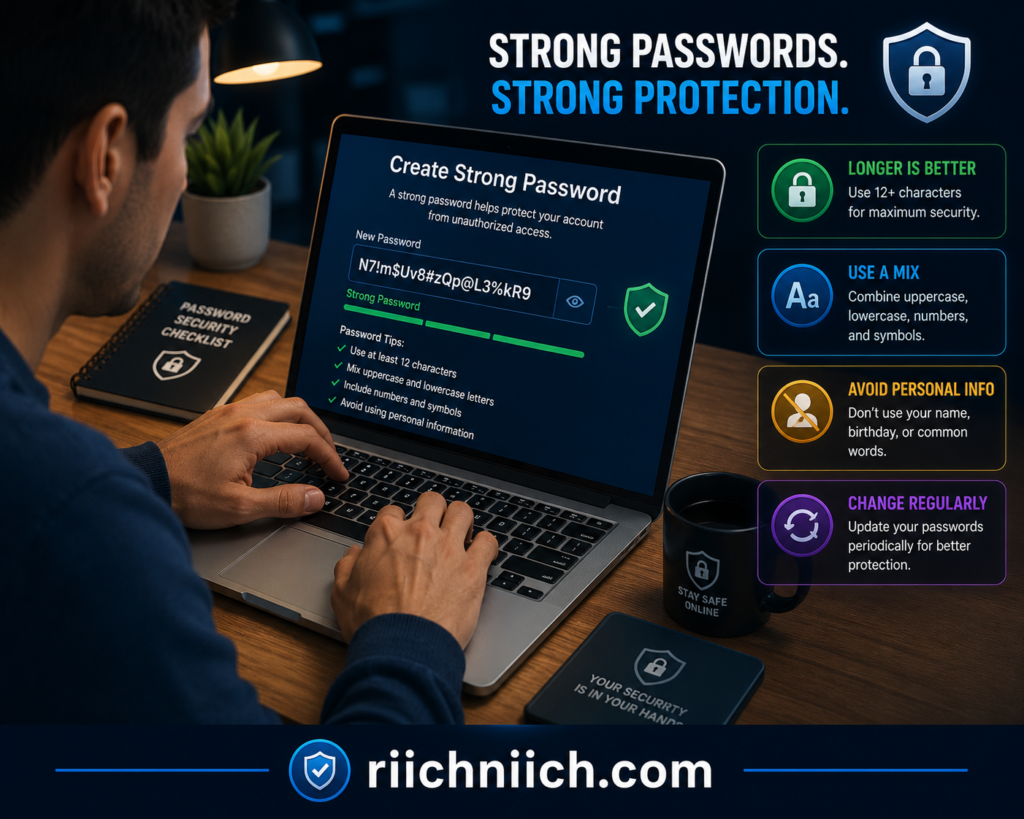
1. Change Your Email Password
Your email account should be your first priority because it serves as the recovery method for many of your other online accounts.
Create a new password that is:
- Long and unique
- Difficult to guess
- Different from every other password you use
Avoid reusing old passwords or making only small changes to an existing password.
2. Enable Multi-Factor Authentication (MFA)
Even if someone knows your password, multi-factor authentication adds another layer of protection by requiring a second verification step before access is granted.
Whenever possible, enable MFA on:
- Your email account
- Banking accounts
- Shopping accounts
- Social media
- Cloud storage
- Password manager
This simple step can stop many unauthorized login attempts.
3. Update Passwords for Important Accounts
If you reused the same password on other websites, change those passwords immediately.
Start with accounts that contain sensitive information, including:
- Financial institutions
- Credit card accounts
- Government websites
- Healthcare portals
- Shopping accounts
- Social media accounts
Using a password manager can help you create and store strong, unique passwords for every account.
4. Review Recent Login Activity
Most email providers allow you to view recent login history.
Look for:
- Unknown devices
- Unfamiliar locations
- Login attempts you don’t recognize
- Recently connected devices
If you notice suspicious activity, sign out of all active sessions and secure your account immediately.
5. Check Your Account Recovery Information
Verify that your recovery options haven’t been changed without your permission.
Review your:
- Recovery email address
- Recovery phone number
- Security settings
- Trusted devices
If anything looks unfamiliar, update it immediately.
6. Watch for Suspicious Financial Activity
Although an exposed email address doesn’t automatically mean your financial accounts have been compromised, it’s important to monitor them closely.
Pay attention to:
- Unauthorized purchases
- Unknown bank transactions
- Credit card charges
- New account notifications
- Loan or credit inquiries
The earlier you identify suspicious activity, the easier it is to limit the damage.
7. Monitor Your Email for New Security Alerts
Continue watching your inbox for:
- Password reset emails
- Login verification requests
- New device notifications
- Security alerts
- Account recovery messages
Unexpected security emails may indicate that someone is still attempting to access your accounts.
8. Consider Identity Monitoring
If your email was exposed as part of a data breach, your personal information could continue circulating long after the original incident.
Identity monitoring services can help by providing alerts for:
- New data breaches
- Dark web exposure
- Identity theft activity
- Suspicious use of your personal information
- Changes involving your identity
👉 If your email has been exposed, this is also a good time to consider an identity monitoring service like Aura that can continuously alert you to new data breaches, dark web exposure, and suspicious activity before it turns into identity theft.
Don’t Wait Until Something Goes Wrong
Many people assume they can ignore an exposed email address if nothing appears to have happened yet. Unfortunately, cybercriminals often hold stolen information for months before using it.
That’s why taking action immediately is so important. Understanding how to know if your email was leaked and responding quickly can prevent a small security issue from becoming identity theft, financial fraud, or a compromised online account.
How to Protect Your Email After a Data Breach
Once you’ve learned how to know if your email was leaked, the next step is protecting your email from future attacks. A data breach doesn’t always lead to identity theft or account compromise, but it does increase your risk. Cybercriminals often keep stolen email addresses for months or even years, using them in phishing campaigns, credential stuffing attacks, and other scams.
The good news is that a few proactive security measures can greatly reduce the chances of your email being misused.
Securing your inbox is only one part of protecting yourself online. For additional strategies, read How to Protect Your Email From Hackers.
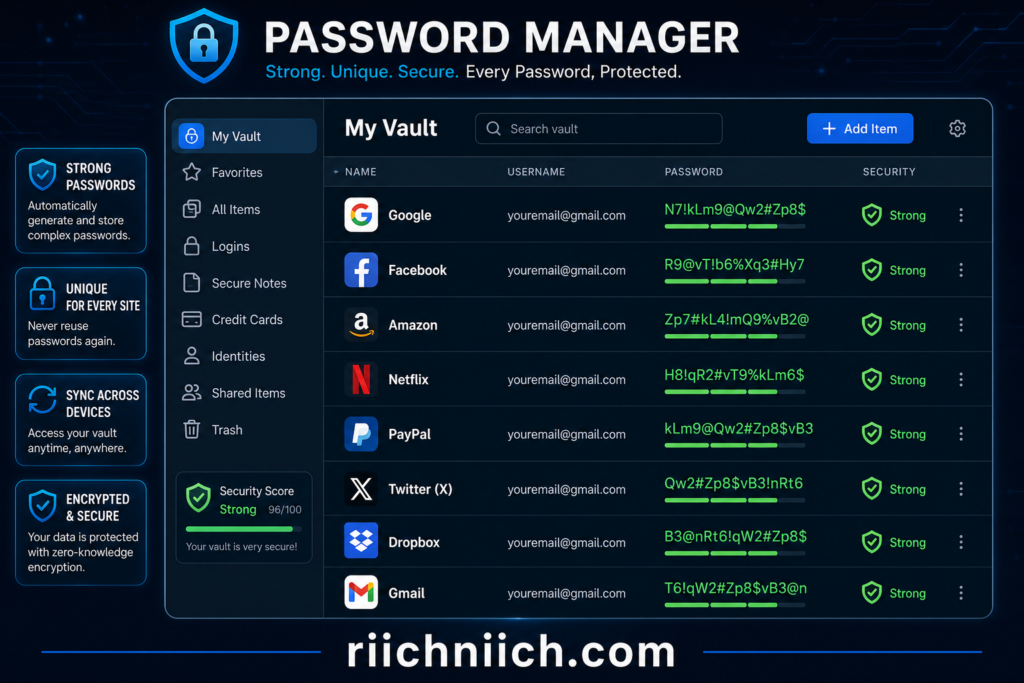
Use a Strong, Unique Password
Your email password should be different from every other password you use online. If one account is compromised, unique passwords prevent attackers from accessing your other accounts.
A strong password should:
- Be at least 12–16 characters long
- Include a mix of uppercase and lowercase letters
- Contain numbers and special characters
- Avoid personal information like birthdays or names
If remembering unique passwords is difficult, consider using a trusted password manager to generate and securely store them.
Enable Multi-Factor Authentication
Multi-factor authentication (MFA) is one of the most effective ways to protect your email account.
With MFA enabled, signing in requires more than just your password. Even if someone obtains your login credentials through a data breach, they’ll still need the second verification step to access your account.
Whenever possible, enable MFA using an authentication app or security key for added protection.
Keep Your Recovery Information Updated
Your recovery email address and phone number are essential if you ever lose access to your account.
Review them regularly to make sure:
- They belong to you.
- They haven’t been changed without your permission.
- You can still access them.
Outdated recovery information can make it much harder to regain control of your account if it’s compromised.
Be Alert for Phishing Emails
After a data breach, criminals often send convincing phishing emails to people whose addresses were exposed.
Before clicking any link:
- Verify the sender’s email address.
- Look for spelling or grammar mistakes.
- Avoid opening unexpected attachments.
- Visit websites by typing the address directly into your browser instead of clicking email links.
Remaining cautious can prevent a second security incident.
Review Connected Apps and Devices
Over time, many people connect dozens of applications to their email account without realizing it.
Review your account and remove:
- Apps you no longer use
- Unknown applications
- Old devices
- Unrecognized browser sessions
Reducing unnecessary access limits the number of ways someone could potentially misuse your account.
Monitor Your Accounts Regularly
One of the best defenses after a breach is ongoing monitoring.
Check your accounts for:
- Login notifications
- Password reset requests
- Security alerts
- Unrecognized devices
- Changes to account settings
Spotting suspicious activity early often prevents more serious problems later.
Limit Where You Share Your Email Address
Every website that collects your email creates another opportunity for future exposure.
Whenever practical:
- Avoid unnecessary account registrations.
- Unsubscribe from services you no longer use.
- Be cautious with online giveaways.
- Only provide your email to trusted organizations.
Reducing your digital footprint helps minimize future risk.
Consider Continuous Identity Monitoring
Even after securing your email account, new data breaches happen regularly. That’s why many people choose identity monitoring services that continuously monitor for:
- New data breaches
- Dark web exposure
- Identity theft activity
- Suspicious use of personal information
- Fraud alerts
Continuous monitoring provides ongoing protection instead of relying on one-time security checks.
👉 Even after you’ve secured your accounts, your personal information can continue circulating online. Coveron helps monitor for new data breaches and ongoing exposure, giving you greater visibility into potential risks over time.
Make Email Security an Ongoing Habit
Understanding how to know if your email was leaked is valuable, but maintaining good security habits is what helps protect you over the long term.
By using strong passwords, enabling multi-factor authentication, staying alert for phishing scams, monitoring your accounts, and responding quickly to suspicious activity, you can significantly reduce the chances that an exposed email address leads to identity theft or financial loss.
How to Prevent Your Email From Being Leaked Again
If you’ve already experienced a data breach, you may be wondering whether it can happen again. Unfortunately, no one can completely prevent future data breaches because companies and online services can still become targets for cybercriminals. However, by following a few smart security practices, you can significantly reduce the chances that an exposed email address leads to serious consequences. Learning how to know if your email was leaked is important, but preventing future exposure is just as valuable.
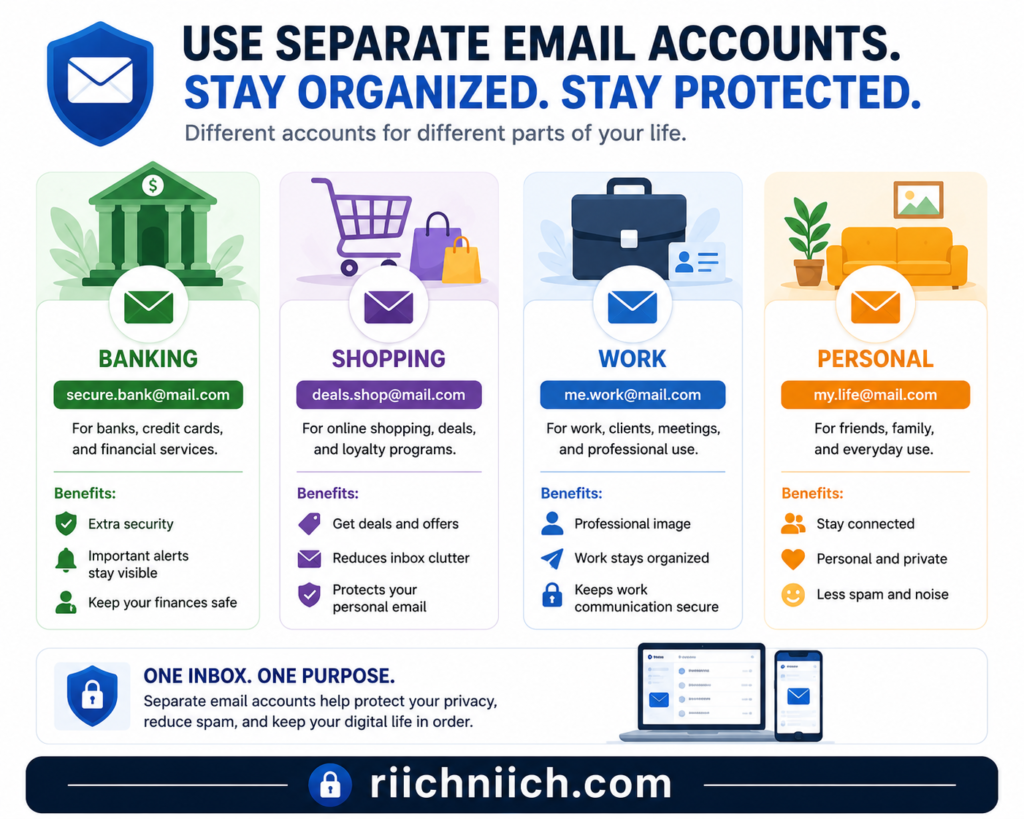
Use a Different Email Address for Sensitive Accounts
Consider using separate email addresses for different parts of your life.
For example:
- One email for banking and financial accounts
- One for work
- One for online shopping
- One for newsletters and promotions
If one email address is exposed, separating your accounts helps limit how much information cybercriminals can connect to you.
Only Share Your Email With Trusted Websites
Every time you enter your email address online, there’s a possibility it could eventually be exposed through a future data breach.
Before creating a new account, ask yourself:
- Do I trust this website?
- Is creating an account necessary?
- Does this company have a good reputation for protecting customer information?
Limiting where you share your email reduces your overall exposure.
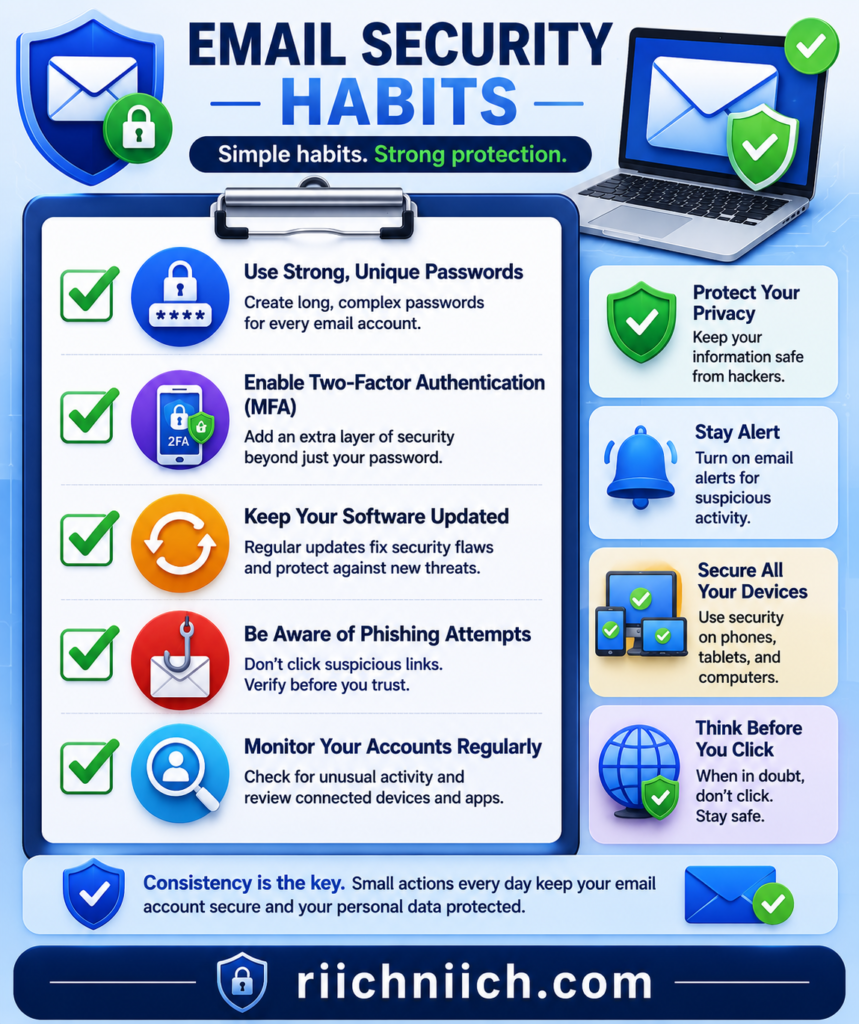
Use Strong, Unique Passwords Everywhere
Even if your email address becomes publicly known, unique passwords help prevent attackers from accessing your accounts.
Avoid:
- Reusing passwords
- Using simple passwords
- Sharing passwords with others
- Saving passwords in unsecured documents
A password manager makes it much easier to maintain strong security across dozens of accounts.
Enable Multi-Factor Authentication on Every Important Account
Multi-factor authentication should be enabled on every account that supports it, especially:
- Banking
- Shopping
- Social media
- Password managers
- Cloud storage
This extra security layer can stop unauthorized access even if someone discovers your password.
Keep Your Devices Updated
Software updates often contain important security patches that fix newly discovered vulnerabilities.
Keep updated:
- Operating system
- Web browser
- Email applications
- Antivirus software
- Mobile devices
Ignoring updates can leave your devices vulnerable to malware and other cyber threats.
Be Careful With Phishing Emails
One of the easiest ways criminals obtain email credentials is through phishing attacks.
Before clicking links or downloading attachments:
- Confirm the sender is legitimate.
- Check for unusual wording or spelling mistakes.
- Avoid entering passwords through links in unsolicited emails.
- Visit websites directly by typing their address into your browser.
Developing these habits greatly reduces your chances of becoming a victim.
Review Your Account Security Regularly
Good security isn’t something you set up once and forget.
Every few months, review:
- Connected devices
- Third-party app permissions
- Recovery email addresses
- Recovery phone numbers
- Security notifications
- Login history
Regular reviews help you catch suspicious activity before it becomes a larger problem.
Monitor for New Data Breaches
Because new data breaches happen every year, protecting your email should be an ongoing process rather than a one-time task.
Many people choose identity monitoring services that continuously watch for:
- New data breaches
- Dark web exposure
- Suspicious activity involving personal information
- Identity theft warning signs
Receiving early alerts allows you to secure your accounts before criminals can take advantage of newly exposed information.
Build Long-Term Email Security Habits
The reality is that you can’t control whether another company experiences a data breach, but you can control how well you protect your own accounts. Understanding how to know if your email was leaked and following good cybersecurity habits makes it much harder for criminals to exploit your personal information.
By limiting where you share your email address, using unique passwords, enabling multi-factor authentication, staying alert for phishing scams, and monitoring for new security threats, you’ll be far better prepared if another data breach occurs in the future.
Who This Is For
If you’ve been searching for how to know if your email was leaked, this guide is designed to help you understand the warning signs, reduce your risk, and take practical steps to protect your personal information. Whether you’ve already received a data breach notification or simply want to improve your online security, the information in this article can help you make informed decisions before a small problem becomes a much bigger one.
This guide is especially helpful for:
People Who Received a Data Breach Notification
If a company has informed you that your information may have been involved in a data breach, it’s natural to wonder whether your email address was exposed. This article explains what to look for and what actions you should take immediately to help secure your accounts.
Anyone Suddenly Receiving More Spam Emails
A noticeable increase in spam or phishing emails can sometimes indicate that your email address has been added to lists used by cybercriminals. If your inbox has recently become flooded with suspicious messages, this guide can help you understand the possible causes and how to respond.
Individuals Concerned About Identity Theft
Your email account is connected to many of your most valuable online accounts, including banking, shopping, healthcare, and social media. Learning how to know if your email was leaked can help you detect potential problems early and reduce your chances of becoming a victim of identity theft.
People Who Reuse Passwords Across Multiple Accounts
If you’ve used the same password for more than one website, an exposed email address can create additional risk. This guide explains why unique passwords, multi-factor authentication, and ongoing account monitoring are important for protecting your information.
Families Looking to Improve Their Online Security
Parents often manage multiple online accounts for themselves and their children. Understanding how email leaks happen and how to respond can help families better protect sensitive personal information and reduce the risk of fraud.
Seniors Who Want to Stay Safe Online
Older adults are frequently targeted by phishing scams and fraudulent emails. This guide provides straightforward recommendations that can help seniors recognize warning signs, secure their email accounts, and avoid common cyber threats.
Anyone Who Wants Better Long-Term Email Security
Even if your email hasn’t been exposed, adopting strong security habits now can help reduce your risk in the future. Preventing problems is often much easier than recovering from identity theft or an account takeover after the damage has already been done.
No matter your level of technical experience, understanding how to know if your email was leaked is an important part of protecting your digital life. By recognizing the warning signs early and following the security recommendations in this guide, you can better safeguard your email, online accounts, and personal information.
Is It Worth Checking If Your Email Was Leaked?
Yes—checking whether your email has been exposed is absolutely worth it. Your email account is often the gateway to your most important online accounts, including banking, credit cards, shopping websites, healthcare portals, social media, cloud storage, and even password managers. Learning how to know if your email was leaked can help you identify potential security risks early and take action before they lead to identity theft or financial fraud.
Many people assume they would immediately know if their email had been exposed, but that’s rarely the case. In reality, stolen email addresses are often bought, sold, and shared among cybercriminals long before any obvious warning signs appear. By the time you notice unusual activity, criminals may have already attempted to access your accounts.
Why Checking Early Matters
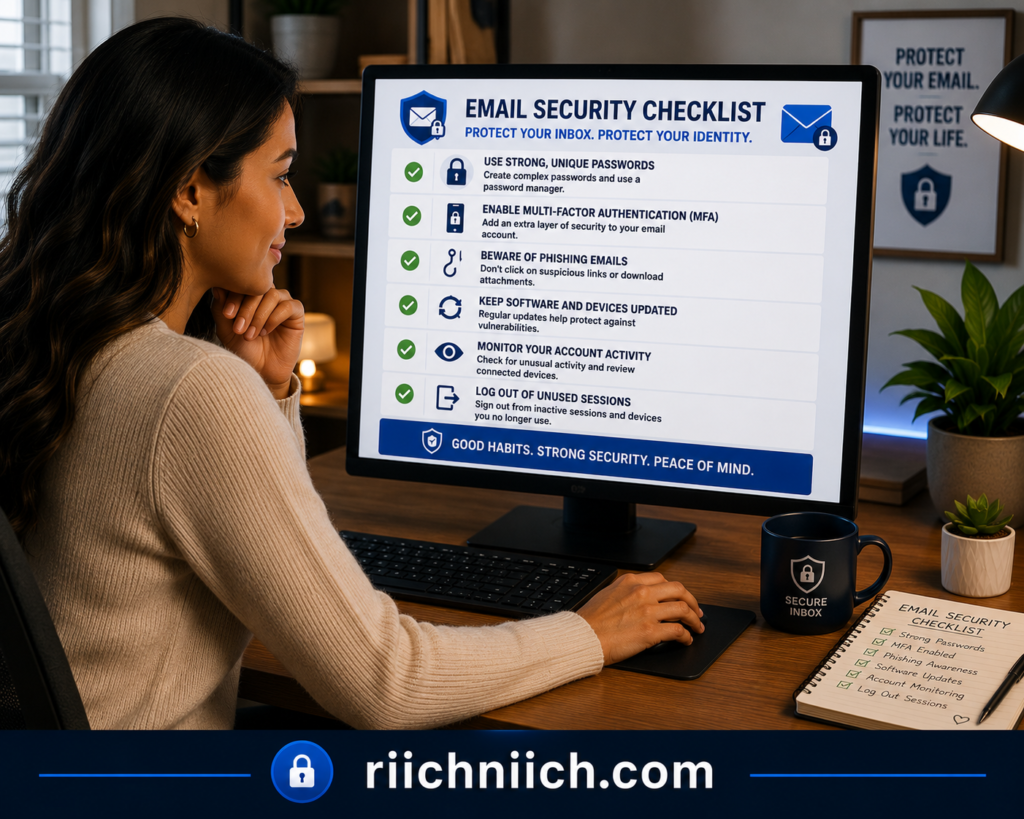
Finding out that your email address has been exposed gives you the opportunity to:
- Change your passwords before accounts are compromised.
- Enable multi-factor authentication.
- Review recent login activity.
- Update recovery information.
- Watch for phishing emails.
- Monitor your financial accounts for suspicious activity.
These simple steps can significantly reduce your risk of becoming a victim of account takeover or identity theft.
One-Time Checks vs. Ongoing Protection
Checking your email after hearing about a data breach is a smart first step, but it shouldn’t be your only line of defense.
New data breaches occur regularly, and your information could be exposed months or even years after your last security check. That’s why many cybersecurity professionals recommend combining good security habits with continuous identity monitoring that can alert you if your personal information appears in future data breaches or other suspicious activity.
This proactive approach allows you to respond much faster than waiting until fraudulent activity occurs.
The Cost of Waiting
Ignoring the possibility that your email was exposed can lead to much larger problems later, including:
- Account takeovers
- Identity theft
- Financial fraud
- Phishing attacks
- Unauthorized password resets
- Loss of access to important online accounts
Recovering from these situations often requires far more time and effort than taking preventive action today.
A Small Step That Can Make a Big Difference
Understanding how to know if your email was leaked isn’t just about satisfying your curiosity—it’s about protecting your digital identity. Whether your email has already been exposed or you’re simply trying to stay ahead of future threats, taking a few minutes to secure your accounts can save you countless hours of frustration down the road.
If you’re serious about protecting your personal information, consider pairing strong passwords, multi-factor authentication, and safe browsing habits with an identity monitoring service that provides ongoing alerts for new data breaches and suspicious activity. Continuous monitoring can help you detect problems earlier and respond before criminals have the opportunity to misuse your information.
Best Tools to Help Protect Your Email and Online Identity
Learning how to know if your email was leaked is an important first step, but protecting your information requires more than simply recognizing the warning signs. Cybercriminals are constantly looking for new ways to exploit stolen email addresses, which is why using the right security tools can make a significant difference.
The following types of tools can help reduce your risk of account takeovers, phishing attacks, and identity theft.
If you’re comparing different security solutions before choosing one, our guide to the Best Identity Theft Protection Services can help you find the right option for your needs.
Identity Monitoring Services
Identity monitoring services continuously watch for signs that your personal information has been exposed or misused.
Many services monitor for:
- New data breaches
- Dark web exposure
- Identity theft warning signs
- Changes involving your personal information
- Fraud alerts
👉 If you’re looking for a dedicated identity monitoring service, Identity Guard provides continuous monitoring, dark web alerts, and identity theft notifications to help you detect potential threats before they become more serious.
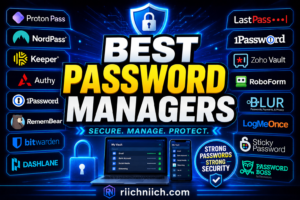
Password Managers
Weak or reused passwords are one of the biggest reasons cybercriminals successfully access online accounts.
A password manager helps you:
- Generate strong passwords
- Store passwords securely
- Use a different password for every account
- Reduce the risk of credential stuffing attacks
👉 Using a reputable password manager such as NordPass makes it much easier to create strong, unique passwords for every account without having to remember them yourself.
Multi-Factor Authentication Apps
Multi-factor authentication adds another layer of protection beyond your password.
Even if someone obtains your email credentials, they’ll still need the second verification method before they can sign in.
Many email providers support authentication apps, making this one of the most effective security improvements you can enable.
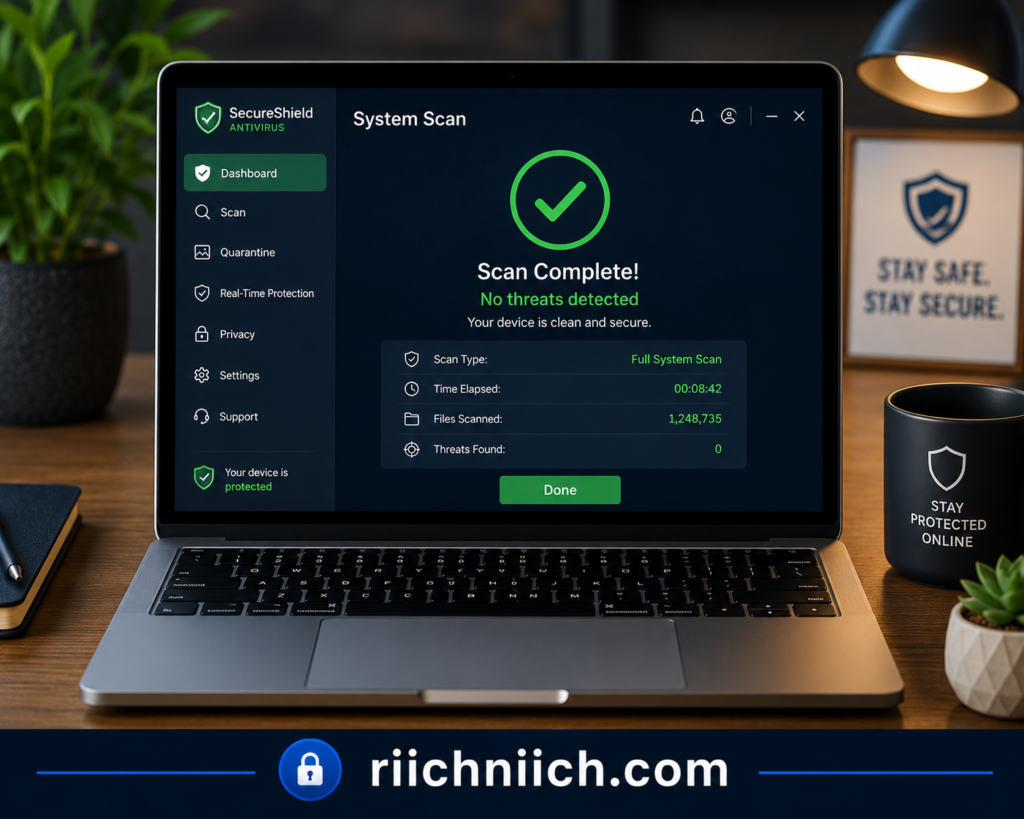
Antivirus Software
Modern antivirus software does much more than remove viruses.
Many security suites also help detect:
- Malware
- Spyware
- Ransomware
- Malicious downloads
- Suspicious websites
Keeping your devices protected reduces the chances of criminals stealing your login credentials.
VPN Services
When using public Wi-Fi, your internet traffic may be more vulnerable to interception.
A reputable VPN encrypts your internet connection, helping protect your email login sessions and other sensitive information when you’re connected to hotels, airports, coffee shops, or other public networks.
While a VPN cannot prevent data breaches at companies you use, it does provide an additional layer of privacy during everyday browsing.
Data Removal Services
Many people don’t realize how much of their personal information is available through data broker websites.
Data removal services work to reduce your online exposure by requesting the removal of your information from many of these sites.
Reducing publicly available personal information can make it harder for scammers to build convincing phishing attacks around your email address.
Email Security Features
Most email providers already include useful security tools that many people never activate.
Consider enabling features such as:
- Spam filtering
- Phishing protection
- Login alerts
- Security notifications
- Suspicious activity detection
- Multi-factor authentication
Taking advantage of these built-in protections can improve your email security without any additional cost.
Choosing the Right Combination
No single tool can completely protect your online identity. The strongest protection comes from combining several layers of security.
For many people, a good security setup includes:
- A password manager
- Multi-factor authentication
- Antivirus software
- A VPN for secure browsing
- Identity monitoring
- Regular account reviews
This layered approach makes it much more difficult for cybercriminals to exploit an exposed email address.
Investing in Prevention Is Often Worth It
Understanding how to know if your email was leaked helps you recognize potential problems, but prevention is what helps keep those problems from becoming identity theft or financial fraud.
While many security features are available at no cost, comprehensive identity monitoring services can provide additional peace of mind by continuously monitoring for new data breaches, dark web exposure, and suspicious activity involving your personal information. For individuals with multiple online accounts or sensitive financial information, investing in these tools can be a practical way to strengthen long-term security.
Common Mistakes People Make After Their Email Is Leaked
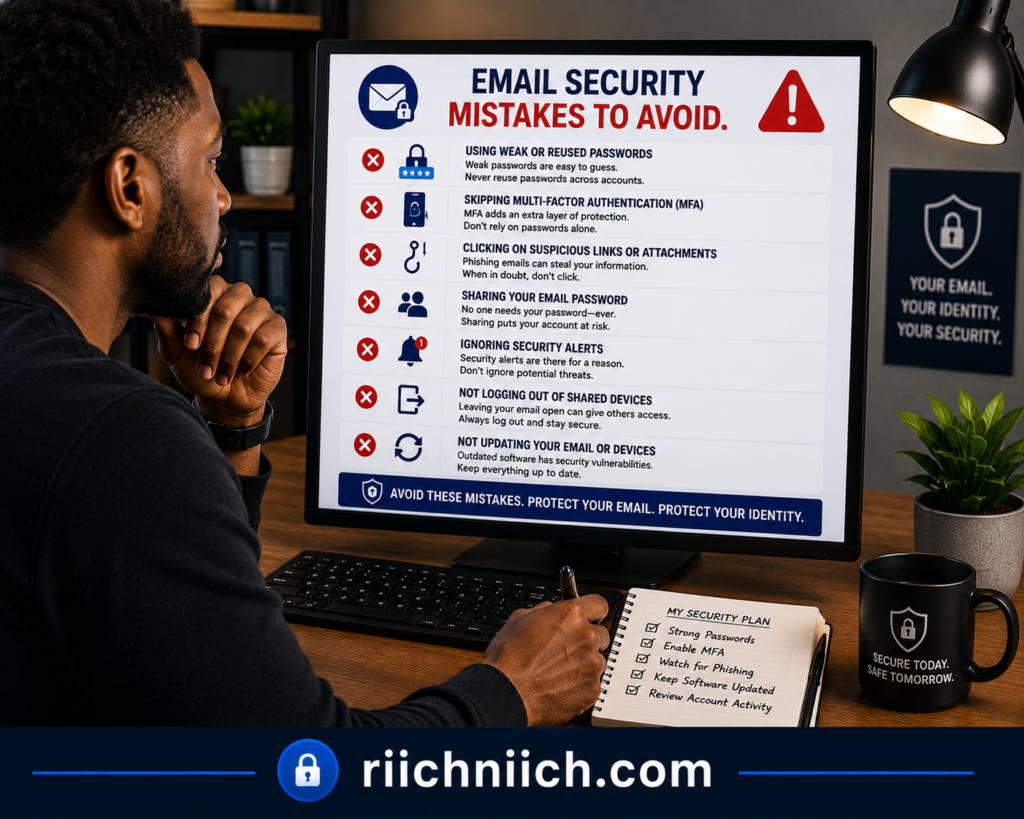
Discovering that your email address has been exposed can be stressful, but what you do next can make a significant difference. Many people take a few basic precautions and assume the problem is solved, while others ignore the warning signs altogether. Understanding how to know if your email was leaked is only part of the process—avoiding these common mistakes can help protect your accounts and reduce your risk of identity theft.
Waiting Too Long to Change Your Password
One of the biggest mistakes is delaying a password change.
If your email address was exposed during a data breach and you continue using the same password, you’re giving cybercriminals more time to attempt unauthorized access.
Change your password as soon as you suspect your email has been leaked, and make sure the new password is unique.
Reusing the Same Password on Multiple Accounts
Many people change the password for their email account but leave the same password on shopping sites, social media accounts, or financial services.
If you reuse passwords, attackers may still gain access through credential stuffing attacks.
Instead, create a different password for every important account.
Ignoring Multi-Factor Authentication
Strong passwords are important, but they’re even more effective when combined with multi-factor authentication (MFA).
Unfortunately, many users never enable MFA because they believe it’s inconvenient. In reality, it only takes a few extra seconds to verify your identity and can prevent many unauthorized login attempts.
Falling for Follow-Up Phishing Scams
After a data breach, scammers often increase their phishing efforts because they know exposed email addresses are more likely to respond.
Be cautious of emails claiming to:
- Verify your account
- Confirm suspicious activity
- Offer compensation after a breach
- Request password updates
- Ask for personal information
Always verify messages before clicking links or downloading attachments.
Forgetting to Review Account Settings
Changing your password is important, but it’s not enough if someone has already accessed your account.
Take time to review:
- Recovery email addresses
- Recovery phone numbers
- Connected devices
- Third-party apps
- Email forwarding rules
These settings can reveal unauthorized changes that would otherwise go unnoticed.
Ignoring Security Alerts
Some people dismiss login notifications or password reset emails because they assume they’re harmless.
Never ignore unexpected security alerts.
They may indicate that someone is actively attempting to access your accounts, giving you an opportunity to secure them before damage occurs.
Assuming the Problem Is Over
A common misconception is that changing your password immediately solves everything.
Unfortunately, cybercriminals may continue using your exposed email address in phishing campaigns, spam attacks, or future credential stuffing attempts.
That’s why ongoing monitoring is just as important as your initial response.
Not Monitoring for Future Data Breaches
Data breaches happen regularly, and your information could appear in another incident months or years later.
Instead of checking your accounts only once, continue monitoring your:
- Email security alerts
- Financial accounts
- Login activity
- Personal information
- Identity theft warning signs
Many people choose identity monitoring services because they provide continuous alerts if new threats involving their personal information are detected.
Protecting Yourself Moving Forward
Understanding how to know if your email was leaked helps you respond quickly, but avoiding these common mistakes helps protect you long after the initial exposure.
By changing passwords immediately, enabling multi-factor authentication, reviewing your account settings, staying alert for phishing scams, and monitoring your identity over time, you can greatly reduce the chances that an exposed email address leads to more serious problems.
Real-World Example: What Can Happen After an Email Leak
It’s easy to assume that an exposed email address isn’t a big deal. After all, many people freely share their email addresses every day. However, the real danger isn’t simply that someone knows your email address—it’s what criminals can do with it when it’s combined with other stolen information. Understanding how to know if your email was leaked can help you recognize the warning signs before a small security issue turns into a much larger problem.
Consider the following example.
A Typical Chain of Events
Imagine Sarah creates an account with an online retailer using her personal email address. Months later, the retailer experiences a data breach, exposing customer email addresses and other account information.
At first, Sarah doesn’t notice anything unusual.
A few weeks later, she begins receiving:
- More spam emails than usual
- Fake package delivery notifications
- Fraudulent banking emails
- Password reset requests she didn’t initiate
Because everything still appears normal, she ignores them.
The Situation Gets Worse
A few days later, cybercriminals attempt to log in to Sarah’s online accounts using her exposed email address and passwords collected from previous data breaches.
Since she reused the same password on multiple websites, one of the login attempts succeeds.
The attackers then:
- Change her password.
- Update her recovery email.
- Access stored personal information.
- Attempt to reset passwords on additional accounts.
Without realizing it, Sarah has lost control of one of her online accounts.
The Financial Risks Begin
Once criminals gain access to an email account, they often search for valuable information.
They may look for:
- Banking emails
- Credit card statements
- Tax documents
- Online shopping accounts
- Password reset links
- Personal identification information
This information can be used to commit identity theft or financial fraud.
The Recovery Process
Fortunately, Sarah notices unusual account activity before more damage occurs.
She immediately:
- Changes all of her passwords.
- Enables multi-factor authentication.
- Reviews connected devices.
- Updates her recovery information.
- Monitors her financial accounts.
- Enrolls in an identity monitoring service to receive alerts if her personal information appears in future data breaches.
Because she acted quickly, she was able to regain control of her accounts before suffering significant financial losses.
The Lesson
This example shows why an email leak should never be ignored. While not every exposed email address leads to identity theft, every data breach increases the opportunities available to cybercriminals.
Learning how to know if your email was leaked allows you to recognize suspicious activity early and respond before attackers gain access to your most important accounts.
The combination of strong passwords, multi-factor authentication, careful monitoring, and identity monitoring can significantly reduce the likelihood that an exposed email address becomes a much larger security problem.
For additional information about responding to data breaches and protecting your personal information, review guidance from the Cybersecurity and Infrastructure Security Agency (CISA), the Federal Trade Commission (FTC), and the National Institute of Standards and Technology (NIST). These trusted organizations provide practical recommendations for improving online security and reducing your risk of identity theft.
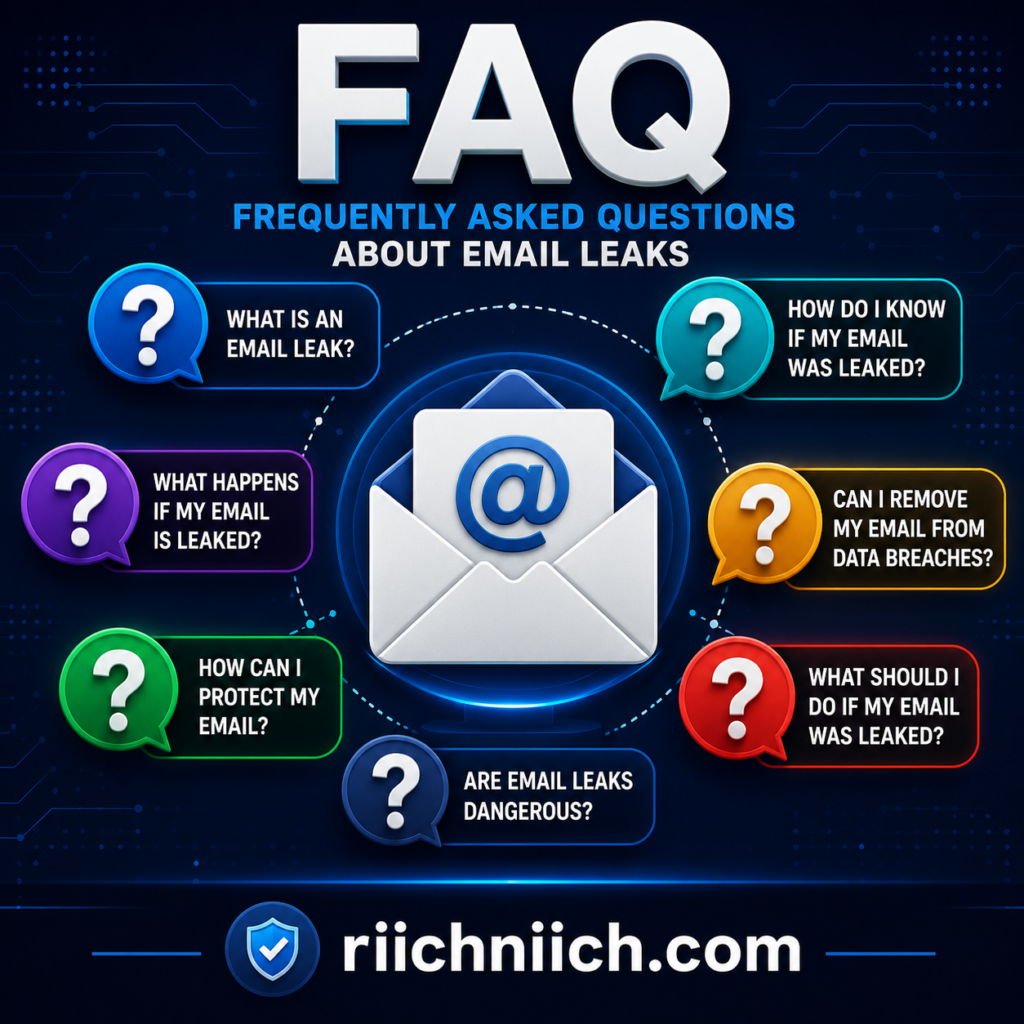
Frequently Asked Questions About How to Know If Your Email Was Leaked
Below are answers to some of the most common questions people have about how to know if your email was leaked and what steps to take if they believe their personal information has been exposed.
Can someone steal my identity with just my email address?
An email address alone usually isn’t enough to commit identity theft. However, if cybercriminals combine your email address with passwords, phone numbers, Social Security numbers, or other personal information obtained through data breaches, the risk increases significantly. That’s why it’s important to secure your email account and monitor your personal information for suspicious activity.
Does getting more spam emails mean my email was leaked?
Not always. Spam emails can increase for several reasons, including signing up for newsletters or sharing your email publicly. However, a sudden and dramatic increase in spam—especially phishing emails or fake password reset messages—may indicate that your email address has been exposed in a data breach.
What should I do first if I think my email was leaked?
Start by changing your email password immediately and enabling multi-factor authentication if you haven’t already. Then review your recent login history, update your recovery information, and change passwords for any accounts that used the same password.
Can I keep using the same email address after it has been leaked?
In many cases, yes. Simply having your email address exposed doesn’t necessarily mean you need to abandon it. If you secure your account with a strong password, enable multi-factor authentication, and monitor for suspicious activity, you can often continue using the same email safely.
However, if your inbox becomes overwhelmed with spam or your account is repeatedly targeted, creating a new email address for sensitive accounts may be worth considering.
How often should I check my email security?
It’s a good idea to review your account security several times a year or whenever you receive a security alert, password reset request, or data breach notification. Regularly checking your login history, connected devices, and recovery settings helps identify suspicious activity early.
Can a data breach affect accounts besides my email?
Yes. Your email account is connected to many other online services, including banking, shopping, healthcare, social media, and cloud storage. If criminals gain access to your email account, they may attempt to reset passwords for many of these connected accounts.
Is changing my password enough after a data breach?
Changing your password is one of the most important steps, but it shouldn’t be your only response. You should also enable multi-factor authentication, review account settings, remove unknown devices, monitor financial accounts, and continue watching for suspicious activity involving your personal information.
Should I use an identity monitoring service?
If you have multiple online accounts or you’re concerned about identity theft, an identity monitoring service can provide additional peace of mind. Many services continuously monitor for new data breaches, dark web exposure, suspicious activity, and identity theft warning signs, allowing you to respond more quickly if your personal information is compromised.
How can I reduce the chances of my email being leaked again?
While no one can prevent every future data breach, you can reduce your risk by:
- Using strong, unique passwords.
- Enabling multi-factor authentication.
- Limiting where you share your email address.
- Keeping your devices updated.
- Avoiding phishing scams.
- Monitoring your accounts regularly.
- Using identity monitoring for ongoing protection.
What’s the biggest takeaway?
The most important thing to remember is that learning how to know if your email was leaked allows you to act before criminals can take advantage of your information. Responding quickly, strengthening your account security, and monitoring for future threats can significantly reduce your risk of identity theft and financial fraud.
If your email exposure is part of a larger security incident, don’t miss our step-by-step guide on What to Do Immediately If Your Identity Is Stolen.
Conclusion: How to Know If Your Email Was Leaked
Learning how to know if your email was leaked is one of the smartest steps you can take to protect your online identity. Your email account is connected to many of your most valuable accounts, including banking, shopping, healthcare, social media, and cloud storage. If it becomes exposed in a data breach, cybercriminals may use it to launch phishing attacks, attempt account takeovers, or gather more personal information for identity theft.
The good news is that you don’t have to wait until something goes wrong to take action. By watching for warning signs like unexpected spam, password reset requests, unfamiliar login alerts, and suspicious account activity, you can often detect problems early and secure your accounts before criminals cause serious damage.
Just as important, building strong security habits can help reduce your long-term risk. Using unique passwords, enabling multi-factor authentication, reviewing your account settings regularly, staying alert for phishing scams, and limiting where you share your email address all make it much harder for attackers to misuse your information.
If you manage multiple online accounts or want an extra layer of protection, investing in a reputable identity monitoring service can be a worthwhile decision. Continuous monitoring for new data breaches, dark web exposure, and suspicious activity provides ongoing protection that one-time security checks simply can’t offer. When combined with a password manager, antivirus software, and good cybersecurity practices, identity monitoring can help you stay one step ahead of emerging threats.
Ultimately, understanding how to know if your email was leaked isn’t just about discovering whether your information has been exposed—it’s about taking control of your digital security before small issues become costly problems. A few proactive steps today can help protect your personal information, reduce your risk of identity theft, and give you greater confidence every time you log in to your online accounts.
Pingback: Why Am I Getting So Many Spam Emails? - Riich Niich