

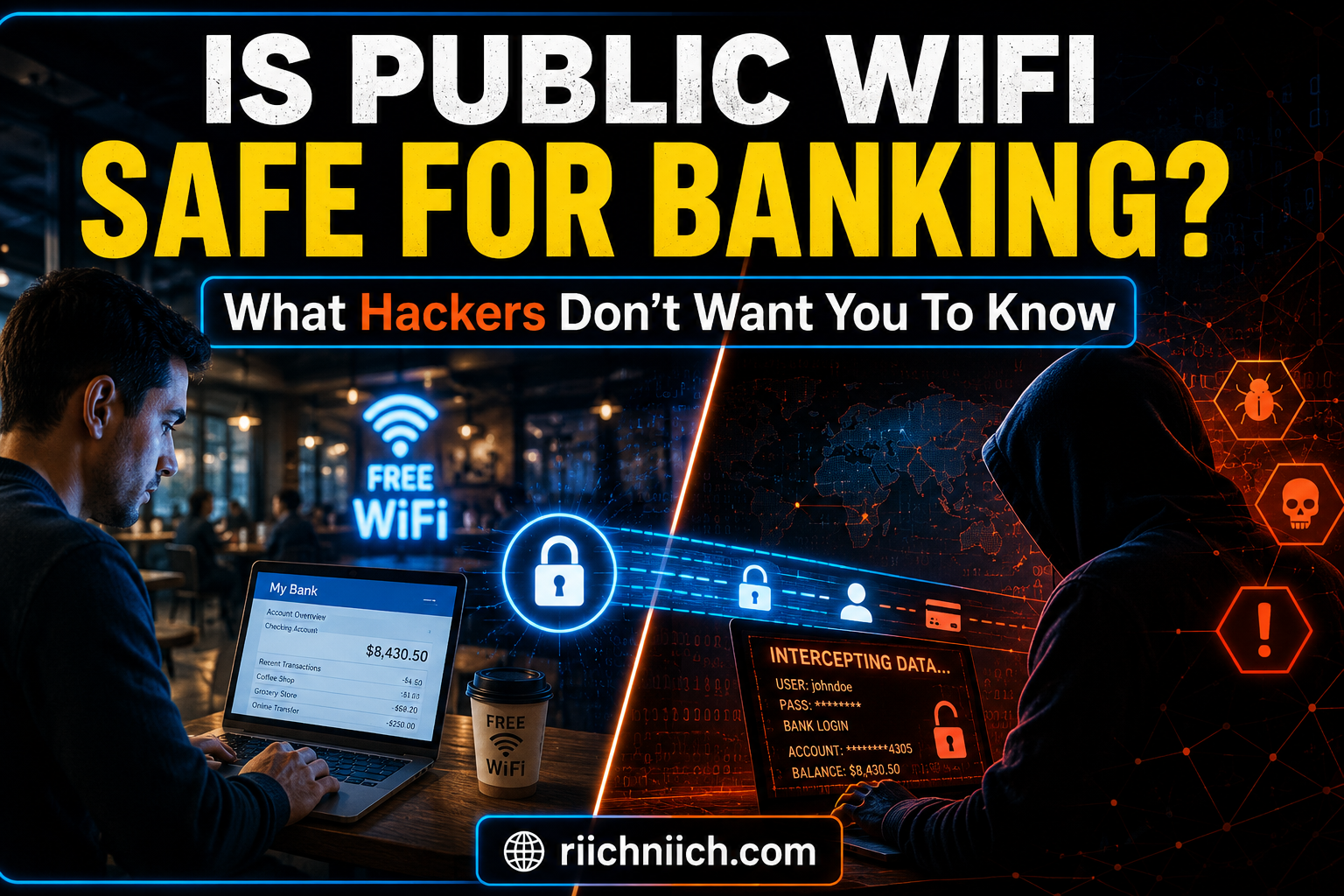
Is public WiFi safe for banking? If you’ve ever checked your bank account from a coffee shop, airport, hotel, or other public hotspot, you’ve probably wondered whether your financial information is truly secure. While public WiFi offers convenience, it can also expose users to risks such as fake networks, data interception, phishing attacks, and credential theft.
The good news is that online banking on public WiFi can be much safer when you understand the risks and take the right precautions. In this guide, you’ll learn how hackers target banking users on public networks, the warning signs of unsafe WiFi connections, and the best ways to protect your bank account. We’ll also cover whether a VPN is worth using and recommend some of the best VPNs for secure online banking on public WiFi.
If you’re concerned about more than just public WiFi risks, our guide on How to Protect Your Personal Data Online covers additional steps you can take to keep sensitive information secure.
Table of Contents
What Is Public WiFi?
Public WiFi is any wireless internet network that is available for public use, often without requiring a private password. You can find public WiFi in coffee shops, airports, hotels, restaurants, shopping centers, libraries, and other public places. If you’re unfamiliar with the broader security risks of public networks, check out our guide to Public WiFi Dangers.These networks provide convenient internet access when you’re away from home or using mobile data.
Many people connect to public WiFi to browse websites, check email, shop online, stream content, and even access financial accounts. However, before using public WiFi for sensitive activities, it’s important to understand the security risks involved. This is why so many people ask, “Is public WiFi safe for banking?”
While some public WiFi networks use basic security measures, many are not designed to protect sensitive personal or financial information. Because multiple users share the same network, cybercriminals may attempt to intercept data, monitor activity, or create fake hotspots that appear legitimate.
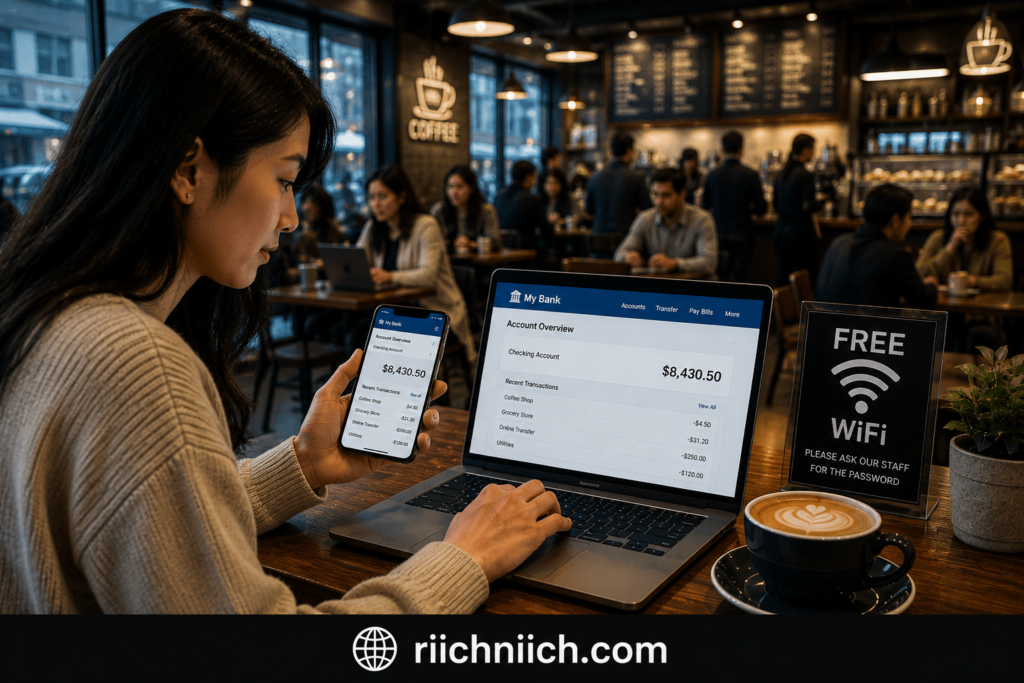
If you’re considering online banking on public WiFi, it’s essential to know that not all networks offer the same level of protection. The safety of banking on public WiFi often depends on the security of the network, the websites you visit, and the precautions you take to protect your information.
According to guidance from the Federal Trade Commission and the Cybersecurity and Infrastructure Security Agency, users should be cautious when transmitting sensitive information over public networks and take steps to secure their devices and connections whenever possible.
Understanding how public WiFi works is the first step toward answering the question, is public WiFi safe for banking. In the following sections, we’ll look at the specific risks involved and what you can do to protect your bank account and personal information when using public networks.
Why People Use Public WiFi For Banking
Despite the potential risks, millions of people use public WiFi for banking every day. Whether they’re traveling, working remotely, or simply away from home, public networks offer a quick and convenient way to access financial accounts when mobile data or a trusted connection isn’t available.
This convenience is one reason why so many people search for answers to the question, is public WiFi safe for banking?
One of the biggest reasons people use public WiFi for online banking is accessibility. Modern banking apps make it easy to check account balances, transfer funds, pay bills, deposit checks, and monitor transactions from virtually anywhere. When free WiFi is available, many users connect without thinking twice about the security implications.
Another reason is the growing trend of remote work and digital banking. Many people manage their finances during lunch breaks, while traveling for business, or while working from coffee shops and coworking spaces. As online banking becomes more common, banking on public WiFi has become a routine activity for many consumers.
People also tend to trust familiar locations. A hotel, airport, restaurant, or well-known coffee chain may feel secure simply because it is a recognizable business. Unfortunately, cybercriminals often take advantage of this false sense of security by targeting public networks or creating fake WiFi hotspots that appear legitimate.
The increasing use of mobile banking apps has further contributed to this behavior. According to information from the Federal Reserve System, consumers continue to rely heavily on digital banking services for everyday financial management. As a result, more people access sensitive financial information while connected to public networks.
Many users assume that because their bank uses encryption and security features, they are fully protected regardless of the network they use. While banks invest heavily in security, the network itself can still introduce risks that may expose personal information, login credentials, or account activity.
Before deciding whether online banking on public WiFi is worth the risk, it’s important to understand how attackers exploit these networks and what threats may be present. Understanding those risks is essential when evaluating is public wifi safe for banking and determining the safest way to access your financial accounts.
Is Public WiFi Safe For Banking?
The short answer is no. “Is public WiFi safe for banking?” is a question that should be approached with caution. While it is possible to access your bank account on a public network without experiencing any problems, public WiFi introduces risks that do not exist on trusted home or mobile networks.
Public WiFi networks are often shared by dozens or even hundreds of users. Because of this, cybercriminals may attempt to intercept internet traffic, monitor activity, or trick users into connecting to malicious networks. These attacks can potentially expose sensitive information such as usernames, passwords, account numbers, and other personal data.
That does not mean every public WiFi network is dangerous. Many legitimate businesses use modern security measures to protect their networks. However, users rarely know how well a public network is secured or whether someone is actively targeting people connected to it.
When considering is public WiFi safe for banking, the biggest concern is not necessarily the bank itself. Most financial institutions use strong encryption, fraud monitoring, and multi-factor authentication to protect customer accounts. The greater risk often comes from the network between your device and the bank. If you’re evaluating online banking security as a whole, you may also want to read our complete guide, ‘Is Online Banking Safe?’
For example, if a hacker creates a fake WiFi hotspot that looks identical to a hotel’s or coffee shop’s network, users may unknowingly connect to it. Once connected, attackers may be able to monitor traffic, redirect users to fraudulent websites, or collect information that could later be used for identity theft or account compromise.
This is why cybersecurity experts from organizations such as the Cybersecurity and Infrastructure Security Agency recommend avoiding sensitive activities on unsecured public networks whenever possible.
The good news is that banking on public WiFi can be made significantly safer when proper security precautions are used. Tools such as virtual private networks (VPNs), multi-factor authentication, secure banking apps, and encrypted websites help reduce the risks associated with public networks.
If you frequently travel, work remotely, or rely on public internet access, using a trusted VPN can add an important layer of protection by encrypting your connection and making it more difficult for attackers to intercept your data. This is one of the primary reasons security-conscious users invest in VPN services before accessing financial accounts on public networks.
Ultimately, is public WiFi safe for banking depends on the network you’re using and the security measures you have in place. While public WiFi may be convenient, it’s never as secure as a trusted private network. Understanding the risks is the first step toward protecting your financial information and reducing your exposure to cyber threats.
Why Public WiFi Can Be Dangerous For Online Banking
The biggest reason people question is public WiFi safe for banking is because public networks are often less secure than private home or mobile connections. When you access sensitive financial information on a public network, there are additional opportunities for cybercriminals to intercept data, monitor activity, or exploit security weaknesses.
Unlike your home WiFi network, public WiFi is designed to be accessible to many users. The more people connected to the same network, the larger the potential attack surface. In some cases, attackers don’t even need to hack the network itself—they simply take advantage of users who assume the connection is safe.
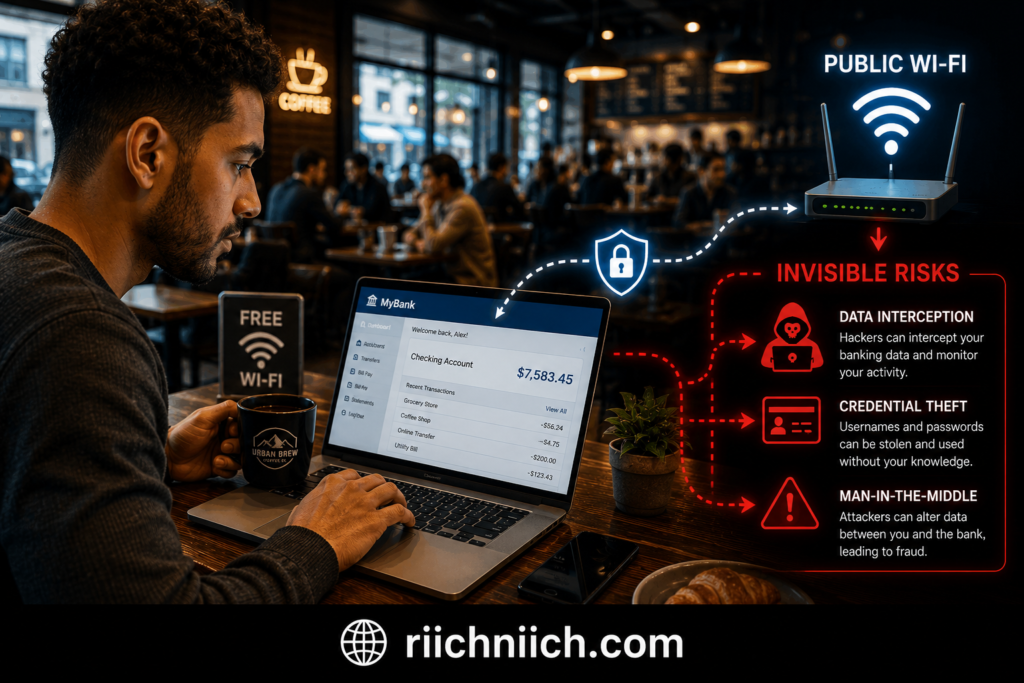
One major concern with banking on public WiFi is that you often have little information about who operates the network, how it is configured, or whether it uses proper encryption. Some networks may have outdated security settings, while others may be completely open and unsecured.
Another danger is the possibility of fake WiFi networks. Cybercriminals can create hotspots with names that closely resemble legitimate networks, such as “Airport Free WiFi” or “Hotel Guest WiFi.” If users connect to these fraudulent networks, attackers may be able to capture login credentials, banking information, and other personal data.
Public WiFi also increases the risk of data interception. While most banks use encrypted connections, attackers may still attempt to exploit vulnerable devices, outdated software, weak passwords, or unsafe browsing habits. This is especially concerning for people who regularly access checking accounts, savings accounts, credit cards, investment platforms, or payment apps while connected to public networks.
According to guidance from the Cybersecurity and Infrastructure Security Agency, users should avoid transmitting sensitive information over untrusted networks whenever possible and take additional security precautions when public internet access is necessary.
Another overlooked risk is device compromise. Public networks may expose devices to malicious activity if security settings are weak or software is outdated. Once a device is compromised, attackers may gain access to saved passwords, financial information, emails, or other sensitive accounts.
This is why many cybersecurity professionals recommend using a VPN when accessing financial accounts on public networks. A VPN encrypts internet traffic and creates a more secure connection, helping reduce the risk of data exposure while banking on public WiFi.
Ultimately, when evaluating is public WiFi safe for banking, the answer comes down to risk management. Public WiFi can be convenient, but it should never be assumed to be secure. Understanding the dangers allows you to take the right precautions and better protect your financial information from potential cyber threats.
How Hackers Steal Banking Information On Public WiFi
Understanding how cybercriminals operate is essential when answering the question, is public WiFi safe for banking. While not every public network is dangerous, hackers often target public WiFi because it provides opportunities to intercept data, trick users, and exploit weak security practices.
Fortunately, most modern banks use strong encryption to protect customer information. However, attackers frequently focus on the connection between your device and the network rather than attacking the bank itself.
Here are some of the most common ways hackers steal banking information on public WiFi.
Man-In-The-Middle Attacks
A man-in-the-middle attack occurs when a hacker secretly positions themselves between your device and the website or app you’re using. Instead of information traveling directly between you and your bank, the attacker intercepts the communication.
In some cases, attackers can monitor traffic, collect sensitive information, or manipulate data being transmitted across the network. This type of attack is one reason many people wonder whether banking on public WiFi is truly safe.
Fake WiFi Hotspots
One of the easiest attacks for cybercriminals is creating a fraudulent WiFi network that looks legitimate.
For example, a hacker may create a hotspot named:
- Airport Free WiFi
- Hotel Guest Network
- Coffee Shop WiFi
Many users connect without verifying the network owner. Once connected, the attacker may be able to monitor internet activity or redirect users to fake login pages designed to steal credentials.
This technique is particularly dangerous because victims often don’t realize they’ve connected to a malicious network.
Session Hijacking
When you log into websites or apps, your device receives temporary session information that keeps you signed in. In certain situations, attackers may attempt to steal these session credentials and impersonate the user.
If successful, the attacker could potentially access accounts without needing the actual username and password.
Although modern security measures have made session hijacking more difficult, unsecured public networks can still increase the risk.
Malware Distribution
Some cybercriminals use public WiFi networks to distribute malicious software.
This can happen through:
- Fake software updates
- Malicious downloads
- Compromised websites
- Fraudulent pop-up messages
Once malware is installed, it may record keystrokes, steal passwords, monitor banking activity, or provide unauthorized access to the device.
According to guidance from the Cybersecurity and Infrastructure Security Agency and the National Institute of Standards and Technology, keeping devices updated and avoiding untrusted downloads are important steps for reducing cyber risks.
Credential Harvesting Through Phishing Pages
Attackers sometimes redirect users to fake login pages that closely resemble legitimate banking websites.
The page may appear identical to your bank’s website, but any information entered is sent directly to the attacker.
These phishing attacks are especially effective when users are distracted, traveling, or rushing to access financial accounts. Understanding How Phishing Scams Work can help you recognize these fraudulent login pages before they steal your information.
Why This Matters For Online Banking
The reality is that most successful attacks target user behavior rather than bank security systems. Cybercriminals look for opportunities created by unsecured networks, weak passwords, outdated software, and unsafe browsing habits.
This is why cybersecurity experts often recommend using a VPN when accessing financial accounts on public networks. A VPN encrypts your internet connection and helps prevent attackers from monitoring your activity while using public WiFi.
When evaluating is public WiFi safe for banking, the biggest takeaway is that public networks create additional risks that do not exist on trusted private connections. Understanding how these attacks work allows you to take the necessary precautions to protect your banking information and reduce the likelihood of becoming a victim of cybercrime.
Can Someone Access Your Bank Account Through Public WiFi?
Yes, under certain circumstances, someone may be able to gain access to your bank account through public WiFi. However, it is important to understand that hackers usually do not break directly into a bank’s systems. Instead, they focus on stealing information from users that can later be used to access financial accounts.
This is one of the main reasons people search for answers to is public WiFi safe for banking.
Modern banks invest heavily in security measures such as encryption, fraud detection systems, login alerts, and multi-factor authentication. These protections make it difficult for criminals to directly attack financial institutions. The greater risk often comes from compromised devices, stolen credentials, or unsafe network connections.
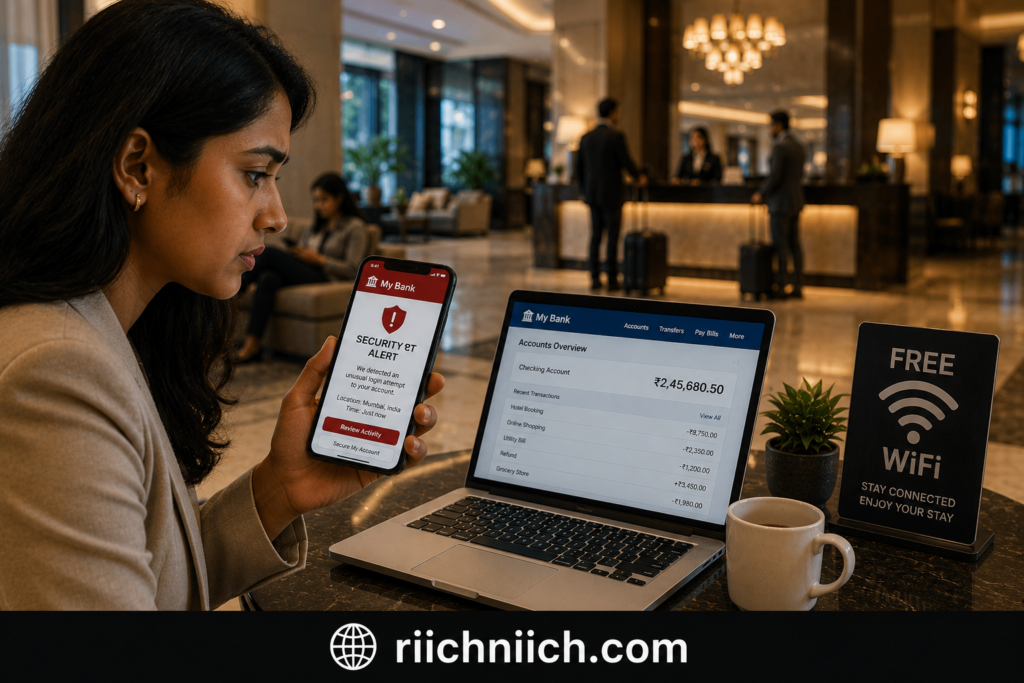
For example, if a cybercriminal captures your banking username and password through a fake WiFi hotspot, phishing page, or malware infection, they may attempt to log into your account later. If additional security measures are not enabled, unauthorized access becomes much easier.
In many cases, attackers are not trying to access your bank account immediately. Instead, they collect valuable information over time, including:
- Banking usernames
- Passwords
- Email addresses
- Phone numbers
- Security question answers
- Personal identification information
This information can then be combined with data from breaches, phishing attacks, or data broker databases to facilitate identity theft or account takeover attempts. If you’re worried your personal information may already be compromised, learn How to Know If Someone Stole Your Identity.
Another risk involves compromised devices. If malware is installed while connected to public WiFi, attackers may be able to monitor your activity long after you leave the network. Some types of malware can record keystrokes, capture screenshots, or steal saved passwords from browsers and apps.
According to recommendations from the Federal Trade Commission and the Cybersecurity and Infrastructure Security Agency, users should enable multi-factor authentication whenever available and avoid transmitting sensitive information over untrusted networks.
The good news is that several security measures can dramatically reduce the risk of account compromise. Using strong passwords, enabling multi-factor authentication, keeping devices updated, and using a reputable VPN can help protect your information while banking on public WiFi.
A VPN is particularly valuable because it encrypts your internet traffic, making it significantly harder for attackers to monitor your connection or intercept sensitive data. For people who frequently travel or work remotely, this added layer of protection can make online banking much safer.
So, when asking is public WiFi safe for banking, the answer is that public WiFi alone does not automatically give hackers access to your bank account. However, public networks can create opportunities for cybercriminals to steal the information needed to access your accounts later. Taking proper security precautions is essential for protecting your finances and personal information whenever you connect to public WiFi.
Common Public WiFi Attacks That Target Banking Users
When people ask is public WiFi safe for banking, they’re often concerned about the specific threats that exist on public networks. While most public WiFi connections are used without incident, cybercriminals frequently target these networks because they provide access to large numbers of potential victims.
Understanding the most common attacks can help you recognize risks and take steps to protect your financial information.
Evil Twin Attacks
An evil twin attack occurs when a hacker creates a fake WiFi network that closely resembles a legitimate one.
For example, you might see two networks available:
- Airport Free WiFi
- Airport_Free_WiFi
At first glance, both appear trustworthy. However, one may be controlled by a cybercriminal. If you connect to the fake network, your internet activity can potentially be monitored, and attackers may attempt to capture login credentials or redirect you to fraudulent websites.
This is one of the most common methods used against travelers and remote workers.
Man-In-The-Middle Attacks
A man-in-the-middle attack happens when an attacker secretly intercepts communication between your device and the website or application you’re using.
Instead of information traveling directly between you and your bank, the attacker positions themselves between both parties and attempts to observe or manipulate the data being exchanged.
This type of attack is a major reason cybersecurity experts warn against accessing sensitive financial accounts on unsecured networks.
Phishing Attacks
Public WiFi users are frequently targeted with phishing scams.
A hacker may display fake login pages, security alerts, software updates, or account verification requests that appear legitimate. The goal is to trick users into voluntarily entering usernames, passwords, banking credentials, or other sensitive information.
Even experienced users can be fooled when a phishing page closely resembles a legitimate banking website.
Session Hijacking
Session hijacking involves stealing authentication information that keeps users logged into websites and apps.
If attackers successfully capture session data, they may be able to impersonate the user without knowing the actual password. Although modern security technologies have reduced this risk, session hijacking remains a concern on poorly secured networks.
Malware Attacks
Some public WiFi attacks focus on infecting devices with malware rather than stealing information immediately.
Attackers may distribute:
- Fake software updates
- Malicious applications
- Infected downloads
- Fraudulent browser alerts
Once installed, malware can collect passwords, monitor banking activity, record keystrokes, and expose sensitive financial information.
According to guidance from the Cybersecurity and Infrastructure Security Agency, keeping software updated and avoiding suspicious downloads are important defenses against malware-based attacks.
Credential Stuffing And Account Takeovers
In some cases, attackers collect usernames and passwords through public WiFi attacks and save them for future use.
These credentials may later be combined with information from data breaches or phishing campaigns to launch account takeover attempts against banking, email, and financial accounts.
This approach is particularly effective when users reuse the same password across multiple websites.
Why These Attacks Matter
Most cybercriminals are not trying to break into a bank’s systems. Instead, they focus on obtaining the information needed to access accounts through the user.
This is why the answer to is public WiFi safe for banking depends heavily on your security practices. Using strong passwords, enabling multi-factor authentication, keeping devices updated, and using a reputable VPN can significantly reduce the risks associated with banking on public WiFi.
Understanding these common attack methods makes it easier to identify potential threats and protect your financial information whenever you connect to a public network. These tactics are only a small part of the many methods covered in our guide on How Hackers Get Your Personal Data.
Warning Signs A Public WiFi Network May Not Be Safe
One of the best ways to protect yourself while banking on public WiFi is learning how to identify suspicious networks before you connect. While not every public hotspot is dangerous, certain warning signs may indicate that a network has been poorly secured or intentionally created by a cybercriminal.
Recognizing these red flags can help you make better decisions when evaluating is public WiFi safe for banking.
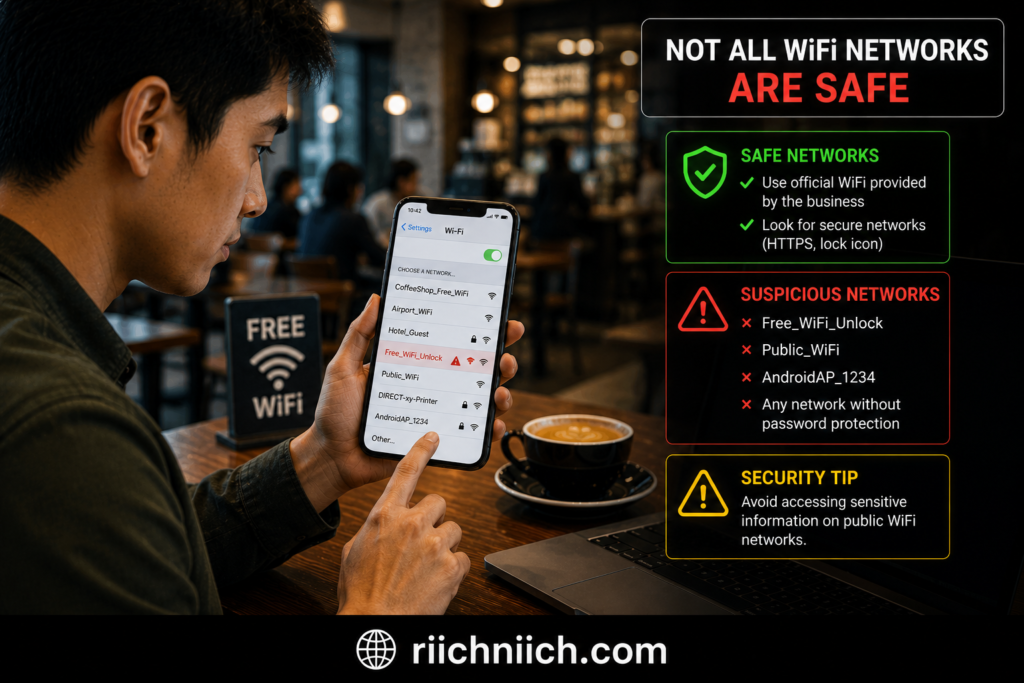
The Network Has No Password Protection
Open WiFi networks that do not require a password are generally less secure than protected networks.
While free access may be convenient, open networks allow anyone nearby to connect. This increases the risk of attackers monitoring activity or targeting connected devices.
If you’re planning to access financial accounts, unsecured networks should be approached with extreme caution.
The Network Name Looks Suspicious
Cybercriminals often create fake hotspots that imitate legitimate businesses.
Examples include:
- Hotel_Guest_Free
- Free_Airport_WiFi
- CoffeeShop_Public
Small spelling differences or unusual naming conventions can indicate that the network is not legitimate.
Whenever possible, verify the correct network name with staff before connecting.
Multiple Similar Network Names Appear
Seeing several nearly identical WiFi networks can be a warning sign.
For example:
- Airport WiFi
- Airport_WiFi
- Airport WiFi Free
- Airport Public WiFi
Attackers frequently rely on confusion to trick users into connecting to fraudulent hotspots.
This tactic is commonly associated with evil twin attacks that target banking users and travelers.
Unexpected Login Pages Or Pop-Ups
Be cautious if a WiFi network immediately redirects you to unusual login screens, software downloads, or account verification requests.
Legitimate public networks may require acceptance of terms and conditions, but requests for banking credentials, email passwords, or software installations should raise immediate concern.
Never enter sensitive information unless you are certain the website is legitimate.
Security Warnings From Your Device
Modern devices often display warnings when connecting to potentially unsafe networks.
These warnings may include:
- Unsecured network alerts
- Certificate errors
- Connection security warnings
- Suspicious website notifications
According to guidance from the Cybersecurity and Infrastructure Security Agency, users should never ignore security alerts that appear while browsing or accessing sensitive information.
Extremely Slow Or Unusual Network Behavior
Although slow internet doesn’t always indicate malicious activity, unusual behavior can sometimes be a warning sign.
Examples include:
- Frequent disconnections
- Constant redirects
- Unexpected browser pop-ups
- Websites loading incorrectly
- Repeated login requests
These issues may suggest network manipulation or attempts to redirect users to fraudulent websites.
File Sharing Is Enabled Automatically
If your device suddenly prompts you to share files, printers, or folders with other users on the network, this should be treated as a security concern.
Public networks should never require access to your personal files or device resources.
Disabling file sharing before connecting to public WiFi can help reduce unnecessary exposure.
Why These Warning Signs Matter
The safest approach is to assume that any public network could potentially be monitored or targeted by cybercriminals. While many public WiFi networks are legitimate, users rarely know who manages the network or what security measures are in place.
This is why many cybersecurity professionals recommend using a VPN when accessing financial accounts on public networks. A VPN encrypts your internet traffic and adds an extra layer of protection against many of the risks associated with public WiFi.
When considering is public WiFi safe for banking, paying attention to these warning signs can help you avoid dangerous networks and significantly reduce the chances of exposing your banking information to attackers.
How To Safely Use Public WiFi For Banking
While public WiFi introduces additional security risks, there are several practical steps you can take to make banking on public WiFi much safer. If you frequently travel, work remotely, or rely on public internet access, following these best practices can help protect your financial information and reduce your exposure to cyber threats.
For anyone wondering is public WiFi safe for banking, the answer often depends on the precautions you take before accessing your accounts.
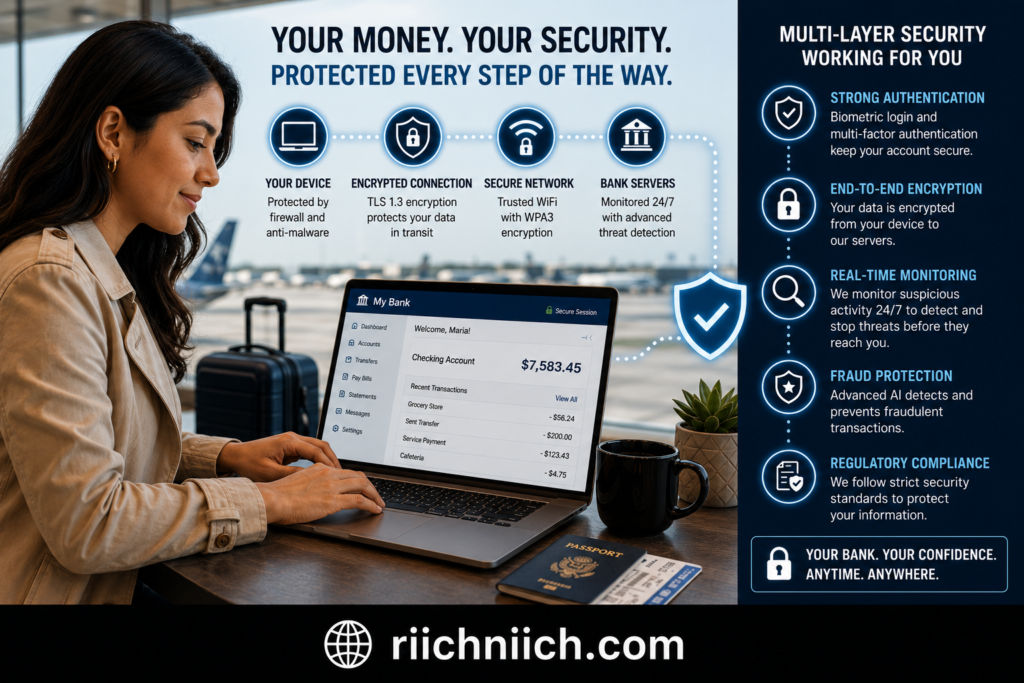
Use A VPN Before Accessing Financial Accounts
A Virtual Private Network (VPN) is one of the most effective tools for securing your internet connection on public WiFi.
A VPN encrypts your internet traffic, making it significantly more difficult for attackers to intercept your data while it travels across the network. Even if someone is monitoring the public WiFi connection, encrypted traffic is far more difficult to exploit.
For people who regularly access checking accounts, savings accounts, credit cards, or investment platforms on public networks, a trusted VPN provides an important additional layer of protection. Not all VPNs offer the same level of protection, which is why we compared the Best VPN for Privacy in a separate guide.
Enable Multi-Factor Authentication
Multi-factor authentication (MFA) adds another security layer beyond your password.
With MFA enabled, logging into your bank account requires an additional verification step such as:
- A text message code
- Authentication app approval
- Biometric verification
- Security key
Even if an attacker obtains your password, MFA can help prevent unauthorized account access.
According to recommendations from the Cybersecurity and Infrastructure Security Agency, multi-factor authentication is one of the most effective defenses against account compromise.
Verify You’re Using The Correct Network
Before connecting, confirm the WiFi network name with staff or official signage.
Cybercriminals frequently create fake hotspots that mimic legitimate networks. Connecting to the wrong network could expose your internet traffic to attackers without your knowledge.
Taking a few seconds to verify the correct network can prevent significant security problems later.
Check For HTTPS Encryption
Whenever you access financial websites, make sure the website uses HTTPS encryption.
You should see:
- A padlock icon in the browser
- “https://” at the beginning of the web address
Most banks automatically use encrypted connections, but it’s still a good habit to verify that your connection is secure before entering sensitive information.
Keep Your Devices Updated
Software updates often include security patches that fix vulnerabilities cybercriminals may try to exploit.
Make sure you regularly update:
- Operating systems
- Banking apps
- Web browsers
- Security software
The National Institute of Standards and Technology recommends keeping software current as a key cybersecurity best practice.
Avoid Public Computers For Banking
Even if the network itself appears safe, public computers present additional risks.
Shared devices may contain:
- Keyloggers
- Malware
- Saved credentials
- Browser tracking tools
Whenever possible, use your own trusted smartphone, tablet, or laptop when accessing financial accounts.
Log Out When Finished
After completing your banking session, log out of your account rather than simply closing the browser or app.
Logging out helps terminate active sessions and reduces the risk of unauthorized access if your device is lost, stolen, or left unattended.
Use Mobile Data When Available
If you’re unsure about a public network’s security, your mobile carrier’s data connection is often the safer choice.
Cellular networks generally provide stronger security protections than unknown public WiFi networks, making them a preferred option for sensitive financial transactions.
The Bottom Line
The question isn’t simply is public WiFi safe for banking. A better question is whether you’re taking the right precautions before accessing your accounts.
Using a VPN, enabling multi-factor authentication, verifying network legitimacy, keeping devices updated, and avoiding unnecessary risks can dramatically improve your security while banking on public WiFi. By following these simple steps, you can significantly reduce your chances of becoming a victim of cybercrime while managing your finances on the go.
Why A VPN Makes Public WiFi Banking Safer
If you’ve been asking yourself is public WiFi safe for banking, one of the most effective ways to reduce the risks is by using a Virtual Private Network (VPN). While no security tool can eliminate every threat, a VPN adds an important layer of protection that helps secure your connection when using public networks.
Public WiFi networks are attractive targets for cybercriminals because multiple users share the same connection. Without additional protection, attackers may attempt to monitor internet traffic, intercept data, or exploit unsecured connections. A VPN helps address many of these risks by encrypting your internet activity before it leaves your device.
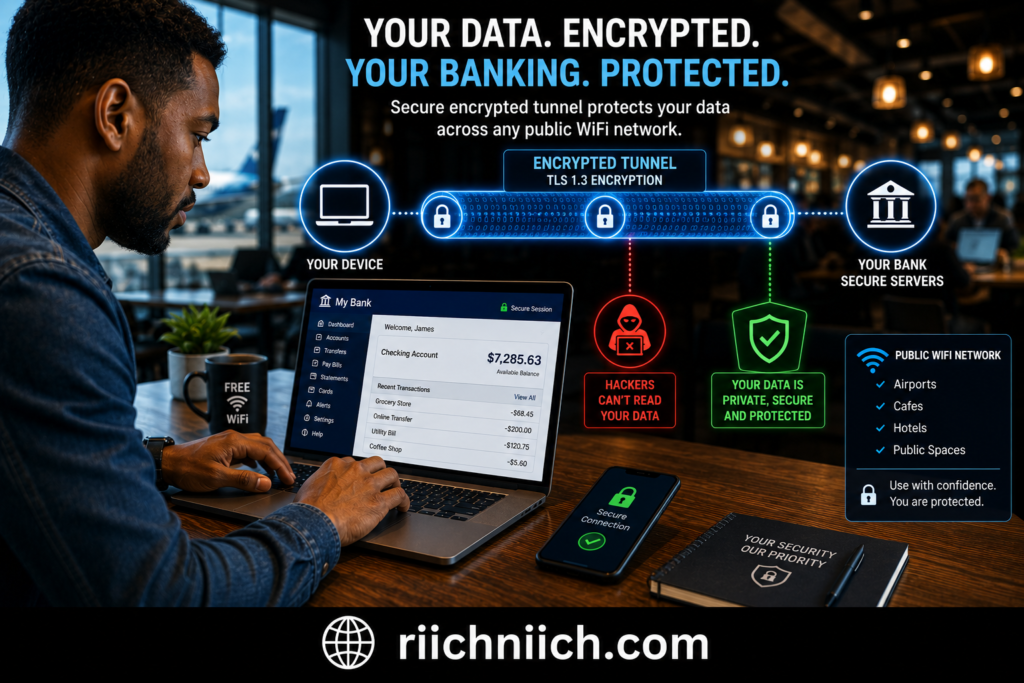
A VPN Encrypts Your Internet Traffic
The primary benefit of a VPN is encryption.
When you connect to a VPN, your internet traffic is scrambled into unreadable data before it travels across the public WiFi network. Even if someone attempts to monitor the connection, they won’t be able to easily view sensitive information such as:
- Banking activity
- Login credentials
- Personal information
- Account details
- Financial transactions
This added encryption makes public WiFi significantly safer for handling sensitive online activities.
A VPN Helps Protect Against Network Snooping
Cybercriminals often look for opportunities to monitor user activity on public networks.
Without a VPN, information traveling across a poorly secured network may be more exposed to observation. A VPN creates a secure tunnel between your device and the VPN server, making it far more difficult for attackers to see what you’re doing online.
This is particularly valuable when checking account balances, transferring money, paying bills, or accessing investment accounts.
A VPN Adds Protection On Untrusted Networks
One challenge with public WiFi is that users rarely know how secure the network actually is.
Even if a hotel, airport, restaurant, or coffee shop appears trustworthy, you have little visibility into:
- Network configuration
- Security settings
- Who else is connected
- Whether attackers are present
A VPN helps reduce uncertainty by providing an extra layer of protection regardless of where you’re connecting.
A VPN Can Help Reduce The Risk Of Certain Attacks
While a VPN cannot prevent every cyber threat, it can help reduce the effectiveness of several common public WiFi attacks.
For example, VPN encryption can make it more difficult for attackers to:
- Monitor internet traffic
- Capture sensitive data
- Intercept communications
- Exploit unsecured network connections
This is one reason why many cybersecurity professionals recommend VPNs for travelers, remote workers, and frequent public WiFi users.
According to recommendations from the Cybersecurity and Infrastructure Security Agency and the National Security Agency, encrypted connections play an important role in protecting sensitive online activity.
A VPN Works Best With Other Security Measures
It’s important to remember that a VPN is only one part of a complete security strategy.
For the best protection while banking on public WiFi, combine a VPN with:
- Multi-factor authentication
- Strong passwords
- Updated software
- Secure banking apps
- Safe browsing habits
These layers work together to reduce your overall risk.
Is A VPN Worth Using For Online Banking?
For most people, the answer is yes.
If you frequently travel, work remotely, use hotel WiFi, visit coffee shops, or access financial accounts away from home, a VPN provides valuable protection for a relatively small cost.
When evaluating is public WiFi safe for banking, a VPN is one of the simplest and most effective tools available for securing your connection. While public WiFi will never be as safe as a trusted private network, using a reputable VPN can significantly improve your security and help protect your financial information from potential cyber threats.
If you’re serious about protecting your financial information on public WiFi, the three VPNs below are the options I would consider first based on security, reliability, and ease of use.
| VPN | Best For | My Rating |
|---|---|---|
| NordVPN | Overall Banking Security | 9.8/10 |
| Surfshark | Best Value | 9.5/10 |
| Proton VPN | Privacy Focused Users | 9.2/10 |
Best VPNs For Secure Online Banking On Public WiFi
If you’re concerned about is public WiFi safe for banking, using a trusted VPN is one of the smartest steps you can take. A VPN encrypts your internet connection, helping protect sensitive financial information from potential threats on public networks.
While there are many VPNs available, some stand out for their security features, ease of use, and ability to protect users while banking on public WiFi.
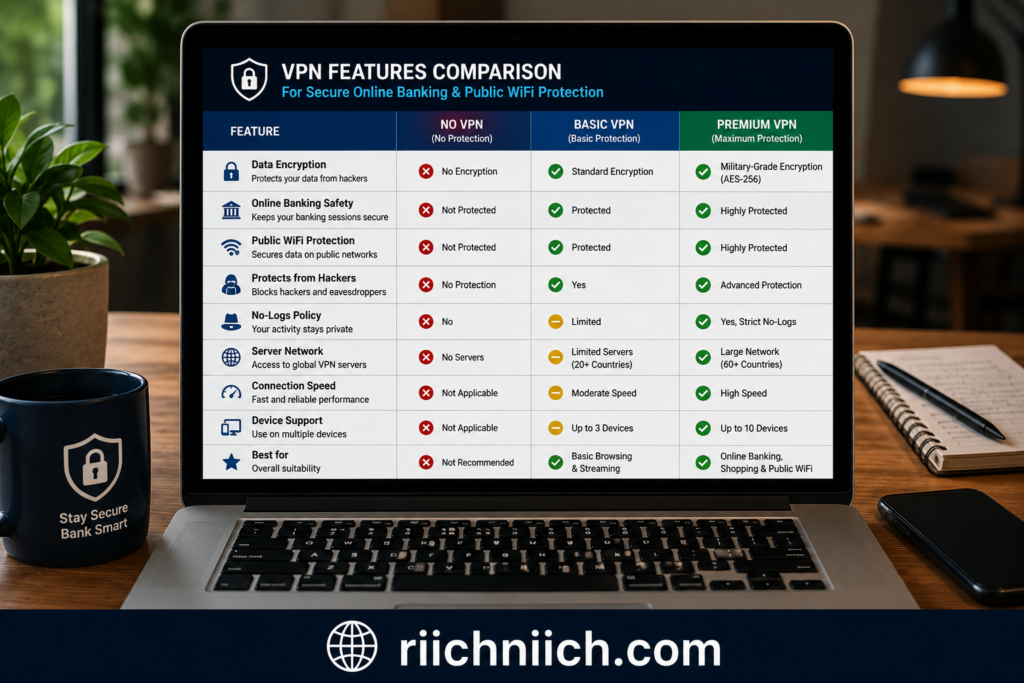
1. NordVPN
NordVPN is one of the most popular VPN services for securing online banking activities.
Key benefits include:
- Strong AES-256 encryption
- Threat Protection features
- Automatic kill switch
- Large global server network
- Fast connection speeds
NordVPN is particularly useful for travelers and remote workers who frequently access financial accounts while connected to hotel, airport, or coffee shop WiFi.
Its combination of security and performance makes it one of the strongest choices for protecting banking information on public networks.
2. Surfshark
Surfshark offers excellent security features at a competitive price.
Highlights include:
- Strong encryption
- Kill switch protection
- Unlimited device connections
- CleanWeb ad and malware blocking
- MultiHop secure connections
For families or users with multiple devices, Surfshark provides outstanding value while maintaining strong protection against many public WiFi threats.
Its user-friendly interface also makes it a good option for beginners who want additional security without a complicated setup process.
3. Proton VPN
Proton VPN is well known for its strong privacy-focused approach.
Features include:
- High-level encryption
- Secure Core architecture
- Strong privacy protections
- Open-source applications
- Independent security audits
Users who prioritize privacy alongside banking security often appreciate Proton VPN’s transparency and security-first design.
It is a particularly attractive choice for individuals who want greater control over their online privacy while using public networks.
What To Look For In A VPN For Online Banking
Not all VPNs offer the same level of protection.
When choosing a VPN for banking on public WiFi, consider features such as:
- Strong encryption standards
- Automatic kill switch
- No-logs policy
- Independent security audits
- Reliable performance
- User-friendly apps
- Multi-device support
These features help improve security while maintaining a smooth banking experience.
Why A VPN Is Worth Considering
According to guidance from the Cybersecurity and Infrastructure Security Agency, encrypted connections help reduce the risks associated with transmitting sensitive information over public networks.
A VPN adds an important security layer by protecting your internet traffic from potential interception while using public WiFi.
Although a VPN cannot prevent every cyber threat, it significantly reduces the risk of exposing financial information on untrusted networks.
Which VPN Is Best For Banking On Public WiFi?
The best choice depends on your needs.
- NordVPN is ideal for users seeking premium security and performance.
- Surfshark offers excellent value and unlimited device protection.
- Proton VPN is a strong option for privacy-focused users.
If you regularly travel, work remotely, or manage financial accounts away from home, investing in a quality VPN can provide valuable peace of mind.
For anyone asking is public WiFi safe for banking, the reality is that public networks will always carry some level of risk. However, using a reputable VPN can make online banking significantly safer by encrypting your connection and helping protect your sensitive financial information wherever you connect.
Other Ways To Protect Your Bank Account On Public WiFi
While using a VPN is one of the most effective ways to improve security, it should not be your only line of defense. Protecting your financial information requires multiple layers of security working together. The more barriers you place between your accounts and potential attackers, the safer you’ll be when using public networks.
If you’re still wondering is public WiFi safe for banking, these additional security measures can significantly reduce your risk.
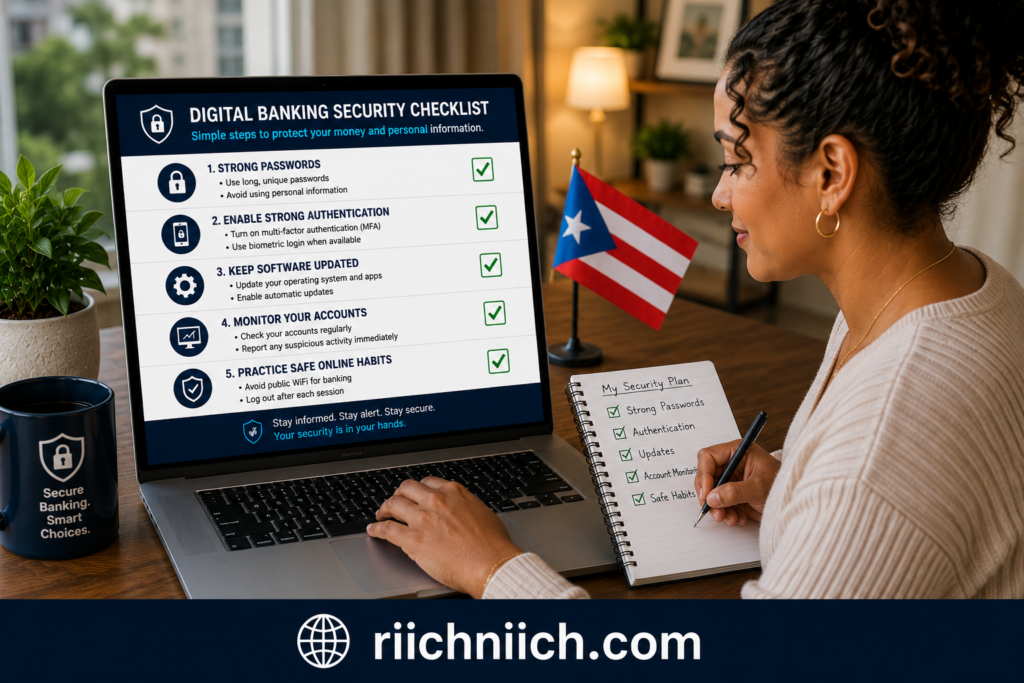
Use Strong And Unique Passwords
One of the biggest mistakes people make is reusing the same password across multiple accounts.
If a password is exposed through a data breach or phishing attack, cybercriminals often try that same password on banking websites, email accounts, and other financial services.
A strong password should:
- Be long and complex
- Include letters, numbers, and symbols
- Be unique to each account
- Never be reused across multiple websites
Using a password manager can help generate and store secure passwords without requiring you to remember them all.
Enable Banking Alerts
Most banks allow customers to receive real-time alerts for account activity.
These notifications may include:
- Login attempts
- Large purchases
- Money transfers
- Password changes
- New payee additions
The sooner you detect suspicious activity, the faster you can respond and potentially prevent financial losses.
Keep Banking Apps Updated
Banking applications frequently release updates that improve security and patch vulnerabilities.
Running outdated software can leave your device exposed to known threats that cybercriminals actively target.
Make it a habit to install updates for:
- Banking apps
- Mobile operating systems
- Browsers
- Security software
According to the National Institute of Standards and Technology, maintaining updated software is a critical component of cybersecurity.
Lock Your Device
A secure connection won’t help if someone gains physical access to your device.
Protect your smartphone, tablet, and laptop with:
- Strong passcodes
- Fingerprint authentication
- Facial recognition
- Automatic screen locking
These features help prevent unauthorized access if your device is lost or stolen.
Monitor Your Accounts Regularly
Frequent account monitoring can help you identify suspicious activity before it becomes a major problem.
Review:
- Recent transactions
- Account balances
- Payment history
- Linked devices
- Security settings
Even small unauthorized charges can indicate that your financial information has been compromised.
Avoid Saving Banking Passwords In Browsers
While browser password storage is convenient, it can also create additional risk if a device becomes infected with malware or falls into the wrong hands.
A dedicated password manager typically provides stronger security than saving credentials directly within a browser.
Use Identity Monitoring Services
Identity monitoring services can help detect signs that your personal information is being misused.
Some services monitor for:
- Data breaches
- Dark web exposure
- Identity theft indicators
- Unauthorized account activity
This added visibility can provide early warning signs that your information has been compromised. If you’re comparing monitoring services, see our picks for the Best Identity Theft Protection Services.
Be Cautious With Public Charging Stations
Many travelers access financial accounts while charging devices in airports, hotels, and public spaces.
Although uncommon, compromised charging stations can potentially be used to deliver malicious software or access device data.
Using your own charger and power adapter can help reduce this risk.
Build Multiple Layers Of Protection
Cybersecurity is rarely about relying on a single tool. The strongest protection comes from combining multiple security measures together.
For example:
- VPN protection
- Multi-factor authentication
- Strong passwords
- Banking alerts
- Software updates
- Identity monitoring
Each layer helps reduce the likelihood of successful attacks.
When evaluating is public WiFi safe for banking, the safest approach is to assume that public networks carry some level of risk. By implementing these additional security practices, you can greatly improve your protection and make online banking on public WiFi significantly safer.
Public WiFi Banking Myths You Should Stop Believing
There is a lot of misinformation surrounding online banking and public WiFi. Some myths cause people to underestimate the risks, while others create unnecessary fear. Understanding the facts can help you make smarter security decisions and better protect your financial information.
If you’ve ever wondered is public wifi safe for banking, separating fact from fiction is an important step.
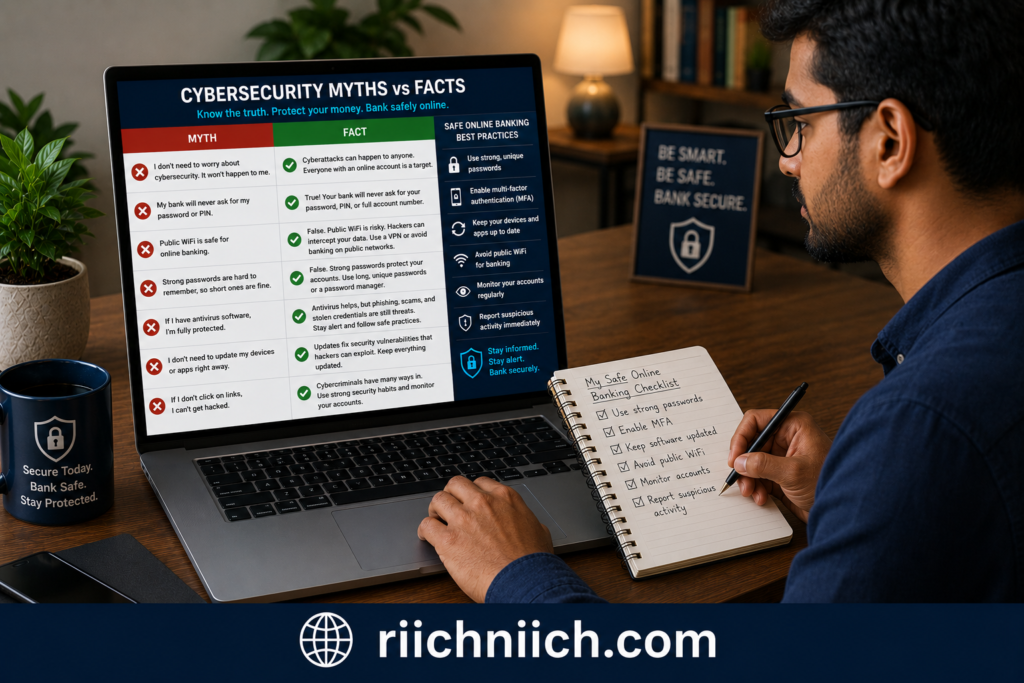
Myth #1: Public WiFi Is Always Dangerous
One of the biggest misconceptions is that every public WiFi network is automatically unsafe.
The truth is that many public networks are operated by legitimate businesses and include security measures designed to protect users. However, even legitimate networks may still present risks because you don’t control the network or know who else is connected.
A better mindset is to treat public WiFi as potentially risky rather than automatically dangerous.
Myth #2: My Bank’s Security Means I Don’t Need To Worry
Banks invest heavily in cybersecurity and use strong encryption to protect customer accounts.
However, attackers often target users instead of banks.
Cybercriminals may attempt to steal:
- Login credentials
- Personal information
- Authentication codes
- Device access
Even if your bank’s systems remain secure, compromised credentials can still lead to account takeover attempts.
Myth #3: HTTPS Alone Makes Public WiFi Completely Safe
HTTPS encryption is extremely important and should always be present when accessing banking websites.
However, HTTPS does not protect against every threat associated with public networks.
For example, HTTPS cannot prevent:
- Fake WiFi hotspots
- Phishing attacks
- Malware infections
- Stolen devices
- Weak passwords
HTTPS is one layer of protection, not a complete security solution.
Myth #4: Hackers Only Target Large Bank Accounts
Many people assume cybercriminals only go after wealthy individuals.
In reality, attackers often focus on easy targets rather than large balances.
Smaller accounts can still be valuable because they provide access to:
- Personal information
- Email accounts
- Linked financial accounts
- Identity theft opportunities
Anyone who uses online banking can become a target.
Myth #5: Using A Banking App Is Automatically Safe
Banking apps are generally very secure, but the network you use still matters.
A secure banking application cannot completely eliminate the risks associated with:
- Fake WiFi networks
- Malware infections
- Credential theft
- Compromised devices
Security depends on both the app and the environment in which it is being used.
Myth #6: I Would Know If Someone Was Monitoring My Connection
Most public WiFi attacks occur silently.
Attackers typically avoid drawing attention to themselves and often operate without obvious signs.
Many victims never realize their information has been exposed until they notice:
- Fraudulent transactions
- Account alerts
- Password changes
- Identity theft activity
This is one reason cybersecurity agencies such as the Cybersecurity and Infrastructure Security Agency recommend proactive security measures rather than waiting for warning signs.
Myth #7: A VPN Makes Me Completely Invisible Online
A VPN is one of the best tools for improving security on public WiFi, but it is not a magic solution.
A VPN helps protect your connection through encryption, but it cannot protect against:
- Phishing scams
- Weak passwords
- Malware downloads
- Fake websites
- Social engineering attacks
The strongest security strategy combines a VPN with other protective measures such as multi-factor authentication and strong password management. You can further strengthen your defenses by following these Cybersecurity Tips Everyone Should Know.
The Reality About Public WiFi Banking
The truth lies somewhere between complete safety and complete danger.
Public WiFi is not automatically unsafe, but it does introduce risks that do not exist on trusted private networks. The key is understanding those risks and taking appropriate precautions before accessing financial accounts.
When considering is public WiFi safe for banking, the answer is not based on myths or assumptions. It depends on the network you’re using, the security measures you have in place, and how carefully you protect your personal information. By focusing on facts rather than misconceptions, you can make informed decisions and significantly reduce your exposure to cyber threats while banking on public WiFi.
Frequently Asked Questions About Public WiFi And Online Banking
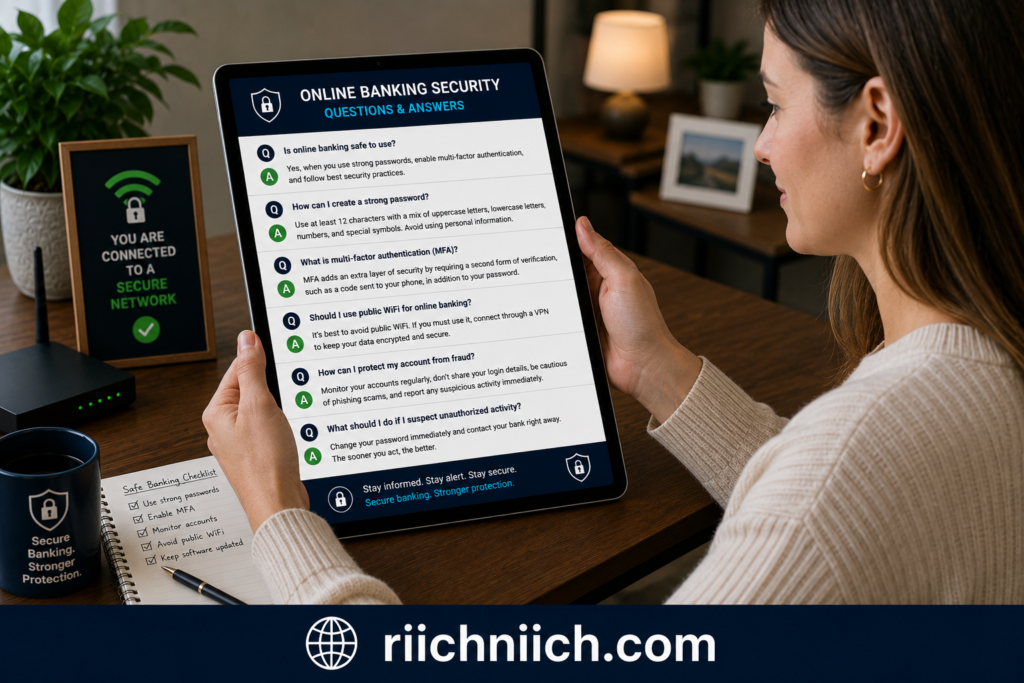
Is Public WiFi Safe For Banking?
The honest answer is that is public WiFi safe for banking depends on the network and the security measures you use.
Public WiFi carries more risk than a trusted home or mobile network because cybercriminals may attempt to monitor traffic, create fake hotspots, or steal credentials. However, using a VPN, enabling multi-factor authentication, and following basic cybersecurity practices can significantly improve your protection.
Can Someone Hack My Bank Account Through Public WiFi?
Hackers typically do not break directly into bank systems through public WiFi. Instead, they often try to steal information such as usernames, passwords, authentication codes, or personal details that can later be used to access accounts.
This is why protecting your login credentials is just as important as protecting your connection.
Is Mobile Banking Safer Than Using A Browser On Public WiFi?
In many cases, banking apps provide additional security features and may be safer than accessing your account through a browser.
However, both methods can still be exposed to risks if you connect to an unsafe network or fall victim to phishing attacks. The security of your device and internet connection remains important regardless of how you access your account.
Should I Use A VPN For Online Banking?
Yes. A VPN is one of the most effective tools for improving security while banking on public WiFi.
A VPN encrypts your internet traffic and helps reduce the risk of data interception by cybercriminals. This is why many cybersecurity professionals recommend using a VPN whenever you access financial accounts on public networks.
What Is Safer Than Public WiFi For Banking?
Whenever possible, use:
- Your home WiFi network
- Mobile data from your cellular provider
- A trusted private hotspot
These options generally provide stronger security than public WiFi and reduce the chances of unauthorized access to your financial information.
Can Public WiFi See My Passwords?
Modern banking websites use encryption that helps protect passwords during transmission. However, attackers may still attempt to steal credentials through phishing pages, malware, fake WiFi networks, or compromised devices.
This is why strong passwords and multi-factor authentication remain essential security measures.
How Do I Know If A Public WiFi Network Is Safe?
While no public network can be guaranteed safe, you can reduce risks by:
- Verifying the network name with staff
- Avoiding open networks when possible
- Looking for HTTPS encryption
- Using a VPN
- Avoiding suspicious pop-ups and redirects
- Keeping your device updated
According to guidance from the Cybersecurity and Infrastructure Security Agency, users should treat public networks with caution and use additional security protections whenever sensitive information is involved.
Is Hotel WiFi Safe For Banking?
Hotel WiFi is generally safer than unknown public hotspots, but it should still be treated as a public network.
Other guests share the same infrastructure, and you have limited visibility into how the network is secured. Using a VPN and multi-factor authentication can help reduce potential risks when accessing financial accounts.
Is Airport WiFi Safe For Banking?
Airport WiFi presents many of the same risks as other public networks. Large numbers of users, fake hotspots, and unsecured connections can create opportunities for cybercriminals.
If banking is necessary while traveling, using a VPN is strongly recommended.
What Is The Safest Way To Bank While Traveling?
The safest approach includes:
- Using a trusted VPN
- Enabling multi-factor authentication
- Using strong unique passwords
- Monitoring account activity
- Connecting through mobile data whenever possible
- Avoiding public computers
Combining these security measures provides multiple layers of protection against common cyber threats.
Final FAQ Takeaway
The question is public WiFi safe for banking doesn’t have a simple yes-or-no answer. Public networks can expose users to additional risks, but those risks can often be reduced through smart security practices. By using a VPN, enabling multi-factor authentication, verifying network legitimacy, and staying alert to potential threats, you can make online banking on public WiFi significantly safer while protecting your financial information.
Conclusion: Is Public WiFi Safe For Banking?
After examining the risks, common attack methods, security precautions, and protective tools available, the answer to is public WiFi safe for banking is clear: public WiFi is never the ideal environment for accessing financial accounts, but it can be used more safely when the proper precautions are in place.
Public networks introduce risks that do not exist on trusted private connections. Cybercriminals may attempt to create fake WiFi hotspots, intercept network traffic, distribute malware, or steal credentials through phishing attacks. While modern banks use strong security measures to protect customer accounts, users remain an important target for attackers.
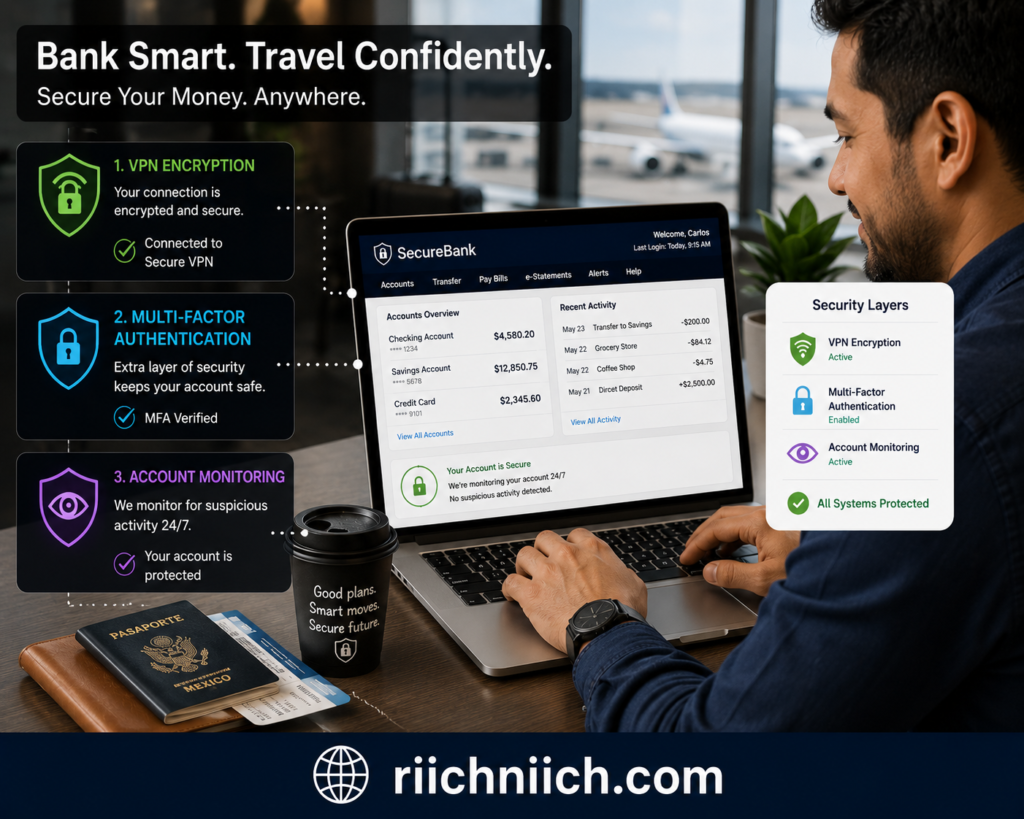
The safest option is always to use:
- Your home WiFi network
- A trusted private hotspot
- Mobile data from your cellular provider
However, if public WiFi is your only option, there are several steps you can take to reduce your risk significantly.
For the best protection while banking on public WiFi:
- Use a reputable VPN
- Enable multi-factor authentication
- Verify network legitimacy
- Keep devices updated
- Monitor account activity regularly
- Use strong, unique passwords
- Avoid suspicious websites and downloads
Among these precautions, a quality VPN remains one of the most valuable security tools available. By encrypting your internet traffic, a VPN helps protect sensitive financial information from many of the threats commonly associated with public networks. For travelers, remote workers, and anyone who frequently manages finances away from home, investing in a trusted VPN is often a worthwhile decision.
According to guidance from the Cybersecurity and Infrastructure Security Agency and the Federal Trade Commission, combining secure connections with strong account security practices provides the best defense against cyber threats.
If you’re serious about protecting your financial information, the combination of a trusted VPN, strong passwords, and multi-factor authentication offers a powerful layer of defense against many common public WiFi risks. For additional protection beyond VPNs, explore our guide to the Best Cybersecurity Tools for protecting your privacy, identity, and financial accounts.
So, is public WiFi safe for banking? Not completely. But with the right security tools and smart online habits, you can make banking on public WiFi significantly safer and greatly reduce your chances of becoming a victim of cybercrime.
Pingback: NordVPN vs ProtonVPN: Which VPN Is Better in 2026? - Riich Niich