
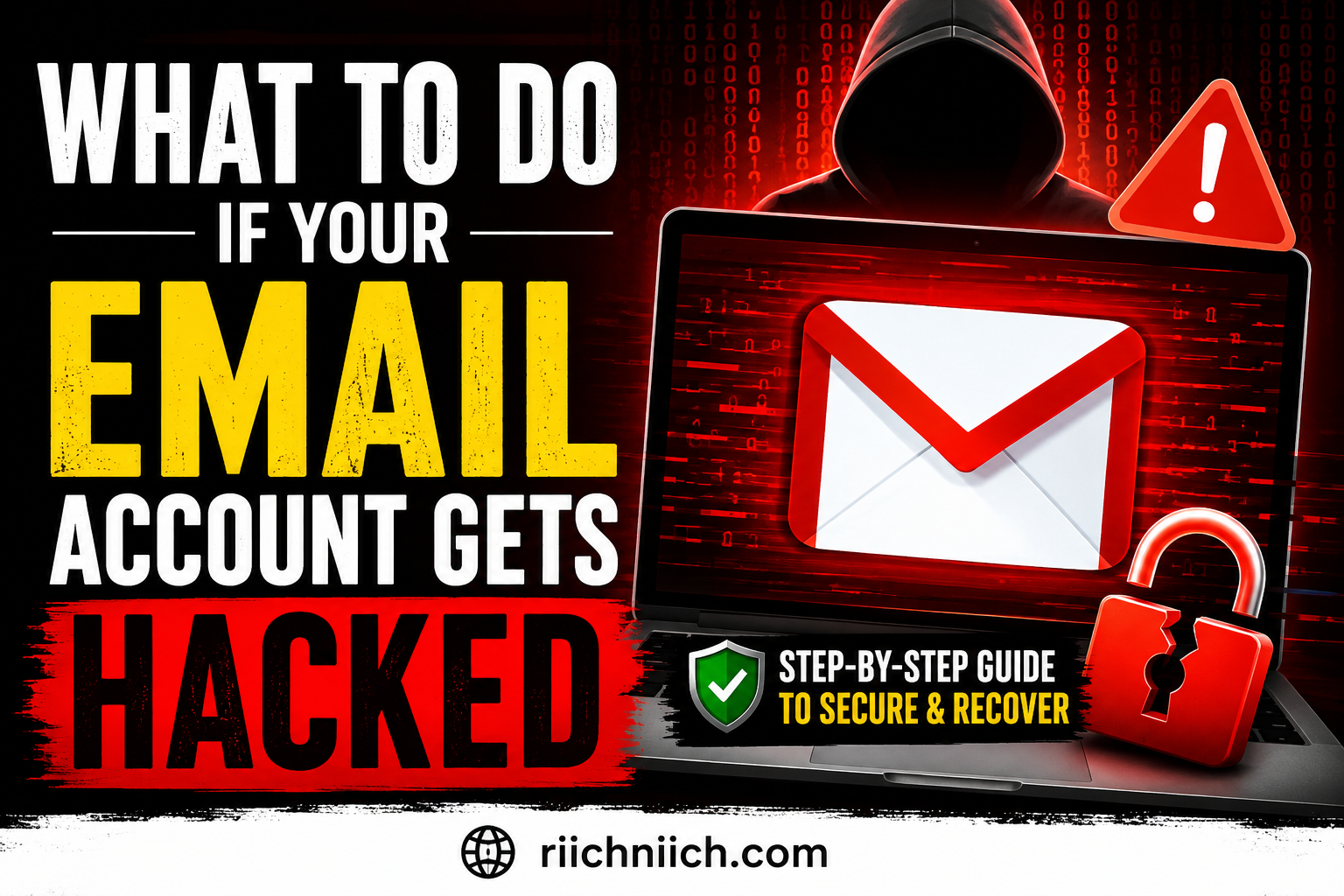
If you’re trying to figure out what to do if your email account gets hacked, acting quickly can help stop one compromised inbox from turning into stolen passwords, hacked accounts, financial fraud, or even identity theft. Changing your password is important, but it’s only the beginning. In this guide, I’ll walk you through the exact steps to secure your email, remove the hacker’s access, check what may have been exposed, protect your connected accounts, and decide whether tools like a password manager, dark web monitoring, or identity theft protection are worth using afterward.
Table of Contents
What To Do If Your Email Account Gets Hacked: Quick Answer
If you are wondering what to do if your email account gets hacked, act quickly. Your email can function like a master key to many of your other online accounts because password-reset links, security alerts, receipts, and sensitive personal information may all pass through your inbox.
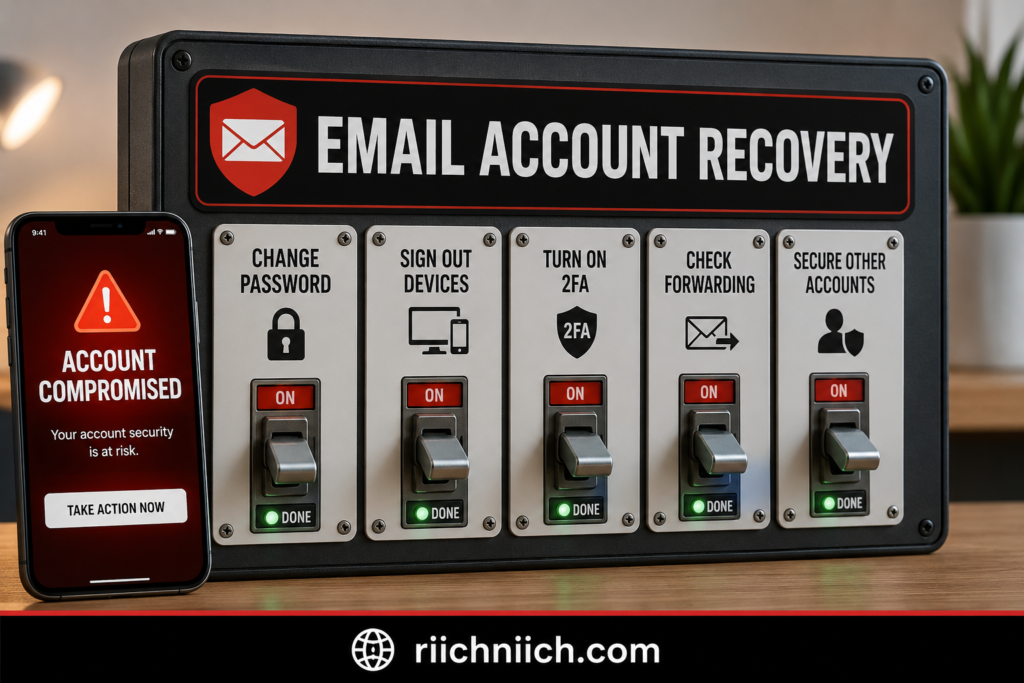
Start by changing your email password to a strong, unique password that you have never used on another account. Then sign out of all active sessions or devices, turn on two-factor authentication (2FA), and verify that your recovery email address and phone number have not been changed. According to the Federal Trade Commission (FTC), their hacked-account recovery guidance recommends these steps after regaining control of a compromised account.
Next, inspect your email settings carefully. Look for unfamiliar forwarding addresses, filters, recovery options, connected applications, and other changes you did not make. Check your Sent and Deleted folders as well. An attacker may create forwarding rules that silently send copies of incoming messages to another email address, allowing them to continue monitoring your account even after you change the password.
If you reused the compromised password anywhere else, change those passwords immediately. This is particularly important for banking, shopping, social media, cloud storage, and other accounts containing personal or financial information. A compromised inbox can also allow an attacker to request password resets for accounts connected to your email address.
If you cannot sign in because the hacker changed your password or recovery information, use your email provider’s official account-recovery process rather than clicking recovery links sent through unexpected messages. Once you regain access, secure the account before assuming the problem is over.
For stronger protection going forward, consider using a reputable password manager to generate and store unique passwords instead of reusing passwords across multiple accounts. You may also want identity and credential monitoring if you are concerned that your email address, passwords, or personal information have been exposed elsewhere. Cyber-security and Infrastructure Security (CISA) specifically recommends multifactor authentication and notes credential monitoring as one security measure for identifying compromised credentials.
The most important thing is not to stop after changing your password. Recover the account, remove unauthorized access, secure accounts connected to that email, and watch for suspicious activity afterward. If you discover that personal information was stolen and potentially used for identity theft, the FTC recommends reporting it through IdentityTheft.gov to receive a personalized recovery plan.
How To Know If Your Email Account Has Been Hacked
An email account hack is not always obvious. Sometimes the hacker locks you out immediately. Other times, they may try to stay unnoticed so they can read your messages, collect personal information, intercept password-reset emails, or use your account to target other people.
If you’re wondering how attackers obtain the information they use to compromise accounts in the first place, see How Hackers Get Your Personal Data to learn the common ways your passwords and personal information can fall into the wrong hands.
If you are trying to determine what to do if your email account gets hacked, start by looking for activity that you cannot explain. The FTC identifies several warning signs of a compromised account, including login notifications from unfamiliar devices or locations, unexpected password or account-information changes, being unable to sign in, and friends or family receiving messages you never sent.
Warning Signs Your Email Has Been Hacked
Pay particular attention if you notice:
- Unrecognized login alerts. Your email provider reports a sign-in from a device or location you don’t recognize.
- Your password suddenly stops working. An attacker may have changed it to lock you out.
- Your recovery information changed. An unfamiliar phone number or recovery email address is a serious warning sign.
- Emails appear in your Sent folder that you didn’t send. Someone may be using your account for phishing, spam, or scams.
- People receive strange emails from you. Friends, relatives, or coworkers may tell you they received suspicious links or requests for money from your address.
- Messages disappear unexpectedly. Check your Trash or Deleted folder for emails you don’t remember deleting.
- Password-reset emails appear that you didn’t request. Someone may be attempting to take control of accounts connected to your email.
- Unknown forwarding rules appear in your settings. This is especially important because an attacker can configure your account to automatically forward incoming messages to another address. The FTC specifically recommends checking for unauthorized forwarding rules after an account compromise.
- You notice unfamiliar apps or devices connected to the account. Review your provider’s security and account-access settings for anything you don’t recognize.
Don’t Assume a Successful Login Means Everything Is Fine
One of the more dangerous situations is an email account that still appears to work normally.
A hacker doesn’t necessarily need to change your password. If they can maintain access without attracting your attention, they may be able to monitor incoming messages or look for valuable information.
That is why you should check your email provider’s recent login activity, active devices, recovery information, forwarding settings, and Sent and Deleted folders when you suspect an email account has been hacked.
Your inbox is especially valuable because many websites use email to recover accounts. The FTC warns that someone controlling your email could request password-reset links for your other accounts, receive those links in your inbox, change the passwords, and potentially lock you out.
One Warning Sign Is Enough To Investigate
You don’t need to find every sign above before taking action. An unfamiliar successful login, an unauthorized recovery-address change, or an email you know you didn’t send is enough reason to investigate immediately.
Go directly to your email provider rather than clicking a suspicious security-alert link. Review your account activity and security settings from there.
If you confirm unauthorized access, don’t simply change your password and assume the problem is solved. You should remove unauthorized sessions, inspect your account settings, secure connected accounts, and enable stronger authentication. FTC recommends multifactor authentication for email because it adds another barrier even when a password has been compromised.
For readers concerned that the compromise went beyond their inbox, this is also the point where security tools can become worth considering. A password manager can help replace reused passwords with unique credentials, while identity or credential monitoring can help watch for additional exposure. The goal isn’t to buy a product simply because an email was hacked—it is to determine what information was exposed and what accounts are now at risk.
Next, we’ll start with the most immediate recovery action: changing the compromised email password.
What Can a Hacker Do With Your Email Account?
A hacked email account can be far more serious than someone simply reading your messages. Your inbox is connected to many parts of your digital life, which means an attacker may be able to use it as a doorway into other accounts.
If you’re researching what to do if your email account gets hacked, it helps to understand exactly what may be at risk. According to the Federal Trade Commission (FTC), hackers may target email accounts to obtain usernames, passwords, financial information, and other personal data that can potentially be used for identity theft, malware distribution, or scams.
Reset Passwords for Your Other Accounts
This is one of the biggest dangers of an email account takeover.
Think about what happens when you forget the password to an online account. You enter your email address, receive a password-reset link, and create a new password.
A hacker controlling your inbox may be able to do the same thing.
The FTC specifically warns that someone who takes over your email could request password-reset links for other accounts, receive those links, change the passwords, and potentially lock you out.
That could put accounts such as your social media, online shopping, cloud storage, streaming services, and other services connected to that email address at risk.

Search Your Inbox for Sensitive Information
Your email history can reveal a surprising amount about you.
An attacker who gains access may search old messages for account information, financial correspondence, receipts, addresses, personal documents, security notifications, or clues about which companies you use.
This is one reason an email hack can become an identity-security problem instead of remaining an isolated password problem. The FTC warns that compromised accounts can expose personal information that criminals may attempt to use for identity theft.
If your inbox contained especially sensitive information, you may want to consider additional monitoring after securing the account. Identity theft protection or identity monitoring can make more sense when there is evidence that personally identifiable or financial information was exposed—not simply because someone attempted to log into your email.
Impersonate You and Scam Your Contacts
A hacker can also use the trust associated with your email address against other people.
Instead of sending a scam from an obviously unfamiliar address, the attacker can send messages from your real account. Friends, relatives, coworkers, or customers may be more likely to trust a message because it appears to come from you.
CISA notes that compromised email accounts can be used for phishing and spam campaigns, and an existing relationship with the compromised sender can make a malicious message appear more trustworthy.
The attacker might send a fake emergency request, malicious attachment, phishing link, or other fraudulent message.
Secretly Forward Your Emails
An attacker doesn’t always want to lock you out.
They may prefer to stay hidden.
One technique is creating an automatic forwarding rule that sends copies of incoming messages to another email address. You might change your password and continue using your inbox without realizing that certain messages are still being forwarded.
The FTC specifically recommends checking for forwarding rules you didn’t create after recovering a hacked email account.
This is why hacked email account recovery needs to involve more than changing the password.
Target Accounts That Reuse the Same Password
Password reuse can turn one compromised account into several.
If the password protecting your email was also used for another account, an attacker may attempt the same credentials elsewhere. The FTC warns that stolen credentials can be used against other accounts, while CISA recommends multifactor authentication because it adds protection even when a password has been compromised.
This is where a password manager can provide practical value. Instead of remembering variations of the same password, you can generate and store a different strong password for every important account.
Use Your Email to Help Steal Your Identity
An email hack does not automatically mean your identity has been stolen. However, the risk becomes more serious if the attacker gains access to sensitive personal information.
For example, if your messages contain enough identifying or financial information, the attacker may have information useful for fraud or identity theft. The FTC advises people who believe their personal information has been stolen to use IdentityTheft.gov for a personalized recovery plan.
This is also where dark web monitoring and identity monitoring may become worth considering. They cannot undo an email hack, but monitoring services can provide another layer of visibility if you are concerned that compromised credentials or personal information may be circulating elsewhere.
Your Email Can Be the First Domino
The real danger is the chain reaction.
Email compromised → password resets intercepted → additional accounts taken over → personal information exposed → potential fraud or identity theft.
That is why knowing what to do if your email account gets hacked is about protecting much more than the inbox itself. Once you discover unauthorized access, your priority should be to stop the hacker from maintaining access and prevent the compromise from spreading to other accounts.
The next step is the most important place to start: change your email password immediately.
Step 1: Change Your Email Password Immediately
If you still have access to your email account, changing the password should be one of your first actions. When figuring out what to do if your email account gets hacked, the goal is to replace potentially compromised login credentials before the attacker can continue using them.
Go directly to your email provider’s website or app and open the account’s security settings. Avoid changing your password through a link in an unexpected email or text message because the message itself could be part of a phishing attempt.
Create a completely new password that is long, unique, and difficult to guess. The FTC recommends using a strong password or passphrase and specifically advises changing passwords immediately when they have been stolen or exposed.
Most importantly, don’t replace your hacked password with a slightly modified version.
For example, if your old password was something similar to Summer2026!, changing it to Summer2026!! is not a good recovery strategy. Your new email password should be unrelated to the old one and should not be used anywhere else.
If You Reused the Password, Change It Everywhere
Password reuse can turn one hacked email account into a much larger problem.
If you used the same or a similar password for your bank, social media, shopping accounts, cloud storage, or other important services, change those passwords too. The FTC warns that attackers can try stolen usernames and passwords on other accounts when credentials have been reused.
Prioritize accounts containing sensitive personal or financial information.
Your email account deserves special attention because it often receives password-reset links for other services. If an attacker controls your inbox, they may be able to request those links and attempt to take over additional accounts.
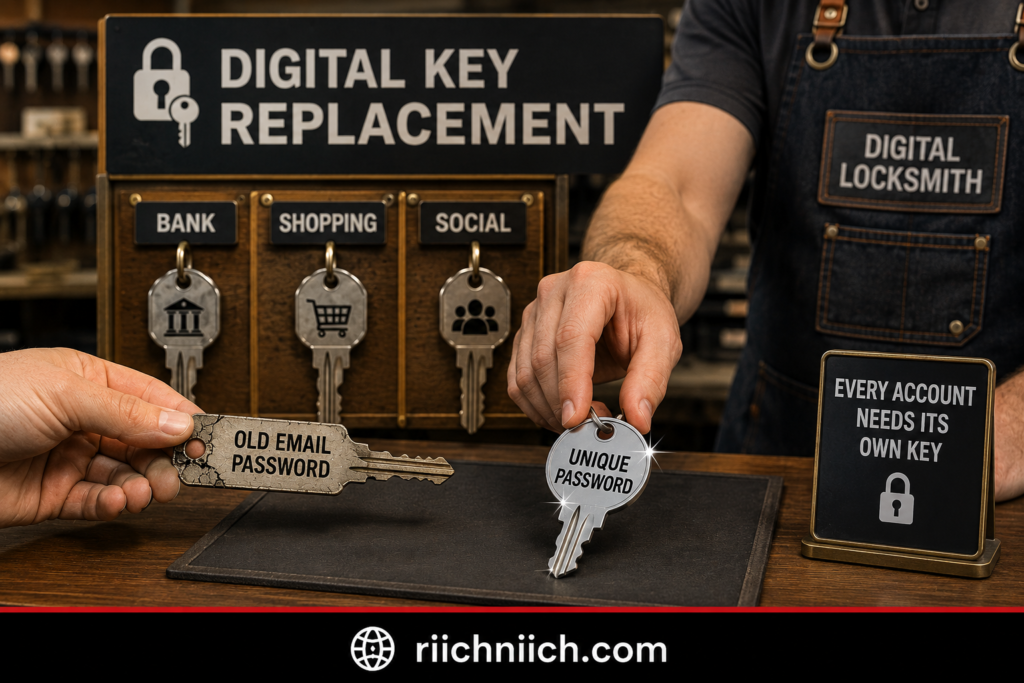
Don’t Try To Remember Dozens of Complex Passwords
This is where a password manager can become a practical purchase rather than just another security tool.
A reputable password manager can generate and store long, unique passwords so you don’t have to reuse one memorable password across multiple accounts. Both the FTC and CISA recommend password managers as an option for creating and maintaining strong passwords.
If your email was hacked because you reused a password, moving to a password manager can address one of the weaknesses that allowed a single compromised credential to threaten multiple accounts.
However, changing your password alone does not guarantee that the hacker has been completely removed from your email account.
The attacker could still have an active session on another device. The FTC therefore recommends signing out of the compromised account on all devices after changing the password so that someone already logged in gets kicked out.
That brings us directly to Step 2: Sign Out of Every Device and Active Session.
Step 2: Sign Out of Every Device and Active Session
Changing your password is important, but it does not always mean the person who accessed your email has been completely removed. If you are following what to do if your email account gets hacked, your next priority should be ending unauthorized access by signing your account out of every device and active session.
The FTC specifically recommends signing out of all devices after an account has been hacked. Doing this can kick out someone who is still logged into the compromised account on another device.
Go directly to your email provider’s account or security settings and look for an option such as Your Devices, Active Sessions, Where You’re Signed In, Manage Devices, or Recent Activity. The wording varies by provider.
Review the list carefully. You may see your phone, laptop, tablet, or other devices you recognize. If you see a device, browser, or session that you cannot identify, sign it out immediately. If your provider offers an option to sign out everywhere, use it after changing your password.
Check Your Recent Login Activity Too
Don’t only remove devices. Look at your account’s recent security or login activity for anything you don’t recognize.
Depending on your email provider, you may be able to see information such as:
- Devices that accessed your account
- Browsers used to sign in
- Approximate locations
- Recent login attempts
- Security changes
- New devices added to the account
Keep in mind that an unfamiliar location does not automatically prove someone hacked your account. Mobile networks, VPNs, and IP-address routing can sometimes make legitimate activity appear to originate somewhere else. Instead, look at the complete picture: Do you recognize the device, browser, approximate time, and activity?
If several details don’t make sense, treat the session as suspicious.
Why Signing Out Everywhere Matters
Imagine that someone obtained your password yesterday and successfully logged into your inbox. You discover the problem today and create a new password.
You may assume the attacker is gone.
But depending on how the service handles existing sessions, you should not rely on the password change alone as your only containment step. Explicitly signing out other sessions gives you another way to terminate access. That is why the FTC’s hacked-account recovery guidance separately recommends changing your password and signing out of all devices.
This becomes especially important because compromised email accounts can be used for phishing and other malicious activity while appearing to come from a trusted sender. CISA notes that attackers can exploit compromised email accounts for phishing, information gathering, and spam campaigns.
What If the Hacker Signs Back In?
If you change your password, sign out every device, and then notice another unauthorized login, assume there may be another security weakness that still needs to be fixed.
Check your recovery email address and phone number, connected applications, forwarding rules, and other account permissions. You should also consider whether malware or stolen credentials could be involved.
This is where additional security tools may become worth considering. A reputable password manager can help eliminate password reuse, while credential or identity monitoring can provide additional visibility if you are concerned that your login information has been exposed elsewhere. CISA specifically identifies credential monitoring as one measure organizations can use to identify compromised credentials.
However, don’t purchase a security product as a substitute for securing the compromised account itself. First remove the hacker’s access. Then address the weaknesses that could allow them back in.
Once the unknown sessions are gone, the next step in what to do if your email account gets hacked is to make a stolen password much less useful by adding another verification requirement.
That’s where Step 3: Turn On Two-Factor Authentication comes in.
Step 3: Turn On Two-Factor Authentication
Once you have changed your password and removed unauthorized sessions, turn on two-factor authentication (2FA) for your email account. When following what to do if your email account gets hacked, this is one of the most important steps because it adds another barrier between your inbox and anyone who obtains your password.
Two-factor authentication requires another form of verification in addition to your password. Depending on your email provider, this could be an authenticator app, security key, text-message code, biometric verification, or another approved method.
The FTC recommends enabling two-factor authentication because a password by itself can be stolen through phishing, data breaches, credential reuse, and other attacks. With 2FA enabled, possessing your password alone generally isn’t enough to complete the login.
Choose the Strongest 2FA Option Available
Not every form of two-factor authentication provides the same level of protection.
If your email provider gives you several choices, CISA recommends using the strongest option available. Its guidance ranks security keys and stronger authenticator-based methods above verification codes delivered through text or email. CISA specifically recommends moving toward phishing-resistant MFA where available.
For most people, the options can be thought of roughly like this:
- Security key or phishing-resistant authentication — strongest option when supported.
- Authenticator app — a strong and convenient option for many users.
- SMS verification code — still better than relying on a password alone, but weaker than the options above.
The FTC also points out that text-message codes can be vulnerable if someone takes control of your phone number through a SIM-swap attack. If your provider offers an authenticator app or security key, the FTC recommends choosing one of those methods for stronger protection.
Save Your Backup Codes Somewhere Safe
When you enable 2FA, your email provider may give you recovery or backup codes. Store these somewhere secure rather than leaving your only copy inside the email account they are supposed to help you recover.
Also review which phone numbers, authentication methods, and trusted devices are registered with the account. If you find a 2FA method or device that you did not add, remove it.
And never give an unexpected verification code to someone who contacts you. The FTC warns that scammers may try to trick people into revealing verification codes.
Protect More Than Just Your Email
If your email account has already been compromised, this is a good opportunity to enable 2FA on other important accounts as well.
Start with your:
- Banking and credit card accounts
- Password manager
- Social media accounts
- Shopping and payment accounts
- Cloud storage
- Financial and tax accounts
CISA recommends MFA for services including email and other sensitive accounts because it can help prevent unauthorized access even when credentials have been compromised.
This is also where paid security tools can start providing additional value. A password manager can help you maintain unique credentials across your accounts, while credential or identity monitoring may be worth considering if you are concerned that your email address and passwords were exposed in a breach. CISA specifically includes credential monitoring among measures that can help identify compromised credentials.
However, 2FA does not replace the rest of the hacked email account recovery process. You still need to make sure the attacker didn’t change other settings while they had access.
The next step in what to do if your email account gets hacked is therefore easy to overlook but extremely important: check your email recovery information.
Step 4: Check Your Email Recovery Information
After securing your password, signing out active sessions, and enabling two-factor authentication, check the recovery information attached to your email account. This is a critical part of what to do if your email account gets hacked because an attacker may have changed your recovery settings while they had access.
Recovery information typically includes your backup email address and phone number. These details are used to verify your identity if you forget your password or get locked out of the account.
Look for Recovery Information You Don’t Recognize
Go directly to your email provider’s account security settings and review every recovery method associated with the account.
Look for:
- An unfamiliar recovery email address
- A phone number you don’t recognize
- An old phone number you no longer control
- Recovery methods you didn’t add
- Unexpected changes to your security information
- Unknown trusted devices or authentication methods
Remove anything that doesn’t belong to you.
This matters because changing your password may not solve the entire problem if the attacker has modified another method of regaining access to the account. You want every recovery path leading back to you, not the person who compromised your inbox.
Make Sure You Still Control Your Backup Email
Don’t just recognize the recovery email address—make sure you can actually access it.
For example, an old email account that you haven’t opened in years may not be a reliable recovery method. If that account has a weak or reused password, it could create another path into your primary email.
Secure your recovery email with its own unique password and two-factor authentication whenever available. CISA recommends MFA for email accounts because it provides additional protection even when a password becomes compromised.
The same principle applies to your recovery phone number. Make sure the number is current and belongs to you.
Review Your Security Questions
If your email provider still uses security questions for account recovery, review those too.
Answers based on information that can easily be discovered online—such as your birthplace or other publicly available details—may be easier for an attacker to guess. The FTC recommends choosing answers that aren’t readily available through online searches or public records.
If possible, treat security-question answers like passwords: make them difficult to guess and avoid reusing the same answers across different services.
Consider Whether Your Credentials Were Exposed Somewhere Else
If your email was hacked even though you didn’t knowingly share your password, consider the possibility that your credentials were exposed through phishing, malware, password reuse, or a previous data breach.
This is where paid security tools can provide additional value.
A password manager can help you replace reused passwords with unique credentials, while credential or identity monitoring may be worth considering if you’re concerned that your email address and login information have been exposed elsewhere. CISA includes credential monitoring among measures that can help identify compromised credentials.
That doesn’t mean everyone with a hacked email account needs to immediately buy identity theft protection. But if the attacker accessed messages containing financial information, personal documents, account details, or other sensitive data, broader monitoring becomes more reasonable.
Don’t Overlook the Hacker’s Backup Plan
When learning what to do if your email account gets hacked, think beyond the password.
You are not only trying to stop the attack that already happened. You are trying to close every door the attacker could potentially use to return.
Once your recovery email, phone number, security methods, and authentication options are yours again, there is another hidden setting worth checking.
A hacker may have created an automatic rule that quietly sends copies of your emails somewhere else.
That’s why Step 5: Remove Suspicious Forwarding Rules and Filters is next.
Step 5: Remove Suspicious Forwarding Rules and Filters
One of the easiest things to overlook after an email hack is automatic forwarding. A hacker may not need to stay logged into your inbox if they have already created a rule that quietly sends copies of your incoming emails to an address they control.
That is why checking forwarding rules is an important part of what to do if your email account gets hacked. The FTC specifically recommends reviewing your email settings for forwarding rules you did not create and deleting them so your messages are not secretly sent to someone else’s address.
Go directly into your email provider’s settings and look for sections labeled Forwarding, Filters, Rules, Mail Rules, Inbox Rules, or something similar.
Look for Rules You Didn’t Create
Not every forwarding rule is malicious. You may have previously created filters to organize newsletters, move receipts into folders, or forward certain messages to another email address.
The problem is a rule you don’t recognize.
Look closely for rules that:
- Forward messages to an unfamiliar email address
- Automatically delete certain incoming messages
- Move security alerts into another folder
- Mark certain messages as read
- Send messages directly to Trash
- Hide password-reset emails or account alerts
- Redirect messages from banks, payment services, or shopping accounts
If you find a rule you didn’t create, remove it.
The FBI’s Internet Crime Complaint Center has documented cases in which criminals compromised email accounts and configured mailbox rules to delete important messages or automatically forward email to an outside account.
Why Hackers May Want To Forward Your Email
A hacker who immediately changes your password risks alerting you.
A forwarding rule can be much quieter.
For example, an attacker could potentially configure a compromised account so certain incoming messages are automatically forwarded elsewhere. MITRE ATT&CK documents email forwarding rules as a technique adversaries can use to collect email from compromised accounts.
That could be particularly dangerous if the forwarded messages contain:
Password-reset links. These could help an attacker target other accounts connected to your email.
Security notifications. The attacker may learn when you or a company notices suspicious activity.
Financial correspondence. Statements, invoices, payment notifications, and transaction-related messages could reveal valuable information.
Personal information. Old and new emails may contain addresses, phone numbers, account information, travel details, or other sensitive data.
This is why changing your password alone is not enough for hacked email account recovery.
Check Filters for Deleted or Hidden Messages Too
Don’t stop after checking forwarding.
Review your filters and inbox rules for instructions that automatically delete, archive, hide, mark as read, or relocate particular emails.
A malicious rule could make an important security notification disappear before you notice it. The FBI has warned that criminals involved in business email compromise may configure mailbox rules to delete key messages after gaining access to an account.
After removing suspicious rules, check your Trash, Deleted, Archive, Spam, and other folders for messages that may have been moved automatically.
Don’t Forget Other Email Settings
While you’re already reviewing the account, look for other changes you didn’t authorize.
For example, Google advises users recovering a compromised Google Account to examine Gmail settings involving automatic forwarding, mail delegation, filters, blocked addresses, outgoing-mail addresses, and remote access through IMAP or POP.
The exact settings available will depend on your email provider, but the principle is the same:
If you didn’t configure it, investigate it.
If Sensitive Information Was Forwarded, Consider the Bigger Risk
Finding a malicious forwarding rule changes the situation.
It means the attacker may have had a way to receive information from your inbox beyond simply logging in once. You may not know immediately which messages were exposed or how long the rule existed.
At that point, review the accounts associated with your email and consider whether additional protection is appropriate.
A password manager can help you replace reused credentials with unique passwords. If emails containing significant personal or financial information may have been exposed, identity theft protection or credential monitoring may also be worth considering. CISA includes credential monitoring among measures that can help identify compromised credentials.
The goal isn’t to purchase every security product available. The goal is to match the protection to the exposure. A suspicious forwarding rule involving ordinary newsletters is very different from one intercepting password resets, banking notifications, or sensitive personal information.
Once you have removed suspicious forwarding rules and filters, the next part of what to do if your email account gets hacked is checking whether the attacker gave another application permission to access your account.
That’s why the next step is Step 6: Remove Unknown Apps and Account Permissions.
Step 6: Remove Unknown Apps and Account Permissions
Even after changing your password and removing suspicious forwarding rules, another door into your email account could still be open: connected apps and services.
When figuring out what to do if your email account gets hacked, review every third-party app, website, extension, and service that has permission to access your account. Some legitimate apps need access to features such as your email, contacts, calendar, or cloud storage. But if you find an application you never authorized, don’t recognize, or no longer use, revoke its access.
Google, for example, allows connected apps to request different levels of access. Depending on what you approved, an app may be able to view and copy account data or even manage certain data by creating, editing, or deleting it. Google also allows users to review and revoke these connections at any time.
Check Every Connected App
Open your email provider’s security or privacy settings and look for areas labeled something similar to:
- Connected apps
- Third-party access
- Apps with account access
- Authorized applications
- Linked accounts
- Account permissions
Go through them one at a time.
Don’t remove an application simply because you don’t immediately recognize its name. First determine what it is and whether you use it. Some legitimate services may appear under a company or developer name rather than the brand name you’re familiar with.
However, pay close attention to applications with permission to read email, access contacts, manage account data, or interact with your mailbox.
If you don’t recognize the app or know you didn’t authorize it, revoke its access.
Why Changing Your Password May Not Be Enough
This is an important distinction.
Some applications access accounts through authorization tokens rather than repeatedly entering your password. That means account recovery should include reviewing authorized connections instead of assuming that changing the password automatically addresses every third-party permission.
Google specifically lets users review what data a linked app can access and remove that access. Once access is removed, the app can no longer access the Google Account through that authorization. However, Google notes that revoking access does not necessarily delete information the app already received; you may need to contact the app provider separately about previously collected data.
That distinction matters when recovering a hacked email account.
Pay Attention to Powerful Permissions
Not all account permissions carry the same risk.
An application that only receives basic profile information is different from one allowed to view or manage account data. Google explains that connected apps can potentially be authorized to view and copy data or, with broader permissions, edit, create, and delete certain account data.
If you’re reviewing permissions after an email account hack, ask yourself:
Do I recognize this app?
Did I intentionally connect it?
Does it still need this level of access?
Does the permission make sense for what the app actually does?
If the answer is no, removing access is the safer choice.
Don’t Forget Apps You No Longer Use
You may also find legitimate services that you connected months or years ago but no longer use.
This is a good opportunity to clean those up.
Every unnecessary connection increases the number of services associated with your digital life. Keeping only the integrations you actually need makes your account easier to monitor and reduces unnecessary data sharing.
Google recommends giving account access only to third-party applications you trust and reviewing what information and permissions an app requests before approving it.
What If You Find an App You Definitely Didn’t Authorize?
Treat that as a serious warning sign.
Remove the application’s access, document what you found if necessary, and continue reviewing your account for other unauthorized changes. You should also make sure you’ve already:
Changed your email password → signed out unknown sessions → enabled 2FA → corrected recovery information → removed malicious forwarding rules.
If you find evidence that someone had broad access to your inbox or other personal information, consider whether the compromise extends beyond email.
This is where paid security tools can become relevant rather than being an unnecessary upsell. A password manager can help eliminate reused passwords, while identity or credential monitoring may be worth considering if you believe login credentials or sensitive personal information were exposed.
The key is to match the tool to the actual risk. An unknown weather app with limited profile access is very different from an unauthorized application with permission to access sensitive account data.
Close Every Door, Not Just the Front Door
Think of your password as the front door to your email account.
Changing the lock is important—but it doesn’t help if someone previously created another authorized entrance that you forgot to close.
That’s why reviewing connected applications is an essential part of what to do if your email account gets hacked.
Once you have removed unknown apps and unnecessary permissions, it’s time to investigate what the attacker may have done while inside your account.
Next comes Step 7: Check Your Sent, Deleted, and Trash Folders.
Step 7: Check Your Sent, Deleted, and Trash Folders
After securing the major entry points into your account, it’s time to investigate what may have happened while the hacker had access. When following what to do if your email account gets hacked, your Sent, Deleted, and Trash folders can provide important clues about the attack.
Start with your Sent folder. Look for emails you know you didn’t send. The FTC specifically recommends checking this folder after recovering a hacked email account because an attacker may have sent messages from your address.
Pay attention to unfamiliar messages containing links, attachments, requests for money, fake invoices, password-reset messages, or unusual conversations with people in your contacts.
Check Your Sent Folder for Messages You Didn’t Send
A hacker may use your real email address to impersonate you.
That’s dangerous because a message coming from your actual account may appear more trustworthy to friends, relatives, coworkers, or customers than a message from an unknown address. CISA notes that compromised email accounts can be used for phishing and spam, and the existing identity behind the account can create additional trust with potential victims.
If you discover emails you didn’t send, don’t simply delete them and move on.
Take note of:
- Who received the messages
- When they were sent
- What the messages said
- Whether they contained links or attachments
- Whether the hacker asked for money or information
- Whether messages were sent to many contacts at once
If necessary, save screenshots or other records before removing suspicious messages. This can help you understand the extent of the hacked email account and identify people who may need to be warned.
Look Through Deleted and Trash for Missing Evidence
Next, check your Deleted and Trash folders.
An attacker may delete emails after reading them or remove evidence of activity they don’t want you to notice. The FTC specifically recommends looking in the deleted folder for messages a hacker may have read and then deleted.
Look especially closely for deleted:
Security alerts. Your provider may have warned you about an unfamiliar login or account change.
Password-reset emails. These could indicate that someone attempted to access another account connected to your email.
Purchase or transaction notifications. Unexpected receipts or payment alerts deserve immediate investigation.
Account-change notifications. Look for messages about passwords, phone numbers, recovery addresses, or security settings being changed.
Financial correspondence. If banking or payment-related emails were deleted, check those accounts directly for unauthorized activity.
Do not assume that finding a password-reset email means the attacker successfully took over that account. Instead, treat it as a reason to investigate the account directly.
Search Your Inbox for Password-Reset Activity
Don’t limit your investigation to Sent and Trash.
Use your email’s search function to look for terms such as:
“password reset”
“security alert”
“new login”
“verification code”
“new device”
“password changed”
“email changed”
“account recovery”
These searches may help you reconstruct what happened.
This is especially important because an attacker controlling your inbox may attempt to reset passwords for other services. The FTC warns that someone with access to your email could request password-reset links for your other accounts and potentially use them to take those accounts over.
Warn Anyone the Hacker Contacted
If you discover that the hacker sent messages from your account, contact the recipients through a method you trust.
Tell them that your email account was compromised and that they should not click suspicious links, open unexpected attachments, send money, or provide information in response to those messages.
The FTC recommends notifying your contacts after an account takeover and warning them to ignore suspicious links or requests that appeared to come from you.
Look for Signs the Attack Spread Beyond Your Inbox
What you discover during this investigation should determine what you do next.
If the hacker only sent a few spam messages, the damage may be relatively contained. But finding password resets, financial emails, personal documents, or messages containing sensitive information means you should investigate further.
For example, if you discover password-reset activity for your shopping, banking, social media, or cloud accounts, go directly to those services and check for unauthorized logins or changes.
If several accounts used the same password, a password manager may be worth considering so you can replace reused credentials with strong, unique passwords.
And if your investigation suggests that sensitive personal information was accessed—not just your email password—identity theft protection or identity monitoring may provide additional value by helping you watch for signs of misuse. The FTC advises people who believe their personal information has been stolen to use IdentityTheft.gov for a personalized recovery plan.
The important distinction is evidence. Don’t buy identity protection simply because someone attempted to log into your email. Consider stronger monitoring when the compromise gives you reason to believe your credentials, financial information, Social Security number, or other sensitive personal data may have been exposed.
Treat Your Email Folders Like a Timeline of the Attack
When working through what to do if your email account gets hacked, your mailbox can help you answer an important question:
What did the hacker do while they were inside?
Review your Sent, Deleted, Trash, Archive, Spam, and security-related messages carefully. What you find can tell you whether the attacker simply accessed the inbox or attempted to use your email as a gateway into other parts of your digital life.
And if there is evidence that other accounts were targeted, securing those accounts becomes the priority.
That’s why the next step is Step 8: Change Passwords for Accounts Connected to Your Email.
Step 8: Change Passwords for Accounts Connected to Your Email
Once your email account is back under your control, don’t assume the danger ends with your inbox. One of the most important parts of what to do if your email account gets hacked is securing the other accounts connected to that email address.
Your email often acts as the recovery center for your digital life. If you forget a password for a shopping account, social media profile, cloud-storage service, or another website, the password-reset link usually goes straight to your inbox.
That creates an obvious opportunity for someone who has gained access to your email. The FTC warns that a hacker controlling an email account could request password-reset links for other accounts, receive those links, change the passwords, and potentially lock the owner out.
Start with accounts that contain the most valuable personal or financial information.
Which Passwords Should You Change First?
You don’t necessarily need to randomly change hundreds of passwords. Prioritize accounts based on their potential risk.
Start with:
- Banking and financial accounts
- Credit card and payment accounts
- Password managers
- Shopping accounts with saved payment methods
- Cloud storage accounts
- Social media accounts
- Government and tax-related accounts
- Healthcare or insurance portals
- Work-related accounts
- Other accounts where you reused the compromised password
If you found password-reset messages, verification codes, new-login notifications, or account-change alerts while reviewing your hacked email, move those accounts to the top of the list.
Change Every Account That Used the Same Password
This is especially important.
If your hacked email password was also used on another account, change that password immediately.
The FTC advises changing passwords on other services when you reused the same or a similar password. Attackers can try stolen credentials against additional accounts, which is one reason password reuse can allow one compromise to spread.
Don’t simply modify the old password.
For example:
Football2026!
shouldn’t becomeFootball2027!
Instead, give each important account its own completely unique password.
That way, if the password for one account is compromised in the future, the same credential cannot simply be reused to unlock several others.
Don’t Forget Accounts You May Have Overlooked
A hacked email account can expose connections to services you haven’t thought about in years.
Search your inbox for phrases such as “welcome,” “verify your email,” “new account,” “password reset,” “receipt,” and “subscription.” This may help you identify services associated with that email address.
You don’t necessarily need to change every low-risk account immediately. Focus first on accounts that could expose money, personal information, private files, or access to additional accounts.
Also look for any evidence that the hacker already attempted a password reset. If you find one, go directly to the company’s official website or app rather than clicking the link inside the old email.
This Is Where a Password Manager Becomes Especially Useful
Creating a unique password for every important account creates another problem:
How are you supposed to remember all of them?
You shouldn’t have to.
A reputable password manager can generate and store long, random, unique passwords for your accounts. CISA specifically recommends password managers because remembering numerous strong, unique passwords yourself isn’t practical.
This is one of the strongest buyer-intent opportunities after an email hack because the product solves a problem directly connected to recovery: password reuse.
Instead of maintaining variations of the same password, you can use a different credential for your email, bank, shopping accounts, social media, and everything else.
Turn On MFA While You’re Securing These Accounts
Don’t stop with new passwords.
As you work through your important accounts, enable multi-factor authentication wherever it’s available. CISA specifically recommends MFA for email, financial services, social media, online stores, and other accounts because it makes account takeover more difficult even if a password is compromised.
Prioritize MFA for accounts that contain sensitive personal or financial information.
That gives you two important layers:
Unique password + MFA
instead of relying on one reused password to protect multiple parts of your digital life.
Consider Monitoring If Sensitive Information Was Exposed
Changing passwords protects your accounts going forward, but it cannot undo information the hacker may have already seen.
If your compromised inbox contained sensitive personal information—or you discovered suspicious activity involving financial or identity-related accounts—the situation may justify additional monitoring.
That’s where identity theft protection, identity monitoring, or credential monitoring can become worth considering. These services won’t recover your hacked email for you, but they may provide additional visibility if your personal information or credentials are being misused elsewhere.
If you discover evidence that someone is actually using your personal information, the FTC directs consumers to IdentityTheft.gov for a personalized recovery plan.
The key is to buy protection based on the level of exposure, not fear. A compromised email password that was quickly contained is different from discovering that a hacker accessed financial records, personal documents, or multiple connected accounts.
Stop One Hack From Becoming Ten
When deciding what to do if your email account gets hacked, think beyond recovering the inbox.
If your email was the first account compromised, you want it to be the last.
Secure your highest-risk connected accounts, replace reused passwords with unique ones, enable MFA, and investigate any password resets or security alerts you didn’t initiate.
Once those accounts are protected, there’s another group that may need your attention: the people in your contacts who may have received messages from the hacker.
That’s why the next step is Step 9: Warn Your Contacts About Suspicious Emails.
Step 9: Warn Your Contacts About Suspicious Emails
Once you have regained control of your email account, don’t forget about the people the hacker may have contacted while pretending to be you. When following what to do if your email account gets hacked, warning your contacts can help prevent your email compromise from turning into someone else’s phishing scam, malware infection, or financial loss.
The FTC specifically recommends notifying your contacts after an account takeover. Tell friends, family members, coworkers, or other recipients not to click suspicious links or respond to unexpected requests that appeared to come from you.
This matters because messages sent from your real email address can be convincing. CISA notes that attackers can use compromised email accounts for phishing and spam, and an existing relationship with the account owner can make the attack appear more trustworthy.
Who Should You Warn?
Start with anyone who appears in suspicious messages in your Sent folder.
If the hacker sent messages to several people, contact those recipients as soon as possible. If you cannot determine exactly who received fraudulent messages, consider warning your frequently contacted friends, family members, coworkers, or customers.
Keep your warning simple. Tell them:
- Your email account was compromised.
- They may have received a message you didn’t send.
- Don’t click unexpected links or open attachments from those messages.
- Don’t send money or provide passwords, verification codes, or personal information.
- Delete the suspicious message.
- Contact you another way if they’re unsure whether a message really came from you.
You don’t need to explain every detail of the hack. The immediate goal is to prevent someone from trusting a fraudulent message simply because it came from your address.
Warn Them Through a Different Communication Method When Possible
If you’re unsure whether your email account is fully secure yet, don’t rely exclusively on that same inbox to warn people.
Send a text message, make a phone call, or use another trusted communication method. This gives recipients a separate way to confirm that the warning really came from you.
The same principle works in reverse. The FTC recommends independently contacting someone when you receive a suspicious message that appears to come from a person you know rather than automatically trusting the message.
For example, if a friend received an email from your account saying:
“I’m stuck and need you to send money right away.”
They should contact you using a phone number or conversation they already trust instead of replying to the suspicious email.
What If Someone Clicked the Hacker’s Link?
If one of your contacts says they clicked a suspicious link, tell them to take the situation seriously.
The FTC recommends that someone who believes a malicious link or attachment may have installed harmful software update their security software, run a scan, and remove anything identified as a problem.
If they entered a password into a fake login page, they should change that password immediately. If the same password was reused elsewhere, those accounts should be secured too.
And if they provided sensitive information such as a Social Security number, bank account number, or credit card information, they should take appropriate identity-theft or financial-fraud precautions. The FTC directs people whose personal information has been compromised to IdentityTheft.gov for situation-specific recovery steps.
Your Contacts May Need Security Protection Too
This is where the impact of an email hack can spread beyond the original account.
Suppose a hacker used your inbox to send a phishing link to 20 contacts. One person enters a reused password into the fake website. Another downloads a malicious attachment. Someone else provides personal information.
The original email compromise has now potentially created several additional security problems.
If a contact gave away a password, a password manager can help them replace reused passwords with unique credentials. If highly sensitive personal information was exposed, identity theft protection or identity monitoring may also be worth considering.
The important point is that paid protection should match what happened. Someone who merely received and deleted the suspicious message doesn’t need to panic and start buying security products. Someone who entered reused credentials or disclosed sensitive personal information has a stronger reason to take additional protective measures.
Report Phishing Messages When Appropriate
If the hacker used your account to distribute phishing messages, recipients can also report them.
The FTC recommends forwarding phishing emails to the Anti-Phishing Working Group and reporting phishing attempts to the FTC. Reporting suspicious messages helps organizations track scam campaigns and combat fraudulent activity.
After the suspicious message has been checked and reported, it should be deleted rather than left sitting in the inbox where it could accidentally be opened later.
Contain the Damage Beyond Your Inbox
Knowing what to do if your email account gets hacked isn’t only about getting your email back.
You also need to contain the damage.
If the hacker impersonated you, warning your contacts closes another part of the attack. You have now changed your password, removed unauthorized sessions, strengthened authentication, checked recovery information, removed suspicious forwarding rules and app permissions, investigated your mailbox, secured connected accounts, and warned anyone who may have been targeted.
But what happens if you can’t get into the hacked email account at all?
That’s the situation we’ll tackle next in What To Do If Your Email Account Gets Hacked and You Are Locked Out.
What To Do If Your Email Account Gets Hacked and You Are Locked Out
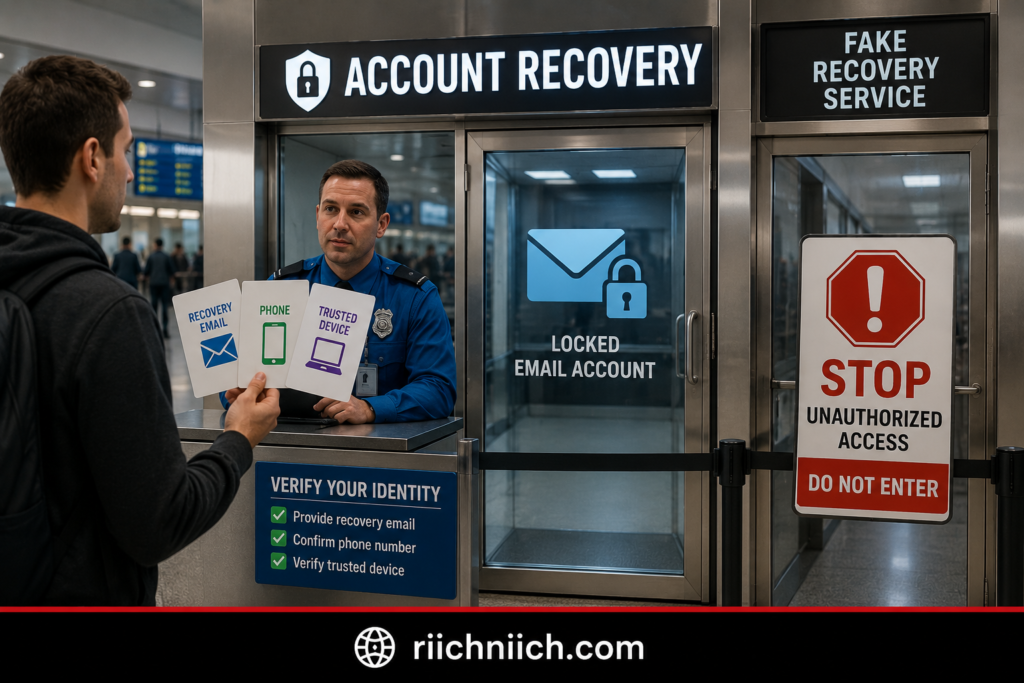
Being locked out of your email account can mean the attacker changed your password, recovery phone number, recovery email address, or other security settings. If you’re trying to figure out what to do if your email account gets hacked, don’t create a replacement email address and abandon the compromised account just yet. Your first priority should be attempting to recover it through your email provider’s official account-recovery process.
The FTC recommends following your provider’s account-recovery instructions when you cannot log in. Before beginning, it also recommends making sure your security software is up to date and scanning your device for suspicious software.
Go Directly to Your Email Provider
Do not use a recovery link from an unexpected email, text message, advertisement, or search result claiming someone can recover the account for you.
Instead, go directly to your email provider and start its official recovery process.
For example, Google tells users who have been locked out because someone changed their password or recovery information to use Google’s account recovery process. Microsoft similarly directs users with compromised accounts to its official sign-in and recovery tools.
Be Prepared To Prove the Account Belongs to You
Your provider may ask for information that helps verify your identity.
Depending on the provider and how the account was configured, this could involve a recovery email, recovery phone number, verification code, previously trusted device, or other account information.
Answer recovery questions as accurately as possible rather than guessing wildly.
If you’re recovering a Google Account, Google recommends answering the recovery questions as best you can. Google also says that using a device and location you normally use can help in certain recovery situations.
For a Microsoft account, the recovery process may ask for information about the account that only its legitimate owner is likely to know.
What If the Hacker Changed Your Recovery Information?
This can make hacked email account recovery more difficult, but it doesn’t necessarily mean the account is permanently lost.
Use the provider’s recovery process and select options indicating that you no longer have access to the listed recovery method when available.
Don’t send your password or verification codes to someone claiming they can bypass the process.
Google explicitly warns against account and password recovery services and says not to give passwords or verification codes to services claiming they can recover your account. Microsoft also notes that its support agents cannot simply access an account and change its details for you.
That means you should be extremely skeptical of anyone promising:
“Pay me and I’ll get your hacked email back.”
A person claiming to be a recovery expert could simply be another scammer trying to obtain more information.
Secure Your Other Accounts While You Wait
Don’t put everything else on hold while trying to recover your inbox.
If a hacker still controls your email, assume accounts connected to that address could potentially be targeted through password resets. The FTC specifically warns that control of an email account can allow someone to request password-reset links for other accounts and potentially lock the legitimate owner out.
Go directly to your most important accounts and secure them, particularly your banking, credit card, payment, shopping, social media, cloud-storage, and other sensitive accounts.
If those accounts use the same password as the hacked email, change them immediately.
This is also an excellent time to move away from password reuse. A reputable password manager can generate and store unique passwords for your accounts so one stolen password doesn’t become the key to several services.
Enable MFA on important accounts as well. CISA recommends MFA for email, financial services, social media, online stores, and other accounts because an additional authentication factor makes account takeover harder even when a password has been compromised.
Consider Identity Monitoring If Sensitive Information Was Exposed
Being locked out does not automatically mean your identity has been stolen.
However, the situation becomes more serious if the attacker may have accessed emails containing your Social Security number, financial information, tax documents, identification documents, or other highly sensitive personal information.
The FTC warns that hackers may target accounts to obtain information such as usernames, passwords, bank or credit card numbers, and Social Security numbers for identity theft and other fraud. If you believe personal information was stolen, the FTC recommends using IdentityTheft.gov for a personalized recovery plan.
This is where identity theft protection or identity monitoring can have stronger buyer intent. These services cannot unlock your email account, but monitoring may be worth considering when the compromise involves sensitive identity information rather than only an exposed email password.
Once You Get Back In, Secure Everything
Recovering access is only half the job.
Once you successfully get back into your account, immediately return to the security steps covered earlier in this guide:
Change the password → sign out other sessions → enable 2FA → verify recovery information → inspect forwarding rules → remove unauthorized apps → review suspicious email activity → secure connected accounts.
The FTC recommends many of these steps after an account has been recovered, including changing the password, signing out all devices, enabling 2FA, checking recovery information, and inspecting unauthorized forwarding rules.
When dealing with what to do if your email account gets hacked, being locked out makes the situation more urgent—but it doesn’t change the objective: recover the account through official channels, close every unauthorized path back in, and protect the other accounts that depend on your email.
Once access has been restored, the next question becomes how to make sure the recovery itself is complete. That’s what we’ll cover next in How To Recover a Hacked Email Account.
How To Recover a Hacked Email Account
Recovering a hacked email account means more than simply getting back into your inbox. A complete recovery should restore your access, remove the hacker’s access, reverse unauthorized changes, and protect the accounts connected to your email.
If you’re working through what to do if your email account gets hacked, begin with your email provider’s official recovery process. The FTC recommends updating your security software and running a malware scan before recovery, then following your provider’s account-recovery instructions if you cannot sign in.
Start With the Official Account-Recovery Process
Go directly to your email provider’s website or app.
Depending on the provider, you may be asked to verify your identity using a recovery phone number, backup email address, trusted device, verification code, or other account information.
Avoid third-party websites or people claiming they can “hack your email back.” Account recovery should happen through the company that actually operates your email service.
If you still have access to the account, don’t skip recovery steps simply because you can open your inbox. An attacker may still have an active session or may have changed settings that give them another way back in.

Once You’re Back In, Don’t Stop at the Password
Successfully logging in does not mean hacked email account recovery is finished.
The FTC recommends taking several actions after regaining control: change your password, sign out of all devices, enable two-factor authentication, verify your recovery information, check for unauthorized forwarding rules, inspect messages sent from your account, and look for emails the hacker may have deleted.
A practical recovery checklist looks like this:
- Change your email password.
- Sign out of all other devices and sessions.
- Enable two-factor authentication.
- Verify your recovery email and phone number.
- Remove suspicious forwarding rules and filters.
- Revoke unknown apps and permissions.
- Review Sent, Deleted, Trash, Spam, and Archive folders.
- Investigate password resets you didn’t request.
- Secure other accounts connected to your email.
- Warn contacts who received fraudulent messages.
Each step addresses a different part of the compromise.
Scan Your Device for Malware
You should also consider how the attacker obtained access in the first place.
If malicious software on your computer captured your login credentials, changing your password without addressing the infected device could leave you exposed.
The FTC recommends making sure your security software is up to date, running a scan, deleting suspicious software that is detected, and restarting the computer before proceeding with account recovery.
If you suspect malware, avoid entering newly created passwords on the affected device until you’ve taken appropriate steps to secure it.
This is where reputable antivirus or broader cybersecurity software can have legitimate buyer intent. You’re not purchasing security software because “you got hacked” automatically means you need it. You’re addressing a specific possibility: the device itself may have contributed to the account compromise.
Create a Completely New Password
Once you’re confident you’re working from a secure device, replace the compromised password with a strong, unique password that isn’t used anywhere else.
If you reused the old password on other websites, change those passwords too.
A password manager can be particularly useful during hacked email account recovery because it can generate and store unique passwords instead of forcing you to remember dozens of credentials. CISA recommends strong, unique passwords and password managers as basic defenses against account compromise.
This is an important distinction:
One password used on 10 accounts = one stolen password can threaten 10 accounts.
10 unique passwords = compromising one password doesn’t automatically reveal the other nine.
Add MFA Before You Consider the Account Fully Recovered
After resetting the password, enable multifactor authentication if your provider supports it.
CISA explains that MFA adds another verification requirement, meaning a stolen password alone generally isn’t enough to complete the login. It recommends enabling MFA on every account or app that offers it.
Your email account should be one of your highest priorities because it can be used to reset passwords for other services.
Determine Whether the Hacker Reached Other Accounts
Recovery shouldn’t stop with the inbox.
Search your email for unfamiliar:
Password resets → verification codes → security alerts → new-device notifications → account-change notices → purchase confirmations.
If you find evidence involving another service, go directly to that company’s official website or app and inspect the account.
The FTC specifically warns that someone controlling your email could request password-reset links for other accounts, receive those links in your inbox, change the passwords, and potentially lock you out.
That makes your email account less like an isolated website login and more like a master recovery key for your digital life.
Decide Whether You Need Additional Protection
After recovering the account, assess what was actually exposed.
If the incident involved only an email password and you quickly contained the compromise, stronger passwords and MFA may address the most immediate risks.
The situation changes if you discover that the hacker accessed sensitive messages, reused credentials, financial information, personal documents, or other accounts.
At that point, additional protection may be worth considering:
Password manager: Useful if password reuse contributed to the compromise or you need to replace many passwords with unique credentials.
Antivirus/security software: More relevant if malware may have been involved.
Dark web or credential monitoring: Useful for watching for evidence that compromised credentials have surfaced elsewhere.
Identity theft protection: More relevant when highly sensitive personal information may have been exposed and you want broader identity monitoring.
The important thing is to match the product to the problem rather than buying security tools out of panic.
Recovery Isn’t Complete Until the Hacker Is Out
The objective of what to do if your email account gets hacked isn’t simply:
“I can log in again.”
It’s:
“I control the account again, the attacker no longer does, and I’ve secured the other accounts that could have been affected.”
The FTC’s recovery guidance reinforces that distinction by recommending security changes, investigation of unauthorized activity, and notification of contacts after access has been restored.
Once you’ve recovered the account and closed the obvious doors, the next question becomes more investigative:
What did the hacker actually see or access?
That’s what we’ll determine next in How To Check What the Hacker Accessed.
How To Check What the Hacker Accessed
After you regain control of your email account, one of the hardest questions is: What did the hacker actually see?
Unfortunately, most email providers cannot give you a perfect list of every individual message an attacker opened. Instead, you need to piece together the evidence using login history, security alerts, email activity, account settings, password-reset messages, and changes made while the account was compromised.
When working through what to do if your email account gets hacked, this investigation is important because it helps determine whether you are dealing with a compromised password—or a larger problem involving financial accounts, stolen credentials, or identity theft.
The FTC recommends checking for unauthorized forwarding rules, messages sent from your account, and emails the hacker may have read and deleted after you regain access.
Start With Your Recent Login Activity
Open your email provider’s security dashboard and review recent sign-ins and devices.
Look for activity involving:
- Devices you don’t recognize
- Browsers you don’t normally use
- Sign-ins at unusual times
- Locations that don’t make sense
- New devices added to your account
- Security changes you didn’t make
An unfamiliar location alone isn’t definitive proof of unauthorized access because VPNs, mobile networks, and IP routing can affect location information. But an unknown device combined with an unfamiliar time or other suspicious activity deserves attention.
Write down the earliest suspicious activity you can identify. This gives you an approximate compromise window to use when examining the rest of your account.

Search for Password Resets and Security Alerts
Next, search your inbox, Spam, Trash, Archive, and Deleted folders for terms such as:
“password reset”
“verification code”
“new login”
“security alert”
“new device”
“email changed”
“phone number changed”
“recovery email”
“purchase confirmation”
Pay close attention to messages dated between the first suspicious login and the time you secured the account.
If you find a password-reset email you didn’t request, investigate that account directly. Don’t assume the attacker successfully took it over, but don’t ignore it either.
This is especially important because the FTC warns that attackers target email accounts for information such as usernames, passwords, financial account information, and Social Security numbers, which can potentially be used for identity theft and other fraud.
Check What Was Sent, Deleted, or Changed
Your mailbox can leave clues about what the attacker did.
Review your Sent folder for messages you didn’t write. Check Trash and Deleted folders for messages you don’t remember removing. Look at forwarding rules, filters, signatures, recovery information, connected applications, and other account settings for unauthorized changes.
The FTC specifically recommends checking account settings and forwarding rules after an email compromise. Its guidance also recommends examining the Sent and Deleted folders for evidence of hacker activity.
If you find evidence, consider documenting it before cleaning everything up. Screenshots of suspicious logins, password resets, forwarding addresses, or fraudulent messages may be useful if the incident later involves financial fraud or identity theft.
Figure Out What Sensitive Information Was in Your Inbox
Now think like someone searching your inbox for valuable information.
Use your email search function to look for categories of sensitive information that may have been accessible during the compromise.
For example, determine whether your mailbox contained:
- Bank or credit card correspondence
- Tax documents
- Social Security information
- Copies or photos of identification documents
- Insurance information
- Account numbers
- Passwords or credentials sent through email
- Personal addresses and phone numbers
- Cloud-storage links
- Financial statements
- Medical or employment documents
- Password-reset links for important accounts
Finding sensitive information in your inbox does not prove the hacker opened it. The purpose of this review is to understand the potential exposure so you know which accounts and information deserve additional protection.
CISA has emphasized this principle in breach-response guidance: determining what data or systems were accessed is an important part of investigating a compromise.
Check Your Important Accounts Directly
If your investigation uncovers suspicious password resets or verification codes, don’t rely entirely on what you see in the email account.
Go directly to the affected service’s official website or app.
Check important accounts for:
Unknown logins → password changes → new devices → changed contact information → unfamiliar transactions → new payment methods → security settings you didn’t change.
Prioritize financial accounts, shopping accounts with saved payment information, cloud storage, social media, and anything else containing sensitive data.
If your old email password was reused on any of these accounts, change those passwords immediately.
Decide Whether the Exposure Justifies Additional Protection
This investigation is also where buyer intent becomes much clearer.
If all you find is one unauthorized email login that you quickly stopped—and there is no evidence of broader exposure—you may primarily need stronger passwords and MFA.
But suppose you discover that your inbox contained sensitive personal information, several accounts received unauthorized password resets, or credentials may have been exposed elsewhere. Your risk profile is now different.
Depending on what you find, you may want to consider:
A password manager if you were reusing passwords or need to replace compromised credentials across multiple accounts.
Security or antivirus software if you suspect malware or credential-stealing software on one of your devices.
Dark web or credential monitoring if you’re concerned that stolen credentials may be circulating elsewhere. CISA specifically lists credential monitoring as one possible measure for identifying compromised credentials.
Identity theft protection if highly sensitive identity information may have been exposed and you want broader monitoring for potential misuse.
Don’t purchase protection simply because your email was hacked. Buy based on what may have been exposed.
If Personal Information Was Stolen, Take It Seriously
If your investigation reveals that a hacker may have obtained your Social Security number, financial account information, or other sensitive identity data, the situation has moved beyond basic email recovery.
The FTC directs consumers who believe someone stole their personal information to IdentityTheft.gov, where they can report identity theft and receive a personalized recovery plan.
The key distinction when following what to do if your email account gets hacked is:
Account compromised does not automatically mean identity stolen.
But the more sensitive information the attacker could access—and the more evidence you find of unauthorized activity—the more seriously you should treat the possibility of additional account takeover, fraud, or identity theft.
That leads directly to the next question: Can a Hacker Get Into Your Other Accounts Through Your Email?
Can a Hacker Get Into Your Other Accounts Through Your Email?
Yes. A hacker who controls your email account may be able to use it to target other accounts connected to that email address. This is one of the biggest reasons an email account takeover should be treated seriously.
When figuring out what to do if your email account gets hacked, remember that your inbox often serves as the recovery hub for your digital life. Banks, shopping sites, social media platforms, cloud services, and countless other accounts may send password-reset links and security codes to your email.
The FTC specifically warns that someone who hacks your email can request password-reset links for your other accounts, receive those links in your inbox, change the passwords, and potentially lock you out.
Your Email Can Act Like a Master Recovery Key
Think about how many accounts use your email address for password recovery.
If you forget a password, the normal process often looks like this:
Click “Forgot Password” → receive an email → click the reset link → create a new password.
Now imagine that someone else controls the inbox receiving that reset link.
The attacker may attempt the same process before you even realize your email has been compromised.
Which Accounts Are Most Important To Check?
If your email has been hacked, prioritize accounts that could expose money, personal information, or access to additional services.
Start with your financial accounts, payment services, password manager, shopping accounts with stored payment methods, cloud storage, social media, government or tax accounts, and other accounts containing sensitive information.
Look especially closely at any service for which you discovered an unexpected password-reset email, verification code, new-device notification, or security alert.
Go directly to the company’s official website or app rather than using an unexpected link from your inbox.
Password Reuse Makes the Problem Worse
Password resets aren’t the only danger.
If you used the same password for your email and other accounts, an attacker who obtains that password may try it elsewhere. The FTC warns specifically about this problem and recommends changing passwords on other services when the same or similar password was reused.
This type of attack is commonly called credential stuffing. CISA describes it as using known username/password combinations obtained from one system to try to access others, taking advantage of people who reuse credentials.
For example, imagine the same password protects your:
Email → shopping account → social media → cloud storage.
One exposed password has now created four potential targets.
This Is Where a Password Manager Can Be Worth It
If password reuse contributed to the problem, a password manager has clear buyer intent because it addresses the weakness directly.
Instead of trying to remember dozens of passwords—or creating slight variations of the same one—you can generate and store a different strong password for each account.
That means your:
Email password ≠ bank password ≠ shopping password ≠ social media password.
If one credential is compromised in the future, the attacker doesn’t automatically have the password for everything else.
For someone recovering from an email account hack, this can be one of the most practical security upgrades to make.
Turn On MFA for Your Other Important Accounts
As you secure connected accounts, enable multi-factor authentication wherever possible.
CISA recommends MFA for email, financial services, social media, online stores, and other accounts. MFA provides another layer of protection because stealing the password alone generally isn’t enough to satisfy the second authentication requirement.
Prioritize your most important accounts first.
A good security structure looks like:
Unique password + MFA + secure recovery information
rather than relying on one reused password across multiple services.
What If the Hacker Already Reset Another Password?
If you discover that the attacker successfully changed a password on another account, treat that account as compromised too.
Go through that company’s official recovery process. Once you regain access, change the password, sign out unknown sessions where possible, verify your recovery information, enable MFA, and review the account for unauthorized changes or transactions.
You should also investigate how far the attack spread.
One compromised social media account is different from discovering unauthorized access to your bank, cloud storage, tax account, or an account containing sensitive identity information.
Could This Lead to Identity Theft?
Potentially—but a hacked email account does not automatically mean your identity has been stolen.
The risk becomes more serious if the attacker accessed sensitive information such as financial account details, Social Security information, personal documents, or other identifying data. The FTC notes that hackers may target email accounts specifically to obtain usernames, passwords, financial information, and Social Security numbers for identity theft or other fraud.

When Additional Security Tools Make Sense
This is another point where the level of exposure should determine what you buy.
If the problem was caused by password reuse, a password manager directly addresses that weakness.
If you believe malware stole your credentials, reputable antivirus or security software becomes more relevant.
If your email credentials may have been exposed elsewhere, dark web or credential monitoring may provide additional visibility.
And if highly sensitive identity information was exposed, identity theft protection may be worth considering for broader monitoring.
The goal isn’t to buy every cybersecurity product available. It’s to identify how the hacker got in, what they reached, and which security tool addresses that specific risk.
When working through what to do if your email account gets hacked, protecting connected accounts is critical because your inbox can become the bridge between one compromised account and several more.
And that raises an important recovery question: Should You Change All Your Passwords After Your Email Gets Hacked?
Should You Change All Your Passwords After Your Email Gets Hacked?
Not necessarily—but you should immediately change any password that was reused, exposed, or connected to suspicious activity.
When you’re figuring out what to do if your email account gets hacked, changing every password you’ve ever created may sound like the safest approach. In practice, it makes more sense to prioritize the accounts that are actually at risk and then work through the rest systematically.
The FTC recommends changing your compromised password immediately and changing passwords on other services if you used the same or a similar password there.
So instead of randomly resetting dozens of passwords, start with the accounts where a stolen credential could do the most damage.
Change These Passwords First
Your highest priority should be your email password itself, assuming you haven’t already changed it.
Then change the passwords for accounts where:
- You used the same password as your hacked email.
- You used a similar variation of that password.
- You found an unauthorized password-reset request.
- You received a suspicious login or security notification.
- The account contains sensitive personal or financial information.
- You have reason to believe the hacker attempted to access it.
Pay particular attention to banking, credit cards, payment services, password managers, cloud storage, shopping accounts with saved payment methods, social media, tax-related services, and other important accounts.
The FTC warns that someone controlling your email may be able to request password-reset links for your other accounts and use your inbox to take them over.
What If Every Account Already Has a Unique Password?
This is an important distinction.
Suppose your email password was:
Password A
while your bank, shopping account, social media, and cloud storage each had completely different passwords:
Password B → Password C → Password D → Password E
If there is no evidence those other passwords were exposed or those accounts were targeted, you don’t necessarily need to panic and reset everything simultaneously.
Instead, secure the compromised email account first and investigate your important accounts for unauthorized activity.
However, if the hacker had access to an inbox containing stored passwords, password-reset messages, sensitive documents, or information that could help compromise another account, changing additional passwords may still be appropriate.
If You Reused Your Email Password, Treat It Differently
Password reuse dramatically changes the situation.
Imagine your email, shopping account, cloud storage, and social media account all use the same password.
Now the hacker doesn’t necessarily need to request password resets. They can simply try the stolen credentials on other services.
The FTC warns that hackers may attempt to use a stolen username and password on other accounts when the same credentials have been reused.
So if your hacked email password was reused elsewhere, change every account using that password or a similar variation.
And don’t create another shared password to replace it.
Each account should get its own unique password.
Don’t Turn One Password Into Ten Slight Variations
Another common mistake is creating passwords like:
SummerBank2026!
SummerEmail2026!
SummerAmazon2026!
SummerFacebook2026!
They technically aren’t identical, but they’re built around the same predictable pattern.
Instead, use completely different passwords for important accounts. CISA recommends passwords that are long, random, and unique for each account; its guidance recommends at least 16 characters and also recommends using a password manager.
That creates a much stronger security structure:
One account → one unique password.
If one password is compromised, the attacker doesn’t automatically receive a useful clue for unlocking everything else.
A Password Manager Makes This Much Easier
This is one of the strongest buyer-intent moments in the recovery process.
If you’re staring at 30, 50, or even 100 accounts and thinking:
“How am I supposed to create and remember a different password for every one of these?”
You shouldn’t have to.
A reputable password manager can generate, store, and automatically fill strong, unique passwords for your accounts. CISA specifically recommends password managers because maintaining many long, random, unique passwords isn’t practical to do from memory.
For someone recovering from an email hack, the value is straightforward:
Without a password manager: You may be tempted to reuse passwords because they’re easier to remember.
With a password manager: Your email, bank, shopping accounts, cloud storage, and social media can each have completely different credentials without requiring you to memorize every one.
If password reuse played any role in your email compromise, a password manager is one of the most practical security upgrades to consider.
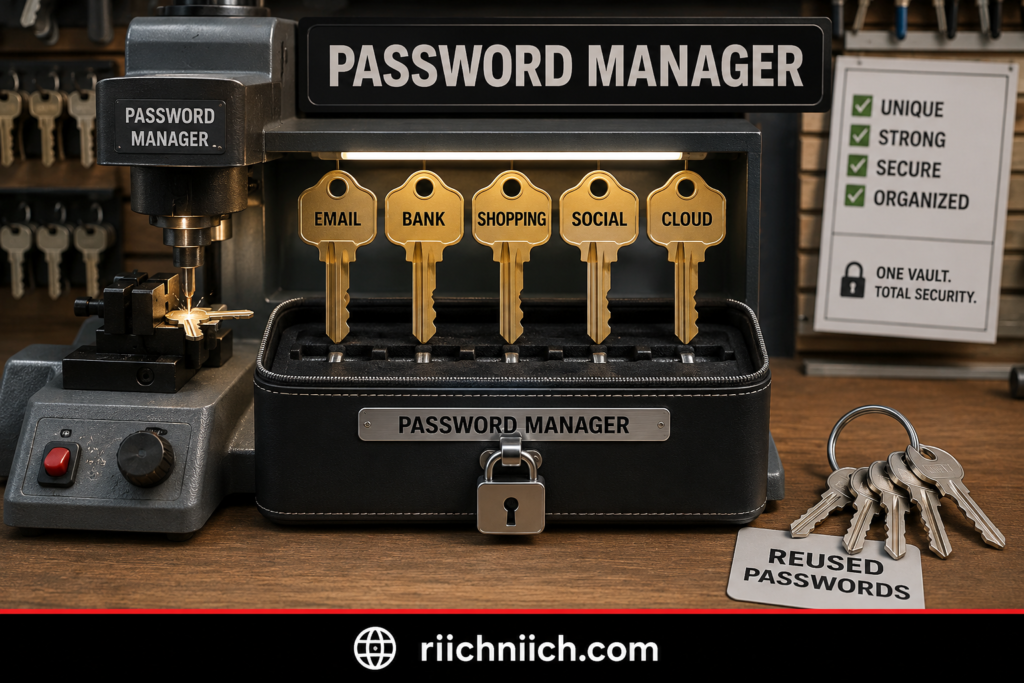
Turn On MFA While You’re Changing Passwords
Password changes are also a good opportunity to strengthen your important accounts with multi-factor authentication.
CISA recommends turning on MFA for every account or app that offers it, particularly accounts involving email, banking, online purchases, social media, and other sensitive information. Even if an attacker steals the password, they would still need to satisfy the additional authentication requirement.
So as you work through your accounts, aim for:
Unique password + MFA
rather than simply replacing one password with another.
What If You Think Your Passwords Were Stolen by Malware?
Then password changes alone may not solve the underlying problem.
If credential-stealing malware is present on your computer or phone, entering brand-new passwords on the compromised device could potentially expose the new credentials too.
Secure and scan the device before conducting a large-scale password reset if you have evidence or a strong reason to suspect malware.
Security or antivirus software has stronger buyer intent in this situation because you’re addressing a specific threat rather than purchasing software simply because your email was hacked.
Should You Change 100 Passwords in One Night?
Probably not unless there is evidence that the compromise is widespread.
Prioritize based on risk:
1. Hacked email account
2. Accounts using the same or similar password
3. Accounts showing suspicious activity
4. Financial and identity-sensitive accounts
5. Other important accounts connected to the email
6. Lower-risk accounts
This approach lets you contain the biggest risks first without becoming overwhelmed.
And once you have stabilized the situation, gradually replace weak or reused passwords across your remaining accounts with unique ones.
The Goal Isn’t More Passwords—It’s Better Password Separation
When following what to do if your email account gets hacked, don’t measure recovery by how many passwords you changed.
Measure it by whether the hacker can use what they stole to get somewhere else.
If you reused the compromised password, replace it everywhere. If another account shows evidence of unauthorized access, secure it immediately. Then use unique passwords and MFA to prevent one compromised credential from creating another chain reaction.
Once your passwords are under control, there’s another question worth answering: Should You Check Your Email on the Dark Web?
Should You Check Your Email on the Dark Web?
Yes. If your email account has been hacked, checking whether your email address or credentials have appeared in known data breaches or dark-web monitoring results can be a useful part of your recovery process.
When you’re working through what to do if your email account gets hacked, a dark web check can help answer an important question: Was this incident isolated to my email account, or have my credentials been exposed somewhere else too?
The FTC has warned that stolen information appearing on dark-web marketplaces can include email credentials and much more sensitive information, including Social Security numbers, dates of birth, and driver’s license information.
However, there is an important limitation: dark web monitoring cannot tell you everything that has been stolen, and finding your email address does not automatically mean your current email account is hacked.
What Does It Mean If Your Email Is Found on the Dark Web?
Finding your email address in breach or dark-web data usually means that the address appeared in information exposed or collected somewhere.
The important question is what appeared with it.
There is a big difference between finding:
Email address only
and finding:
Email address + password
or something even more sensitive, such as:
Email address + password + phone number + personal information
An email address by itself may primarily increase your exposure to spam and phishing attempts. A current or reused password is much more urgent because an attacker could attempt to use those credentials against your email or other accounts.
The FTC advises changing exposed passwords, starting with email, and using different passwords across accounts. It also recommends multifactor authentication for additional protection.

A Dark Web Result Doesn’t Necessarily Explain the Hack
This distinction is important.
Suppose a dark web scan finds your email address and an old password from a breach several years ago.
That doesn’t prove those credentials caused your current email account hack.
Likewise, a scan that finds nothing doesn’t prove your information is completely safe. Dark web monitoring can only detect information available within the sources being monitored; it cannot see every private database, criminal exchange, compromised device, or stolen credential.
Think of dark web monitoring as an early-warning system, not a complete view of everything criminals know about you.
What Should You Do If Your Password Is Found?
If a dark web or breach-monitoring alert shows a password you currently use, change it immediately.
Then determine whether you used the same or a similar password anywhere else.
The FTC recommends changing reused passwords after exposure. Its data-breach guidance similarly advises changing the password anywhere else it was reused.
Your response should look like this:
Exposed password found → change it → find accounts where it was reused → give each account a unique password → enable MFA.
This is another situation where a password manager can be worth paying for. Rather than trying to remember dozens of unique credentials, a password manager can generate and store them for you. The FTC specifically recommends considering one when securing accounts after dark-web exposure.
Is Paid Dark Web Monitoring Worth It After an Email Hack?
It can be, depending on what happened.
A one-time breach check can tell you whether known exposure already exists. Continuous monitoring is designed to keep checking for new discoveries and alert you when information associated with you is detected.
CISA specifically recommends considering credential-monitoring services that monitor the dark web for compromised credentials as part of its guidance for dealing with compromised credentials.
👉 If your main concern is finding out whether your personal information appears in future breaches, Coveron is worth considering for ongoing exposure monitoring and alerts. Check Coveron here to see whether its monitoring features fit the type of protection you want after an email hack.
That creates a legitimate buyer-intent distinction:
One-time check: Useful for investigating what may already be exposed.
Continuous dark web monitoring: More useful if you want ongoing alerts about newly detected credential exposure.
Identity theft protection: More relevant when the concern extends beyond usernames and passwords to sensitive identity information and potential identity fraud.
Don’t buy a monitoring service expecting it to remove your information from the dark web or prevent an account from being hacked. Monitoring primarily gives you visibility so you can respond faster.
Be Careful With “Your Information Is on the Dark Web” Emails
There’s an ironic risk here.
You may receive an email claiming:
“We found your personal information on the dark web. Click here immediately.”
Don’t automatically trust it.
The FTC warns that scammers can send phishing emails pretending to notify people that their information has been discovered on the dark web. Instead of clicking the link or calling the number in the message, independently visit the legitimate company’s website or contact it using information you know is authentic.
This is particularly important immediately after an email compromise, when fear can make an urgent-looking security alert much more convincing.
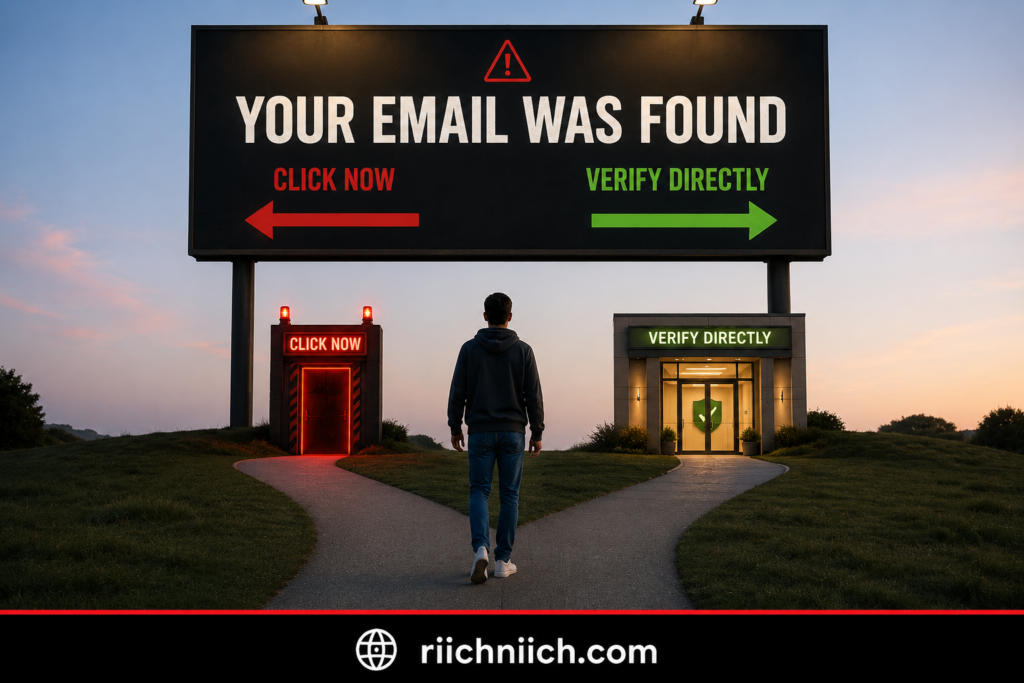
What If Sensitive Personal Information Is Found?
Finding an old password is one problem.
Finding sensitive identity information is another.
If the exposed information includes something such as your Social Security number or other data that could facilitate identity theft, consider moving beyond basic credential monitoring.
IdentityTheft.gov recommends checking and monitoring your credit when personal information has been exposed and says a credit freeze can make it harder for someone to open a new account in your name.
This is where identity theft protection may have stronger buyer intent. A broader identity-monitoring service can make more sense when you’re worried about fraudulent use of your identity rather than only whether an email/password combination appears in breach data.
Dark Web Monitoring Is a Warning System, Not a Shield
The easiest way to think about dark web monitoring is like a smoke detector.
A smoke detector doesn’t prevent a fire. It warns you when it detects evidence of one.
Dark web monitoring works similarly. It cannot stop someone from stealing credentials, but an alert about exposed information can give you an opportunity to change passwords, secure accounts, enable MFA, and investigate suspicious activity sooner.
So when deciding what to do if your email account gets hacked, checking for known credential exposure is worthwhile—but don’t make it your only response.
Secure the account first. Then investigate what information may have escaped beyond your inbox.
And if that investigation uncovers sensitive personal information, the next question becomes much more serious:
Could a Hacked Email Lead to Identity Theft?
Could a Hacked Email Lead to Identity Theft?
Yes, a hacked email can potentially lead to identity theft, but a compromised inbox does not automatically mean someone has stolen your identity.
If you’re concerned about what the compromise could mean for your identity, Do You Really Need Identity Theft Protection? explains when paid monitoring may be worth considering and when free security measures may be enough.
The risk depends on what the hacker could access and what they do with that information. When working through what to do if your email account gets hacked, you should determine whether the attacker gained access only to your email credentials or also found sensitive personal or financial information.
The FTC warns that hackers may target email accounts to obtain usernames and passwords, bank or credit card account numbers, Social Security numbers, and other personal information that can be used to commit identity theft.
How an Email Hack Can Turn Into Identity Theft
Your inbox can contain years of information about your life.
Think about the documents, receipts, notifications, and conversations that may have passed through your email. Depending on how you use your account, an attacker could potentially encounter:
- Your full name and address
- Phone numbers
- Bank or credit card information
- Tax-related documents
- Insurance information
- Employment documents
- Copies of identification documents
- Account numbers
- Password-reset links
- Birth dates or other identifying information
- Cloud-storage links containing personal files
The FTC defines identity theft as someone using your personal or financial information without your permission. Criminals may use stolen information to make purchases, open accounts, obtain services, steal tax refunds, or commit other types of fraud.
The important distinction is this:
Hacker sees your email address = account-security problem.
Hacker obtains sensitive personal information = potential identity-theft exposure.
Hacker actually uses that information to impersonate you or commit fraud = identity theft.
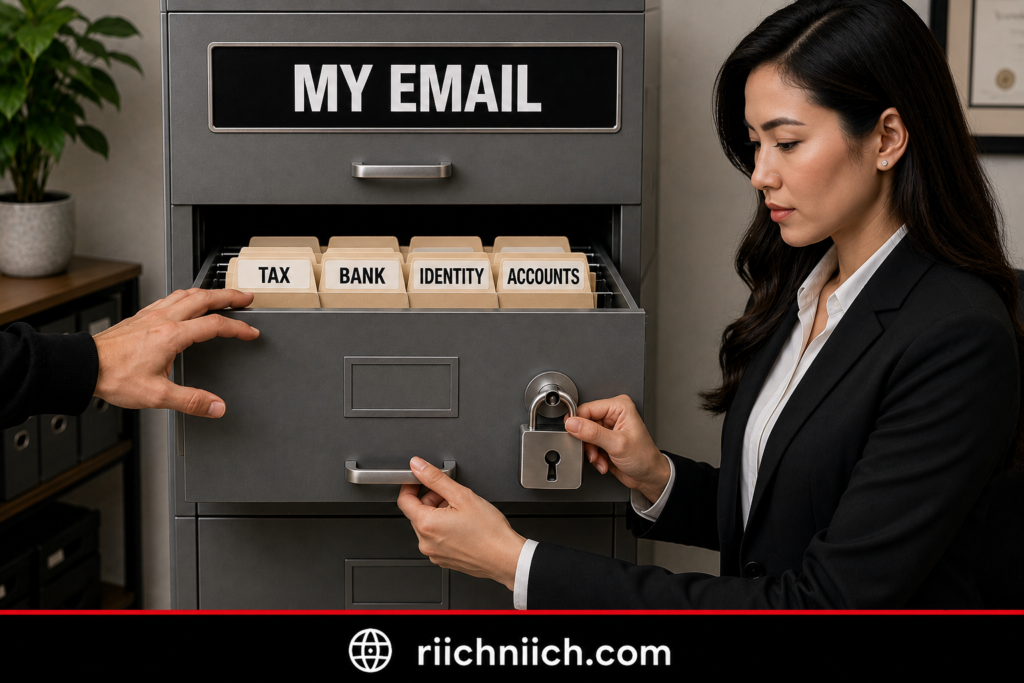
Your Email Can Also Help a Hacker Reach Other Accounts
Identity theft doesn’t necessarily begin with finding a Social Security number inside an old message.
An attacker controlling your email may try to use password-reset links to take over other accounts. The FTC specifically warns that a hacker with access to your inbox could request password resets for other services, receive those links, change the passwords, and lock you out.
That could potentially expose additional personal information stored inside financial, shopping, cloud-storage, or other accounts.
This is why your email should be treated as more than another username and password. For many people, it functions as the recovery key for dozens of other accounts.
Look for Warning Signs of Identity Theft
After securing your hacked email, watch for activity that cannot be explained by the email compromise alone.
IdentityTheft.gov lists warning signs that can include unexplained bank withdrawals, unfamiliar accounts or charges on your credit report, debt-collection calls about debts that aren’t yours, medical bills for services you didn’t receive, or IRS notices involving tax activity you don’t recognize.
Also watch for:
New accounts you didn’t open
Purchases you didn’t make
Changes to financial accounts you didn’t authorize
Unexpected credit inquiries
Bills or statements for unfamiliar accounts
Attempts to reset passwords on sensitive accounts
One suspicious email login doesn’t mean these things will happen. But if highly sensitive information was accessible during the hack, monitoring for them becomes more important.
Check Your Credit If Sensitive Information Was Exposed
If your investigation suggests the attacker obtained information that could be used to open accounts in your name, review your credit reports.
IdentityTheft.gov recommends checking credit reports for unfamiliar accounts or debts after personal information has been lost or exposed. It also notes that consumers can place a credit freeze for free, which restricts access to the credit file and makes it harder for someone to open new credit accounts in their name.
A credit freeze is particularly worth considering if highly sensitive identity information such as your Social Security number has been exposed. It is different from simply monitoring your credit: monitoring can alert you to activity, while a freeze is designed to restrict access to your credit file.
When Identity Theft Protection Becomes Worth Considering
This is where identity theft protection can have legitimate buyer intent.
You don’t necessarily need to purchase identity theft protection simply because someone logged into your email.
But consider the difference between these two situations:
Situation A: Someone accessed your email, you caught it quickly, changed the password, removed unauthorized sessions, and found no evidence that sensitive information was exposed.
Situation B: Someone accessed your inbox containing financial documents and personally identifying information, attempted to reset other account passwords, and you don’t know exactly what information they obtained.
Identity monitoring becomes much more relevant in Situation B.
Depending on the service, paid identity theft protection may monitor combinations of credit activity, personal information, compromised credentials, or other indicators and provide recovery assistance if identity theft occurs.
However, don’t confuse monitoring with prevention. No identity theft protection service can guarantee that your identity will never be stolen.
The FTC explains that monitoring services can help alert you to certain signs of identity theft, while recovery services can help address problems after identity theft occurs.
You Still Have Powerful Free Protections
Paid identity theft protection isn’t your only option.
If sensitive information may have been exposed, IdentityTheft.gov recommends actions such as checking your credit reports, monitoring them for unfamiliar activity, placing a fraud alert when appropriate, and freezing your credit.
If someone has already used your information, report the identity theft through IdentityTheft.gov. The service creates a personalized recovery plan based on what happened.
Don’t Forget Your Passwords and MFA
Identity protection shouldn’t distract you from basic account security.
Change compromised or reused passwords and give important accounts unique credentials. A password manager can make this much easier by generating and storing separate passwords instead of encouraging password reuse.
Also enable MFA wherever possible. CISA recommends MFA for email, financial services, social media, online stores, and other accounts because an attacker who obtains your password would still face another authentication requirement.
An Email Hack Is a Warning—Not Proof of Identity Theft
When following what to do if your email account gets hacked, don’t assume the worst, but don’t ignore the possibility of broader exposure either.
Ask three questions:
What information was accessible?
What did the hacker appear to do?
Is there evidence that my personal information is being misused?
Those answers should determine your next move.
If the compromise was limited to login credentials, strong unique passwords and MFA may be enough to address the immediate risk. If sensitive identity information was exposed, credit monitoring, a credit freeze, dark web monitoring, or identity theft protection may deserve consideration. And if your information is already being misused, move from monitoring to identity-theft recovery.
That leads directly into another buyer-intent decision: Should You Use a Password Manager After Your Email Gets Hacked?
Should You Use a Password Manager After Your Email Gets Hacked?
Yes. If your email account was hacked—especially if you reused passwords—a reputable password manager can be one of the most useful security upgrades you make afterward.
If you’re ready to stop reusing passwords, compare our Best Password Managers to find an option that can help you create and securely store unique passwords for your email and other important accounts.
When working through what to do if your email account gets hacked, changing the compromised password solves only part of the problem. You also need to make sure the password protecting your email is unique and that the attacker cannot use the same stolen credentials to target your other accounts.
The FTC recommends strong passwords and specifically identifies password managers as an option for creating and storing them. It also advises changing passwords on other services if the compromised password—or a similar one—was reused.
Why a Password Manager Helps After an Email Hack
The biggest advantage is password separation.
Without a password manager, it’s tempting to create one memorable password and reuse it across your email, banking, shopping, social media, and other accounts.
That creates a chain reaction if the password is stolen.
With a password manager, you can give every account a completely different password:
Email → unique password
Bank → unique password
Shopping → unique password
Social media → unique password
Cloud storage → unique password
If one password is compromised, the attacker doesn’t automatically receive the credentials needed for the others.
CISA recommends long, random, unique passwords and says password managers solve the practical problem of having too many strong passwords to remember yourself.
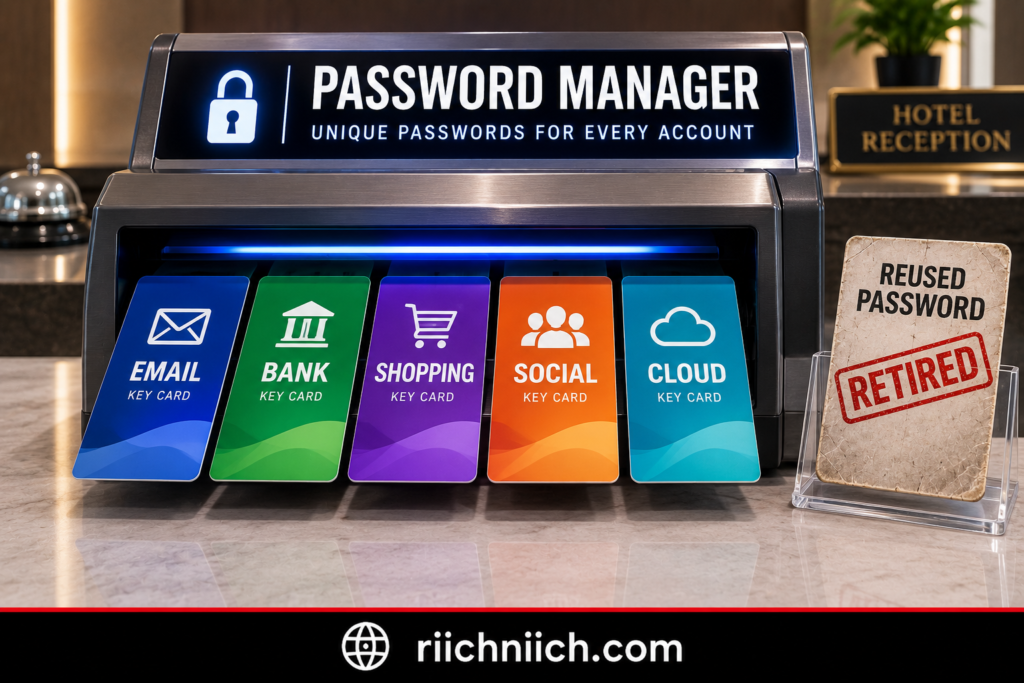
A Password Manager Can Generate the Passwords for You
You don’t have to sit down and invent dozens of complicated passwords yourself.
Password managers can generate long, random passwords and securely store them so you don’t have to memorize each one. The FTC specifically notes that password managers can create strong passwords and remember them for you.
This is particularly useful during hacked email account recovery because you may suddenly need to change passwords across several accounts.
Instead of:
OldPassword1 → OldPassword2 → OldPassword3
you can replace reused credentials with genuinely different passwords that aren’t based on predictable patterns.
What Should You Look for in a Password Manager?
Don’t choose one solely because it’s the cheapest option.
Remember what you’re trusting the software to hold: the credentials to some of your most important accounts.
CISA recommends considering several factors when choosing a password manager, including device compatibility, how the password database is stored, how account recovery works, the developer’s reputation, and whether the password manager itself supports MFA.
For most people, we would prioritize:
- Strong password generation
- MFA for the password-manager account
- Compatibility across your phone, computer, and browsers
- Secure encryption and storage
- A recovery process you understand
- Automatic password filling
- Alerts for weak, reused, or compromised passwords when offered
- A reputable provider with a strong security track record
Free password managers can handle the basics, while paid plans may add features such as cross-device functionality, family sharing, security reports, or additional breach-monitoring features.
The best choice depends on what you actually need.
Your Master Password Becomes Extremely Important
A password manager reduces the number of passwords you need to remember, but the password protecting the manager itself becomes especially important.
Create a strong, unique master password that you do not use anywhere else.
The FTC specifically recommends protecting a password manager with a strong password, while CISA recommends enabling MFA and other available security features on the password manager itself.
So your password manager should ideally be protected by:
Unique master password + MFA
And don’t store your master password inside an unsecured note, document, or email.
Turn On MFA for the Password Manager
This is especially important after an email compromise.
Even a strong password can potentially be stolen through phishing, malware, or another breach. MFA creates another authentication barrier.
CISA recommends MFA because knowing the password alone is not enough when the attacker cannot satisfy the additional authentication requirement. It also recommends phishing-resistant MFA when available.
If your password manager offers stronger authentication options, enable them.
Should You Put Your Email Password in the Password Manager?
For many people, yes—a reputable password manager can store the unique password protecting your email account.
But remember that your email and password manager are both high-value accounts.
Protect both with strong authentication and make sure you understand their recovery processes. You don’t want a situation where losing access to one automatically leaves you unable to recover the other.
CISA specifically recommends understanding how a password manager’s master password and account-recovery system work before choosing a service.
Can a Password Manager Prevent Your Email From Being Hacked?
No.
A password manager can significantly improve one part of your security strategy, but it cannot make your email account impossible to hack.
It primarily helps solve problems such as:
Weak passwords → reused passwords → predictable passwords → difficulty remembering unique passwords.
It does not replace MFA, phishing awareness, device security, software updates, or careful account recovery.
That distinction matters when deciding what to do if your email account gets hacked. If password reuse or weak passwords contributed to the compromise, a password manager directly addresses that weakness.
If malware stole your credentials, you also need to secure the affected device.
If sensitive personal information was exposed, you may need broader monitoring.
And if your email address and credentials have appeared in known breach data, dark web or credential monitoring may deserve consideration.
Is a Password Manager Worth Paying for After an Email Hack?
It can be—particularly if the hack exposed a larger password problem.
If you’re currently reusing passwords because remembering dozens of unique credentials feels impossible, a password manager solves a very specific problem.
CISA’s guidance is straightforward: strong passwords should be long, random, and unique, but remembering all of them isn’t practical; password managers are designed to handle that challenge.
You don’t necessarily need the most expensive plan available. Compare the security features you actually need, particularly MFA, device support, account recovery, password generation, and compromised-password alerts.
For someone recovering from an email hack, the goal isn’t simply to create a better email password.
It’s to make sure one stolen password can never again become the key to several accounts.
A password manager can help solve that problem—but passwords aren’t the only thing worth monitoring after a serious email compromise.
Next, we’ll look at another buyer-intent decision: Is Identity Theft Protection Worth It After an Email Hack?
Is Identity Theft Protection Worth It After an Email Hack?
Identity theft protection can be worth it after an email hack, but not everyone who has a compromised email account needs to pay for a monitoring service.
When working through what to do if your email account gets hacked, the deciding factor should be what information may have been exposed. If an attacker only obtained your email password and you quickly regained control, changed reused passwords, and enabled MFA, paid identity theft protection may not be necessary.
The situation is different if the hacker potentially accessed your Social Security number, financial information, identification documents, tax records, insurance information, or other sensitive personal data. In that situation, ongoing identity monitoring can provide another layer of visibility.
The FTC explains that identity monitoring services can check databases for signs that personal information is being misused, including information that may not appear on a traditional credit report.
When Identity Theft Protection May Be Worth Paying For
Consider identity theft protection more seriously if your hacked email account contained highly sensitive information or there are signs that the compromise spread beyond your inbox.
For example, paid protection becomes more compelling if:
- Your Social Security number may have been exposed.
- Your inbox contained copies of your driver’s license, passport, or other identification.
- Financial or tax documents may have been accessed.
- The hacker attempted to reset passwords for financial accounts.
- You discovered unauthorized activity on other accounts.
- Your personal information or credentials have appeared in breach or dark-web data.
- You want ongoing monitoring instead of checking everything manually.
- You want professional recovery assistance if identity theft occurs.
The FTC notes that identity monitoring services may look for activity involving changes of address, utility or wireless accounts, payday-loan applications, check-cashing requests, certain public records, and websites where stolen information is traded.

What Identity Theft Protection Actually Does
It’s important to understand what you’re paying for.
Identity theft protection generally combines some mixture of monitoring, alerts, recovery assistance, and insurance, although features vary considerably between services and plans.
Credit monitoring watches your credit reports for certain changes, such as new loans, credit cards, credit inquiries, or changes to personal information. Identity monitoring can look beyond credit reports for other indications that your information is being used.
Some services also provide identity recovery specialists who can guide you through fixing problems if identity theft occurs. The FTC notes that recovery services may help with tasks such as contacting creditors, placing credit freezes, and working through necessary documentation.
Identity theft insurance may cover certain expenses associated with recovery, depending on the policy. However, the FTC cautions that this insurance generally does not simply reimburse all money stolen by scammers, so always read the coverage limits and exclusions before buying.
What Identity Theft Protection Cannot Do
This is just as important.
An identity theft protection service cannot guarantee that nobody will steal your identity.
It cannot magically remove information that an attacker already copied from your inbox. It cannot prevent every fraudulent transaction. And it does not replace strong passwords, MFA, account security, credit freezes, or monitoring your financial statements.
Think of identity theft protection more like a security alarm than an impenetrable wall.
Its value is primarily in helping you detect certain suspicious activity sooner and, depending on the service, providing assistance if identity theft actually occurs.
That’s why someone researching what to do if your email account gets hacked shouldn’t automatically jump from “my email was hacked” to “I need the most expensive identity theft protection plan.”
First determine the level of exposure.
Free Protection vs. Paid Identity Theft Protection
You also have several powerful protections available without paying a monthly subscription.
If sensitive personal information may have been exposed, IdentityTheft.gov recommends checking your credit reports, monitoring them for unfamiliar activity, and considering a credit freeze. A credit freeze is free and can make it harder for someone to open new credit accounts in your name.
You can also review your credit reports for free through the federally authorized AnnualCreditReport.com.
So why pay for identity theft protection?
Convenience and broader monitoring.
Instead of manually checking several places yourself, a paid service may combine multiple monitoring functions, send alerts, and provide recovery assistance under one subscription.
The FTC specifically advises consumers to consider what they’re getting before paying because some monitoring and recovery steps can be performed yourself for little or no cost.
What Should You Look for Before Buying?
If you decide identity theft protection makes sense after your email hack, compare the actual monitoring and recovery features, not just the advertising.
Look closely at:
Credit monitoring: Does the plan monitor one credit bureau or all three?
Identity monitoring: What types of personal information and databases does it monitor?
Dark web or credential monitoring: Will you receive alerts if monitored credentials or personal information are detected?
Recovery assistance: Will you have access to specialists if identity theft occurs?
Identity theft insurance: What expenses are actually covered, and what are the exclusions and limits?
Family coverage: Does one subscription protect only you, or can it include other family members?
Price: Does the additional monitoring justify an ongoing subscription for your situation?
The FTC specifically recommends asking which credit bureaus a service monitors, how often it checks for changes, what other services are included, and what identity-theft insurance actually covers before paying.
Dark Web Monitoring Can Add Another Layer
If you’re particularly concerned that credentials from your hacked email are circulating elsewhere, dark web or credential monitoring can also be useful.
CISA recommends considering credential-monitoring services that watch for compromised credentials on the dark web.
But remember what monitoring means.
It alerts you to information it detects. It doesn’t prevent the information from being stolen in the first place.
If a service alerts you that a current password has been exposed, change it immediately anywhere it was used and enable MFA.
When I Would Consider Identity Theft Protection After an Email Hack
A simple way to make the decision is to match the response to the exposure:
Low exposure: Email password compromised, account recovered quickly, no sensitive information discovered → secure the account, use unique passwords, enable MFA, and monitor activity.
Moderate exposure: Credentials exposed, suspicious password resets, or uncertainty about what the hacker accessed → consider credential/dark-web monitoring and closely watch important accounts.
Higher exposure: Social Security number, financial documents, identification, or other sensitive identity information potentially accessed → consider broader identity theft protection along with free protections such as credit freezes and regular credit-report checks.
Identity theft already occurring: Don’t rely solely on monitoring. Report the identity theft through IdentityTheft.gov and follow the personalized recovery steps.
Identity Theft Protection Should Be an Extra Layer
The biggest mistake would be buying identity theft protection and assuming the problem is solved.
When deciding what to do if your email account gets hacked, the foundation still needs to be:
Secure the email → replace compromised passwords → enable MFA → secure connected accounts → investigate what was exposed → monitor for misuse.
Identity theft protection sits on top of those actions. It doesn’t replace them.
For someone whose hacked inbox exposed sensitive personal information, paying for broader monitoring and recovery assistance may provide worthwhile convenience and peace of mind. For someone whose compromise was quickly contained and involved only a password, the free protections available to consumers may be sufficient.
The next buyer-intent question is closely related but serves a different purpose: Can Dark Web Monitoring Help After Your Email Gets Hacked?
Can Dark Web Monitoring Help After Your Email Gets Hacked?
Yes, dark web monitoring can help after your email gets hacked, especially if you are concerned that your email address, password, or other personal information may have been exposed outside the compromised account.
When deciding what to do if your email account gets hacked, dark web monitoring should be viewed as an early-warning system, not a recovery tool. It cannot remove the hacker from your inbox or guarantee that your information will never be misused. Instead, it can alert you when monitored credentials or personal information are detected in sources associated with stolen data.
Before paying for ongoing monitoring, read What Is Dark Web Monitoring and Is It Worth It? to understand what these services can detect, what they cannot prevent, and whether continuous monitoring is worth paying for in your situation.
CISA specifically recommends considering credential-monitoring services that monitor the dark web for compromised credentials.
What Can Dark Web Monitoring Find?
Exactly what gets monitored depends on the service you choose, but dark web and credential monitoring services may look for information such as:
- Email addresses
- Usernames
- Passwords or compromised credentials
- Phone numbers
- Other personal information associated with known exposure
The FTC has warned that information circulating through dark-web marketplaces can include highly sensitive data such as Social Security numbers, dates of birth, and driver’s license information.
That makes the type of information detected more important than simply receiving an alert saying your email address was found.
For example:
Email address found → Be more alert for phishing and spam.
Email + old password found → Make sure that password is no longer used anywhere.
Email + current password found → Change it immediately anywhere it is used.
Email + sensitive identity information found → Consider broader identity and credit protections.
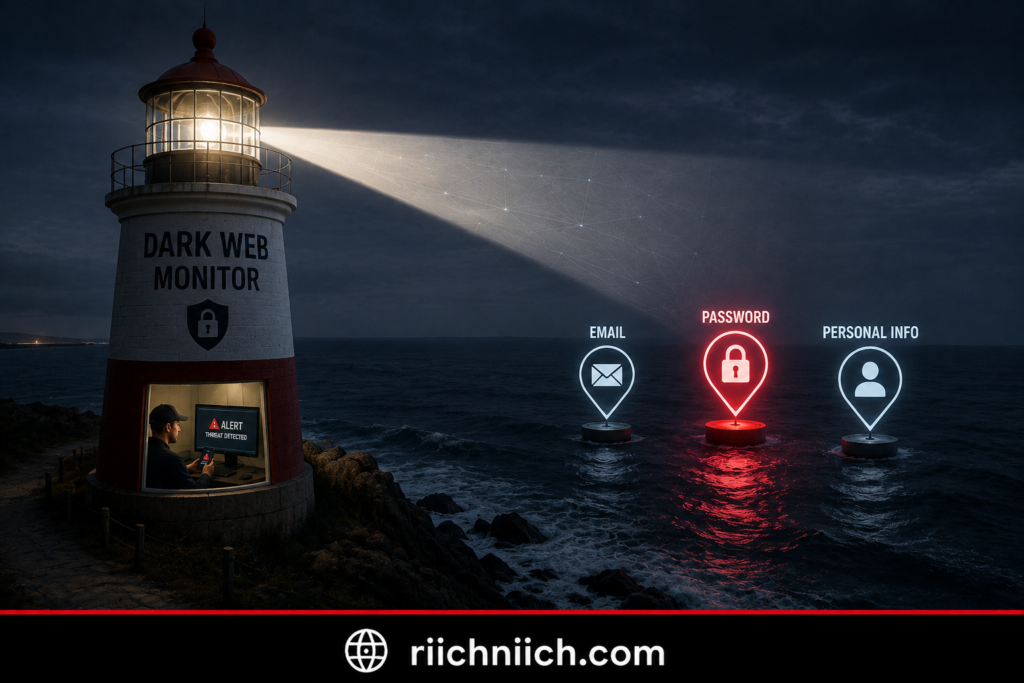
Dark Web Monitoring Cannot Tell You Everything
This limitation is important.
A dark web monitoring service does not have visibility into every stolen database, private criminal exchange, compromised computer, or piece of information circulating online.
So:
No alert does not mean no exposure.
Likewise, receiving an alert does not necessarily mean someone is currently using that information.
Suppose your email address and a password from a breach five years ago appear in a monitoring result. If you changed that password years ago and never reused it, the immediate account-takeover risk from that old password may be much lower.
The alert is still useful because it tells you what information has been exposed and gives you an opportunity to respond.
Dark Web Monitoring Is Different From Identity Monitoring
These two services are related, but they shouldn’t be treated as exactly the same thing.
Dark web or credential monitoring focuses more specifically on detecting information associated with breaches, stolen credentials, and sources where compromised information may appear.
Identity monitoring can potentially look for additional signs that your identity information is being used. The FTC explains that identity monitoring services may look for activity involving changes of address, utility or wireless accounts, payday-loan applications, check-cashing requests, certain public records, and websites where identity thieves trade stolen information.
That means the right product depends on your concern.
If you’re mainly worried about an exposed email address and password, credential or dark web monitoring may be the more direct fit.
If your hacked inbox exposed Social Security information, financial records, identification documents, or other sensitive personal information, broader identity theft protection may provide more relevant monitoring.
Is Paid Dark Web Monitoring Worth It?
It can be, particularly if you want continuous monitoring instead of performing occasional manual checks yourself.
Think about the difference:
One-time breach check:
“What information about me has already been discovered?”
Continuous monitoring:
“Alert me if monitored information associated with me is detected later.”
That ongoing alerting is the primary buyer-intent value.
CISA’s guidance specifically says organizations should consider subscribing to credential-monitoring services that monitor the dark web for compromised credentials.
However, don’t buy a service expecting it to prevent your email from being hacked. Dark web monitoring is primarily detective rather than preventative.
What Should You Do When You Receive an Alert?
Don’t ignore it—but don’t panic either.
First, determine exactly what information was exposed.
If a password appears in the alert and you still use it, change it immediately. If that password was reused, change it everywhere else too.
The FTC recommends changing exposed passwords, using different passwords for different accounts, and enabling multifactor authentication. It also suggests considering a password manager to help generate and manage strong passwords.
Your response should generally follow this pattern:
Alert received → identify exposed information → change compromised credentials → check for password reuse → enable MFA → investigate affected accounts.
A dark web alert is valuable only if you act on what it tells you.
Be Careful With Fake Dark Web Alerts
There’s another risk worth mentioning: scammers know that the words “dark web” sound frightening.
The FTC has warned about emails claiming that someone’s personal information is being sold on the dark web. Instead of automatically clicking the link or calling the number in the message, the FTC recommends independently contacting the company through a website or phone number you know is legitimate.
If you subscribe to a monitoring service and receive an alert, a safer habit is to open the provider’s official app or type its known website into your browser rather than blindly following an unexpected link.
This is particularly important immediately after an email hack, when you’re already receiving security alerts and may be more likely to react quickly.
What If the Alert Contains Sensitive Identity Information?
This is where your response should expand beyond passwords.
If monitoring detects highly sensitive information—or your hacked inbox contained information that could facilitate identity theft—consider checking your credit and taking additional identity-protection measures.
Dark Web Monitoring Works Best as One Layer
When following what to do if your email account gets hacked, don’t make dark web monitoring your entire security strategy.
A stronger approach combines:
Unique passwords + password manager + MFA + secure recovery information + account monitoring + dark web monitoring when appropriate.
If highly sensitive identity information was exposed, you can add credit and identity monitoring to that strategy as well.
Dark web monitoring’s biggest advantage is visibility. You cannot respond to compromised credentials you don’t know about. An alert can give you an opportunity to change a password, secure an account, or investigate suspicious activity before the problem grows.
But monitoring is only one piece of the protection puzzle.
The next question is broader: What Security Tools Can Help Protect Your Email Going Forward?
What Security Tools Can Help Protect Your Email Going Forward?
After recovering a hacked email account, the goal shifts from getting the hacker out to making another account takeover much harder.
When deciding what to do if your email account gets hacked, you don’t need to buy every cybersecurity product available. A better strategy is to identify the weakness that contributed to the compromise and choose security tools that address that specific risk.
CISA’s core consumer-security recommendations center on strong unique passwords, password managers, multifactor authentication, phishing awareness, and keeping software updated.
For most people recovering from an email hack, these are the security tools worth considering.
1. Password Manager
A password manager should be near the top of the list if you reuse passwords or struggle to maintain unique credentials across your accounts.
Password managers can generate and store different passwords for your email, banking, shopping, social media, cloud storage, and other accounts. CISA recommends password managers as a practical way to maintain strong, unique passwords instead of reusing credentials.
That addresses one of the biggest risks following an email compromise:
One stolen password should not unlock several accounts.
A password manager is especially worth considering if you discovered that your hacked email password was also being used elsewhere.
When comparing password managers, look for strong encryption, MFA support, cross-device compatibility, secure password generation, and alerts for weak, reused, or compromised passwords.
👉 If password reuse contributed to your email hack, NordPass is worth considering for creating and securely storing unique passwords across your accounts. Check NordPass here to see its current plans and features.

2. Authenticator App or Security Key
Your next layer should be multifactor authentication.
An authenticator app can generate temporary verification codes, while supported security keys can provide an even stronger authentication option.
The FTC notes that authenticator apps and security keys provide stronger protection than receiving verification codes by text or email when those options are available.
CISA also recommends enabling MFA on every account or application that offers it, particularly important accounts such as email and banking.
This creates a much stronger setup:
Unique password + MFA
If someone steals your email password again, the password alone generally won’t satisfy the second authentication requirement.
3. Antivirus or Security Software
If you have reason to believe malware played a role in your email hack, security software becomes particularly important.
Credential-stealing malware can potentially capture passwords and other information from an infected device. The FTC recommends installing or updating trusted security software and scanning a computer after an email account has been hacked.
This isn’t only a theoretical concern. In 2026, the FTC warned about fake CAPTCHA scams that trick victims into running malware capable of stealing email login credentials and other sensitive information.
If you suspect malware, scan and secure the affected device before entering a large number of newly created passwords on it.
Also keep your operating system, browser, apps, and security software updated. CISA notes that software updates patch vulnerabilities that criminals may otherwise exploit and recommends enabling automatic updates where possible.
4. Dark Web or Credential Monitoring
Dark web monitoring serves a different purpose.
It doesn’t stop someone from hacking your email. Instead, it can provide an early warning when monitored credentials or personal information are detected in known sources of compromised information.
That makes credential monitoring more relevant if you’re concerned that your email address or passwords were exposed outside your inbox.
If an alert reveals a password you currently use, change it immediately and determine whether it was reused elsewhere.
Don’t treat a dark web alert as proof that someone is actively inside your account. Treat it as information that helps you decide what needs to be secured.
5. Identity Theft Protection
Identity theft protection becomes more relevant when an email hack exposes more than login credentials.
For example, consider broader monitoring if your inbox contained sensitive information such as financial records, Social Security information, tax documents, or copies of identification.
Depending on the service and plan, identity theft protection may combine features such as identity monitoring, credit monitoring, dark web monitoring, alerts, and recovery assistance.
However, an identity theft protection subscription should be an additional layer, not your primary defense.
If your hacked email exposed sensitive personal or financial information and you want broader monitoring and recovery support, Aura is our top option to consider. Check Aura’s current plans and features to see whether the additional protection fits your level of risk.
6. Your Email Provider’s Built-In Security Tools
Don’t overlook the security features you’re already paying for—or receiving free—with your email account.
Your provider may offer:
Login alerts
Recent-device history
Suspicious-login detection
MFA
Recovery options
Spam and phishing filtering
Connected-app controls
Automatic forwarding controls
Security checkups
Turn these features on where appropriate and periodically review them.
The FTC recommends checking recovery information, enabling 2FA, signing out other devices, and inspecting forwarding rules after recovering a hacked email account.
Which Security Tools Do You Actually Need?
You can match the tool to the problem:
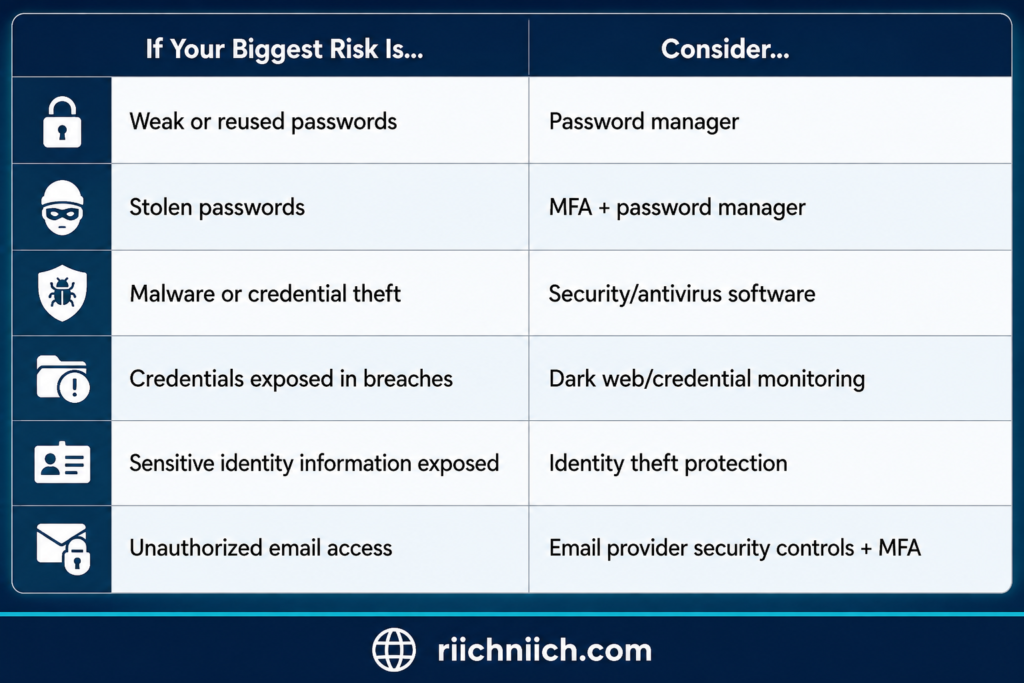
You may need more than one layer, but you don’t necessarily need every product.
For many people, a strong foundation starts with unique passwords, a password manager, MFA, automatic software updates, and careful phishing awareness—the same core practices emphasized by CISA.
Build Layers Instead of Relying on One Product
No single cybersecurity tool can guarantee that your email will never be hacked.
A password manager doesn’t stop every phishing attack. Antivirus software doesn’t prevent every stolen password. Dark web monitoring doesn’t stop credentials from being exposed. Identity theft protection doesn’t make identity theft impossible.
They solve different problems.
A stronger setup looks more like:
Password manager → unique passwords
MFA → extra login barrier
Security software → device protection
Dark web monitoring → credential exposure alerts
Identity monitoring → broader warning signs when appropriate
Email security controls → account-level protection
That’s the buyer-intent lesson behind what to do if your email account gets hacked: don’t simply purchase the product with the longest feature list. Identify where your security failed and invest in the protection that closes that gap.
Once the right tools are in place, the next goal is making your everyday habits stronger so you are less likely to go through the same recovery process again.
If you want to strengthen more than your inbox, our Best Cybersecurity Tools guide covers additional tools that can help protect your passwords, devices, privacy, accounts, and personal information.
Next: How To Prevent Your Email Account From Getting Hacked Again.
How To Prevent Your Email Account From Getting Hacked Again
After recovering your inbox, the next goal is making sure you don’t have to go through the same process again. Learning what to do if your email account gets hacked is important, but strengthening the account afterward can dramatically reduce your exposure to another takeover.
There isn’t one security setting that makes an email account impossible to hack. A stronger approach combines unique passwords, multifactor authentication, phishing awareness, updated devices, and regular account checks. These closely match CISA’s core recommendations for protecting online accounts.
Give Your Email a Password You Use Nowhere Else
Your email password should be completely unique.
Don’t reuse it for your bank, social media, shopping accounts, streaming services, or anything else. If another company suffers a data breach and you’ve reused the same credentials, an attacker could try them against your email account.
CISA recommends passwords that are long, random, and unique, with its current consumer guidance recommending at least 16 characters. It also recommends using a password manager to generate and store passwords.
This is one of the clearest situations where buying a password manager can make sense.
Instead of remembering dozens of passwords yourself, the password manager can maintain a completely different credential for each account.
Your goal should be:
One account = one password.

Keep MFA Turned On
A strong password shouldn’t be your email account’s only line of defense.
Keep multifactor authentication enabled. MFA adds another verification step so that stealing your password alone generally isn’t enough to access your account. CISA recommends turning on MFA for every account or app that offers it, including email accounts.
When you have a choice of authentication methods, consider stronger options. The FTC says an authenticator app or security key is safer than receiving verification codes through text or email.
And remember one crucial rule:
Never give an unexpected caller, texter, or email sender your verification code.
A scammer who already has your password may try to trick you into providing the second factor needed to finish the login.
Treat Unexpected Login Pages With Suspicion
A hacker doesn’t always need to break your password.
Sometimes, they can simply convince you to hand it over.
A phishing email might claim:
“Your mailbox is full.”
“Your password expires today.”
“Suspicious activity detected.”
“Verify your account immediately.”
The message then sends you to a fake login page designed to collect your email address and password.
The FTC recommends avoiding links and attachments in unexpected messages. If a message appears to come from a legitimate company, independently visit the company’s known website or contact it using information you already trust.
This remains an active tactic. In May 2026, the FTC warned about fake online invitations designed to trick people into entering their email login credentials.
When in doubt, don’t use the link in the message.
Open your provider’s official app or navigate to its website yourself.
Keep Your Devices Updated
Your email security also depends on the devices you use to access it.
Keep your:
Computer → phone → browser → operating system → apps → security software
updated.
Software updates frequently address security vulnerabilities. CISA recommends installing updates promptly and enabling automatic updates where possible.
This becomes especially important if you suspect malware played a role in your original email hack.
In June 2026, for example, the FTC warned about fake CAPTCHA prompts that trick people into running commands that install malware capable of stealing email login credentials and other information.
If a website unexpectedly instructs you to open a command window, paste commands, or perform unusual computer actions to prove you’re human, stop.
Review Your Email Security Settings Regularly
Don’t wait for another hack before looking at your account’s security dashboard.
Every few months, review:
Signed-in devices
Recent login activity
Recovery email and phone number
MFA settings
Connected apps
Forwarding addresses
Filters and inbox rules
Remove devices, applications, and settings you no longer recognize or need.
This is particularly important because an attacker who compromises an account may alter settings that allow continued access. The FTC recommends checking recovery information, active devices, forwarding rules, Sent messages, and Deleted messages when securing a hacked account.
Protect Your Recovery Email Too
Your primary email can be extremely secure while your recovery account remains weak.
That’s a problem.
If another email address can be used to recover your primary account, secure that email too.
Give it a unique password and enable MFA. Make sure the recovery phone number belongs to you and remains current.
Think of your recovery information as a spare key. Protecting the front door doesn’t accomplish much if someone can easily steal the spare.
Don’t Automatically Approve MFA Requests
If you receive an authentication request that you didn’t initiate, don’t approve it.
Instead, treat the unexpected request as a warning that someone may be attempting to access your account.
Check your recent account activity and change the password if necessary.
The same rule applies to verification codes. The FTC warns consumers not to share verification codes with someone who unexpectedly asks for them.
Use Your Email Provider’s Security Alerts
If your provider offers alerts for suspicious logins, password changes, new devices, or changes to recovery information, keep them enabled.
These alerts can give you an opportunity to respond before an attacker has time to make additional changes.
Don’t automatically click a link simply because a message says “Security Alert.” If something looks suspicious, independently open your provider’s official app or website and check your security dashboard there.
That habit protects you from another common problem: phishing messages disguised as security warnings.
Consider Ongoing Monitoring Based on Your Risk
If your original email hack exposed more than a password, you may want another layer of protection.
The appropriate tool depends on what you’re trying to protect:
Password manager: Helps eliminate weak and reused passwords.
Dark web or credential monitoring: Can alert you when monitored credentials are detected in known compromised data.
Antivirus/security software: More relevant when malware or credential-stealing software is a concern.
Identity theft protection: More relevant when sensitive identity information may have been exposed.
You don’t need to purchase all four.
If password reuse was the weakness, start with the password problem. If malware caused the compromise, address device security. If highly sensitive personal information was exposed, broader identity monitoring becomes more relevant.
That’s a much better buying strategy than purchasing a large security package simply because you’re afraid of getting hacked again.
Build Your Email Security Like a Castle
Think of your email account as a castle protecting much of your digital life.
Your unique password is the front gate.
Your MFA is the guard checking who enters.
Your password manager prevents the same key from opening every other castle.
Your software updates and security tools reinforce the walls.
Your phishing awareness stops you from opening the gate for someone pretending to belong there.
And your account monitoring helps you notice when someone is testing the defenses.
Make the Next Hack Much Harder
Knowing what to do if your email account gets hacked shouldn’t end when you regain access.
Use the experience to remove the weaknesses that made the account vulnerable in the first place.
Create a unique email password. Use a password manager if remembering unique credentials is difficult. Keep MFA enabled. Stay cautious around unexpected links and login pages. Update your devices automatically. Protect your recovery methods. And periodically review who and what has access to your account.
You cannot guarantee that nobody will ever target your email again.
But you can make your account significantly harder to take over—and make it much easier to detect suspicious activity before the damage spreads.
Should You Delete Your Email Account After It Gets Hacked?
Usually, no—you do not need to delete your email account just because it was hacked.
If you can regain control of the account, remove unauthorized access, change the password, enable two-factor authentication, and correct any settings the hacker changed, keeping the existing email address is often the more practical option.
When deciding what to do if your email account gets hacked, the first goal should be recovery and security, not deletion. The FTC recommends recovering the compromised account, changing the password, signing out other devices, enabling 2FA, checking recovery information, removing unauthorized forwarding rules, reviewing suspicious messages, and warning contacts.
Deleting the account too quickly can also create a new problem: that email address may still be connected to dozens of other accounts you need to recover.
Why Keeping the Email Account Usually Makes More Sense
Think about everything that may depend on your email address.
Your bank, credit cards, shopping accounts, social media, subscriptions, cloud storage, utilities, insurance accounts, and other services may all use that address for communication or password recovery.
The FTC specifically warns that access to an email account can be particularly valuable to an attacker because password-reset links for other accounts may arrive there.
If you immediately delete the email account without updating those services first, you could make future account recovery much harder.
A better sequence is:
Recover email → secure email → investigate damage → secure connected accounts → decide whether keeping the address still makes sense.
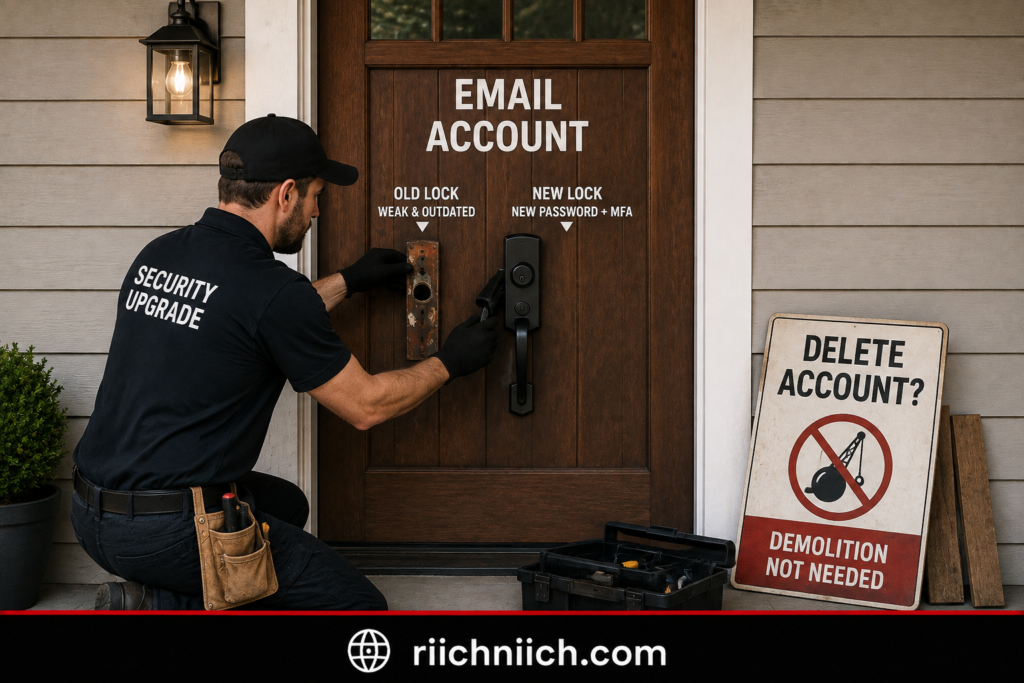
When Should You Consider Deleting the Hacked Email Account?
There are situations where abandoning an old email address may make sense.
Consider moving away from the account if:
- You cannot reliably regain control of it.
- The account continues showing unauthorized activity after you’ve secured it.
- You no longer trust or need the account.
- The address receives overwhelming amounts of malicious or targeted email.
- The address has been publicly exposed for years and you want a cleaner separation.
- You have already migrated important accounts to a new secure email address.
However, receiving spam or discovering your email address in breach data doesn’t automatically mean you need a new address.
An email address can remain exposed even after you change accounts. What matters more is whether an attacker still has access to the account or credentials that can unlock it.
Don’t Delete the Account While You’re Still Investigating
This is especially important.
A compromised inbox may contain evidence that helps you understand what happened.
Before deleting anything, check your:
Recent login history
Sent folder
Trash and Deleted folders
Password-reset messages
Security alerts
Forwarding rules
Connected apps
Recovery information
Account-change notifications
The FTC specifically recommends checking Sent and Deleted folders and reviewing forwarding rules after recovering a hacked email account.
If you delete the entire account before investigating, you could lose information that would have helped you determine whether other accounts were targeted.
What If You Want to Start With a Completely New Email Address?
That can be reasonable—but migrate carefully.
Create the new email account first and secure it before connecting anything important to it.
Use a completely unique password and enable MFA. CISA recommends MFA for email because it provides another authentication requirement beyond the password, making unauthorized access more difficult if the password becomes compromised.
Then gradually update your important accounts.
Start with high-risk services such as banking, financial accounts, password managers, cloud storage, government services, insurance, shopping accounts with stored payment information, and social media.
Don’t simply forward everything from the compromised email account indefinitely. The objective is to eventually move critical accounts away from the old address if you’ve decided to retire it.
Secure the New Email Better Than the Old One
If you decide to replace your hacked email address, don’t carry the same security weaknesses into the new account.
Don’t reuse the old password.
Don’t create a slight variation of it either.
If password reuse was part of the original problem, consider using a password manager to generate and store a completely unique password for the new email account.
Also enable the strongest MFA method you’re comfortable using. CISA recommends MFA and notes that stronger options, such as security keys and authenticator-based methods, offer better protection than relying solely on a password.
Then verify your:
Recovery email → recovery phone → trusted devices → connected apps → security alerts.
You want the replacement account secured properly before it becomes the recovery center for your other accounts.
Don’t Forget Accounts Connected to the Old Address
This is probably the biggest danger when deleting an old email account.
You may remember your bank and social media accounts—but what about the shopping website you haven’t used in two years?
Or your insurance portal?
An old cloud-storage account?
A subscription you rarely access?
Before deleting the email address, search your inbox for phrases such as:
“Welcome”
“Verify your email”
“Account created”
“Password reset”
“Receipt”
“Subscription”
This can help uncover services that still use the old address.
Update the email address on important accounts and verify the change before deleting the old mailbox.
Consider Additional Protection If the Hack Exposed More Than Your Password
Deleting your email address doesn’t erase personal information that an attacker may have already obtained.
If the hacker accessed financial documents, identification records, Social Security information, or other sensitive personal data, creating a new email address doesn’t solve that exposure.
That’s when additional security tools may make sense.
A password manager can help eliminate reused passwords.
Dark web or credential monitoring may provide alerts when monitored credentials are detected in compromised data; CISA recommends considering credential monitoring for compromised credentials.
And identity theft protection may be worth considering when the compromise extends to sensitive identity information.
If you believe someone is actually using your personal information, the FTC recommends reporting the identity theft through IdentityTheft.gov and following the resulting recovery plan.
Deleting Your Email Doesn’t Undo the Hack
This is the most important point.
Deleting the mailbox doesn’t automatically delete:
Information the hacker already copied
Credentials already exposed elsewhere
Messages already sent to your contacts
Personal information already stolen
Unauthorized activity on other accounts
That’s why deleting an email account should be viewed as an account-management decision, not an email-hack recovery strategy.
If malware contributed to the compromise, for example, creating a brand-new email account on the same infected device could leave the underlying problem unresolved. The FTC recommends scanning for and removing malware and then changing passwords and enabling 2FA.
Recover First, Delete Later—If You Still Need To
When deciding what to do if your email account gets hacked, don’t rush to destroy an account that may still be recoverable and connected to important parts of your digital life.
In most cases, the better approach is:
Recover it → secure it → investigate it → protect connected accounts → monitor for further problems.
Then decide whether keeping the address is worthwhile.
If the account is secure and still useful, you may have little reason to delete it.
If you’ve lost confidence in the address or simply want to retire it, create and secure a replacement first, migrate every important account carefully, and only then consider deleting the old mailbox.
Frequently Asked Questions About What To Do If Your Email Account Gets Hacked
If your inbox has been compromised, you may still have questions even after changing your password and recovering the account. These answers cover some of the most common concerns about what to do if your email account gets hacked, including passwords, other accounts, identity theft, monitoring, and when paid security tools may be worth considering.
What is the first thing I should do if my email gets hacked?
If you can still access your account, change your email password immediately and make sure the new password is strong and unique. Then sign out of all devices or active sessions so an attacker who is already logged in gets disconnected.
Next, enable two-factor authentication, verify your recovery information, and inspect the account for unauthorized forwarding rules or other changes. These actions closely follow the FTC’s recommended recovery process for compromised email accounts.
If you cannot log in, use your email provider’s official account-recovery process rather than a third-party “recovery service.”
How do I know if someone actually hacked my email?
Common warning signs include:
- Password or recovery information changed without your permission
- Login alerts from devices you don’t recognize
- Emails in your Sent folder that you didn’t send
- Friends receiving strange messages from your address
- Password-reset emails you didn’t request
- Unfamiliar forwarding rules or filters
- Suddenly being unable to log in
The FTC identifies unexpected password changes, unknown-device logins, inability to access the account, and messages you didn’t send as major signs of account compromise.

Can a hacker still access my email after I change the password?
Potentially, which is why changing the password shouldn’t be your only recovery step.
After changing it, sign out of all devices and active sessions. Review connected applications, forwarding rules, recovery information, and other security settings for anything you don’t recognize.
The FTC specifically recommends signing out of all devices after changing a compromised password so anyone logged into the account on another device gets kicked out.
Should I change my email password if I can still log in?
Yes.
Being able to access the inbox doesn’t prove that nobody else has access. If you have evidence of unauthorized activity, replace the password with one that is completely unique to that account.
If the compromised password was reused or you used similar versions elsewhere, change those passwords too. The FTC recommends replacing reused credentials after a compromise.
Do I need to change every password I have?
Not necessarily.
Prioritize the hacked email account, accounts using the same or a similar password, accounts showing suspicious activity, and important financial or personal accounts.
If every account already uses a unique password and you find no evidence that another account was targeted, you don’t necessarily need to reset every password at once.
However, any account using the compromised password should get a new, unique password.
Can someone hack my bank account through my email?
A compromised email account can potentially help an attacker target other accounts, including financial accounts.
One major risk is password recovery. The FTC explains that someone controlling your email could request password-reset links for other services, receive the reset message in your inbox, change the password, and potentially lock you out.
That doesn’t mean a hacked email automatically means your bank account is compromised. Check financial accounts directly for unknown logins, transactions, contact-information changes, or other suspicious activity.
Can a hacker steal my identity through my email?
Potentially.
The risk depends heavily on what information was stored in your inbox. The FTC notes that hackers may target email accounts for usernames and passwords, bank or credit card information, Social Security numbers, and other information that can facilitate identity theft.
If your inbox contained highly sensitive personal information, consider checking your credit and monitoring your accounts more closely. If you discover actual misuse of your personal information, use IdentityTheft.gov to report it and receive a recovery plan.
Should I delete my hacked email account?
Usually not immediately.
First, recover and secure the account. Your email may still be connected to dozens of other services and may contain evidence that helps you determine what the attacker did.
If you eventually decide to abandon the address, create and secure the replacement email first. Then migrate your important financial, shopping, cloud, social, government, and other accounts before deleting the old mailbox.
Deleting an email account also doesn’t erase information an attacker already copied.
Is two-factor authentication enough to protect my email?
2FA or MFA provides valuable additional protection, but it shouldn’t be your only defense.
Use it together with a strong unique password, updated devices, secure recovery information, phishing awareness, and periodic account-security checks.
CISA recommends MFA alongside strong passwords, phishing awareness, and software updates as core online-security practices.
When your provider offers different MFA methods, consider an authenticator app or security key. The FTC notes that verification codes delivered by text or email are generally less secure than an authenticator app or security key.
Should I use a password manager after my email gets hacked?
If you reuse passwords, a password manager can be a particularly worthwhile purchase.
It can generate and store a different strong password for each account, making it easier to avoid the situation where one stolen password threatens several services.
CISA recommends password managers as part of good password security because they make maintaining strong, unique credentials much easier.
For someone researching what to do if your email account gets hacked, this is one security product that addresses a very specific vulnerability: password reuse.
Should I check if my email is on the dark web?
It can be useful to check for known credential exposure, particularly after an account compromise.
The important thing is to understand what a result means. Finding your email address in breach data doesn’t automatically prove that your current password has been stolen or that someone currently controls your account.
If you discover a current password has been exposed, change it immediately anywhere it is used.
If you want to investigate further, follow How to Check If Your Information Is on the Dark Web to look for signs that your email address, passwords, or other personal information may have appeared in compromised data.
Dark web or credential monitoring can also be worth considering if you want ongoing alerts rather than relying only on one-time checks. But monitoring should be treated as an early-warning system—not something that prevents your information from being stolen.
Does changing my email password stop the hacker?
It can stop access based on the old password, but don’t consider the recovery complete there.
The FTC recommends a broader response that includes changing the password, signing out other devices, enabling 2FA, verifying recovery information, checking forwarding rules, reviewing Sent and Deleted folders, and warning contacts if necessary.
Think of password replacement as one step in removing the attacker, not the entire solution.
What should I do if the hacker changed my password?
Use your email provider’s official account-recovery process.
Don’t pay someone who contacts you claiming they can “hack the account back.” Go directly to the email provider’s official website or app and follow its recovery instructions.
The FTC recommends using the provider’s recovery process when you’ve been locked out of a compromised account.
What if the hacker sent emails to my contacts?
Warn the affected contacts as soon as possible.
Tell them your email was compromised and that they should ignore suspicious messages, links, attachments, requests for money, or requests for personal information that appeared to come from you.
The FTC specifically recommends notifying contacts after recovering a hacked account so they know not to trust fraudulent messages sent by the attacker.
Should I scan my computer after my email gets hacked?
Yes, particularly if you don’t know how the attacker obtained your password or you suspect malware.
The FTC recommends making sure security software is current, running a scan, removing suspicious software detected by the scan, and restarting the computer as part of recovering from an email hack.
If you have reason to believe credential-stealing malware is present, secure the device before entering a large number of newly created passwords.
If you need security software for multiple devices in your household, our Best Antivirus for Families guide compares options designed to protect computers, phones, and other devices from malware and online threats.
Is identity theft protection worth it after my email gets hacked?
It depends on the exposure.
If only your email password was compromised and you quickly contained the attack, you may not need to purchase identity theft protection.
It becomes more worth considering when your inbox contained Social Security information, financial records, identification documents, tax information, or other sensitive personal data, or when you discover signs that the compromise spread beyond your email.
If your exposure is serious enough that you want ongoing monitoring and recovery assistance, compare our Best Identity Theft Protection Services to see which options provide the protection and features that best match your risk.
Identity theft protection shouldn’t replace account security. Think of it as an additional monitoring and recovery layer when the potential exposure justifies it.
What security products are actually worth considering after an email hack?
Match the product to the problem rather than buying everything at once.
If password reuse is the problem, consider a password manager. If malware may have stolen your credentials, reputable security or antivirus software becomes more relevant. If credentials may be circulating through compromised-data sources, dark web or credential monitoring can provide additional visibility. And if highly sensitive identity information was exposed, identity theft protection may deserve consideration.
You should still keep the fundamentals in place regardless of what you buy: unique passwords, MFA, software updates, phishing awareness, and secure recovery information. CISA identifies strong passwords, MFA, phishing awareness, and software updates as core protections for online accounts.
What is the most important thing to remember after an email hack?
Don’t stop when you can log in again.
The real goal of what to do if your email account gets hacked is to make sure:
You control the account → the hacker no longer does → unauthorized access methods are removed → connected accounts are protected → exposed information is monitored appropriately.
Recover the account, investigate what happened, and then strengthen the weakness that allowed the compromise in the first place.
That gives you a much better chance of making this email hack a one-time incident instead of the beginning of a larger account-takeover or identity-theft problem.
Conclusion: What To Do If Your Email Account Gets Hacked
If your email account has been compromised, speed matters—but securing the account correctly matters more than simply changing one password and assuming the problem is over.
The most important thing to remember about what to do if your email account gets hacked is that your email can function as the recovery center for much of your digital life. An attacker who controls it may be able to see sensitive messages, impersonate you, or request password-reset links for other accounts. The FTC specifically warns that control of an email account can potentially help an attacker take over other accounts connected to it.
Your goal should therefore be bigger than getting back into your inbox:
Get the hacker out → close every way back in → determine what was exposed → protect anything else that may be at risk.
The 9 Steps You Should Take After an Email Hack
If you want the entire recovery process condensed into one action plan, follow these steps in order:
- Change your email password immediately. Make it strong, unique, and completely different from passwords used elsewhere.
- Sign out of every device and active session. This can disconnect someone who is already logged into your account.
- Turn on two-factor authentication. Add another barrier beyond your password.
- Check your recovery information. Remove unfamiliar phone numbers, email addresses, or recovery methods.
- Remove suspicious forwarding rules and filters. Make sure your messages aren’t secretly being redirected.
- Remove unknown apps and account permissions. Revoke connections you don’t recognize or no longer need.
- Check your Sent, Deleted, and Trash folders. Look for messages the attacker sent, read, moved, or deleted.
- Change passwords for affected accounts connected to your email. Prioritize reused passwords and accounts showing suspicious activity.
- Warn your contacts. Tell people to ignore suspicious messages, links, attachments, or requests sent from your account.
The FTC’s hacked-account guidance specifically recommends changing your password, signing out of other devices, enabling 2FA, checking recovery information and forwarding rules, examining Sent and Deleted folders, and warning your contacts.

Don’t Stop After You Change the Password
This is probably the biggest mistake you can make after an email hack.
Changing your password is essential, but an attacker may have already changed recovery information, created a forwarding rule, sent messages to your contacts, or attempted to reset passwords for other accounts.
That’s why the FTC recommends a broader recovery process rather than treating a password change as the finish line.
You should be able to answer four questions before considering the incident contained:
Can anyone else still access my email?
Did the hacker change anything inside my account?
Did the hacker attempt to access my other accounts?
Was sensitive personal information potentially exposed?
Your answers determine what you should do next—and whether purchasing additional security protection makes sense.
Which Security Tools Are Actually Worth Buying?
An email hack can make every cybersecurity product suddenly sound necessary.
It isn’t.
The better approach is to buy according to the weakness you discovered.
If you were reusing passwords, a password manager is one of the most practical investments because it allows you to maintain unique credentials across your accounts. CISA recommends strong, unique passwords and password managers as part of its core online-security guidance.
If malware may have stolen your credentials, reputable security or antivirus software becomes more relevant. The FTC recommends updating security software and running a scan when recovering from a hacked email account.
If you’re concerned that compromised credentials may have surfaced elsewhere, dark web or credential monitoring can provide another layer of visibility.
And if your hacked inbox exposed highly sensitive information—such as financial records, Social Security information, tax documents, or identification—identity theft protection may be worth considering for broader monitoring and recovery assistance.
The important thing is not to purchase everything out of fear.
Identify the exposure first. Then pay for the protection that addresses it.
Don’t Underestimate MFA
If you make only a few security improvements after recovering your email, MFA should be one of them.
CISA recommends turning on MFA for accounts that offer it, including email, banking, social media, and online purchasing accounts.
The FTC also notes that authenticator apps and security keys can offer stronger protection than verification codes delivered by text or email when those options are available.
Your strongest practical foundation should look something like:
Unique password + password manager + MFA + secure recovery information
That won’t make an account impossible to compromise, but it removes several common weaknesses attackers can exploit.
If Sensitive Information Was Exposed, Go Beyond Email Security
An email hack and identity theft are not the same thing.
But an email hack can become an identity-theft problem if an attacker obtains and misuses sensitive information.
The FTC notes that hackers may target email accounts for usernames, passwords, financial account information, Social Security numbers, and other personal information.
If your investigation shows that sensitive personal information may have been exposed, consider additional protections such as credit monitoring or a credit freeze where appropriate.
For additional steps you can take after sensitive information has been exposed, follow How to Protect Yourself From Identity Theft to strengthen the protection around your personal and financial information.
And if you discover that someone is actually using your information, the FTC directs consumers to IdentityTheft.gov to report the identity theft and receive a personalized recovery plan.
You Probably Don’t Need to Delete Your Email Account
In most situations, a hacked email account can be recovered and secured.
Deleting it immediately can actually complicate recovery because other services may still depend on that address for authentication, account notifications, and password resets.
Recover it first.
Secure it.
Investigate what happened.
Protect the accounts connected to it.
Then decide whether you still want to keep the address.
If you eventually choose to move to a new email account, secure the new account with a unique password and MFA before migrating important services.

Protect the Account Differently Going Forward
The best outcome from an email hack isn’t simply recovering what you had before.
It’s rebuilding the account more securely than it was before.
CISA’s consumer cybersecurity guidance emphasizes four fundamental habits: strong passwords, MFA, recognizing phishing, and keeping software updated.
That means your long-term strategy should be straightforward:
Stop reusing passwords.
Use a password manager if you need help managing unique credentials.
Keep MFA enabled.
Keep your devices and software updated.
Don’t trust unexpected login links or security messages.
Periodically review devices, recovery information, forwarding rules, and connected applications.
Consider ongoing monitoring when the level of exposure justifies it.
No single security product replaces these habits.
The Bottom Line
If you came here searching for what to do if your email account gets hacked, remember this:
Don’t just change the password. Take back the entire account.
Remove unauthorized access, secure your recovery methods, check forwarding rules and connected apps, investigate what the hacker did, change reused passwords, protect connected accounts, and warn anyone the attacker contacted.
Then look at why the compromise happened.
If password reuse was the problem, consider a password manager.
If malware may have stolen your credentials, secure the device.
If compromised credentials may be circulating elsewhere, consider dark web monitoring.
If sensitive identity information was exposed, consider broader identity theft protection and free safeguards such as credit monitoring or a credit freeze.
The FTC’s guidance reinforces the central idea: recovering a hacked account involves securing it, investigating unauthorized activity, and warning affected contacts—not merely getting back through the login screen.
The goal isn’t just to recover from this email hack.
It’s to make sure one compromised inbox doesn’t turn into compromised passwords, stolen accounts, financial fraud, or identity theft—and to make the next attack much harder to succeed.