

How to protect yourself from identity theft is no longer optional—it’s something everyone needs to take seriously.
Your personal information is constantly being collected, shared, and exposed online, making it easier than ever for criminals to steal your identity without warning. The good news is that you can dramatically reduce your risk by taking the right steps.
In this guide, you’ll learn exactly how to protect yourself from identity theft using a simple, step-by-step approach that covers everything from monitoring your identity to securing your data and blocking fraud before it happens.
If you’re not sure how exposed you already are, here are the warning signs someone stole your identity that most people miss.
Table of Contents
Why Identity Theft Happens (and Why You’re at Risk)
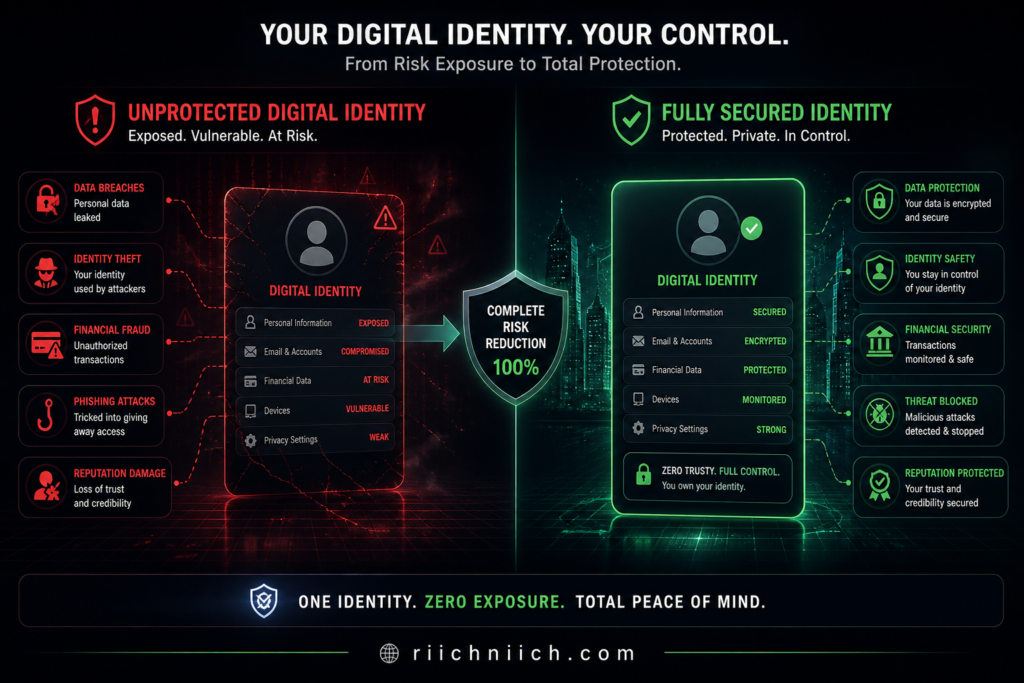
If you’re searching for how to protect yourself from identity theft, you need to understand one thing first: identity theft doesn’t happen randomly. It happens because your personal data is already exposed—and criminals know exactly where to find it.
Most people assume they’re “not a target.” In reality, identity thieves don’t target individuals—they target data. And your data is likely circulating across dozens (or even hundreds) of databases right now.
Your Personal Data Is Already Out There
Every time you:
- Sign up for a website
- Make an online purchase
- Use social media
- Apply for credit
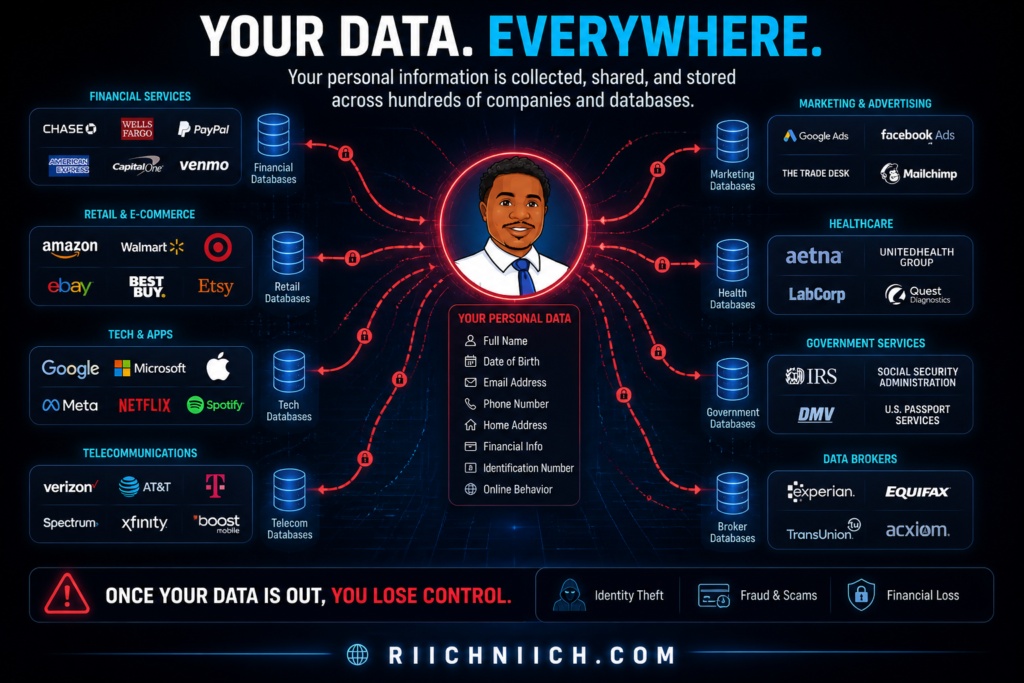
…your information gets stored somewhere. Over time, this data spreads across companies, apps, and third-party data brokers.
According to the Federal Trade Commission, millions of identity theft cases are reported every year—and many start with exposed personal data that users didn’t even know was public.
Data Breaches Are Constant (And You’re Likely Affected)
Large-scale data breaches expose sensitive information like:
- Social Security numbers
- Emails and passwords
- Bank and credit card details
Major breaches have affected companies like Equifax and Facebook, leaking data from millions of users.
Even if you’re careful, your data can still be compromised through no fault of your own.
Data Brokers Are Selling Your Information Right Now
This is one of the biggest—and most overlooked—risks.
Data broker websites collect and sell your:
- Full name
- Address history
- Phone numbers
- Relatives
- Email addresses
These profiles are often publicly accessible or sold to third parties, making it easier for scammers to impersonate you or answer security questions.
The Electronic Frontier Foundation has repeatedly warned about how data brokers contribute to privacy risks and identity theft.
Phishing and Social Engineering Tricks Still Work
Not all identity theft is technical—some of it is psychological.
Attackers use:
- Fake emails (phishing)
- Text scams (smishing)
- Fake login pages
- Urgent “account alerts”
These tactics trick people into giving away login credentials or personal information.
To understand the full breakdown of these tactics, read this step-by-step guide on how identity theft happens.
The Cybersecurity and Infrastructure Security Agency highlights phishing as one of the most common entry points for identity theft.
Public WiFi Makes It Easy to Intercept Your Data
Using unsecured networks (like coffee shops, airports, or hotels) exposes your data to:
- Man-in-the-middle attacks
- Packet sniffing
- Fake WiFi networks
Hackers can intercept what you type, including passwords and financial information.
Why This Matters (Buyer Intent Reality)
Here’s the truth most people don’t realize:
You don’t need to be careless to become a victim.
- Your data is already circulating
- Companies get breached
- Data brokers profit from your information
- Attackers automate the process
This is exactly why learning how to protect yourself from identity theft isn’t optional anymore—it’s necessary.
If you don’t actively reduce your exposure and monitor your identity, you’re relying on luck. And in today’s digital environment, that’s a risky strategy.
Step 1 — Monitor Your Credit and Identity Activity in Real Time
If you’re serious about learning how to protect yourself from identity theft, this is the first move you should make.
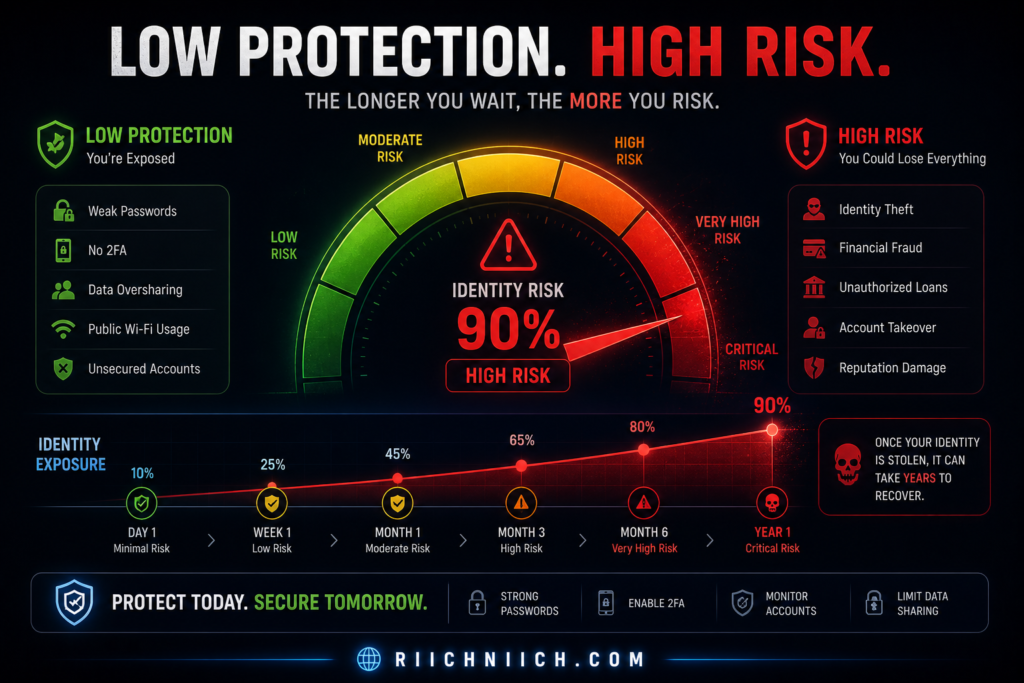
Why? Because identity theft often goes unnoticed for weeks—or even months—until the damage is already done.
Real-time monitoring gives you something most people don’t have: early detection.
Why Monitoring Your Identity Is Critical
When someone uses your identity, the first signs usually appear in places like:
- New credit inquiries
- Unauthorized accounts
- Changes to your credit report
- Suspicious transactions
Without monitoring, you won’t see these red flags until it’s too late.
If you’re wondering whether monitoring is actually necessary, here’s a full breakdown: do you really need identity theft protection?
What Credit and Identity Monitoring Actually Does
A good monitoring system tracks your personal data across multiple layers:
- Credit reports (Experian, Equifax, TransUnion)
- Dark web exposure (leaked emails, passwords)
- New account activity
- Address or identity changes
For example, services connected to Experian or TransUnion can alert you the moment something changes on your credit profile.
External Resource: https://www.annualcreditreport.com/
Free Monitoring vs Paid Protection (What Actually Works)
You can monitor your credit for free—but there’s a big difference.
Free tools:
- Basic credit report access
- Limited alerts
- No identity restoration support
Paid identity protection services:
- Real-time alerts
- Dark web monitoring
- Identity theft insurance
- Fraud resolution specialists
Not sure which option to choose? Here’s a clear comparison of credit freeze vs credit lock and which one protects you better.
This Is Where Protection Starts
If you’re researching how to protect yourself from identity theft, monitoring is your foundation.
Without it:
- You won’t know when your identity is compromised
- You can’t act quickly
- You risk long-term financial damage
With it:
- You get instant alerts
- You can stop fraud early
- You stay in control of your identity
When Should You Set This Up?
Immediately.
Not after a breach.
Not after fraud.
Not after your credit score drops.
Before anything happens.
Identity theft is much easier to prevent than to fix.
Start monitoring your identity now with a trusted protection service before suspicious activity goes unnoticed.
Step 2 — Remove Your Personal Data from Data Broker Sites
If you’re learning how to protect yourself from identity theft, this is the step most people completely ignore—and it’s one of the biggest reasons identity theft keeps happening.
Even if you use strong passwords and monitor your credit, your personal information can still be publicly available and actively sold online.
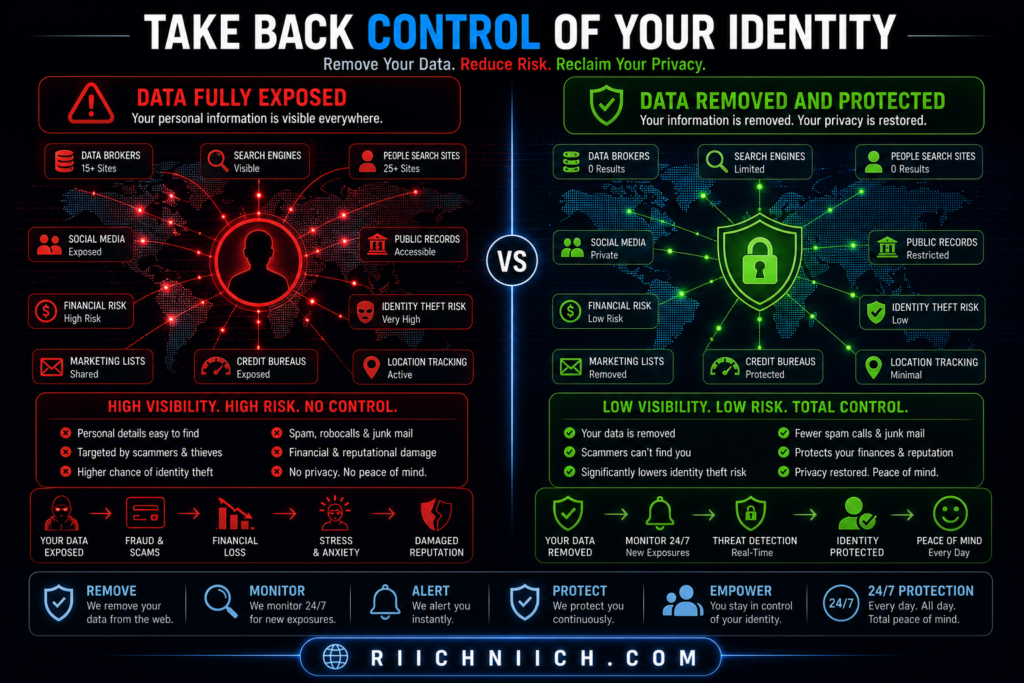
What Are Data Broker Sites (And Why They’re Dangerous)?
Data brokers collect and sell your personal information without you ever directly interacting with them.
They build detailed profiles that can include:
- Full name
- Current and past addresses
- Phone numbers
- Email addresses
- Family members and associates
Sites like Spokeo and Whitepages make this information easily searchable.
Criminals use this data to:
- Impersonate you
- Pass security verification checks
- Launch targeted scams
Even if you’re careful, your personal information can still be exposed through data brokers — here’s how to remove your personal information from the internet step-by-step.
Why This Makes Identity Theft Easier
Identity thieves don’t need to “hack” you if they can look you up.
With enough publicly available data, they can:
- Answer security questions (“What street did you grow up on?”)
- Combine leaked data with broker data
- Build a complete identity profile
This is why removing your data is a critical part of how to protect yourself from identity theft.
Manual Data Removal (Why It’s Hard)
Yes—you can remove your data manually.
But here’s what that actually looks like:
- Finding every data broker site
- Submitting opt-out requests one by one
- Verifying your identity repeatedly
- Repeating the process every few months
And even after removal…
your data often gets re-listed again.
Automated Data Removal (The Smarter Approach)
This is where automation changes everything.
👉 Services like Incogni contact data brokers on your behalf and continuously request removal of your personal data.
Instead of chasing dozens of sites manually, you:
- Submit your info once
- Let the service handle requests
- Get ongoing removal as new listings appear
This Is Where Most People Stay Exposed
Here’s the reality:
- Monitoring alerts you after exposure
- Passwords protect your accounts
- But data removal reduces your attack surface
If your data isn’t publicly available, it becomes much harder for attackers to:
- Target you
- Verify your identity
- Execute scams successfully
That’s why this step is essential if you’re serious about how to protect yourself from identity theft.
When Should You Do This?
Right now.
Not after your data is abused.
Not after you receive scam calls.
Before attackers use your information against you.
Remove your personal data from data brokers automatically before it’s used against you.
Step 3 — Use Strong Passwords and a Secure Password Manager
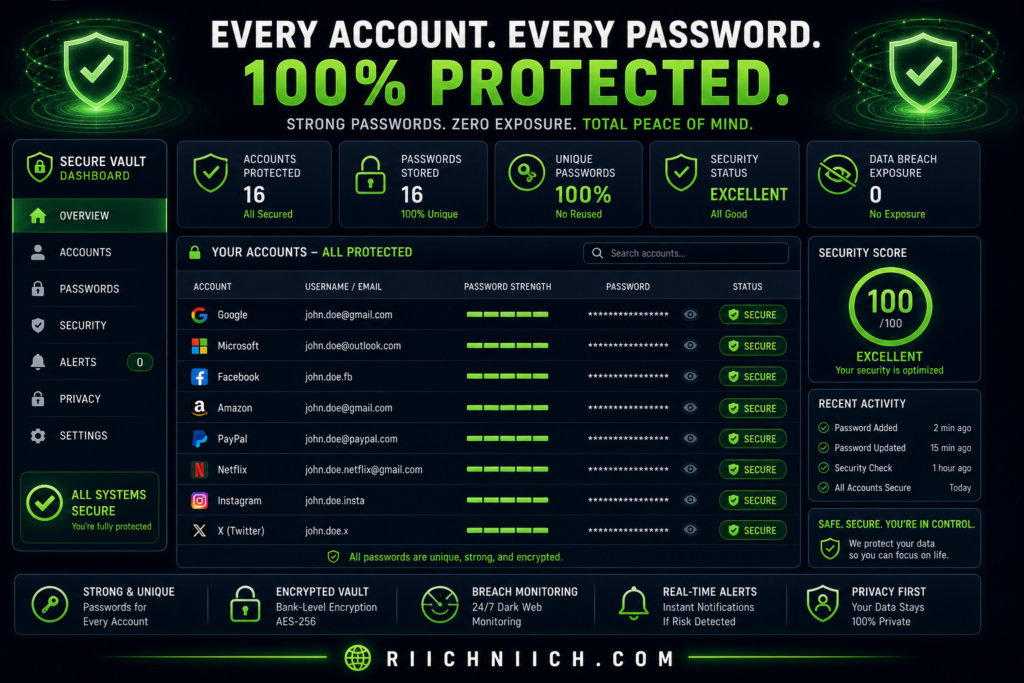
If you want to fully understand how to protect yourself from identity theft, you need to fix one of the most common weaknesses: your passwords.
Most identity theft cases don’t start with sophisticated hacking—they start with stolen or reused passwords.
Why Weak Passwords Lead to Identity Theft
Cybercriminals rely on simple tactics that still work:
- Reusing leaked passwords from data breaches
- Guessing common passwords (like “123456” or “password”)
- Automated attacks (credential stuffing)
If you reuse the same password across multiple accounts, one breach can unlock everything—email, banking, social media, and more.
The Cybersecurity and Infrastructure Security Agency recommends using strong, unique passwords for every account to reduce risk.
What Makes a Password “Strong”?
A strong password should be:
- Long (at least 12–16 characters)
- Unique (never reused across accounts)
- Random (not based on personal information)
Examples of weak vs strong:
- Weak:
John1234 - Strong:
T9$kL!vP2#zQ7@rX
But here’s the problem…
No one can realistically remember dozens of complex passwords.
Why You Need a Password Manager
A password manager solves this problem by:
- Generating strong, random passwords
- Storing them securely
- Auto-filling login details
- Syncing across devices
👉 Tools like NordPass or 1Password make it easy to maintain strong security without memorizing anything.
This Is a Core Protection Layer
If you’re serious about how to protect yourself from identity theft, strong passwords are non-negotiable.
Without them:
- One breach can expose all your accounts
- Hackers can take over your email (and reset everything else)
- Your identity becomes easy to impersonate
With them:
- Each account is isolated
- Breaches have limited impact
- Your digital identity stays secure
Bonus: Enable Two-Factor Authentication (2FA)
Even strong passwords aren’t enough on their own.
Adding 2FA means:
- A second verification step (code, app, or biometrics)
- Even if your password is stolen, access is blocked
The National Institute of Standards and Technology strongly recommends multi-factor authentication for account security.
When Should You Fix Your Passwords?
Immediately.
Don’t wait until:
- You get a suspicious login alert
- Your account gets locked
- Your email is compromised
By then, it’s already too late.
Secure your accounts now with a trusted password manager before a single leaked password puts everything at risk.
Step 4 — Protect Your Internet Connection (Avoid Public WiFi Risks)
If you’re serious about how to protect yourself from identity theft, you can’t ignore your internet connection—especially when using public WiFi.
Public networks are one of the easiest ways for attackers to intercept your data without you ever realizing it.
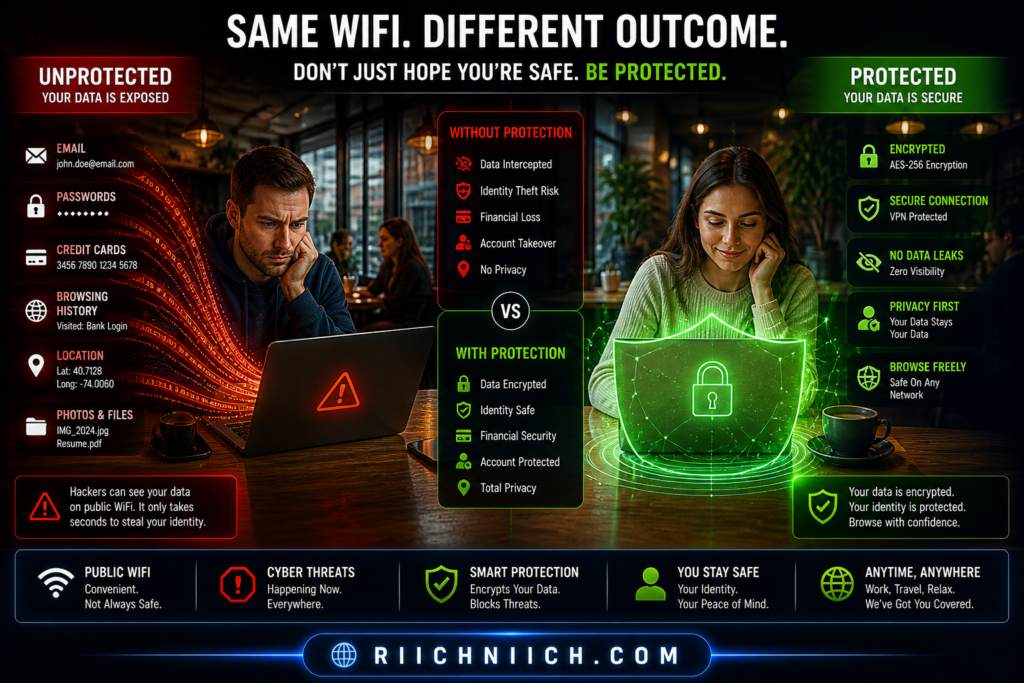
Why Public WiFi Is a Major Security Risk
When you connect to WiFi in places like:
- Coffee shops
- Airports
- Hotels
- Libraries
…you’re often using unsecured or poorly protected networks.
This allows attackers to perform:
- Man-in-the-middle attacks (intercepting your data)
- Packet sniffing (reading unencrypted traffic)
- Fake WiFi hotspots (tricking you into connecting)
Public WiFi is one of the easiest ways hackers steal data — check out our Blog article discussing the dangers of public WiFi.
The Federal Communications Commission warns that public WiFi can expose sensitive information like passwords and financial data.
What Attackers Can Actually See
If your connection isn’t secure, attackers may be able to access:
- Login credentials
- Emails and messages
- Banking information
- Personal details entered on websites
Even worse—some attacks happen silently in the background.
You won’t get a notification.
You won’t see a warning.
Your data is simply captured.
The Solution: Use a VPN (Virtual Private Network)
A VPN encrypts your internet connection, creating a secure tunnel between your device and the internet.
With a VPN:
- Your data is encrypted
- Attackers can’t read your traffic
- Your real IP address is hidden
Trusted services like NordVPN or Surfshark are designed specifically to protect users on unsecured networks.
This Is Non-Negotiable Protection
If you frequently:
- Work remotely
- Travel
- Use public WiFi
- Access financial accounts on the go
Then using a VPN isn’t optional—it’s essential.
This is a critical layer in how to protect yourself from identity theft, because it prevents attackers from stealing your data in transit.
Without it:
- Your data can be intercepted
- Your accounts can be compromised
- Your identity can be exposed
With it:
- Your connection is secure
- Your data is protected
- Your risk drops significantly
When Should You Use a VPN?
Every time you connect to public WiFi.
No exceptions.
Even “trusted” networks can be compromised.
Protect your internet connection now with a secure VPN before your data is exposed on public networks.
If you’re choosing a VPN, this comparison breaks down the best option: NordVPN vs Surfshark
Step 5 — Freeze or Lock Your Credit to Block Unauthorized Access
If you’re learning how to protect yourself from identity theft, this step is one of the most powerful ways to stop fraud before it even starts.
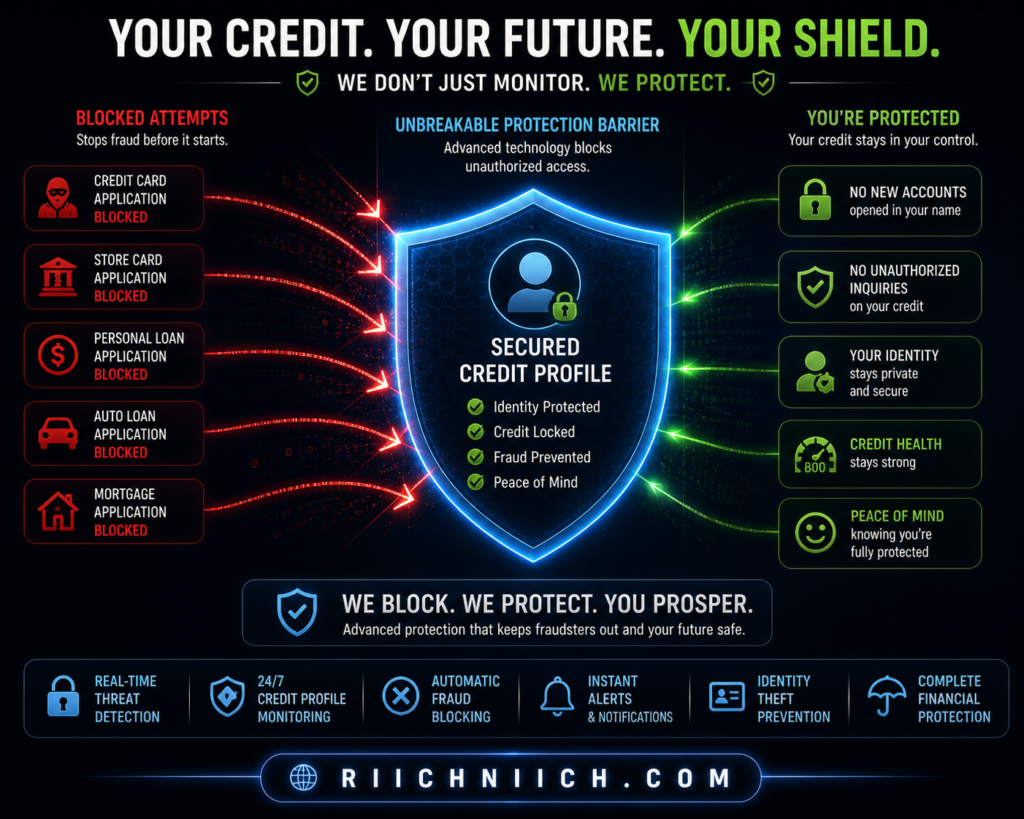
A credit freeze or credit lock prevents criminals from opening new accounts in your name—even if they already have your personal information.
What a Credit Freeze Actually Does
A credit freeze restricts access to your credit report.
This means:
- Lenders cannot view your credit file
- New credit applications are automatically blocked
- Fraudulent accounts can’t be opened in your name
It’s one of the most effective defenses recommended by the Federal Trade Commission.
Credit Freeze vs Credit Lock (What’s the Difference?)
Both options protect your credit—but they work slightly differently.
Credit Freeze:
- Free to use
- Must be set up with each bureau
- Requires manual unfreeze when applying for credit
Credit Lock:
- Often part of paid services
- Easier to toggle on/off
- May include additional monitoring features
The three major credit bureaus—Equifax, Experian, and TransUnion—allow you to freeze your credit directly.
Why This Stops Identity Theft Cold
Even if a criminal has:
- Your Social Security number
- Your address
- Your personal details
They still can’t open new credit accounts if your credit is frozen.
This makes freezing your credit one of the most effective steps in how to protect yourself from identity theft.
When Should You Use a Credit Freeze?
For most people, the answer is simple:
All the time.
You can temporarily lift (or “thaw”) the freeze when:
- Applying for a loan
- Opening a credit card
- Renting an apartment
Then turn it back on immediately afterward.
This Is Your Financial Lockdown
Think of it this way:
- Monitoring alerts you after suspicious activity
- Data removal reduces your exposure
- Strong passwords protect your accounts
But a credit freeze blocks financial fraud at the source
Without it:
- Criminals can open accounts in your name
- You may not notice until damage is done
With it:
- Unauthorized credit activity is stopped instantly
- Your financial identity is protected
Lock down your credit now to stop identity thieves from opening accounts in your name.
Step 6 — Set Up Fraud Alerts and Account Notifications
If you’re serious about how to protect yourself from identity theft, setting up fraud alerts and real-time account notifications is a simple step that can make a huge difference.
This layer acts as your early warning system, helping you catch suspicious activity the moment it happens—not weeks later.
What Are Fraud Alerts?
A fraud alert is a notice placed on your credit file that tells lenders to verify your identity before approving credit.
There are different types:
- Initial fraud alert (1 year): For anyone who suspects risk
- Extended fraud alert (7 years): For confirmed identity theft victims
- Active duty alert: For military personnel
The Federal Trade Commission recommends fraud alerts as an added layer of protection alongside credit monitoring.
What Account Notifications Should You Enable?
Fraud alerts are just one piece. You also need real-time notifications across your accounts.
Enable alerts for:
- Bank transactions (withdrawals, deposits, transfers)
- Credit card activity (purchases, large charges)
- Login attempts (especially from new devices)
- Password or account changes
Many banks and services tied to Experian or TransUnion offer customizable alerts.
Why This Matters for Identity Theft Protection
Here’s the key difference:
- Without alerts: Fraud can go unnoticed
- With alerts: You know instantly
That speed is critical.
If you detect suspicious activity early, you can:
- Freeze accounts
- Change passwords
- Stop transactions
- Prevent further damage
This makes alerts a key step in how to protect yourself from identity theft.
Fraud Alerts vs Credit Freeze (Quick Clarification)
- Fraud alert: Warns lenders to verify identity
- Credit freeze: Blocks access completely
Fraud alerts don’t stop fraud entirely—but they slow attackers down and add friction to the process.
For best protection, use both.
This Is Your Real-Time Defense Layer
Think of your protection setup like this:
- Monitoring = detection
- Data removal = exposure reduction
- Passwords = account security
- Credit freeze = financial lock
Fraud alerts and notifications = real-time response
Without them:
- You may miss critical warning signs
- Fraud can escalate quickly
With them:
- You’re instantly informed
- You can act before damage spreads
When Should You Set This Up?
Immediately—and everywhere.
Start with:
- Your bank
- Credit cards
- Email accounts
- Credit bureaus
The more alerts you enable, the less likely something slips through.
Turn on fraud alerts and account notifications now so you can catch suspicious activity before it turns into full identity theft.
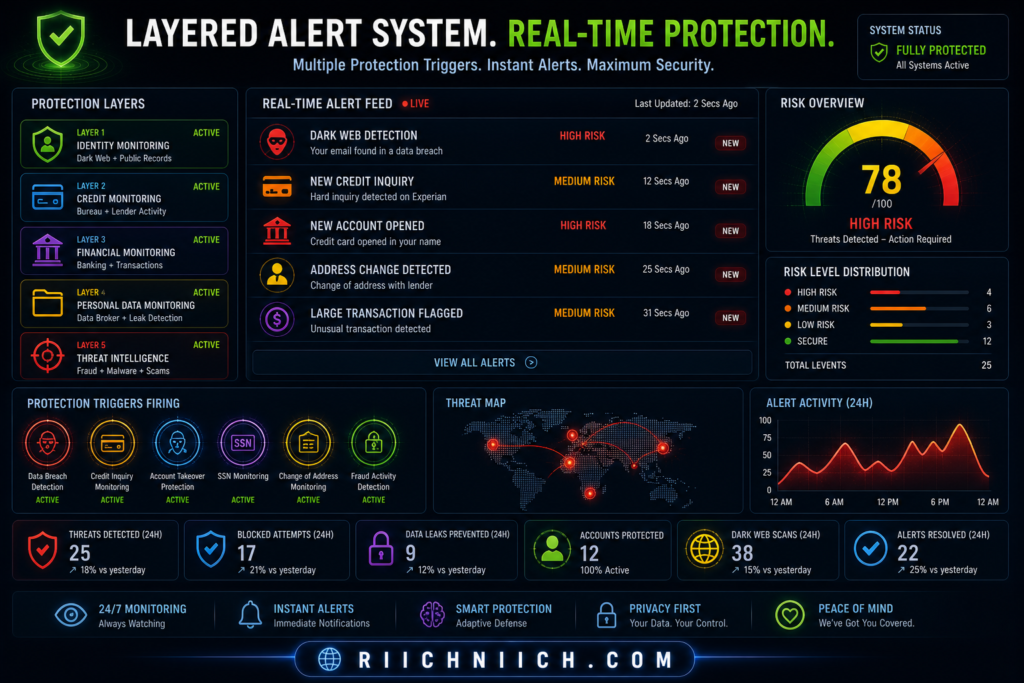
Step 7 — Watch for Warning Signs of Identity Theft Early
If you’re learning how to protect yourself from identity theft, recognizing the warning signs early can save you from serious financial damage.
Most victims don’t realize what’s happening until the situation has escalated. By then, accounts may already be opened, debts created, and your credit score impacted.
The Most Common Warning Signs of Identity Theft
Here are the red flags you should never ignore:
- Unfamiliar charges on your bank or credit card statements
- New accounts you didn’t open
- Credit score drops for no clear reason
- Debt collection calls for accounts you don’t recognize
- Missing mail (especially bills or financial statements)
- Unexpected login alerts or password reset emails
The Federal Trade Commission lists these as key indicators that your identity may be compromised.
Subtle Signs Most People Miss
Not all identity theft is obvious.
Some early indicators include:
- Small “test” charges (a few dollars)
- Emails about accounts you don’t remember creating
- Increased spam or phishing attempts
- Notifications from unfamiliar services
These are often early-stage attacks, where criminals are testing access before going bigger.
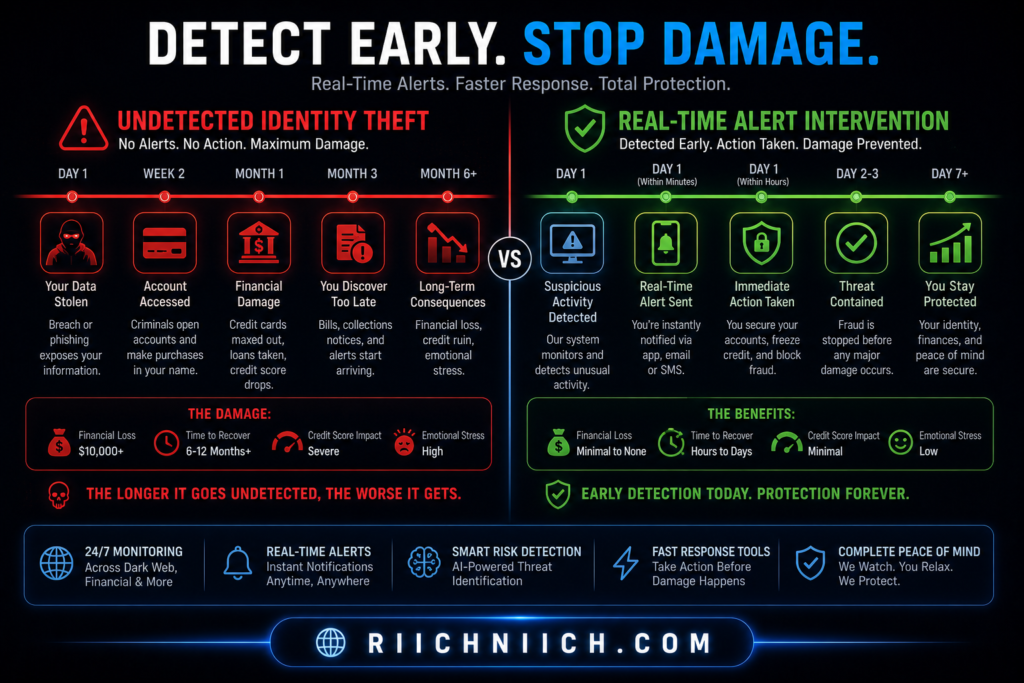
Why Early Detection Changes Everything
Here’s the difference timing makes:
- Late detection:
- Multiple fraudulent accounts
- Damaged credit score
- Long recovery process
- Early detection:
- Stop unauthorized activity immediately
- Secure accounts quickly
- Minimize financial impact
This is why watching for warning signs is a critical part of how to protect yourself from identity theft.
What To Do If You Notice a Warning Sign
Act immediately:
- Freeze your credit
- Change your passwords
- Contact your bank or credit card provider
- Report fraud through official channels
The IdentityTheft.gov provides step-by-step recovery plans based on your situation.
Awareness Is Your First Line of Defense
Even with strong protection tools in place, you still need awareness.
Without it:
- Fraud can continue unnoticed
- Damage increases over time
With it:
- You catch issues early
- You act fast
- You stay in control of your identity
When Should You Check for Warning Signs?
Regularly.
- Review your bank statements weekly
- Check your credit reports monthly
- Pay attention to alerts immediately
The more often you check, the harder it is for fraud to go undetected.
Stay alert and review your accounts regularly so you can catch identity theft before it causes serious damage.
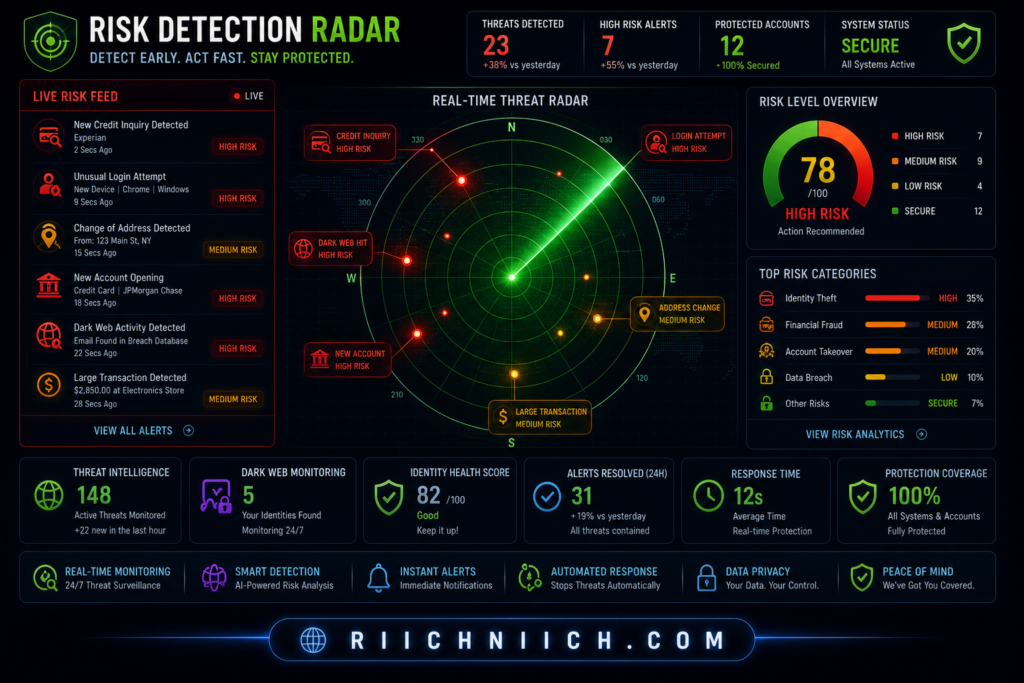
Step 8 — Secure Your Devices and Online Accounts
If you want to fully understand how to protect yourself from identity theft, you need to secure the devices you use every day.
Your phone, laptop, and tablet are gateways to your personal data. If they’re not properly protected, attackers don’t need to break into your accounts—they can access everything directly from your device.
Why Device Security Matters
Your devices store or access:
- Banking apps
- Email accounts
- Saved passwords
- Personal documents
- Social media
If a hacker gains access to your device, they can:
- Steal login credentials
- Install spyware or malware
- Take over accounts
- Access sensitive information
The Cybersecurity and Infrastructure Security Agency emphasizes device security as a critical part of protecting personal data.
Essential Steps to Secure Your Devices
To reduce your risk, you should:
- Keep software updated
Updates patch security vulnerabilities attackers exploit - Use antivirus or security software
Detects and blocks malware threats - Enable device encryption
Protects your data even if your device is lost or stolen - Lock your devices
Use strong PINs, passwords, or biometrics - Avoid downloading unknown apps or files
Malware often hides in fake downloads
Secure Your Online Accounts (Beyond Passwords)
Even with strong passwords, your accounts can still be at risk if they’re not fully secured.
Take these additional steps:
- Enable two-factor authentication (2FA) on all important accounts
- Review active sessions and logged-in devices
- Remove unused or suspicious apps with account access
- Use secure recovery options (avoid easily guessed answers)
The National Institute of Standards and Technology recommends multi-layered account security to reduce the risk of unauthorized access.
Common Mistakes That Increase Risk
Many people unknowingly leave themselves exposed by:
- Ignoring software updates
- Using unsecured devices on public networks
- Downloading apps from untrusted sources
- Staying logged into sensitive accounts
- Not locking devices when unattended
These small habits can create major vulnerabilities.
This Is Your First Line of Defense
If you’re serious about how to protect yourself from identity theft, your device security must be strong.
Without it:
- Attackers can bypass other protections
- Your accounts can be accessed directly
- Sensitive data can be stolen instantly
With it:
- Your data stays protected
- Unauthorized access is blocked
- Your overall risk drops significantly
When Should You Secure Your Devices?
Right now.
Device security is not something you “set and forget”—it requires ongoing attention.
Make it a habit to:
- Update regularly
- Review settings
- Stay cautious with downloads
Secure your devices and accounts now before a single vulnerability exposes your entire digital identity.
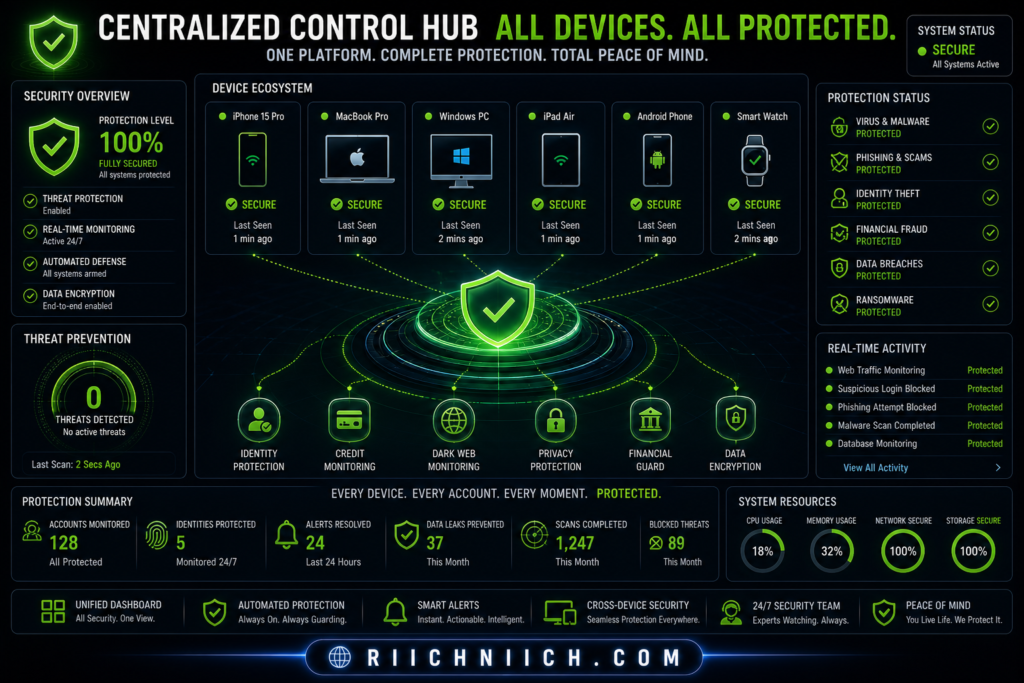
Step 9 — Limit What You Share Online (Reduce Data Exposure)
If you’re trying to master how to protect yourself from identity theft, you need to reduce how much of your personal information is publicly available.
The more you share online, the easier it becomes for attackers to build a complete profile of you—and use it against you.
Why Oversharing Increases Your Risk
Every post, signup, or profile you create adds to your digital footprint.
This includes:
- Social media profiles
- Online forms and surveys
- Shopping accounts
- Forum or community posts
Over time, this information can be combined to reveal:
- Your location
- Your habits and routines
- Answers to security questions
- Personal details used for identity verification
The Federal Trade Commission warns that oversharing online can make it easier for scammers to target and impersonate you.
Common Information You Should Avoid Sharing
Many people unknowingly expose sensitive details like:
- Full birthdate
- Home address
- Phone number
- Travel plans or current location
- Names of family members or pets
- Answers to common security questions
Even small details can be used to:
- Reset passwords
- Answer verification questions
- Build trust in scams
Social Media Is a Major Exposure Point
Platforms like Facebook, Instagram, and TikTok encourage sharing—but they also increase exposure.
To stay safe:
- Set profiles to private
- Limit who can see your posts
- Avoid posting real-time locations
- Remove personal details from bios
Reduce Your Digital Footprint Over Time
Limiting what you share isn’t just about future posts—it’s also about cleaning up existing data.
You should:
- Delete unused accounts
- Remove old posts with sensitive information
- Opt out of unnecessary data collection
- Review app permissions regularly
This directly supports your strategy for how to protect yourself from identity theft by reducing the amount of data available to attackers.
Less Data = Less Risk
Think of your personal data like exposure points:
- More data available = more opportunities for attackers
- Less data available = fewer ways to target you
Even if you have strong passwords and monitoring tools, excessive exposure increases your risk.
Reducing your digital footprint makes every other protection step more effective.
When Should You Start Limiting Your Data?
Immediately.
Start with:
- Social media accounts
- Online profiles
- Public-facing information
Then continue reducing exposure over time.
Reduce your online exposure now before your personal information is used against you.
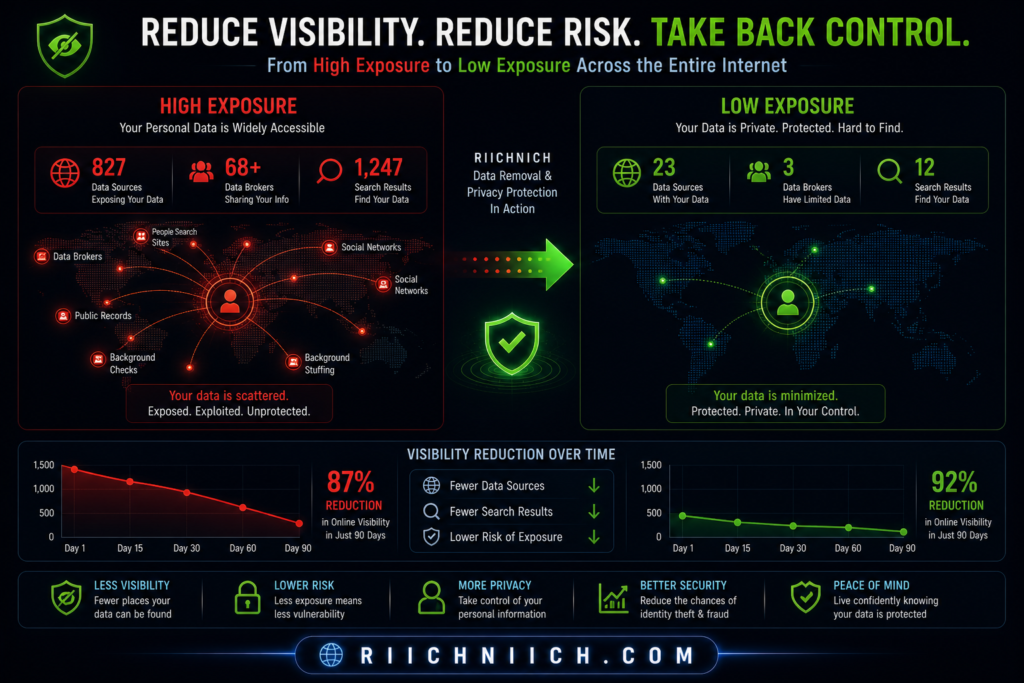
Step 10 — Use an Identity Theft Protection Service (Full Coverage)
If you want the most complete answer to how to protect yourself from identity theft, this is it: you need layered protection managed in one place.
You can do everything manually—but it’s time-consuming, easy to miss things, and difficult to maintain long term. An identity theft protection service brings all the critical defenses together into a single system.
What an Identity Theft Protection Service Actually Does
A high-quality service combines multiple protection layers:
- Credit monitoring (alerts for new accounts or inquiries)
- Dark web monitoring (detects leaked emails, passwords, SSNs)
- Identity monitoring (tracks suspicious use of your personal data)
- Fraud alerts and reporting assistance
- Identity theft insurance and recovery support
👉 Providers like Aura or LifeLock are designed to give you full coverage instead of relying on separate tools.
Why This Is Different From Individual Tools
Let’s break it down:
- Password managers protect your logins
- VPNs protect your internet connection
- Data removal reduces exposure
- Credit freezes block new accounts
But identity theft protection services connect all of these signals together and monitor continuously.
Instead of checking everything yourself, the system:
- Watches for suspicious activity
- Sends alerts instantly
- Helps you respond quickly
This Is Full Coverage Protection
If you’re serious about how to protect yourself from identity theft, this is where most people upgrade from basic protection to full security.
Without a service:
- You rely on manual monitoring
- You may miss critical alerts
- Recovery can be slow and stressful
With a service:
- You get real-time monitoring
- You have guided recovery support
- You reduce your overall risk significantly
When Does It Make Sense to Use One?
An identity theft protection service is especially valuable if you:
- Use online banking or credit cards regularly
- Shop or store personal data online
- Have multiple accounts across different platforms
- Want peace of mind without constant monitoring
The Federal Trade Commission notes that these services can help detect and respond to identity theft faster—but should be part of a broader protection strategy.
What to Look For in a Good Service
Not all services are equal. Look for:
- Real-time alerts (not delayed notifications)
- Dark web monitoring
- Credit bureau integration
- Identity theft insurance
- Dedicated recovery support
These features make a real difference when something goes wrong.
Why This Step Completes Your Protection Strategy
By this point, you’ve:
- Reduced your exposure
- Secured your accounts
- Protected your connection
- Locked your credit
This final step ties everything together.
It transforms your approach from reactive → proactive and automated.
Get full identity protection coverage now so you’re not relying on manual checks to keep your data safe.
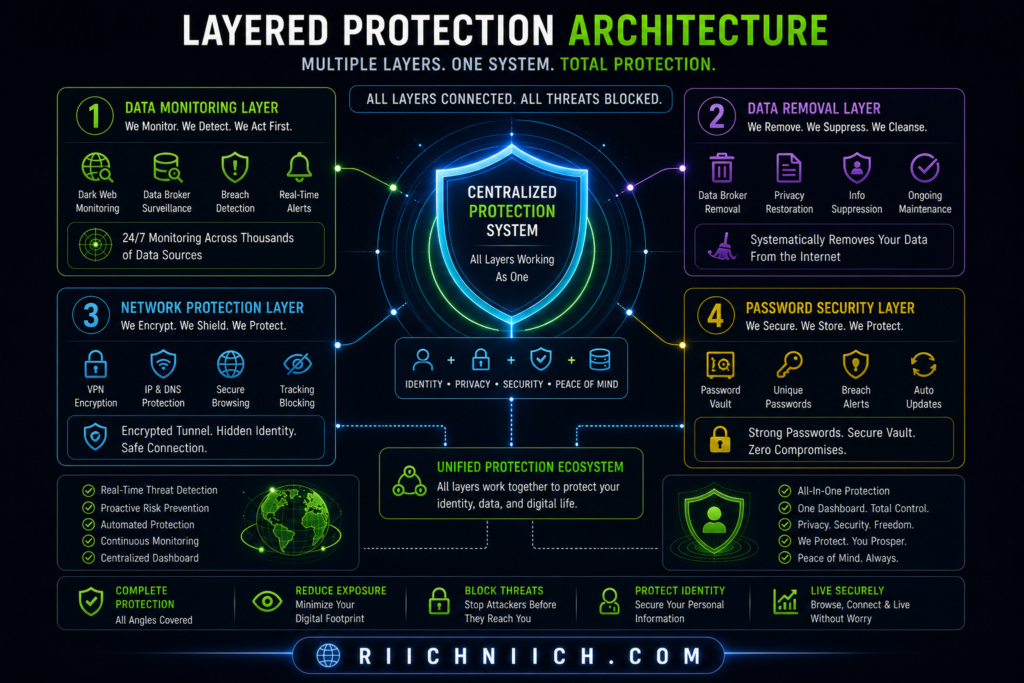
What to Do Immediately If Your Identity Is Stolen
Even if you follow every step on how to protect yourself from identity theft, there’s still a chance your information could be exposed.
If the worst happens, follow this immediate action plan to limit the damage!
What matters most is how fast you respond.
The sooner you act, the more damage you can prevent.
Step 1 — Freeze Your Credit Immediately
Your first move should be to stop any new accounts from being opened.
Contact all three credit bureaus:
- Equifax
- Experian
- TransUnion
Place a credit freeze to block unauthorized credit activity.
Step 2 — Report the Identity Theft
Go to IdentityTheft.gov and file an official report.
This will:
- Create a recovery plan
- Generate an identity theft report
- Help you dispute fraudulent activity
Step 3 — Contact Your Bank and Credit Card Companies
Immediately notify your financial institutions if you see suspicious activity.
Ask them to:
- Freeze or close compromised accounts
- Reverse fraudulent transactions
- Issue new cards
This limits financial loss and prevents further unauthorized use.
Step 4 — Change Your Passwords (All Critical Accounts)
Start with:
- Email accounts
- Banking apps
- Payment platforms
- Social media
If attackers control your email, they can reset passwords for everything else.
Use strong, unique passwords and enable two-factor authentication wherever possible.
Step 5 — Set Up Fraud Alerts
Place a fraud alert on your credit file to warn lenders.
This adds an extra layer of verification before new accounts can be opened.
The Federal Trade Commission recommends fraud alerts as part of a recovery strategy.
Step 6 — Review Your Credit Reports for Damage
Check your reports for:
- Accounts you didn’t open
- Unauthorized inquiries
- Incorrect personal information
You can get free reports at:
https://www.annualcreditreport.com/
Dispute anything suspicious immediately.
Step 7 — Continue Monitoring Your Identity
Identity theft isn’t always a one-time event.
Once your data is exposed, it can be reused.
Continue monitoring:
- Credit activity
- Financial accounts
- Alerts and notifications
This is why ongoing protection is critical when learning how to protect yourself from identity theft.
Speed = Less Damage
Here’s the reality:
- Slow response = more accounts opened, more damage
- Fast response = limited exposure, faster recovery
Acting within hours—not days—can make a massive difference.
Take action immediately if you suspect identity theft—every minute counts when protecting your financial and personal identity.
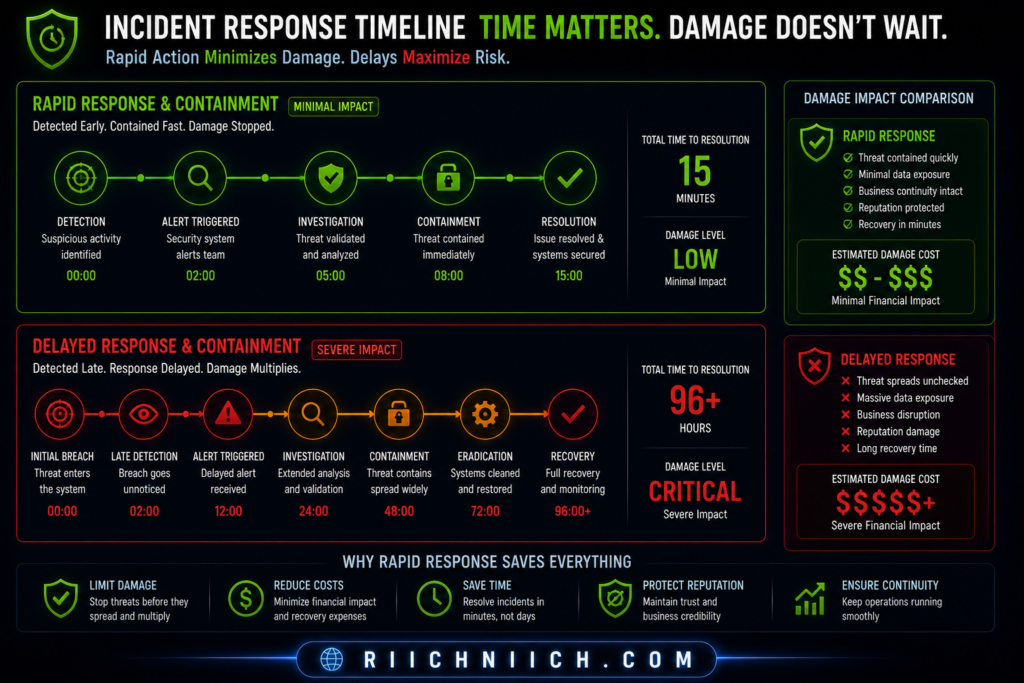
Best Tools to Protect Yourself from Identity Theft (Recommended Setup)
Here’s a complete breakdown of the best identity theft protection services you can use right now!
If you want a complete strategy for how to protect yourself from identity theft, you need the right tools working together.
No single solution is enough. The most effective approach is a layered setup that protects your identity from multiple angles—exposure, access, monitoring, and response.
The 4 Essential Tools You Need
Here’s the exact setup that gives you full coverage:
1. Identity Theft Protection Service (Core Monitoring)
This is your central defense system.
Services like Aura or LifeLock provide:
- Real-time alerts
- Credit monitoring
- Dark web tracking
- Identity theft insurance
- Recovery assistance
Why it matters:
This tool detects threats early and helps you respond quickly.
2. Data Removal Service (Reduce Exposure)
Your data is likely already being sold online.
Tools like Incogni automatically remove your information from data broker sites.
Why it matters:
Less exposed data = fewer opportunities for attackers.
3. VPN (Protect Your Internet Connection)
A VPN encrypts your data, especially on public networks.
Trusted options include NordVPN and Surfshark.
Why it matters:
Prevents hackers from intercepting your data in transit.
4. Password Manager (Secure Your Accounts)
Password managers like NordPass or 1Password help you:
- Generate strong passwords
- Store them securely
- Avoid password reuse
Why it matters:
Protects your accounts from being easily accessed or taken over.
If you’re comparing providers, this detailed breakdown of Aura vs LifeLock will help you choose the right one.
How These Tools Work Together (Layered Protection)
Each tool plays a specific role:
- Monitoring → Detects suspicious activity
- Data removal → Reduces your exposure
- VPN → Secures your connection
- Password manager → Protects account access
Together, they create a system that covers every major risk point.
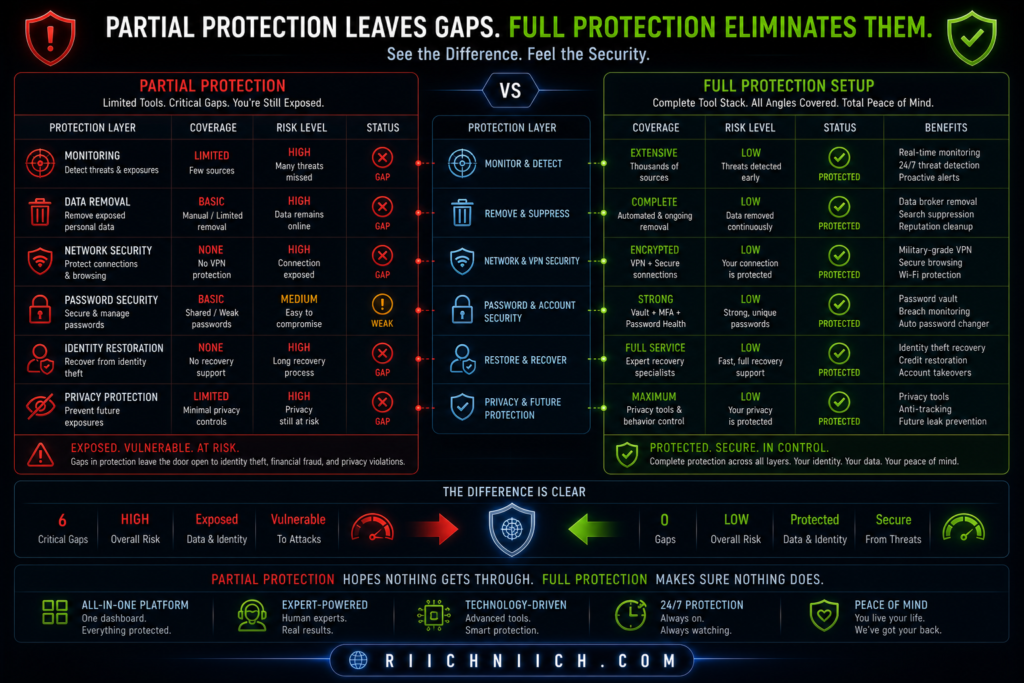
This Is the “Full Setup”
If you’re researching how to protect yourself from identity theft, this is where you move from basic protection to complete coverage.
Without this setup:
- You rely on partial protection
- You leave gaps attackers can exploit
With this setup:
- Your data is less exposed
- Your accounts are secure
- Your activity is monitored
- Your response is faster
Recommended Setup (Simple Version)
If you want to keep it simple, start with:
- Identity protection service (core)
- Data removal service (exposure reduction)
- VPN (connection security)
- Password manager (account protection)
This combination covers the major attack vectors used in identity theft.
When Should You Set This Up?
Now.
Not after your data is leaked.
Not after fraud happens.
Before you become a target.
Build your full identity protection setup now so you’re covered from every angle before your data is exposed.
Conclusion: How to Protect Yourself from Identity Theft Effectively
If you’ve made it this far, you already understand the truth about how to protect yourself from identity theft:
There is no single fix.
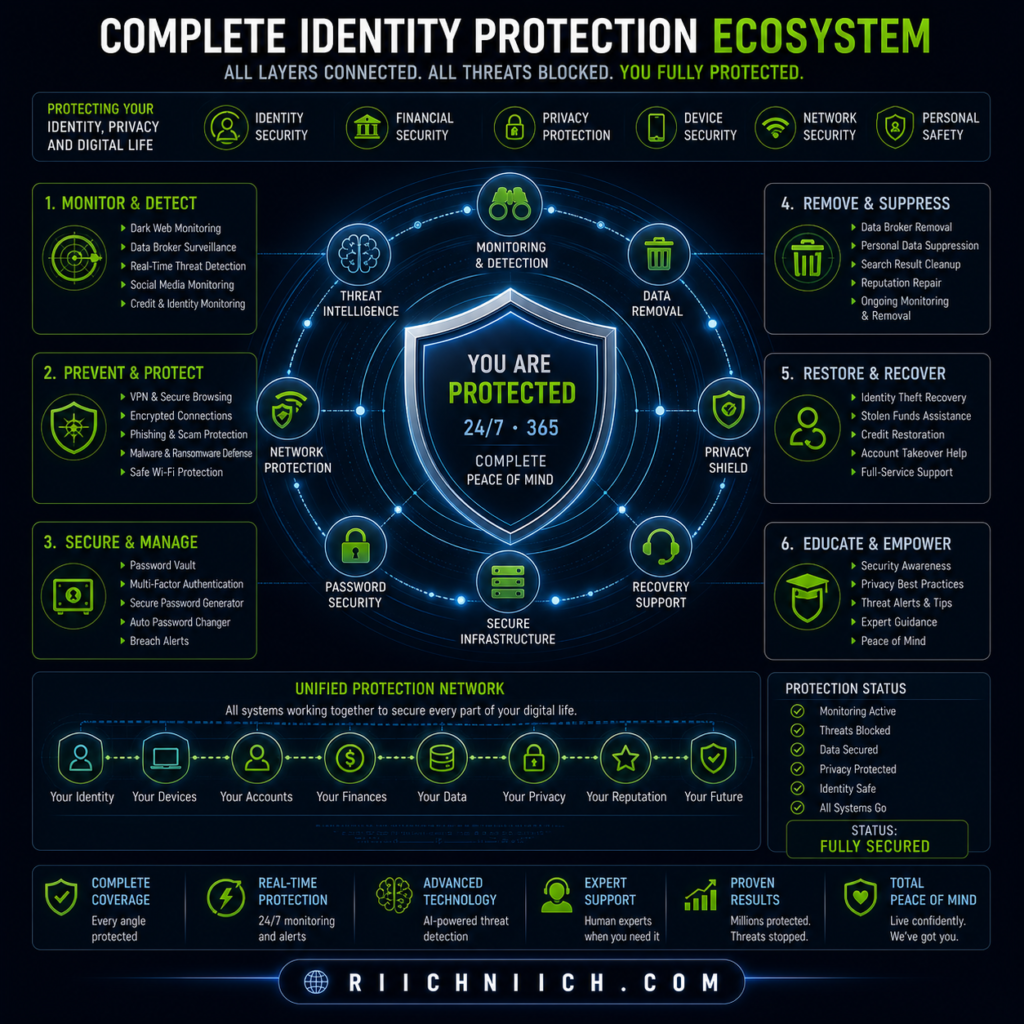
Real protection comes from layering multiple defenses together—each one covering a different vulnerability.
The Simple Formula That Actually Works
To protect yourself effectively, you need to combine:
- Monitoring → Detect suspicious activity early
- Data removal → Reduce your exposure online
- Strong passwords + 2FA → Secure your accounts
- VPN protection → Secure your internet connection
- Credit freeze + alerts → Block financial fraud
- Ongoing awareness → Catch issues before they escalate
This layered approach is what cybersecurity experts consistently recommend, including guidance from the Cybersecurity and Infrastructure Security Agency.
What Happens If You Don’t Take Action
Without proper protection:
- Your personal data remains exposed
- Attackers can access your accounts
- Fraud can go undetected
- Recovery becomes time-consuming and stressful
Identity theft isn’t just a possibility—it’s a growing risk.
The Federal Trade Commission continues to report millions of identity theft cases each year.
What Happens When You Do It Right
With the right setup in place:
- You detect threats early
- You reduce your exposure
- You secure your accounts and devices
- You block unauthorized access
- You respond quickly if something happens
In short—you stay in control of your identity.
This Is About Prevention, Not Reaction
Most people only think about identity theft after something goes wrong.
But if you’re reading this, you’re already ahead.
Learning how to protect yourself from identity theft now means:
- Less risk
- Less stress
- Less financial damage
And most importantly—fewer chances for attackers to succeed
The Bottom Line
You don’t need to be perfect.
But you do need to be protected.
Start with the essentials:
- Monitor your identity
- Remove your data
- Secure your accounts
- Protect your connection
Then build from there.
Take action now and protect your identity before your personal data is exposed or misused.
Pingback: How Your Personal Data Ends Up Online - Riich Niich
Pingback: How to Protect Your Email From Hackers - Riich Niich
Pingback: How To Freeze Your Credit After Identity Theft (Step-By-Step Guide) - Riich Niich
Pingback: How to Know If Someone Stole Your Identity - Riich Niich