

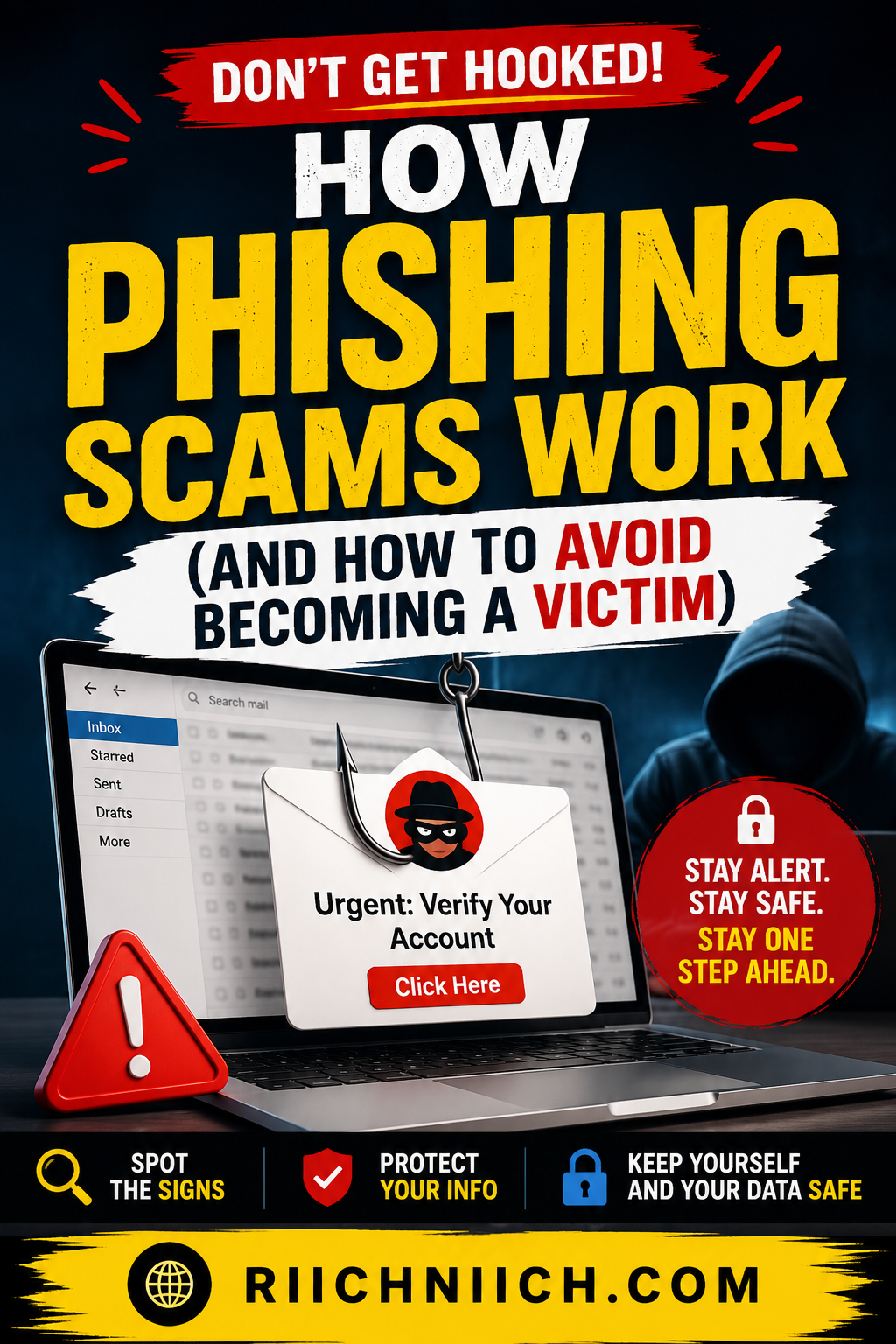
How phishing scams work is something every internet user should understand because these attacks remain one of the most common causes of identity theft, financial fraud, and account takeovers. Cybercriminals use fake emails, text messages, phone calls, and websites to trick people into revealing sensitive information such as passwords, banking details, and personal data.
The problem is that modern phishing attacks are becoming increasingly convincing, making it easier than ever for unsuspecting victims to fall for them. A single click on a malicious link can lead to stolen accounts, compromised finances, or even long-term identity theft.
In this guide, you’ll learn how phishing scams work, the most common phishing scam examples, warning signs to watch for, and the best ways to protect yourself from phishing attacks before they cause serious damage.
Table of Contents
What Is A Phishing Scam?
A phishing scam is a type of cybercrime where criminals pretend to be a trusted person, company, or organization to trick people into revealing sensitive information. This information may include passwords, credit card numbers, banking details, Social Security numbers, or other personal data that can be used for fraud or identity theft.
Understanding how phishing scams work is important because phishing attacks remain one of the most common ways criminals steal personal information online. Instead of breaking into your accounts through advanced hacking techniques, cybercriminals often rely on deception. Their goal is to convince you to click a malicious link, download an infected attachment, or provide confidential information through a fake website.
Phishing scams can arrive through many different channels, including:
- Email phishing scams
- Phishing text messages (also known as smishing)
- Fake social media messages
- Fraudulent websites
- Phone calls (known as vishing)
These attacks are designed to look legitimate. A phishing email may appear to come from your bank, a popular retailer, a delivery company, or even a government agency. Many phishing campaigns begin after criminals obtain your contact information. Learn more about how this happens in our guide on How Hackers Get Your Email Address. In many cases, the fake message closely resembles the real organization’s branding, making it difficult to spot the scam.
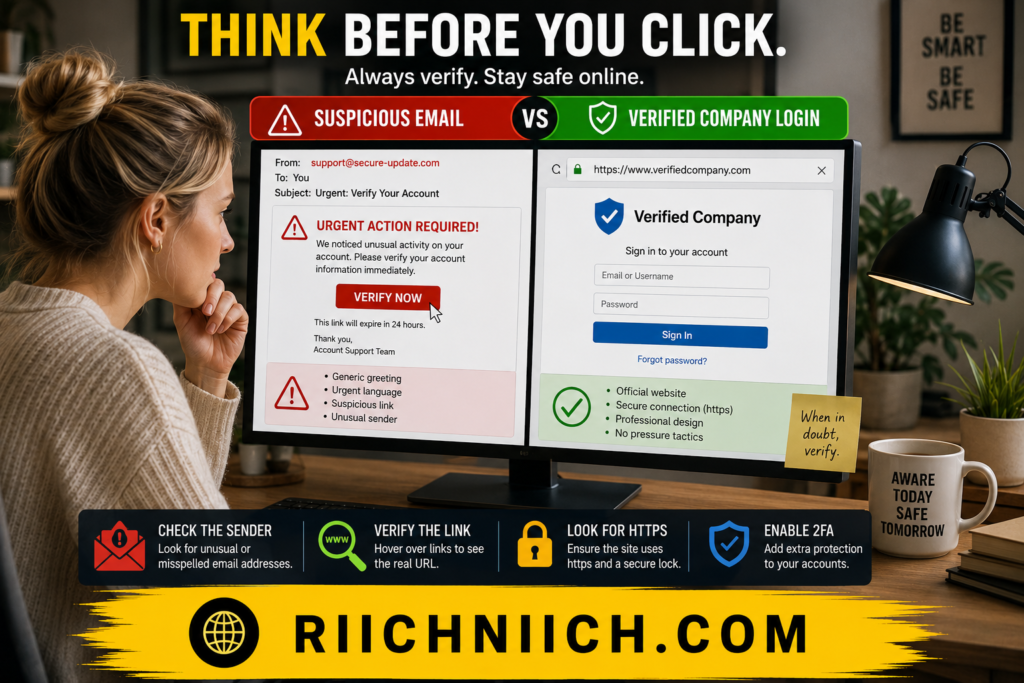
The reason phishing attacks are so dangerous is that they often target human behavior rather than technical vulnerabilities. Criminals create a sense of urgency, fear, or curiosity to encourage victims to act quickly without verifying whether the message is authentic.
For example, a phishing scam may claim:
- Your bank account has been locked.
- A package delivery failed.
- Your password needs to be reset immediately.
- Your account has suspicious activity.
- You have won a prize or reward.
Once a victim follows the instructions, the attacker may gain access to valuable personal information that can be used for financial fraud, account takeovers, or identity theft.
According to cybersecurity guidance from organizations such as the Cybersecurity and Infrastructure Security Agency and the Federal Trade Commission, phishing remains one of the most effective tactics used by cybercriminals because it exploits trust rather than technology.
The good news is that learning how phishing scams work can dramatically reduce your risk. By understanding the techniques criminals use and recognizing the warning signs early, you can avoid becoming a victim and better protect your personal information online.
How Phishing Scams Work
To understand how phishing scams work, it helps to think of them as a carefully planned trap. Cybercriminals use fake messages, fraudulent websites, and psychological tactics to convince people to willingly hand over sensitive information.
Unlike traditional hacking, phishing attacks do not usually require criminals to break through security systems. Instead, they manipulate victims into providing access themselves. This is why phishing scams continue to be one of the leading causes of identity theft, financial fraud, and account takeovers.
Most phishing attacks follow the same basic process.
Step 1: The Criminal Creates A Fake Message
The attack begins with a message that appears to come from a trusted source. Protecting your inbox is one of the best ways to reduce phishing risks. See our complete guide on How To Protect Your Email From Hackers. This could be a bank, online retailer, government agency, social media platform, streaming service, or employer.
Common phishing messages include:
- Account security alerts
- Password reset requests
- Package delivery notifications
- Tax refund notices
- Banking verification requests
The goal is to make the message look authentic enough that the recipient does not question it.
Step 2: The Victim Is Pressured To Act Quickly
A key part of how phishing scams work is creating urgency. Criminals know that people are more likely to make mistakes when they feel rushed or worried.
Common tactics include:
- “Your account will be suspended.”
- “Immediate action is required.”
- “Unauthorized activity has been detected.”
- “Claim your reward before it expires.”
These messages are designed to trigger fear, panic, or curiosity so the victim clicks before thinking.
Step 3: The Victim Clicks A Malicious Link Or Attachment
Once the victim interacts with the message, they are usually directed to a fake website that closely resembles a legitimate company.
The fraudulent website may ask for:
- Usernames
- Passwords
- Credit card information
- Banking credentials
- Social Security numbers
- Multi-factor authentication codes
Some phishing attacks also use malicious attachments that install malware on the victim’s device.
This stage is where many email phishing scams succeed because the fake websites often look nearly identical to the real thing.
Step 4: The Criminal Collects The Information
Once the victim enters their information, it is sent directly to the attacker.
The stolen information may be used to:
- Access financial accounts
- Make unauthorized purchases
- Open fraudulent accounts
- Steal personal identities
- Sell information on criminal marketplaces
Many victims do not realize their information has been compromised until weeks or months later.
Step 5: The Data Is Used For Fraud Or Identity Theft
The final stage of how phishing scams work involves turning stolen information into profit.
Criminals may:
- Drain bank accounts
- Commit credit card fraud
- Take over email accounts
- Access workplace systems
- File fraudulent tax returns
- Commit identity theft
In some cases, a single phishing attack can lead to years of financial and personal complications for the victim.
According to guidance from the Cybersecurity and Infrastructure Security Agency and the Federal Bureau of Investigation, phishing remains one of the most frequently reported cybercrimes because it is inexpensive for criminals and highly effective against unsuspecting users.
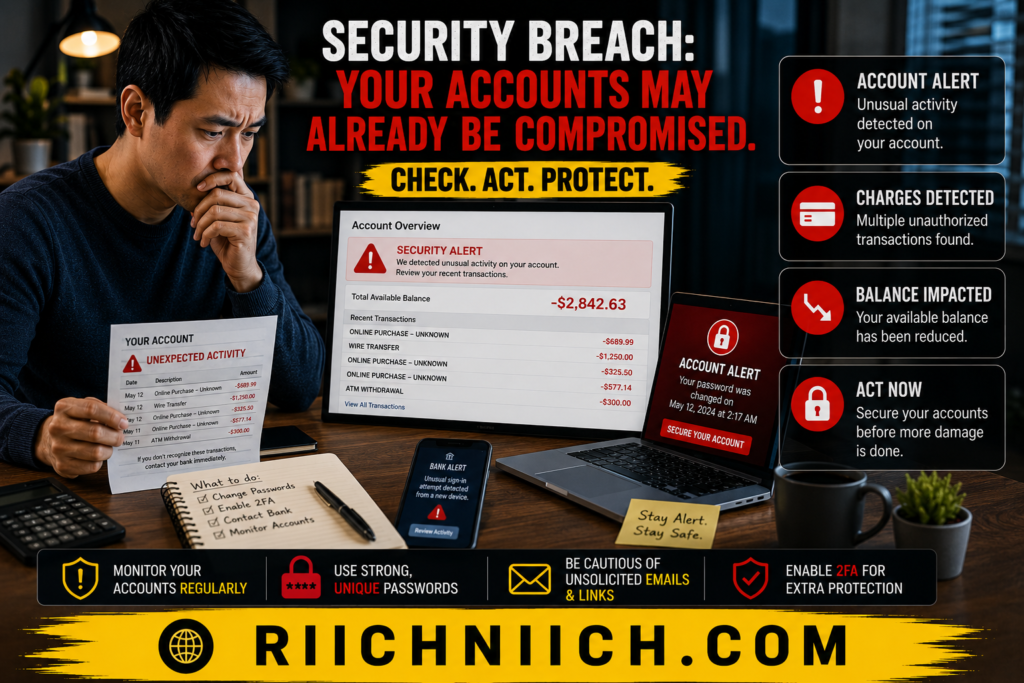
The good news is that once you understand how phishing scams work, it becomes much easier to recognize suspicious messages before they cause damage. Learning the warning signs and using the right security tools can significantly reduce your chances of becoming a victim of phishing scams and identity theft.
Why Phishing Scams Are So Effective
One of the biggest reasons phishing attacks continue to succeed is that they target people rather than technology. Understanding how phishing scams work means understanding human psychology. Cybercriminals know that even smart, careful people can make mistakes when they are distracted, rushed, or worried.
Modern phishing scams are no longer the obvious fake emails filled with spelling mistakes that many people imagine. Today’s phishing attacks are often highly convincing and designed to look exactly like messages from trusted companies and organizations.
They Exploit Trust
People interact with emails, text messages, and websites from legitimate companies every day. Criminals take advantage of this trust by impersonating banks, online retailers, government agencies, employers, and social media platforms.
When a phishing email appears to come from a familiar source, many people naturally lower their guard. This is one of the core reasons how phishing scams work so well against millions of victims each year.
They Create A Sense Of Urgency
Many phishing scam examples rely on urgency to pressure victims into acting before they have time to think.
Common messages include:
- Your account has been suspended.
- Suspicious activity has been detected.
- Your payment method was declined.
- Immediate verification is required.
- Your package cannot be delivered.
The goal is to trigger an emotional response that overrides careful decision-making.
They Look More Realistic Than Ever
Advances in technology have made phishing attacks much more convincing. Criminals can easily copy logos, branding, website layouts, and email designs from legitimate organizations.
Some fake websites are nearly impossible to distinguish from the real versions at first glance. This is why many victims unknowingly enter usernames, passwords, and financial information into fraudulent websites.
Understanding how phishing scams work helps people slow down and verify websites before sharing sensitive information.
They Target Large Numbers Of People
Phishing campaigns often operate on a numbers game. Criminals can send thousands or even millions of phishing emails and text messages at very little cost.
Even if only a small percentage of recipients fall for the scam, attackers can still collect valuable personal information, login credentials, and payment details.
This approach makes email phishing scams one of the most profitable cybercrime tactics used today.
They Take Advantage Of Data Breaches
Many phishing attacks become more effective after personal information is exposed in a data breach. If your information has already been exposed, understanding the next steps is critical. Read What Happens After a Data Breach to learn more.
When criminals already know details such as your name, email address, employer, or phone number, they can create more believable phishing messages that appear personalized.
This technique, often called spear phishing, significantly increases the chances that a victim will trust the message.
For information about recent data breaches and online safety, readers can review resources from the Cybersecurity and Infrastructure Security Agency and the Federal Trade Commission.
Many People Lack Protection
Unfortunately, many individuals still rely solely on basic passwords and standard email security. Without additional layers of protection such as password managers, multi-factor authentication, identity monitoring, and cybersecurity tools, phishing attacks can cause significant damage.
This is where security-focused services can help detect suspicious activity, monitor exposed credentials, and reduce the risk of identity theft after a phishing attack.
The reality is that how phishing scams work has not changed dramatically over the years—the attacks simply continue to become more convincing. By exploiting trust, urgency, and human behavior, cybercriminals can bypass many traditional security measures. Learning to recognize these tactics is one of the most effective ways to protect yourself from phishing scams, financial fraud, and identity theft.
Common Types Of Phishing Scams
Understanding the different types of phishing attacks is an important part of learning how phishing scams work. While the goal is usually the same—stealing personal information, login credentials, or financial data—cybercriminals use several different methods to target victims.
Knowing what these phishing scam examples look like can help you identify suspicious messages before they lead to identity theft or financial fraud.
Email Phishing
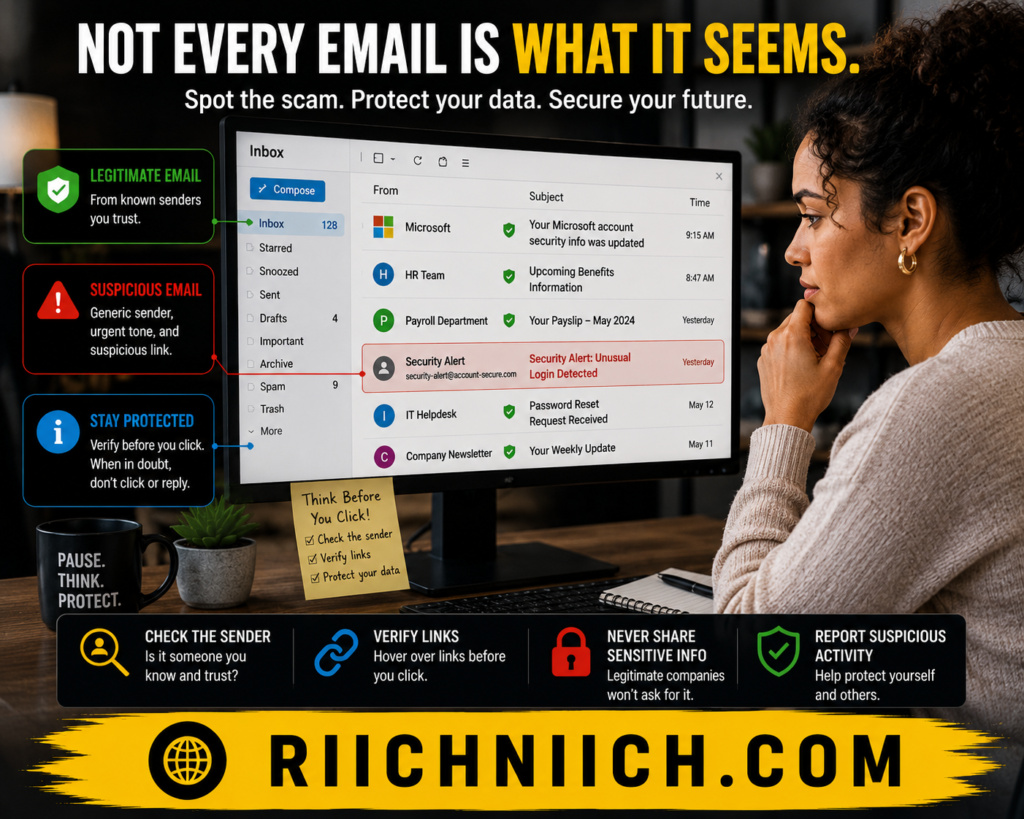
Email phishing scams are the most common type of phishing attack. Criminals send fraudulent emails that appear to come from legitimate companies, banks, retailers, or government agencies.
These emails often include:
- Fake account security alerts
- Password reset requests
- Billing problems
- Delivery notifications
- Suspicious activity warnings
The email usually contains a malicious link that directs victims to a fake website designed to steal information.
Smishing (Phishing Text Messages)
Smishing is a form of phishing that uses text messages instead of email.
Common phishing text messages may claim:
- A package delivery failed
- Your bank account needs verification
- You won a prize
- A payment is overdue
- Your account has unusual activity
These messages often contain shortened links that hide the destination website, making them especially dangerous on mobile devices.
Vishing (Voice Phishing)
Vishing uses phone calls to trick victims into revealing sensitive information.
The caller may pretend to be:
- A bank representative
- A government official
- Technical support personnel
- A credit card company employee
The scammer often creates a sense of urgency and asks the victim to verify personal information or provide account details over the phone.
Understanding how phishing scams work includes recognizing that not all phishing attacks happen through email or text messages.
Spear Phishing
Spear phishing is a more targeted version of a phishing attack.
Instead of sending generic messages to thousands of people, criminals research specific individuals and use personal information to make the scam appear more believable.
The message may include:
- Your name
- Employer information
- Job title
- Recent purchases
- Other publicly available details
Because these attacks feel more personal, they often have a higher success rate than traditional email phishing scams.
Social Media Phishing
Social media phishing attacks occur through platforms such as Facebook, Instagram, LinkedIn, and X.
Criminals may:
- Create fake profiles
- Impersonate friends or businesses
- Send malicious direct messages
- Offer fake giveaways
- Share fraudulent login pages
These scams take advantage of the trust people place in social media interactions.
Clone Phishing
Clone phishing involves copying a legitimate email that a victim previously received.
The attacker recreates the original message but replaces legitimate links or attachments with malicious versions.
Because the email looks familiar, victims are more likely to trust it and interact with the content.
This tactic demonstrates just how sophisticated how phishing scams work has become in recent years.
Business Email Compromise (BEC)
Business Email Compromise is one of the most financially damaging phishing attacks.
In a BEC scam, criminals impersonate company executives, vendors, or trusted employees to request:
- Wire transfers
- Invoice payments
- Sensitive company information
- Employee records
Organizations lose billions of dollars annually due to these highly targeted attacks.
According to resources from the Federal Bureau of Investigation and the Cybersecurity and Infrastructure Security Agency, Business Email Compromise remains one of the most costly forms of cybercrime.
The more familiar you become with these phishing scam examples, the easier it becomes to recognize suspicious messages before they cause harm. Understanding how phishing scams work across different platforms and communication methods is one of the most effective ways to protect your accounts, personal information, and identity.
Real Examples Of Phishing Scams
One of the best ways to understand how phishing scams work is by looking at real-world examples. While phishing attacks come in many forms, most follow the same pattern: criminals impersonate a trusted source, create urgency, and trick victims into revealing sensitive information.
The following phishing scam examples are among the most common attacks targeting consumers today.
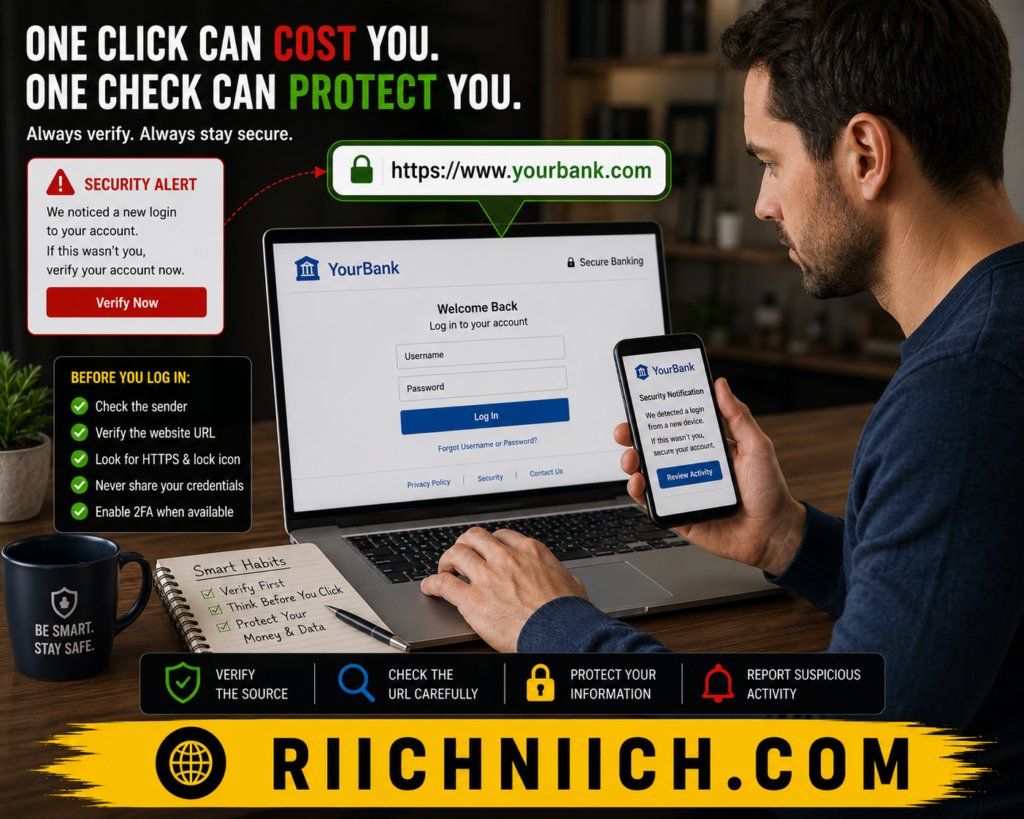
Fake Bank Security Alerts
A classic phishing attack involves a message claiming there is a problem with your bank account.
The email or text message may say:
- Suspicious activity has been detected.
- Your account has been temporarily locked.
- Immediate verification is required.
- Your online banking access will be suspended.
The message includes a link to what appears to be your bank’s login page. However, the website is fake and designed to steal your username, password, and banking credentials.
Package Delivery Scams
Package delivery phishing scams have become increasingly common due to the popularity of online shopping.
Victims receive messages claiming:
- A package delivery failed.
- Additional shipping fees are required.
- An address must be verified.
- A shipment is being held.
The link usually directs users to a fraudulent website that requests payment information or personal details.
These phishing text messages are particularly effective because many people are actively waiting for deliveries and may not think twice before clicking.
PayPal And Payment Service Scams
Payment platform phishing attacks often claim there is an issue with your account or that an unauthorized transaction has occurred.
Victims are encouraged to:
- Verify account information
- Reset passwords
- Confirm transactions
- Review suspicious activity
Once users enter their credentials, attackers can gain access to payment accounts and financial information.
This is another common example of how phishing scams work by creating fear and urgency.
Streaming Service Billing Scams
Streaming platforms are frequently impersonated by cybercriminals.
These messages often claim:
- Your payment method was declined.
- Your subscription is about to expire.
- Your account requires verification.
- Billing information must be updated.
The victim is directed to a fake login page where payment details and passwords are collected.
Because many people subscribe to multiple streaming services, these phishing emails often appear believable.
IRS And Government Impersonation Scams
Government-related phishing attacks often create fear by referencing taxes, benefits, or legal issues.
Common claims include:
- Tax refunds are available.
- Additional tax information is required.
- Government benefits need verification.
- Legal action is pending.
Government agencies generally do not request sensitive information through unsolicited emails or text messages, making these messages a major red flag.
Resources from the Internal Revenue Service and the Federal Trade Commission provide guidance on recognizing government impersonation scams.
Employer And Payroll Scams
Some phishing attacks target employees by pretending to come from human resources departments, payroll providers, or company executives.
The message may request:
- Direct deposit updates
- Employee login credentials
- Tax forms
- Personal identification information
These attacks can lead to payroll fraud, identity theft, and unauthorized access to workplace systems.
Social Media Account Verification Scams
Social media phishing attacks often claim there is a problem with your account.
Victims may receive messages stating:
- Your account violated community guidelines.
- Your profile is scheduled for suspension.
- Verification is required.
- Copyright complaints have been filed.
Clicking the provided link often leads to a fake login page that steals usernames and passwords.
These examples highlight a key lesson about how phishing scams work: criminals succeed by impersonating trusted organizations and creating situations that encourage people to act quickly. Whether the scam involves banking, shopping, taxes, payroll, or social media, the underlying goal remains the same—stealing personal information that can later be used for fraud, account takeovers, or identity theft.
Warning Signs Of A Phishing Scam
Learning to recognize the warning signs is one of the most effective ways to protect yourself from phishing attacks. While phishing scams continue to become more sophisticated, most still contain clues that can help you identify them before they cause damage.
Understanding these red flags is a critical part of learning how phishing scams work and avoiding identity theft, financial fraud, and account takeovers.
Unexpected Messages
One of the most common warning signs is receiving an unexpected email, text message, or phone call.
Be cautious if you receive a message claiming to come from:
- Your bank
- A government agency
- A delivery company
- A social media platform
- An online retailer
Especially if you were not expecting any communication from them.
Many phishing scam examples begin with an unsolicited message designed to catch victims off guard.
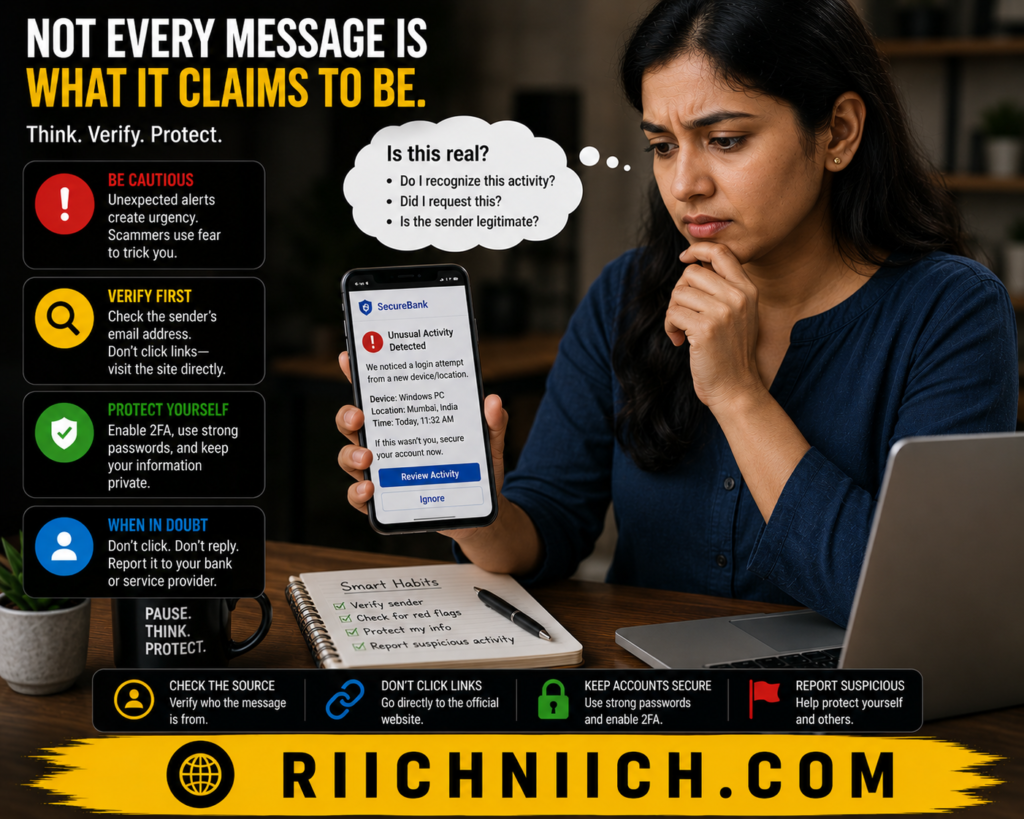
Urgent Or Threatening Language
A major tactic used in phishing attacks is creating panic.
Watch for messages that contain phrases such as:
- Immediate action required
- Your account will be suspended
- Unauthorized activity detected
- Verify your information now
- Failure to respond will result in account closure
Cybercriminals want victims to react emotionally instead of thinking critically.
When you understand how phishing scams work, you’ll recognize that urgency is often a deliberate manipulation tactic.
Suspicious Links
Before clicking any link, hover over it to see where it actually leads.
Warning signs include:
- Misspelled website names
- Unusual domain extensions
- Random strings of letters and numbers
- URLs that do not match the company name
For example, a phishing website may look similar to a legitimate company but use a slightly altered web address.
This is one of the most common methods used in email phishing scams.
Requests For Sensitive Information
Legitimate companies rarely ask customers to provide sensitive information through email or text messages.
Be cautious if a message requests:
- Passwords
- Banking information
- Credit card numbers
- Social Security numbers
- Multi-factor authentication codes
Many phishing attacks are specifically designed to collect this information for identity theft and financial fraud.
Poor Grammar And Spelling Mistakes
Although modern phishing scams have improved significantly, some still contain obvious writing errors.
Watch for:
- Unusual wording
- Awkward sentence structure
- Spelling mistakes
- Inconsistent branding
- Formatting issues
These details can indicate that the message did not originate from a legitimate organization.
However, keep in mind that many newer phishing attacks are professionally written, so poor grammar should not be your only warning sign.
Suspicious Attachments
Unexpected attachments should always be treated with caution.
Common dangerous file types include:
- ZIP files
- Executable files
- Microsoft Office documents requesting macros
- PDF files from unknown senders
Opening a malicious attachment may install malware, spyware, or ransomware on your device.
This is another important example of how phishing scams work beyond simply stealing passwords.
Generic Greetings
Many phishing emails use generic greetings because they are sent to large numbers of people.
Examples include:
- Dear Customer
- Valued User
- Dear Account Holder
- Dear Member
Legitimate companies often personalize communications using your actual name.
While not always a sign of fraud, generic greetings should encourage additional caution.
The Message Feels “Off”
Sometimes the strongest warning sign is simply that something does not feel right.
You may notice:
- Unusual requests
- Unexpected communication
- Strange timing
- Inconsistent branding
- Pressure to act immediately
Trusting your instincts can often prevent costly mistakes.
Organizations such as the Cybersecurity and Infrastructure Security Agency and the Federal Trade Commission recommend verifying suspicious messages directly with the organization before taking action.
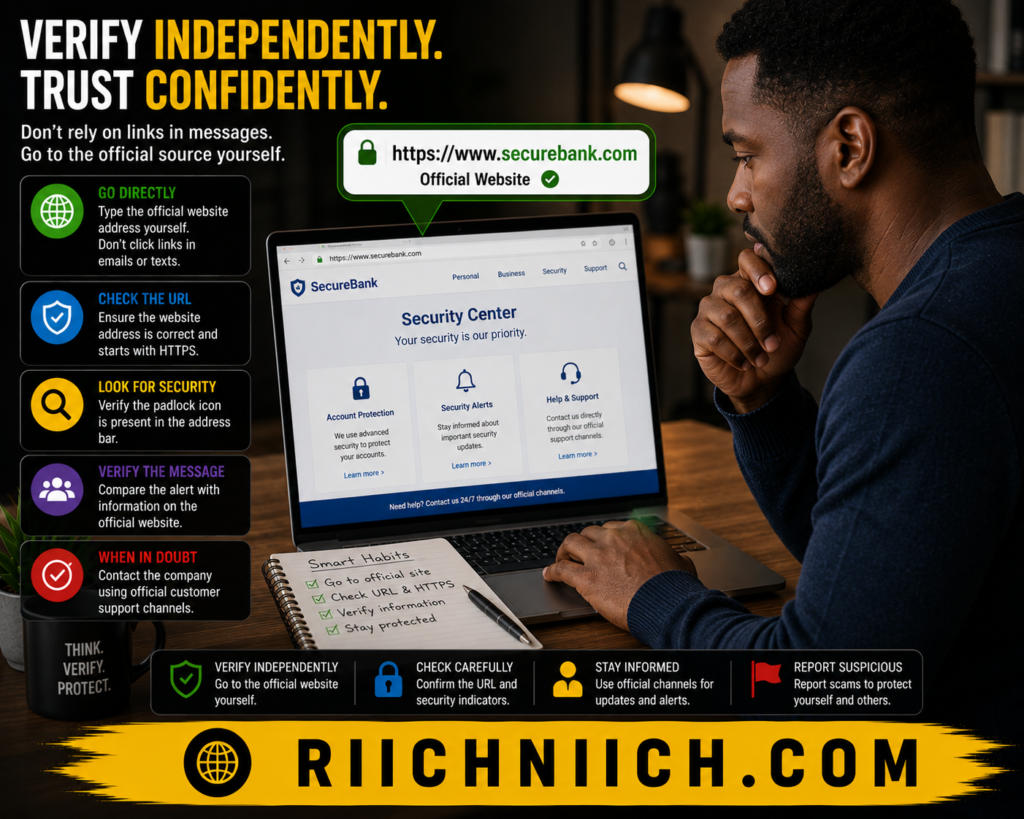
The reality is that understanding how phishing scams work is not just about recognizing fake messages—it’s about slowing down and evaluating communications before responding. The more familiar you become with these warning signs, the easier it becomes to identify phishing attacks before they compromise your accounts, finances, or personal information.
What Happens If You Fall For A Phishing Scam?
Falling for a phishing scam does not always result in immediate damage, but it can create serious problems if action is not taken quickly. Understanding what can happen after a successful phishing attack is another important part of learning how phishing scams work and why prevention matters.
The consequences depend on the type of information that was exposed and how quickly you respond after the incident.
Your Login Credentials May Be Stolen
One of the most common outcomes of a phishing attack is the theft of usernames and passwords.
If you enter your login information into a fraudulent website, cybercriminals may gain access to:
- Email accounts
- Social media accounts
- Online banking platforms
- Shopping websites
- Work-related systems
Once attackers gain access, they often attempt to change passwords and lock legitimate users out of their own accounts.
Financial Accounts Could Be Compromised
If banking or payment information is exposed, criminals may attempt unauthorized transactions or purchases.
Potential risks include:
- Debit card fraud
- Credit card fraud
- Unauthorized bank transfers
- Digital wallet theft
- New financial accounts opened in your name
Many victims do not notice suspicious activity until they review account statements or receive fraud alerts.
Your Personal Information May Be Used For Identity Theft
One of the most serious consequences of phishing attacks is identity theft.
If criminals obtain information such as your:
- Full name
- Date of birth
- Social Security number
- Address
- Driver’s license information
They may use it to impersonate you for financial gain.
This is one of the primary reasons understanding how phishing scams work is so important. A single phishing email can eventually lead to long-term identity theft issues that take months or even years to resolve.
Malware May Be Installed On Your Device
Some phishing attacks do not focus on collecting information directly. Instead, they trick victims into downloading infected files or clicking malicious links.
This can result in:
- Malware infections
- Spyware installation
- Ransomware attacks
- Keystroke monitoring
- Unauthorized remote access
Once malware is installed, attackers may continue collecting information long after the initial phishing attack.
Your Email Account Could Be Used To Target Others
If attackers gain access to your email account, they may use it to send phishing messages to your contacts.
Because the messages appear to come from someone the recipient knows, they are often more convincing than traditional phishing emails.
This can cause the attack to spread to:
- Friends
- Family members
- Coworkers
- Clients
- Business partners
Workplace Systems May Be Exposed
For employees, a phishing attack can create risks beyond personal accounts.
If work credentials are compromised, attackers may gain access to:
- Company databases
- Internal communications
- Customer information
- Financial records
- Business systems
This is one reason many organizations invest heavily in phishing awareness training and cybersecurity protections.
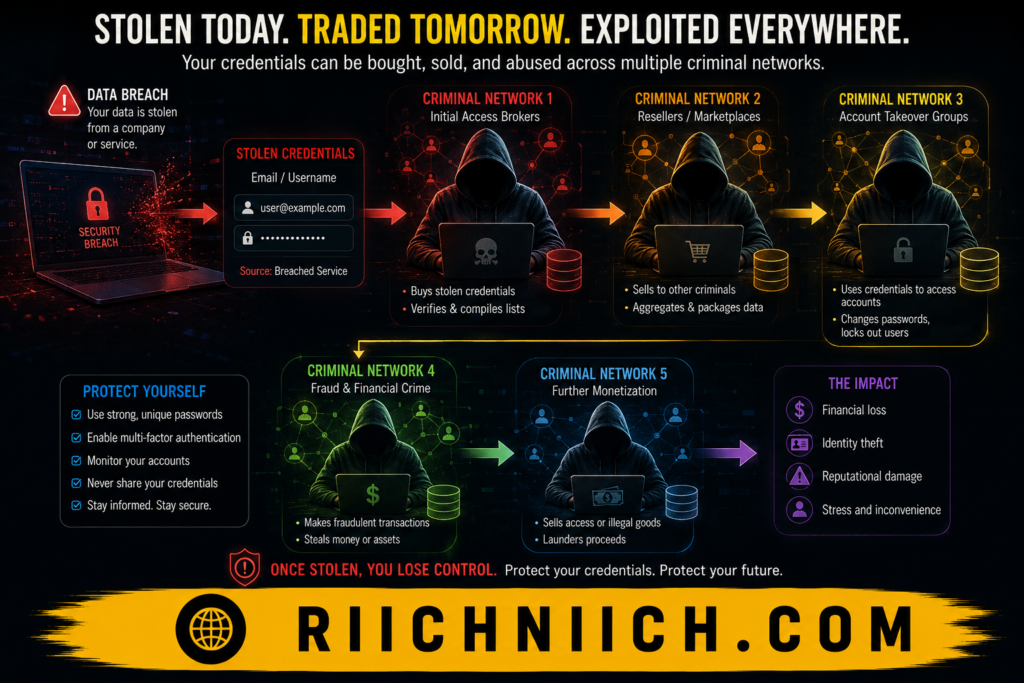
The Information May Be Sold To Other Criminals
In many cases, stolen information is not used immediately.
Instead, criminals may sell exposed credentials and personal information through underground criminal marketplaces.
This means the effects of a phishing attack can continue long after the initial incident.
Victims sometimes experience fraud months later because their information was purchased and used by another criminal group.
The Good News: Quick Action Can Limit The Damage
If you realize you have fallen for a phishing scam, acting quickly can significantly reduce the impact.
Important steps include:
- Changing affected passwords immediately
- Enabling multi-factor authentication
- Monitoring financial accounts
- Running security scans on devices
- Watching for signs of identity theft
- Monitoring exposed personal information
Organizations such as the Federal Trade Commission and the Cybersecurity and Infrastructure Security Agency provide guidance for recovering from phishing incidents and securing compromised accounts.
The reality is that how phishing scams work often extends far beyond a single email or text message. What may seem like a small mistake can potentially lead to account takeovers, financial fraud, malware infections, or identity theft. The sooner you identify the attack and respond, the better your chances of preventing long-term damage.
How Phishing Scams Lead To Identity Theft
One of the most dangerous aspects of phishing attacks is their ability to lead directly to identity theft. To see the complete chain of events that often follows stolen personal information, read our guide on How Identity Theft Happens. While many people think phishing scams only target passwords or bank accounts, the reality is that cybercriminals often use phishing to collect enough personal information to impersonate victims completely.
Understanding how phishing scams work helps explain why identity theft is such a common outcome of successful phishing attacks.
Criminals Collect Personal Information Piece By Piece
Many phishing scams are designed to gather specific pieces of personal information rather than steal everything at once.
A phishing attack may ask for:
- Full name
- Address
- Phone number
- Date of birth
- Social Security number
- Driver’s license information
- Banking details
Individually, these details may not seem dangerous. However, when combined, they can provide criminals with everything they need to commit identity fraud.
Stolen Credentials Open The Door To More Information
When criminals gain access to an email account through a phishing attack, they often gain access to much more than just messages.
Email accounts frequently contain:
- Financial statements
- Tax documents
- Medical records
- Account recovery emails
- Password reset links
This information allows attackers to expand their access and gather additional personal data.
This is a common example of how phishing scams work beyond the initial theft of login credentials.
Attackers Can Take Over Financial Accounts
Once criminals gain access to online banking, credit card accounts, or payment services, they may use the information to commit financial fraud.
Potential consequences include:
- Unauthorized purchases
- Money transfers
- Loan applications
- Credit card fraud
- New account creation
Identity thieves often use stolen financial information to build larger fraud schemes using the victim’s identity.
Criminals May Open New Accounts In Your Name
One of the most damaging forms of identity theft occurs when criminals use stolen information to create entirely new accounts.
This may include:
- Credit cards
- Personal loans
- Utility accounts
- Cell phone contracts
- Buy-now-pay-later accounts
Victims often discover these accounts only after receiving collection notices or finding unfamiliar activity on their credit reports. If you’re worried your information has already been misused, learn the warning signs in How To Know If Someone Stole Your Identity.
Tax And Government Fraud Can Occur
Identity thieves sometimes use stolen information to file fraudulent tax returns or apply for government benefits.
By using a victim’s personal information, criminals may attempt to:
- Claim tax refunds
- Obtain government assistance
- Commit employment fraud
- Verify identities for other criminal activities
Because phishing attacks often target Social Security numbers and personal identifiers, they can become a gateway to these forms of fraud.
Identity Theft Can Continue For Months Or Years
Unlike a stolen credit card that can be canceled quickly, identity theft often creates long-term problems.
Criminals may:
- Reuse stolen information repeatedly
- Sell personal information to other criminals
- Create synthetic identities
- Attempt fraud at a later date
This is one reason why understanding how phishing scams work is so important. The damage may not become visible immediately, even after the initial phishing attack is over.
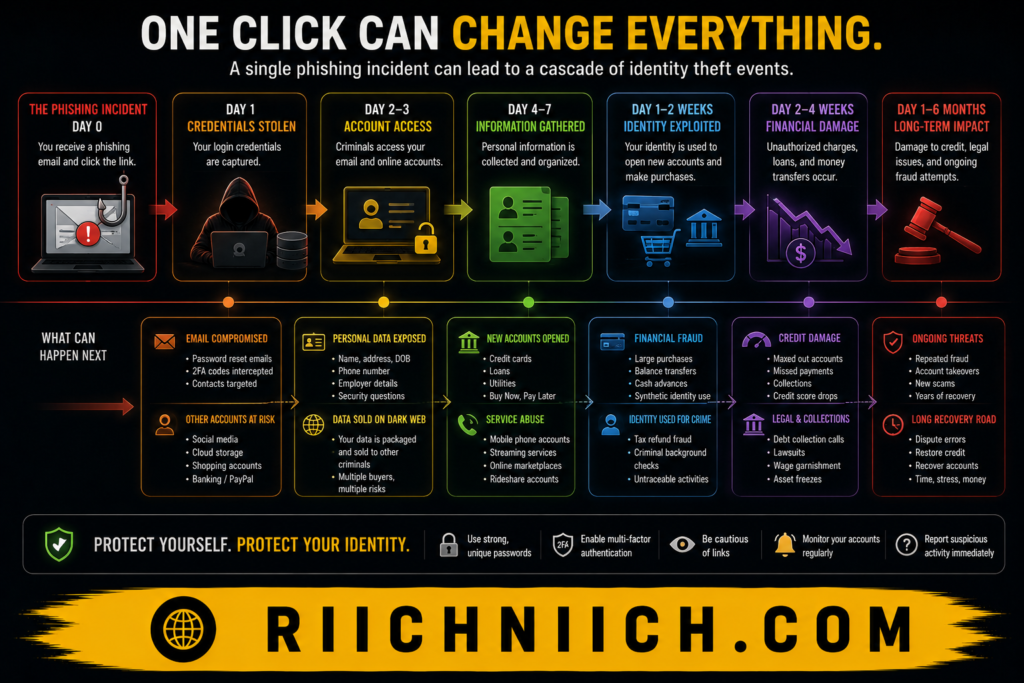
Why Identity Monitoring Matters After A Phishing Attack
Because phishing attacks frequently lead to identity theft, monitoring your personal information becomes critical after any suspected compromise.
Identity monitoring services can help detect:
- New account openings
- Dark web exposure
- Changes to personal information
- Suspicious financial activity
- Fraud alerts
The earlier identity theft is detected, the easier it is to limit the damage.
Organizations such as the Federal Trade Commission and the Identity Theft Resource Center provide educational resources for consumers dealing with identity theft and fraud.
The connection between phishing and identity theft is much stronger than many people realize. Understanding how phishing scams work reveals that these attacks are often just the first step in a larger fraud scheme. By stealing personal information, accessing accounts, and gathering sensitive data, cybercriminals can use phishing attacks to create identity theft problems that impact victims for years.
👉 If you’re concerned that your personal information may already be exposed, Aura can monitor for identity theft, dark web exposure, and suspicious activity before small problems become major financial headaches.
How To Identify Phishing Emails, Texts, And Websites
Knowing how to spot a phishing attempt before you interact with it is one of the most effective ways to protect yourself online. While phishing attacks continue to evolve, they often leave behind clues that reveal their true purpose.
Understanding how phishing scams work allows you to recognize suspicious emails, text messages, and websites before criminals gain access to your personal information.
Check The Sender’s Email Address Carefully
One of the easiest ways to identify a phishing email is by examining the sender’s address.
Many phishing emails use addresses that look legitimate at first glance but contain small differences, such as:
- Misspelled company names
- Extra letters or numbers
- Unusual domains
- Free email providers posing as businesses
For example, an email may appear to come from a major company while actually originating from a completely unrelated address.
Always verify the sender before clicking links or downloading attachments.
Look For Suspicious Links
Before clicking any link, take a moment to inspect it.
Warning signs include:
- Misspelled website names
- Strange domain extensions
- Long, confusing URLs
- Random numbers and characters
- URLs that do not match the organization
On desktop devices, you can usually hover your mouse over a link to see its true destination.
This simple habit can prevent many phishing attacks from succeeding.
Be Wary Of Unexpected Text Messages
Phishing text messages, often called smishing attacks, have become increasingly common.
Be cautious when receiving texts that:
- Claim there is a problem with a delivery
- Request account verification
- Offer prizes or rewards
- Warn about suspicious activity
- Request immediate action
Many phishing text messages use shortened links to hide fraudulent websites.
Understanding how phishing scams work means recognizing that text messages can be just as dangerous as emails.
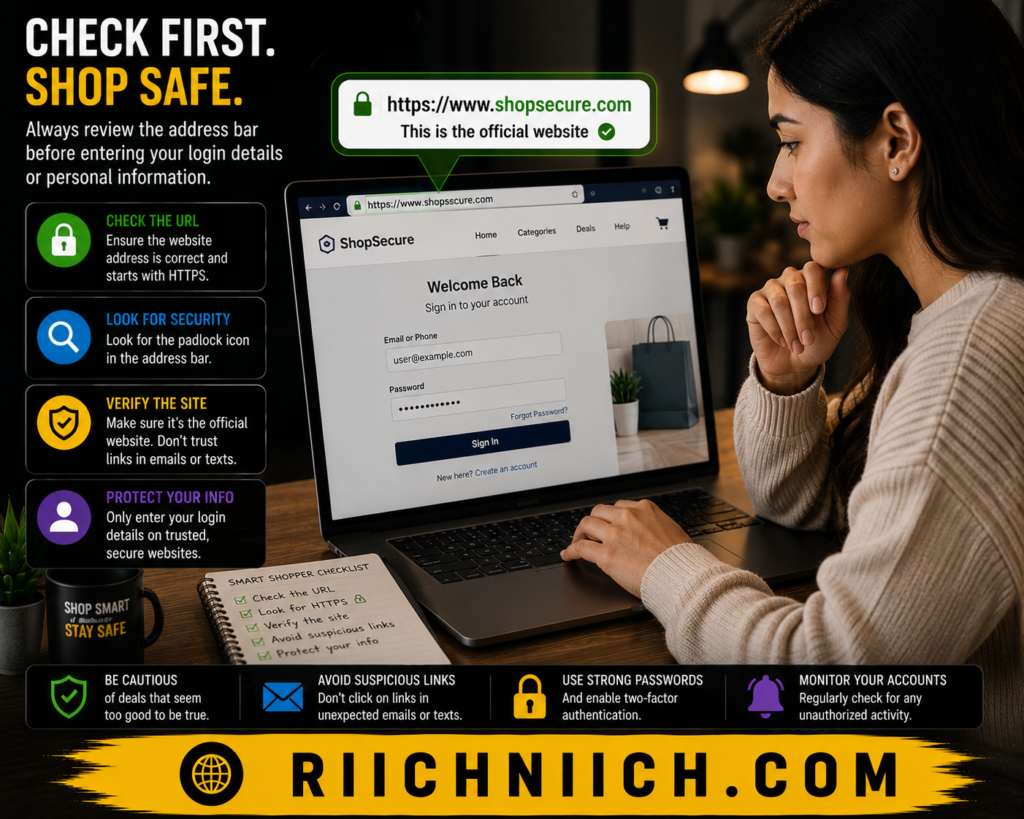
Verify Website Addresses Before Logging In
Fraudulent websites are often designed to look identical to legitimate websites.
Before entering login credentials, verify:
- The URL spelling
- The domain name
- The security certificate
- The company branding
- The overall website quality
A fake login page may successfully capture your username and password even if everything else appears normal.
Watch For Requests For Sensitive Information
Legitimate organizations rarely ask for sensitive information through unsolicited emails or text messages.
Be skeptical if a message requests:
- Passwords
- Social Security numbers
- Credit card details
- Banking information
- Multi-factor authentication codes
Requests for sensitive information are among the most common indicators of phishing attacks.
Look For Poor Design Or Inconsistencies
Many phishing emails and fake websites contain subtle inconsistencies that reveal they are fraudulent.
Examples include:
- Blurry logos
- Outdated branding
- Broken images
- Formatting issues
- Generic greetings
- Unusual wording
While some phishing attacks are highly professional, inconsistencies remain a common warning sign.
Question Messages That Create Panic
Cybercriminals frequently use fear and urgency to manipulate victims.
Examples include:
- Your account will be closed today.
- Immediate action is required.
- Unauthorized activity has been detected.
- Your payment has failed.
When faced with these messages, pause and verify the claim independently before taking action.
This tactic is a core component of how phishing scams work because emotional reactions often override logical thinking.
Use Security Tools To Help Identify Threats
While awareness is essential, security tools can provide an additional layer of protection.
Many cybersecurity and identity protection services can help detect:
- Suspicious websites
- Exposed credentials
- Fraudulent activity
- Data breaches
- Identity theft risks
Password managers can also help by refusing to autofill credentials on fraudulent websites, making phishing attacks easier to spot.
Resources from the Cybersecurity and Infrastructure Security Agency and the Federal Trade Commission offer additional guidance on recognizing phishing attacks and protecting personal information.
The best defense against phishing attacks is a combination of awareness and protection. Once you understand how phishing scams work, it becomes much easier to identify suspicious emails, phishing text messages, and fraudulent websites before they can steal your personal information. A few extra seconds spent verifying a message or website can prevent significant financial and identity theft problems later.
How To Protect Yourself From Phishing Scams
The good news is that most phishing attacks can be avoided with the right habits and security tools. Once you understand how phishing scams work, protecting yourself becomes much easier. The key is to slow down, verify information, and create multiple layers of security around your accounts and personal information. For additional strategies that go beyond phishing prevention, see our complete guide on How To Protect Yourself From Identity Theft.
The following phishing protection tips can significantly reduce your risk of becoming a victim.
Verify The Sender Before Taking Action
Always verify who is contacting you before responding to emails, text messages, or phone calls that request information.
If a message claims to come from your bank, employer, or another organization:
- Visit the company’s official website directly.
- Call the organization using a verified phone number.
- Log into your account through the official website instead of clicking links.
Never rely solely on the contact information provided in a suspicious message.
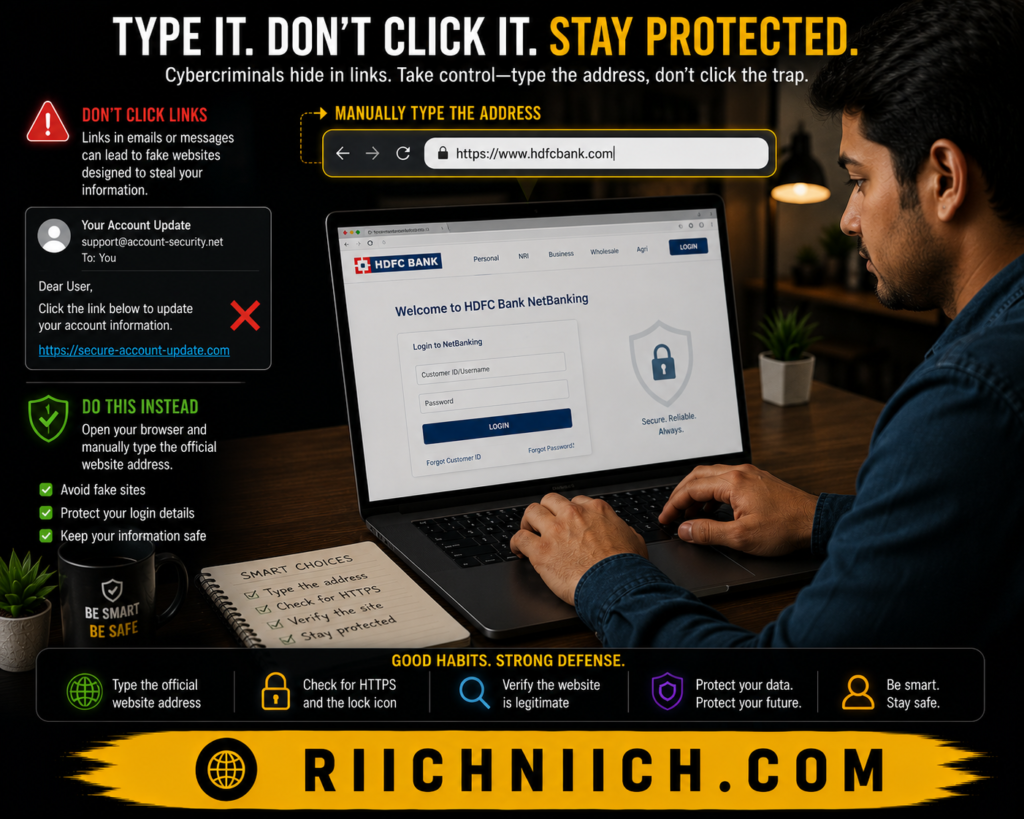
Avoid Clicking Links In Unsolicited Messages
One of the easiest ways to avoid phishing attacks is to avoid clicking links in unexpected emails and text messages.
Instead:
- Type the website address manually.
- Use a saved bookmark.
- Access accounts through official apps.
This simple habit can prevent many phishing scams from succeeding.
Because how phishing scams work often depends on directing victims to fake websites, avoiding suspicious links removes one of the attacker’s biggest advantages.
Use Strong And Unique Passwords
Weak passwords increase the damage a phishing attack can cause.
Every important account should have:
- A unique password
- A strong combination of characters
- No password reuse across websites
If one account becomes compromised, unique passwords help prevent attackers from accessing additional accounts.
Enable Multi-Factor Authentication (MFA)
Multi-factor authentication adds an extra layer of protection even if your password is stolen.
With MFA enabled, attackers must also provide a second verification factor, such as:
- Authentication app approval
- Security key
- One-time verification code
While not foolproof, MFA significantly reduces the risk of account takeovers resulting from phishing attacks.
Use A Password Manager
Password managers help protect against phishing attacks in several ways.
A quality password manager can:
- Generate strong passwords
- Store credentials securely
- Detect fake login pages
- Prevent password reuse
Looking for the right option? Compare the top choices in our guide to the Best Password Managers.
Many password managers only autofill credentials on legitimate websites, making it easier to identify fraudulent pages.
For readers looking to strengthen account security, password managers are one of the most practical defenses against email phishing scams.
Keep Software And Devices Updated
Software updates often contain important security patches that help protect against malware and other threats associated with phishing attacks.
Regularly update:
- Operating systems
- Web browsers
- Security software
- Mobile devices
- Applications
Staying current reduces vulnerabilities that cybercriminals may attempt to exploit.
Monitor Your Personal Information
Even careful individuals can occasionally fall victim to sophisticated phishing attacks.
Monitoring your personal information can help detect:
- Exposed credentials
- Fraudulent account activity
- Identity theft
- Data breach exposure
- Suspicious financial activity
The sooner suspicious activity is discovered, the easier it is to limit the damage.
This is particularly important because how phishing scams work often involves collecting information that may not be used immediately.
Use Comprehensive Identity Protection Services
For people who want additional protection, identity monitoring services can provide another layer of defense.
Many services monitor:
- Dark web exposure
- Credit activity
- Identity theft indicators
- Data breaches
- Personal information misuse
Wondering if your information has already been exposed? Learn How To Check If Your Information Is On The Dark Web.
These tools can help alert you when your information appears in places where it should not be, allowing you to respond quickly.
Stay Educated About New Scams
Cybercriminals constantly adapt their tactics. Staying informed about emerging phishing scam examples can help you recognize new threats before they become a problem.
Educational resources from organizations such as the Cybersecurity and Infrastructure Security Agency and the Federal Trade Commission provide up-to-date guidance on online safety and phishing prevention.
Protecting yourself from phishing attacks does not require advanced technical skills. Once you understand how phishing scams work, a combination of awareness, strong passwords, multi-factor authentication, identity monitoring, and good online habits can dramatically reduce your risk. The goal is not just to avoid today’s phishing scams, but to build long-term protection against future identity theft and cyber threats.
Best Tools To Help Prevent Phishing Attacks
Understanding how phishing scams work is the first step toward protecting yourself. The second step is using the right tools to reduce your risk. While no solution can guarantee complete protection, certain cybersecurity tools can make phishing attacks much less likely to succeed.
The following tools help protect passwords, monitor exposed information, identify suspicious activity, and reduce the damage that phishing scams can cause. If you’re building a complete online security setup, check out our list of the Best Cybersecurity Tools available today.
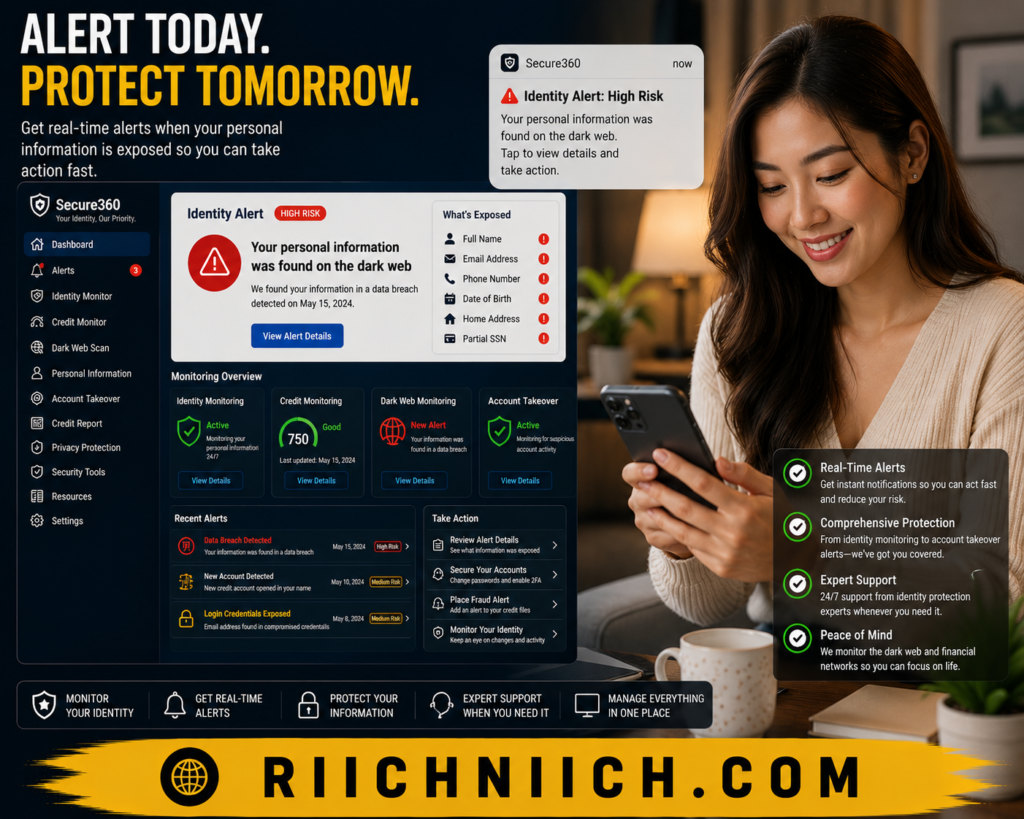
Aura
Aura is one of the most comprehensive tools available for protecting against identity theft and the consequences of phishing attacks.
Key features include:
- Identity theft monitoring
- Dark web monitoring
- Financial account monitoring
- Credit monitoring
- Fraud alerts
- Security and privacy tools
If a phishing attack results in exposed personal information, Aura can help detect suspicious activity early and alert you before significant damage occurs.
For individuals concerned about identity theft, Aura provides multiple layers of protection that go beyond basic cybersecurity.
NordPass
Many phishing attacks succeed because users unknowingly enter passwords into fake websites. NordPass helps reduce this risk by securely storing and managing login credentials.
Benefits include:
- Strong password generation
- Secure password storage
- Password health monitoring
- Autofill protection
- Breach detection features
Because NordPass only fills credentials on recognized websites, it can help users identify fraudulent login pages before entering sensitive information.
This makes it a valuable tool for anyone learning how phishing scams work and looking to improve account security.
Proton Pass
Proton Pass offers another strong option for protecting login credentials and reducing phishing risks.
Useful features include:
- Encrypted password storage
- Secure notes
- Email alias protection
- Password generation
- Cross-device access
Email aliases can be especially helpful because they reduce exposure of your primary email address, making it harder for cybercriminals to target you with phishing emails and spam campaigns.
Coveron
Coveron focuses on identity protection and monitoring services that can help users respond quickly after a phishing attack.
Features may include:
- Identity monitoring
- Credit monitoring
- Dark web monitoring
- Fraud detection alerts
- Identity theft assistance
While prevention remains the goal, monitoring tools can provide an important safety net if personal information becomes compromised through phishing attacks.
Antivirus And Security Software
Many phishing attacks attempt to install malware through malicious links or attachments.
Quality security software can help by:
- Blocking malicious downloads
- Detecting malware
- Identifying dangerous websites
- Monitoring suspicious activity
- Preventing unauthorized access
While antivirus software cannot stop every phishing attack, it provides another layer of protection against many common threats.
Multi-Factor Authentication Apps
Multi-factor authentication (MFA) is not a traditional security tool, but it remains one of the most effective protections against account takeovers.
Even if a phishing attack successfully steals your password, MFA adds an additional barrier before attackers can access your accounts.
Popular MFA methods include:
- Authentication apps
- Security keys
- Device approvals
- Verification codes
This extra layer of security significantly reduces the effectiveness of many phishing attacks.
Why Combining Multiple Tools Works Best
No single tool can completely eliminate phishing risks.
The strongest protection typically comes from combining:
- Password management
- Identity monitoring
- Dark web monitoring
- Security software
- Multi-factor authentication
This layered approach makes it much more difficult for cybercriminals to turn a successful phishing attack into identity theft or financial fraud.
Resources from the Cybersecurity and Infrastructure Security Agency consistently recommend using multiple security layers to improve online safety.
The reality is that understanding how phishing scams work is only part of the solution. The right cybersecurity tools can provide additional protection when human error occurs. By combining strong password management, identity monitoring, security software, and multi-factor authentication, you can dramatically reduce your chances of becoming a victim of phishing scams, account takeovers, and identity theft.
What To Do If You Clicked A Phishing Link
If you clicked a phishing link, do not panic. Simply clicking a malicious link does not always mean your accounts or personal information have been compromised. However, it is important to act quickly because the sooner you respond, the better your chances of preventing identity theft, financial fraud, and account takeovers.
Understanding how phishing scams work can help you take the right steps immediately after a potential phishing attack.
Disconnect From The Website Immediately
If you realize the website is suspicious, close the page immediately and avoid entering any information.
If you have not yet entered:
- Passwords
- Banking information
- Credit card details
- Personal information
You may have avoided the most serious risks.
However, you should still take precautions because some phishing websites attempt to trigger malicious downloads automatically.
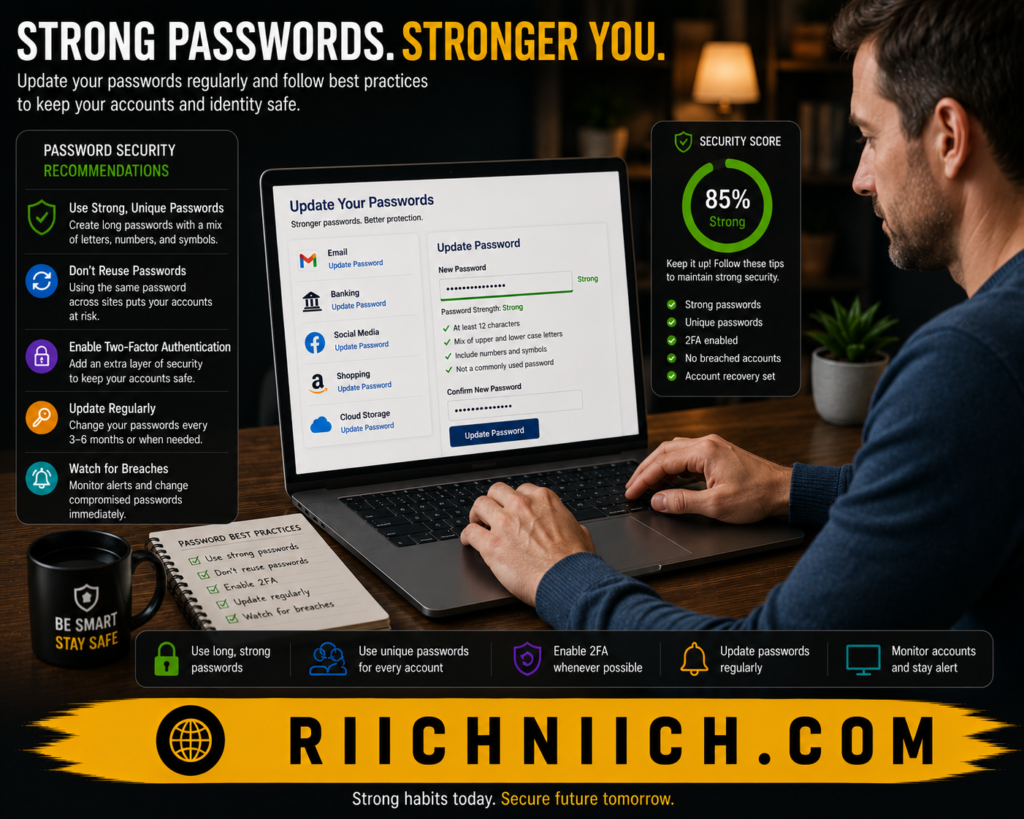
Change Your Passwords Right Away
If you entered login credentials on a fraudulent website, change the affected password immediately.
You should also:
- Create a new strong password
- Avoid password reuse
- Update similar accounts that share the same password
- Store passwords securely
This is one of the most important actions to take because many phishing attacks are designed specifically to steal usernames and passwords.
Enable Multi-Factor Authentication
If multi-factor authentication is not already enabled, now is the time to activate it.
MFA adds another layer of security that can help prevent attackers from accessing your accounts even if they have your password.
This protection is especially valuable because how phishing scams work often involves credential theft rather than technical hacking.
Scan Your Device For Malware
If you downloaded a file, opened an attachment, or noticed unusual device behavior, perform a full security scan.
Look for:
- Malware
- Spyware
- Unauthorized software
- Browser hijackers
- Suspicious programs
Removing malicious software quickly can prevent additional information from being stolen.
Monitor Financial Accounts
If financial information may have been exposed, closely monitor:
- Bank accounts
- Credit cards
- Payment services
- Investment accounts
Watch for:
- Unauthorized transactions
- Unrecognized purchases
- Account changes
- New payment methods
Early detection can significantly reduce the impact of fraud.
Watch For Signs Of Identity Theft
Phishing attacks frequently lead to identity theft when personal information is exposed.
Pay attention to:
- Unexpected credit inquiries
- New account openings
- Fraud alerts
- Collection notices
- Missing mail
Even if no immediate problems appear, identity theft can occur weeks or months after a successful phishing attack.
Report The Incident
Reporting phishing attacks can help protect other people from becoming victims.
You can report suspicious emails, texts, and websites through resources provided by the Federal Trade Commission and the Cybersecurity and Infrastructure Security Agency.
Many companies also provide reporting options for fraudulent messages that impersonate their brands.
Consider Identity Monitoring
If you entered sensitive personal information, identity monitoring can provide additional peace of mind.
Identity monitoring services may help detect:
- Dark web exposure
- Fraudulent account activity
- Credit changes
- Identity theft indicators
- Personal information misuse
This can be especially valuable if you are unsure exactly what information was exposed during the phishing attack.
Learn From The Experience
Many phishing victims assume they would never fall for a scam until it happens to them. The reality is that phishing attacks are specifically designed to trick ordinary people.
The important thing is to learn from the experience and strengthen your defenses moving forward.
Once you understand how phishing scams work, it becomes much easier to recognize suspicious messages, avoid fraudulent websites, and protect your personal information in the future.
Acting quickly after clicking a phishing link can often prevent a small mistake from becoming a major identity theft or financial fraud problem. By changing passwords, enabling multi-factor authentication, monitoring your accounts, and staying alert, you can greatly reduce the potential damage from a phishing attack.
Frequently Asked Questions
A phishing scam is a cybercrime in which criminals pretend to be a trusted organization, company, or individual to trick victims into revealing sensitive information. This may include passwords, banking information, credit card numbers, or personal details that can be used for fraud and identity theft.
Understanding how phishing scams work can help you recognize these threats before they compromise your accounts or personal information.
What Happens If I Click A Phishing Link?
Clicking a phishing link does not always result in immediate harm, but it can expose you to fake websites, malware, or attempts to steal your login credentials.
If you click a suspicious link:
- Close the website immediately.
- Avoid entering personal information.
- Change affected passwords.
- Run a security scan.
- Monitor accounts for unusual activity.
Acting quickly can significantly reduce the potential damage.
Can Phishing Scams Steal Your Identity?
Yes. Many phishing attacks are specifically designed to collect personal information that can later be used for identity theft.
Information commonly targeted includes:
- Full names
- Addresses
- Dates of birth
- Social Security numbers
- Banking details
- Login credentials
This is one of the primary reasons learning how phishing scams work is so important for protecting your identity.
How Do I Identify A Phishing Email?
Common warning signs include:
- Unexpected messages
- Urgent requests
- Suspicious links
- Requests for sensitive information
- Generic greetings
- Unusual sender addresses
- Poor grammar or formatting
When in doubt, verify the message directly with the organization before taking any action.
Are Phishing Text Messages Dangerous?
Yes. Phishing text messages, often called smishing attacks, can be just as dangerous as phishing emails.
These messages frequently contain:
- Fraudulent delivery notifications
- Fake banking alerts
- Account verification requests
- Prize scams
- Security warnings
Always verify messages before clicking links or sharing information.
What Is The Difference Between Phishing And Malware?
Phishing and malware are related but different threats.
Phishing focuses on tricking people into revealing information or taking certain actions.
Malware is malicious software that can infect a device and perform harmful activities such as stealing data or monitoring user activity.
In many cases, phishing attacks are used to deliver malware.
Can Multi-Factor Authentication Stop Phishing Attacks?
Multi-factor authentication can significantly reduce the risk of account takeovers, but it is not a complete solution.
MFA provides an additional verification step that helps protect accounts even if a password is stolen.
Combining MFA with strong passwords, identity monitoring, and phishing awareness offers much stronger protection.
Why Are Phishing Attacks So Successful?
Phishing attacks succeed because they target human behavior rather than technology.
Cybercriminals often use:
- Fear
- Urgency
- Trust
- Curiosity
- Familiar branding
Understanding how phishing scams work helps people recognize these manipulation tactics before becoming victims.
Can Password Managers Help Prevent Phishing?
Yes. Password managers can help identify fraudulent websites by only autofilling credentials on legitimate websites.
They also help users:
- Create strong passwords
- Avoid password reuse
- Secure login credentials
- Detect compromised accounts
This makes password managers one of the most effective tools for reducing phishing risks.
What Is The Best Way To Protect Yourself From Phishing Scams?
The best protection comes from combining multiple security practices, including:
- Verifying senders
- Avoiding suspicious links
- Using strong passwords
- Enabling multi-factor authentication
- Monitoring personal information
- Using identity protection services
- Staying informed about new phishing scam examples
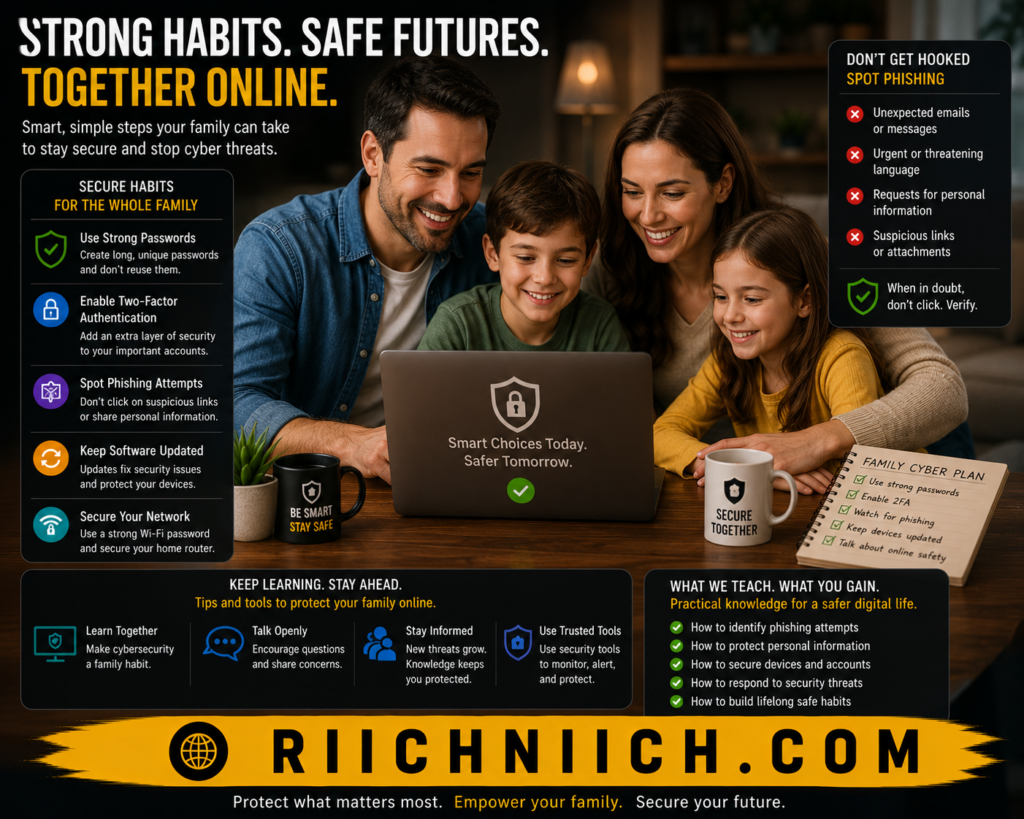
The more you understand how phishing scams work, the easier it becomes to recognize threats, protect your personal information, and avoid becoming a victim of identity theft or financial fraud.
Conclusion: How Phishing Scams Work
Understanding how phishing scams work is one of the most important steps you can take to protect your personal information, financial accounts, and online identity. While phishing attacks continue to evolve, the goal remains the same: trick people into revealing sensitive information that can be used for fraud, account takeovers, and identity theft.
The most successful phishing scams rely on trust, urgency, and deception rather than advanced technical skills. Whether the attack arrives through email, text message, social media, or a fake website, cybercriminals are counting on victims to act before verifying the message.
The good news is that most phishing attacks can be avoided by following a few simple practices:
- Verify unexpected messages before responding.
- Avoid clicking suspicious links.
- Use strong, unique passwords.
- Enable multi-factor authentication.
- Monitor your accounts regularly.
- Stay informed about common phishing scam examples.
However, even careful people can occasionally encounter convincing phishing attacks. That is why combining good security habits with the right protection tools is often the best approach.
A strong cybersecurity strategy may include:
- A password manager to protect login credentials.
- Identity monitoring to detect suspicious activity.
- Dark web monitoring to identify exposed information.
- Credit monitoring for early fraud detection.
- Security software to help identify malicious threats.
For readers who want an additional layer of protection, identity protection services and password managers can help reduce the risks associated with phishing attacks and identity theft. Not sure whether these services are worth the investment? Read our detailed guide on Is Identity Theft Protection Worth It?
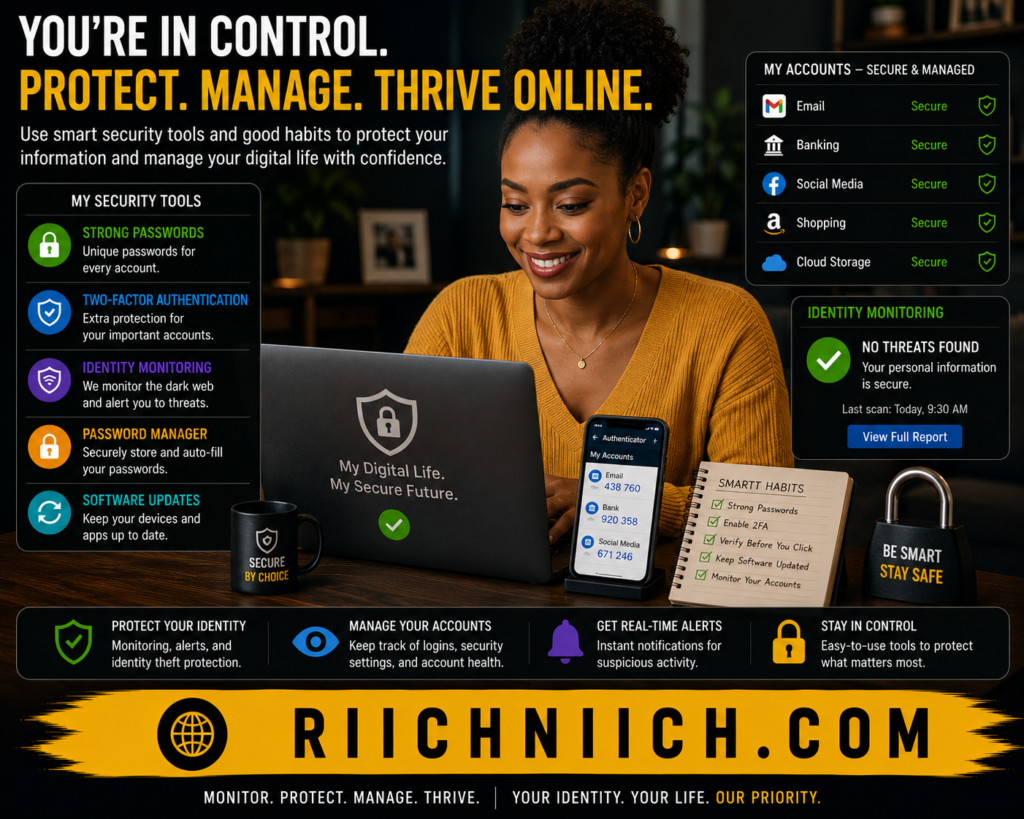
The reality is that how phishing scams work has become more sophisticated over time, but the core defense remains the same: awareness combined with proactive protection. The more you understand these scams, the easier it becomes to recognize warning signs before they lead to serious consequences.
If you want to strengthen your defenses against phishing attacks, identity theft, and online fraud, consider using a combination of identity monitoring, password management, and cybersecurity tools that help protect your information before criminals have a chance to use it. A small investment in prevention today can save countless hours, financial losses, and stress in the future.
Pingback: Is Public WiFi Safe For Banking? - Riich Niich
Pingback: How to Know If Your Email Was Leaked - Riich Niich
Pingback: Best Email Protection Tools (2026 Buyer's Guide) - Riich Niich
Pingback: Can Someone Steal Your Identity With Just Your Phone Number? Here's the Truth - Riich Niich