


If you’re wondering how to remove yourself from public records online, the good news is that you can often reduce how much of your personal information is easily accessible—even if you can’t erase every legitimate government record. Your address, phone number, email, and other details can spread from public records to people-search sites, data brokers, and Google, making them much easier for strangers to find.
In this guide, I’ll walk you through 9 practical steps to find where your information is exposed, remove what you can, reduce third-party copies, and keep it from resurfacing. You’ll also learn when you can handle the process yourself for free—and when paying for a data removal service may actually be worth it.
Table of Contents
How To Remove Yourself From Public Records Online:🔥 Quick Answer
If you’re trying to figure out how to remove yourself from public records online, start by identifying where your information actually appears. Search your name, current and previous addresses, phone number, and other identifying details to locate government databases, public record websites, people-search sites, data brokers, and Google results that expose your information.
The important thing to understand is that you usually cannot erase every legitimate public record. Court filings, property records, voter records, professional licenses, and other government-maintained records may be legally required to remain public. However, depending on the record and jurisdiction, you may be able to request that certain sensitive information be corrected, redacted, restricted, or removed from online access.
The bigger opportunity is often the websites that copy and republish information originating from public records. The Federal Trade Commission explains that people-search sites can compile information from federal, state, and local government public records along with other sources. Most of these sites provide an opt-out process, although removing yourself manually can require submitting requests one website at a time.
A practical approach to remove yourself from public records is to work through the exposure in layers:
- Find the original source of the public information.
- Request removal, restriction, correction, or redaction from the source when legally available.
- Remove personal information from public record websites that have republished it.
- Remove yourself from people search sites through their opt-out procedures.
- Remove personal information from data brokers that distribute or resell it.
- Request removal of eligible search results containing sensitive personal information.
- Continue monitoring because previously removed information can reappear.
Google also allows eligible users to request removal of certain personal information from search results, including home addresses, phone numbers, email addresses, and confidential government identification numbers. Its “Results about you” feature can help locate certain personal information and monitor for new results.
Keep in mind that learning how to remove public records from Google is different from removing the information at its source. Google states that removing a result from Google Search does not necessarily remove the information from the website hosting it.
For people who want to handle everything themselves, many removal requests can be submitted for free. But manually searching dozens of sites, completing opt-outs, verifying requests, and checking whether information comes back can become time-consuming. The FTC notes that consumers can either opt out of people-search sites individually for free or pay a service to handle opt-outs for them.
That is where a reputable data removal service can become worth considering. These services generally cannot make legitimate government records disappear, but they can reduce the workload involved in finding and requesting removal of information from covered data brokers and people-search websites. If your goal is to reduce your online exposure with less manual work, comparing the number of sites covered, monitoring frequency, removal reports, and recurring-removal capabilities can help determine whether paying for a service makes sense.
What Are Public Records?
Public records are documents, filings, and other information created, collected, or maintained by government agencies as part of their official duties. Depending on the record and the laws that apply, members of the public may be able to access some of this information through federal, state, county, or municipal government offices and online databases.
Examples can include property records, certain court records, business registrations, professional licenses, marriage or divorce records, and other government filings. However, not everything the government collects is automatically public. Access rules vary by record type and jurisdiction, and some information is restricted or protected for privacy, security, or other legal reasons.
At the federal level, the Freedom of Information Act (FOIA) generally gives people the right to request records from executive-branch federal agencies, subject to nine statutory exemptions. State and local governments are not governed by federal FOIA; states have their own public-record access laws.
Why Public Records Can Become a Privacy Problem
The original government record is only one part of the issue.
Once certain information is publicly accessible, other websites may collect, organize, or republish information from public sources. This can make information that was once scattered across different government offices much easier for someone to find online.
For example, imagine that your name appears in one county property database, a business filing appears somewhere else, and an old court record exists in another database. Individually, those records may require someone to know exactly where to look. But when information is aggregated or indexed online, pieces of your personal history can become considerably easier to discover.
That distinction is important when learning how to remove yourself from public records online.
You may discover that you cannot simply delete the original government record. Instead, the practical goal may be to remove personal information from public record websites, reduce exposure through third-party databases, request eligible redactions from the government source, and remove certain search results that make the information easier to find.

Public Records Can Come From Different Levels of Government
There isn’t one master public-record database containing everything about you. Records can be maintained by different federal, state, county, and municipal agencies. USAGov provides directories for locating state and local government agencies as well as federal, state, territory, county, and municipal courts.
This matters because if you want to remove personal information from government websites or remove address from public records, you first need to determine which agency controls the original record.
A county property record, for example, may require a completely different process from a state professional license or federal record. Removal, correction, redaction, and confidentiality options can also vary significantly depending on your state and circumstances.
Public Record Does Not Mean Everything Is Fair Game
Another common misconception is that government agencies make every piece of information they collect freely searchable.
They don’t.
Some records or portions of records can be withheld or restricted. At the federal level, FOIA contains exemptions to disclosure, while the Privacy Act provides certain rights concerning federal agency records maintained about individuals.
A good example of this distinction is Census information. Although the Census Bureau publishes extensive population statistics, USAGov states that personally identifiable census responses are kept confidential for 72 years.
That’s why anyone trying to remove personal information from public records should avoid paying a company that promises to “erase all public records.” A legitimate service may help you remove personal information from data brokers and people-search websites, but that is very different from deleting an official government record that must remain available under applicable law.
For buyers considering a data removal service, this distinction is critical: look for a service that clearly explains what it can remove, which sites it covers, how frequently it rescans for your information, and what it cannot legally remove.
Understanding where the original record comes from is the foundation of how to remove yourself from public records online. Once you know whether you’re dealing with an official government record, a third-party copy, a people-search profile, a data-broker listing, or a search-engine result, you can choose the correct removal strategy instead of wasting time submitting requests to the wrong place.
Why Is Your Personal Information in Public Records?
Your personal information can appear in public records because many everyday activities create official records that government agencies are required to maintain. Buying property, registering a business, obtaining certain professional licenses, becoming involved in a court proceeding, or submitting particular government filings can create records connected to your name.
Public access exists largely for transparency and accountability, not because the government is intentionally trying to expose your personal life. At the federal level, for example, the Freedom of Information Act gives people the right to request records from executive-branch federal agencies, although information protected by one of FOIA’s nine exemptions can be withheld. State and local governments operate under their own public-record laws.
The privacy problem arises when pieces of information from different sources become easy to collect, combine, and search online.
Someone might previously have needed to visit a county office or search several separate databases to find records connected to you. Today, information can sometimes be available through government websites and then appear elsewhere through websites that collect or republish public information.
That distinction is important when learning how to remove yourself from public records online because there may be several versions of essentially the same information that need to be addressed separately.
Everyday Activities Can Create Public Records
You don’t necessarily have to intentionally publish your information for it to become part of an accessible record.
For example, depending on where you live and the applicable laws, records associated with property ownership, court proceedings, business entities, government licenses, or other official transactions may contain identifying information.
The exact information available—and whether it can be withheld, redacted, corrected, or restricted—depends on the agency and applicable law. Federal law itself recognizes this balance between transparency and privacy. FOIA includes protections that can allow agencies to withhold certain information when disclosure would constitute an unwarranted invasion of personal privacy.
That is why a person attempting to remove personal information from government websites should first identify the agency responsible for the record rather than assuming every public record can simply be deleted.
One Record Can Spread Beyond the Original Source
This is where public records can become a much bigger online privacy problem.
Imagine your information as a document placed into a photocopier.
The original might be maintained by a government agency. But information from public sources can subsequently appear in other databases, public-record websites, people-search services, and search-engine results.
Now you aren’t dealing with only one location.
You might need to:
- remove personal information from public records where a legal removal or redaction process exists;
- remove personal information from public record websites that republish the information;
- remove yourself from people search sites;
- remove personal information from data brokers; and
- investigate how to remove public records from Google when eligible information appears prominently in search results.
Removing a third-party listing also doesn’t necessarily change the underlying government record. Likewise, changing or restricting the original record does not guarantee that previously collected copies immediately disappear everywhere else.
This is one reason online information removal can turn into an ongoing process rather than a one-time cleanup.
Some Government Information Has Privacy Protections
The fact that a government agency has information about you does not automatically mean anyone can access all of it.
The federal Privacy Act, for example, applies to certain federal agency systems of records and provides eligible individuals with rights concerning records maintained about themselves. The National Archives explains that the Privacy Act and FOIA work differently: FOIA provides public access to federal agency records subject to exemptions, while the Privacy Act provides individuals with access rights concerning certain federal records about themselves.
This distinction matters if you’re trying to remove personal information from public databases. Before submitting removal requests, determine whether you’re looking at:
an official government record → a government website displaying the record → a private website republishing the information → a data broker profile → or a Google result pointing to one of those sources.
Each may require a different solution.
Why This Matters When Paying for Data Removal
This is also where buyer intent becomes important.
A data removal service may save considerable time when your information has spread across numerous supported data brokers or people-search sites. But you should be skeptical of any service that implies it can simply wipe every legitimate government record about you from existence.
If your main concern is information originating from public records, look beyond the price before purchasing a removal service. Check which websites the service covers, whether it handles recurring removals when information returns, how frequently it scans for new exposure, and whether it clearly distinguishes data-broker removals from official government records.
Understanding why your information became public in the first place makes how to remove yourself from public records online much easier to approach. Instead of randomly submitting opt-out forms, you can trace the information back to its source, determine what can actually be changed or restricted, and then work outward to remove unnecessary copies that have spread across the internet.
What Personal Information Can Appear in Public Records?
The personal information that can appear in public records depends on the type of record, the government agency maintaining it, and the laws in your state or jurisdiction. That means there isn’t one universal list of information that will be publicly available about everyone.
Depending on the record, publicly accessible information can potentially include your full name, current or previous address, property ownership information, business affiliations, professional license information, court-related information, and certain other details connected with government filings.
However, it is important not to assume that every piece of information a government agency collects becomes public. Federal law, for example, includes privacy protections that can prevent certain personal information from being disclosed. FOIA specifically contains exemptions protecting personal privacy, including certain personnel, medical, and similar files.
Understanding exactly what information is exposed is one of the first steps in how to remove yourself from public records online because different types of information may require completely different removal strategies.
Your Name and Address
Your name is one of the most common pieces of information associated with public records. An address may also appear in certain records depending on the type of filing and local disclosure laws.
For someone trying to remove address from public records, the first question should be:
Where did the address originate?
If it appears on an official government website, you’ll need to determine whether that particular agency offers a confidentiality, redaction, correction, or suppression process and whether you qualify.
If the same address appears on a private people-search or data-broker website, however, you may be dealing with an entirely separate opt-out process.
That’s why removing one listing doesn’t necessarily remove every copy.

Property and Real Estate Information
Owning property can create records maintained by county or local government agencies. Depending on the jurisdiction, those records may make certain information about the property and its ownership publicly accessible.
The problem isn’t necessarily the existence of the property record itself. The bigger privacy concern can arise when information from that record is subsequently indexed, aggregated, or republished elsewhere.
Someone searching your name may eventually encounter a third-party page connecting you with a particular property or location.
If you’re researching how to remove your information from public records, property records are therefore an important category to check—but don’t assume the government agency will simply delete a legitimate ownership record.
Court-Related Information
Certain court records can also be available to the public, although accessibility and the information displayed vary by court, case type, jurisdiction, and applicable law.
These records might potentially connect a person’s name with a civil proceeding, judgment, bankruptcy, or another court matter.
There are also significant privacy protections surrounding government records. Federal FOIA, for example, allows information to be withheld when disclosure would constitute a clearly unwarranted invasion of personal privacy, and it contains additional privacy protections for certain law-enforcement records.
If an eligible court record can be sealed, expunged, restricted, corrected, or redacted, that process generally needs to be handled through the appropriate court or government authority—not through a data removal company.
That distinction becomes extremely important when you’re deciding whether to pay someone to remove personal information from public records.
Business and Professional Information
Starting a company, serving in certain business roles, or obtaining a professional license can create government records associated with your identity.
Depending on the agency and jurisdiction, publicly accessible records may contain information such as your name, business information, license status, filing information, or other details connected with the registration.
For privacy-conscious business owners, this can be particularly frustrating because information submitted for a legitimate business purpose can later become another piece of their searchable online identity.
Before trying to remove personal information from government websites, identify which government agency maintains the original filing and check whether it provides an official procedure for updating, correcting, restricting, or protecting information.
Government Records Can Contain More Information Than What Is Publicly Visible
There is an important distinction between information contained in a government record and information the public is legally entitled to see.
For example, the federal Privacy Act defines a record broadly enough to include information about an individual’s education, financial transactions, medical history, criminal history, or employment history when maintained by a federal agency in the circumstances covered by the Act. That does not mean all of that information is publicly accessible.
The Privacy Act provides eligible individuals with certain rights regarding federal records about themselves, while FOIA includes exemptions designed to protect personal privacy.
This distinction matters because a search result showing your name doesn’t necessarily reveal everything contained in the underlying government file.
The Bigger Problem: Information Can Be Combined
One public record may not seem particularly revealing.
But imagine several records being placed on a table:
Record #1: connects your name with an address.
Record #2: connects your name with a business.
Record #3: identifies a professional license.
Record #4: connects your name with a property.
Individually, each record reveals only part of the picture. Combined, they can create a much more detailed profile.
This is why learning how to remove public records from the internet involves more than finding one government webpage. You may also need to remove personal information from public record websites, remove yourself from people search sites, and remove personal information from data brokers that have made the information easier to discover.
Why This Matters When Choosing a Data Removal Service
This is where understanding the difference between public records and republished public-record information can save you money.
A data removal service generally should not be evaluated on whether it promises to erase legitimate government records. Instead, look at how effectively it can find and remove your information from the third-party data brokers and people-search sites it covers.
Before paying for one, compare:
- the number and types of data brokers covered;
- whether people-search sites are included;
- whether removals are performed repeatedly when information returns;
- how often the service scans for new exposure; and
- whether you receive reports showing what was found and what removal actions were taken.
Be cautious of sweeping claims that a service can make all government-held information disappear. Some federal records, for example, are legally accessible while other information is specifically protected from disclosure, so availability depends heavily on the record and applicable law.
When you’re figuring out how to remove yourself from public records online, the most effective strategy is to separate your exposure into categories: official records that may have to remain, records that may qualify for restriction or redaction, and third-party copies that you may be able to remove.
Once you know which category each piece of information falls into, you can decide what to handle yourself and where paying for an automated data removal service could actually save you time.
Can You Completely Remove Yourself From Public Records?
In most cases, no—you cannot completely erase yourself from every legitimate public record. Some government records exist because laws require agencies, courts, or local governments to maintain them, and some of those records must remain accessible to the public.
However, that does not mean you have no control over your online exposure.
When learning how to remove yourself from public records online, the more realistic goal is to determine which information can be removed, corrected, redacted, restricted, suppressed, or made harder to find, and then target the third-party websites that have copied or aggregated that information.
This distinction can save you a lot of wasted effort—and money.
Some Official Public Records May Have to Stay Public
A legitimate government record isn’t the same thing as a people-search profile.
For example, federal agencies generally must disclose records requested under the Freedom of Information Act unless the information falls under one of nine exemptions. Those exemptions include protections for certain information involving personal privacy, law enforcement, national security, and other protected interests.
State and local records operate under different laws, so your options can depend heavily on where the record is located and what type of record it is.
That means trying to remove personal information from public records should begin at the source. Find the agency or court responsible for the record and determine whether it offers a process for:
- correcting inaccurate information;
- redacting protected personal information;
- restricting public access;
- making certain information confidential;
- sealing or expunging eligible records; or
- removing information that should not have been published.
The fact that you don’t want information online by itself doesn’t necessarily require an agency to remove a legitimate public record.

Removing the Original Record and Removing Online Copies Are Different
This is one of the most important concepts in how to remove yourself from public records online.
Suppose your address appears in an official public record. A people-search website later collects that information and creates a profile about you.
You are now dealing with two separate sources:
Source #1: The official government record
You may or may not be able to change its public availability, depending on the law and your circumstances.
Source #2: The third-party website
You may be able to submit an opt-out request and have the profile removed even though the original government record remains.
The Federal Trade Commission confirms this distinction. People-search sites can compile information from federal, state, and local government public records, and most provide a method for consumers to opt out. But opting out of a people-search site does not delete the underlying information from government public records.
This means you may still be able to significantly reduce your exposure even when you cannot completely remove yourself from public records.
What Can You Realistically Remove?
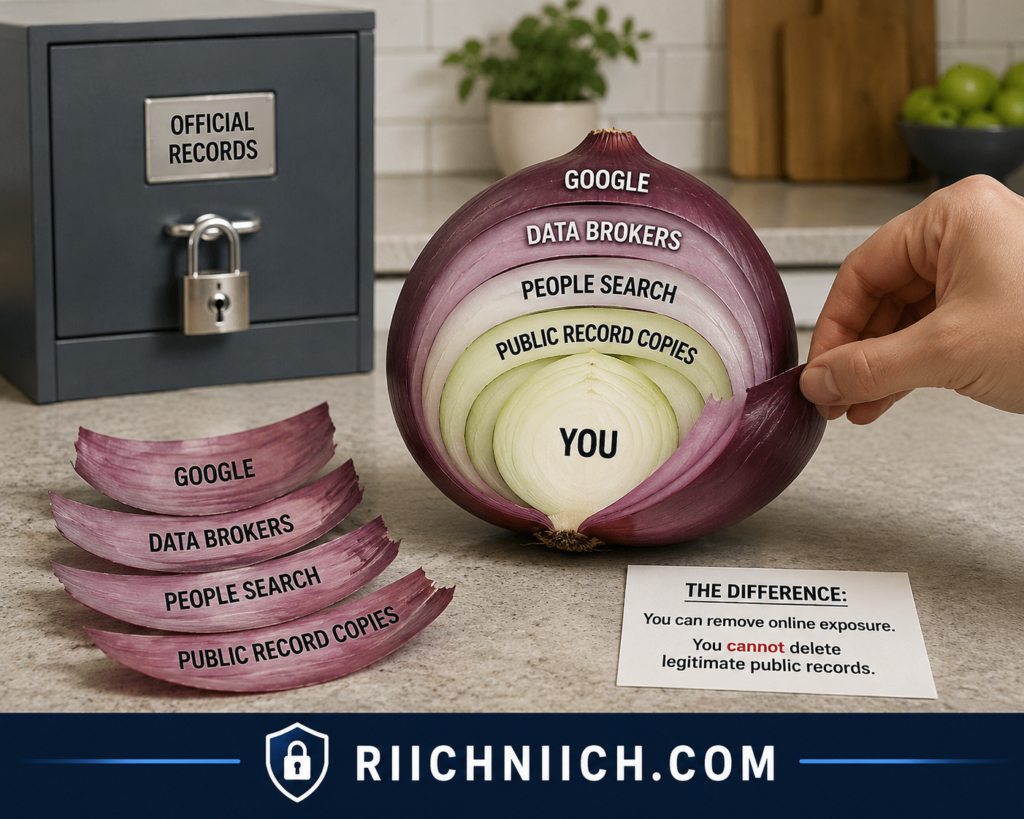
Think of your online information as having multiple layers.
At the center is the original government record. Around it may be public-record websites, people-search sites, data brokers, and search-engine results.
Your ability to remove information usually increases as you move away from the official source.
For example, you may be able to remove personal information from public record websites, remove yourself from people search sites, and remove personal information from data brokers even when the underlying government record remains available.
The FTC says people-search sites generally provide opt-out mechanisms, but it also warns that information can reappear when public records change. This is why periodically checking sites again can be necessary.
So if your ultimate goal is figuring out how to remove public records from the internet, don’t measure success only by whether the original record disappears.
A better question is:
How much of this information can I prevent an ordinary Google user, data broker, or people-search customer from easily finding?
That is often a much more achievable privacy goal.
Redaction Can Sometimes Be More Realistic Than Deletion
There is also an important difference between removing an entire record and removing sensitive portions of it.
Federal FOIA rules illustrate this principle. When only part of an otherwise releasable record is protected, agencies may redact exempt information and release the nonexempt portions. The National Archives specifically explains that records can be reviewed line by line and sensitive portions redacted when appropriate.
That doesn’t mean you automatically qualify to have information redacted from any government record. Rules vary substantially across agencies, states, courts, and record types.
But when investigating how to remove your information from public records, check whether the agency provides a redaction or confidentiality procedure before assuming your only options are complete deletion or doing nothing.
Be Careful With Companies Promising to “Erase” Public Records
This is particularly important if you’re considering paying for help.
A company promising to completely erase every public record about you should immediately raise questions.
A legitimate data removal service can still be valuable—but for a different reason.
The FTC explains that consumers can opt out of people-search sites themselves for free or pay a service to handle the process. Before purchasing such a service, the FTC recommends finding out how many websites it covers, whether it provides removal reports, and how frequently it scans for information that has reappeared or newly surfaced.
Those are much better buying criteria than a vague promise to “erase you from the internet.”
If you’re considering a paid service, compare:
Coverage: How many relevant data brokers and people-search sites does it handle?
Recurring removals: Will it submit another request when your information returns?
Monitoring: How frequently does it look for new listings?
Reporting: Can you see which sites found your information and which removals were completed?
Limitations: Does the company clearly explain what it cannot remove?
A trustworthy service should distinguish between removing information from private data brokers and removing legally accessible records maintained by government agencies.
Complete Disappearance Isn’t the Goal—Reduced Exposure Is
The objective of how to remove yourself from public records online shouldn’t be based on an unrealistic expectation that every trace of your identity can be erased.
Instead, work from the inside out:
Official record → government website → public-record aggregator → people-search site → data broker → search-engine result.
Find the original source first. Determine whether you qualify for correction, restriction, redaction, confidentiality, sealing, or removal. Then tackle the third-party copies that make the information much easier to discover.
For someone with only a handful of listings, doing this manually may be perfectly reasonable. But if your information appears across numerous people-search sites and data brokers—or keeps returning after you’ve opted out—a reputable paid removal service may be worth the cost simply because it can automate much of the repetitive work.
You may never be able to make yourself completely invisible in legitimate government records. But you can often make your personal information substantially less accessible across the wider internet, which is the more practical goal behind how to remove yourself from public records online.
How To Remove Yourself From Public Records Online: 9 Steps
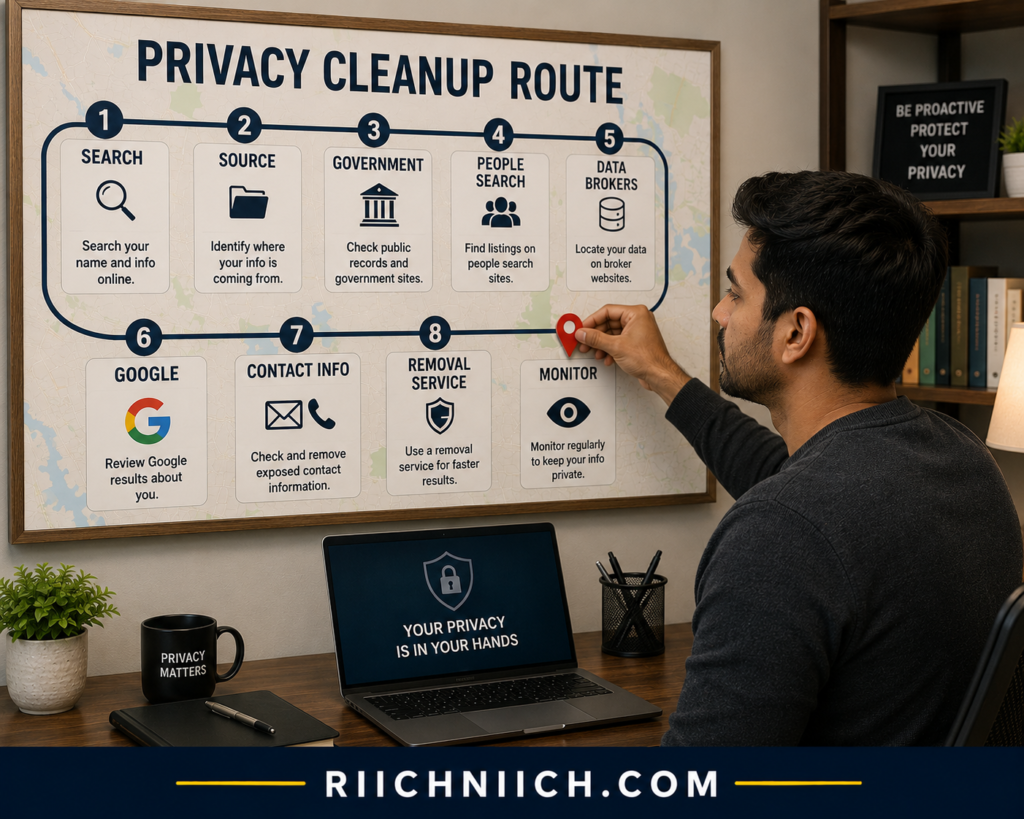
If you’re researching how to remove yourself from public records online, the process works best when you approach your information in layers rather than trying to erase everything at once.
Start with the original source of the information and then work outward toward the websites that make it easier to find. In practice, that means checking government records first, followed by public-record websites, people-search sites, data brokers, and search-engine results.
The nine steps are:
- Search for your personal information online — Find out exactly what someone else can discover by searching your name and identifying information.
- Identify which public records are exposing your information — Trace each result back to the government agency, court, public database, or other original source responsible for the record.
- Request removal or redaction from government records — Determine whether the agency offers an official process to correct, redact, restrict, suppress, seal, or remove eligible information.
- Remove your information from people-search sites — Submit opt-out requests to sites that have created searchable profiles using public records and other data sources.
- Opt out of data broker websites — Request removal from companies that collect, aggregate, or distribute personal information.
- Remove public records from Google Search results — Submit eligible personal-information removal requests when sensitive information appears in Google Search.
- Remove your address and contact information where possible — Prioritize information that makes it easier for strangers to connect your identity with your physical location or contact details.
- Use a data removal service to automate the process — If manually submitting and tracking numerous opt-outs becomes too time-consuming, consider whether a paid removal service provides enough coverage and recurring monitoring to justify its price.
- Monitor the internet for your information coming back — Removal isn’t always permanent. Continue checking for new profiles, republished records, and search results.
For a broader cleanup beyond government records, follow our guide on How to Remove Your Personal Information from the Internet, which covers additional places your data can appear online.
The order matters. For example, removing a Google result does not necessarily remove the information from the website hosting it. Google specifically states that approved removal requests affect Google Search; the information can remain available on the original webpage.
This is why how to remove public records from the internet should not be treated as a single opt-out request. If the same information exists in an official record, a public-record aggregator, three people-search profiles, two data-broker databases, and Google results, each layer may require a different action.
Do It Yourself (DIY) Removal vs. Paying for a Data Removal Service
You don’t necessarily need to buy anything to remove yourself from public records or clean up third-party copies of your information.
Many removal and opt-out procedures can be handled yourself. Likewise, Google provides tools that allow eligible users to request removal of certain personal information from Search. Its “Results about you” feature can identify results containing information such as your home address, phone number, or email address and can provide notifications when new matching results are found.
The tradeoff is time and repetition.
A DIY approach can make sense if you discover only a few websites exposing your information. You can contact the appropriate sources, submit the necessary opt-outs, document each request, and periodically check whether the information returns.
A paid data removal service becomes more attractive when you’re dealing with dozens of listings, multiple data brokers, repeated opt-outs, and ongoing monitoring.
Before paying, however, don’t judge a service simply by the number of sites advertised. Look closely at:
Coverage: Does it cover the data brokers and people-search sites that actually have your information?
Removal frequency: Does it submit requests once, or continue checking and resubmitting when necessary?
Monitoring: Does it search for new exposure after the initial cleanup?
Reporting: Can you see what was discovered, which requests were submitted, and which removals were completed?
Limitations: Does it clearly explain that legitimate government records may fall outside what the service can remove?
That last point is particularly important. A data removal service may help you remove personal information from data brokers and remove yourself from people search sites, but that does not automatically mean it can delete an official government record.
Start at the Source Whenever Possible
When you find exposed information, don’t immediately begin submitting random opt-out requests.
Ask:
Where did this information originally come from?
Suppose you find your home address displayed on a third-party public-record website. That website might not be the original source. The information could originate from a government record and later have been collected and republished elsewhere.
If you’re attempting to remove address from public records, you therefore need to investigate both the original record and the copies.
The same principle applies when you want to remove personal information from government websites. Find the government agency responsible for the record and check its official privacy, correction, redaction, confidentiality, or record-access procedures. Whether anything can be removed or restricted will depend on the record and applicable law.
Prioritize the Information That Creates the Greatest Exposure
You don’t necessarily need to attack every result with the same urgency.
Start with information that could create a meaningful privacy or security risk, particularly when it connects multiple pieces of your identity.
For example, prioritize exposed information that makes it easy to connect your name with your home address, phone number, email address, government identification information, or other sensitive details.
Google allows requests involving several categories of sensitive personally identifiable information, including addresses, phone numbers, email addresses, confidential government IDs, financial account information, signatures, medical records, and confidential login credentials. Eligibility still depends on Google’s policies and the context of the result.
Google also notes that some results may remain when there is a public-interest reason for keeping them accessible, including certain results from government institutions or newspapers.
That reinforces an important rule throughout this process:
Removal is not guaranteed simply because information is about you.
Keep a Record of Every Removal Request
Once you begin trying to remove personal information from public databases, organization becomes surprisingly important.
Create a simple privacy-removal log containing the website or agency name, URL containing your information, information exposed, date you submitted the request, confirmation received, current status, and date you need to check again.
This becomes particularly useful when you’re handling many sites manually.
It also gives you a practical way to compare DIY removal against paying for a service. If you find yourself maintaining a long spreadsheet and repeatedly checking the same websites, automation may offer genuine value.
Removal Is a Process, Not a One-Time Button
The biggest misconception about how to remove yourself from public records online is that there should be one website, form, or company capable of making everything disappear.
There isn’t.
The more practical strategy is to systematically reduce the amount of personal information that is easily accessible.
That means trying to remove personal information from public records when legally possible, remove personal information from public record websites, remove yourself from people search sites, remove personal information from data brokers, and address eligible Google results separately.
Google’s monitoring tools reinforce why the final step matters: “Results about you” can notify eligible users when new search results matching specified personal information are detected.
Once these nine steps are completed, you should have a much clearer picture of where your personal information originates, which records you can realistically change, which third-party copies you can remove, and whether paying for ongoing data removal is worth it for your situation.
The next sections break down each of these nine steps individually so you can work through the process in the correct order.
Step 1: Search for Your Personal Information Online
The first step in how to remove yourself from public records online is figuring out exactly what information about you is already visible.
Before submitting removal requests or paying for a data removal service, search for yourself the way a stranger would. Your goal is to build an inventory of the websites, public databases, search results, and third-party profiles exposing your information.
Start with Google and search your full name inside quotation marks:
“First Name Last Name”
Then narrow the search by combining your name with information associated with you, such as:
- city and state;
- current or previous address;
- phone number;
- email address;
- business name; or
- professional occupation.
Try previous names or commonly used variations of your name when applicable. Google itself recommends searching your name along with information such as your home city or address when looking for search results containing personal contact information.
Don’t stop after the first page of results. Look for government websites, court or property databases, public-record websites, people-search profiles, data brokers, and other pages containing information connected to you.
The objective isn’t to immediately remove everything you find. Document it first.

Search More Than Just Your Name
Searching only your name can miss a surprising amount of information.
Try searches such as:
“Your Full Name” + “Your City”
“Your Full Name” + “Your State”
“Your Full Name” + “Your Address”
“Your Phone Number”
“Your Email Address”
“Your Full Name” + “Property”
“Your Full Name” + “Court”
“Your Full Name” + “Public Records”
These searches can help uncover pages that might not appear when you search your name alone.
If you’re trying to remove address from public records, searching the address itself can be particularly useful. You may discover that the same address appears across several different websites even though all of those listings ultimately trace back to one source.
Separate Official Records From Third-Party Copies
As you search, classify each result you find.
A simple system is:
Government source: An official federal, state, county, municipal, or court website.
Public-record website: A private website displaying or aggregating information obtained from public sources.
People-search site: A service that creates searchable profiles about individuals.
Data broker: A company that collects, aggregates, or distributes information about consumers.
Search-engine result: Google or another search engine pointing users toward one of those sources.
This distinction becomes extremely important when you start trying to remove personal information from public records.
For example, if your address appears on a county government website and a people-search website, removing the people-search profile doesn’t necessarily change the county record.
Likewise, removing a Google search result doesn’t delete the information from the source website. Google explicitly explains that information can remain on the source webpage even after a qualifying result is removed from Google Search.
Use Google’s “Results About You”
Manual searching is useful, but Google also provides a privacy tool specifically designed to help locate certain personal information appearing in its search results.
Google’s Results about you feature can search for results containing personal information such as your home address, phone number, or email address. You can enter your name and contact information, review matching results, request removal of eligible results, and set up notifications for newly detected results.
Google also allows requests involving additional sensitive information, including certain government identification numbers, financial account information, images of signatures or IDs, medical records, and confidential login credentials.
This can be particularly useful later when we cover how to remove public records from Google, but right now the goal is discovery: find out what’s visible before deciding what needs to be removed.
Create a Personal Information Exposure List
Don’t rely on memory while doing this.
Create a simple spreadsheet or document and record:
Website | Information Exposed | Source Type | URL | Removal Needed | Status
For example:
County website | Home address | Government | URL | Investigate | Not started
People-search site | Address + phone | People search | URL | Yes | Not started
Data broker | Contact information | Data broker | URL | Yes | Not started
This becomes your roadmap for how to remove your information from public records.
It also prevents an easy mistake: finding the same information on ten websites and assuming you have ten completely unrelated problems. Several of those websites may be republishing information originating from the same record.
Look at What Each Result Actually Reveals
Don’t judge a search result only by its title.
Open the page and determine exactly what information is visible. A listing might reveal considerably more than you expected once you view the full page.
Pay particular attention when multiple pieces of information appear together. A page connecting your name, home address, phone number, email address, or other identifying information can create more privacy exposure than a page displaying only your name.
When you eventually remove personal information from public record websites, knowing precisely what each website exposes will also help you determine whether the removal was actually successful.
Don’t Pay for Removal Before You Know What Needs Removing
This is an important buyer-intent step.
You may discover that your information appears on only a few websites. If so, manually submitting removal requests could be enough.
But you may instead uncover a much larger footprint across people-search sites and data brokers.
That’s when a paid removal service becomes more appealing.
Before subscribing, make your exposure list first. Then compare that list against the service’s coverage. There’s little value in paying for a service simply because it advertises hundreds of supported sites if the websites exposing your information aren’t among them.
The same principle applies if your primary objective is to remove personal information from government websites. A conventional data removal subscription may not be able to remove a legitimate government record at all. You’ll need to investigate the agency responsible for that record and determine what options it provides.
Your Search Results Become the Roadmap
At the end of Step 1, you should know three things:
What personal information is exposed, where it appears, and who controls the source.
Don’t start randomly sending removal requests yet.
The next step is tracing the information back to the public records responsible for exposing it. That will tell you whether you need to contact a government agency, remove yourself from people search sites, remove personal information from data brokers, request removal from Google, or potentially use a paid service to automate part of the process.
That’s what turns how to remove yourself from public records online from an overwhelming internet-wide cleanup into a manageable list of specific targets.
Step 2: Identify Which Public Records Are Exposing Your Information
Once you know what personal information is visible online, the next step in how to remove yourself from public records online is figuring out where that information originally came from.
This matters because the website displaying your information may not be the website that created the record.
A people-search site, data broker, or public-record website may simply be republishing information collected from government records or other sources. If you only remove the third-party copy without investigating the original source, the information may remain publicly available—and could potentially be collected again later.
Start by taking the exposure list you created in Step 1 and asking one question about every result:
What is the original source of this information?

Check the Website Displaying Your Information
Open each result you found in Step 1 and look for clues about where the information originated.
Check the page itself, privacy policy, terms, FAQ, or information-source disclosures for references to:
- government records;
- county records;
- court records;
- property records;
- professional licensing databases;
- business filings;
- voter records;
- other publicly available sources.
Don’t assume that a website labeled “public records” is itself a government agency. Look at the domain and identify who actually operates the website.
Official U.S. federal government websites generally use .gov or .mil domains. The Cybersecurity and Infrastructure Security Agency explains that only verified U.S. government organizations can register and operate .gov domains.
State, county, and local government websites can require more careful verification, so use the government’s official directory or navigate from the agency’s official homepage rather than trusting a third-party search result simply because it contains words such as “county,” “court,” or “records.”
Identify the Type of Public Record
Once you find the likely source, determine what type of record is exposing your information.
Common categories can include:
Property records: May connect your name with real estate ownership or other property-related information.
Court records: May contain information associated with certain civil, criminal, bankruptcy, probate, or other proceedings, depending on the court and applicable access rules.
Business records: State business filings may associate names with corporations, LLCs, registered entities, or other business information.
Professional licensing records: State licensing agencies may maintain searchable information about people holding certain professional licenses.
Voter-related records: Availability varies substantially by state, and not all voter information is publicly accessible.
Other state or local records: Additional information may be maintained by county clerks, assessors, recorders, courts, secretaries of state, licensing boards, or other agencies.
USAGov provides directories for locating state and local governments as well as federal, state, and local courts, which can help you find the agency responsible for a particular record.
Identifying the record type is essential when trying to remove personal information from public records because removal rules aren’t universal. The procedure for dealing with a property record may be completely different from the procedure for a court record or professional license.
Trace the Information Backward
A useful way to approach this is to work backward from what you found online.
Imagine Google displays a people-search profile containing your home address.
Instead of treating that one Google result as the entire problem, trace the chain:
Google result → People-search profile → Possible data source → Original public record
You may discover several copies of the same information along the way.
This distinction becomes especially important if you’re trying to remove address from public records. Removing your address from a people-search profile does not necessarily remove it from the government record that may have originally made the information available.
Likewise, learning how to remove public records from Google deals with the search-engine layer—not necessarily the source.
Google explicitly states that removing a result from Google Search does not remove the information from the internet. The content can remain on the webpage hosting it, which is why contacting the website owner may also be necessary.
Determine Who Controls the Original Record
Once you identify an official record, find the agency responsible for maintaining it.
Don’t immediately send an email saying, “Delete my information.”
First, visit the agency’s official website and search for terms such as:
privacy
public records
redaction
confidentiality
record correction
suppression
seal
expungement
personal information
address confidentiality
The options available will depend on the record, agency, jurisdiction, and your circumstances.
If your goal is to remove personal information from government websites, this step is particularly important. The agency maintaining the original record is generally a much more appropriate starting point than a company that merely republishes the information.
Separate the Source From the Copies
Your exposure list should now include another column:
Original Source
For example:
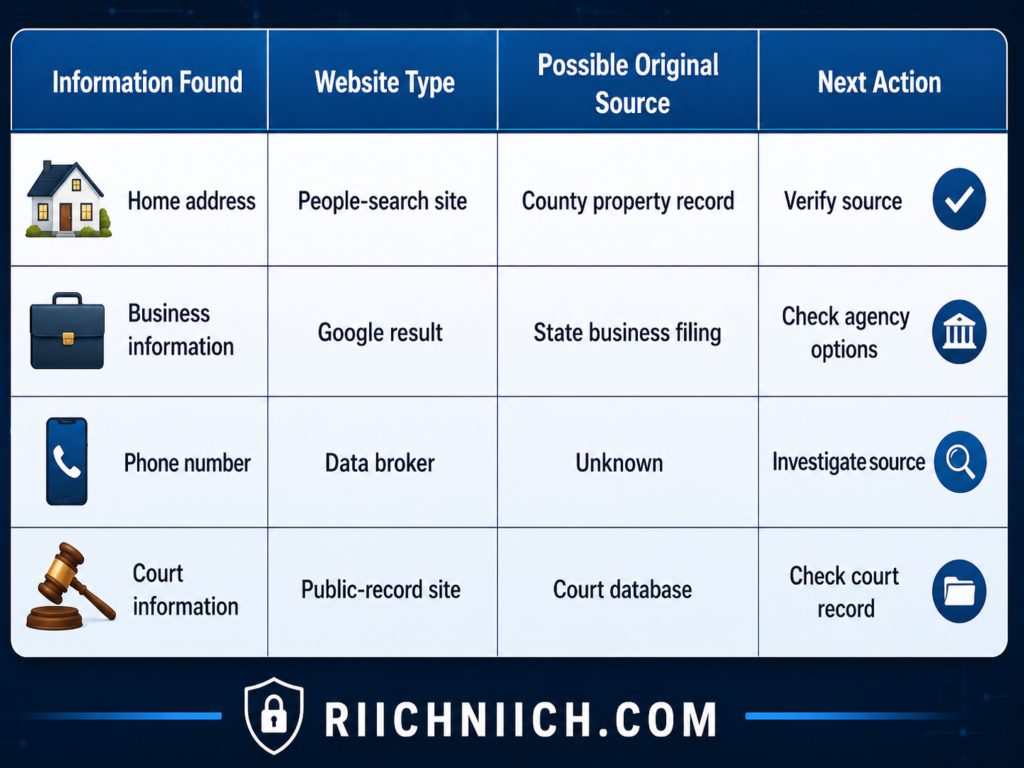
This simple distinction can make how to remove your information from public records considerably easier because you stop treating every search result as an independent problem.
You begin seeing the information as a chain.
Some Information May Not Come From Public Records at All
Be careful about assuming that every piece of information on a people-search site originated from a government record.
The Federal Trade Commission explains that people-search sites may obtain information from numerous sources, including other data brokers, social media, publicly available online profiles, and federal, state, and local government public records.
That’s an important distinction.
If you can’t locate a corresponding government record, don’t assume you’ve overlooked something. The information may have come from another source entirely.
This is why trying to remove personal information from public databases sometimes requires investigating multiple sources rather than focusing exclusively on government websites.
Decide Whether You’re Facing a Public-Record Problem or a Data-Broker Problem
This is also the point where buyer intent becomes important.
Suppose your investigation reveals that most of your exposed information comes from a small number of government records. Paying for a broad data removal subscription may not solve the main problem because the company may have limited or no ability to alter legitimate government records.
But suppose the opposite happens.
You find one legitimate public record—and then discover your information copied across numerous people-search sites and data brokers.
Now a paid service could be much more valuable.
If your primary problem is the distribution of your information rather than the original record, a reputable removal service may save you from manually submitting and tracking large numbers of opt-out requests.
Before buying, compare whether the service actually covers the sites you identified in Step 1. Look for recurring scans and removals as well, because the FTC warns that opting out of a people-search site does not remove the information from its original sources and that information can reappear when public records change.
Know the Source Before You Start Removing
By the end of Step 2, every important result on your exposure list should ideally have one of three labels:
Official government source
Third-party copy or aggregator
Source still unknown
That gives you a much clearer strategy for how to remove yourself from public records online.
If the information comes directly from a government agency, investigate whether that agency allows correction, redaction, restriction, confidentiality, sealing, or another form of protection.
If it comes from a third-party website, you’ll eventually work on trying to remove personal information from public record websites, remove yourself from people search sites, or remove personal information from data brokers.
And if you don’t yet know where the information originated, keep tracing it before spending money or submitting unnecessary requests.
The next step is where we begin acting on the original source: requesting removal, restriction, correction, or redaction from government records when an appropriate legal process is available.
Step 3: Request Removal or Redaction From Government Records
After identifying the government agency or court responsible for the original record, Step 3 in how to remove yourself from public records online is determining whether you can have the information removed, corrected, redacted, sealed, or otherwise restricted.
This is the step where you address the source rather than the websites that copied it.
But don’t begin by sending a generic request asking the government to “delete my information.” Legitimate public records often cannot simply be erased because you would prefer them to be private. Your options depend on the type of record, the agency maintaining it, the jurisdiction, and the law governing public access.
Instead, visit the official website of the agency responsible for the record and look specifically for its procedures concerning redaction, confidentiality, record correction, sealing, expungement, restricted access, or removal of sensitive information.

First, Determine What You’re Actually Requesting
There is an important difference between removing a record and protecting specific information contained inside that record.
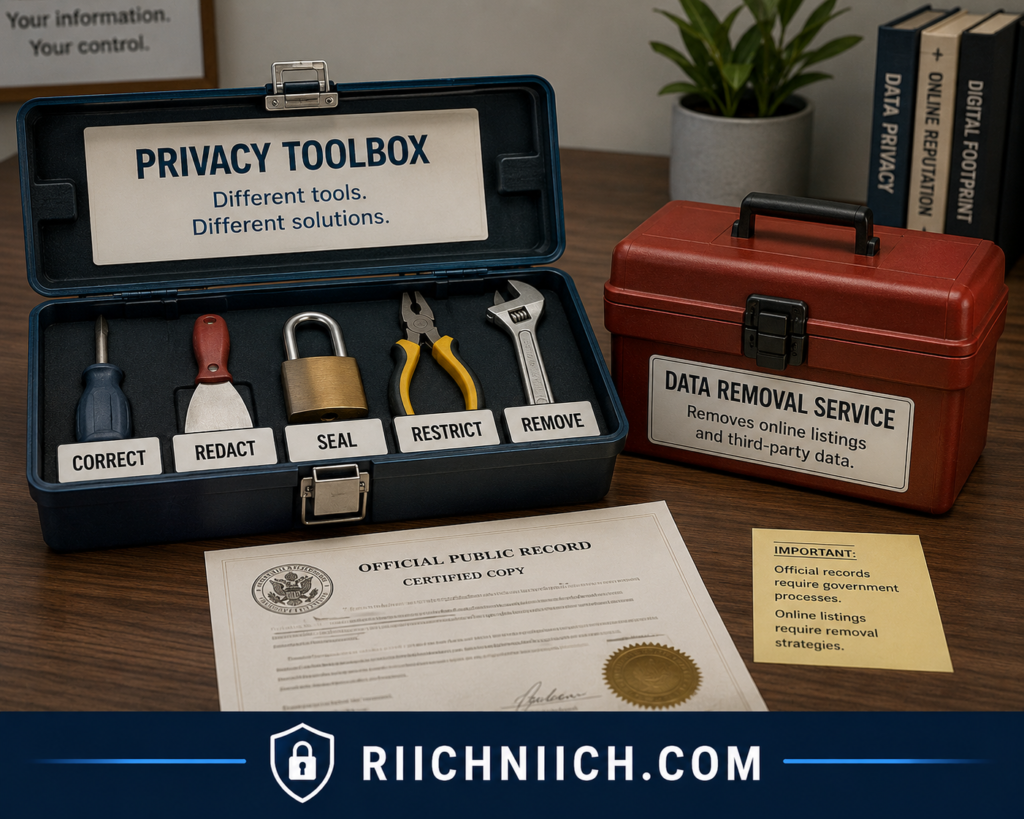
Depending on the circumstances, you may need to request:
Correction: The record contains inaccurate information that needs to be fixed.
Redaction: Sensitive information remains hidden while the rest of the record stays accessible.
Restricted access: The record continues to exist, but public access to it is limited.
Confidentiality: Certain information may qualify for protection under applicable law.
Sealing: A court restricts public access to an eligible court record.
Expungement: Certain eligible records may be handled under a jurisdiction’s expungement laws.
Removal: Information is actually deleted or removed where an applicable process permits it.
Don’t treat these terms as interchangeable. The procedure and eligibility requirements can be very different.
This is especially important when trying to remove personal information from government websites. Sometimes the realistic solution isn’t removing the entire record—it’s preventing unnecessarily sensitive information inside the record from remaining publicly visible.
Check the Government Agency’s Official Privacy Procedures
Go directly to the agency or court responsible for the record.
Search its website for phrases such as:
“request redaction”
“confidential records”
“correct public record”
“request to seal”
“personal information removal”
“address confidentiality”
“restricted records”
If you cannot locate the procedure online, contact the agency and ask which department handles privacy, redaction, correction, or confidentiality requests.
For state and local records, USAGov maintains directories that can help you locate official state and local government agencies rather than relying on third-party public-record websites.
The key is to submit your request to the organization that actually controls the record.
Some Sensitive Information Is Already Subject to Redaction Rules
Court records provide a good example of why checking the applicable rules matters.
Federal court rules require certain personal identifiers to be redacted from filings. The U.S. Courts explains that, subject to specified exceptions, federal filings generally restrict Social Security and taxpayer-identification numbers to the last four digits, dates of birth to the year, minors’ names to initials, and financial-account numbers to the last four digits. In criminal cases, home addresses are generally limited to the city and state.
If you discover information in a court filing that appears to violate applicable privacy rules, investigate that specific court’s procedures immediately.
Do not assume the clerk will automatically fix it. Federal courts emphasize that responsibility for properly redacting personal identifiers generally rests with the filer. For example, the Northern District of Iowa states that the court does not redact filings for the filer and that a motion to seal may be appropriate in certain circumstances.
This is an important part of learning how to remove your information from public records: sometimes you need to use a formal legal procedure rather than an ordinary website opt-out form.
Request Redaction When Complete Removal Isn’t Available
Suppose a legitimate record needs to remain publicly accessible, but it contains sensitive information.
Redaction may provide a better solution than trying to remove the entire record.
For example, federal court privacy rules specifically protect certain personal identifiers. Some courts also provide procedures for addressing previously filed documents containing information that should have been redacted. Procedures vary by court, however, so you need to follow the instructions for the particular court holding the record.
If you’re trying to remove address from public records, investigate whether your state or local government provides an address-confidentiality or suppression program and whether you qualify. Do not assume eligibility; these programs and their requirements differ by jurisdiction.
The same principle applies to other government records.
Find the official procedure → determine eligibility → provide the required documentation → submit the request → save confirmation → check the record again afterward.
Be Specific About the Information You Want Protected
A request such as:
“Please remove everything about me from the internet.” is unlikely to help an agency determine what you’re asking it to do.
Instead, identify the exact record and exact information at issue.
Keep track of:
- the agency or court maintaining the record;
- the record, filing, case, parcel, license, or document number when applicable;
- the specific personal information you want protected;
- the webpage or database where it appears;
- the privacy problem you’re reporting;
- the official procedure you’re requesting;
- supporting documentation required by the agency; and
- the date your request was submitted.
This makes your attempt to remove personal information from public records much more organized and gives you documentation to reference if follow-up is necessary.
Don’t Send More Sensitive Information Than Necessary
Be careful when a removal or redaction process requires identity verification.
Use the agency’s official submission process and provide only what it requires. Don’t casually email copies of identification documents, Social Security cards, financial records, or other sensitive information unless you’ve verified that the agency requires them and that you’re using its legitimate submission method.
This is especially important when you initially found the record through Google. Navigate independently to the official government website rather than automatically trusting contact information displayed by an unfamiliar third-party public-record website.
What If the Government Record Cannot Be Removed?
Don’t stop.
This is where many people misunderstand how to remove yourself from public records online.
Suppose the agency confirms that the record is legitimate, accurate, publicly accessible, and cannot be removed or restricted.
That means the original record stays.
It does not necessarily mean every copy of it across the internet has to stay.
You can move outward from the source:
Government record → public-record websites → people-search sites → data brokers → Google results
The original government record may remain while you successfully remove personal information from public record websites, remove yourself from people search sites, remove personal information from data brokers, and request removal of eligible Google results.
Reducing those secondary copies can make the information substantially harder for an ordinary person to discover.
This Is Usually Not the Step You Need to Pay For
For most people, we would not purchase a standard data removal subscription specifically to handle an official government record without first checking what the service actually covers.
A typical data removal service is much more relevant when your information has spread across private data brokers and people-search sites.
If your problem is an official court or government record, first determine whether the agency offers a process you can complete yourself. If the issue involves sealing, expungement, or another legal procedure that you’re unsure how to handle, appropriate legal assistance may be more relevant than a conventional data-broker removal subscription.
This distinction can prevent you from paying for a service that was never designed to solve your particular problem.
Handle the Source Before Chasing the Copies
Step 3 is one of the most important parts of how to remove yourself from public records online because changes at the original source can potentially affect what information remains available for others to find or republish.
But remember the goal isn’t necessarily to make every legitimate government record disappear.
The goal is to determine what you legally can change or protect at the source before moving on to the companies that have copied your information.
Once you’ve submitted every appropriate government request, keep the confirmations and update your privacy-removal tracker.
Then move to Step 4.
That’s where the cleanup becomes much more actionable—and where paid removal services start becoming more relevant—because we’ll begin tackling the people-search sites that make public-record information dramatically easier for strangers to find.
Step 4: Remove Your Information From People-Search Sites
Once you’ve dealt with the original government records as much as possible, Step 4 in how to remove yourself from public records online is targeting the people-search websites that make your information much easier for strangers to find.
People-search sites can take information scattered across public records and other sources and organize it into searchable profiles. FTC research has documented people-search products that compile information from government and other publicly available sources, potentially including addresses, phone numbers, property information, court records, relatives, and other identifying details.
This aggregation is what makes these sites especially important to your privacy cleanup. Someone who would otherwise have to search several government databases may be able to find a consolidated profile with a single search.
The good news is that many people-search sites provide a way to request that your information be suppressed or removed from their people-search results.
If you want to tackle these profiles individually, follow our complete guide on How to Remove Yourself from People-Search Sites for a more focused removal process.
Find Every People-Search Profile About You
Start with the results you documented in Step 1.
Search each people-search website for your name and verify that you’ve found the correct profile before submitting anything. People with similar names can easily be confused, so compare enough non-sensitive details to confirm that the listing actually belongs to you.
Also search variations of your name when appropriate.
You may discover more than one profile for yourself on the same website—for example, an older listing associated with a previous location and another connected with more recent information.
Your goal is to identify every profile that belongs to you, not simply the first one you find.
This is an important part of trying to remove yourself from people search sites because leaving behind an alternate profile can defeat much of the purpose of the cleanup.
Look for the Site’s Official Opt-Out Process
Once you’ve located your profile, look for links or sections labeled:
Opt Out
Remove My Information
Privacy Request
Suppress My Information
Delete My Information
Consumer Privacy
Follow the website’s official instructions rather than sending a random message to customer support.
The process may require you to identify the listing, submit a removal request, and verify the request through email or another method.
Requirements differ from site to site, so read the instructions carefully.
If you’re trying to remove personal information from public record websites, remember that an opt-out from a private people-search website is different from modifying the original public record.
Use a Separate Email Address for Privacy Requests
Consider creating a dedicated email address specifically for opt-outs and privacy requests.
This keeps removal confirmations separate from your primary inbox and makes it easier to track dozens of requests.
It can also help you avoid unnecessarily distributing your main email address while you’re trying to reduce your overall online exposure.
Keep the account secure with a strong, unique password and multi-factor authentication when available.
Then use it consistently for your privacy cleanup.
Provide Only the Information Necessary
Some people-search sites need enough information to identify the profile you want removed.
But don’t automatically provide additional sensitive information simply because a website asks for it.
Verify that you’re using the legitimate website and its official opt-out procedure. Read what information is required and why.
If identity verification is required, follow the site’s instructions carefully and avoid submitting more personal information than necessary.
The purpose of this process is to reduce your personal-data exposure, not create additional unnecessary copies of sensitive information.
Track Every Opt-Out Request
Add each people-search site to the privacy-removal tracker you created earlier.
For example:
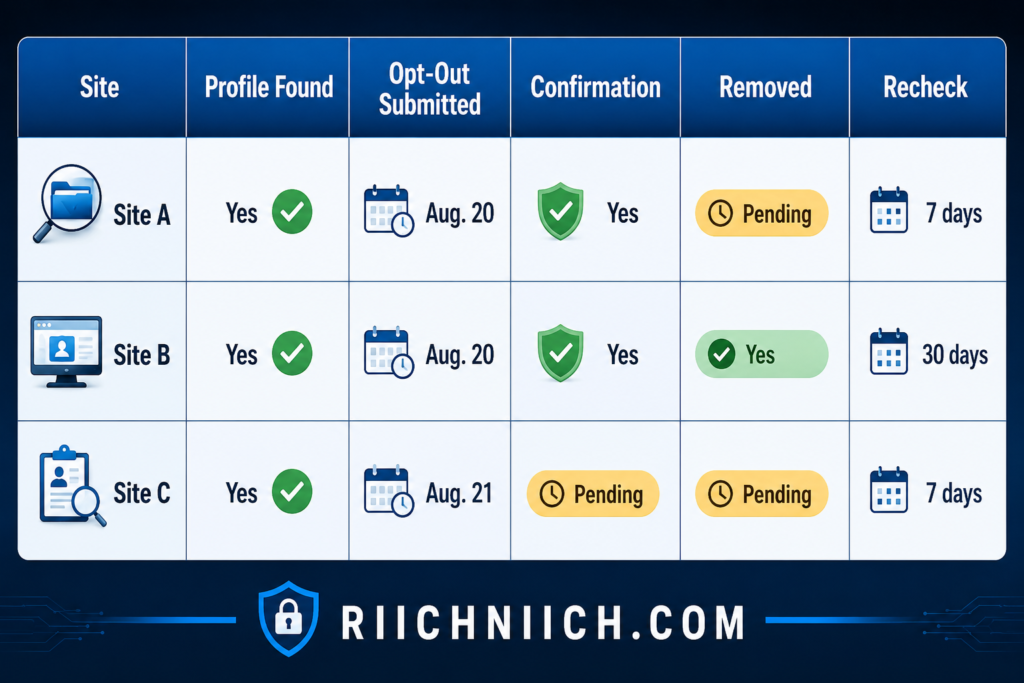
Save confirmation emails when you receive them.
After the site’s stated processing period has passed, search for yourself again rather than assuming the request worked.
This is particularly important if you’re trying to remove personal information from public databases across numerous websites. Without a tracker, it becomes difficult to remember which profiles you’ve removed and which still need attention.
Removing the Profile Doesn’t Remove the Original Public Record
This distinction is critical.
Suppose a people-search profile shows your home address because information about you was available from a public source.
Successfully removing that profile doesn’t necessarily remove address from public records at the original government source.
You’re removing one distribution point.
The underlying information may remain elsewhere and potentially be collected again later.
The FTC has long highlighted that data brokers can gather information from public records and other sources, and that consumers may have limited visibility into how their information moves through this ecosystem.
That’s why how to remove public records from the internet is better approached as reducing multiple layers of exposure rather than expecting one opt-out to erase the underlying record everywhere.
Check Whether Your Information Comes Back
Don’t assume a successful opt-out is permanent.
Set a reminder to search for yourself again periodically.
Check:
Your name
Your address
Your phone number
Your email address
The specific people-search sites you previously removed yourself from
If a profile returns, submit another removal request when available and record it in your tracker.
This recurring work is one of the biggest disadvantages of the DIY approach.
DIY Removal vs. a Paid Data Removal Service
This is the point in how to remove yourself from public records online where paying for help starts becoming much easier to justify.
If you find only three or four people-search profiles, we would generally start with the free DIY approach.
But imagine finding your information on 20, 30, or more sites.
Now you have to locate each profile, find each opt-out procedure, submit each request, verify emails, document each submission, check whether removal occurred, and repeat the process when information reappears.
That’s the problem a data removal service is designed to reduce.
The FTC has specifically advocated for greater transparency and consumer control in the data-broker industry, including access and opt-out mechanisms for people-search products.
So when deciding whether a paid service is worth it, don’t ask:
“Can I do this myself?”
In many cases, you can.
Ask instead:
“Is the time I would spend repeatedly doing this myself worth more to me than the subscription?”
That’s a much better buying decision.
What to Look for Before Paying for a Removal Service
If you decide you want automation, compare services based on what actually matters for this particular problem.
Look for people-search and data-broker coverage, recurring scans, repeat removal requests, removal-status reporting, and clear explanations of what the service cannot remove.
Most importantly, check whether the people-search sites where you actually found your information are covered.
A service claiming an enormous number of removals isn’t automatically the best choice if it doesn’t cover the sites exposing your information.
And don’t confuse people-search removal with government-record removal. A service may be excellent at helping you remove personal information from data brokers while having no ability to change a legitimate record maintained by a court or government agency.
Removing People-Search Profiles Can Make Your Information Harder to Find
You may not be able to completely remove yourself from public records, but eliminating the websites that package those records into convenient profiles can significantly reduce how easily someone can find your information.
Think about the difference:
Before: Someone searches your name and immediately finds a profile connecting multiple pieces of personal information.
After: The convenient profile is gone, and finding the underlying information may require knowing which government agency or database to search.
That’s meaningful privacy improvement.
People-search sites are only one part of the distribution chain, however. Your information can also circulate through companies that collect, aggregate, and distribute consumer data more broadly.
That’s why the next step in how to remove yourself from public records online is Step 5: Opt Out of Data Broker Websites—and it’s another point where deciding between manual removal and a paid data removal service becomes especially important.
Step 5: Opt Out of Data Broker Websites
Step 5 in how to remove yourself from public records online is to target the data brokers that collect, organize, and distribute personal information about consumers.
This step is different from removing yourself from people-search sites. People-search websites are highly visible because consumers can search for individual profiles directly, while the broader data-broker ecosystem can operate behind the scenes. Depending on the broker, personal information may be collected from public sources and other sources, combined into profiles, and shared or sold for various purposes.
If you’re trying to remove personal information from data brokers, the basic process is straightforward:
Identify the broker → locate its privacy or opt-out page → submit the appropriate request → complete verification → document the request → check the result later.
The difficult part is doing that repeatedly across many different companies.
For detailed instructions on handling these companies yourself, see our step-by-step guide on How to Opt Out of Data Brokers.

What Is a Data Broker?
Generally speaking, a data broker collects information about consumers with whom it does not have a direct relationship and uses, shares, or sells that information as part of its business.
Definitions vary under different laws. California, for example, defines a data broker as a business that knowingly collects and sells to third parties personal information about a consumer with whom the business does not have a direct relationship.
Texas also regulates data brokers and requires covered entities to register with the Texas Secretary of State and provide consumers information about exercising applicable privacy rights.
This matters because learning how to remove public records from the internet isn’t only about government websites. Once information travels beyond its original source, data brokers can become another layer of exposure you need to address.
Find the Data Brokers That Have Your Information
Start with the privacy exposure list you’ve been building throughout this process.
Look at any data-broker websites you’ve already discovered and determine whether they provide a consumer privacy page.
Common links to look for include:
Do Not Sell or Share My Personal Information
Opt Out
Delete My Information
Privacy Choices
Consumer Privacy Request
Your Privacy Rights
Don’t assume that every company uses the same terminology or procedure.
Also check whether your state maintains a data-broker registry. For example, Texas requires covered data brokers to register with the Secretary of State, while California maintains its own registered-data-broker system.
Registries can help you understand just how large the data-broker ecosystem is—and why manually tracking every company can become difficult.
Submit Removal Requests Directly
Once you’ve identified a broker, use its official privacy process to request the appropriate action available to you.
Depending on your location and applicable privacy law, this could include requesting deletion or opting out of certain sales, sharing, or processing.
Follow the broker’s instructions carefully and complete any legitimate verification steps required to process the request.
Then add it to your removal tracker:

This is where attempting to remove personal information from public databases can become tedious. Each individual request may not take very long, but dozens of separate requests quickly add up.
Check Whether Your State Gives You Additional Privacy Rights
Your rights can depend significantly on where you live.
One particularly important development is California’s Delete Request and Opt-out Platform (DROP). California residents can now submit one request covering more than 600 registered data brokers rather than contacting each broker separately. The service is free.
As of August 1, 2026, covered data brokers are required to begin processing DROP requests. California says brokers must process deletion requests at least every 45 days, although status updates can take up to 90 days.
That’s a major distinction for California residents because it can eliminate a substantial amount of manual work.
If you don’t live in California, check your state attorney general or privacy regulator’s official website to determine which deletion, access, correction, opt-out, or other privacy rights currently apply to you.
Publicly Available Information Can Be an Important Exception
Here’s an important limitation for this particular article.
Opting out of a data broker does not necessarily mean every piece of information originating from public records will disappear.
California’s DROP guidance, for example, specifically identifies publicly available information among the categories that aren’t required to be deleted through DROP. It also explains that some records can receive an “exempted” status.
This is exactly why how to remove yourself from public records online requires several separate steps.
You may have to address:
the government record itself → the website republishing it → people-search profiles → data brokers → Google results.
Don’t assume removing one layer automatically removes the others.
Be Careful About the Information You Provide to Opt Out
There’s an obvious privacy dilemma here:
To delete information about yourself, you sometimes have to provide information that allows the company to identify you.
Provide only what is reasonably necessary through the legitimate privacy-request process.
California’s DROP system illustrates how matching works. Consumers can provide information such as names, date of birth, ZIP code, email addresses, and phone numbers, with additional optional identifiers available. California says providing more information can improve the likelihood that brokers successfully match and delete the correct records.
That doesn’t mean you should indiscriminately send sensitive information to every website you encounter.
Verify the company, use its official privacy process, understand what information it requires, and avoid sending unnecessary identification documents through insecure channels.
Why Data Broker Removal Can Become a Never-Ending Job
Imagine submitting 30 removal requests manually.
You finish them all.
A few months later, you check again and discover new brokers, changed records, or information that still appears elsewhere.
Now you’re repeating parts of the process.
That recurring workload is one of the strongest arguments for paying for a data removal service—not because manual removal is impossible, but because manual removal requires your time.
When Is a Paid Data Removal Service Worth It?
This is one of the strongest buyer-intent points in how to remove yourself from public records online.
If you identify only a handful of brokers, start with free manual opt-outs. You may not need a subscription.
But if your information appears across dozens of brokers—or you don’t want to spend hours locating forms, submitting requests, verifying them, tracking results, and checking again later—a reputable data removal service can become much more attractive.
Before buying one, compare:
Broker coverage: How many relevant brokers does the service actually cover?
Custom removals: Can you request removal from a site that isn’t already on its standard list?
Removal frequency: How often are new requests submitted?
Rescanning: Does the service continue searching after the first round?
Reporting: Can you see which brokers were contacted and which removals succeeded?
Family coverage: Are additional household members included or charged separately?
Price: Does the amount of manual work it eliminates justify the recurring cost?
Cancellation: What happens to ongoing removals after you cancel?
Don’t choose a service based solely on the largest advertised number of brokers. Coverage quality and whether those brokers actually matter to your exposure are more important.
DIY vs. Paid Removal: Make the Decision Based on Your Exposure
A simple way to decide is this:
A few listings + plenty of time = DIY removal may be enough.
Dozens of listings + recurring exposure + limited time = a paid service becomes much easier to justify.
There is also a middle-ground strategy.
Handle the government records yourself, use any free state privacy tools available to you, and pay a removal service primarily to handle the repetitive third-party data-broker work.
That can be a more cost-effective approach than expecting one subscription to solve every aspect of how to remove yourself from public records online.
Removing Data Broker Profiles Is Only Part of the Cleanup
At this stage, you’ve addressed several major layers.
You’ve identified the original public records, investigated government redaction or removal options, started removing people-search profiles, and begun trying to remove personal information from data brokers.
But there’s another place where exposed information can remain highly visible:
Google Search.
Even after information changes or disappears elsewhere, search results can still be an important part of what people encounter when they look up your name.
That’s why Step 6 focuses specifically on how to remove public records from Google and what Google’s removal tools can—and cannot—do.
Step 6: Remove Public Records From Google Search Results
After addressing government sources, people-search sites, and data brokers, Step 6 in how to remove yourself from public records online is reducing how easily that information can be discovered through Google Search.
This step is important because even when a public record exists somewhere online, many people will never visit a county database, court portal, or obscure public-record website directly. They’ll search your name on Google first.
However, there is an important limitation:
Removing a result from Google does not necessarily remove the information from the internet.
Google can remove eligible URLs from its search results, but it does not control the webpage hosting the information. The underlying content can remain accessible through the original website, direct links, other search engines, or other sources.
That distinction is critical when learning how to remove public records from Google.

Search Google for the Information You Want Removed
Start by repeating some of the searches you performed in Step 1.
Search:
“Your Full Name”
“Your Full Name” + “Address”
“Your Full Name” + “Phone Number”
“Your Full Name” + “Public Records”
“Your Full Name” + “City and State”
Also search specific personal information when appropriate, such as an old address, phone number, or email address.
Create a list of the URLs containing information you want removed.
Don’t submit requests based solely on the Google result’s headline or snippet. Open each result and determine whether the information is still present on the underlying webpage.
That determines which Google removal process may be appropriate.
Use Google’s “Results About You”
One of the easiest places to start is Google’s Results about you feature.
It can help find Google results containing certain personal information, including your home address, phone number, and email address. Google’s current documentation also lists Social Security numbers, passport numbers, and driver’s license numbers among the information that can be monitored through the feature. You can review detected results and request removal of eligible results directly.
Google also lets you turn on notifications so you’re alerted when new results matching the information you’ve provided are discovered.
That’s particularly useful because how to remove yourself from public records online isn’t necessarily a one-time project. Information can appear in new search results later.
What Personal Information Can Google Remove?
Google accepts requests involving several categories of private personally identifiable information.
Its current policies include:
- home addresses, phone numbers, and email addresses;
- confidential government identification numbers;
- bank account and credit card numbers;
- images of signatures or identification documents;
- private records such as medical records; and
- confidential usernames and passwords.
Google also has a removal policy for certain doxxing situations, including cases involving threats or significant amounts of aggregated personal information without a legitimate purpose.
This can make Google removal particularly valuable when a third-party public-record or people-search page prominently exposes sensitive information.
Not Every Public Record Will Qualify for Removal
Here’s where expectations need to remain realistic.
Google considers the public interest when reviewing removal requests. Some information may remain searchable because Google considers the source or information valuable to the public.
Google specifically says that certain results from government institutions, educational institutions, and newspapers may not receive a removal option through Results about you because those sources can contain information considered valuable to the public.
That creates an important distinction:
Private people-search page displaying your home address: potentially stronger candidate for Google’s personal-information removal process.
Legitimate government page containing an official public record: potentially much harder to remove from Google simply because you don’t want it appearing in search.
This is another reason you cannot approach how to remove your information from public records with one universal removal method.
Submit a Google Removal Request
If you find eligible personal information, you can submit a request through Google’s removal system.
Google requires the URLs containing the information you want reviewed. You may also need to provide information that helps Google identify the content, including screenshots in certain cases. Google then evaluates the request against its removal policies.
You can also initiate certain requests directly from a Google result. When eligible, open About this result, select Remove result, indicate that the page contains personal information you don’t want displayed, and follow the reporting process.
Keep every URL you submit in your privacy-removal tracker.
Record:
URL → information exposed → date submitted → Google status → result
Google says requests tracked through Results about you can show statuses such as In progress, Approved, Denied, or Undone.
Understand Full Removal vs. Query-Based Removal
An approved request doesn’t always produce exactly the same result.
Google explains that an approved URL may receive full removal, meaning it no longer appears in Google Search, or query-based removal, meaning the URL won’t appear for searches containing your name or other identifier but could still appear for other searches.
For someone trying to remove personal information from public record websites, query-based removal can still provide meaningful privacy protection.
Consider the practical difference.
Someone searching:
“John Smith Austin Texas”
may no longer immediately see the page connecting that person with sensitive personal information—even though the underlying page still exists.
That’s not the same as deleting the record, but it can reduce discoverability.
If the Source Already Removed the Information, Use Google’s Outdated Content Tool
Here’s another situation you may encounter.
Suppose you successfully remove yourself from people search sites or get a public-record website to delete your personal information.
You search Google afterward—and the old information still appears in the search result.
Don’t immediately assume the removal failed.
Google may simply need to update its index.
Google provides a Refresh Outdated Content tool for situations where content has been deleted or changed on the original website but outdated information still appears in Google Search.
This makes the order we’ve followed throughout this article especially useful:
Remove or change the source first → then address outdated Google results.
Removing the Source Is Usually Better Than Removing Only the Search Result
Whenever possible, prioritize removing information from the website hosting it.
If the information appears beyond public records, our guide on Removing Your Personal Information from the Internet explains how to tackle the original websites, data brokers, directories, and search results together.
Google itself recommends source removal as the better option when possible because Google can prevent content from appearing in its search results but cannot delete content from websites it doesn’t control.
For example:
People-search profile still exists + Google result removed = information still exists elsewhere.
People-search profile removed + Google updated = information disappears at the source and from Google’s index.
The second outcome provides much stronger privacy protection.
That’s why your larger strategy should still include efforts to remove personal information from public record websites, remove yourself from people search sites, and remove personal information from data brokers rather than relying exclusively on Google.
Google Removal Is Free—So Don’t Pay Someone Just to Submit an Easy Request
This is an important buyer-intent consideration.
Google provides its own personal-information removal tools without requiring you to purchase a data removal subscription.
If you have only a few Google results to address, start with Google’s free tools.
A paid data removal service becomes more compelling when your problem extends beyond Google—particularly when you’re dealing with numerous data brokers and people-search sites that require repeated opt-outs.
Before paying for a service that advertises search-result removal, determine exactly what you’re buying.
Ask:
Does the service remove information from the original website, or does it only request search-result suppression?
Does it handle people-search sites and data brokers too?
Will it monitor for new exposure?
Does it resubmit requests when information returns?
Can you see exactly what was removed?
Those questions matter more than a vague promise to “erase your information from Google.”
Make Yourself Harder to Find, Not Just Harder to Google
Successfully removing eligible search results can dramatically reduce the visibility of exposed personal information, but Google should be treated as one layer of your privacy cleanup—not the entire solution.
The strongest approach to how to remove yourself from public records online remains:
Address the original record when possible → remove third-party copies → opt out of people-search sites → remove personal information from data brokers → remove eligible Google results → continue monitoring.
That approach attacks both the source and the discovery path.
Next, we’ll focus on one of the most privacy-sensitive pieces of information that can appear throughout this chain: your home address and contact information.
Step 7: Remove Your Address and Contact Information Where Possible
Your home address, phone number, and email address are some of the most important pieces of information to prioritize when learning how to remove yourself from public records online.
A name appearing online by itself may reveal relatively little. But when that name is connected to a home address, phone number, or email address, it becomes much easier for someone to identify, contact, research, or build a more detailed profile about you.
The challenge is that contact information can appear in several places at once: an official government record, a public-record website, a people-search profile, a data-broker database, and Google Search.
That’s why the goal isn’t simply to remove address from public records. You need to find every major place where that address or contact information is exposed and determine which removal method applies.

Start With Your Home Address
Search your full home address in quotation marks on Google.
For example:
“123 Example Street, Austin, TX”
Then try variations without abbreviations, apartment numbers, ZIP codes, or other formatting differences.
Look for your address on:
- government databases;
- property records;
- people-search sites;
- public-record aggregators;
- data-broker websites;
- old business listings;
- directory websites; and
- other pages you control or previously created.
If you’re trying to remove address from public records, identify the original source before submitting removal requests.
An address appearing in an official property record, for example, is a different problem from the same address appearing on a private people-search website.
Check Whether the Government Source Offers an Address-Protection Option
If your home address appears directly in a government record, investigate whether the agency responsible for that record provides a legal way to restrict it.
Depending on the jurisdiction and your circumstances, there may be procedures for confidentiality, redaction, suppression, or using a substitute address.
Some states operate Address Confidentiality Programs for eligible people facing specific safety risks. These programs aren’t general-purpose privacy services, and eligibility varies by state.
For example, Texas’s Address Confidentiality Program allows qualifying survivors of family violence, sexual assault, human trafficking, stalking, or child abduction to use a substitute post-office-box address for certain purposes.
Other states have their own programs with different eligibility requirements and services.
If you believe you may qualify, use your state’s official government website rather than a commercial privacy company to investigate your options.
The important takeaway is that trying to remove personal information from government websites requires working with the government agency responsible for the record. A normal data-removal subscription cannot simply override public-record laws.
Remove Your Address From Third-Party Websites
Once you’ve investigated the original record, start attacking the copies.
If your address appears on a people-search site, use that site’s privacy or opt-out procedure.
If it appears in a data-broker database, submit the appropriate deletion or opt-out request available to you.
If a public-record aggregator republishes it, look for the website’s removal or suppression process.
This is where remove personal information from public record websites, remove yourself from people search sites, and remove personal information from data brokers become separate but connected parts of the same strategy.
For example, imagine your address appears in five places:
County record → public-record website → people-search site → data broker → Google
Removing the people-search listing doesn’t automatically remove the other four.
Work through the chain systematically.
Remove Your Phone Number and Email Address Too
Don’t focus so heavily on your physical address that you overlook your other contact information.
Search your phone number using multiple formats:
“(555) 555-1234”
“555-555-1234”
“5555551234”
Do the same with your email address.
If your email is appearing across search results, websites, people-search profiles, or data brokers, use our 9-step guide on How to Remove Your Email Address from the Internet to clean up that exposure separately.
Look for old accounts, directories, business pages, profiles, people-search results, public-record websites, and other pages that expose them.
If you control the webpage containing the information, remove or update it yourself whenever appropriate.
If another website controls it, locate its privacy or removal procedure.
This is an important part of how to remove your information from public records because third-party websites can combine different pieces of information from different sources into one profile.
Use Google’s Free Removal Tools for Contact Information
After addressing the source, check Google.
Google’s Results about you feature can find search results containing personal information such as your home address, phone number, and email address. It can also notify you when new matching results appear.
If you find an eligible result, you can request its removal.
Google’s broader personal-information removal policy also covers certain sensitive information such as confidential government identification numbers, financial account information, images of signatures or IDs, medical records, and confidential login credentials.
Remember, however, that how to remove public records from Google and removing the source are two different things.
Google can remove eligible information from its search results, but it cannot delete a webpage controlled by somebody else.
So whenever possible:
Remove at the source first → remove or refresh the Google result second.
Some Google Results May Stay
Don’t assume Google will remove every result containing your address or contact information.
Google considers whether information has public value when reviewing requests. Its Results about you documentation specifically notes that results from sources such as government institutions and newspapers may not offer a removal option because the information can be considered valuable to the public.
That’s another reason to deal with the source directly when you’re trying to remove personal information from public records.
If an official government record legitimately contains the address and the information must remain publicly accessible, you may have limited options for eliminating that particular result.
But you can still work on removing unnecessary copies elsewhere.
Replace Personal Contact Information Where It Makes Sense
Removing old information is only half the strategy.
You should also think about what information you’re giving out going forward.
For example, depending on your situation and legal requirements, you might consider using separate contact information for different purposes rather than using the same personal email address and phone number everywhere.
A dedicated email address can be useful for shopping, newsletters, online accounts, or other lower-trust activities, while your primary email remains more private.
For business activities, determine whether a legitimate business mailing address or other appropriate alternative can be used instead of publishing your home address. Requirements vary depending on the filing, jurisdiction, and purpose, so don’t substitute an address where the law requires your actual residence.
The objective is simple:
Stop creating unnecessary new exposure while you’re cleaning up the old exposure.

When Paying for Removal Starts Making Sense
Removing one address from one website isn’t particularly difficult.
Removing an address, phone number, and email from dozens of websites—and checking whether they return—is another matter.
This is where buyer intent becomes important.
Before paying for a data removal service, look at the exposure tracker you’ve created throughout these steps.
If you have only a handful of listings, handle them yourself first.
But if your tracker is filled with people-search profiles and data brokers, paying for automated removal may become worthwhile because you’re buying time and ongoing maintenance, not a magical ability to erase legitimate government records.
Look for a service that offers:
Broad relevant coverage: It should cover the people-search sites and data brokers where your information actually appears.
Recurring removals: It should continue submitting requests when necessary rather than treating removal as a one-time event.
Monitoring: It should search for newly discovered exposure.
Transparent reporting: You should be able to see where your information was found and what happened to each removal request.
Clear limitations: The service should explain what it cannot remove, particularly legitimate government records.
🚩 That last requirement matters. Be skeptical of any company implying it can completely wipe every public record associated with your identity.
Make Your Contact Information Harder to Connect
The objective of Step 7 isn’t necessarily to make your address, phone number, and email address disappear from every database in existence.
It’s to break the easy connections between them.
Someone searching your name shouldn’t ideally be able to find one convenient page containing your home address, personal phone number, email address, and links to additional information about you.
Reducing those connections is a meaningful privacy improvement even when an underlying public record must remain.
At this point in how to remove yourself from public records online, you’ve already handled much of the work manually.
If the number of opt-outs is becoming overwhelming, Step 8 is where we’ll determine whether it makes financial sense to stop doing everything yourself and use a data removal service to automate the process.
Step 8: Use a Data Removal Service to Automate the Process
By this point, you may have discovered one of the biggest challenges with how to remove yourself from public records online: removing information manually is possible, but keeping up with dozens of websites can become a job of its own.
You may need to locate profiles, find opt-out forms, submit deletion requests, verify emails, track deadlines, confirm removals, and repeat the process when your information appears again.
A reputable data removal service can automate much of that repetitive work.
If you’d rather automate the repetitive opt-outs, compare our Best Data Removal Services to see which options offer the strongest combination of broker coverage, recurring removals, monitoring, and overall value.
Instead of manually contacting every supported data broker or people-search site, you provide the information necessary for the service to identify your records. The service then searches supported databases, submits removal or opt-out requests, tracks their progress, and—depending on the provider and plan—continues scanning for information that returns.
However, there is an important limitation:
A data removal service generally cannot simply delete legitimate government public records.
Its greatest value is usually helping you remove personal information from data brokers, remove yourself from people search sites, and reduce third-party copies of information that may have originated from public or other sources.
That distinction should be one of the most important factors in deciding whether a service is worth paying for.
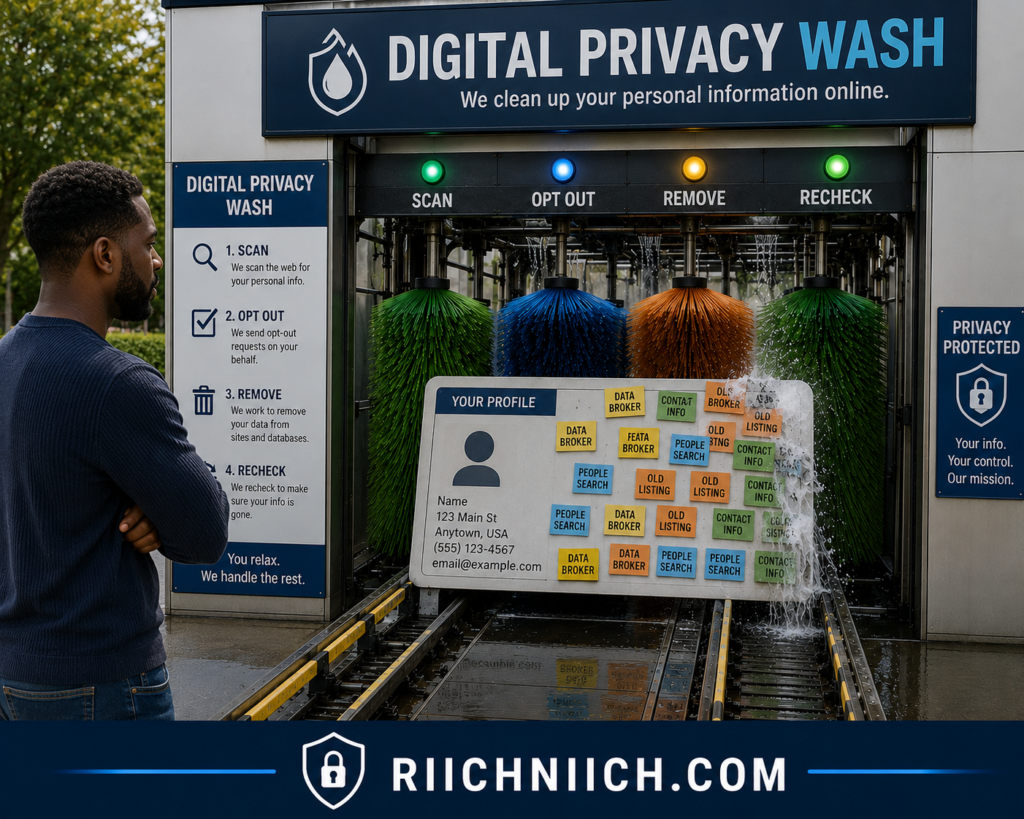
What Does a Data Removal Service Actually Do?
The exact process varies by company, but the basic idea is automation.
A service may:
Scan for your personal information across supported data brokers and people-search websites.
Identify matching records connected to the personal information you’ve provided.
Submit removal or opt-out requests on your behalf.
Track requests as companies process them.
Rescan periodically to find new or returning information.
Provide reports or dashboards showing removal progress.
This is different from simply searching Google and asking it to remove a result.
A good data removal service attempts to deal with the website holding or distributing the information, rather than focusing only on its visibility in a search engine.
Data Removal Services Save Time—Not Just Clicks
This is the strongest reason to consider paying for one.
Suppose you discover your information on 30 different data-broker and people-search websites.
You could manually handle every one.
But that means finding 30 opt-out procedures, submitting 30 requests, completing any required verification, documenting 30 confirmations, checking 30 results later, and potentially repeating requests when information returns.
A paid service shifts much of that repetitive workload away from you.
That’s why the real buying question isn’t:
“Can I remove this information myself?”
Often, you can.
The better question is:
“How much time am I willing to spend doing this myself—and checking it again later?”
For someone with a small online footprint, the answer may be that paying isn’t worthwhile.
👉 If your information is already spread across multiple data brokers and you’d rather skip the manual opt-outs, see how Incogni can automate the removal process and decide whether the time savings are worth the cost.
For someone whose information is scattered across numerous databases, automation can be much easier to justify.
Don’t Pay a Service to Do Something You Can Easily Do for Free
Before subscribing, take advantage of free government privacy tools available to you.
For example, California’s Delete Request and Opt-out Platform (DROP) allows California residents to submit a single deletion request to more than 600 registered data brokers. The California Privacy Protection Agency says the service is free for consumers.
As of August 1, 2026, registered data brokers are required to access DROP and begin processing applicable consumer deletion requests.
If you qualify for a free state privacy mechanism that already addresses much of your problem, use it before deciding how much additional automation you need.
Likewise, Google provides its own tools for requesting removal of eligible personal information from Google Search.
The point isn’t that paid removal services have no value. It’s that you should know which part of the problem you’re actually paying them to solve.
What a Data Removal Service Usually Cannot Do
This is where buyer expectations need to remain realistic.
A data removal company should not be expected to automatically remove personal information from government websites when the information is part of a legitimate record that must remain publicly accessible.
It may also be unable to:
- erase every court record;
- delete legitimate property records;
- remove every business filing;
- guarantee permanent removal from every website;
- control information outside its supported sites; or
- guarantee that removed information will never return.
California’s DROP system itself illustrates this limitation. The state’s guidance explains that certain information, including publicly available information, isn’t required to be deleted through DROP.
This is why anyone claiming it can instantly “erase you from the internet” deserves extra scrutiny.
When you’re researching how to remove your information from public records, think of a removal service as a tool for reducing distribution and exposure, not rewriting legitimate government archives.
When a Data Removal Service Is Worth Paying For
A paid service makes the most sense when several of these conditions apply:
Your information appears on many sites.
The larger your exposure, the more time automation can save.
You don’t want to manage individual opt-outs.
Even straightforward requests become tedious at scale.
Your information keeps returning.
Recurring scans and removal requests can be more valuable than a one-time cleanup.
You want ongoing monitoring.
A service that continues looking for new records can reduce the need to repeatedly search manually.
You have multiple household members to protect.
Some services offer individual and family coverage, although pricing and features vary.
You value your time more than the subscription cost.
Ultimately, this is the simplest calculation.
If none of those apply, DIY removal may still be the better value.
What to Compare Before Buying
Don’t choose a data removal service based only on advertising claims or the cheapest monthly price.
Compare the features that directly affect how to remove yourself from public records online.
1. Data broker coverage
Find out which brokers and people-search sites are actually covered.
A service claiming to cover hundreds of sources sounds impressive, but the number matters less if the sites exposing your information aren’t included.
2. Removal frequency
Find out whether requests are submitted once or repeatedly.
Recurring removal can be especially valuable when information resurfaces.
3. Scan frequency
How often does the service look for new exposure?
Monthly, quarterly, and less-frequent monitoring can produce very different experiences.
4. Custom removal requests
Some services may allow customers to report additional websites containing their information. Check what qualifies and whether the feature is included in your plan.
5. Progress reporting
You should ideally be able to see what was discovered, which removal requests were submitted, and their current status.
6. Family coverage
If you’re protecting more than one person, compare the actual cost per person rather than looking only at the advertised starting price.
7. Privacy policy
Remember that you’re giving a privacy company personal information so it can locate matching records.
Read how that information is collected, used, retained, shared, and protected.
8. Cancellation terms
Find out what happens when you cancel. Does monitoring immediately stop? Are pending requests completed? Does your account data remain stored?
Those details can make the difference between a service that offers genuine convenience and one you’re paying for without receiving much additional value.

Don’t Judge a Service Only by Its Broker Count
One service might advertise coverage of 200 sources while another advertises 500.
That doesn’t automatically make the second service better.
Ask whether those numbers represent unique data brokers, individual domains, databases, custom requests, or some combination of categories.
More importantly, compare the service’s coverage with the exposure list you created earlier.
If you identified 25 sites containing your information and Service A covers 22 of them while Service B covers only 14, that comparison is much more meaningful than the total number displayed on each company’s homepage.
This is where doing Steps 1 through 7 before purchasing anything gives you an advantage.
You already know what problem you’re trying to solve.
DIY Removal vs. Automated Removal
For most readers, the decision can be simplified:
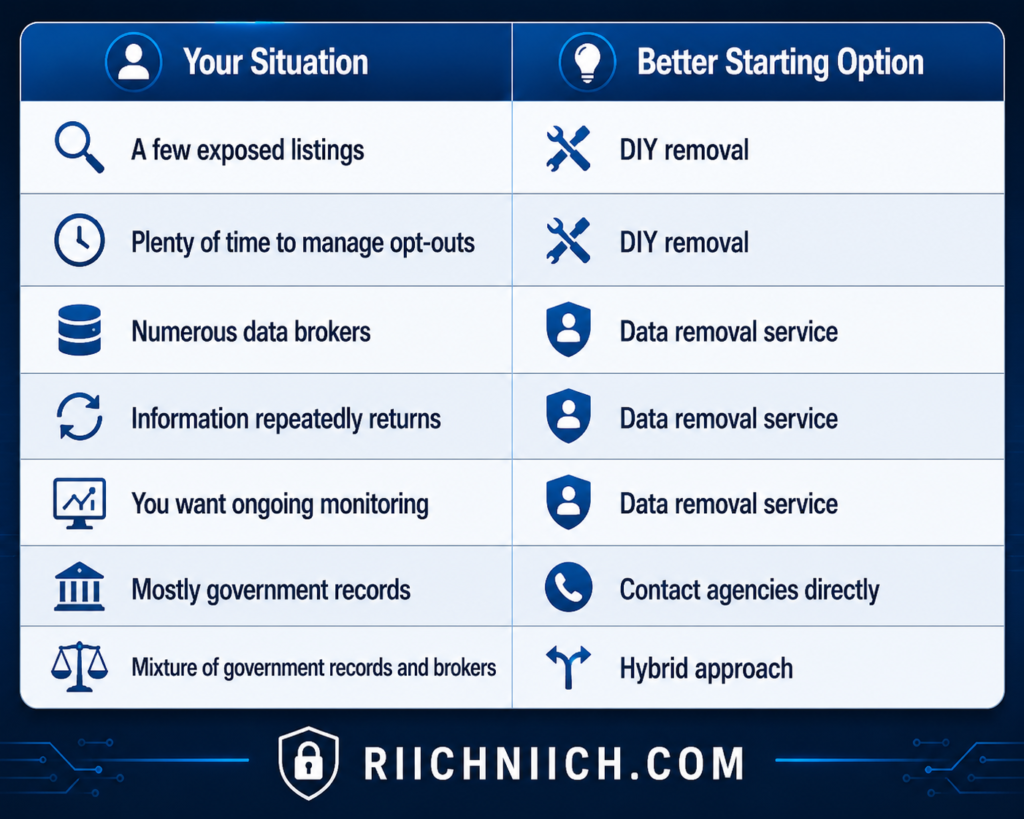
The hybrid approach will probably make the most sense for many people.
Handle official government records yourself because they may require agency-specific or legal procedures. Use Google’s free tools for eligible search-result removals. Then consider paying a data removal service to handle the repetitive work of trying to remove personal information from public record websites, people-search sites, and supported data brokers.
That way, you’re paying for automation where automation actually provides value.
A Data Removal Service Isn’t a One-Click Eraser
The biggest mistake would be purchasing a subscription and assuming the job is finished forever.
Even after successful removals, continue checking your online exposure.
New databases can appear. Existing sites can obtain updated information. Previously removed profiles may return. And legitimate public records can continue existing at their original sources.
A data removal service can reduce the workload, but it doesn’t eliminate the need to pay attention to your privacy.
That’s why the final step in how to remove yourself from public records online is essential:
monitor the internet for your information coming back.
Step 9 will show you how to do that without starting the entire removal process from scratch every few months.
Step 9: Monitor the Internet for Your Information Coming Back
Removing your personal information once does not mean it will stay gone forever. The final step in how to remove yourself from public records online is creating a simple monitoring routine so you can catch information when it reappears.
This matters because the underlying sources of your information can change. New public records may be created, existing records may be updated, people-search sites can obtain new information, and data brokers can build new profiles.
You don’t need to repeat the entire nine-step process every week. Instead, focus on the places where your information is most likely to resurface and periodically check whether previously removed information has returned.
Use Google’s Results About You for Ongoing Monitoring
Google’s Results about you can do more than help you find information during the initial cleanup.
Google says the tool can monitor search results for certain personal information, including your home address, phone number, email address, Social Security number, driver’s license number, and passport number. When new matching results are found, you can receive notifications and review whether a result is eligible for removal.
This is particularly useful after you’ve already worked through how to remove public records from Google because you don’t have to rely entirely on remembering to perform the same searches manually.
However, don’t treat Google’s monitoring as a complete privacy-monitoring system. It monitors Google Search results—not every database where information about you might exist.
Search for Yourself Periodically
Even with automated monitoring, perform your own searches occasionally.
Search your:
Full name
Full name + city
Full name + state
Home address
Phone number
Email address
You can also revisit the people-search sites and data brokers where you previously found information.
The objective is simple:
Has anything returned?
If you successfully remove yourself from people search sites and discover that a profile has returned several months later, submit another opt-out request when available and record the new removal in your tracker.
Likewise, if you’re trying to remove address from public records and discover that an old address is now being republished on another website, determine whether you’re looking at a new source or another copy of information you’ve already addressed.
Keep Your Privacy-Removal Tracker
Don’t delete the tracker you created earlier just because the initial cleanup is finished.
Turn it into a long-term monitoring record.
Add columns such as:
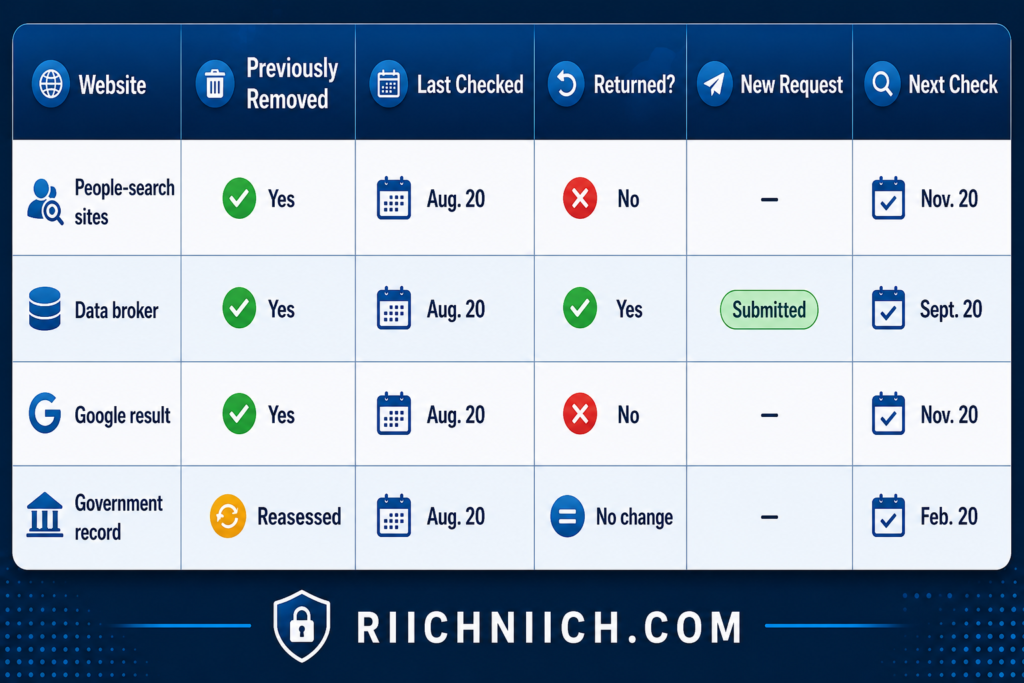
You don’t need to check everything constantly.
A reasonable approach for a typical privacy cleanup is to perform a broader manual review every few months, while using available automated alerts between those reviews. Increase the frequency if you have a specific reason to expect new exposure.
This makes how to remove your information from public records an organized maintenance routine rather than starting from zero every time something appears.
Watch for New Data Broker Profiles
Data brokers deserve particular attention because deleting one profile doesn’t guarantee that your information will never appear elsewhere.
Your information may be collected by another broker you didn’t encounter during your original search. That’s why efforts to remove personal information from data brokers should include monitoring for newly discovered companies as well as checking previously removed listings.
State privacy tools can also help.
California’s Delete Request and Opt-out Platform (DROP), for example, allows California residents to submit a single request to registered data brokers. The California Privacy Protection Agency says that beginning August 1, 2026, data brokers must process applicable DROP requests at least every 45 days.
The agency also says that once a consumer’s information has been deleted under an applicable DROP request, a broker generally must delete subsequently collected personal information every 45 days, subject to applicable exceptions.
That’s a good example of why privacy rights and tools available to you can depend on where you live.
Monitor the Original Government Records Too
Don’t focus exclusively on third-party websites.
If you previously requested a correction, redaction, restriction, or confidentiality measure from a government agency, periodically verify that the online record still reflects the expected result.
This is especially important when you’re trying to remove personal information from government websites or remove personal information from public records.
If something changes, contact the agency using its official procedure rather than assuming a data removal service can fix it.
Remember that legitimate public records and third-party copies remain two separate problems.
Look for New Connections Between Your Information
A new listing doesn’t necessarily have to expose something you’ve never seen before to create a privacy concern.
Sometimes the problem is aggregation.
For example, one website might connect your name with your address. Another might connect that address with a phone number. A third might combine several pieces into a much more detailed profile.
That’s why monitoring should focus not only on whether information exists, but also on how easily different pieces of information can be connected.
If you find a new third-party profile, determine whether you can remove personal information from public record websites, submit an opt-out, or request deletion under an applicable privacy law.
This Is Where Ongoing Data Removal Services Can Provide More Value
If you handled the original cleanup yourself, monitoring may be the point where a paid data removal service becomes more attractive.
👉 If you want broader protection beyond data removal, check Aura’s current protection options for identity monitoring and other identity-theft protection features alongside its privacy tools.
A one-time manual cleanup has a clear ending.
Ongoing privacy maintenance doesn’t.
You may have to repeatedly search for new profiles, revisit brokers, resubmit opt-outs, check removal statuses, and identify websites you’ve never encountered before.
For buyers, that means the most valuable feature of a data removal service may not be its first round of removals.
It may be what happens afterward.
Before paying for ongoing protection, compare:
Monitoring frequency: How often does the service search for your information?
Repeat removals: Does it automatically act when previously removed information returns?
New broker discovery: Can it identify exposure beyond your original list?
Coverage: Are the people-search sites and data brokers most relevant to you included?
Reports: Can you see newly discovered records and completed requests?
Notifications: Will you know when meaningful new exposure is discovered?
Price over time: Is the annual cost worth the amount of recurring work you’re avoiding?
This is where buyer intent should focus on long-term value rather than simply choosing the cheapest subscription.
Don’t Pay for Monitoring You Won’t Use
Not everyone needs a recurring data removal subscription.
If you find very little information about yourself online, manually checking every few months may be enough.
Likewise, if your primary exposure consists of official government records that cannot be removed, paying a service every month may provide limited benefit.
But if your information repeatedly appears across people-search sites and data brokers, ongoing removal can make considerably more sense.
Think of the decision this way:
Small, stable footprint → DIY monitoring may be enough.
Large, constantly changing footprint → automated monitoring becomes more valuable.
Mostly government records → focus on government procedures.
Many third-party copies → data removal automation may save substantial time.
Privacy Cleanup Is Maintenance, Not a One-Time Project
The final lesson in how to remove yourself from public records online is that privacy isn’t something you clean up once and forget.
You may successfully remove personal information from public databases, suppress people-search profiles, opt out of data brokers, and remove eligible Google results today. But the internet—and the information available about you—continues changing.
The goal isn’t to obsessively search for yourself every day.
It’s to create a manageable system:
Monitor → identify new exposure → determine the source → remove what you can → verify the removal → check again later.
Once that routine is in place, maintaining your privacy becomes considerably easier than repeating the entire cleanup from the beginning.
And if maintaining that routine becomes too time-consuming, that’s when paying for ongoing data removal can provide genuine value—not because it can make every legitimate public record disappear, but because it can automate much of the repetitive work required to keep your personal information less visible, less centralized, and harder to find online.
What Public Records Usually Cannot Be Removed?
One of the most important things to understand about how to remove yourself from public records online is that some legitimate government records usually cannot simply be deleted because you ask for them to disappear.
Public records exist for reasons such as government transparency, property ownership, court administration, business accountability, and professional licensing. Depending on the applicable law, government agencies may be required to maintain certain records and make some of them available to the public.
That means the goal isn’t always to remove yourself from public records completely. Sometimes the better strategy is to determine whether sensitive information can be redacted or restricted and then remove unnecessary copies from people-search sites, data brokers, public-record websites, and eligible Google results.
The exact rules vary significantly by state, agency, court, record type, and individual circumstances, so never assume that a record is permanently public—or removable—without checking the agency responsible for it.
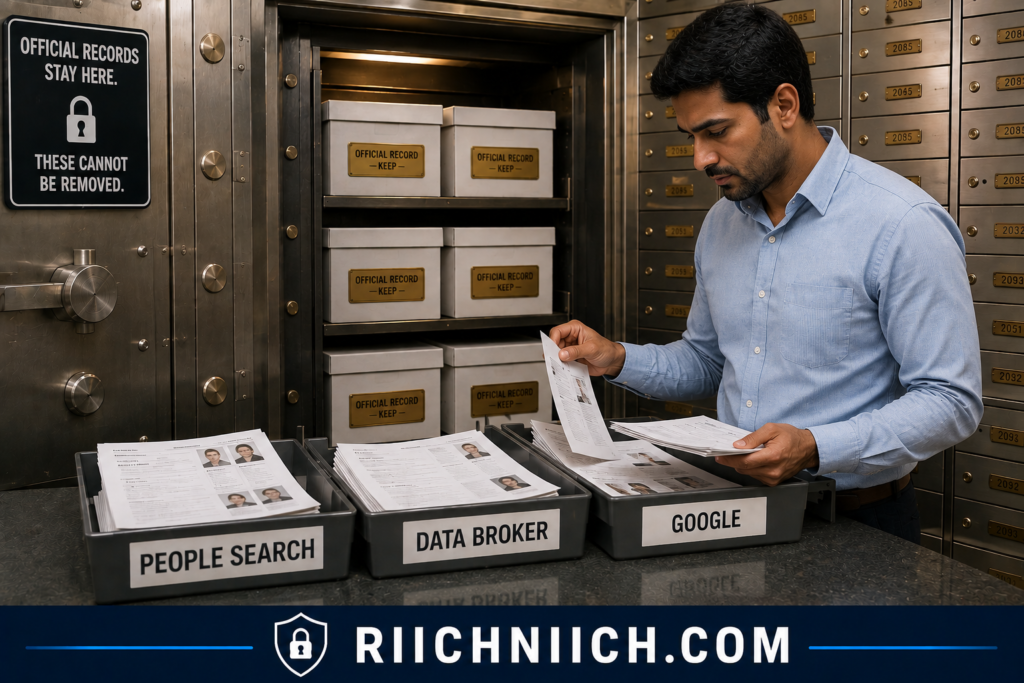
Property and Real Estate Records
Property ownership is one category where complete removal can be difficult.
County assessors, appraisal districts, recorders, clerks, or similar local offices can maintain records related to real estate ownership and transactions. What information is publicly accessible depends on the jurisdiction.
For example, deeds and other land records may form part of the official historical record showing ownership and interests in property. Simply selling a property or moving away generally does not mean the historical transaction disappears from government records.
If you’re trying to remove address from public records, first determine which agency maintains the record and whether your jurisdiction provides any confidentiality or address-suppression option for which you qualify.
Don’t confuse that with removing your address from a private people-search site. Those are separate processes.
Court Records
Court records are another category that may remain publicly accessible.
Federal courts, for example, provide public electronic access to many court records through PACER. However, public access is not unlimited. Certain documents are not available to the public, and federal filing rules require specified personal identifiers to be redacted.
Depending on the case, court, and law, certain records may potentially qualify for sealing, expungement, restricted access, or redaction. But these are legal procedures with specific requirements—not ordinary online opt-out requests.
If your main privacy problem involves a court record, a conventional data removal service should not be your first assumption. Check the court’s official procedures first and consider appropriate legal assistance if the process requires it.
Business Registration Records
Creating or participating in a business can also generate government filings.
State agencies may maintain records identifying business entities and certain information associated with them. The information required and publicly displayed varies by jurisdiction and business type.
If you’re trying to remove personal information from government websites because your information appears in a business filing, contact the agency responsible for the filing and determine whether the record can be amended or whether specific information can legally be changed or protected.
Don’t assume that closing a business automatically deletes its historical filings.
Historical records may continue to exist even when the business itself is no longer active.
Professional Licensing Records
Professional licenses can also generate public records.
Government licensing agencies and boards may provide public information allowing consumers or employers to verify whether someone holds a license, its current status, and potentially disciplinary or other information where disclosure is required or permitted.
If you find sensitive or inaccurate information in a licensing record, contact the licensing authority responsible for it.
Trying to remove personal information from public records in this situation may involve correcting inaccurate information or determining whether certain details can be withheld rather than deleting the licensing record itself.
Certain Government Records and Agency Documents
Federal agencies are subject to the Freedom of Information Act, which generally provides public access to federal agency records unless the requested information falls within one of nine exemptions.
Those exemptions protect interests including personal privacy, national security, confidential commercial information, and certain law-enforcement information.
This illustrates an important point:
Government record does not automatically mean publicly accessible.
Likewise:
Publicly accessible does not automatically mean removable.
If you’re investigating how to remove your information from public records, you need to determine the status of the particular record rather than assuming one rule applies to everything held by a government agency.
Historical Records May Remain Even After Your Circumstances Change
Another issue is historical accuracy.
A record can remain relevant to the government’s historical record even though the circumstances that created it happened years ago.
For example, changing addresses doesn’t necessarily erase previous property transactions. Dissolving a company doesn’t necessarily erase historical business filings. Resolving a court case doesn’t necessarily mean the public court record automatically disappears.
This can be frustrating when your objective is to remove personal information from public databases, but deleting legitimate historical records could undermine the purpose of maintaining those records in the first place.
The better question is often:
Can the sensitive information within the record be restricted without destroying the legitimate historical record?
What You May Be Able to Remove Instead
This is where your privacy strategy becomes much more productive.
Suppose an official record cannot legally be removed.
That doesn’t necessarily mean you should give up.
Your information may exist in this chain:
Official public record → public-record aggregator → people-search profile → data broker → Google result
The official record may have to remain.
But the other layers may provide removal options.
You can investigate whether you can remove personal information from public record websites, remove yourself from people search sites, remove personal information from data brokers, and use Google’s tools to request removal of eligible search results.
Google specifically explains that it may remove certain personally identifiable information from Search while also considering whether the content has public value. Results from sources such as government institutions or newspapers may be treated differently because the information can have value to the public.
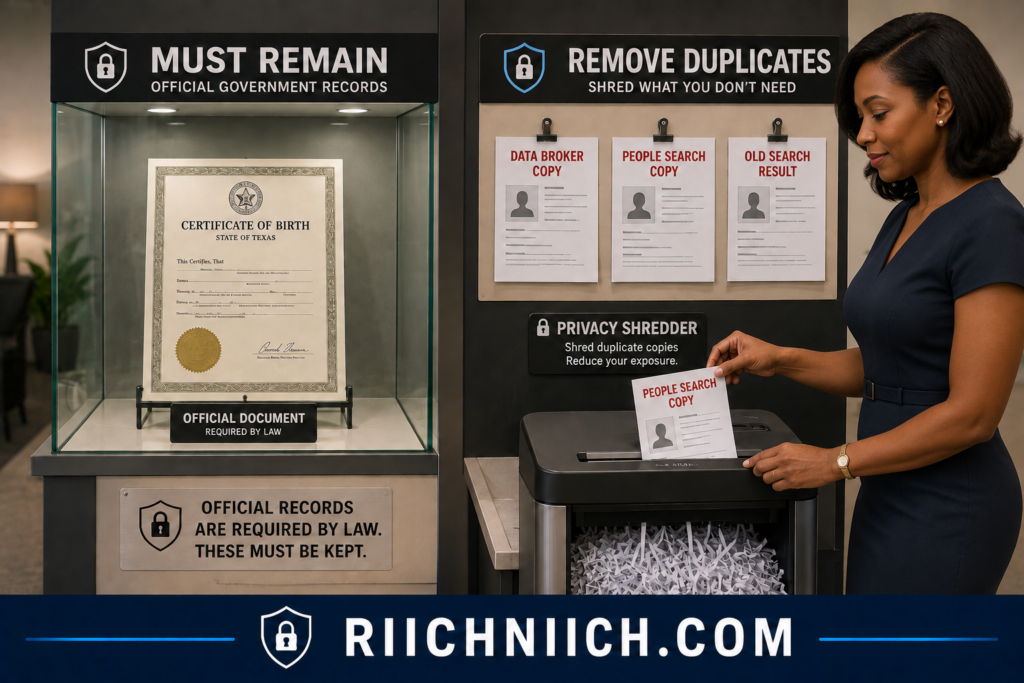
This Is Why You Should Be Skeptical of “Erase Everything” Claims
This distinction becomes especially important when you’re shopping for a data removal service.
If a company suggests that paying a subscription will automatically erase every public record connected with you, examine the claim carefully.
A legitimate service can still provide considerable value by helping you remove third-party profiles and data-broker records. But that’s different from altering records maintained by courts, property offices, licensing authorities, or other government agencies.
Before buying, check whether the company clearly explains:
what it removes;
which websites and data brokers it covers;
whether people-search sites are included;
how frequently it rescans;
whether it resubmits removals when information returns; and
what categories of information it cannot remove.
A service that clearly explains its limitations can be more trustworthy than one making sweeping promises about making you “disappear.”
Focus on Reducing Accessibility When Deletion Isn’t Possible
The practical objective of how to remove yourself from public records online isn’t necessarily to erase every legitimate record documenting your existence.
It’s to reduce how easily unnecessary personal information can be discovered, collected, and connected.
If an official record must remain, investigate whether sensitive information can legally be redacted, corrected, restricted, sealed, or protected. Then concentrate on eliminating the third-party copies that make that information dramatically easier to find.
In many cases, removing those convenient pathways can provide meaningful privacy improvement even though the original government record still exists.
That distinction will also help you decide whether a data removal service is actually worth buying: pay for help removing the information that can realistically be removed—not for promises that legitimate government records will magically disappear.
Can Data Removal Services Remove Public Records?
Data removal services can help reduce personal information connected to public records, but they generally cannot erase legitimate government public records simply because you want them removed.
That distinction is critical when researching how to remove yourself from public records online.
A data removal service is usually most effective at removing or suppressing information held by data brokers, people-search sites, and other third-party databases. If your information appears in an official property record, court filing, business registration, professional license, or another government record that is legally required to remain accessible, a commercial removal service normally cannot force the government to delete it.
If you’re not sure how these companies get your information in the first place, our guide, ‘What is a Data Broker?’ breaks down how the data-broker ecosystem works.
However, that doesn’t mean a removal service has no value.
The real value comes from attacking the copies and distribution of your information after it leaves—or is derived from—the original source.
What Can a Data Removal Service Actually Remove?
Imagine that your name and address appear in a legitimate public record.
That information may then appear elsewhere online through other sources and databases.
Your exposure could look something like this:
Government record → third-party database → people-search profile → data broker → search result
A data removal service may be able to work on several of the third-party layers, even if it cannot change the government record at the beginning of the chain.
Depending on the provider and its coverage, a service may help you:
- remove personal information from data brokers;
- remove yourself from people search sites;
- request removal from other supported databases;
- monitor for information that appears again;
- resubmit eligible removal requests; and
- track completed and pending removals.
That’s substantially different from promising to remove personal information from government websites.
If the government itself controls the record, you’ll usually need to follow the agency’s own procedure for correction, redaction, confidentiality, sealing, restriction, or removal where one is legally available.
Why Publicly Available Information Can Be Different
Privacy laws themselves can treat public-record information differently from other personal data.
California’s current DROP system provides a useful example. It allows California residents to send a single deletion request to registered data brokers, and brokers began processing those requests in August 2026. However, California explicitly states that certain information can be exempt from deletion, including public records such as vehicle ownership, real-estate ownership, or voting records.
This illustrates why you should be cautious about claims that a service can completely remove yourself from public records.
Even when privacy law provides powerful deletion rights, exceptions can apply.
Public Record Removal and Data Broker Removal Are Not the Same Thing
Suppose your home address appears in an official real-estate record and later appears in a data-broker profile.
You now have two separate privacy problems.
Problem #1: Government record
You would need to contact the appropriate government agency and determine whether you qualify to remove address from public records, redact it, restrict access to it, or use another legally available privacy procedure.
Problem #2: Data-broker profile
You may be able to submit a deletion or opt-out request yourself—or pay a removal service to handle the process for you.
This distinction becomes especially important when you’re trying to remove personal information from public record websites. A website may display information derived from public records without actually being the government agency responsible for the original record.
Removing the third-party copy can still be worthwhile because it eliminates one convenient pathway to your information.
Can a Service Remove Public Records From Google?
Sometimes a company may advertise help removing information from search engines, but you should understand exactly what that means.
Removing an eligible result from Google Search is not the same as deleting the underlying public record.
Google’s personal-information policies allow people to request removal of certain sensitive information from Search, but Google also considers whether information has public value. And even when Google removes a result, the underlying webpage can remain online.
So if your primary concern is how to remove public records from Google, you may not need to immediately pay a data removal company.
Start with Google’s own removal tools when the information qualifies.
A paid service becomes more useful when your problem extends across numerous third-party sites and you want someone else to manage the repetitive removal process.
What Should You Expect a Paid Service to Do?
A reputable service should set realistic expectations.
It should be able to tell you:
which data brokers it covers;
which people-search sites it covers;
how frequently it scans;
how frequently removal requests are submitted;
whether previously removed information is checked again;
whether custom removal requests are supported;
how you can track progress; and
what it cannot remove.
That last question is particularly important.
Ask before subscribing:
“Does this service remove official government records, or does it remove third-party copies of information?”
If the answer isn’t clear, investigate further before paying.
Be Skeptical of “Erase Yourself From the Internet” Promises
No legitimate service can guarantee that every trace of your personal information will disappear from the internet forever.
Public records are one reason why.
Another is that information can exist across many independent sources with different legal obligations and removal policies.
Even California’s DROP program—which sends one request to more than 600 registered data brokers—recognizes that some data can legally remain. California says registered brokers can return an “Exempted” status when information doesn’t have to be deleted under applicable law.
That should tell you something important when evaluating commercial services:
If a government privacy system acknowledges deletion exceptions, be skeptical of a commercial company promising universal deletion.

When Is a Data Removal Service Worth Paying For?
A data removal service can still be a strong purchase if you understand what you’re buying.
Consider paying for one when:
You have a large online footprint.
If your information appears across dozens of third-party sites, automation can save substantial time.
You don’t want to handle repeated opt-outs.
The individual procedures may be manageable, but doing them repeatedly can become tedious.
Your information keeps returning.
Ongoing scanning and repeated requests can provide more value than a one-time manual cleanup.
You want one place to track removals.
A useful dashboard can make it easier to see where information was found and what action has been taken.
You want to reduce third-party exposure rather than erase government history.
This is where the service’s capabilities align much better with the actual problem.
On the other hand, if your only concern is one official government record, don’t assume a recurring data removal subscription is the solution.
Investigate the government procedure first.
Free Government Tools Can Also Reduce the Need for a Paid Service
Before buying anything, check whether your state provides privacy tools that can accomplish part of the job for free.
California residents, for example, can currently use DROP to send one deletion request to more than 600 registered data brokers. The platform is free, and registered brokers are required to repeatedly process deletion requests under the state’s system.
This doesn’t automatically eliminate the value of commercial removal services. A paid service may offer different coverage, monitoring, dashboards, support, or other features.
But it does change the buying calculation.
Don’t pay for automation until you understand which free options already apply to you.
What You’re Really Buying Is Automation
The best way to think about a data removal service is not:
“I’m paying someone to erase every public record about me.”
Think of it as:
“I’m paying someone to repeatedly search supported third-party databases and handle removal work I could otherwise spend hours doing myself.”
That’s a much more realistic value proposition.
If you have only a few profiles to remove, DIY may be the better deal.
If your information is spread across dozens of people-search sites and data brokers, automation can become significantly more attractive—especially if the service continues checking after the initial cleanup.
That’s why choosing the right service matters just as much as deciding whether to buy one.
The next section of how to remove yourself from public records online will cover exactly that: how to choose a data removal service for public records without paying for promises the service cannot actually deliver.
How To Choose a Data Removal Service for Public Records
If you’ve decided that manually submitting dozens of opt-out requests isn’t worth your time, the next question is which data removal service is actually worth paying for.
When researching how to remove yourself from public records online, don’t choose a service simply because it promises to “erase your personal information.” Look closely at what the company actually removes, which websites it covers, how frequently it searches for your information, and what happens when your information comes back.
Most importantly, understand the limitation we’ve discussed throughout this guide: a data removal service generally cannot make legitimate government public records disappear. Its value is primarily in helping reduce information distributed through covered data brokers, people-search sites, and other third-party sources.
That means the best service isn’t necessarily the one with the biggest marketing claim. It’s the one whose coverage most closely matches where your information is actually exposed.
1. Compare the Sites the Service Actually Covers
Start with coverage.
A service may advertise hundreds of supported sites, but that number means little if it doesn’t cover the websites where your information appears.
Return to the exposure list you created earlier and compare it with each service’s published coverage.
Pay particular attention to:
People-search sites
Data brokers
Public-record aggregators
Marketing databases
Other third-party databases containing your information
If your primary goal is to remove personal information from data brokers, broker coverage should carry much more weight than unrelated privacy features bundled into the subscription.
For example, Service A might advertise 500 covered sources while Service B advertises 300. But if Service B covers nearly every broker you’ve already identified and Service A doesn’t, Service B could still be the better purchase.
2. Check How Often the Service Rescans
A removal service shouldn’t necessarily be judged only by what it finds on Day 1.
Ask:
What happens on Day 90?
Your information can appear again after an initial cleanup, which makes recurring scans one of the most valuable features of a paid service.
Compare how frequently each provider scans for new information and whether the frequency changes between pricing tiers.
A service that continually looks for new exposure may provide more long-term value than one that performs a large initial scan but provides limited follow-up.
This is particularly important if you’re trying to remove yourself from people search sites because the larger privacy problem is often maintaining the removal over time.
3. Find Out Whether Repeat Removals Are Included
Scanning and removing aren’t necessarily the same feature.
A service might detect that your information has returned—but what happens next?
Ideally, the service should automatically submit another eligible removal request rather than simply notifying you and leaving the work to you.
Look for clear answers to questions such as:
Does the service automatically resubmit removals?
How frequently are removal requests sent?
Are recurring removals included in my plan?
Will I have to manually approve every request?
This is where automation begins providing real value.
California’s DROP system demonstrates why recurring processing matters. Beginning August 1, 2026, registered data brokers must process DROP deletion requests at least every 45 days, and covered brokers have ongoing obligations concerning subsequently collected matching information, subject to applicable exemptions.
Commercial services operate differently, but the principle is useful when comparing them: privacy removal is more valuable when it continues after the first cleanup.
4. Look for Transparent Removal Reports
You shouldn’t have to wonder what your subscription is accomplishing.
Look for a service that provides understandable reports or a dashboard showing information such as:
Sites where your information was found
Removal requests submitted
Requests currently being processed
Completed removals
Newly discovered exposure
Requests that couldn’t be completed
This transparency becomes especially important when you’re trying to remove personal information from public record websites and third-party databases simultaneously.
If a company says it has “removed your information” without clearly explaining where it searched or what actions were completed, it becomes difficult to evaluate whether you’re receiving good value for your money.
5. Check for Custom Removal Requests
This feature can separate a basic service from a more useful one.
Suppose you discover your information on a website that isn’t included in the company’s standard coverage.
Can you submit that URL and ask the company to investigate?
Some services may offer custom removals or similar assistance, while others limit removal strictly to their established list of supported brokers.
If you’ve already performed Step 1 and have an extensive list of exposed information, custom removal capabilities may be particularly valuable.
But read the limitations carefully.
“Custom removal” doesn’t necessarily mean the company can remove personal information from government websites, force a newspaper to delete an article, or remove any webpage you dislike.
Find out exactly which sources qualify before paying extra for the feature.
6. Understand What the Service Cannot Remove
This may be the most important buying criterion of all.
A reputable privacy company should clearly explain its limitations.
If your information appears in an official government record, the service may have no authority to change that record.
Likewise, privacy laws themselves can exempt certain information from deletion. California’s DROP guidance states that publicly available information is among the information that is not deleted through DROP, and the system can return an “Exempted” status when a broker is legally permitted to retain information.
That matters when you’re attempting to remove personal information from public records.
Before buying, find the service’s explanation of what it cannot remove.
If that information is difficult to find—or the marketing implies that virtually everything about you can disappear—be cautious.
7. Examine How the Service Protects Your Information
There’s an unavoidable irony with data removal services:
You have to give them personal information so they can find your personal information.
That makes the company’s own privacy and security practices extremely important.
Before subscribing, read its privacy policy and determine:
What information do I need to provide?
Why does the company need it?
How is it stored?
How long is it retained?
Is it shared with third parties?
Can I delete my account and associated information later?
What happens to my information after cancellation?
Don’t automatically provide more information than necessary simply because you’re purchasing a privacy product.
California’s government-operated DROP system provides an interesting benchmark: CalPrivacy says consumers choose which information to provide, and the system uses hashing so raw identifiers aren’t shared with data brokers during the matching process.
A commercial service doesn’t have to operate identically, but you should understand how it handles the sensitive information you’re entrusting to it.
8. Compare the Real Price, Not Just the Advertised Price
Don’t choose based on a large discount displayed on the homepage.
Calculate what you’ll actually pay.
Compare:
Monthly cost
Annual cost
Renewal price
Individual vs. family pricing
Features restricted to higher tiers
Cancellation policy
Refund policy
Automatic renewal terms
Then ask what you’re getting for that price.
Suppose one service costs slightly more but offers broader relevant coverage, recurring rescans, repeat removals, custom requests, and better reporting.
The cheaper service isn’t necessarily the better value.
On the other hand, don’t pay for premium features you’ll never use.
9. Compare the Service Against Free Options First
Before entering your credit card information, determine what you can already accomplish for free.
This is particularly important because government privacy tools are evolving.
California’s DROP system now allows eligible California residents to submit one free deletion request covering more than 600 registered data brokers. Data brokers began processing those requests on August 1, 2026, and status updates can take up to 90 days.
If you’re eligible for a tool like this, use it when appropriate before deciding how much additional coverage or convenience you’re willing to pay for.
A commercial service may still be worthwhile because its coverage, monitoring, reporting, or supported sources could differ. But now you’re comparing its additional value rather than paying for something you could already accomplish through a free government tool.

10. Match the Service to Your Actual Privacy Problem
Finally, don’t buy a data removal service until you understand what type of exposure you actually have.
If most of your problem consists of official government records, paying for an ongoing data-broker removal subscription may provide limited value.
If most of your problem consists of third-party profiles, however, automation can be much more useful.
A simple buying framework is:
Mostly government records: Work directly with the appropriate agencies.
A few third-party profiles: Start with DIY opt-outs.
Dozens of people-search and data-broker listings: Consider a paid removal service.
Information repeatedly returns: Prioritize recurring scans and repeat removals.
Multiple family members: Compare family coverage and total annual cost.
Mixed exposure: Use a hybrid approach—handle official records yourself and automate eligible third-party removals.
The Best Data Removal Service Is the One That Solves Your Problem
Don’t get distracted by claims about thousands of searches, hundreds of brokers, or instant internet erasure.
If your objective is how to remove yourself from public records online, the best service is the one that removes the greatest amount of your removable third-party information, continues looking for it afterward, clearly reports what it’s doing, protects the information you provide, and charges a price that makes sense compared with doing the work yourself.
And remember: you’re primarily buying convenience, automation, and ongoing maintenance.
You’re not buying the ability to rewrite government records.
Once you’ve narrowed your choices using those criteria, you can make a much better buying decision—and avoid paying for a privacy service whose strongest promises don’t actually address the information you’re trying to remove.
How Long Does It Take To Remove Yourself From Public Records Online?
There is no single timeline for how to remove yourself from public records online. Some third-party listings can disappear relatively quickly, while government-record requests, data-broker deletions, and complicated privacy cases can take weeks or months.
A realistic expectation is to think of the process in stages rather than one deadline.
You may be able to submit several opt-outs in a single afternoon, but that doesn’t mean all of those companies will process the requests immediately. And if your information appears across government databases, people-search sites, data brokers, and Google, you’re dealing with several different organizations—each with its own procedures and processing times.
For a substantial online footprint, expect the initial cleanup to take several weeks to a few months, followed by ongoing monitoring.
How Long Do People-Search Site Removals Take?
People-search sites don’t all follow the same timeline.
Some removal requests may be processed within days, while others can take longer depending on the company’s verification process, privacy policy, and applicable law.
This is why you should record the date of every request when you remove yourself from people search sites.
After submitting an opt-out:
1. Save the confirmation.
2. Complete any required verification.
3. Record the submission date.
4. Wait for the site’s stated processing period.
5. Search for your profile again.
Don’t assume the removal succeeded simply because you submitted a form.
And don’t immediately submit duplicate requests because your profile is still visible a few hours later. Give the company the processing time stated in its instructions before following up.
How Long Do Data Broker Removals Take?
Data-broker timelines can vary considerably, especially because your legal rights depend partly on where you live and which privacy laws apply.
California’s new DROP system provides a useful real-world example.
Beginning August 1, 2026, registered data brokers must process DROP deletion requests on a recurring basis. CalPrivacy says brokers must process requests at least every 45 days, while status updates can take up to 90 days in some circumstances.
That doesn’t mean every data-broker deletion everywhere takes 45 or 90 days. It demonstrates why trying to remove personal information from data brokers should be treated as a process rather than an instant action.
If you’re handling numerous brokers manually, the total cleanup can stretch out simply because you’re managing many separate requests simultaneously.
How Long Does Google Removal Take?
Google operates differently because removing a result from Google Search doesn’t necessarily delete the underlying webpage.
When using Google’s Results about you, Google says you’ll receive confirmation of a submitted request within a few hours. You can then monitor whether the request is In progress, Approved, Denied, or Undone. Google also notes there can be a delay between approval and the result actually disappearing, although you may find it removed within a few hours after approval.
But remember what you’re removing.
If Google approves your request, you’re addressing the search result, not necessarily the information at its original source.
Google explicitly states that removing a result from Search doesn’t mean the information has disappeared from the internet.
That’s why how to remove public records from Google should normally be combined with attempts to remove or restrict the information at the source whenever possible.
Government Public Records Can Take Much Longer
Government records are the hardest category to give a universal timeline for.
If you’re trying to remove personal information from government websites, processing time can depend on:
- the agency involved;
- the type of record;
- your state or jurisdiction;
- whether the information is legally public;
- whether you’re requesting correction, redaction, restriction, sealing, or removal;
- whether supporting documents are required; and
- whether a court order or other legal proceeding is necessary.
A straightforward administrative correction might be relatively simple.
A request involving a court record could be considerably more complicated.
And sometimes the final answer will be that the information cannot legally be removed at all.
For that reason, don’t judge your progress based solely on how quickly the government record disappears. The agency may provide other privacy options even when deletion isn’t available.
Removing Your Address Can Require Several Separate Requests
Suppose your goal is to remove address from public records.
You discover the address in:
1 government property record
3 people-search profiles
5 data-broker databases
4 Google results
That’s potentially 13 different exposure points, even though they involve the same address.
You might successfully remove the people-search profiles first, followed by the data-broker listings. Google results could change as the underlying pages disappear or after eligible removal requests are approved.
Meanwhile, the government record might remain.
This is why someone can spend weeks trying to remove personal information from public records even when individual opt-outs take only a few minutes to submit.
A Realistic Privacy Cleanup Timeline
Instead of expecting everything to disappear in 24 hours, use a practical schedule.
Days 1–7: Discovery and requests
Search for your information, identify original sources, document exposed listings, and begin submitting government, people-search, data-broker, and eligible Google requests.
Weeks 2–4: Verification
Check which requests were processed. Complete outstanding verification requests and follow up where a site’s stated deadline has passed.
Months 1–3: Broader cleanup
Continue checking slower requests, confirm that information has actually disappeared, address additional listings you’ve discovered, and update your tracker.
After Month 3: Monitoring
Periodically search for information that has returned and submit new requests when necessary.
This isn’t a guaranteed timetable. Some removals may happen considerably faster, while difficult government or legal matters may take longer.
The purpose is to give yourself a realistic framework rather than expecting an overnight cleanup.

Does Paying for a Data Removal Service Make the Process Faster?
Sometimes—but speed isn’t necessarily the biggest advantage.
A paid service cannot force a data broker to process a legitimate request faster than the applicable rules or the company’s procedures allow.
What automation can do is help you start more removals sooner and manage more of them simultaneously.
Imagine manually identifying and submitting requests to 50 different sites.
You might spread that work across several evenings because you don’t want to spend an entire day filling out opt-out forms.
A removal service may automate or manage many supported requests without requiring you to perform each one individually.
So you’re primarily paying for:
automation, scale, tracking, repeat removals, and ongoing monitoring.
Not necessarily instant deletion.
That’s an important distinction when deciding whether a service is worth buying.
Don’t Pay Extra Just Because a Service Promises “Fast” Removal
Be cautious about choosing a privacy service primarily because it promises unusually fast results.
Before paying more for “faster” removal, ask what that actually means.
Does the company submit requests sooner?
Does it have a special removal relationship with particular brokers?
Is it simply advertising the speed at which it sends requests rather than the time required for websites to actually complete them?
Does its estimated removal time include rescanning and verification?
A service that takes slightly longer but covers more of the websites exposing your information could provide much better value.
When evaluating a service for how to remove yourself from public records online, prioritize relevant coverage and long-term removal over impressive-sounding speed claims.
How Will You Know When the Cleanup Is Finished?
You probably won’t reach a point where you can say:
“Every piece of information about me has permanently disappeared.”
A better definition of success is:
The removable third-party profiles you identified are gone.
Eligible Google results have been addressed.
Government records have been corrected, restricted, redacted, or removed where legally possible.
You know which remaining records cannot be removed.
You have a system for detecting new exposure.
That’s a much more realistic objective.
The process of how to remove yourself from public records online can therefore take anywhere from days for individual listings to several months for a broader cleanup—and maintaining the results can be ongoing.
If you’re willing to handle the opt-outs yourself, you can potentially accomplish much of the work without paying anyone. If your information is spread across dozens of sites and you don’t want to spend weeks tracking requests, a reputable data removal service may be worth paying for—not because it makes public records disappear overnight, but because it can automate much of the repetitive work while you focus on the records that actually require your personal attention.
How To Keep Your Personal Information Out of Public Records in the Future
Once you’ve completed the work involved in how to remove yourself from public records online, the next goal should be preventing unnecessary personal information from becoming publicly accessible again.
You can’t prevent every future public record from existing. Buying property, registering a business, participating in certain court proceedings, obtaining professional licenses, or interacting with government agencies can create records that must be maintained under applicable law.
What you can do is become much more deliberate about which personal information you provide, where you provide it, and whether that information actually needs to become part of a publicly accessible record.
This matters because information doesn’t always remain at its original source. Data brokers can obtain information from public records and combine it with information from other sources, creating much larger consumer profiles. California’s privacy regulator, for example, specifically identifies public records as one source within the broader data-broker ecosystem.
The best long-term strategy is therefore:
Minimize new exposure → separate public and private contact information → use available privacy protections → monitor what appears → remove unnecessary third-party copies.

Think Before Putting Your Home Address on a Public Filing
Your home address deserves particular attention.
Before submitting a business registration, professional filing, permit, or other government document, determine whether your residential address is actually required and whether the information will become publicly accessible.
Don’t simply substitute another address without checking the rules. Certain filings legally require particular information.
Instead, ask the agency:
Will this address become publicly searchable?
Is my residential address required?
Does the agency permit a separate mailing or business address?
Are there confidentiality options for which I qualify?
Can certain contact information be withheld from the public-facing version of the record?
Taking five minutes to answer these questions before submitting the document can be much easier than trying to remove address from public records afterward.
Separate Your Private and Public Contact Information
Using the same email address and phone number for everything makes it easier for information from different sources to be connected.
Consider separating contact information according to purpose.
For example:
Private: Banking, important personal accounts, and trusted contacts.
General online use: Shopping, newsletters, promotions, and lower-priority accounts.
Business/public: Contact information intentionally provided to customers or the public.
This doesn’t prevent government records from being created, but it can reduce unnecessary connections between your private identity and publicly available information.
The same principle applies to email addresses. If one email address appears on dozens of public profiles, business directories, shopping accounts, and marketing databases, it becomes a useful identifier for connecting those records.
Don’t Publish Personal Information You Don’t Need to Publish
Some exposure isn’t caused by public records at all.
It’s information we voluntarily make public.
Review websites and profiles you control and ask whether they really need to display your:
home address,
personal phone number,
primary email address,
full date of birth,
or other unnecessary identifying information.
Removing information you voluntarily publish can also make it harder for third parties to aggregate it with other records.
This distinction matters when learning how to remove your information from public records because finding your information on the internet doesn’t automatically mean it came from a government database.
Data brokers can collect information from numerous sources and combine those pieces into broader profiles.
Check Privacy Settings When Creating New Accounts
Don’t automatically accept every default privacy setting.
When creating accounts, look for controls governing:
profile visibility;
personalized advertising;
sharing with third parties;
sale or sharing of personal information;
location collection;
contact-information visibility; and
marketing communications.
Disable unnecessary data sharing when the service gives you that choice.
This won’t remove personal information from public records maintained by government agencies, but it can reduce the amount of additional commercial data circulating about you.
The less unnecessary information entering the data ecosystem, the less information you may eventually have to remove.
Use Available State Privacy Rights
Privacy rights increasingly depend on where you live, so check your state’s official privacy resources.
California currently provides an especially strong example.
Its free Delete Request and Opt-out Platform (DROP) allows eligible California residents to submit one request to more than 600 registered data brokers. Beginning August 1, 2026, covered brokers must process DROP requests at least once every 45 days.
DROP is also designed to address future collection. CalPrivacy explains that when a broker later obtains matching information for a consumer with an active request, the broker has ongoing obligations to delete applicable non-exempt information rather than treating deletion as purely a one-time event.
That’s exactly the type of preventive privacy tool worth using when you’re eligible.
Be Careful With Business Registrations
Starting a business can unintentionally create a new source of personal information online.
Before filing, research what information your state’s business registry makes public.
Depending on the jurisdiction and entity type, determine whether you’re required to provide a residential address or whether an appropriate alternative is legally permitted.
The key is to investigate before filing.
Once your personal information becomes part of an official public record, your options for removing it can become significantly more limited.
And even if a government website later changes the information, copies may already have been collected elsewhere.
That’s why preventing exposure can be much easier than trying to remove personal information from public record websites after the information spreads.
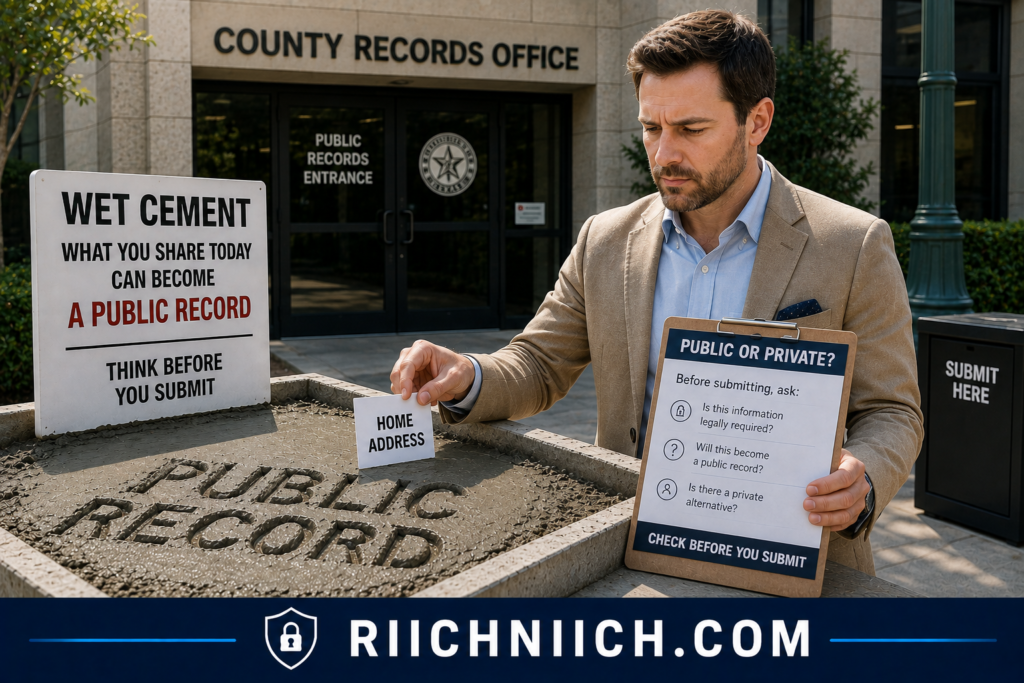
Reduce Your Data Broker Footprint Continuously
Don’t wait until dozens of profiles appear before thinking about data brokers again.
If your state gives you deletion or opt-out rights, use them.
If you manually opted out of brokers earlier, periodically check whether your information has returned.
If you’re paying a data removal service, make sure you’re actually using the ongoing features you’re paying for—especially recurring scans and repeat removal requests.
Data brokers can hold extensive information, including email addresses, phone numbers, browsing information, shopping information, and other personal data.
This is why efforts to remove personal information from data brokers shouldn’t necessarily end after the initial cleanup.
Don’t Overshare Information Just to Receive a Small Benefit
Another preventive habit is simply asking:
Does this company actually need this information?
If an optional loyalty program, contest, newsletter, app, or online service asks for information that seems unnecessary, think about whether the benefit is worth creating another copy of your data.
This doesn’t mean refusing to provide information that’s legitimately necessary to deliver a service.
It means distinguishing between:
required information and optional information.
Every unnecessary copy you avoid creating is one less copy that could potentially be shared, exposed in a breach, or incorporated into a broader consumer profile later.
Protect the Accounts That Contain Your Personal Information
Privacy cleanup and account security should work together.
Use unique passwords for important accounts and enable multi-factor authentication where available.
This won’t directly remove personal information from public databases, but it helps protect private information that should never become public in the first place.
California’s privacy regulator specifically recommends multi-factor authentication as part of securing accounts and notes that data breaches, reused passwords, and phishing can expose personal information or enable account compromise.
Monitor Before the Problem Becomes Large Again
You don’t need to search for yourself every morning.
Instead, establish a simple recurring privacy checkup.
Every few months, search your:
name, address, phone number, and email address.
Then revisit the major people-search sites and data brokers where you previously found information.
If something returns, deal with it while the exposure is still manageable.
This can prevent you from reaching the point where you once again have dozens of listings to remove.
Prevention Can Change Whether a Paid Removal Service Is Worth It
There’s also an important buyer-intent benefit to prevention.
If you dramatically reduce your future exposure and only find a handful of new listings each year, you may decide that you don’t need to keep paying for a data removal subscription indefinitely.
You could handle occasional removals yourself.
But if your information continually appears across new people-search sites and data brokers despite your efforts, recurring automated removal becomes considerably more valuable.
Think of the decision this way:
Little recurring exposure → DIY monitoring may provide better value.
Frequent recurring exposure → automated removal may justify the subscription.
Mostly official government records → focus on agency-specific privacy procedures rather than a data-broker service.
That makes the decision based on your actual exposure rather than fear.
The Best Removal Strategy Starts Before Your Information Appears
After learning how to remove yourself from public records online, it’s easy to focus entirely on deleting information that’s already out there.
But long-term privacy is also about reducing how much new information you create.
Before submitting a public filing, find out what becomes public. Before publishing contact information, ask whether it needs to be visible. Before giving a company additional personal data, determine whether it’s required. And after you’ve successfully remove yourself from people search sites and worked to remove personal information from data brokers, continue monitoring for new exposure.
You probably can’t prevent every future public record from existing.
But you can make it much harder for one record to turn into dozens of easily searchable copies scattered across the internet—which can dramatically reduce the amount of privacy cleanup you’ll need to do later.
Common Mistakes When Trying To Remove Yourself From Public Records
Learning how to remove yourself from public records online is much easier when you know what not to do.
One of the biggest mistakes is treating every piece of personal information you find online as the same type of record. An official county record, a people-search profile, a data-broker listing, and a Google result may all display similar information, but removing each one can require a completely different process.
Another mistake is expecting one removal request—or one paid privacy service—to erase everything.
A better strategy is to identify the original source, remove what can legally be removed there, eliminate unnecessary third-party copies, clean up eligible search results, and continue monitoring afterward.
Here are the mistakes most likely to waste your time or money.

Mistake #1: Assuming Every Public Record Can Be Deleted
This is probably the biggest misconception surrounding how to remove yourself from public records online.
Some legitimate government records may have to remain available because of public-record laws or other legal requirements.
Depending on the record and jurisdiction, you may instead have options such as:
correction, redaction, confidentiality, restricted access, sealing, or expungement.
That’s why you should investigate the agency responsible for a record before assuming complete deletion is possible.
If you’re trying to remove personal information from government websites, start with the government agency—not a commercial data removal company.
Mistake #2: Removing the Google Result but Ignoring the Original Website
Getting personal information removed from Google Search can make it much harder to find, but it doesn’t necessarily remove the information itself.
Google explicitly explains that it can prevent qualifying content from appearing in its search results but cannot remove information from websites it doesn’t control. Google recommends removing content at the source when possible.
So if you’re researching how to remove public records from Google, remember this distinction:
Google removal = removes or limits the search result.
Source removal = removes the information from the website hosting it.
Whenever possible, address both.
If the website has already removed or changed the information but Google’s result is outdated, Google also provides a Refresh Outdated Content process.
Mistake #3: Paying a Company Before Searching for Yourself
Don’t buy a data removal subscription before you know how large your problem actually is.
Complete Step 1 first.
Search for your name, address, phone number, email address, people-search profiles, and other exposed information. Create an inventory of what you find.
You may discover only a handful of listings that you can remove yourself for free.
Or you may discover dozens of profiles spread across data brokers and people-search sites.
That’s when automation becomes much easier to justify.
Your buying decision should be based on your actual exposure—not fear created by a marketing page.
Mistake #4: Confusing People-Search Sites With Government Records
A website displaying public-record information isn’t necessarily a government website.
This distinction is critical.
The FTC has documented people-search products that make publicly available information about consumers searchable and has emphasized the importance of access, opt-outs, source transparency, and explaining the limitations of opt-out mechanisms.
A private people-search website may allow you to suppress your profile even though the original government record remains available.
So when attempting to remove personal information from public record websites, always determine:
Who operates this website?
Where did the information originate?
Am I removing the source—or merely a copy?
Knowing the difference prevents you from thinking you’ve completely solved the problem when you’ve removed only one version.
Mistake #5: Giving an Opt-Out Site More Information Than Necessary
Here’s a frustrating privacy paradox:
You sometimes need to provide personal information to get personal information removed.
But that doesn’t mean you should provide everything requested without thinking.
Verify that you’re on the legitimate website and using its official privacy procedure. Determine what information is actually necessary to identify your record and complete the request.
Be especially cautious about uploading identification documents or providing highly sensitive information.
If verification is legitimately required, follow the company’s instructions—but avoid volunteering unnecessary information.
Your attempt to remove personal information from public databases shouldn’t result in you unnecessarily distributing even more personal data.
Mistake #6: Forgetting to Complete the Verification Email
This is a simple mistake that can cause an entire removal request to fail.
Some websites send a confirmation email after you submit an opt-out.
If you don’t click the verification link or complete the required confirmation, the removal process may not move forward.
That’s why your removal tracker should include:
Request submitted
Verification received
Verification completed
Removal pending
Removal confirmed
Don’t mark a site “done” merely because you filled out its first form.
Mistake #7: Assuming One Opt-Out Removes Every Version of Your Profile
You might find multiple records connected with different versions of your information.
The FTC’s data-broker research has specifically noted that people-search opt-outs may be incomplete when the identifying information supplied in an opt-out doesn’t match all records held by the broker, potentially requiring multiple requests.
This is why it’s worth searching for yourself again after a removal is completed.
Look for variations connected with previous information and make sure another profile isn’t still visible.
If your goal is to remove yourself from people search sites, success means checking the result—not simply submitting the request.
Mistake #8: Assuming Removing Your Address From One Website Removes It Everywhere
Your address can exist in several independent places.
For example:
Property record → public-record aggregator → people-search site → data broker → Google
Removing the people-search listing doesn’t automatically remove address from public records maintained by the government.
Likewise, changing an official record doesn’t guarantee that every third-party copy disappears immediately.
Treat each layer separately.
Mistake #9: Choosing a Data Removal Service Based Only on Broker Count
“500+ sites covered” sounds better than “200+ sites covered.”
But that number alone doesn’t tell you which service is better for you.
Suppose your exposure tracker identifies 20 important sites.
One service covers 18 of them.
Another advertises far more total sources but covers only 11 of the sites you actually identified.
The first service may provide considerably more value.
Compare relevant coverage, not simply the largest advertised number.
Also compare:
rescan frequency, repeat removals, custom requests, progress reporting, privacy practices, family coverage, and renewal price.
You’re paying for results and convenience—not the biggest number on a sales page.
Mistake #10: Believing “Removed” Means “Gone Forever”
Removing a profile today doesn’t guarantee it will never return.
Data can be recollected, profiles can be rebuilt, and new websites can obtain similar information.
That’s why remove personal information from data brokers shouldn’t be viewed as a one-and-done project.
Keep your removal tracker and periodically repeat your most important searches.
If you’re paying for a data removal service, this is also why ongoing monitoring and repeat removals can be more valuable than a large one-time cleanup.
Mistake #11: Paying Someone to Do Something You Can Easily Do for Free
Automation can absolutely be worth paying for.
But convenience and necessity aren’t the same thing.
Google provides its own process for requesting removal of qualifying personal information from Search. It can review personally identifiable information and other qualifying personal content, although Google may preserve information it determines is in the public interest.
People-search sites and data brokers may also provide direct privacy or opt-out procedures.
So before subscribing, determine which parts of the cleanup you can reasonably handle yourself.
Then consider paying for the repetitive work you don’t want to manage.
Mistake #12: Falling for a Website That Charges You to Remove the Information It Published
Be especially cautious if you find a website publishing information about you and demanding payment to remove it.
Google has a specific policy covering certain exploitative removal-practice websites. If the applicable requirements are met—including that you’re the subject of the content and the site requires payment for removal—Google may remove links to that content from its search results.
That doesn’t necessarily delete the source website, but it can reduce its visibility through Google.
Before paying a website simply to make information disappear, investigate your privacy, legal, opt-out, and search-removal options first.
Mistake #13: Canceling a Removal Service Without Understanding What Happens Next
If you eventually pay for a data removal service, don’t cancel without understanding the consequences.
Before subscribing—and again before canceling—find out:
Will monitoring stop immediately?
Will outstanding removals continue?
Will previously removed information continue being monitored?
Can I export my removal history?
What happens to the personal information stored in my account?
Can I request deletion of my account data?
A cheap introductory subscription isn’t necessarily a bargain if the service provides little value once the promotional period ends.
Always evaluate the long-term price and long-term privacy benefit.
Mistake #14: Never Checking Whether the Removal Actually Worked
Submitting a request is not the finish line.
Verification is.
After the appropriate processing period, return to the website and search for yourself again.
Then check Google.
If the source website removed the information but an outdated Google result remains, Google says its Refresh Outdated Content tool can be used when a webpage no longer contains the information shown in Search.
Keep evidence of completed removals and record the date you verified them.
This turns your privacy cleanup from a collection of hopeful requests into a documented process.
Mistake #15: Trying to Remove Everything Instead of Prioritizing What Matters
You can waste enormous amounts of time trying to eliminate every harmless reference to your name.
Prioritize information that creates the greatest privacy exposure.
Start with easily searchable combinations of personal information—particularly listings that make it simple to connect your identity with your address, phone number, email address, or other sensitive details.
Then work outward toward lower-priority results.
The goal of how to remove yourself from public records online isn’t necessarily to make your name cease to exist on the internet.
It’s to make sensitive personal information less exposed, less centralized, and harder for strangers to discover.
Avoid the Biggest Mistake: Expecting a One-Click Solution
There is no universal “delete me” button for the internet.
The most effective approach remains:
Find the information → identify the original source → address government records where possible → remove third-party copies → opt out of people-search sites → remove personal information from data brokers → address eligible Google results → verify removals → monitor for information returning.
And if that workload becomes too large, that’s when a reputable data removal service can be worth buying.
You’re not paying it to magically erase every legitimate public record.
You’re paying to automate the repetitive part of how to remove yourself from public records online—while you retain control over the government records and other situations that require your direct attention.
Frequently Asked Questions About How To Remove Yourself From Public Records Online
If you’re researching how to remove yourself from public records online, you probably have questions about what can actually be deleted, how much the process costs, whether Google can remove public records, and whether paying for a data removal service is worthwhile.
The answers depend heavily on where the information originates. An official government record is very different from a people-search profile, data-broker listing, or Google search result.
Here are answers to the most common questions.

Can I completely remove myself from public records?
Usually, no.
Some legitimate government records must be maintained under applicable laws and may remain publicly accessible. Depending on the record and jurisdiction, you might instead be able to request correction, redaction, restricted access, confidentiality, sealing, or another form of protection.
However, even when you cannot completely remove yourself from public records, you may still be able to remove copies from people-search sites, data brokers, and other third-party websites.
That can make your personal information substantially harder for an ordinary internet user to find.
How do I remove my personal information from public records?
Start by identifying the original source.
If the information appears in an official government record, contact the agency or court maintaining it and determine whether it provides a procedure for correction, redaction, confidentiality, restriction, sealing, or removal.
If the information appears on a private website, determine whether the site provides an opt-out or deletion procedure.
Trying to remove personal information from public records therefore isn’t one universal process. The correct method depends on who controls the information.
Can I remove my home address from public records?
Sometimes, but not always.
Whether you can remove address from public records depends on the type of record, jurisdiction, applicable law, and your circumstances.
Some government agencies or programs may provide confidentiality protections for qualifying individuals. But an address contained in a legitimate property, business, court, or other government record may not simply disappear because you request deletion.
Even when the original record remains, however, you may be able to remove your address from people-search sites, data brokers, and eligible Google Search results.
Can I remove my information from government websites?
Possibly, depending on the record.
If you want to remove personal information from government websites, start with the agency responsible for the information.
Look for official procedures involving:
record correction, redaction, confidentiality, restricted access, sealing, expungement, or removal.
Don’t use a random third-party website to submit sensitive documentation to a government agency. Navigate directly to the agency’s official website and follow its instructions.
Also remember that government record does not automatically mean every detail must be public. Privacy protections can apply to certain information depending on the law and context.
How do I remove public records from Google?
First determine whether the information qualifies under Google’s removal policies.
Google’s Results about you can find certain search results containing personal information such as your home address, phone number, email address, Social Security number, passport number, or driver’s license number. Eligible results can then be submitted for removal.
However, how to remove public records from Google is different from removing the underlying record.
Google explains that removing a result from Search doesn’t delete the information from the source webpage.
Whenever possible, remove the information from the original website first and then address Google.
Will Google remove every public record about me?
No.
Google considers whether information has value to the public when reviewing removal requests. Its Results about you documentation specifically notes that certain pages owned by government institutions, educational institutions, or newspapers may not provide a removal option.
So finding your address or other information in Google does not automatically guarantee removal.
If Google won’t remove the result, investigate whether you can address the information directly with the website or government agency responsible for it.
What if I already removed the information but it still appears on Google?
If the original webpage has been deleted or changed but Google’s search result still shows outdated information, you can use Google’s Refresh Outdated Content tool.
Google specifically recommends this process when the source webpage no longer contains the information displayed in Search.
This is why source removal should generally come first.
Remove the source → verify the change → refresh the outdated Google result if necessary.
Can I remove myself from people-search sites for free?
Often, yes.
Many people-search websites provide privacy or opt-out procedures that consumers can use themselves.
The downside isn’t necessarily the cost.
It’s the time.
If you’re trying to remove yourself from people search sites across many different websites, you may have to locate each profile, find each opt-out procedure, complete verification, track the request, confirm removal, and check whether the information returns.
For a few profiles, DIY removal can make sense.
For dozens, automation becomes much more attractive.
Can I remove myself from data brokers for free?
Depending on the broker and applicable privacy rights, you may be able to submit your own deletion or opt-out requests without purchasing a commercial service.
California residents also have access to the state’s DROP system. DROP allows eligible residents to submit a single deletion request to registered data brokers, with brokers now required to process requests on an ongoing schedule. Publicly available and other exempt information can remain.
If your goal is to remove personal information from data brokers, check the free options available to you before purchasing a subscription.
Can a data removal service remove government public records?
Generally, you should not expect a conventional data removal service to erase legitimate government records.
These services are usually much better suited to people-search sites, data brokers, and other third-party databases.
This is an important buying distinction.
If your biggest problem is one government record, start with the government agency.
If your biggest problem is that information from public and other sources has spread across dozens of private databases, a data removal service may be much more useful.
Is a data removal service worth paying for?
It depends primarily on how much information you need removed and how much time you want to spend doing it yourself.
Consider a paid service if:
- your information appears across numerous people-search sites and data brokers;
- you don’t want to submit opt-outs manually;
- previously removed information keeps returning;
- you want recurring monitoring and removal requests; or
- you want one dashboard for tracking the cleanup.
If you only find a handful of listings, try free manual removal first.
The strongest reason to pay isn’t that a service possesses a secret way to erase public records.
You’re primarily paying for automation, scale, monitoring, and convenience.
What should I look for in a data removal service?
Before buying, compare:
Relevant coverage: Does it cover the brokers and people-search sites where you actually found yourself?
Removal frequency: How often does it submit requests?
Rescanning: Does it continue searching after the initial cleanup?
Repeat removals: What happens when information returns?
Custom requests: Can you report additional websites?
Reporting: Can you see what has actually been removed?
Privacy: How does the company protect the information you provide?
Price: What is the actual annual and renewal cost?
Limitations: Does it clearly explain what it cannot remove?
Don’t automatically choose the service advertising the largest number of covered sites.
Choose the one whose coverage best matches your actual exposure.
How long does it take to remove personal information from public records?
There is no universal timeline.
A third-party opt-out may be completed relatively quickly, while government requests can take much longer depending on the agency, record, and legal procedure involved.
Data-broker requests also operate under different timelines.
For example, California’s DROP system requires data brokers to process deletion requests at least once every 45 days beginning August 1, 2026, while the state notes that processing can take up to three months in some circumstances.
For a large privacy cleanup, it’s reasonable to think in terms of weeks or months rather than hours.
Why does my information keep coming back after I remove it?
Because removing one copy doesn’t necessarily eliminate the sources feeding that information into the broader data ecosystem.
For example:
Government record → third-party database → people-search site → data broker → Google
You could successfully remove one link in that chain while the others remain.
A newly collected or updated record can potentially create another exposure later.
That’s why how to remove yourself from public records online requires monitoring rather than treating removal as a one-time event.
Can public records reappear on people-search sites after I opt out?
Yes, it can happen.
That’s why you should periodically search for your profiles again rather than assuming an opt-out is permanent.
If you’re paying for a data removal service, recurring scans and repeat removal requests are therefore among the features worth prioritizing.
A service that performs only a one-time cleanup may provide less long-term value if your main problem is information repeatedly resurfacing.
Is it better to remove information from the source or from Google?
The source is usually the better target whenever removal is possible.
Google can remove eligible results from Google Search, but that doesn’t remove the information from the website hosting it. Google explicitly recommends addressing information at the source when possible.
Removing the source can also eventually affect how the page appears in search engines.
Ideally, do both when appropriate:
Remove at source → verify removal → address remaining search results.
What if a website wants me to pay to remove my information?
Be cautious.
Don’t immediately pay a website simply because it tells you payment is required to remove information it published about you.
Google has a specific policy for certain exploitative removal-practice websites. When the applicable requirements are met—including that you’re the subject of the content and the site demands payment for removal—Google may remove links to that content from Search.
Investigate your opt-out, privacy, legal, and search-removal options before paying.
Do I need to give data brokers my personal information to delete it?
Some removal processes require enough information to identify the correct record.
That creates an understandable privacy concern.
Provide only what the legitimate removal process requires and verify that you’re dealing with the actual company or government service before submitting information.
California’s DROP system demonstrates the matching challenge: consumers can provide identifying details to help brokers locate matching records, and the state notes that providing more information can improve the likelihood of a successful match.
Avoid casually sending highly sensitive documentation simply because an unfamiliar website asks for it.
Is removing yourself from public records online permanent?
Not necessarily.
Some removals may remain effective, while other information can reappear because sources are updated, brokers collect new information, or new third-party profiles are created.
That’s why the final part of how to remove yourself from public records online should always be monitoring.
Periodically search your name and important contact information, revisit previously removed profiles, and use automated monitoring tools where appropriate.
If you’re paying for a removal service, this ongoing maintenance is one of the strongest reasons to continue paying—provided the service is actually finding and removing information you would otherwise have to manage yourself.
Can I really make a meaningful difference if some public records cannot be removed?
Yes.
Complete disappearance isn’t the only measure of privacy.
Even when an official government record must remain, you may still be able to remove personal information from public record websites, remove yourself from people search sites, remove personal information from data brokers, and reduce eligible Google results.
Think about the practical difference between someone having to know exactly which government database to search and simply typing your name into Google and immediately finding a consolidated profile containing your personal information.
That’s why the realistic goal of how to remove yourself from public records online is not necessarily to erase every record of your existence.
It’s to reduce how much personal information is exposed, eliminate unnecessary copies, break the easy connections between those copies, and make sensitive information substantially harder to find.
Conclusion: How To Remove Yourself From Public Records Online
The most important thing to understand about how to remove yourself from public records online is that you probably cannot erase every legitimate government record connected to your name—and you don’t need to in order to make a meaningful difference to your privacy.
The better goal is to reduce how easily your personal information can be found, collected, combined, and redistributed online.
Start with the original source. Determine whether government information can legally be corrected, redacted, restricted, sealed, or removed. Then work outward by trying to remove personal information from public record websites, remove yourself from people search sites, remove personal information from data brokers, and address eligible Google Search results.
That layered approach is much more effective than randomly submitting removal requests across the internet.

The Best Strategy Is to Start at the Source
If you remember only one strategy from this guide, make it this:
Original source → third-party copies → people-search sites → data brokers → Google → ongoing monitoring.
Removing information from Google without addressing the website hosting it can leave the underlying information online. Google specifically states that removing a result from Search does not remove the information from the source webpage.
Likewise, removing yourself from a people-search site doesn’t necessarily alter the government record or other source from which information may have originated.
This is why how to remove public records from the internet requires more than one type of removal request.
Do as Much as You Can for Free First
You don’t necessarily need to purchase a privacy service on Day 1.
Start with the free options available to you.
Contact government agencies directly when you’re trying to remove personal information from government websites or request redaction, correction, or another available protection.
Use individual opt-out and privacy procedures to tackle manageable numbers of people-search and data-broker listings.
Use Google’s Results about you to find and request removal of eligible results containing personal information such as your home address, phone number, email address, Social Security number, passport number, or driver’s license number. Google can also notify you when new matching results appear.
And check whether your state provides additional privacy tools. California residents, for example, can use the state’s free DROP system to send a deletion request to registered data brokers. Data brokers began processing DROP requests on August 1, 2026, and the state says they must continue processing requests on a recurring basis.
The more you can accomplish for free, the easier it becomes to determine whether a paid service provides enough additional value.
When a Data Removal Service Is Worth Paying For
A paid data removal service becomes most compelling when the problem is no longer difficulty—it’s scale.
If you find yourself dealing with dozens of data brokers and people-search profiles, manual removal can quickly turn into hours of repetitive work.
That’s where automation can make sense.
A good service can potentially save you from repeatedly finding profiles, locating opt-out forms, submitting requests, completing verification, tracking results, rescanning databases, and dealing with information that resurfaces.
For someone with only a handful of listings, that subscription may not be necessary.
For someone with widespread exposure, the time savings can justify the cost.
A simple buying rule is:
Small online footprint → Start with DIY removal.
Large data-broker footprint → Consider automated removal.
Mostly government records → Work directly with government agencies.
Government records plus widespread third-party copies → Consider a hybrid DIY + paid removal strategy.
Don’t Pay for Impossible Promises
If a service claims it can completely erase every public record about you from the internet, read the fine print carefully.
A data removal company cannot simply override laws requiring certain government records to exist or remain publicly accessible.
And even Google doesn’t guarantee removal of every result containing personal information. Google says some results may remain when the information has value to the public, including certain pages from government institutions and newspapers.
That doesn’t make a data removal service useless.
It means you should judge the service based on what it can realistically control.
You’re primarily paying for help reducing third-party exposure—not for the ability to rewrite government history.
If You’re Going to Pay, Pay for Ongoing Value
Don’t judge a data removal service solely by how many profiles it claims to remove during the first month.
Look for long-term value:
Relevant broker coverage — Does it cover the sites where your information actually appears?
Recurring scans — Will it continue searching for your information?
Repeat removals — Will it act when information returns?
Transparent reporting — Can you see what was found and what was removed?
Custom removals — Can additional sites be investigated when necessary?
Strong privacy practices — How does the company protect the personal information you provide?
Reasonable renewal pricing — Is the ongoing benefit worth the annual cost?
Clear limitations — Does the company openly explain what it cannot remove?
The last point is particularly important.
A service that clearly tells you “we can’t remove this” may ultimately be more trustworthy than one promising to make you disappear from the internet.
Don’t Forget Your Home Address
If your primary concern is to remove address from public records, treat your home address as a priority—but don’t assume every appearance has the same source.
Your address might exist in an official government record, a people-search profile, a data-broker database, and several Google results simultaneously.
Handle each layer separately.
If an official government record cannot legally be removed, focus on eliminating unnecessary third-party copies and reducing how easily someone can connect your name with your physical location.
Google’s personal-information removal policies specifically allow requests involving certain personal information, including home addresses, although public-interest considerations can affect whether a particular result is removed.
That may not erase the underlying public record, but it can still reduce exposure.
Expect Some Information to Come Back
Don’t consider the project finished simply because your Google searches look clean today.
Information can reappear.
New profiles can be created. Data brokers can obtain new information. Previously removed listings can return. New public records can also be created as your circumstances change.
That’s why the last step of how to remove yourself from public records online is just as important as the first:
monitoring.
Set up Google’s Results about you notifications where available, periodically search your important contact information, revisit previously removed profiles, and keep your privacy-removal tracker.
Google says Results about you regularly checks for matching personal information and can notify you when new results are discovered.
That turns privacy cleanup from a massive project into manageable maintenance.

So, Can You Really Remove Yourself From Public Records Online?
Partially—and that can still make a significant difference.
You probably won’t eliminate every legitimate government record associated with you.
But you may be able to:
remove or restrict eligible information at the original source;
remove personal information from public record websites;
remove yourself from people search sites;
remove personal information from data brokers;
remove eligible personal information from Google Search;
and
monitor for information that reappears.
That’s the realistic objective behind how to remove yourself from public records online.
If you only find a few exposed profiles, start with the free DIY methods in this guide.
If you discover your information spread across dozens of data brokers and people-search sites—or you’re tired of repeatedly checking whether it has returned—a reputable data removal service may be worth paying for.
Just buy it for the right reason.
You’re not paying someone to make every public record disappear.
You’re paying to automate the repetitive work of reducing your personal information across the parts of the internet where removal is actually possible.
And ultimately, that’s the better measure of success: not whether you can erase every record of yourself, but whether you’ve made your sensitive personal information substantially harder for strangers, people-search sites, and data brokers to find and connect.