

How to stay anonymous online has become increasingly important as companies, advertisers, data brokers, and cybercriminals collect more personal information than ever before. Every search, website visit, social media post, and online purchase can contribute to a growing digital footprint that reveals details about your identity, habits, and activities.
The good news is that you don’t need to disappear from the internet completely to improve your privacy. By using the right combination of privacy tools, security practices, and data removal strategies, you can significantly reduce online tracking and protect your personal information. In this guide, you’ll learn practical steps to improve online privacy protection, reduce your digital footprint, prevent companies from tracking your activity, and take greater control of your digital identity.
Table of Contents
What Does It Mean To Stay Anonymous Online?
How to stay anonymous online is a question more people are asking as companies, advertisers, data brokers, and cybercriminals collect enormous amounts of personal information every day. Every website visit, social media interaction, online purchase, and app download can leave behind digital traces that reveal details about who you are, where you live, and what you do online.
Many people don’t realize exactly how this information spreads online, which is why understanding How Your Person Data Ends Up Online is an important first step.
Staying anonymous online does not mean hiding from the internet completely. Instead, it means reducing the amount of personal information that websites, advertisers, data brokers, and bad actors can collect about you. The goal is to make it much harder for others to connect your online activities to your real-world identity.
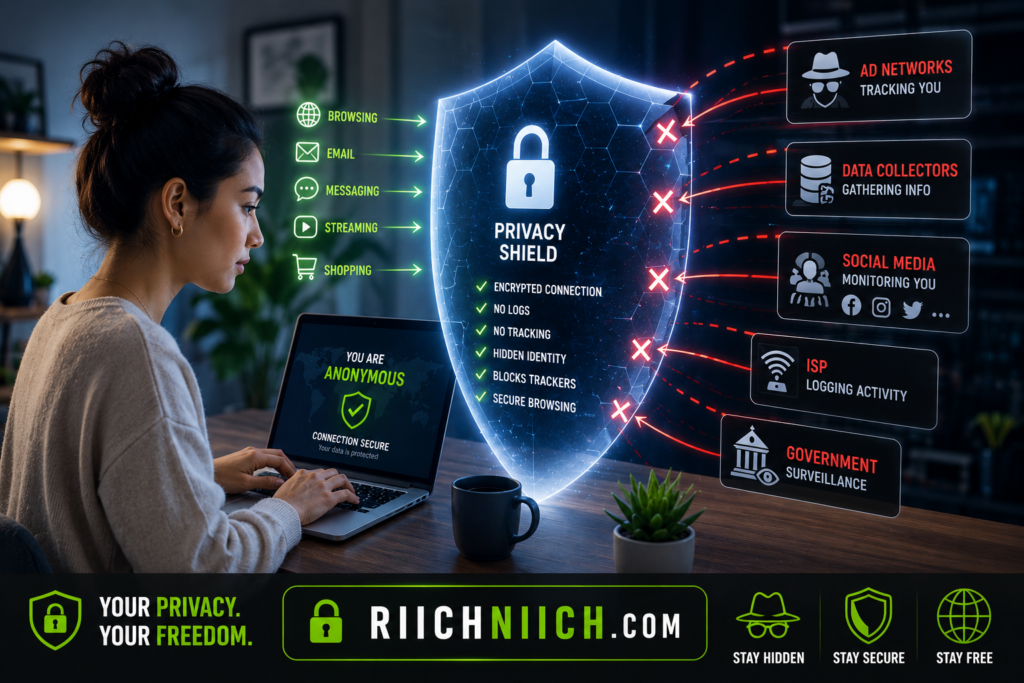
Many people assume they have nothing to hide, but online privacy is about control. When your information becomes publicly available, it can lead to spam calls, phishing attacks, identity theft, targeted scams, and unwanted tracking.
True online anonymity involves several layers of protection, including:
- Limiting the personal information you share online
- Removing exposed data from people-search websites
- Reducing data broker exposure
- Using secure passwords and password managers
- Protecting your internet connection with a VPN
- Monitoring for identity theft and data breaches
- Strengthening your overall online privacy protection strategy
For a broader look at reducing your online exposure, see our guide on How to Remove Your Personal Information from the Internet.
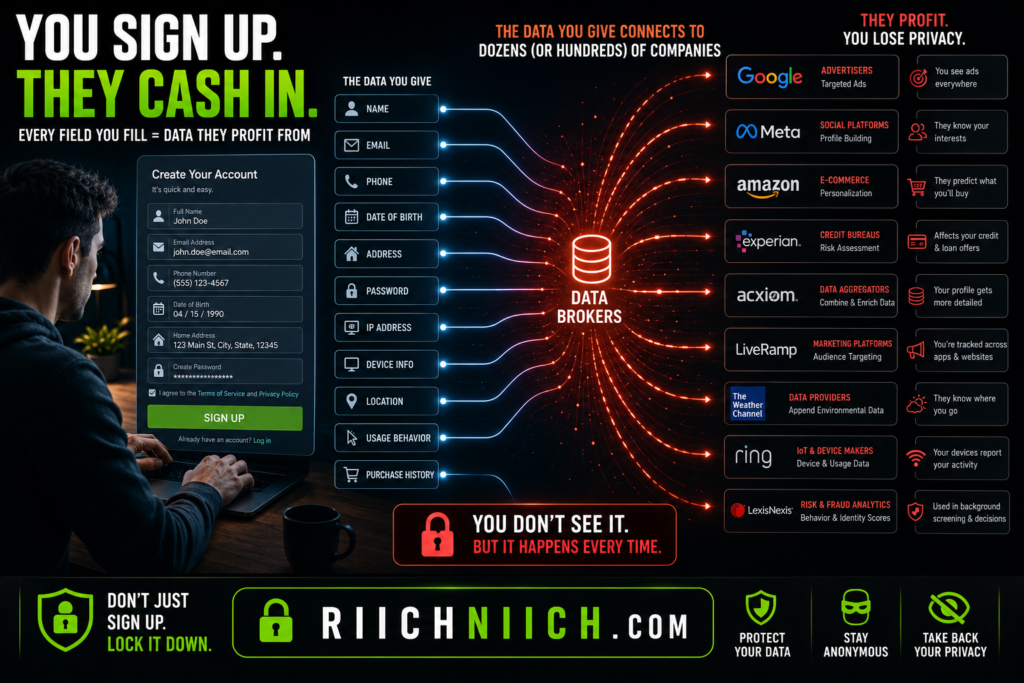
One of the biggest threats to online anonymity comes from data brokers. These companies collect information from public records, social media accounts, online purchases, marketing databases, and other sources. They then create detailed profiles that may include your name, address, phone number, email address, relatives, and previous locations.
Because of this, many privacy-conscious users use data broker removal services to help remove personal information from the internet. Services such as Incogni can automate much of this process by submitting removal requests to hundreds of data broker websites on your behalf. If your goal is how to stay anonymous online, reducing your exposure on people-search sites is one of the most effective first steps.
👉 If manually removing your information from hundreds of data broker websites sounds overwhelming, Incogni can automate the entire process and continuously monitor for new exposures on your behalf.
Another important part of how to stay anonymous online is protecting your internet connection. Every device connected to the internet has an IP address that can reveal general location information and help companies track browsing behavior. This is why many privacy-focused users rely on VPN services to help hide their IP address and create a more private browsing experience.
VPNs such as NordVPN can help support anonymous browsing by encrypting your internet traffic and reducing the amount of information that websites can collect about you.
Passwords also play a major role in online anonymity. Weak or reused passwords can allow hackers to gain access to accounts, exposing personal information and increasing identity theft risks. Using a password manager such as NordPass can help generate and store strong, unique passwords across all your accounts.
Privacy and security work together. While privacy focuses on limiting what information others can collect about you, security focuses on protecting that information from unauthorized access. Both are essential if your goal is to stay anonymous online and maintain long-term online privacy protection.
Identity monitoring services can provide another layer of protection by alerting you if your personal information appears in data breaches, dark web marketplaces, or suspicious account activity. Services like Aura help users monitor their digital footprint and identify potential threats before they become serious identity theft problems.
👉 Aura can automatically monitor for exposed personal information and alert you quickly if your data appears in known breach databases or suspicious activity is detected.
The National Cybersecurity Alliance recommends using strong passwords, enabling multi-factor authentication, and limiting personal information shared online to improve overall internet privacy and security.
The reality is that complete internet anonymity is difficult to achieve. Most people use services that require personal information, such as online banking, shopping platforms, healthcare portals, and social media accounts. However, by combining data broker removal, VPN protection, password managers, identity monitoring, and privacy-focused habits, you can dramatically reduce your digital footprint.
Ultimately, how to stay anonymous online is about taking control of your personal information and limiting who has access to it. The less information available about you online, the lower your risk of tracking, profiling, spam, scams, data breaches, and identity theft. By using the right privacy tools and following smart online security practices, you can significantly improve your online anonymity while protecting your digital identity.
Why Complete Online Anonymity Is Difficult
Many people searching for how to stay anonymous online imagine that they can completely disappear from the internet. In reality, achieving total online anonymity is extremely difficult for most people. Modern technology, online services, advertising networks, data brokers, and social media platforms constantly collect information that can be used to identify and track users.
The good news is that you do not need perfect anonymity to significantly improve your online privacy. The goal of how to stay anonymous online is not to become invisible—it is to reduce your digital footprint and limit the amount of personal information available about you.
Most Online Services Require Personal Information
One of the biggest challenges to anonymous browsing is that many websites and services require personal information to function.
For example, you may need to provide:
- Your name
- Email address
- Phone number
- Payment information
- Physical address
When you shop online, use banking apps, create social media accounts, or subscribe to services, you are often sharing information that can be linked directly to your identity.
Even if you use privacy-focused tools, companies may still retain information you voluntarily provide during registration or purchases.
According to the Federal Trade Commission (FTC) Consumer Privacy Resources, consumers should carefully consider what information they share online because personal data can be collected, stored, and shared by multiple organizations.
Websites Track More Than Most People Realize
Many websites use tracking technologies that go far beyond basic cookies. Advertisers, analytics providers, and third-party networks often monitor user behavior across multiple websites.
They can collect information such as:
- Pages visited
- Search history
- Device type
- Approximate location
- Browsing habits
- Purchase activity
This information is frequently used to build detailed consumer profiles.
Even users attempting anonymous internet browsing may still leave behind digital clues that contribute to these profiles over time.
This is one reason many privacy experts recommend using a VPN, private browsers, and privacy-focused search engines as part of a broader online privacy protection strategy.
Data Brokers Already Have Massive Amounts of Information
Another obstacle to complete online anonymity is that your information may already exist in thousands of databases before you even begin improving your privacy.
Data brokers gather information from:
- Public records
- Marketing databases
- Loyalty programs
- Property records
- Court records
- Online purchases
- Social media activity
- Website tracking technologies
To better understand this process, read our complete guide on how Data Brokers Get Your Information.
The result is a detailed profile that may include personal information collected over many years.
Your IP Address Can Reveal Information
Every device connected to the internet uses an IP address. While an IP address may not reveal your exact identity, it can often provide information about your general location and internet provider.
Without protection, websites can use your IP address alongside other data points to build a more complete profile of your online activity.
Many people working on how to stay anonymous online use VPN services such as Surfshark to help hide their IP address and create a more private browsing experience.
👉 If you’re looking for a more budget-friendly option, Surfshark provides excellent privacy protection, unlimited device connections, and strong security features at a lower monthly cost.
However, even a VPN alone cannot guarantee complete anonymity because other identifying information may still be collected through accounts, browsers, and apps.
Social Media Makes Anonymity More Difficult
Social media platforms encourage users to share personal details, photos, opinions, interests, and daily activities. Over time, this information can create an extensive public profile.
Even if your privacy settings are enabled, information may still be shared through:
- Tagged photos
- Public comments
- Friend connections
- Data-sharing partnerships
- Advertising networks
For many people, social media is one of the largest sources of personal information exposure online.
Reducing oversharing is often one of the simplest ways to improve online anonymity and protect your identity online.
Data Breaches Can Expose Your Information
Even if you follow strong privacy practices, companies that store your information may still experience data breaches.
When a breach occurs, sensitive information can become exposed, including:
- Email addresses
- Passwords
- Phone numbers
- Financial information
- Personal identifiers
The Cybersecurity and Infrastructure Security Agency (CISA) Cyber Hygiene Resources emphasizes the importance of strong passwords, multi-factor authentication, and proactive monitoring to reduce cybersecurity risks.
Because breaches are so common, many users rely on identity monitoring services such as Aura to receive alerts when personal information appears in known breaches or suspicious activity is detected.
Online Anonymity Requires Multiple Layers Of Protection
The biggest misconception about how to stay anonymous online is believing that one tool solves everything.
A VPN can help hide your IP address.
👉 A password manager like NordPass can automatically generate and store unique passwords for every account, making this process much easier.
Data broker removal services can reduce public exposure.
Identity monitoring can alert you to potential threats.
Each tool addresses a different part of the privacy equation.
True online privacy protection comes from combining multiple layers of security rather than relying on a single solution.
The Reality Of Online Anonymity
Complete online anonymity is difficult because modern internet services are designed to collect and use data. Between tracking technologies, data brokers, public records, social media platforms, and data breaches, most people already have a significant digital footprint.
Fortunately, how to stay anonymous online does not require perfection. By reducing unnecessary data exposure, removing personal information from public databases, using privacy-focused tools, and improving your security habits, you can dramatically increase your privacy and make it much harder for companies and cybercriminals to track your activities online.
How Your Personal Information Gets Exposed
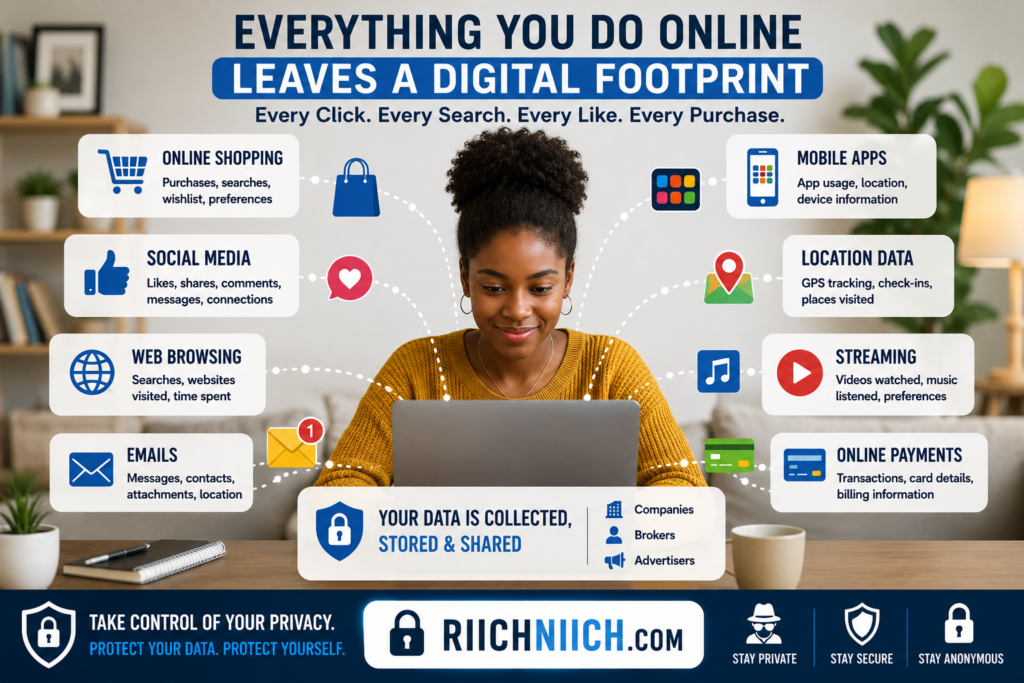
Understanding how your personal information becomes publicly available is one of the most important steps in learning how to stay anonymous online. Many people assume their information is exposed only after a major data breach or cyberattack, but in reality, personal data often spreads through dozens of everyday activities that most people never think about.
From social media accounts to online shopping, loyalty programs, public records, and mobile apps, your information can be collected, shared, sold, and displayed across the internet without your knowledge.
Social Media Sharing
Social media platforms are one of the most common sources of personal information exposure.
Many users voluntarily share details such as:
- Full name
- Birthday
- Employer
- School history
- Relationship status
- Photos
- Location check-ins
While sharing these details may seem harmless, they can help advertisers, data brokers, and even cybercriminals build a detailed profile of your identity.
The more information you share publicly, the harder it becomes to maintain online anonymity.
For anyone serious about how to stay anonymous online, reviewing social media privacy settings should be one of the first steps.
Online Shopping And Loyalty Programs
Every time you make an online purchase, companies may collect valuable personal information.
This often includes:
- Name
- Address
- Email address
- Phone number
- Purchase history
- Payment information
Many retailers also operate loyalty programs that track shopping behavior over time. While these programs provide discounts and rewards, they can also contribute to extensive consumer profiles that may later be shared with marketing partners or data brokers.
Mobile Apps Collect More Data Than Expected
Many mobile apps request permissions that go beyond their core functionality.
Depending on the app, this may include access to:
- Contacts
- Location data
- Camera
- Microphone
- Photos
- Device information
Some apps collect data continuously in the background, even when they are not actively being used.
According to the Mozilla Privacy Not Included Project, many consumer apps collect large amounts of personal information that users may not fully understand when granting permissions.
Reducing unnecessary app permissions is an important part of how to stay anonymous online and improving online privacy protection.
Public Records Are Often Easily Accessible
Many people are surprised to learn that a significant amount of personal information is already available through public records.
Examples include:
- Property ownership records
- Court records
- Marriage records
- Business registrations
- Voter registration records
Data brokers frequently collect information from these sources and combine it with other information gathered from commercial databases.
This information can eventually appear on people-search websites that display personal profiles to anyone who searches for your name.
Data Brokers Buy And Sell Information
One of the biggest reasons personal information spreads online is the data broker industry.
Data brokers collect information from countless sources, including:
- Public records
- Marketing databases
- Retail purchases
- Surveys
- Mobile apps
- Social media activity
- Website tracking technologies
They then organize this information into detailed profiles that may be sold to advertisers, marketers, and other organizations.
For users focused on how to stay anonymous online, reducing data broker exposure is often one of the most effective privacy improvements available.
Website Tracking Technologies
Most websites use tracking technologies that monitor user behavior.
These technologies can collect information such as:
- Pages viewed
- Time spent on websites
- Device information
- Search activity
- Click behavior
- Approximate location
Even if websites do not know your exact identity, they can often build detailed behavioral profiles that follow you across the internet.
The Privacy Rights Clearinghouse provides resources that explain how companies collect, use, and share consumer data online.
Using privacy-focused browsers and VPN services can help reduce some of this tracking and support anonymous browsing.
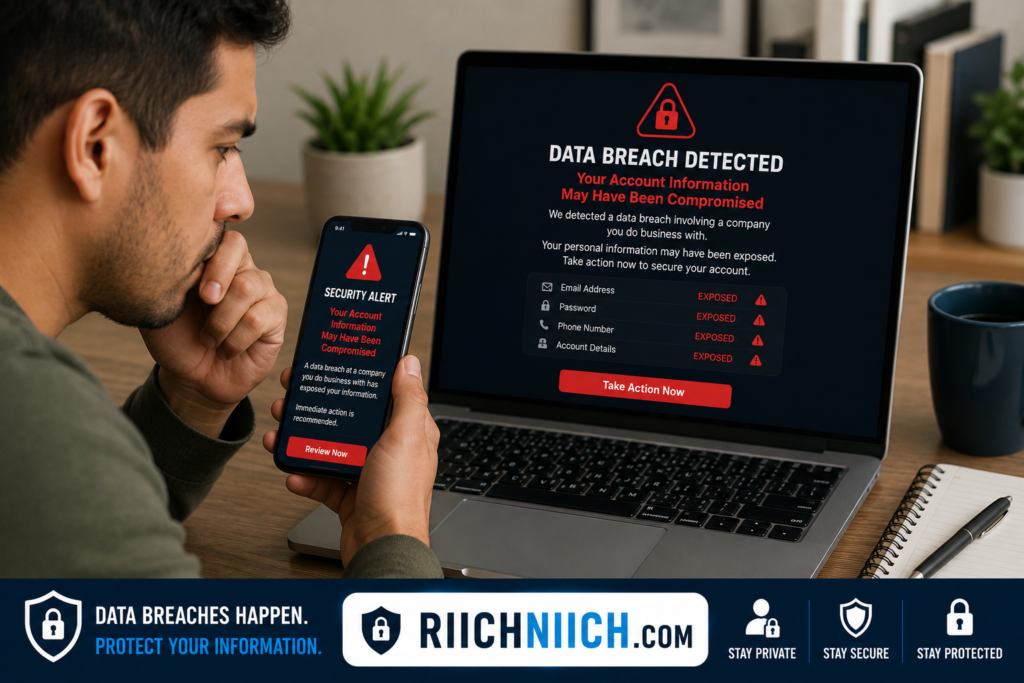
Data Breaches Expose Sensitive Information
Even when you trust a company with your information, that company may eventually suffer a data breach.
When breaches occur, exposed information may include:
- Email addresses
- Passwords
- Phone numbers
- Physical addresses
- Financial information
- Account credentials
Once this information is exposed, it may circulate among cybercriminals, appear on dark web marketplaces, or become available through identity theft operations.
This is why identity monitoring services such as Aura have become increasingly popular among users concerned about online identity protection.
Weak Password Security
Many people unknowingly expose their information through poor password practices.
Common mistakes include:
- Reusing passwords
- Using weak passwords
- Sharing passwords
- Storing passwords insecurely
If one account becomes compromised, attackers may attempt to access multiple accounts using the same credentials.
Strong password security remains a critical part of how to stay anonymous online because compromised accounts often reveal significant amounts of personal information.
Your IP Address Reveals More Than You Think
Every internet-connected device uses an IP address that can reveal information about your location and internet provider.
While an IP address alone may not identify you directly, it contributes another piece of information that companies can use to track and profile users.
VPNs are not a complete anonymity solution, but they can significantly improve online privacy protection when combined with other privacy tools.
The More Data You Share, The Larger Your Digital Footprint
One of the biggest challenges with how to stay anonymous online is that personal information exposure often happens gradually over many years.
A social media post here.
An online purchase there.
A loyalty program signup.
A mobile app download.
A public record filing.
Each action may seem insignificant on its own, but together they create a detailed digital footprint that becomes increasingly difficult to control.
The good news is that understanding how your information gets exposed is the first step toward protecting it. By limiting unnecessary sharing, reducing data broker exposure, using VPNs, strengthening passwords, and monitoring for identity threats, you can significantly improve your privacy and reduce the amount of personal information available about you online.
Search Yourself Online First
If you want to learn how to stay anonymous online, the first step is understanding exactly what information about you is already available on the internet. Many people focus on privacy tools before they know what data is publicly exposed. However, you cannot effectively protect information that you have not identified.
Searching yourself online gives you a clear picture of your current digital footprint and helps you discover where your personal information may be visible to strangers, advertisers, data brokers, and cybercriminals.
Why You Should Search For Yourself
Most people are surprised by how much information can be found with a simple search.
Depending on your online activity, search results may reveal:
- Full name
- Home address
- Phone number
- Email address
- Social media profiles
- Employment history
- Family members
- Public records
- Images and videos
This information can make it easier for scammers, identity thieves, and data brokers to build detailed profiles about you.
When working on how to stay anonymous online, knowing what information is already exposed allows you to prioritize the most important privacy risks first.
Start With Search Engines
Begin by searching your full name on major search engines.
Try variations such as:
- Your full name
- Full name + city
- Full name + state
- Phone number
- Email address
- Username variations
Review the first several pages of search results and take note of any websites displaying personal information.
You may discover:
- People-search websites
- Old social media accounts
- Public profiles
- Forum posts
- Business listings
- Cached content
According to the National Institute of Standards and Technology (NIST) Privacy Framework, understanding what information organizations collect and expose is an important part of managing privacy risks.
Check People-Search Websites
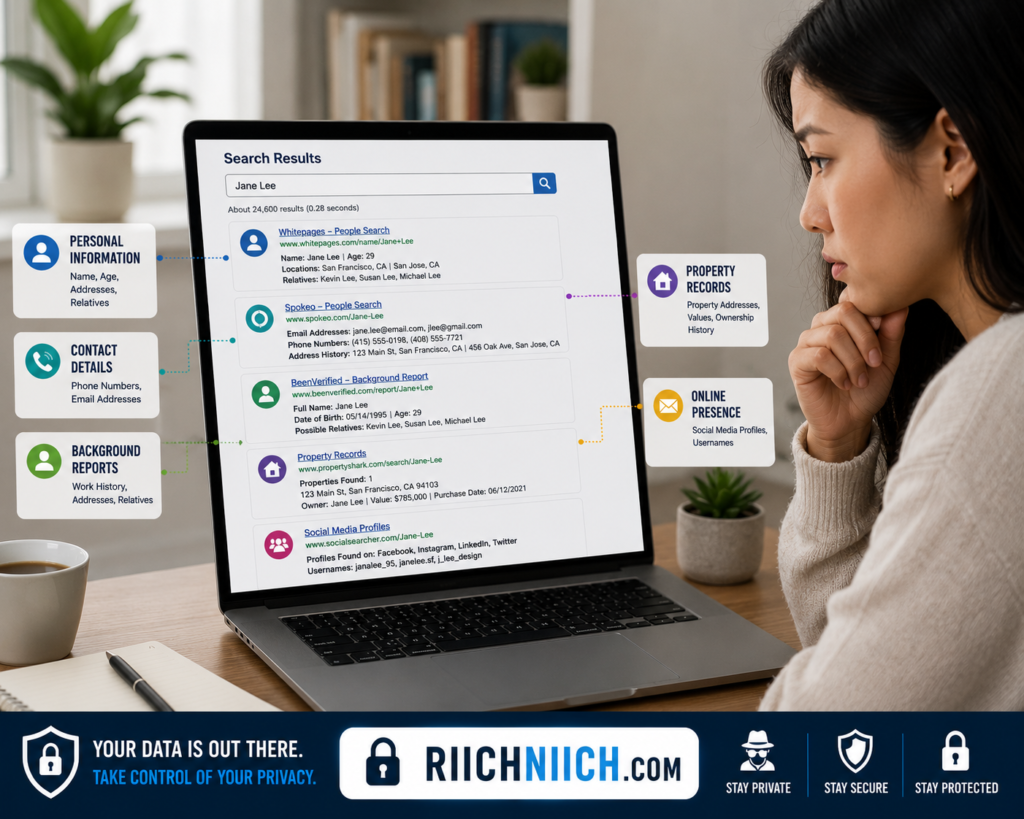
People-search websites are often one of the largest sources of publicly available personal information.
These sites may display:
- Current address
- Previous addresses
- Phone numbers
- Age
- Family members
- Property ownership information
Common people-search websites gather information from public records and data broker databases, making it easy for anyone to find personal details.
If you find your information on these sites, it is a strong indicator that data brokers have collected and distributed your data.
Search Your Email Addresses
Many people focus only on their name and forget about their email addresses.
Search:
- Personal email addresses
- Older email accounts
- Business email addresses
You may discover your email listed in:
- Public directories
- Forum profiles
- Old accounts
- Marketing databases
- Data breach reports
Exposed email addresses increase the risk of spam, phishing attacks, and identity theft attempts.
Finding these exposures early can help improve your online privacy protection efforts.
Review Your Social Media Presence
Social media platforms often contain more personal information than people realize.
Review all major accounts and check what is publicly visible.
Pay attention to:
- Profile information
- Friend lists
- Photos
- Posts
- Tagged content
- Location information
Even information shared years ago may still appear in search results.
Anyone serious about how to stay anonymous online should regularly audit their social media profiles and remove unnecessary public information.
Look For Old Accounts You Forgot About
Many people have accounts they created years ago and completely forgot about.
These accounts may still contain:
- Personal information
- Photos
- Contact details
- Public activity
Search for:
- Old usernames
- Gaming profiles
- Forum accounts
- Blogging platforms
- Community websites
Inactive accounts can become privacy risks because they often remain publicly accessible and may contain outdated information that is still valuable to data brokers and cybercriminals.
Check Whether Your Information Appears In Data Breaches
Data breaches expose millions of records every year.
A breach may reveal:
- Email addresses
- Passwords
- Phone numbers
- Personal identifiers
Discovering exposed accounts can help you secure compromised credentials and reduce future privacy risks.
For additional protection, many people use identity monitoring services such as Aura to receive alerts when personal information appears in breach databases or suspicious activity is detected.
Document Everything You Find
As you search for yourself online, create a simple list or spreadsheet that includes:
- Website name
- Type of information exposed
- Removal options available
- Priority level
This creates a clear action plan for reducing your digital footprint.
You may find dozens of websites displaying personal information, so staying organized makes the removal process much easier.
Use What You Learn To Improve Your Privacy
The purpose of searching yourself online is not to become alarmed. It is to understand your current privacy situation so you can take action.
Once you identify where your information appears, you can begin:
- Removing personal information from the internet
- Submitting opt-out requests
- Deleting unused accounts
- Reducing public social media exposure
- Strengthening account security
- Using privacy-focused tools
Many people are surprised to discover how much information is publicly available until they conduct their first search.
Your Digital Footprint Is The Starting Point
When learning how to stay anonymous online, searching yourself online is often the most important first step. It reveals what others can already see and helps you identify the biggest threats to your online anonymity.
The more you understand your digital footprint, the easier it becomes to remove personal information, reduce data broker exposure, improve anonymous browsing habits, and build a stronger online privacy protection strategy moving forward.
Remove Your Information From Data Broker Sites
If your goal is how to stay anonymous online, one of the most effective actions you can take is removing your information from data broker websites. These companies collect personal information from public records, marketing databases, online activity, social media platforms, and commercial sources, then create detailed profiles that can be searched, sold, or shared.
Even if you are careful about what you post online, data brokers may already have access to information such as your name, address, phone number, email address, age, relatives, and previous residences.
Reducing your presence on these websites is one of the fastest ways to shrink your digital footprint and improve your online privacy protection.
What Are Data Broker Sites?
Data broker sites are companies that gather information from multiple sources and organize it into searchable consumer profiles.
Their information often comes from:
- Public records
- Property records
- Court records
- Marketing databases
- Retail purchases
- Loyalty programs
- Social media activity
- Online registrations
Many people do not realize these profiles exist until they search their own name online.
Some data broker sites make it possible for almost anyone to find personal information within seconds.
This widespread availability of personal information is one of the biggest obstacles to how to stay anonymous online.
Why Data Broker Sites Are A Privacy Risk
Data broker websites can expose far more information than most people expect.
Depending on the site, a profile may include:
- Current address
- Previous addresses
- Phone numbers
- Email addresses
- Family members
- Property ownership history
- Age and date of birth
While much of this information may be legally obtained from public records, its accessibility creates privacy and security concerns.
Cybercriminals, scammers, stalkers, and identity thieves can use these profiles to gather information for targeted attacks.
According to the Identity Theft Resource Center (ITRC), publicly available personal information can contribute to various forms of fraud and identity theft when combined with other exposed data.
Search For Your Information First
Before you can remove your information, you need to know where it appears.
Search for:
- Your full name
- Full name plus city
- Phone number
- Email address
- Previous addresses
Document every data broker site that displays your information.
Creating a simple spreadsheet can help track:
- Website name
- Profile URL
- Removal request status
- Follow-up dates
This process helps identify the biggest sources of exposure and supports your broader effort to learn how to stay anonymous online.
Submit Manual Opt-Out Requests
Most major data broker sites provide an opt-out process that allows individuals to request removal.
The process typically involves:
- Locating your profile
- Submitting a removal request
- Verifying your identity
- Confirming the request through email
While manual removal is free, it can become time-consuming because hundreds of data broker websites may contain your information.
Additionally, some sites periodically republish information after removal, requiring ongoing monitoring.
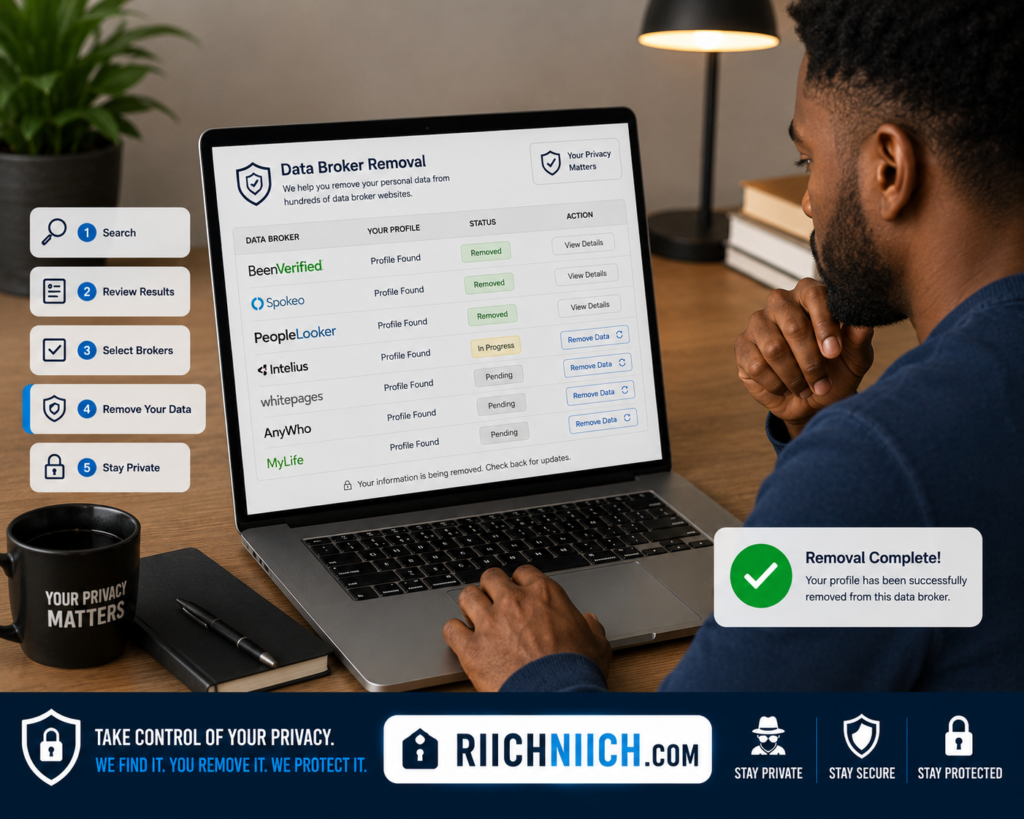
Use Automated Data Removal Services
For many people, manually removing information from dozens or hundreds of websites is unrealistic.
These services help automate the removal process by:
- Identifying participating data brokers
- Submitting removal requests
- Tracking progress
- Monitoring for reappearances
- Continuing removal efforts over time
Automated services are especially useful for individuals focused on how to stay anonymous online because they provide ongoing protection rather than one-time removals.
Understand That Information Can Reappear
One common misconception is that removing information once permanently solves the problem.
Unfortunately, data brokers frequently acquire updated information from new sources.
This means your information can sometimes reappear after removal.
Sources that may repopulate records include:
- New public records
- Marketing databases
- Business transactions
- Online registrations
- Third-party data providers
This is why continuous monitoring is often necessary to maintain long-term online anonymity.
Remove Information From People-Search Sites
Many people-search websites obtain their information directly from data brokers.
If you find your information on:
- People-search directories
- Background check websites
- Public profile aggregators
You should submit removal requests there as well.
Reducing visibility on these websites helps support anonymous internet browsing and makes it harder for strangers to gather information about you.
Combine Data Removal With Other Privacy Tools
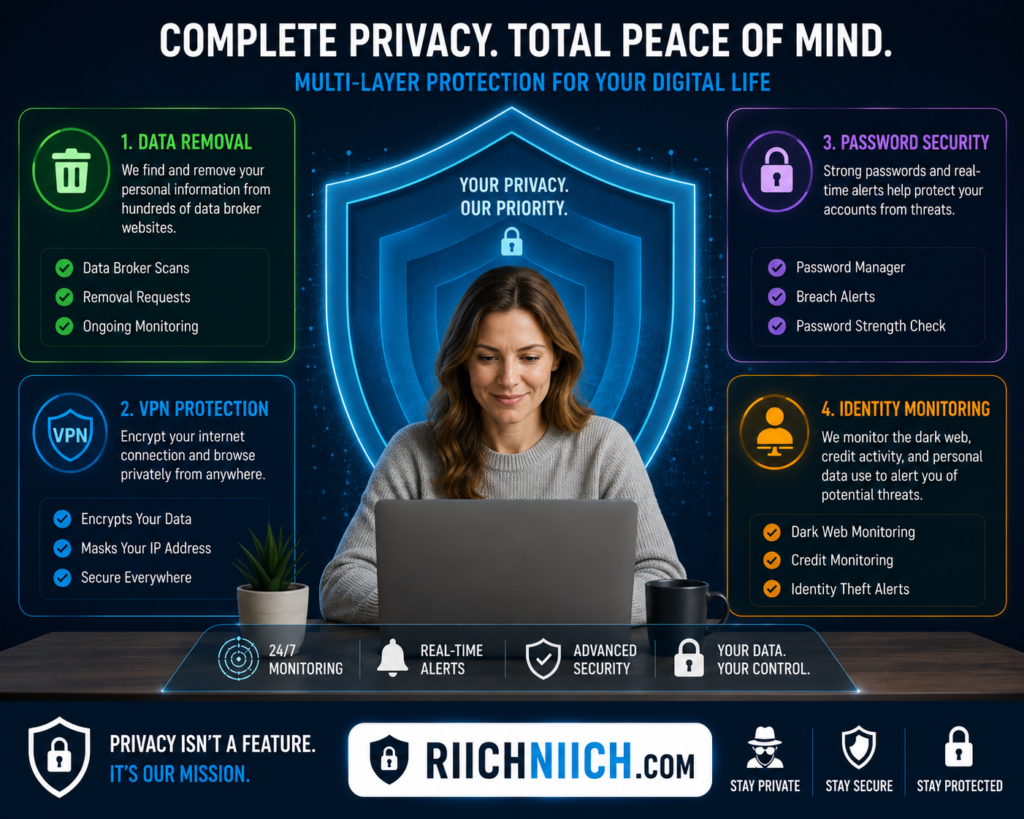
Removing information from data broker sites is one of the most powerful privacy improvements you can make, but it works best when combined with other protections.
Additional privacy tools include:
- VPN services such as NordVPN, Surfshark, and ProtonVPN
- Password managers such as NordPass
- Identity monitoring services such as Aura
- Strong privacy settings on social media accounts
👉 For users who prioritize privacy above everything else, ProtonVPN is known for its privacy-first philosophy and transparent approach to security.
Each layer helps reduce the amount of personal information available to companies, advertisers, and cybercriminals.
Data Broker Removal Is One Of The Most Effective Privacy Steps
When people ask how to stay anonymous online, they often focus on VPNs or private browsers first. While those tools are important, removing your information from data broker sites often has a much larger impact on reducing your public exposure.
Data brokers are responsible for distributing vast amounts of personal information across the internet. By identifying where your information appears and actively removing it, you can significantly reduce your digital footprint, improve online privacy protection, and make it much harder for others to find personal details about you online.
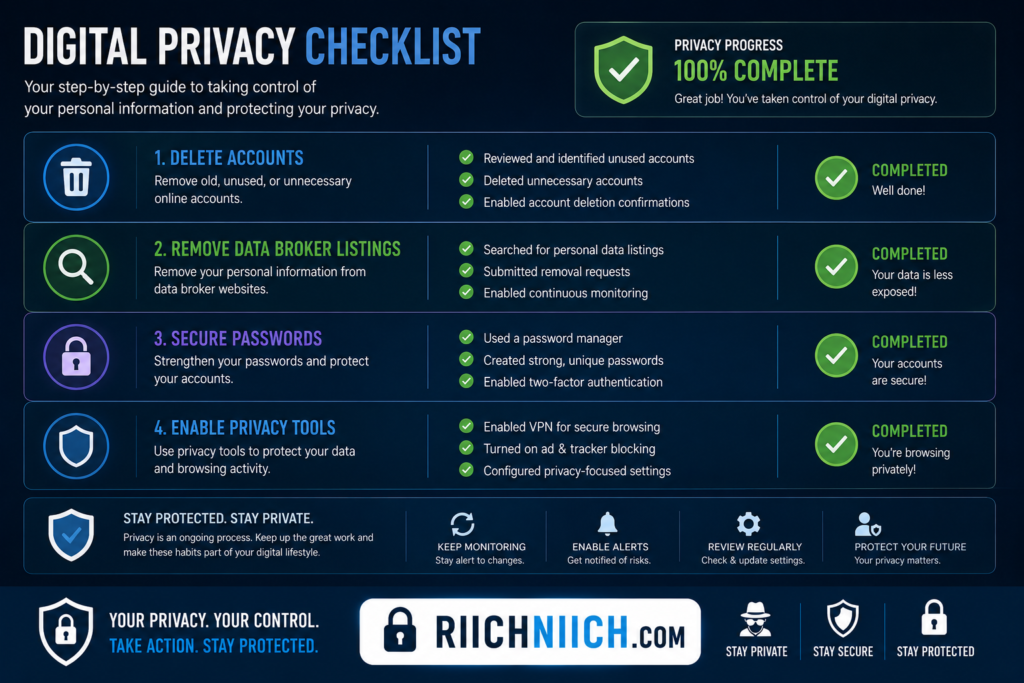
Delete Old Accounts You No Longer Use
One of the most overlooked steps in how to stay anonymous online is deleting old accounts you no longer use. Over the years, most people create dozens—or even hundreds—of accounts across websites, apps, forums, social media platforms, online stores, and subscription services. Many of these accounts are forgotten, but the personal information connected to them often remains active.
Every unused account increases your digital footprint and creates another potential source of data exposure. If your goal is to improve online privacy protection and reduce the amount of personal information available about you, cleaning up old accounts should be a priority.
Why Old Accounts Are A Privacy Risk
Many inactive accounts still contain valuable personal information.
This may include:
- Full name
- Email address
- Phone number
- Physical address
- Payment history
- Profile photos
- Personal messages
Even if you have not logged into an account for years, that information may still be stored on company servers.
The more accounts you maintain, the more opportunities there are for your information to be exposed through data breaches, unauthorized access, or data-sharing agreements.
Reducing these accounts is a simple but effective step in how to stay anonymous online.
Forgotten Accounts Increase Your Attack Surface
Cybercriminals often target old accounts because users rarely monitor them.
Common risks include:
- Weak passwords
- Reused passwords
- Outdated security settings
- Unmonitored email addresses
If a forgotten account becomes compromised, attackers may gain access to personal information that can be used for phishing attacks, account takeovers, or identity theft.
The fewer inactive accounts you maintain, the fewer opportunities attackers have to exploit them.
Start By Finding Old Accounts
Many people underestimate how many accounts they have created over the years.
A good starting point is reviewing:
- Email inboxes
- Password manager records
- App store download history
- Social media logins
- Subscription confirmations
Search your email inbox for terms such as:
- Welcome
- Verify account
- Registration
- Confirm email
- Subscription
This often reveals accounts that were forgotten years ago.
Identifying these accounts helps reduce your digital footprint and supports your efforts to maintain anonymous browsing habits.
Delete Accounts Instead Of Simply Ignoring Them
Many people stop using a service and assume their information is no longer stored.
In reality, most companies retain account data until you specifically request deletion.
Whenever possible:
- Log into the account.
- Remove personal information.
- Delete stored payment methods.
- Submit an account deletion request.
- Confirm deletion through email.
Deleting the account is usually more effective than simply abandoning it.
According to the Consumer Reports Digital Privacy Resources, consumers should actively manage old accounts and remove unnecessary personal information whenever possible.
Remove Personal Information Before Deleting
Some websites retain portions of user information even after account closure.
Before deleting an account, consider removing:
- Profile photos
- Personal descriptions
- Contact information
- Saved addresses
- Stored payment details
This extra step can reduce the amount of personal information retained in archived records.
For individuals focused on how to stay anonymous online, minimizing stored personal data wherever possible is a smart long-term strategy.
Prioritize High-Risk Accounts
Not all accounts carry the same privacy risks.
Focus first on accounts that contain:
- Financial information
- Personal contact details
- Sensitive communications
- Location history
- Public profile information
Examples include:
- Shopping websites
- Social media platforms
- Dating apps
- Forum accounts
- Subscription services
These accounts often contain the most valuable personal information and should be reviewed first.
Old Accounts Can Appear In Data Breaches
Many people assume inactive accounts are harmless. Unfortunately, old accounts can still become exposed during future data breaches.
When a company experiences a breach, attackers may gain access to:
- Email addresses
- Passwords
- Personal details
- Security questions
The exposed information may later appear on dark web marketplaces or data broker databases.
The Cybersecurity & Infrastructure Security Agency (CISA) Secure Our World Program recommends reducing unnecessary online accounts and maintaining strong account security practices to lower cybersecurity risks.
Deleting accounts you no longer need reduces the amount of information that can potentially be exposed in future incidents.
Use Strong Passwords For Accounts You Keep
While removing unnecessary accounts is important, you will still maintain accounts for essential services.
For those accounts:
- Use strong passwords
- Avoid password reuse
- Enable multi-factor authentication
- Monitor account activity
Strong password management remains an important part of how to stay anonymous online because compromised accounts often reveal personal information that can be linked back to your identity.
Combine Account Cleanup With Other Privacy Tools
Deleting old accounts is most effective when combined with other privacy measures.
Consider pairing account cleanup with:
- Data broker removal through Incogni or DeleteMe
- VPN protection from NordVPN, Surfshark, or ProtonVPN
- Identity monitoring through Aura
- Improved social media privacy settings
Each step helps reduce the amount of information available about you online.
Fewer Accounts Mean Better Privacy
When learning how to stay anonymous online, many people focus on advanced privacy tools while overlooking old accounts. Yet unused accounts often contain years of personal information that no longer serves any purpose.
By identifying forgotten accounts, removing unnecessary personal information, and permanently deleting services you no longer use, you can significantly reduce your digital footprint. The fewer places your information exists online, the easier it becomes to improve online anonymity, strengthen online privacy protection, and protect your identity from future exposure.
Use A VPN To Hide Your IP Address
If you’re serious about how to stay anonymous online, using a VPN is one of the most effective steps you can take. A Virtual Private Network (VPN) helps protect your online privacy by hiding your real IP address and encrypting your internet traffic, making it more difficult for websites, advertisers, internet service providers, and cybercriminals to track your online activity.
While a VPN does not make you completely anonymous, it is one of the most important tools for reducing your digital footprint and improving anonymous browsing.
What Is An IP Address?
Every device connected to the internet has an IP address.
An IP address functions like a digital identifier that helps websites and online services communicate with your device.
Although your IP address does not typically reveal your exact home address, it can often expose:
- Your general location
- Your internet service provider
- Your region or city
- Device activity patterns
Websites can combine your IP address with other collected data to create detailed profiles about your online behavior.
This is why hiding your IP address is a key part of how to stay anonymous online.
How A VPN Hides Your IP Address
A VPN works by routing your internet traffic through a secure server before it reaches the websites you visit.
👉 If you’re looking for a privacy-focused VPN, NordVPN is one of the most effective options for hiding your IP address and reducing online tracking.
Instead of seeing your real IP address, websites see the VPN server’s IP address.
This creates several privacy benefits:
- Hides your actual location
- Reduces online tracking
- Encrypts internet traffic
- Improves anonymous browsing
- Adds protection on public WiFi networks
As a result, companies have less information available to connect your browsing activity directly to you.
Why IP Address Privacy Matters
Many users underestimate how much information can be inferred from an IP address.
Without VPN protection:
- Websites can log your IP address
- Advertising networks can build profiles
- Data collection companies can track activity
- Public WiFi operators can potentially monitor traffic
Over time, this information contributes to your overall digital footprint.
Anyone working on how to stay anonymous online should understand that hiding an IP address reduces one of the most common methods used for online tracking.
VPNs Help Protect You On Public WiFi
Public WiFi networks are convenient, but they often come with security risks.
Common locations include:
- Coffee shops
- Airports
- Hotels
- Restaurants
- Libraries
On unsecured networks, attackers may attempt to intercept internet traffic or monitor connected devices.
The National Security Agency Cybersecurity Information Sheets recommend using encrypted connections when accessing sensitive information on public networks.
Using a VPN adds an important layer of protection by encrypting your internet traffic before it leaves your device.
For a deeper look at the risks involved, read our guide on Public WiFi Dangers and how hackers can exploit unsecured networks.
A VPN Helps Reduce Online Tracking
Many websites use tracking technologies to monitor visitor behavior.
They may collect information such as:
- Pages visited
- Search activity
- Device information
- Session data
- Location estimates
A VPN helps reduce the amount of information available by masking your real IP address.
Although websites may still use cookies and other tracking methods, VPNs remain an important component of online privacy protection.
For users learning how to stay anonymous online, combining VPN protection with privacy-focused browsers and strong privacy settings can significantly improve anonymity.
Not All VPNs Offer The Same Level Of Privacy
When choosing a VPN, privacy features matter.
Look for services that offer:
- Strong encryption
- No-logs policies
- DNS leak protection
- Kill switch functionality
- Large server networks
Popular privacy-focused VPN services include:
- NordVPN
- Surfshark
- ProtonVPN
If you’re trying to choose the right provider, see our comparison of the Best VPNs for Privacy to find the option that best fits your needs.
These services are commonly recommended by privacy advocates because they provide security features designed to improve anonymous internet browsing and protect user data.
A VPN Is Not Complete Online Anonymity
One common misconception is that installing a VPN instantly makes you anonymous online.
In reality, a VPN only protects one part of your privacy.
You can still expose personal information through:
- Social media accounts
- Data broker listings
- Online purchases
- Account registrations
- Public profiles
This is why how to stay anonymous online requires multiple layers of protection rather than relying on a single tool.
Combine A VPN With Other Privacy Tools
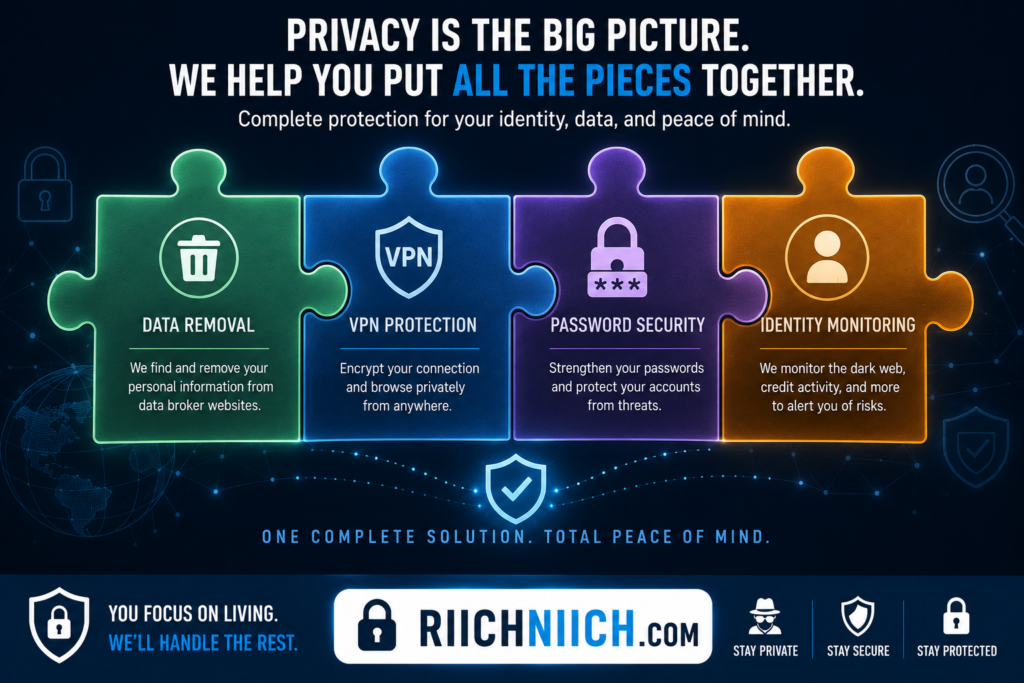
For stronger online privacy protection, consider combining a VPN with:
- Data broker removal services such as Incogni and DeleteMe
- Password managers such as NordPass
- Identity monitoring services such as Aura
- Privacy-focused browsing habits
Each tool addresses a different area of online privacy and security.
Together, they help reduce your digital footprint and make it more difficult for companies and cybercriminals to collect information about you.
A VPN Is One Of The Easiest Privacy Upgrades
When people begin researching how to stay anonymous online, using a VPN is often one of the quickest and most effective improvements they can make. By hiding your IP address, encrypting your internet traffic, and reducing online tracking, a VPN helps create a more private browsing experience.
Use Private Search Engines Instead Of Google
If your goal is how to stay anonymous online, switching to a private search engine is one of the easiest changes you can make. Most people use search engines every day without realizing how much information their searches can reveal. Search history often contains highly personal details about interests, finances, health concerns, travel plans, shopping habits, and other sensitive topics.
While traditional search engines provide convenience, they may also collect information that contributes to your digital footprint. Using a private search engine can help reduce online tracking and support stronger online privacy protection.
Why Search Privacy Matters
Every search you perform creates data.
Search engines may collect information such as:
- Search queries
- Device information
- Approximate location
- Browser details
- IP address
- Search history
Over time, this information can create a detailed profile of your interests and online behavior.
For anyone researching how to stay anonymous online, reducing the amount of search-related data collected is an important step toward improving anonymous browsing.
How Traditional Search Engines Track Users
Many search engines personalize results based on previous activity.
This may involve collecting information from:
- Search history
- Browsing history
- Account activity
- Location information
- Advertising profiles
The result is a highly customized experience, but it often comes at the cost of privacy.
The more information collected, the easier it becomes for companies to build detailed consumer profiles that can be used for advertising and other purposes.
What Makes A Search Engine Private?
Private search engines focus on minimizing data collection.
Many privacy-focused search engines avoid:
- Storing search histories
- Building user profiles
- Tracking search activity across websites
- Selling personal data to advertisers
Instead of creating a detailed record of your behavior, they prioritize anonymous internet browsing and stronger user privacy.
According to the Privacy International Privacy Resources, limiting unnecessary data collection is one of the most effective ways to improve personal privacy online.
Popular Private Search Engines
Several private search engines have become popular among privacy-conscious users.
Some commonly recommended options include:
- DuckDuckGo
- Startpage
- Brave Search
- Swisscows
- Mojeek
Each offers different privacy features, but they share a common goal of reducing user tracking.
For people focused on how to stay anonymous online, using one of these alternatives can help limit the amount of personal information collected during everyday searches.
Private Search Engines Help Reduce Your Digital Footprint
Every search creates potential data points that can be linked to your online identity.
Private search engines help reduce this exposure by limiting:
- Search logging
- User profiling
- Behavioral tracking
- Advertising personalization
While they do not eliminate all forms of online tracking, they help reduce one major source of data collection.
This makes them a useful addition to a broader online privacy protection strategy.
Search Privacy Works Best With Other Privacy Tools
Using a private search engine is valuable, but it should not be viewed as a complete anonymity solution.
Websites may still collect information through:
- Cookies
- Account logins
- Browser fingerprinting
- Data broker databases
- Public profiles
That is why how to stay anonymous online requires multiple layers of protection rather than relying on a single privacy tool.
Pair Private Search Engines With A VPN
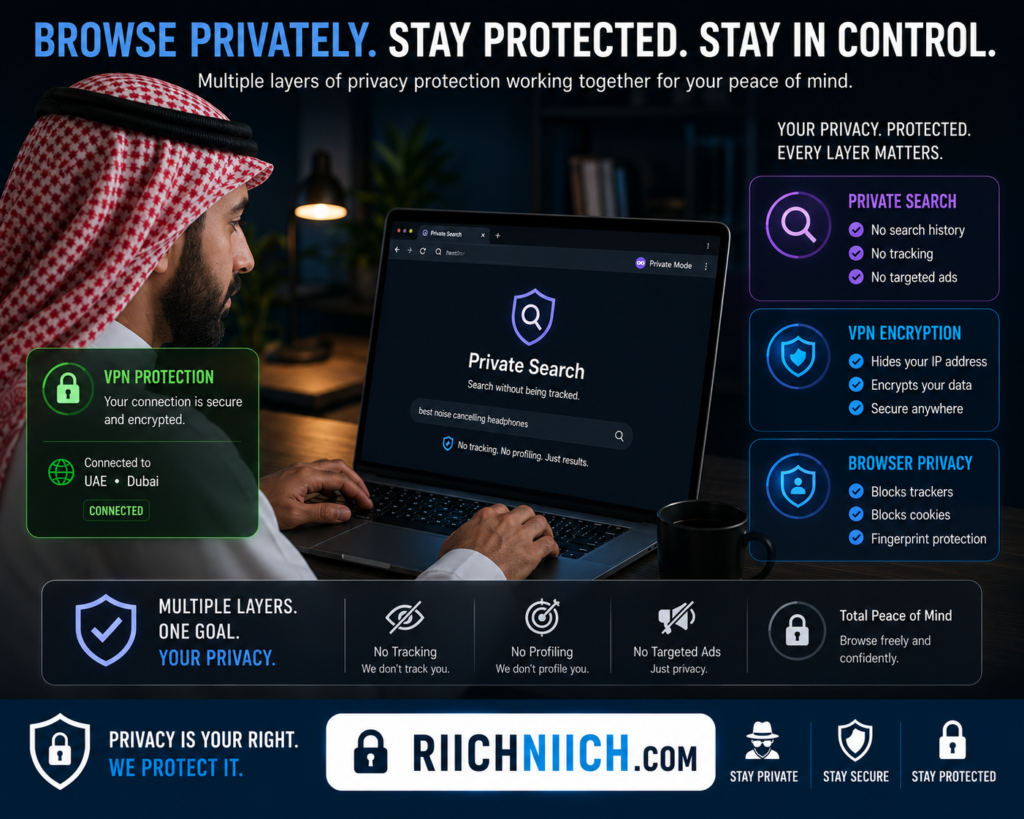
Even when using a privacy-focused search engine, websites may still see your IP address.
A VPN helps hide your IP address while the private search engine reduces search-related tracking.
Together, they provide stronger anonymous browsing and improve overall online privacy protection.
Remove Public Information That Search Engines Can Find
Search engines often index information that already exists elsewhere online.
This may include:
- People-search profiles
- Data broker listings
- Public records
- Social media profiles
Even if you switch to a private search engine, that information may still remain publicly accessible.
To further support how to stay anonymous online, consider using data removal services such as Incogni or DeleteMe to help remove personal information from the internet and reduce data broker exposure.
Secure The Accounts Connected To Your Searches
Many users perform searches while logged into various online accounts.
If those accounts are compromised, attackers may gain access to valuable personal information.
Strong account security complements private search habits and helps reduce identity theft risks.
Monitor Your Privacy Beyond Search Activity
Search privacy is only one part of protecting your online identity.
Data breaches, exposed accounts, and publicly available personal information can still impact your privacy even if you use a private search engine.
Many users supplement their privacy strategy with identity monitoring services such as Aura, which can help detect suspicious activity, exposed information, and potential identity theft risks.
Combining privacy tools creates a more complete defense against unwanted tracking and data exposure.
Private Search Engines Are A Simple Privacy Upgrade
When learning how to stay anonymous online, many people focus on advanced privacy tools and overlook the search engine they use every day. Yet search activity often reveals some of the most personal information about a person’s interests, habits, and behavior.
Switching to a private search engine can help reduce search tracking, limit data collection, and support anonymous internet browsing. When combined with VPN protection, data broker removal, strong password security, and identity monitoring, private search engines become an important part of a comprehensive online privacy protection strategy.
Create Strong And Unique Passwords
One of the most important steps in how to stay anonymous online is creating strong and unique passwords for every account you use. Even the best privacy tools cannot protect your personal information if attackers can easily gain access to your accounts through weak passwords.
Many people focus on anonymous browsing, VPNs, and data broker removal while overlooking password security. However, compromised accounts are one of the fastest ways for cybercriminals to access personal information, expose your identity, and increase your digital footprint.
Strong password habits are a fundamental part of online privacy protection and identity security.
Why Passwords Matter For Online Privacy
Every online account contains some level of personal information.
Depending on the account, this may include:
- Email addresses
- Phone numbers
- Physical addresses
- Financial information
- Personal messages
- Search history
- Stored documents
If a hacker gains access to one of these accounts, they may collect information that can be used to identify you, impersonate you, or target you in future attacks.
For anyone learning how to stay anonymous online, strong passwords help prevent unauthorized access that can expose sensitive personal information.
Weak Passwords Are Easy To Crack
Many people continue to use passwords that are easy to guess.
Common examples include:
- 123456
- password
- qwerty
- birthdates
- pet names
- simple word combinations
These passwords are frequently included in automated password-cracking tools used by cybercriminals.
According to the National Cyber Security Centre Password Guidance, weak passwords remain one of the most common causes of account compromise.
Using stronger passwords significantly reduces this risk.
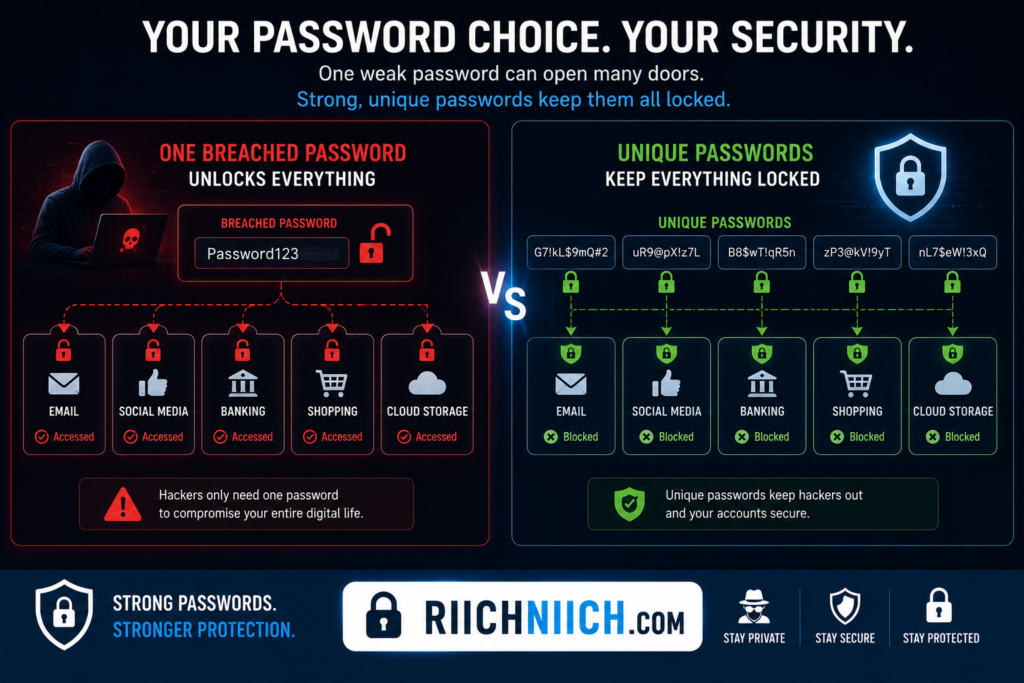
Use A Different Password For Every Account
One of the biggest password mistakes is reusing the same password across multiple accounts.
While this may seem convenient, it creates a serious security problem.
If one account becomes exposed in a data breach, attackers often attempt to use the same credentials elsewhere.
This tactic, known as credential stuffing, can compromise:
- Email accounts
- Banking accounts
- Social media profiles
- Shopping websites
- Work accounts
Creating unique passwords for every account is a critical step in how to stay anonymous online because it prevents one breach from exposing your entire digital life.
What Makes A Strong Password?
Strong passwords are difficult for both humans and computers to guess.
Good passwords typically include:
- Long character length
- Uppercase letters
- Lowercase letters
- Numbers
- Special characters
A strong password should avoid:
- Names
- Birthdays
- Common words
- Personal information
- Predictable patterns
The more unique and complex a password becomes, the more difficult it is for attackers to crack.
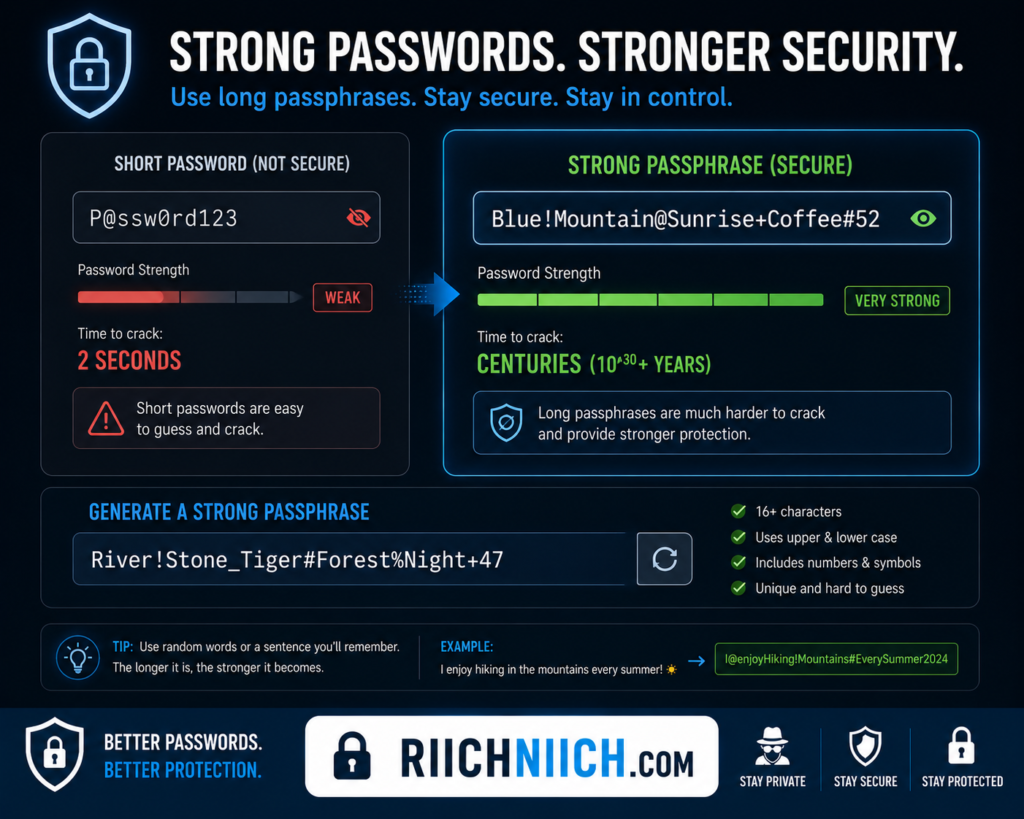
Passphrases Can Improve Security
Instead of using short, complex passwords that are difficult to remember, many security experts recommend passphrases.
A passphrase combines multiple unrelated words into a longer password.
For example:
- Randomly selected words
- Longer sentence-style combinations
- Unique personal phrases
Longer passwords are generally harder to crack than shorter passwords, even when they are easier for users to remember.
This approach supports both account security and online privacy protection.
Data Breaches Make Password Security Essential
Data breaches occur regularly across businesses, retailers, and online platforms.
When breaches happen, exposed information may include:
- Usernames
- Email addresses
- Password hashes
- Account details
Cybercriminals often use this information to launch additional attacks against victims.
The Center for Internet Security (CIS) Cybersecurity Resources recommends using strong, unique credentials to reduce the impact of data breaches and account compromise.
For users focused on how to stay anonymous online, protecting accounts against breach-related attacks is essential.
Strong Passwords Help Protect Your Identity
Many people associate password security only with account access.
In reality, passwords play a major role in identity protection.
Compromised accounts may reveal:
- Personal information
- Financial records
- Private communications
- Sensitive documents
This information can later be used for identity theft, phishing attacks, or social engineering schemes.
Strong passwords make it significantly harder for attackers to obtain these details.
Use A Password Manager For Better Security
Managing dozens of unique passwords manually is difficult.
This is why many privacy-conscious users rely on password managers.
Password managers help:
- Generate strong passwords
- Store passwords securely
- Fill login credentials automatically
- Reduce password reuse
- Improve account security
To compare the leading options available today, see our guide to the Best Password Managers.
For individuals serious about how to stay anonymous online, password managers provide one of the simplest ways to improve security across all accounts.
Combine Strong Passwords With Other Privacy Tools
Strong passwords are most effective when combined with additional privacy protections.
Consider pairing password security with:
- VPN services such as NordVPN, Surfshark, and ProtonVPN
- Data broker removal services such as Incogni and DeleteMe
- Identity monitoring services such as Aura
- Multi-factor authentication
Each layer helps protect different aspects of your online identity and reduces opportunities for attackers to collect personal information.
Strong Passwords Are A Foundation Of Online Anonymity
When people think about how to stay anonymous online, they often focus on hiding their IP address or removing personal information from data broker websites. While those steps are important, strong passwords remain one of the most critical defenses against account compromise and identity exposure.
By creating unique passwords for every account, avoiding password reuse, using passphrases, and managing credentials with tools, you can significantly improve your online privacy protection and reduce the risk of cybercriminals gaining access to your personal information.
Use A Password Manager
If you are serious about how to stay anonymous online, using a password manager is one of the smartest security upgrades you can make. While creating strong and unique passwords is essential, managing dozens or even hundreds of passwords manually is difficult for most people. As a result, many users reuse passwords across multiple accounts, which significantly increases their privacy and security risks.
A password manager helps solve this problem by securely storing your passwords and generating strong credentials for every account you use.
What Is A Password Manager?
A password manager is a tool that securely stores, manages, and generates passwords.
Instead of remembering dozens of unique passwords, you only need to remember one master password.
The password manager handles the rest by:
- Storing login credentials securely
- Generating strong passwords
- Automatically filling login forms
- Syncing passwords across devices
- Helping prevent password reuse
This makes it much easier to maintain good security habits while improving online privacy protection.
Why Most People Reuse Passwords
Many people have accounts across:
- Email services
- Social media platforms
- Shopping websites
- Streaming services
- Financial institutions
- Work applications
Remembering a unique password for every account can feel overwhelming.
As a result, users often:
- Reuse passwords
- Create weak passwords
- Use predictable variations
- Store passwords insecurely
Unfortunately, these habits make accounts much easier for attackers to compromise.
For anyone focused on how to stay anonymous online, reducing password reuse is one of the most important security improvements available.
Password Reuse Creates A Major Security Risk
When one website experiences a data breach, attackers frequently obtain usernames and passwords.
They then attempt to use those credentials on other websites.
This attack method is known as credential stuffing.
If you reuse passwords, a single breach could potentially expose:
- Email accounts
- Banking accounts
- Social media profiles
- Shopping accounts
- Personal records
Using a password manager helps eliminate this risk by creating unique passwords for every account.
Password Managers Generate Strong Passwords Automatically
One of the biggest benefits of a password manager is automatic password generation.
Instead of creating passwords yourself, the software can generate credentials that are:
- Long
- Random
- Unique
- Difficult to crack
These passwords are significantly more secure than passwords created manually by most users.
Strong passwords support both account security and online anonymity.
Password Managers Improve Online Privacy
Many people think password managers are only security tools, but they also support privacy goals.
Compromised accounts often expose:
- Personal information
- Private messages
- Contact details
- Financial information
- Browsing activity
By reducing the likelihood of account compromise, password managers help limit the amount of personal information that can be exposed online.
This makes them an important tool for anyone working on how to stay anonymous online.
Password Managers Save Time
Security should not make daily life more difficult.
Password managers simplify account management by:
- Automatically filling login forms
- Storing credentials securely
- Updating passwords quickly
- Organizing account information
Instead of resetting forgotten passwords constantly, users gain both convenience and stronger security.
Popular Password Manager Features
Modern password managers often include additional security tools such as:
- Password health reports
- Breach monitoring
- Secure notes
- Multi-device synchronization
- Password sharing features
- Two-factor authentication support
These features help users strengthen overall account security and improve their online privacy protection strategy.
NordPass Is A Popular Password Manager Option
For users looking to improve how to stay anonymous online, NordPass is a popular password manager that helps generate, store, and organize secure credentials.
Using a password manager makes it easier to:
- Create unique passwords
- Eliminate password reuse
- Improve account security
- Reduce identity theft risks
The easier password management becomes, the more likely users are to follow strong security practices consistently.
Pair Password Managers With Other Privacy Tools
Password managers work best when combined with other privacy-focused tools.
For stronger online anonymity, consider combining password management with:
- VPN services such as NordVPN, Surfshark, and ProtonVPN
- Data broker removal services such as Incogni and DeleteMe
- Identity monitoring services such as Aura
- Multi-factor authentication
Each layer protects a different part of your digital identity and helps reduce opportunities for attackers to collect personal information.
Password Managers Help Protect Your Digital Identity
Learning how to stay anonymous online involves much more than hiding your IP address or reducing your public information. Protecting your accounts is equally important because compromised accounts can reveal significant amounts of personal data.
By using a password manager, generating strong passwords, and eliminating password reuse, you can significantly reduce your risk of account compromise. Combined with VPN protection, data broker removal, and identity monitoring, password managers play a vital role in building a stronger online privacy protection strategy and maintaining better control over your digital identity.
Enable Multi-Factor Authentication
If you want to improve how to stay anonymous online, enabling multi-factor authentication (MFA) is one of the most effective security measures available. Even strong passwords can be stolen through phishing attacks, malware, data breaches, or other cyber threats. Multi-factor authentication adds an additional layer of protection that makes it significantly harder for attackers to access your accounts.
For anyone focused on online privacy protection, anonymous browsing, and protecting personal information, MFA should be enabled on every important account whenever possible.
What Is Multi-Factor Authentication?
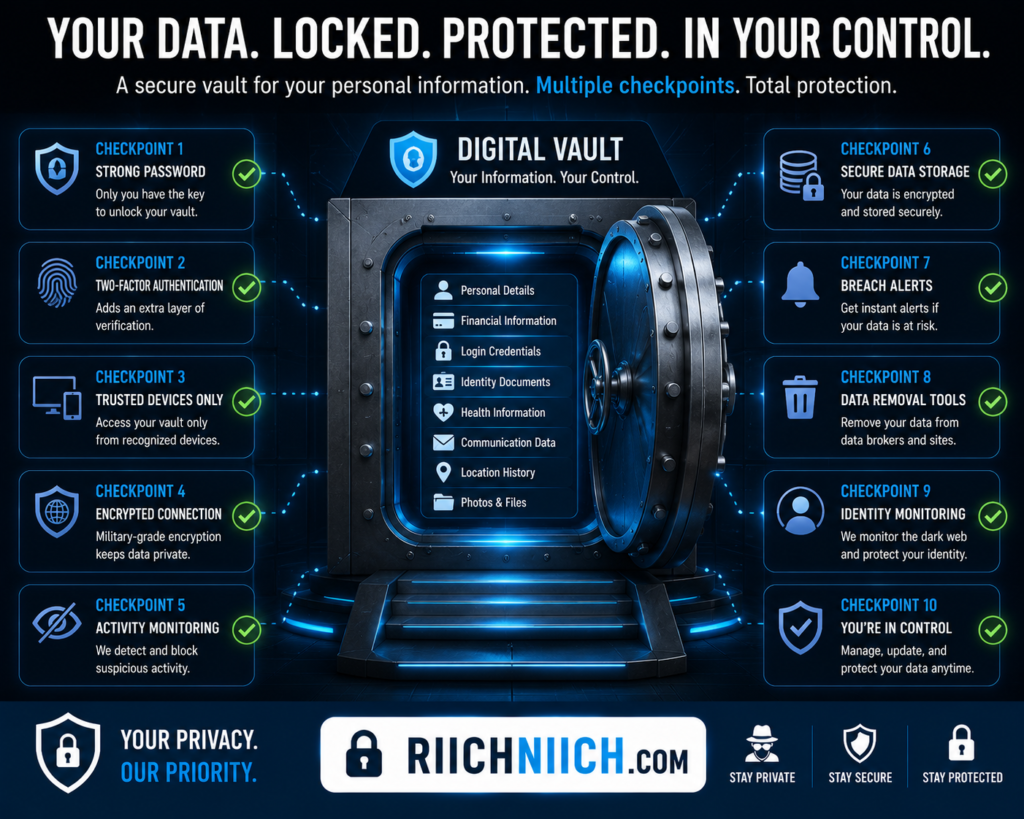
Multi-factor authentication requires users to verify their identity using more than one method before gaining access to an account.
Typically, this involves combining:
- Something you know (password)
- Something you have (phone or security key)
- Something you are (fingerprint or facial recognition)
Instead of relying solely on a password, MFA adds an extra verification step that attackers must bypass.
This additional protection makes a major difference when working toward how to stay anonymous online because it helps prevent unauthorized access to personal accounts.
Why Passwords Alone Are Not Enough
Strong passwords are important, but they are not perfect.
Passwords can be compromised through:
- Data breaches
- Phishing scams
- Malware infections
- Credential stuffing attacks
- Social engineering
Even users who create strong passwords may eventually encounter situations where credentials become exposed.
If MFA is enabled, attackers usually cannot access the account without the second verification factor.
This dramatically reduces the likelihood of account compromise.
MFA Helps Protect Your Personal Information
Many online accounts contain sensitive personal information.
Examples include:
- Email accounts
- Banking apps
- Shopping websites
- Cloud storage
- Social media accounts
If attackers gain access to these accounts, they may obtain information that can be used for identity theft, fraud, or further attacks.
Enabling MFA helps protect:
- Contact information
- Financial records
- Private communications
- Stored documents
- Personal account data
This makes MFA an important part of how to stay anonymous online and maintaining better control over your digital identity.
Email Accounts Should Be Your First Priority
Your email account is often the most important account you own.
Many websites use email for:
- Password resets
- Security alerts
- Account recovery
- Login verification
If a cybercriminal gains access to your email account, they may be able to access many of your other accounts as well.
For this reason, email accounts should be among the first services where MFA is enabled.
Protecting your email significantly strengthens your overall online privacy protection strategy.
Types Of Multi-Factor Authentication
Several MFA methods are commonly available.
These include:
Authentication Apps
Authentication apps generate temporary verification codes that change frequently.
Examples include:
- Google Authenticator
- Microsoft Authenticator
- Authy
Many security experts consider authentication apps safer than SMS verification.
SMS Verification
SMS-based MFA sends verification codes through text messages.
While better than using only a password, SMS authentication may be vulnerable to SIM-swapping attacks.
Security Keys
Hardware security keys provide one of the strongest forms of MFA.
These physical devices must be connected or tapped before account access is granted.
MFA Helps Reduce Identity Theft Risks
Many identity theft cases begin with account compromise.
Once attackers gain access to accounts, they may collect:
- Personal information
- Financial data
- Contact details
- Sensitive documents
This information can then be used to impersonate victims or launch additional attacks.
Enabling MFA significantly reduces these risks by making unauthorized access much more difficult.
For individuals researching how to stay anonymous online, preventing account takeovers is a critical part of protecting personal information.
MFA Supports Anonymous Browsing And Privacy
Many people focus on VPNs and data broker removal when improving privacy.
While these tools are valuable, account security is equally important.
If your accounts become compromised, attackers may gain access to information that reveals:
- Identity details
- Browsing habits
- Personal communications
- Financial activity
Strong account protection helps preserve your online anonymity and reduces opportunities for information exposure.
Combine MFA With A Password Manager
Multi-factor authentication works best when paired with strong passwords.
A password manager can help:
- Generate strong passwords
- Eliminate password reuse
- Secure login credentials
- Simplify account management
Together, password managers and MFA provide significantly stronger protection than either tool alone.
Layer MFA With Other Privacy Tools
If your goal is how to stay anonymous online, MFA should be combined with additional privacy-focused tools.
Consider using:
- NordVPN, Surfshark, or ProtonVPN for IP address privacy
- Incogni or DeleteMe for data broker removal
- Aura for identity monitoring
- Strong password management through NordPass
Each layer addresses a different privacy or security risk while helping reduce your digital footprint.
Multi-Factor Authentication Is One Of The Best Security Upgrades Available
When learning how to stay anonymous online, many people focus on hiding their information from others. However, protecting the accounts that contain your personal information is equally important.
Multi-factor authentication provides a simple but powerful layer of defense against cybercriminals. By requiring additional verification beyond a password, MFA helps prevent account takeovers, reduces identity theft risks, and strengthens your overall online privacy protection strategy. Combined with strong passwords, password managers, VPNs, and data removal services, MFA plays a crucial role in protecting your digital identity.
Use Separate Email Addresses For Different Activities
If you want to improve how to stay anonymous online, using separate email addresses for different activities is a simple but highly effective strategy. Most people use one email address for everything—banking, shopping, social media, newsletters, work accounts, and online registrations. While convenient, this approach makes it easier for companies, advertisers, data brokers, and cybercriminals to connect your online activities and build a detailed profile of your identity.
Separating your email addresses helps reduce tracking, improve online privacy protection, and limit the amount of information that can be linked back to you.
Why Your Email Address Matters
Your email address is often one of the most valuable pieces of personal information you own.
It is commonly used for:
- Account registrations
- Password resets
- Online purchases
- Social media accounts
- Banking services
- Subscription services
Because email addresses are used across so many platforms, they often become a central identifier that companies use to track users.
For anyone focused on how to stay anonymous online, reducing reliance on a single email address helps make online tracking more difficult.
One Email Address Creates A Detailed Profile
When the same email address is used everywhere, companies can often connect activities across multiple websites and services.
Over time, this may reveal:
- Shopping habits
- Online interests
- Social media activity
- Financial behavior
- Subscription history
The more information linked to one email address, the easier it becomes to build a comprehensive profile of your online behavior.
Using separate email addresses helps break these connections and reduce your digital footprint.
Create Dedicated Email Addresses
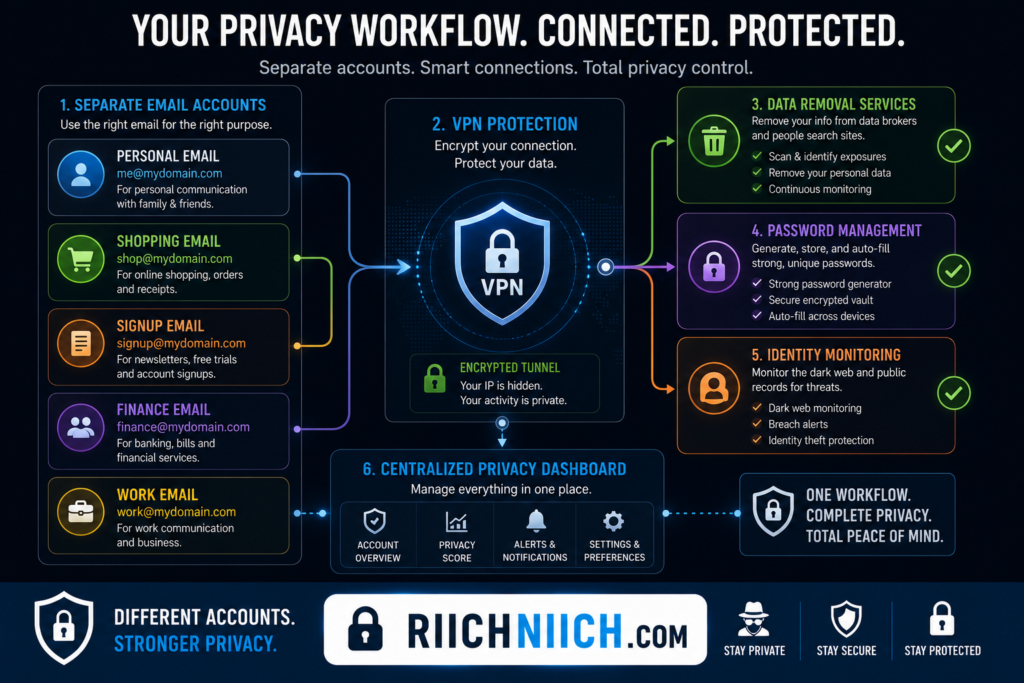
A practical approach is to create different email addresses for different purposes.
For example:
Primary Personal Email
Use for:
- Family communication
- Trusted personal accounts
- Important correspondence
Financial Email
Use for:
- Banking
- Credit cards
- Investment accounts
- Tax-related services
Shopping Email
Use for:
- Online retailers
- Loyalty programs
- Product registrations
Newsletter Email
Use for:
- Marketing subscriptions
- Promotions
- Free downloads
Separating activities in this way improves online privacy protection and makes it harder for organizations to connect unrelated aspects of your life.
Reduce Spam And Unwanted Marketing
One major advantage of using separate email addresses is reducing spam.
When companies share or sell email addresses, marketing messages often increase significantly.
If you use a dedicated email for newsletters and promotions:
- Your primary inbox stays cleaner
- Marketing emails are isolated
- Spam becomes easier to manage
This also makes it easier to identify which companies may have shared your information.
For users learning how to stay anonymous online, reducing unnecessary data sharing is an important privacy goal.
Separate Emails Help Limit Data Broker Profiling
Data brokers collect information from numerous sources and frequently use email addresses to connect records.
A single email address may be linked to:
- Purchases
- Account registrations
- Marketing databases
- Public profiles
- Data breach records
By separating email usage across different activities, you make it more difficult for data brokers to create highly detailed consumer profiles.
Protect Sensitive Accounts With A Dedicated Email
Some accounts deserve stronger protection than others.
Consider using a dedicated email address exclusively for:
- Banking
- Investments
- Identity protection services
- Password managers
By limiting exposure of these email addresses, you reduce the likelihood that attackers will discover them through data breaches or public listings.
This approach strengthens both security and online anonymity.
Email Addresses Frequently Appear In Data Breaches
Data breaches are one of the most common ways email addresses become exposed.
Once an email address appears in breach databases, it may be targeted with:
- Phishing emails
- Scam messages
- Credential stuffing attacks
- Identity theft attempts
Using separate email addresses helps contain the damage if one account becomes compromised.
Pair Separate Email Addresses With Strong Security
Creating separate email accounts is most effective when combined with good security habits.
Consider:
- Strong unique passwords
- Multi-factor authentication
- Password managers
- Account monitoring
Together, these practices support how to stay anonymous online and reduce the likelihood of account compromise.
Combine Email Segmentation With Other Privacy Tools
Separate email addresses are only one part of a broader privacy strategy.
For stronger online privacy protection, combine this approach with:
- NordVPN, Surfshark, or ProtonVPN for IP address privacy
- Incogni or DeleteMe for data broker removal
- Aura for identity monitoring
- Privacy-focused browsing habits
Each tool helps reduce a different source of personal information exposure.
Separate Email Addresses Improve Privacy And Control
When learning how to stay anonymous online, many people overlook how much information can be connected through a single email address. Yet email accounts often serve as the foundation for online tracking, marketing profiles, and account recovery systems.
By using separate email addresses for different activities, you can reduce data collection, limit profiling, contain the impact of data breaches, and improve online privacy protection. Combined with VPN protection, password management, identity monitoring, and data broker removal, email segmentation becomes a powerful tool for maintaining greater control over your digital identity.
Limit What You Share On Social Media
If your goal is how to stay anonymous online, one of the most effective changes you can make is limiting what you share on social media. While platforms such as Facebook, Instagram, X, TikTok, and LinkedIn make it easy to connect with others, they also encourage users to share large amounts of personal information that can remain online for years.
Every post, photo, comment, and profile update contributes to your digital footprint. The more information you share publicly, the easier it becomes for advertisers, data brokers, cybercriminals, and even strangers to build a detailed profile about you.
Social Media Reveals More Than You Think
Many users share information without realizing how valuable it can be.
Common examples include:
- Full name
- Birthday
- Location
- Employer
- School history
- Relationship status
- Travel plans
- Family photos
Individually, these details may seem harmless. Combined together, however, they can reveal significant information about your identity and daily life.
For people researching how to stay anonymous online, reducing unnecessary public information is one of the easiest ways to improve online privacy protection.
Public Profiles Increase Your Digital Footprint
Public social media profiles can often be found through simple online searches.
This means that anyone may be able to access:
- Personal photos
- Friend connections
- Public posts
- Activity history
- Contact information
The more publicly available information you have, the larger your digital footprint becomes.
Limiting profile visibility helps reduce the amount of information that search engines, data brokers, and cybercriminals can collect.
Avoid Sharing Your Location In Real Time
Location sharing is one of the most overlooked privacy risks on social media.
Many users post:
- Vacation photos
- Restaurant visits
- Event check-ins
- Travel updates
Sharing your location in real time can reveal where you are and where you are not.
This information may be useful to:
- Scammers
- Stalkers
- Criminals
- Data collection companies
If you choose to share travel photos or experiences, consider waiting until after you have returned home.
Be Careful With Personal Details
Cybercriminals often use publicly available information to answer security questions or conduct social engineering attacks.
Avoid sharing information such as:
- Birthdates
- Home addresses
- Phone numbers
- Children’s information
- Personal schedules
- Financial details
Even small details can help attackers build a profile that supports phishing attacks or identity theft attempts.
Reducing this information supports how to stay anonymous online and makes it harder for others to connect your online activities to your real-world identity.
Review Your Privacy Settings Regularly
Most social media platforms offer privacy settings that control who can view your content.
Review settings for:
- Profile visibility
- Friend lists
- Posts
- Photos
- Location sharing
- Contact information
Privacy settings frequently change as platforms update their services, so regular reviews are important.
Think Before You Post
One useful rule is to assume that anything posted online could eventually become public.
Before sharing content, ask yourself:
- Does this reveal personal information?
- Could this be used to identify me?
- Would I be comfortable if anyone could see this?
Practicing this habit helps reduce unnecessary exposure and strengthens your online privacy protection strategy.
Social Media Information Feeds Data Brokers
Data brokers often collect information from publicly available social media profiles.
This information may be used to create consumer profiles containing:
- Interests
- Purchasing behavior
- Demographic information
- Personal connections
The more information available publicly, the easier it becomes for data brokers to expand these profiles.
For individuals focused on how to stay anonymous online, limiting social media exposure works well alongside data removal services such as Incogni and DeleteMe.
Separate Personal And Public Profiles
Some users maintain separate profiles for different purposes.
For example:
- Personal connections
- Professional networking
- Content creation
- Business activities
Separating activities can reduce the amount of information connected to a single profile and make it more difficult for companies to build a complete picture of your online behavior.
This approach supports anonymous internet browsing and helps reduce tracking across platforms.
Protect Your Accounts With Strong Security
Limiting shared information is important, but account security matters too.
Use:
- Strong passwords
- Multi-factor authentication
- Password managers
Strong account security helps prevent attackers from gaining access to private information that is not publicly visible.
Combine Social Media Privacy With Other Privacy Tools
Reducing social media exposure is only one piece of how to stay anonymous online.
For stronger privacy protection, combine social media best practices with:
- NordVPN, Surfshark, or ProtonVPN for IP address privacy
- Incogni or DeleteMe for data broker removal
- Aura for identity monitoring
- Privacy-focused search engines
- Strong password management
Together, these tools help reduce your digital footprint and limit the amount of information available about you online.
Less Sharing Means Better Privacy
When learning how to stay anonymous online, many people focus on technical privacy tools while overlooking their social media habits. Yet social media is often one of the largest sources of personal information exposure.
By limiting what you share, avoiding real-time location updates, reviewing privacy settings, and reducing public profile information, you can significantly improve your online privacy protection. Combined with VPN protection, data broker removal, password management, and identity monitoring, smarter social media habits help you maintain greater control over your digital identity and reduce unwanted online exposure.
Prevent Companies From Tracking Your Activity
If your goal is how to stay anonymous online, preventing companies from tracking your activity should be a major priority. Many websites, apps, advertisers, and data brokers collect information about what you do online. Over time, this data is used to create detailed profiles that reveal your interests, habits, shopping behavior, location patterns, and browsing history.
While some tracking helps websites function properly, much of it is designed to gather information for advertising, analytics, and consumer profiling. Reducing this tracking can significantly improve your online privacy protection and help limit your digital footprint.
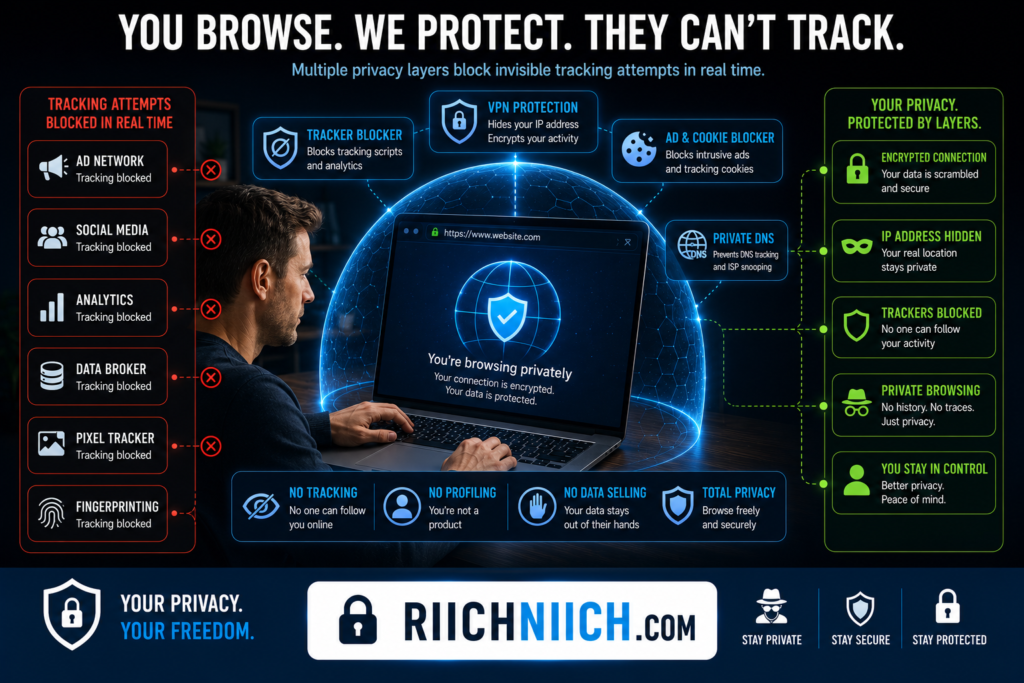
How Companies Track You Online
Most people are tracked far more often than they realize.
Companies commonly collect information through:
- Cookies
- Website trackers
- Mobile apps
- Advertising networks
- Browser fingerprinting
- Account logins
Each interaction may seem insignificant on its own, but together they help create a detailed record of your online behavior.
For individuals researching how to stay anonymous online, understanding how tracking works is the first step toward reducing it.
Cookies Are One Of The Most Common Tracking Tools
Cookies are small files stored on your device when you visit websites.
Some cookies are useful because they:
- Keep you logged in
- Save preferences
- Improve website functionality
However, tracking cookies can also:
- Monitor browsing habits
- Follow users across websites
- Build advertising profiles
- Collect behavioral data
Many websites share cookie data with third-party advertisers and analytics companies.
Limiting unnecessary cookies can help improve anonymous browsing and reduce online tracking.
Browser Fingerprinting Can Identify You
Even if you block cookies, websites may still use browser fingerprinting.
Browser fingerprinting collects information such as:
- Device type
- Browser version
- Screen resolution
- Operating system
- Installed fonts
- Language settings
When combined, these details can create a unique profile that helps identify users across multiple websites.
According to the Mozilla Privacy and Security Resources, browser fingerprinting is one of the more advanced tracking techniques used to identify users online.
Reducing fingerprinting exposure is an important part of how to stay anonymous online.
Use Privacy-Focused Browsers
Some browsers provide stronger privacy protections than others.
Privacy-focused browsers often include features such as:
- Tracker blocking
- Fingerprinting protection
- Enhanced privacy settings
- Reduced data collection
These protections can help limit the amount of information advertisers and websites collect while supporting anonymous internet browsing.
When combined with other privacy tools, browsers become an important part of your overall online privacy protection strategy.
Review Website Privacy Permissions
Many websites request permission to access:
- Location data
- Notifications
- Camera access
- Microphone access
Only grant permissions when absolutely necessary.
Limiting access helps reduce the amount of information companies can collect and minimizes unnecessary exposure of personal data.
Use A VPN To Reduce Tracking
A VPN helps hide your IP address from websites and advertisers.
Without a VPN, websites may use your IP address to:
- Estimate your location
- Track browsing activity
- Build user profiles
While a VPN does not eliminate all tracking, it is one of the most effective tools available for improving how to stay anonymous online.
Avoid Staying Logged Into Everything
Many users remain logged into multiple accounts throughout the day.
This allows companies to connect browsing activity directly to specific user profiles.
Whenever practical:
- Log out of unused accounts
- Use separate browser profiles
- Use private browsing modes when appropriate
Reducing account-linked browsing activity can help improve online anonymity and limit tracking.
Limit Data Shared With Mobile Apps
Mobile apps frequently collect data beyond what users expect.
Depending on the app, this may include:
- Location information
- Contact lists
- Device identifiers
- Usage patterns
Review app permissions regularly and remove access that is not necessary.
The Center for Democracy & Technology Privacy Resources provide guidance on reducing personal data collection and improving consumer privacy online.
Controlling app permissions helps reduce the amount of personal information companies can collect and share.
Remove Existing Data From Data Brokers
Even if you reduce future tracking, data brokers may already have years of information about you.
This information often comes from:
- Tracking technologies
- Marketing databases
- Public records
- Online activity
For anyone focused on how to stay anonymous online, reducing existing data exposure is just as important as preventing future tracking.
Strengthen Account Security
Tracking is not the only privacy concern.
Compromised accounts can expose large amounts of personal information.
Protect your accounts using:
- Strong passwords
- Multi-factor authentication
- Password managers
Secure accounts help prevent unauthorized access and reduce identity theft risks.
For additional protection, identity monitoring services such as Aura can help detect suspicious activity and potential exposure of personal information.
Reducing Tracking Improves Your Online Privacy
Learning how to stay anonymous online involves reducing the amount of information companies can collect about you. Every tracker blocked, permission removed, and privacy setting adjusted helps limit the data available to advertisers, data brokers, and other organizations.
By using privacy-focused browsers, limiting cookies, reducing app permissions, hiding your IP address with a VPN, removing information from data broker databases, and strengthening account security, you can significantly improve your online privacy protection and maintain greater control over your digital identity.
Protect Your Phone Number From Public Exposure
If you’re working on how to stay anonymous online, protecting your phone number should be a top priority. Many people focus on hiding their address or email while overlooking their phone number, even though it is one of the most valuable pieces of personal information available to data brokers, advertisers, scammers, and identity thieves.
Once your phone number becomes publicly accessible, it can be used for spam calls, scam messages, phishing attacks, account recovery attempts, and identity theft schemes. Reducing phone number exposure helps strengthen online privacy protection and makes it more difficult for others to connect your online activity to your real-world identity.
Why Your Phone Number Is Valuable
Your phone number is often linked to many aspects of your digital life.
It may be connected to:
- Banking accounts
- Social media profiles
- Shopping accounts
- Email accounts
- Multi-factor authentication
- Messaging applications
Because phone numbers frequently serve as account identifiers, they can become valuable targets for cybercriminals.
For anyone focused on how to stay anonymous online, reducing unnecessary phone number exposure is an important privacy and security measure.
Data Brokers Often Collect Phone Numbers
Many people are surprised to discover their phone number appears on data broker websites and people-search platforms.
Data brokers obtain phone numbers from sources such as:
- Public records
- Marketing databases
- Online registrations
- Sweepstakes entries
- Retail loyalty programs
- Third-party data providers
Once collected, phone numbers may be distributed across numerous databases and websites.
If your number is already publicly listed, follow our step-by-step guide on How to Remove Your Phone Number from Data Broker Sites to reduce your exposure.
This contributes to a larger digital footprint and increases the likelihood of unwanted contact.
Search For Your Phone Number Online
A simple way to evaluate your exposure is to search your phone number online.
Try searching:
- Your full phone number
- Variations with area codes
- Phone number in quotation marks
You may discover your information appearing on:
- People-search websites
- Public directories
- Marketing databases
- Old online accounts
If you find your information listed publicly, our guide on How to Remove Yourself from People Search Sites can help you start the removal process.
Identifying where your phone number appears is a critical first step in how to stay anonymous online.
Remove Your Phone Number From Data Broker Sites
If your phone number appears on people-search websites, removing those listings should be a priority.
Many websites provide opt-out processes that allow users to request removal.
However, manually submitting requests can be time-consuming because information often appears on dozens or hundreds of sites.
If you’re comparing multiple providers, our guide to the Best Data Removal Services breaks down the top options for reducing your digital footprint.
Removing your phone number from these databases is one of the most effective actions you can take to improve online privacy protection.
Avoid Sharing Your Number Unnecessarily
Many websites request a phone number even when it is not required.
Before providing your number, ask:
- Is this required?
- Can I use email instead?
- Will my information be shared?
The fewer organizations that have your phone number, the fewer opportunities there are for it to be sold, shared, or exposed.
Reducing unnecessary sharing supports how to stay anonymous online and helps minimize future privacy risks.
Be Careful On Social Media
Some users unknowingly expose phone numbers through social media profiles.
Review your social media settings and ensure your phone number is not publicly visible.
Check:
- Profile information
- Contact sections
- Account recovery settings
- Business pages
The Data & Marketing Association Consumer Privacy Resources provide guidance on consumer data practices and managing personal information shared with organizations.
Limiting public profile information reduces opportunities for data collection and unwanted contact.
Consider Using Secondary Numbers
In situations where a phone number is required, some users choose to use a secondary number for:
- Online registrations
- Marketing signups
- Shopping accounts
- Temporary services
Separating activities can help prevent your primary phone number from becoming widely distributed across databases and marketing lists.
This approach supports anonymous internet browsing and reduces long-term exposure.
Phone Numbers Are Common Targets For Scammers
Phone numbers frequently serve as entry points for scams.
Examples include:
- Robocalls
- Phishing texts
- Fake delivery notifications
- Financial scams
- Account impersonation attempts
The more widely your number is shared, the greater the likelihood of receiving unwanted messages and fraudulent communications.
Reducing exposure helps decrease these risks.
Protect Accounts Linked To Your Phone Number
Many online accounts rely on phone numbers for account recovery and multi-factor authentication.
Because of this, protecting accounts connected to your number is essential.
Use:
- Strong passwords
- Multi-factor authentication
- Password managers
Strong account security reduces the likelihood that attackers can use your phone number to gain unauthorized access.
Combine Phone Number Privacy With Other Privacy Tools
Protecting your phone number is only one part of how to stay anonymous online.
For stronger privacy protection, combine phone number management with:
- NordVPN, Surfshark, or ProtonVPN for IP address privacy
- Incogni or DeleteMe for data broker removal
- Aura for identity monitoring
- Privacy-focused browsing habits
- Strong password security
Each layer helps reduce different forms of personal information exposure.
Reducing Phone Number Exposure Improves Online Privacy
Many people underestimate how much information can be connected through a phone number. Yet phone numbers are frequently used by data brokers, advertisers, scammers, and cybercriminals to identify individuals and build detailed profiles.
By searching for your phone number online, removing it from data broker databases, limiting unnecessary sharing, strengthening account security, and using privacy-focused tools, you can significantly improve how to stay anonymous online. Protecting your phone number helps reduce your digital footprint, improve online privacy protection, and maintain greater control over your personal information.
Monitor The Dark Web For Exposed Information
If you’re serious about how to stay anonymous online, monitoring the dark web for exposed information is an important part of protecting your privacy. Even if you use strong passwords, secure your accounts, and limit the information you share online, your personal data can still become exposed through data breaches, compromised websites, or stolen databases.
The sooner you discover exposed information, the faster you can take action to secure your accounts and reduce the risk of identity theft. Dark web monitoring helps identify potential threats before they turn into larger problems.
You can learn more about the process in our guide on How to Check If Your Information Is on the Dark Web.
What Is The Dark Web?
The dark web is a portion of the internet that is not indexed by traditional search engines.
While not everything on the dark web is illegal, it is often associated with marketplaces and forums where stolen information may be bought, sold, or shared.
Exposed information can include:
- Email addresses
- Passwords
- Phone numbers
- Financial information
- Personal identifiers
- Login credentials
For anyone working on how to stay anonymous online, understanding how stolen information circulates after a breach is essential.
How Information Ends Up On The Dark Web
Most people do not intentionally place their information on the dark web.
Instead, exposure often occurs through:
- Data breaches
- Compromised websites
- Phishing attacks
- Malware infections
- Account takeovers
When organizations experience security incidents, attackers may steal customer databases containing personal information.
That information can later appear in underground forums or marketplaces.
This is why protecting your privacy involves more than simply limiting what you share online.
Why Dark Web Monitoring Matters
Many victims do not discover a breach until long after their information has been exposed.
By then, attackers may already have access to:
- Accounts
- Financial information
- Personal records
- Sensitive communications
Dark web monitoring helps identify potential exposure earlier.
This allows you to:
- Change passwords
- Secure accounts
- Enable additional protections
- Monitor suspicious activity
For individuals focused on how to stay anonymous online, early detection can significantly reduce potential damage.
What Information Should Be Monitored?
Several types of information are especially valuable to cybercriminals.
Examples include:
- Email addresses
- Passwords
- Phone numbers
- Banking credentials
- Social Security numbers
- Personal account information
If any of this information becomes exposed, attackers may attempt identity theft, account takeovers, or fraud.
Monitoring these data points helps improve online privacy protection and identity security.
Data Breaches Are More Common Than Many People Realize
Data breaches affect organizations of all sizes.
Even reputable companies can experience security incidents that expose customer information.
According to the Identity Theft Resource Center Data Breach Resources, data breaches continue to expose millions of records each year across a wide range of industries.
Because you cannot control every company’s security practices, monitoring for exposure becomes an important defensive measure.
Dark Web Monitoring Helps Protect Your Identity
When personal information appears in breach databases, attackers often attempt to use it for:
- Identity theft
- Financial fraud
- Credential stuffing attacks
- Phishing campaigns
- Social engineering scams
The faster you discover exposure, the more quickly you can secure affected accounts.
This is one reason dark web monitoring is frequently included as part of identity protection services.
Use Identity Monitoring Services
Many people rely on identity monitoring services to help track potential exposure.
Services such as Aura can monitor for:
- Exposed email addresses
- Compromised credentials
- Personal information leaks
- Identity theft indicators
Instead of manually checking multiple sources, monitoring services can alert you when suspicious activity is detected.
For individuals researching how to stay anonymous online, identity monitoring provides an additional layer of protection beyond basic privacy measures.
What To Do If Your Information Is Found
If monitoring reveals exposed information, act quickly.
Recommended actions include:
- Change affected passwords immediately
- Enable multi-factor authentication
- Review account activity
- Monitor financial statements
- Watch for phishing attempts
Taking immediate action can significantly reduce the risk of further compromise.
Combine Monitoring With Other Privacy Tools
Dark web monitoring works best when combined with a broader privacy strategy.
Consider pairing it with:
- NordVPN, Surfshark, or ProtonVPN for IP address privacy
- Incogni or DeleteMe for data broker removal
- NordPass for password security
- Multi-factor authentication
- Strong privacy settings
Each layer helps reduce different forms of personal information exposure.
Monitoring Helps You Stay Ahead Of Threats
Learning how to stay anonymous online is not only about reducing the information available about you today. It is also about identifying new threats before they become serious problems.
Because data breaches and account compromises can occur without warning, monitoring the dark web provides valuable visibility into potential exposure. By using identity monitoring services, securing exposed accounts quickly, and combining monitoring with other privacy-focused tools, you can strengthen your online privacy protection, reduce identity theft risks, and maintain greater control over your personal information.
Can You Be Completely Anonymous Online?
One of the most common questions people ask when researching how to stay anonymous online is whether complete online anonymity is actually possible. The short answer is that achieving total anonymity on today’s internet is extremely difficult for most people.
Modern online services rely heavily on personal information, account registrations, device identification, and data collection. Every website you visit, account you create, purchase you make, and app you use leaves behind digital traces that can potentially be connected to your identity.
While complete anonymity may not be realistic for most users, significantly improving your privacy and reducing your digital footprint absolutely is.
Why Complete Anonymity Is So Difficult
The internet was not originally designed with privacy as its primary goal.
Today, many online services require:
- Email addresses
- Phone numbers
- Payment information
- Device identification
- Account verification
These requirements make it difficult to use the internet without leaving some type of digital trail.
Even privacy-conscious users often rely on:
- Online banking
- Shopping websites
- Social media platforms
- Streaming services
- Healthcare portals
Each service collects some level of information that can potentially be linked to an individual.
For this reason, how to stay anonymous online is usually about minimizing exposure rather than achieving complete invisibility.
Companies Collect Data Everywhere
Many organizations collect information as part of normal operations.
This may include:
- Website visits
- Search activity
- Purchase history
- Device information
- Location data
- Account activity
Even when users take privacy precautions, some information may still be collected to provide services or improve functionality.
The International Association of Privacy Professionals (IAPP) Privacy Resources explains how personal data is routinely collected and processed across modern digital services.
Reducing exposure is often more practical than attempting to eliminate all data collection entirely.
Public Records Create Additional Challenges
Even if you avoid sharing information online, certain information may already exist in public records.
Examples include:
- Property ownership records
- Court records
- Business registrations
- Voter registration records
Data brokers frequently gather information from these sources and combine it with information collected elsewhere.
As a result, some personal information may already be publicly available before you take steps to improve your privacy.
This is why services such as Incogni and DeleteMe have become popular tools for reducing public exposure and supporting how to stay anonymous online.
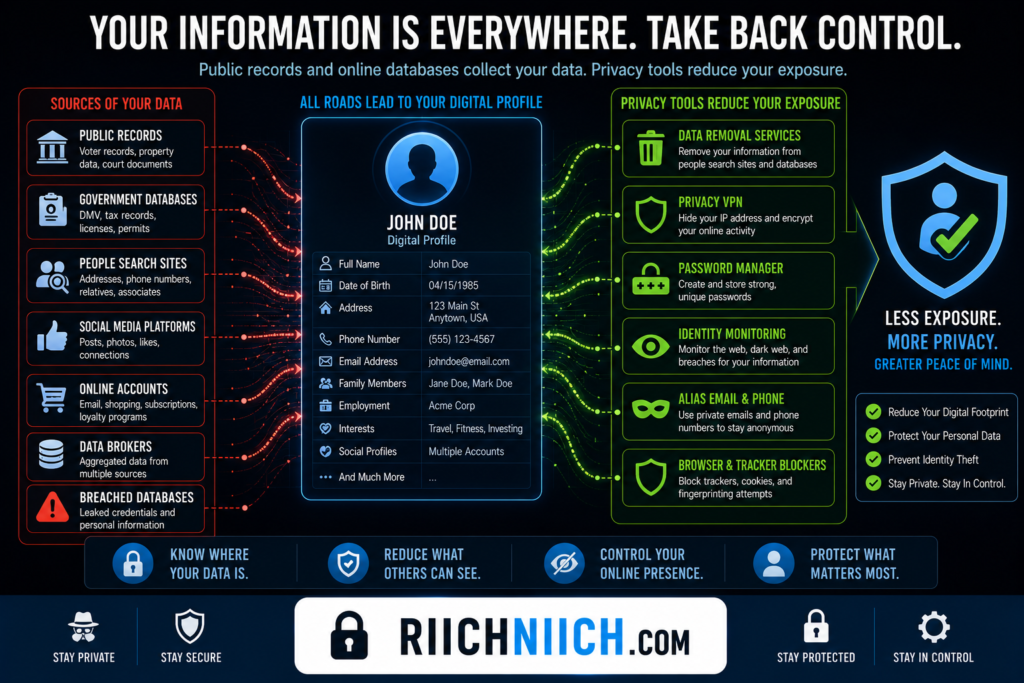
Technology Continues To Improve Tracking
Online tracking technologies have become increasingly sophisticated.
Companies may use:
- Cookies
- Browser fingerprinting
- Device identifiers
- Advertising networks
- Behavioral analytics
These technologies can often recognize patterns even when users take steps to protect their privacy.
This does not mean privacy efforts are pointless. Instead, it highlights the importance of using multiple layers of protection rather than relying on a single tool.
Privacy Is More Realistic Than Perfect Anonymity
For most people, the goal should not be complete anonymity.
A more practical goal is:
- Reducing your digital footprint
- Limiting personal information exposure
- Improving anonymous browsing
- Strengthening account security
- Reducing data broker visibility
These actions can dramatically improve online privacy protection even if perfect anonymity remains out of reach.
In many cases, reducing exposure by 80% to 90% provides meaningful privacy benefits without requiring drastic lifestyle changes.
Privacy Tools Still Make A Major Difference
Although no single tool can guarantee complete anonymity, privacy tools can significantly reduce tracking and data collection.
Examples include:
- NordVPN, Surfshark, and ProtonVPN for IP address privacy
- Incogni and DeleteMe for data broker removal
- NordPass for password security
- Aura for identity monitoring
Each tool addresses a different aspect of online privacy and security.
Together, they make it substantially harder for companies, advertisers, and cybercriminals to build detailed profiles about you.
Your Online Behavior Matters Too
Technology alone cannot provide anonymity.
Your habits also play a major role.
Examples include:
- Limiting social media sharing
- Using separate email addresses
- Avoiding unnecessary data sharing
- Deleting unused accounts
- Reviewing privacy settings regularly
These practices help reduce the amount of information available about you online and strengthen your overall privacy strategy.
For individuals focused on how to stay anonymous online, personal habits are often just as important as the tools they use.
Complete Anonymity Can Be Inconvenient
Many privacy measures require trade-offs.
For example, achieving near-total anonymity may involve:
- Avoiding mainstream services
- Limiting online purchases
- Using anonymous payment methods
- Creating separate identities for different activities
Most users find these approaches impractical for everyday life.
A balanced approach that prioritizes privacy without sacrificing convenience is often more realistic and sustainable.
Focus On Reducing Exposure, Not Perfection
The reality is that complete online anonymity is difficult to achieve in today’s connected world. Between public records, data brokers, account registrations, and tracking technologies, most people will leave some form of digital footprint.
Reducing that footprint starts with understanding, ‘What is a Data Broker?‘ and how these companies collect information.
However, learning how to stay anonymous online is still extremely valuable. By reducing unnecessary data sharing, removing personal information from data broker websites, securing accounts, using VPNs, strengthening passwords, and monitoring for identity threats, you can significantly improve your online privacy protection.
The goal is not perfection. The goal is making it far more difficult for companies, advertisers, data brokers, and cybercriminals to collect, track, and profit from your personal information.
Common Mistakes That Destroy Online Privacy
Many people spend time researching how to stay anonymous online, installing privacy tools, and improving their security settings, only to undermine those efforts through common mistakes. In many cases, privacy is not lost because of sophisticated hacking techniques—it is lost through everyday habits that expose personal information without people realizing it.
Avoiding these mistakes can dramatically reduce your digital footprint and strengthen your online privacy protection.
Sharing Too Much On Social Media
One of the biggest privacy mistakes is oversharing on social media platforms.
Common examples include:
- Birthdays
- Travel plans
- Home addresses
- Family details
- Employment information
- Real-time location updates
While each piece of information may seem harmless on its own, together they can help companies, data brokers, scammers, and cybercriminals build detailed profiles.
If your goal is how to stay anonymous online, limiting personal information shared publicly is essential.
Reusing Passwords Across Multiple Accounts
Password reuse remains one of the most common cybersecurity mistakes.
When a single account is compromised through a data breach, attackers often attempt to use the same password elsewhere.
This can lead to unauthorized access to:
- Email accounts
- Banking accounts
- Social media profiles
- Shopping websites
Strong, unique passwords for every account are critical for maintaining privacy and reducing identity theft risks.
Ignoring Data Broker Exposure
Many people focus on browser privacy while ignoring the fact that their personal information may already be publicly available.
Data broker websites often display:
- Phone numbers
- Addresses
- Email addresses
- Family connections
- Property records
Even if you browse privately, publicly available information can still expose your identity.
Using Public WiFi Without Protection
Public WiFi networks are convenient, but they can introduce privacy and security risks.
Many users connect to public networks without:
- VPN protection
- Secure browsing practices
- Account security measures
This can increase the risk of data interception and unauthorized monitoring.
The National Institute of Standards and Technology (NIST) Cybersecurity Resources emphasize the importance of protecting sensitive information when using public networks.
Leaving Old Accounts Active
Unused accounts often contain years of personal information.
Many people forget about:
- Old forums
- Shopping accounts
- Gaming profiles
- Subscription services
- Social media accounts
Inactive accounts can remain online indefinitely and may still contain valuable information.
Deleting old accounts reduces your digital footprint and removes unnecessary sources of personal data exposure.
Ignoring Privacy Settings
Many users never review the privacy settings on websites, apps, or social media platforms.
Default settings often prioritize convenience and data collection rather than privacy.
Important settings to review include:
- Profile visibility
- Location sharing
- Ad personalization
- Data sharing permissions
- Contact information visibility
Regularly reviewing privacy settings helps improve online privacy protection and limit unnecessary data collection.
Using One Email Address For Everything
Using a single email address across all online activities makes it easier for organizations to track and profile users.
A single email address may connect:
- Shopping activity
- Social media accounts
- Financial services
- Marketing subscriptions
Separating email addresses for different purposes can reduce profiling and make it more difficult for companies to connect unrelated activities.
This supports how to stay anonymous online while improving account organization.
Skipping Multi-Factor Authentication
Many account compromises occur because users rely solely on passwords.
Without multi-factor authentication (MFA), attackers who obtain a password may gain immediate access to an account.
Enabling MFA adds an additional security layer that significantly reduces the risk of unauthorized access.
For individuals focused on how to stay anonymous online, protecting accounts is just as important as limiting public information.
Trusting Free Services Without Understanding The Trade-Offs
Many free online services generate revenue through data collection and advertising.
Users often provide access to:
- Browsing habits
- Location data
- Contact information
- Behavioral data
Before using a service, review its privacy practices and understand how your information may be collected and used.
Reducing unnecessary data sharing is a key part of anonymous internet browsing.
Failing To Monitor For Data Breaches
Even privacy-conscious users can become victims of data breaches.
When personal information becomes exposed, attackers may attempt:
- Identity theft
- Credential stuffing attacks
- Phishing scams
- Account takeovers
The Cybersecurity and Infrastructure Security Agency (CISA) Data Security Resources recommend monitoring accounts and responding quickly to signs of exposure.
Identity monitoring services such as Aura can help detect suspicious activity and alert users when personal information may be at risk.
Relying On One Privacy Tool
Perhaps the biggest mistake is believing that a single tool provides complete privacy.
Some users assume that:
- A VPN alone is enough
- Data removal alone is enough
- Password security alone is enough
In reality, how to stay anonymous online requires multiple layers of protection.
Effective privacy strategies often combine:
- VPN protection
- Data broker removal
- Password management
- Multi-factor authentication
- Identity monitoring
- Privacy-focused browsing habits
Each layer helps address a different privacy risk.
Small Mistakes Can Have Big Consequences
When learning how to stay anonymous online, many privacy failures occur because of simple habits rather than sophisticated cyberattacks. Oversharing on social media, reusing passwords, ignoring privacy settings, leaving old accounts active, and failing to monitor exposed information can quickly undermine even the best privacy efforts.
By avoiding these common mistakes and combining tools such as NordVPN, Surfshark, ProtonVPN, Incogni, DeleteMe, NordPass, and Aura, you can significantly improve your online privacy protection, reduce your digital footprint, and maintain greater control over your personal information.
Frequently Asked Questions
Can You Really Stay Anonymous Online?
Complete anonymity is difficult to achieve because many online services require personal information, account registrations, and payment details. However, learning how to stay anonymous online can significantly reduce your digital footprint and make it much harder for companies, advertisers, data brokers, and cybercriminals to track your activities.
Using VPNs, data removal services, password managers, privacy-focused search engines, and identity monitoring tools can dramatically improve your online privacy protection.
Is A VPN Enough To Stay Anonymous Online?
No. A VPN is an important privacy tool, but it is only one part of a complete privacy strategy.
A VPN can help:
- Hide your IP address
- Encrypt internet traffic
- Improve anonymous browsing
- Reduce tracking by websites
However, a VPN cannot remove information already available through data brokers, public records, social media accounts, or data breaches.
This is why how to stay anonymous online requires multiple layers of protection.
What Is The Best VPN For Privacy?
Several reputable VPN services are commonly recommended for privacy-conscious users.
Popular options include:
- NordVPN
- Surfshark
- ProtonVPN
The best VPN depends on your privacy goals, budget, features, and preferred devices.
Regardless of which service you choose, using a VPN is one of the most effective ways to improve online privacy protection.
How Do Data Brokers Get My Information?
Data brokers collect information from many sources, including:
- Public records
- Marketing databases
- Online purchases
- Social media activity
- Website tracking technologies
- Mobile apps
They combine this information into detailed consumer profiles that may be sold or shared with other organizations.
How Can I Remove My Personal Information From The Internet?
Removing personal information often involves:
- Finding exposed information
- Removing data broker listings
- Submitting opt-out requests
- Deleting unused accounts
- Reviewing social media privacy settings
Reducing public information is a major component of how to stay anonymous online.
Are Private Search Engines Better For Privacy?
Private search engines can help reduce data collection and search tracking.
Popular privacy-focused options include:
- DuckDuckGo
- Startpage
- Brave Search
- Mojeek
These services generally collect less information than traditional search engines and support anonymous internet browsing.
While they do not provide complete anonymity, they can improve online privacy protection when combined with other privacy tools.
Should I Use Different Email Addresses?
Yes. Using separate email addresses for different activities can reduce tracking and limit the amount of information connected to a single account.
Many privacy-conscious users maintain separate email addresses for:
- Personal communication
- Banking
- Shopping
- Marketing subscriptions
This helps support how to stay anonymous online by reducing profiling opportunities and limiting the impact of data breaches.
How Often Should I Check For Data Breaches?
It is a good idea to monitor for data breaches regularly because new breaches occur throughout the year.
The National Consumers League Identity Theft Resources provide consumer guidance on identity theft prevention and responding to exposed personal information.
Many people use identity monitoring services such as Aura to receive alerts when personal information appears in breach databases or suspicious activity is detected.
Are Password Managers Safe?
Reputable password managers are generally considered much safer than reusing passwords or storing passwords in unsecured documents.
Password managers help users:
- Generate strong passwords
- Store credentials securely
- Eliminate password reuse
- Improve account security
Strong password management plays an important role in online privacy protection and identity security.
Does Social Media Affect Online Privacy?
Yes. Social media is often one of the largest sources of personal information exposure.
Public profiles may reveal:
- Personal details
- Photos
- Employment information
- Location data
- Family connections
Reducing what you share publicly and reviewing privacy settings regularly can significantly improve how to stay anonymous online.
Is Identity Monitoring Worth It?
Identity monitoring can provide valuable protection by alerting you when personal information becomes exposed through data breaches, dark web listings, or suspicious account activity.
Services such as Aura help users identify potential risks earlier so they can respond before significant damage occurs.
Identity monitoring works especially well when combined with VPN protection, password management, and data broker removal.
If you’re still deciding whether these services are necessary, read our complete guide, ‘Is Identity Theft Protection Worth It?‘ to understand the benefits, limitations, and who should consider using it.
What Is The Most Important Step To Improve Privacy?
There is no single solution that guarantees privacy.
The most effective strategy combines:
- VPN protection
- Data broker removal
- Strong passwords
- Password managers
- Multi-factor authentication
- Privacy-focused browsing habits
- Identity monitoring
The more privacy layers you implement, the more difficult it becomes for others to collect, track, and profit from your personal information.
How Long Does It Take To Improve Online Privacy?
Improving privacy is an ongoing process rather than a one-time task.
Some actions, such as enabling multi-factor authentication or installing a VPN, can be completed within minutes.
Other tasks, such as removing information from data broker databases and reducing your digital footprint, may take weeks or months.
The important thing is to start. Every privacy improvement helps reduce your exposure and supports how to stay anonymous online by giving you greater control over your personal information and online identity.
Conclusion: How To Stay Anonymous Online
Learning how to stay anonymous online is no longer just a concern for privacy enthusiasts. In today’s digital world, your personal information is constantly being collected, shared, tracked, and stored by websites, advertisers, data brokers, mobile apps, and online services. Without taking proactive steps, your digital footprint can continue to grow, making it easier for companies and cybercriminals to build detailed profiles about you.
The good news is that you do not need perfect anonymity to dramatically improve your privacy.
Most people can significantly reduce their exposure by focusing on a few key areas:
- Removing personal information from data broker websites
- Hiding their IP address with a VPN
- Using strong and unique passwords
- Securing accounts with multi-factor authentication
- Limiting social media sharing
- Monitoring for data breaches and dark web exposure
- Using privacy-focused search engines and browsing habits
When combined, these actions make it much harder for others to collect, track, and profit from your personal information.
One of the most effective improvements you can make is reducing publicly available information. Data broker websites and people-search platforms often expose personal details such as addresses, phone numbers, email addresses, and family connections.
If you’re considering Incogni specifically, read our detailed analysis, ‘Is Incogni Worth It?‘ before choosing a service.
While a VPN alone does not guarantee privacy, it provides an important layer of protection against online tracking.
Strong account security is equally important. Using a password manager helps create unique passwords for every account, while multi-factor authentication provides additional protection against account takeovers and identity theft.
Privacy is not only about preventing future exposure. It is also about monitoring existing risks. Identity monitoring services such as Aura can help detect exposed information, suspicious activity, and potential identity theft threats before they become serious problems.
Ultimately, how to stay anonymous online is not about disappearing from the internet completely. It is about controlling what information is available, reducing unnecessary exposure, and making it significantly harder for companies, advertisers, data brokers, and cybercriminals to track your activities.
The most effective online privacy protection strategy combines multiple layers of defense rather than relying on a single tool. By using VPN protection, data broker removal, password security, identity monitoring, and smarter privacy habits, you can take meaningful control of your digital identity and dramatically reduce your online exposure.
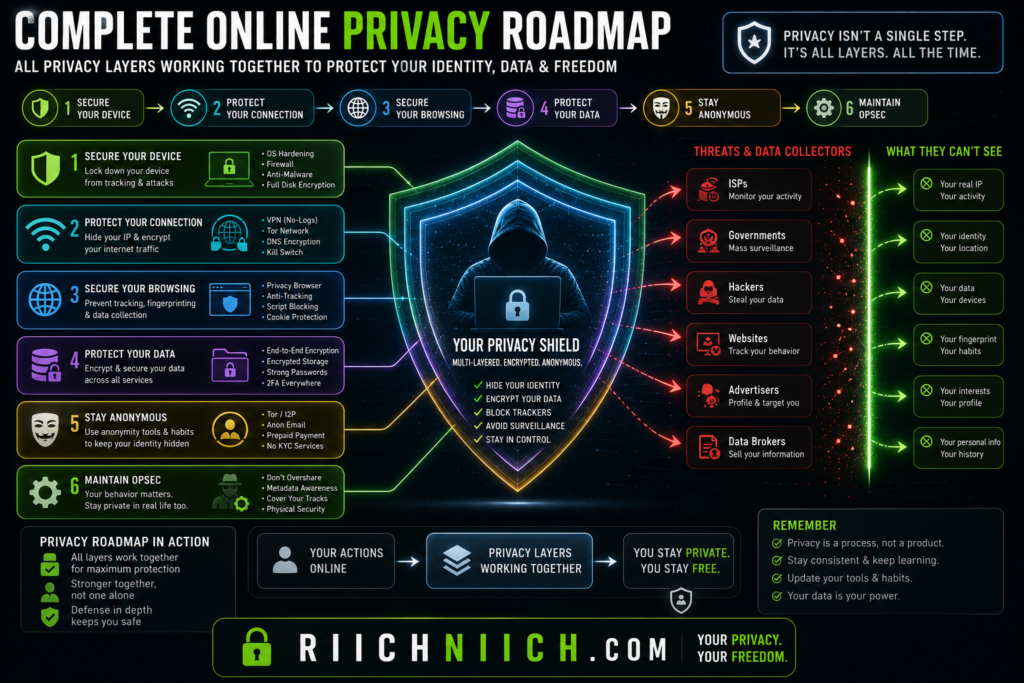
If you’re looking for a complete security strategy beyond privacy alone, our guide on How to Protect Yourself from Identity Theft provides additional steps to secure your personal information.
If you are serious about how to stay anonymous online, start with the basics today. Every account secured, every data broker listing removed, and every privacy setting improved moves you closer to a safer, more private online experience.

Pingback: Free vs Paid VPNs (What's Actually Safe?) - Riich Niich
Pingback: NordVPN vs ProtonVPN: Which VPN Is Better in 2026? - Riich Niich