


The Best Antivirus for Families is no longer just about protecting a single computer—it’s about securing every device, every user, and your family’s personal data in an increasingly connected world. With cyber threats like malware, phishing scams, and identity theft on the rise, families need more than basic protection to stay safe online.
In this guide, you’ll discover the best antivirus options for families, how they compare, and which one is right for your household. Whether you’re protecting kids, managing multiple devices, or looking for all-in-one security, this guide will help you make a confident, informed decision.
Table of Contents
Quick Verdict — Best Antivirus for Families
If you’re looking for the Best Antivirus for Families, the right choice depends on how you want to protect your household—but one thing is clear: basic protection is no longer enough in 2026.
🔥 Quick Answer: Best Antivirus for Families in 2026
If you want the best antivirus for families, Norton 360 Deluxe is the top choice for most households.
It offers strong malware protection, parental controls, and multi-device coverage in one plan.
However, if you want full digital protection beyond antivirus — including identity monitoring and alerts — Aura is the better option for most families.
👉 Check Aura pricing and see what’s included!
Top Recommendation (Overall)
The best antivirus for families is one that combines:
- Real-time malware and ransomware protection
- Parental controls for kids’ online safety
- Coverage for multiple devices (phones, laptops, tablets)
- Safe browsing and phishing protection
Many top solutions now go beyond traditional antivirus by offering identity monitoring and credit protection features, which are becoming essential as cyber threats evolve.
Why This Matters for Families
Families are prime targets for cybercriminals because:
- Kids often click unsafe links or download unknown apps
- Multiple devices increase security risks
- Personal data (emails, passwords, banking info) is shared across devices
According to the Federal Trade Commission, millions of identity theft and fraud reports are filed each year, many involving compromised personal information from unsecured devices.
Best Setup for Most Families
Instead of relying on a single layer of protection, the safest approach is:
Antivirus software (device protection) ➕ Identity theft protection (personal data protection)
This layered approach helps protect both:
- Your devices from malware and viruses
- Your identity from fraud and data breaches
The Identity Theft Resource Center also emphasizes that data breaches continue to expose sensitive information, making proactive protection more important than ever.
Bottom Line
If you want the Best Antivirus for Families, choose a solution that:
Protects every device in your home
Helps monitor your children’s online activity
Blocks threats before they cause damage
Works alongside identity protection for full coverage
Families that use both antivirus and identity protection are significantly more secure than those relying on a single tool.
Why Families Need Antivirus Protection in 2026
The Best Antivirus for Families is no longer optional—it’s a critical layer of protection in a world where every family member is connected online.
In 2026, households typically have multiple devices running at once—smartphones, laptops, tablets, and even smart home systems. Each of these creates a potential entry point for cyber threats. Without proper protection, one mistake can expose your entire household.
Many families combine device protection with identity monitoring for full coverage — see our guide on Best Identity Theft Protection for Families.
Increased Risk From Everyday Online Activity
Families are more vulnerable today because of how often they interact online:
- Children download apps, click links, and play online games
- Parents manage banking, shopping, and work accounts
- Shared WiFi networks connect multiple devices at once
Cyber-criminals target these behaviors using malware, phishing attacks, and fake websites designed to steal information.
According to the Federal Trade Commission, identity theft and online fraud continue to affect millions of consumers each year, often starting with compromised devices.
One Infected Device Can Affect the Entire Family
Many families assume a single device being compromised is isolated. That’s not the case.
If one device is infected:
- Malware can spread across shared networks
- Login credentials can be stolen and reused
- Sensitive data like emails, passwords, and financial details can be exposed
This is why the Best Antivirus for Families focuses on multi-device protection, not just individual devices.
Kids Are a Major Target for Cyber Threats
Children are often the weakest link in household security—not because they are careless, but because they are less aware of risks.
Common issues include:
- Clicking on fake download buttons
- Falling for in-game scams
- Sharing personal information unknowingly
Modern antivirus software includes parental controls and activity monitoring, helping parents guide and protect their children online.
Data Breaches Are Increasing Every Year
Even if your family practices safe browsing, your personal data can still be exposed through external breaches.
The Identity Theft Resource Center reports ongoing increases in data breaches, exposing sensitive information such as:
- Email addresses
- Passwords
- Social Security numbers
- Financial account details
Once this data is exposed, cyber-criminals can use it to commit fraud, open accounts, or take over existing profiles.
Antivirus Alone Is No Longer Enough
The Best Antivirus for Families in 2026 goes beyond traditional virus scanning. It includes:
- Real-time threat detection
- Ransomware protection
- Phishing and scam blocking
- Safe browsing tools
- Identity and privacy features
Families that rely only on basic antivirus miss out on protection against modern threats like identity theft and account takeovers.
Families Need Layered Protection
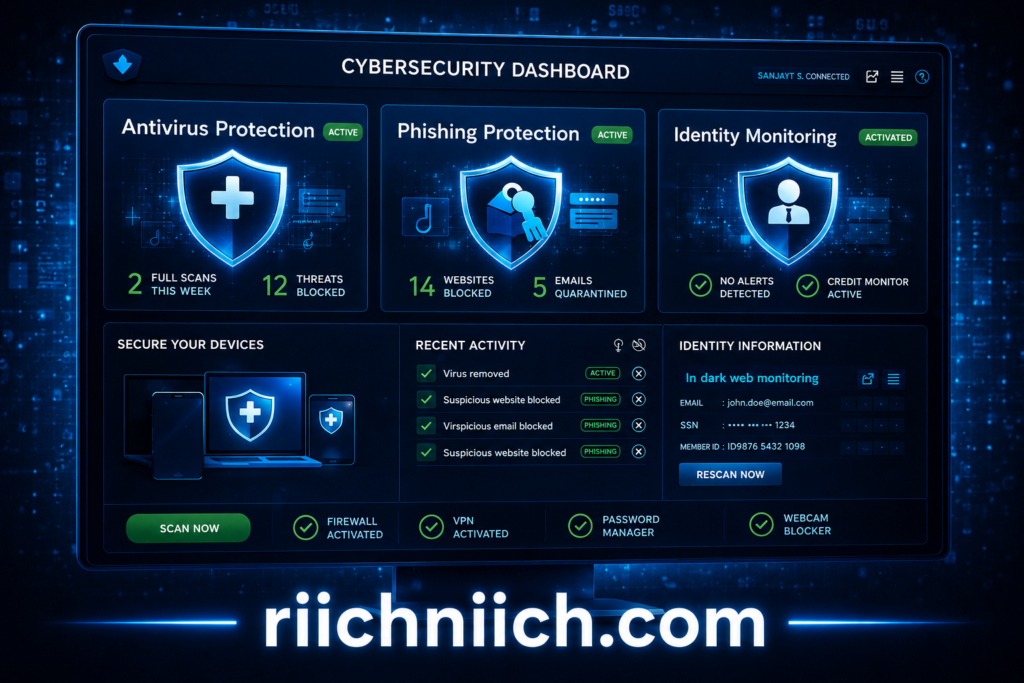
The safest approach today is combining:
- Antivirus software for device security
- Identity protection for personal data security
This layered strategy reduces risk significantly and provides full coverage against both technical and human-targeted attacks.
Bottom Line
Families face more digital risks than ever before. From children using apps to parents managing finances online, every activity creates potential exposure.
Choosing the Best Antivirus for Families ensures:
- All devices are protected
- Children are safer online
- Threats are blocked before damage occurs
- Your family’s personal information stays secure
In 2026, cyber-security is not just about technology—it’s about protecting your entire household.
What to Look for in the Best Antivirus for Families
Choosing the Best Antivirus for Families is not just about picking a popular brand—it’s about selecting a solution that protects every member of your household across all devices and online activities.
Below are the most important features to look for when comparing antivirus options, especially if your goal is long-term protection and peace of mind.
Real-Time Threat Protection
The most important feature in any antivirus is real-time protection.
This means the software actively scans and blocks threats like:
- Malware
- Ransomware
- Spyware
- Suspicious downloads
Without real-time protection, threats can enter your system before being detected.
According to the Cyber-security and Infrastructure Security Agency, proactive threat detection is critical for preventing attacks before they cause damage.
Multi-Device Coverage
Families use multiple devices daily, including:
- Smartphones
- Laptops
- Tablets
- Desktop computers
The Best Antivirus for Families should cover all devices under one plan. This ensures consistent protection across your household without needing separate subscriptions.
Look for solutions that support:
- Cross-platform compatibility (Windows, macOS, Android, iOS)
- Centralized device management
Parental Controls and Child Safety Features
A key difference between standard antivirus and the Best Antivirus for Families is the inclusion of parental controls.
These features allow you to:
- Block inappropriate websites
- Set screen time limits
- Monitor online activity
- Control app downloads
This is essential for protecting children from harmful content and online threats.

Phishing and Scam Protection
Phishing attacks are one of the most common ways cyber-criminals steal personal information.
The best antivirus solutions include:
- Fake website detection
- Email scam filtering
- Browser protection tools
The Federal Trade Commission warns that phishing scams are a leading cause of identity theft and financial fraud.
Password Security and Account Protection
Weak or reused passwords are one of the biggest security risks for families.
Some antivirus tools now include:
- Built-in password managers
- Password strength monitoring
- Breach alerts
Strong password security is just as important — explore our guide on Best Password Managers.
Privacy Protection Features
Modern antivirus software should also help protect your privacy.
Look for features such as:
- Webcam and microphone protection
- VPN (virtual private network) for secure browsing
- Data tracking blockers
These tools help prevent unauthorized access and keep your online activity private.
Ease of Use and Family-Friendly Dashboard
The Best Antivirus for Families should be easy to manage, even for non-technical users.
Important usability features include:
- Simple setup and installation
- Clear dashboard with alerts and status updates
- Ability to manage all devices from one account
A complicated system can lead to misconfiguration, reducing overall protection.
Automatic Updates and Ongoing Protection
Cyber threats evolve constantly, so your antivirus must stay updated.
Look for software that provides:
- Automatic updates
- Continuous threat database improvements
- Background scanning without slowing devices
The National Institute of Standards and Technology emphasizes the importance of keeping security software updated to defend against emerging threats.
Bottom Line
The Best Antivirus for Families is not just about detecting viruses—it’s about providing complete protection for your household.
When choosing a solution, prioritize:
- Real-time protection
- Multi-device coverage
- Parental controls
- Phishing and scam protection
- Privacy and password security
Families that choose the right antivirus software reduce their risk significantly and create a safer digital environment for everyone.
What Families Should Look for in Antivirus Software
When choosing antivirus for a family, protection needs go beyond just malware detection.
You should look for:
✔ Multi-device coverage
✔ Parental controls
✔ Real-time threat protection
✔ Online privacy tools (VPN, monitoring)
The more devices and users you have, the more important all-in-one protection becomes.
Best Antivirus for Families — Top Picks Compared
Norton 360 Deluxe — Best Overall for Families
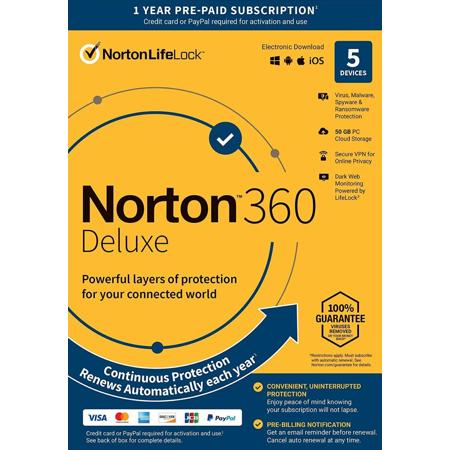
Comprehensive all-in-one antivirus with parental controls, VPN, and strong malware protection for families.
Norton is widely considered one of the best antivirus solutions available. It combines strong malware detection, parental controls, and identity protection features, making it ideal for families.
- Covers multiple devices across platforms
- Includes VPN, password manager, and dark web monitoring
- Easy-to-use dashboard for managing family protection
Experts consistently rank Norton as a top antivirus due to its balanced performance and feature set.
Bitdefender Family Pack — Best for Advanced Protection
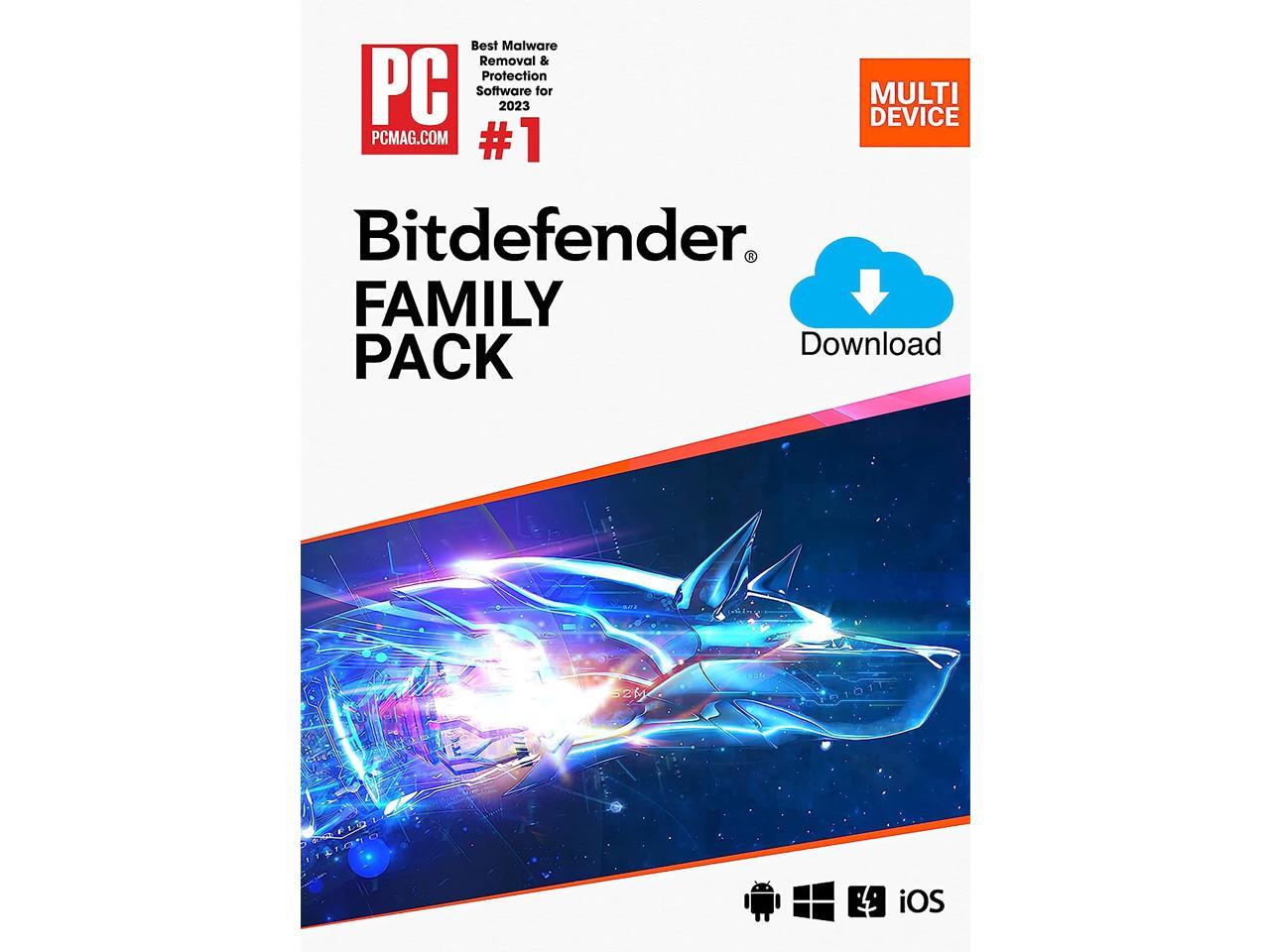 Bitdefender Total Security Family Pack (15 Devices) · $59.99
High-performance antivirus with excellent malware detection and strong multi-device coverage for families.
Bitdefender is known for its industry-leading malware detection rates and strong security performance.
- Protects up to 15 devices
- Advanced ransomware and phishing protection
- Minimal system slowdown compared to competitors
It consistently ranks as one of the top-performing antivirus solutions in lab testing.
McAfee+ Family — Best for Large Households

All-in-one family security suite with unlimited device coverage and identity protection features.
McAfee stands out for families with many devices because of its broad coverage and identity protection features.
- Covers multiple users and devices
- Includes identity monitoring and scam protection
- Strong focus on privacy and personal data security
McAfee is often recommended for households needing wide coverage and bundled protection tools.
Bitdefender Premium Security Family — Best All-in-One Security Suite
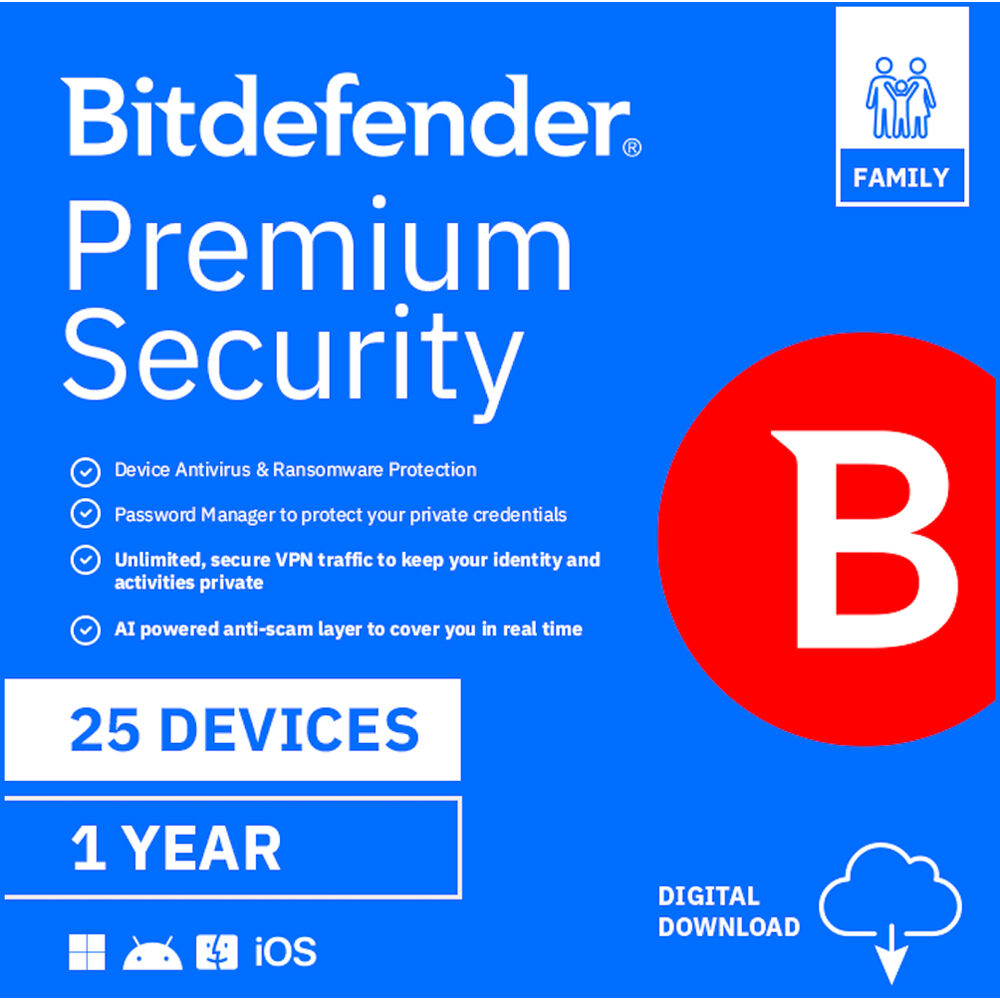 Bitdefender Premium Security Family (25 Devices) · $84.99
Premium family security suite with antivirus, VPN, password manager, and identity protection features.
This is a step up from standard antivirus, offering a complete digital protection package.
- Covers up to 25 devices
- Includes VPN, password manager, and identity protection
- Strong parental controls and privacy tools
This type of solution is ideal for families that want everything in one place, not just antivirus.
Why Antivirus Alone May Not Be Enough
Antivirus software protects your devices from malware — but it doesn’t protect everything.
It does NOT:
❌ Monitor your identity or personal data
❌ Alert you to data breaches
❌ Protect against identity theft or scams
❌ Help recover your identity after fraud
This means antivirus is only one part of protecting your family online.
A Better Option for Full Family Protection
While antivirus tools protect your devices, platforms like Aura go further by protecting your entire digital life.
Aura includes:
✔ Identity theft protection
✔ Credit monitoring
✔ Real-time alerts
✔ Family-wide protection
👉 See how Aura protects your entire family!
Product Comparison Table — Best Antivirus for Families
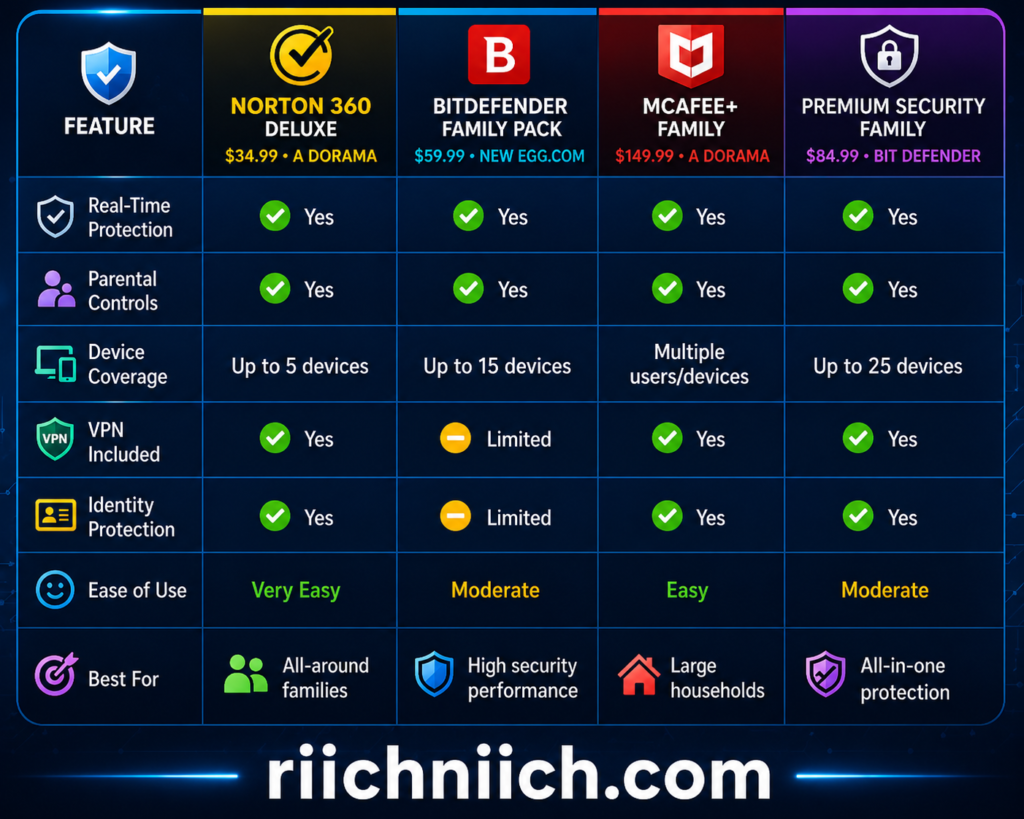
How to Choose the Right Option
- Choose Norton 360 Deluxe if you want the best balance of features and ease of use
- Choose Bitdefender Family Pack if you prioritize top-tier malware protection
- Choose McAfee+ Family if you need coverage for a large household
- Choose Bitdefender Premium Security Family if you want a complete all-in-one security system
Bottom Line
The Best Antivirus for Families depends on your household’s needs, but all of these options provide strong protection against modern threats.
What matters most is choosing a solution that:
- Covers all your devices
- Protects your children online
- Blocks threats in real time
- Includes extra layers like identity and privacy protection
Families that choose a complete security solution—not just basic antivirus—are significantly better protected in today’s threat environment.
Best Antivirus for Families (Overall Winner)
For most households, the Best Antivirus for Families in 2026 is one that combines strong protection, ease of use, parental controls, and multi-device coverage in a single plan. Based on expert testing and real-world performance, Norton 360 Deluxe stands out as the overall winner for families.
Why Norton 360 Deluxe Is the Best Antivirus for Families
Norton consistently ranks as the top antivirus solution because it delivers complete, all-in-one protection without requiring multiple tools.
Security experts and testing platforms identify Norton as a leading choice due to its:
- High malware detection rates
- Strong scam and phishing protection
- Built-in family-friendly features
According to independent testing, Norton is considered one of the best overall antivirus solutions in 2026, offering excellent protection and value for home users.
For a deeper breakdown of complete protection tools, see our full Is Aura Worth It? review.
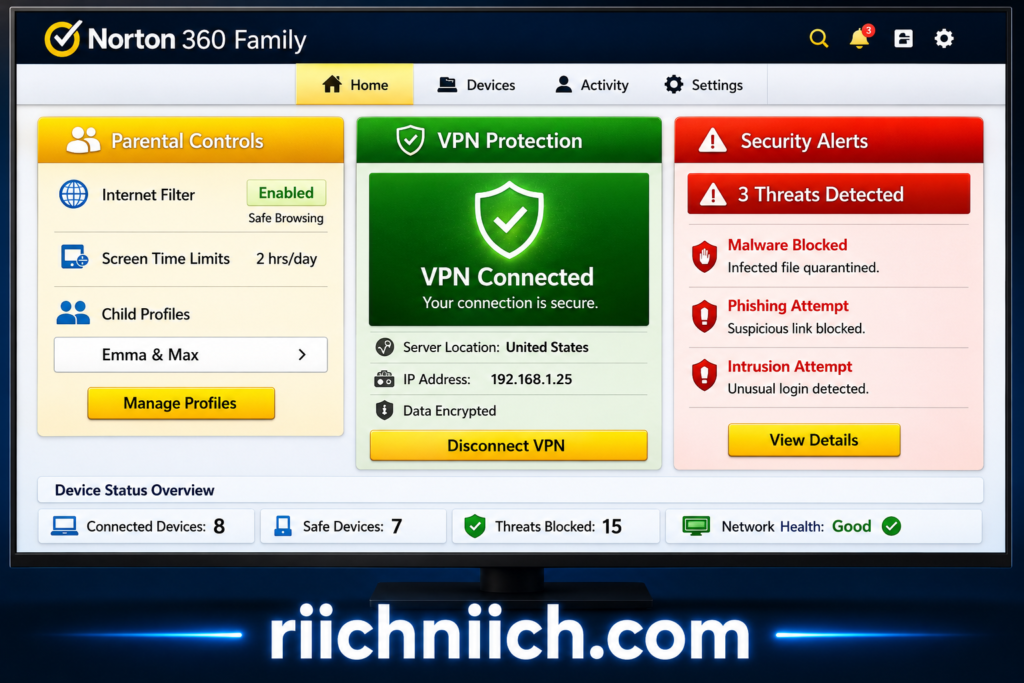
Key Features That Make It Ideal for Families
What separates Norton from other antivirus tools is how well it fits real family needs:
- Real-time threat protection
Blocks malware, ransomware, and suspicious activity before it spreads - Parental controls
Helps manage children’s screen time, app usage, and online activity - Multi-device coverage
Protects multiple devices across Windows, macOS, Android, and iOS - Secure VPN
Keeps your family’s internet activity private, especially on public WiFi - Dark web monitoring
Alerts you if your personal information is exposed online
While antivirus software protects your devices from malware, it does not fully protect your online privacy or encrypt your internet connection.
This means your family’s data can still be exposed on public Wi-Fi networks or tracked by websites.
👉 To fully protect your family’s online activity, consider using a VPN such as Surfshark alongside your antivirus.
Many competitors offer some of these features, but Norton combines them into one simple platform—making it ideal for families who want complete protection without complexity.
Real-World Protection for Everyday Family Use
In real-world scenarios, Norton helps protect against the most common risks families face:
- A child clicking a malicious download link
- A parent entering login details on a fake banking site
- A compromised password being reused across accounts
Modern antivirus software must do more than detect viruses—it must actively prevent these situations.
Research shows that today’s threats include phishing, ransomware, and identity-based attacks, making comprehensive protection essential, not optional.
Why It Outperforms Other Antivirus Options
While other top tools like Bitdefender and McAfee offer strong protection, Norton stands out because of its balance of features and usability.
- Bitdefender excels in malware detection performance
- McAfee is strong for large households and identity features
- Norton delivers the most complete all-in-one experience for families
In direct comparisons, Norton often comes out ahead due to its broader feature set and better overall value.
Bottom Line
If you want the Best Antivirus for Families, Norton 360 Deluxe is the strongest overall choice because it:
- Protects every device in your household
- Includes built-in parental controls
- Blocks modern threats in real time
- Adds privacy and identity protection features
For most families, this combination provides complete peace of mind without needing multiple security tools.
Choosing the right antivirus is not just about software—it’s about protecting your family’s devices, data, and digital life.
Best Antivirus for Families With Parental Controls
When choosing the Best Antivirus for Families, parental controls are one of the most important features—especially if your children are regularly using the internet for school, games, or social media.
The right antivirus should not only protect against malware but also help you manage, monitor, and guide your child’s online behavior in a safe and controlled way.
Top Pick — Best Antivirus for Families With Parental Controls
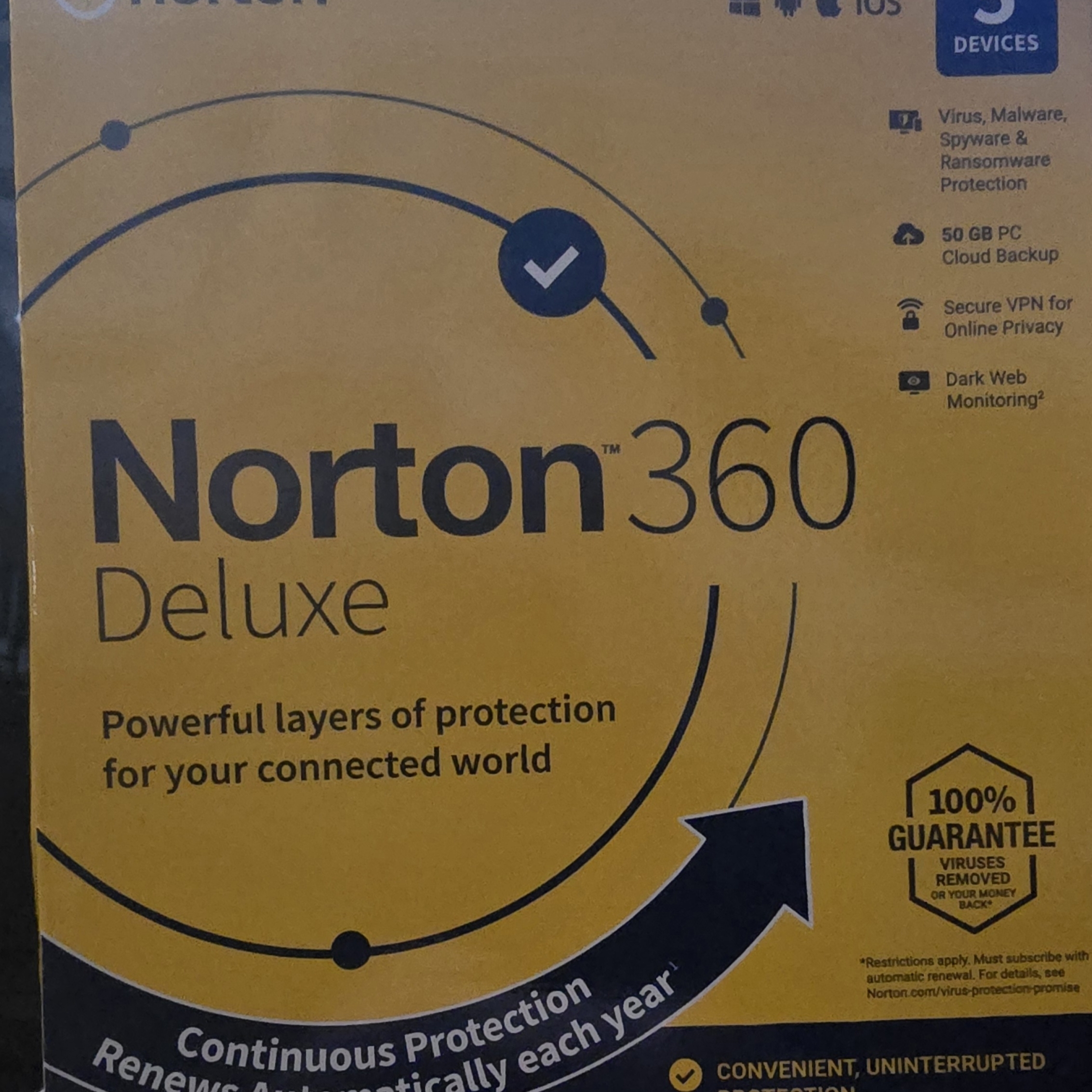
All-in-one antivirus with built-in parental controls, VPN, and multi-device protection for families.
Norton is widely considered the Best Antivirus for Families with parental controls because it combines strong security with advanced child safety tools.
Key parental control features include:
- Website and content filtering
- Screen time limits and scheduling
- Monitoring of search activity and online behavior
- Alerts for unsafe or suspicious activity
Tools like Norton Family allow parents to see what children are doing online and guide safer habits, rather than just blocking threats.
Why Parental Controls Are Essential in 2026
Children are spending more time online than ever, which increases exposure to risks such as:
- Phishing scams disguised as games or rewards
- Malicious downloads hidden in apps or links
- Inappropriate or harmful content
Modern antivirus solutions address these risks by combining security protection with behavioral monitoring tools.
According to industry testing and expert reviews, solutions like Norton 360 offer complete protection with parental controls, VPN, and password management in one platform, making them ideal for families.
What Makes a Good Parental Control System
Not all antivirus software includes strong parental controls. The Best Antivirus for Families should offer:
- Content filtering to block unsafe websites automatically
- Time controls to manage screen usage
- Activity reports so parents can monitor behavior
- Cross-device syncing to apply rules across phones, tablets, and computers
These features help prevent problems before they happen, rather than reacting after a threat occurs.
Multi-Device Monitoring Is Critical
Families rarely use just one device. A good antivirus solution should allow you to:
- Monitor multiple children across different devices
- Apply rules consistently across platforms
- Manage everything from one dashboard
Norton 360 Deluxe, for example, supports multiple devices and integrates parental controls directly into its system, making it easier to manage household security.
Parental Controls + Antivirus = Complete Protection
Parental controls alone are not enough. They work best when combined with:
- Real-time malware protection
- Phishing and scam detection
- Privacy and identity monitoring
This combination protects both:
- Your child’s behavior online
- Your family’s devices and personal data
Bottom Line
If your priority is keeping your children safe online, the Best Antivirus for Families should include strong parental controls along with full security protection.
A solution like Norton 360 Deluxe stands out because it:
- Protects against malware and scams
- Helps monitor and guide children’s online activity
- Works across all devices in your household
For families, this creates a safer and more controlled digital environment—without adding complexity.
Best Budget Antivirus for Families
Finding the Best Antivirus for Families doesn’t mean you have to spend a lot of money. Many affordable options provide strong protection, multi-device coverage, and essential family features without the higher price of premium plans.
The key is choosing a solution that balances cost, coverage, and core security features—not just the cheapest option.
Best Budget Option — Strong Value for Families

Affordable family antivirus with strong malware protection, parental controls, and multi-device coverage.
Bitdefender Family Pack is one of the Best Antivirus for Families on a budget because it offers high-end protection at a relatively low cost.
Key benefits:
- Covers up to 15 devices (excellent value for families)
- Strong malware and ransomware protection
- Includes parental controls and VPN (limited)
- Minimal system slowdown
Security testing consistently ranks Bitdefender among the top performers for malware detection and overall protection.
Alternative Budget Option

Low-cost antivirus option with essential protection and multi-device support.
McAfee Antivirus Plus is another solid low-cost option for families that need basic protection without advanced extras.
- Lower upfront cost
- Covers multiple devices
- Includes real-time protection and firewall
However, compared to Bitdefender, it offers fewer advanced features like parental controls and identity protection.
Why Budget Antivirus Can Still Be Effective
Many families assume that lower-cost antivirus means weaker protection. That’s not necessarily true.
Affordable antivirus solutions today still provide:
- Real-time threat detection
- Protection against malware and ransomware
- Basic phishing and scam blocking
According to independent testing, even lower-priced antivirus tools can deliver strong baseline protection, especially when used correctly.
What You May Miss With Cheaper Plans
While budget options are effective, they often lack:
- Advanced parental controls
- Full VPN access
- Identity theft monitoring
- Dark web alerts
This is important when choosing the Best Antivirus for Families, because families often benefit from more than just basic virus protection.
Product Comparison Table — Best Budget Antivirus for Families
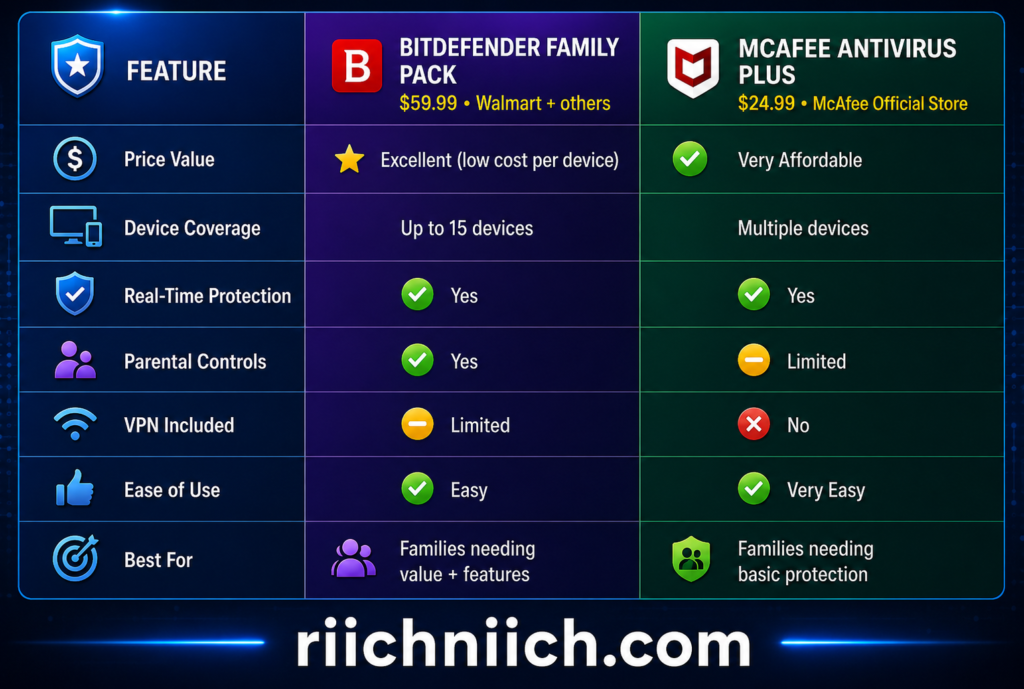
How to Choose the Right Budget Option
- Choose Bitdefender Family Pack if you want the best balance of price and features
- Choose McAfee Antivirus Plus if you want the lowest cost with basic protection
Bottom Line
The Best Antivirus for Families doesn’t have to be expensive. Budget-friendly options can still protect your household if you choose wisely.
What matters most is:
- Coverage for all your devices
- Reliable real-time protection
- Enough features to match your family’s needs
If your goal is maximum value without sacrificing security, Bitdefender Family Pack is the strongest budget choice for most families.
Best Antivirus for Families With Multiple Devices
If your household has multiple phones, laptops, tablets, and shared computers, choosing the Best Antivirus for Families means prioritizing device coverage, centralized control, and consistent protection across all platforms.
A single unprotected device can expose your entire network, so the right antivirus must scale with your family’s digital footprint.
Top Pick — Best Antivirus for Families With Multiple Devices
Advanced family antivirus with coverage for up to 25 devices, plus VPN, parental controls, and identity protection.
Bitdefender stands out as the Best Antivirus for Families with multiple devices because of its extensive device coverage and strong security performance.
Key advantages:
- Protects up to 25 devices across platforms
- Includes parental controls, VPN, and identity protection
- Central dashboard for managing all devices
- High malware detection and ransomware protection
For large families or tech-heavy households, this level of coverage is difficult to match.
Independent comparisons show Bitdefender offers significantly higher device limits than many competitors, making it ideal for multi-device environments.
Alternative Option — Unlimited Device Coverage

Family antivirus with unlimited device protection, identity monitoring, and privacy tools.
McAfee is another strong choice, especially if your household continues to add new devices.
- Covers unlimited devices under one subscription
- Includes identity protection and scam detection
- Provides individual profiles for family members
McAfee+ Family plans are designed to protect multiple users under one account, giving each person their own security and privacy features.
Why Multi-Device Protection Is Critical
Most families today use:
- Smartphones for communication and apps
- Laptops for work and school
- Tablets for entertainment
- Smart devices connected to home networks
Each device creates a potential vulnerability.
Without proper coverage:
- Malware can spread between devices
- Compromised accounts can affect multiple users
- Shared networks can expose sensitive data
The Best Antivirus for Families ensures every device is protected at the same level.
What to Look for in Multi-Device Antivirus
When comparing options, focus on:
- Device limits — how many devices are covered
- Cross-platform support — Windows, macOS, Android, iOS
- Centralized management — control all devices from one dashboard
- Performance impact — protection without slowing devices
Many lower-tier antivirus plans only cover 3–5 devices, which is not enough for most families.
Product Comparison Table — Best Antivirus for Families With Multiple Devices
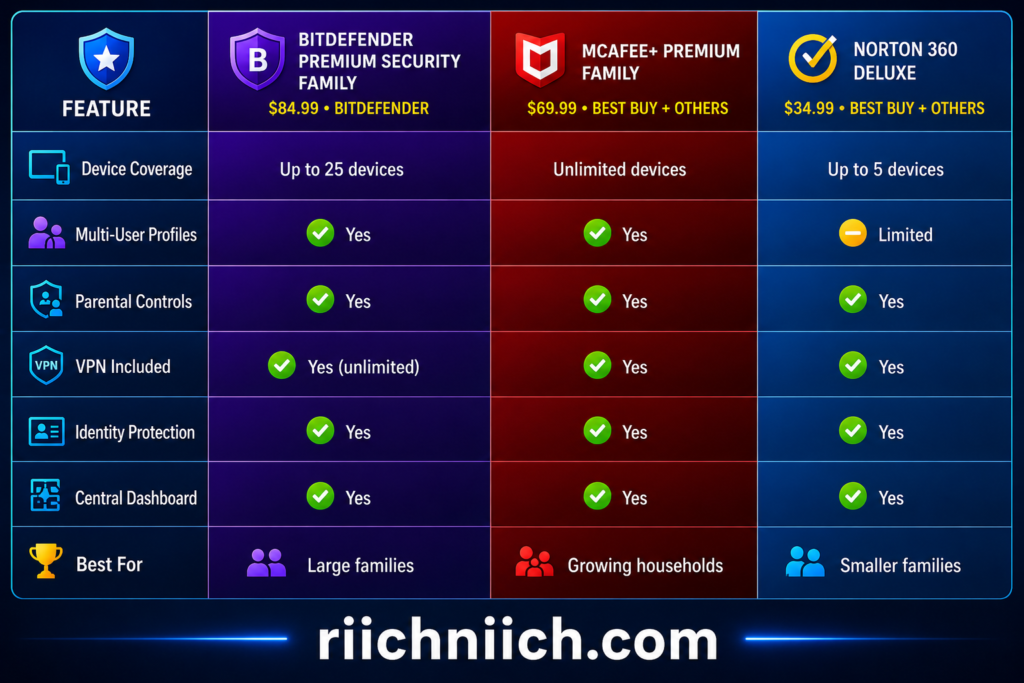
How to Choose the Right Option
- Choose Bitdefender Premium Security Family if you want maximum device coverage and advanced protection
- Choose McAfee+ Premium Family if you want unlimited scalability for future devices
- Choose Norton 360 Deluxe if you have a smaller household and want simplicity
Bottom Line
The Best Antivirus for Families with multiple devices must do more than protect one computer—it must secure your entire digital environment.
The right solution should:
- Cover every device in your household
- Provide consistent protection across platforms
- Allow easy management from one place
For most families with many devices, Bitdefender and McAfee offer the strongest solutions because they scale with your needs while maintaining high-level security.
Comparison Table — Best Antivirus for Families
When comparing the Best Antivirus for Families, the most important factors are device coverage, parental controls, real-time protection, and extra features like VPN and identity monitoring. The table below gives you a clear side-by-side breakdown so you can quickly choose the right option for your household.
Top Antivirus Options Compared
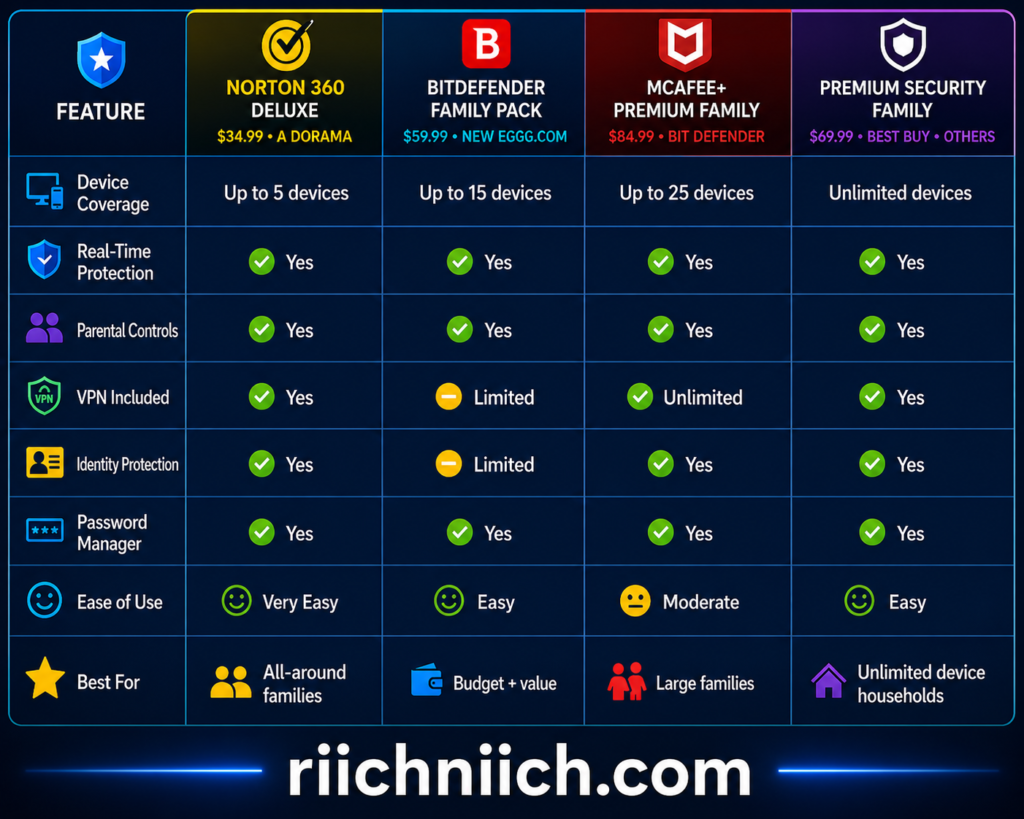
What This Comparison Shows
- Norton 360 Deluxe is the best all-around option for most families because it balances ease of use, protection, and features
- Bitdefender Family Pack offers the best value if you want strong protection at a lower cost per device
- Bitdefender Premium Security Family is ideal for larger households that want maximum coverage and advanced features
- McAfee+ Premium Family is best if you want unlimited device protection and scalability
Independent testing consistently ranks tools like Norton and Bitdefender among the top antivirus solutions due to their strong malware detection and feature sets.
How to Choose the Best Antivirus for Your Family
Use this simple approach:
- Choose Norton if you want the easiest, most balanced solution
- Choose Bitdefender Family Pack if you want the best budget option
- Choose Bitdefender Premium if you have many devices
- Choose McAfee+ Family if your household continues to grow
Bottom Line
The Best Antivirus for Families depends on your household size and security needs, but all of these options provide strong protection.
The key is choosing a solution that:
- Covers all your devices
- Protects your children online
- Blocks threats in real time
- Includes additional layers like privacy and identity protection
Making the right choice here ensures your entire family stays protected across every device and online activity.
Antivirus vs Identity Theft Protection — What Do Families Really Need?
When choosing the Best Antivirus for Families, many people ask the same question:
Is antivirus enough, or do you also need identity theft protection?
The answer is simple: they protect different things—and most families benefit from both.
What Antivirus Protection Does
Antivirus software focuses on device-level security. It protects the computers, phones, and tablets your family uses every day.
Key protections include:
- Blocking malware and ransomware
- Detecting and stopping suspicious downloads
- Preventing phishing websites from loading
- Protecting against viruses and spyware
Antivirus is your first line of defense. It stops threats before they reach your devices.
However, antivirus does not fully protect your personal information once it has already been exposed.
What Identity Theft Protection Does
Identity theft protection focuses on your personal data, not just your devices.
It helps monitor and protect:
- Social Security numbers
- Bank accounts and credit activity
- Email addresses and passwords
- Personal information exposed in data breaches
If you’re unsure whether identity protection is necessary, read our full breakdown: Do You Really Need Identity Theft Protection?
Identity protection services alert you when:
- Your data appears on the dark web
- New accounts are opened in your name
- Suspicious financial activity occurs
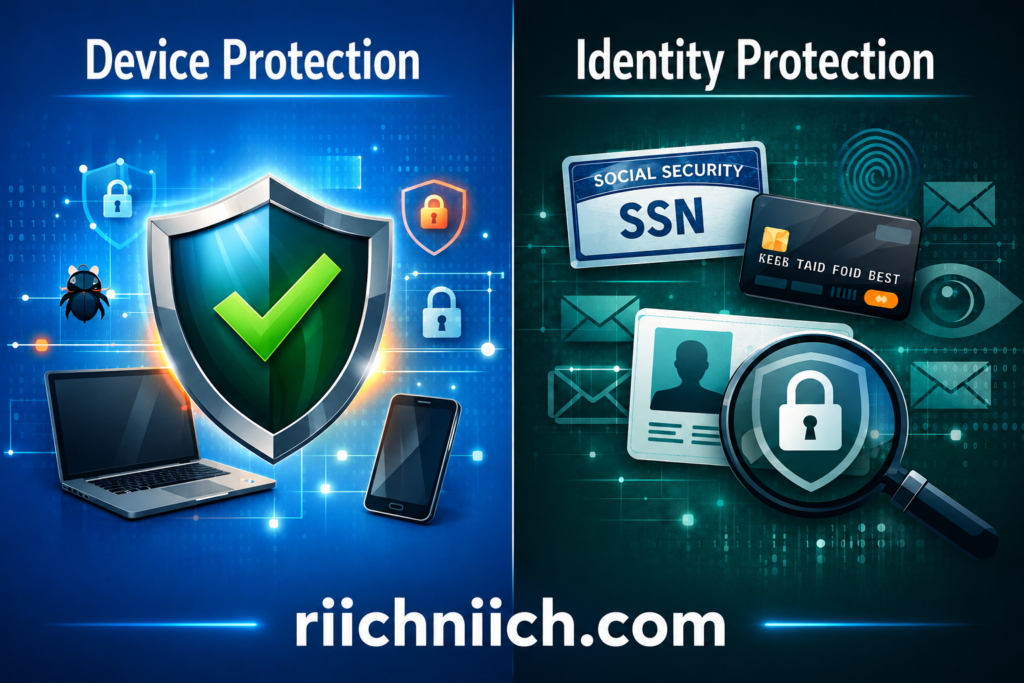
Key Difference — Device vs Identity Protection
Here is the simplest way to understand it:
- Antivirus = protects your devices
- Identity protection = protects your personal data
Both are important because modern cyber-crime often bypasses devices entirely and targets personal information directly.
The Identity Theft Resource Center reports that data breaches continue to expose sensitive information, increasing the risk of identity theft even for users with secure devices.
Why Families Need Both
Families are especially vulnerable because:
- Multiple devices increase exposure points
- Children may unknowingly share or expose information
- Shared accounts and networks create additional risk
Even if your antivirus blocks a virus, it cannot stop:
- Data leaks from external breaches
- Stolen passwords reused across accounts
- Fraud using previously exposed personal information
The Best Setup for Most Families
The safest approach is a layered security strategy:
- Antivirus software
Protects devices from malware, phishing, and online threats - Identity theft protection
Monitors and protects your personal and financial information
This combination ensures that your family is protected both before and after a potential breach.
How This Connects to Buyer Intent
If you are searching for the Best Antivirus for Families, you are already thinking about protection.
But the most secure families take it one step further:
- Antivirus prevents attacks
- Identity protection minimizes damage if data is exposed
Many modern security solutions now combine both into one platform, making it easier to manage complete protection.
Bottom Line
Antivirus alone is no longer enough in 2026.
To fully protect your household, the Best Antivirus for Families should be part of a broader strategy that includes identity protection.
Families that use both:
- Reduce their risk of cyber-attacks
- Detect threats earlier
- Recover faster if something goes wrong
This is the difference between basic protection and complete digital security.
How Antivirus Protects Your Family (Real-World Examples)
Understanding the Best Antivirus for Families is easier when you see how it works in real life. Modern antivirus software doesn’t just scan for viruses—it actively prevents common situations that can lead to financial loss, identity theft, or compromised accounts.
Below are real-world scenarios that show how antivirus protection keeps families safe.
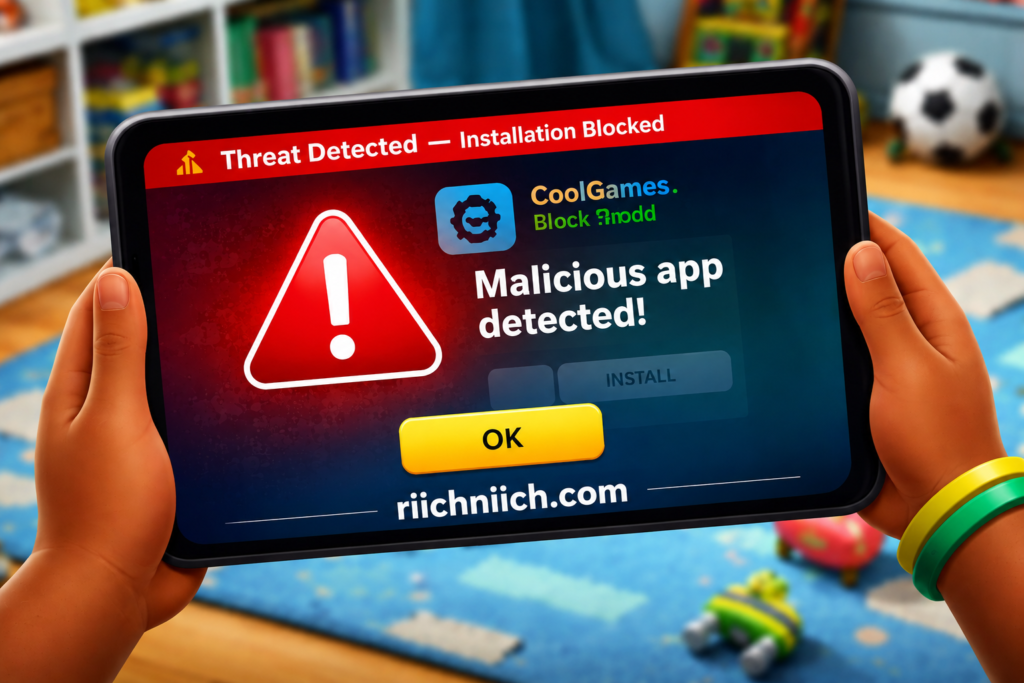
Scenario 1: A Child Downloads a Malicious App
A child downloads a free game or app that appears harmless—but it contains hidden malware.
Without protection:
- Malware installs silently
- Personal data or login credentials may be stolen
- The infection can spread to other devices on the network
With the Best Antivirus for Families:
- The download is flagged as unsafe
- The file is blocked before installation
- The parent may receive an alert
This type of protection is critical because children are more likely to click unknown links or downloads.
Scenario 2: A Parent Clicks a Phishing Email
A parent receives an email that looks like it’s from a bank or delivery service and clicks a link.
Without protection:
- The fake website captures login credentials
- Accounts may be compromised
- Financial loss or identity theft can occur
With antivirus protection:
- The phishing website is blocked before it loads
- A warning message appears
- The user is prevented from entering sensitive information
These threats often start with stolen data — learn more in our guide on How Hackers Get Your Personal Data.
Scenario 3: Malware Spreads Across Home WiFi
One infected device can put your entire household at risk.
Without antivirus:
- Malware spreads through shared networks
- Multiple devices become compromised
- Files and personal data can be corrupted or stolen
With the Best Antivirus for Families:
- The threat is contained immediately
- Other devices are protected
- The infection is removed before it spreads
Scenario 4: Ransomware Locks Family Files
Ransomware is one of the most damaging threats, locking files until a payment is made.
Without protection:
- Family photos, documents, and files are encrypted
- A ransom is demanded for access
- Recovery may be difficult or impossible
With antivirus:
- Suspicious behavior is detected early
- The ransomware attack is blocked
- Files remain safe
Security agencies like the Cyber-security and Infrastructure Security Agency warn that ransomware attacks continue to increase, targeting everyday users—not just businesses.
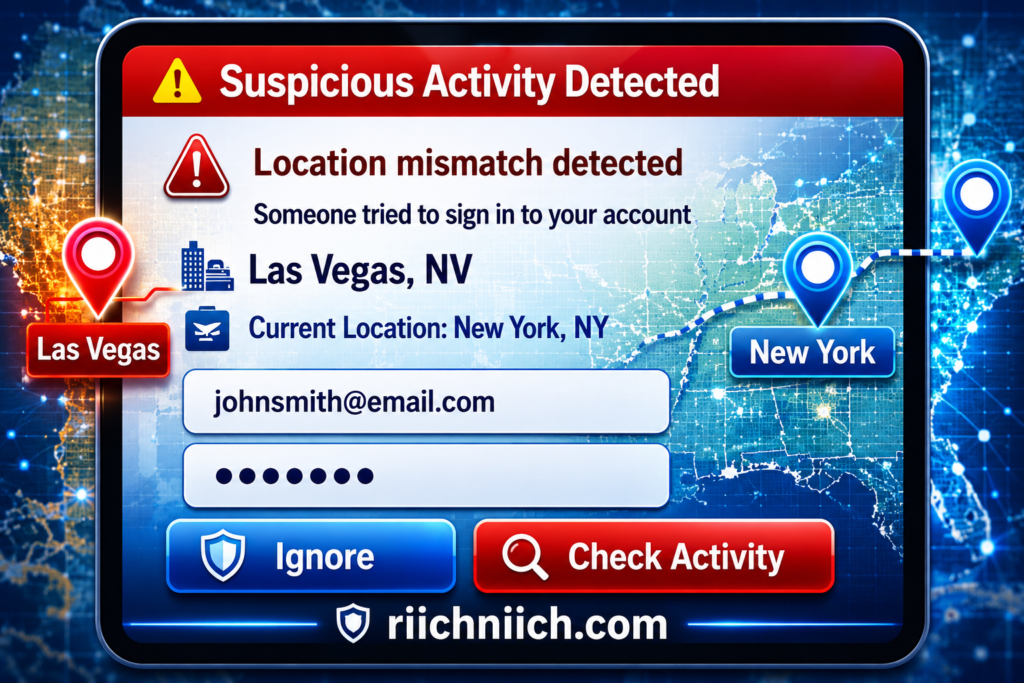
Scenario 5: Passwords Are Stolen and Reused
A family member uses the same password across multiple accounts.
Without protection:
- A data breach exposes login credentials
- Attackers access multiple accounts
- Personal and financial data can be stolen
With the Best Antivirus for Families:
- Password weaknesses may be flagged
- Suspicious login activity is detected
- Additional protections like browser security help prevent exposure
Why These Scenarios Matter
These are not rare situations—they happen every day.
Families face risks from:
- Downloads and apps
- Emails and fake websites
- Shared networks
- Weak passwords
- Increasing cyber-crime activity
The Identity Theft Resource Center continues to report rising data breaches, which increase the chances of personal information being misused.
Bottom Line
The Best Antivirus for Families protects your household in real, practical ways—not just in theory.
It helps:
- Stop threats before they reach your devices
- Prevent mistakes from turning into major problems
- Protect multiple users across multiple devices
- Reduce the risk of financial loss and identity theft
These real-world examples show why antivirus is not just a tool—it’s an essential part of keeping your entire family safe online.
Common Mistakes Families Make With Antivirus Protection
Choosing the Best Antivirus for Families is only part of the equation. Many households still leave themselves exposed by making simple but costly mistakes when using antivirus software.
Avoiding these mistakes can significantly improve your family’s overall security.
Mistake 1: Relying on Free Antivirus Only
Free antivirus tools can provide basic protection, but they often lack critical features such as:
- Advanced ransomware protection
- Parental controls
- Phishing and scam detection
- Identity monitoring
Families using only free tools may be protected from basic threats but remain vulnerable to more advanced attacks.
Many of these mistakes can lead to identity theft — see the warning signs in 13 Warning Signs Someone Stole Your Identity.
Mistake 2: Not Protecting All Devices
Many families install antivirus on one computer and assume they are fully protected.
In reality:
- Phones, tablets, and other devices are often left unprotected
- One infected device can compromise the entire network
The Best Antivirus for Families should cover all devices, not just one.
Mistake 3: Ignoring Software Updates
Antivirus software must be updated regularly to stay effective.
Without updates:
- New threats may not be detected
- Security vulnerabilities remain open
The National Institute of Standards and Technology emphasizes that outdated software is one of the most common causes of security breaches.
Mistake 4: Disabling Security Features
Some users turn off antivirus features because they:
- Think it slows down their device
- Find notifications annoying
- Don’t understand what the features do
Disabling features like real-time protection or web filtering removes critical layers of defense.
Mistake 5: Not Using Parental Controls
Families with children often skip parental controls, assuming antivirus alone is enough.
This leaves gaps such as:
- Access to unsafe websites
- Exposure to scams or inappropriate content
- Unmonitored downloads and app usage
The Best Antivirus for Families should include and actively use parental controls to reduce these risks.
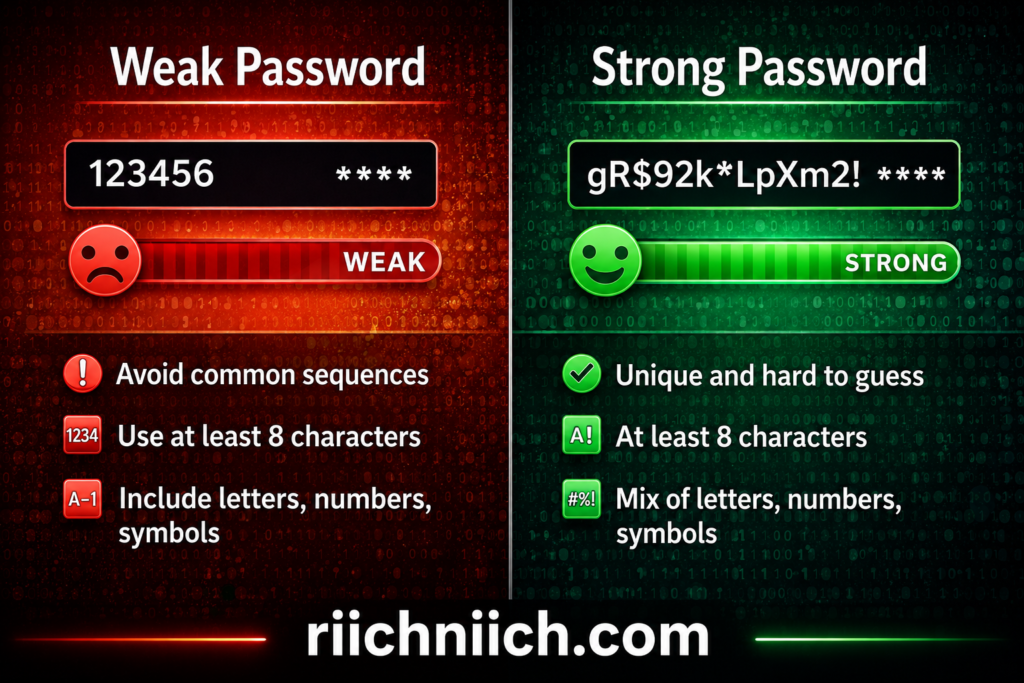
Mistake 6: Reusing Weak Passwords
Even with antivirus installed, weak passwords can lead to account takeovers.
Common issues include:
- Using the same password across multiple accounts
- Choosing easy-to-guess passwords
The Federal Trade Commission warns that stolen credentials are a major factor in identity theft cases.
Mistake 7: Thinking Antivirus Protects Everything
One of the biggest misconceptions is that antivirus alone provides complete protection.
Antivirus protects:
- Devices from malware and threats
But it does not fully protect:
- Personal data exposed in breaches
- Financial accounts from fraud
- Identity theft risks
This is why many experts recommend combining antivirus with identity protection for full coverage.
Why These Mistakes Matter
These mistakes are common because they seem small—but they can lead to:
- Data breaches
- Account takeovers
- Financial loss
- Identity theft
Families are especially vulnerable because multiple users and devices increase the chances of something going wrong.
Bottom Line
The Best Antivirus for Families only works if it’s used correctly.
To stay protected:
- Use a full-featured antivirus solution
- Cover every device in your household
- Keep software updated
- Enable all key security features
- Combine antivirus with strong password practices and identity protection
Avoiding these common mistakes can make the difference between basic protection and complete security for your family.
How to Choose the Best Antivirus for Your Family
Choosing the Best Antivirus for Families comes down to matching the software to your household’s specific needs. Not every family uses technology the same way, so the right choice depends on devices, number of users, and level of protection required.
This section breaks down a simple, practical way to choose the right solution.
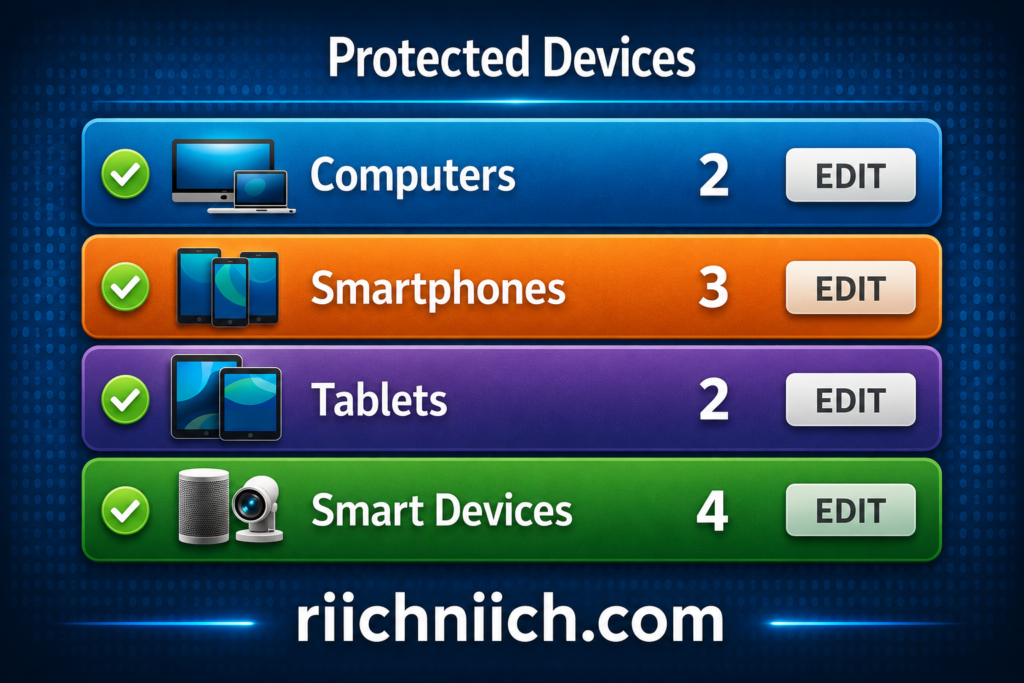
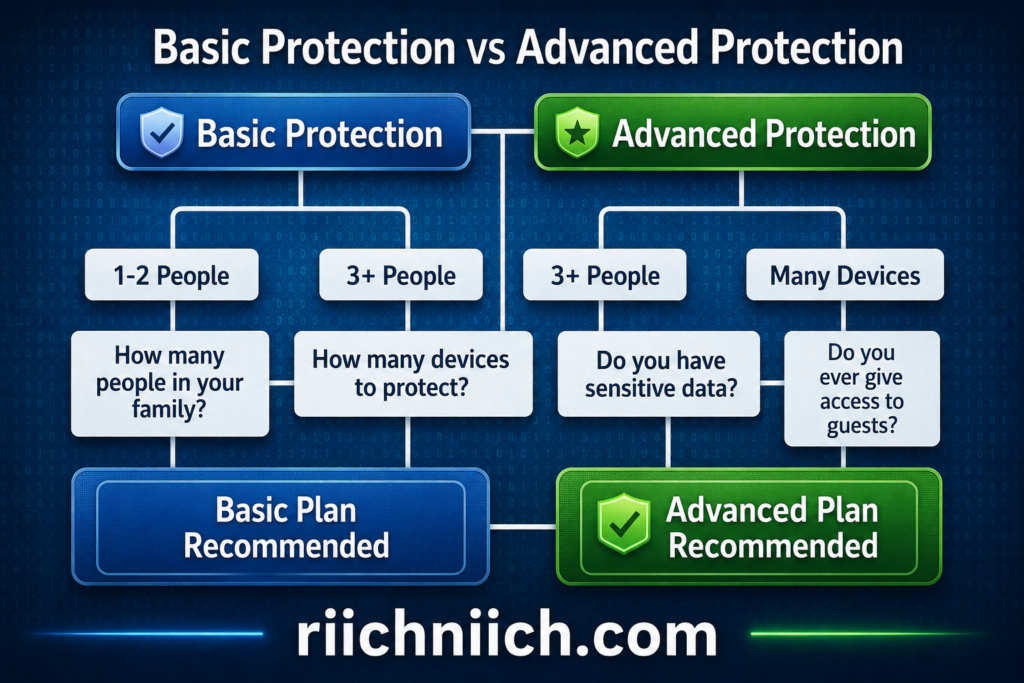
Step 1: Identify How Many Devices You Need to Protect
Start by counting every device in your household:
- Smartphones
- Laptops and desktops
- Tablets
- Shared family computers
Many families underestimate this number. The Best Antivirus for Families should cover all devices under one plan, not just one or two.
If your household has:
- 3–5 devices → standard plans may be enough
- 6+ devices → look for family or unlimited device plans
Step 2: Consider Your Family’s Online Behavior
Different families have different risk levels.
Ask yourself:
- Do your kids download apps or play online games?
- Do you manage banking or shopping online?
- Do multiple people share the same devices or WiFi?
The more active your household is online, the more advanced protection you need.
The Cyber-security and Infrastructure Security Agency recommends stronger protections for users with frequent online activity due to increased exposure to cyber threats.
Step 3: Prioritize Must-Have Features
The Best Antivirus for Families should include these core features:
- Real-time malware and ransomware protection
- Parental controls for child safety
- Phishing and scam detection
- Multi-device compatibility
- Easy-to-use dashboard
Additional features like VPN and identity monitoring are valuable but should come after the essentials.
Step 4: Choose Ease of Use Over Complexity
A powerful antivirus is useless if it’s too difficult to manage.
Look for:
- Simple installation
- Clear alerts and notifications
- Central dashboard to manage all devices
Family members should be able to use the software without confusion.
Step 5: Compare Value, Not Just Price
The cheapest option is not always the best choice.
Instead, evaluate:
- Cost per device
- Features included
- Level of protection provided
A slightly higher-priced plan that covers more devices and includes parental controls often provides better overall value.
Step 6: Check Independent Testing and Reviews
Before choosing, look at results from trusted sources.
Organizations like the AV-TEST and the AV-Comparatives evaluate antivirus software based on:
- Protection effectiveness
- Performance impact
- Usability
Top-rated antivirus solutions consistently perform well across these categories.
Step 7: Think Beyond Antivirus (Complete Protection)
The Best Antivirus for Families should be part of a broader security strategy.
Consider whether you also need:
- Identity theft protection
- Password management
- Privacy tools like VPN
Modern cyber threats often target personal data, not just devices, so layered protection is becoming more important.
Bottom Line
Choosing the Best Antivirus for Families is about finding the right balance between protection, usability, and value.
To make the right decision:
- Cover every device in your household
- Choose features that match your family’s behavior
- Prioritize ease of use
- Look at independent test results
- Consider adding identity protection for full coverage
A well-chosen antivirus solution does more than protect devices—it helps create a safer digital environment for your entire family.
For a complete comparison of protection options, visit our Best Identity Theft Protection Services guide.
Which Option Is Best for Your Family?
Choose a traditional antivirus if you:
✔ Only want malware protection
✔ Need basic device security
✔ Prefer a lower-cost option
Choose Aura if you:
✔ Want full family protection
✔ Need identity monitoring and alerts
✔ Prefer an all-in-one security solution
👉 See if Aura is right for your family!
Final Verdict — Best Antivirus for Families
Choosing the Best Antivirus for Families comes down to one key goal: protecting every device, every user, and your family’s personal data without adding complexity.
After comparing the top options, one thing is clear—modern families need more than basic antivirus. You need a solution that combines strong protection, multi-device coverage, parental controls, and privacy features.
The Best Overall Choice for Most Families
For most households, Norton 360 Deluxe remains the Best Antivirus for Families because it delivers the best balance of:
- Strong malware and ransomware protection
- Built-in parental controls
- Multi-device coverage across platforms
- Extra features like VPN and identity monitoring
Independent testing consistently ranks Norton at the top due to its high detection rates, ease of use, and complete feature set.
Strong Alternatives Based on Your Needs
While Norton is the best overall, other options may be better depending on your situation:
- Bitdefender — Best for advanced protection and performance
Known for excellent malware detection and lightweight performance - McAfee+ Family — Best for large households
Offers broad or unlimited device coverage, making it ideal for growing families
These options all provide strong protection, but each is optimized for a slightly different type of user.
What Really Matters When Choosing
The Best Antivirus for Families is not just about brand—it’s about fit.
The right choice should:
- Cover all devices in your household
- Be easy to manage from one dashboard
- Include parental controls for child safety
- Block modern threats like phishing and ransomware
- Offer additional layers like privacy and identity protection
Modern cyber threats go beyond viruses. Today’s risks include phishing, scams, and data breaches, which require multi-layered protection, not just basic antivirus.
Buyer Intent Takeaway
If you are deciding right now, here is the simplest way to choose:
- Choose Norton 360 Deluxe for the best all-around protection
- Choose Bitdefender if you want maximum security performance
- Choose McAfee+ Family if you need coverage for many devices
Most families will benefit from a solution that combines ease of use with complete protection, not just technical features.
Final Bottom Line
The Best Antivirus for Families in 2026 is one that protects your household at every level:
- Devices
- Online activity
- Personal data
Families that invest in a complete security solution are far less likely to experience:
- Malware infections
- Account takeovers
- Identity theft
Choosing the right antivirus is not just a tech decision—it’s a decision about protecting your family’s digital life.
Frequently Asked Questions About the Best Antivirus for Families
Below are the most common questions people ask when choosing the Best Antivirus for Families. These answers are designed to help you make a clear, confident decision.
What is the Best Antivirus for Families in 2026?
The Best Antivirus for Families is one that provides:
- Real-time protection against malware and ransomware
- Coverage for multiple devices
- Parental controls for child safety
- Protection against phishing and scams
For most households, all-in-one solutions like Norton or Bitdefender are strong choices because they combine security, usability, and family-focused features.
Do families really need antivirus software?
Yes. Families are one of the most common targets for cyber threats because:
- Multiple devices increase risk
- Children may click unsafe links or downloads
- Personal and financial data is shared across devices
According to the Cyber-security and Infrastructure Security Agency, using security software is one of the most effective ways to reduce cyber risk at home.
Is free antivirus good enough for families?
Free antivirus can provide basic protection, but it often lacks:
- Parental controls
- Advanced phishing protection
- Multi-device management
- Identity monitoring
For families, these missing features are important. Paid antivirus solutions typically offer more complete protection.
How many devices should family antivirus cover?
The Best Antivirus for Families should cover every device in your household, including:
- Phones
- Laptops
- Tablets
- Desktop computers
Most families need coverage for at least 5–10 devices. Larger households may need plans that support 15 or more.
Does antivirus protect against identity theft?
Antivirus helps protect devices from threats, but it does not fully protect against identity theft.
Identity theft protection focuses on:
- Monitoring personal data
- Detecting fraud and suspicious activity
- Alerting you to breaches
The Federal Trade Commission recommends monitoring personal information and accounts in addition to using security software.
What features should families prioritize most?
When choosing the Best Antivirus for Families, focus on:
- Real-time threat protection
- Parental controls
- Multi-device coverage
- Phishing and scam protection
- Ease of use
These features provide the strongest foundation for family security.
Can antivirus slow down devices?
Modern antivirus software is designed to run efficiently in the background.
Top providers like Bitdefender and Norton are known for:
- Minimal system impact
- Optimized performance
- Automatic background scanning
Independent testing organizations like the AV-Comparatives evaluate performance to ensure antivirus tools do not significantly slow down devices.
Do families need a VPN with antivirus?
A VPN is not required, but it is highly recommended.
It helps:
- Protect your data on public WiFi
- Keep browsing activity private
- Prevent tracking and interception
Many of the Best Antivirus for Families include a VPN as part of their package.

How often should antivirus software be updated?
Antivirus software should update automatically and frequently.
Updates are important because:
- New threats appear daily
- Detection systems must stay current
- Outdated software becomes less effective
The National Institute of Standards and Technology emphasizes keeping security tools updated to maintain protection.
What is the easiest antivirus for families to use?
The easiest antivirus solutions for families offer:
- Simple setup
- Clear dashboards
- Centralized control for all devices
Ease of use is important because complicated tools are more likely to be misconfigured or ignored.
Bottom Line
Choosing the Best Antivirus for Families becomes much easier when you understand what to look for and how these tools work.
Families that invest in the right antivirus solution benefit from:
- Better protection across all devices
- Safer online experiences for children
- Reduced risk of scams, malware, and data theft
Taking the time to choose the right solution now can prevent serious problems later.
Pingback: Public WiFi Dangers (And How To Stay Safe) - Riich Niich
Pingback: Is Incogni Worth It in 2026? (Full Review + Results) - Riich Niich
Pingback: Is Online Banking Safe in 2026? (Risks + How to Protect Your Money) - Riich Niich
Pingback: Identity Theft Prevention Checklist: 20 Practical Steps + Free Printable - Riich Niich