

If you’re wondering how to remove your email address from the internet, the good news is that you can significantly reduce where it appears—even if completely erasing every copy isn’t always possible. Your email can end up on Google, old websites, people-search sites, data-broker databases, and even exposed through data breaches.
In this guide, you’ll learn 9 practical steps to find and remove unwanted email listings, opt out of data brokers, request eligible Google removals, check for breach and dark-web exposure, and prevent your primary email from spreading again. You’ll also learn when doing it yourself is enough—and when paying for a data-removal service may actually be worth it.
Table of Contents
🔥 Quick Answer: How To Remove Your Email Address From the Internet
If you want to learn how to remove your email address from the internet, start by finding exactly where your email appears online. Search for your email address in quotation marks on Google, review old accounts and public profiles, and check people-search sites that may have collected your contact information.
Once you know where your email is exposed, work through the sources one by one. Remove it from websites and profiles you control, contact website owners when you do not control the page, submit opt-out requests to people-search sites and data brokers, and request removal from Google Search when the result qualifies.
Google’s Results about you feature can help you find search results containing personal contact information, including an email address, and request removal of eligible results. Google can remove qualifying results from Search, but that does not necessarily delete your email from the website hosting the information. For the most complete removal, you should try to remove the information at its original source as well.
People-search sites are another major place to check. According to the Federal Trade Commission, these sites can compile information from sources such as public records, public social-media profiles, and other data brokers. Most provide an opt-out process, but removing yourself manually can mean submitting requests to numerous sites individually.
This is where buyer intent becomes important. You can remove your information manually for free, but if your email address appears across many data-broker and people-search databases, a reputable paid data-removal service can automate much of the opt-out work. The FTC recommends checking how many websites a paid service covers, whether it provides removal reports, and how frequently it rescans for information that reappears before paying for one.

The basic process for how to remove your email address from the internet is:
- Search Google for your email address.
- Delete it from websites and accounts you control.
- Contact website owners to request removal when you do not control the page.
- Opt out of people-search sites.
- Remove your information from data-broker databases.
- Request removal of eligible results from Google Search.
- Check whether your email was exposed in known data breaches.
- Check whether your email appears in dark-web exposure data.
- Reduce future exposure by tightening privacy settings, limiting where you share your primary email, and monitoring for your information appearing again.
The goal is not simply to remove an email address from Google Search. You want to reduce the number of places storing, displaying, sharing, or selling that address. Even after opting out, information can sometimes reappear, which is why periodically checking for new exposure—or paying for a data-removal service that performs recurring scans—can be valuable. The FTC specifically warns that information may reappear on people-search sites as underlying records change.
You may not be able to erase every trace of an email address from the web, but systematically removing the most visible listings can make your personal email harder to find and reduce unnecessary exposure. The nine steps below will show you how to tackle each source individually.
Why Is Your Email Address on the Internet in the First Place?
Your email address can end up online much more easily than you might think. Every time you create an account, sign up for a newsletter, make an online purchase, join a forum, post on social media, or provide your contact information to a business, another organization may gain access to that address.
That does not automatically mean the company publishes your email publicly. The bigger issue is that personal information can move between databases, public profiles, marketing systems, data brokers, and other third parties over time. The Federal Trade Commission explains that websites and apps use various technologies to collect information about users and their online activity.
If you’re researching how to remove your email address from the internet, it helps to understand where the exposure started. Your email may be coming from several different sources at once.
If your exposure goes beyond your email address, our guide on How to Remove Your Personal Information from the Internet explains how to reduce your broader digital footprint.
Public Accounts and Profiles
One of the simplest explanations is that you shared your email publicly without realizing it.
An old social media profile, personal website, online portfolio, forum account, business directory, or public-facing contact page could still display an email address you added years ago. Even if you no longer use the website, the page may remain accessible to search engines.
This is why searching for your exact email address later in this guide is so important. You may discover accounts and profiles you completely forgot existed.
People-Search Sites
Your email can also become associated with a profile on a people-search website.
According to the Federal Trade Commission (FTC), people-search sites can gather information from other data brokers, publicly accessible social media profiles, and federal, state, and local public records. The information is then compiled into reports that may reveal multiple pieces of information about an individual.
That means you don’t necessarily have to intentionally submit your email to a particular people-search site for that company to develop a profile associated with you.
Data Brokers
Data brokers are another major reason personal information spreads online.
These companies collect and aggregate consumer information from different sources and may sell or share that information with other businesses. People-search websites themselves are one type of data broker.
Once information has moved through multiple databases, manually figuring out how to remove email from data brokers can become time-consuming. You may remove a listing from one database only to discover your information somewhere else.
This is also where a paid data-removal service can become worth considering. Instead of manually finding and submitting opt-out requests to numerous databases, these services can handle many removal requests for you and continue checking supported sites for information that reappears.
However, paying is not required. The FTC notes that you can opt out of people-search sites yourself for free, while paid services essentially perform that work on your behalf. If you’re considering paying, the FTC recommends checking how many sites the service covers, whether it provides removal reports, and how often it rescans for information that returns.
Data Breaches and Leaks
Sometimes an email address exposed online has nothing to do with something you intentionally made public.
A company you trusted with your email address could suffer a data breach. Depending on what information was compromised, exposed data could later circulate outside the original service.
An exposed email address does not automatically mean someone has access to your inbox. However, discovering that your address was involved in a breach is a good reason to examine what other information may have been exposed and strengthen the security of affected accounts.
Later in this guide, we’ll cover how to check if email was leaked and what to do if you discover your information has been exposed.
Your Email Address May Have Multiple Sources
The most important thing to understand is that there may not be one website responsible for your email appearing online.
You could remove an address from an old profile while the same address remains with a people-search site, data broker, public directory, or breached database. That is why how to remove your email address from the internet requires more than deleting a single Google result.
The better approach is to trace the exposure back to as many original sources as possible, remove what you can, opt out of databases that allow removal, and then reduce how often you share your primary email going forward.
The next question is why going through all of that effort is worth it—and what risks you may reduce by making your email address harder to find.
Why You Should Remove Your Email Address From the Internet
Your email address might not seem as sensitive as a Social Security number or bank account number, but it is still an important part of your digital identity. It is often connected to your social media profiles, shopping accounts, financial services, subscriptions, and password-reset systems.
That is why learning how to remove your email address from the internet is about more than simply reducing spam. The fewer unnecessary places your primary email address appears, the less information strangers, marketers, data brokers, and scammers may be able to connect back to you.
Reduce Your Exposure to Phishing Scams
One of the biggest concerns with an email address exposed online is phishing.
Scammers send emails that impersonate banks, retailers, government agencies, delivery services, and other familiar organizations. Their goal is often to convince you to click a malicious link, open an attachment, or provide sensitive information.
The Federal Trade Commission warns that phishing emails can be used to steal passwords, account numbers, Social Security numbers, and other information that could ultimately lead to account compromise or identity theft.
Removing unnecessary public listings will not eliminate phishing, but making your email address less widely available reduces one avenue through which your contact information can circulate.

Make Targeted Scams Harder
A publicly available email becomes more concerning when it can be combined with other personal information.
For example, someone may be able to connect an email address with your name, employer, social profiles, or other publicly available details. That information can potentially make a phishing message more convincing because the message can be tailored to the recipient.
CISA specifically warns that personal details published online can be used in targeted spear-phishing and social-engineering attempts.
This is one reason how to keep your email address private should be part of your overall online privacy strategy rather than something you only think about after spam becomes overwhelming.
Reduce Unwanted and Potentially Dangerous Spam
There is a major difference between an annoying marketing email and a malicious message disguised as something legitimate.
Unfortunately, both can end up in the same inbox.
The FTC notes that spam can range from unwanted advertising to messages pushing scams or attempting to install malware. It recommends using spam filters, protecting personal information, and reporting unwanted messages.
If your address appears across old websites, marketing databases, people-search sites, and data brokers, removing those unnecessary listings may help reduce your overall exposure. It will not instantly stop every unwanted message, especially if the address is already circulating, but it is still an important privacy step.
Protect an Account That Can Unlock Other Accounts
Your primary email account deserves special protection because it often functions as the recovery point for other online accounts.
Think about what happens when you forget a password. The website may send a password-reset link directly to your email.
The FTC warns that if someone takes control of an email account, they could potentially request password resets for other accounts, receive those reset messages, and use them to lock the legitimate owner out. The agency recommends protecting email accounts with a strong password and two-factor authentication.
That does not mean someone can take over your accounts simply because they know your email address. They would still need additional access or credentials. However, limiting unnecessary exposure while properly securing the account gives you a stronger overall defense.
Reduce Your Data-Broker Footprint
Another reason to remove your email is to reduce how much personal information can be connected across different databases.
If you’re trying to remove email from data brokers, you generally have two options: submit opt-out requests yourself or use a paid data-removal service to handle many of those requests for you.
Manual removal makes sense if you only find your information on a handful of sites and do not mind spending the time submitting requests.
A paid service becomes more attractive when your information appears across numerous databases or you want ongoing removal attempts without repeatedly checking each site yourself.
That distinction matters for anyone researching how to remove your email address from the internet with buyer intent: you are not necessarily paying for something that is impossible to do yourself. You are primarily paying for convenience, broader coverage, repeated scans, and less manual work.
Later in this guide, we’ll break down when paying for a data-removal service makes sense and when you may be better off handling the removals yourself.
Take Back Control of Your Digital Footprint
Ultimately, removing an email address from unnecessary public sources is about control.
You may not be able to erase every historical copy of an email address or guarantee that it never appears again. But you can make it more difficult to find, reduce unnecessary listings, remove information from sources that honor opt-out requests, and change how you share your primary address going forward.
That makes how to remove your email address from the internet one part of a larger privacy strategy: remove what does not need to be public, secure what must remain online, and periodically check whether your personal information has resurfaced.
Step 1: Search Google for Your Email Address
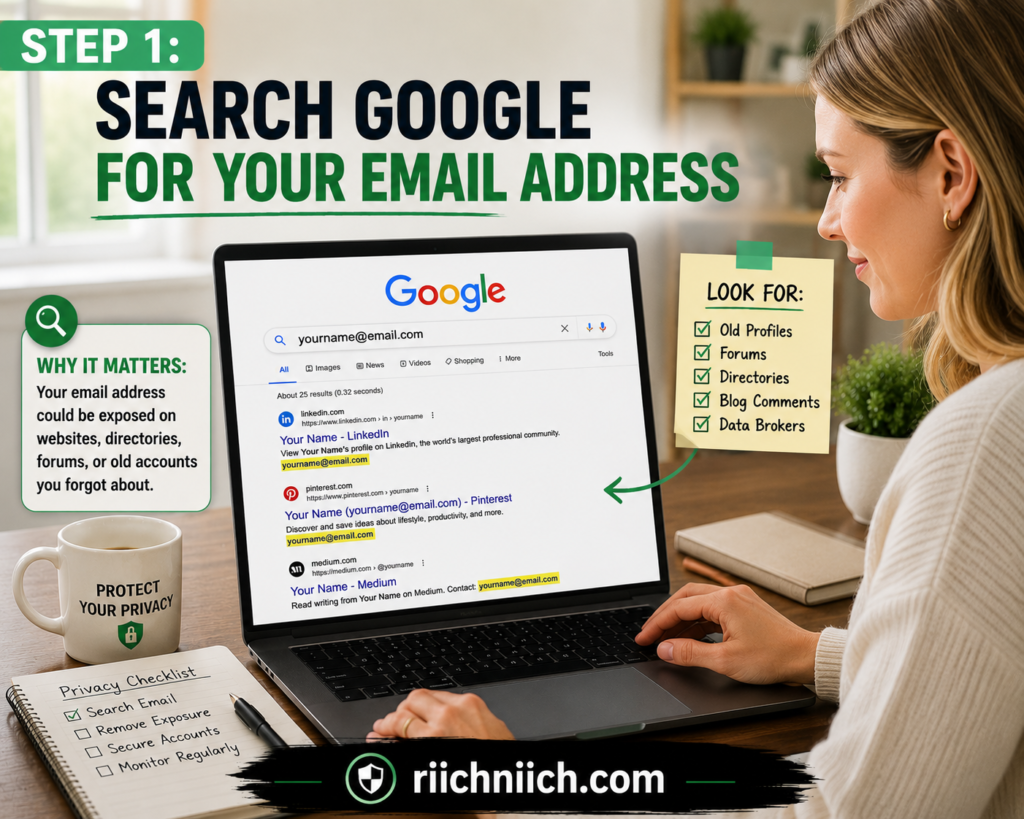
The first step in how to remove your email address from the internet is figuring out where your email address is publicly visible. Before you can request removals, you need to know which websites, profiles, directories, and search results are exposing it.
Start with a simple Google search using your full email address inside quotation marks:
Quotation marks are useful when you want Google to look for pages containing that specific phrase rather than treating the individual words separately.
Review several pages of results instead of stopping after the first few links. Pay particular attention to old accounts, forum posts, business directories, personal websites, public documents, people-search sites, and profiles you no longer use.
Search More Than One Version of Your Email
If you have used the same email address for years, one search may uncover plenty of results. However, it is worth trying several searches to discover pages that are harder to find.
Try searches such as:
- “youremail@example.com“
- “youremail@example.com” + your full name
- “youremail@example.com” + your username
- “youremail@example.com” + your city
- “youremail@example.com” + your business or website name
If you have multiple email addresses, repeat the process for each one you want to protect.
This is one of the simplest ways to find where your email is listed online. Keep a record of every page you find because you will need those URLs during the removal steps later in this guide.
Look Beyond the Obvious Search Results
Do not assume that your email is safe just because nothing alarming appears on Google’s first page.
Your address could be buried inside an old forum discussion, cached-looking snippet, PDF, membership directory, or public profile. It could also be connected to other information that makes the listing more revealing.
For example, finding only your email address is one thing. Finding your email alongside your full name and other personal contact information creates a much more detailed public profile.
This is also why searching periodically matters. A search that produces nothing concerning today does not guarantee that another website will not publish or index your information later.
Use Google’s Results About You
Google also provides a privacy feature called Results about you that can help identify search results containing personal contact information, including your email address. You can enter multiple email addresses and other contact information, review matches Google finds, and request removal of eligible results. Google also allows you to enable notifications when new matching results are discovered.
This can be particularly useful if you do not want to rely entirely on manually searching Google every few months.
Keep in mind that not every result qualifies for removal. Google says certain results may remain when the information appears on sources considered valuable to the public, such as some government, educational, or news websites.
Create a Simple Removal List
As you find your email address, create a basic list containing:
Website | Page URL | What Information Appears | Removal Status
For example, you might mark a listing as Needs Removal, Removal Requested, or Removed.
This becomes especially helpful once you start submitting opt-out requests to multiple websites. Without a list, it is surprisingly easy to forget which sites you contacted and which ones still need attention.
Search Results Are Only the Starting Point
Finding your email on Google does not necessarily mean Google is the original source of the information. Google Search generally points you toward the webpage where the information exists.
That distinction matters.
Google allows people to request removal of certain personal information—including email addresses—from eligible search results. However, removing a result from Google Search does not remove the information from the website hosting it. Google specifically recommends contacting the website owner if you want the information removed at its source.
This is why you should save the original website URL whenever you find your email.
Later, when we cover how to remove email address from Google, you will deal specifically with eligible Google results. For now, the objective is discovery.
Manual Searching vs. Ongoing Monitoring
If Google only reveals one or two unwanted listings, handling everything manually may be all you need.
However, if you discover your email across numerous people-search sites and data-broker databases, the amount of manual work can increase quickly. That is where a paid data-removal service becomes worth considering. Instead of repeatedly finding listings and submitting individual opt-out requests yourself, these services are designed to automate removal requests across supported data brokers and continue checking for information that reappears.
You do not need to purchase a service simply because your email appears online. The value is primarily in saving time and handling recurring removals when your digital footprint is widespread.
For now, don’t remove anything until you’ve identified what you’re dealing with. Build your list first. Once you know exactly where your email appears, Step 2 is to start with the easiest targets: websites you already control.
Step 2: Remove Your Email Address From Websites You Control
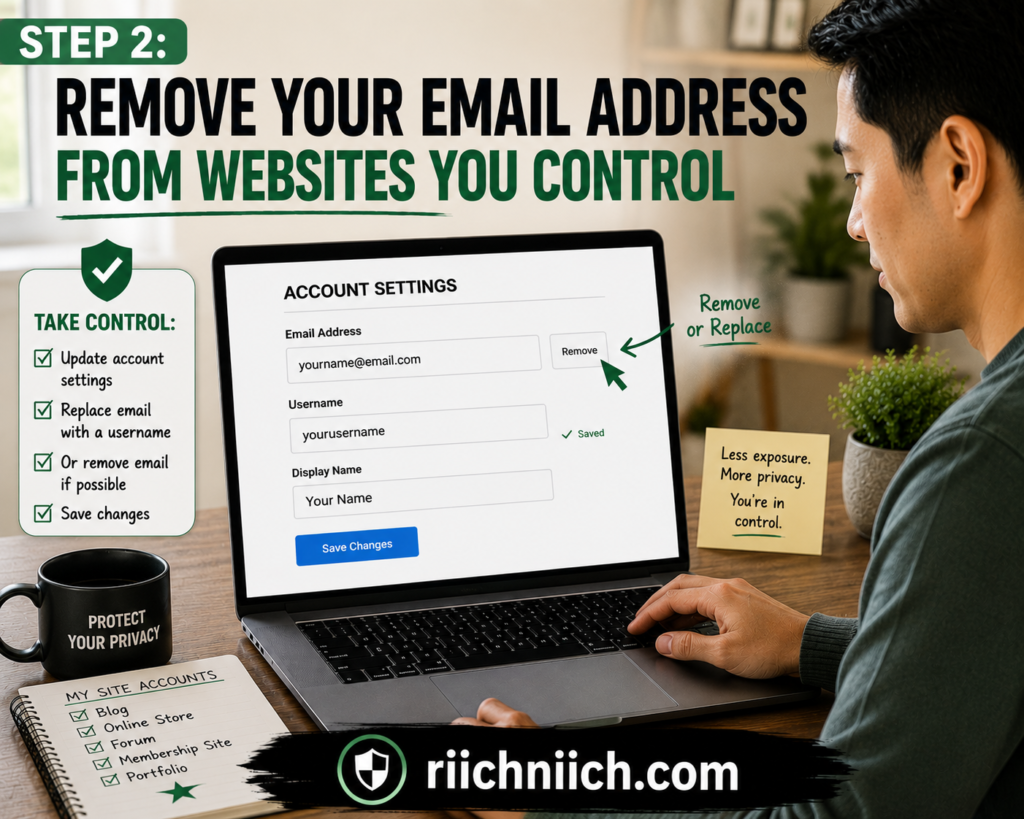
Once you know where your email appears online, the next step in how to remove your email address from the internet is to clean up the websites and accounts you can control yourself.
These are usually the easiest removals because you do not have to wait for a website owner, data broker, or search engine to approve a request. If you can log in and edit the page, start there.
Look closely at old social media profiles, personal websites, blogs, forum accounts, online portfolios, public bios, community profiles, and other accounts where you may have published your email address.
Start With Old Accounts and Profiles
Many people have online accounts they created years ago and rarely think about anymore. Those forgotten accounts can still contain an email address in a public profile or contact section.
Log in to each account you identified during Step 1 and check areas such as:
- Your public profile or bio
- Contact information
- About pages
- Old posts and comments
- Author profiles
- Forum signatures
- Public account directories
- Uploaded documents
- Business or professional profiles
If your email does not need to be publicly displayed, delete it or change the visibility setting to private.
If you no longer need the account at all, consider deleting the entire account instead of simply removing your email from the profile.
Remove Your Email From Your Own Website
If you own a personal website or blog, search the entire site for your email address.
Check your contact page, About page, author biography, footer, old articles, downloadable PDFs, image captions, and any other pages that could contain it.
If visitors need a way to contact you, you do not necessarily have to publish your primary personal email address.
You could use a contact form or a separate email address created specifically for public inquiries. This helps you remove personal email from internet pages you control while still allowing legitimate visitors to reach you.
For business owners and bloggers, separating your public-facing email from the address used for important personal accounts can also limit the impact if the public address eventually attracts spam or phishing attempts.
Delete the Information at the Source
Removing an email address from the original webpage is more effective than focusing only on the Google result.
Google explains that removing information from Search does not necessarily remove it from the internet. The information can remain available on the original website and potentially be discovered through other links or search engines.
That is why websites you control should be handled at the source first.
For example, if your email appears on an old page of your personal blog, edit that page and delete the address. If the entire page is obsolete, delete the page or restrict access to it.
Google’s Search Central documentation recommends removing or updating content on a site you control when you want that information permanently removed from search visibility.
Do Not Forget Downloadable Files
One commonly overlooked source of email exposure is documents.
You may have uploaded an old résumé, PDF, presentation, newsletter, media kit, or other document containing your personal email address. Even if the document is several years old, it may still have a public URL.
Search your website’s media library and file directories for documents you no longer need.
If a document still serves a purpose, replace the personal email with a public-facing business address or remove the email entirely before uploading an updated version.
Check Whether Google Still Shows the Old Version
Do not panic if you remove your email from your website but still see it in a Google search result immediately afterward.
Google may not have recrawled the updated page yet.
Google provides an option to request a refresh when a search result displays outdated information even though the webpage itself has already been changed.
This distinction is important when learning how to remove your email address from the internet: first remove the information from the source you control, then deal with outdated search results if necessary.
Decide What Should Replace Your Personal Email
Removing your email does not always mean eliminating every way people can contact you.
If you run a website or online business, you may legitimately need public contact information. Instead of exposing the same email you use for banking, account recovery, shopping, and personal communication, consider creating a separate address specifically for public inquiries.
For example, your setup could look like this:
Primary email: Private and reserved for important accounts.
Public email: Used for business inquiries, newsletters, or public profiles.
Disposable or alias email: Used when signing up for services that do not need your primary address.
This will not prevent every form of email exposure, but it limits how widely your most important address is shared.
When a Privacy Service Becomes More Useful
You do not need to pay anyone to remove information from websites you already control. In most cases, you should handle these removals yourself because you have direct access to the source.
The value of a paid privacy or data-removal service becomes much stronger in later steps, when you start finding your information across websites and data-broker databases you do not control.
So before spending money, remove the easy listings yourself.
That keeps the process efficient: use your own access where you have it, and consider automation when how to remove your email address from the internet turns into dozens of third-party opt-out requests.
Once you’ve cleaned up the websites you control, the process gets more challenging. Step 3 is dealing with websites that display your email address but belong to someone else.
Step 3: Request Removal From Websites You Don’t Control
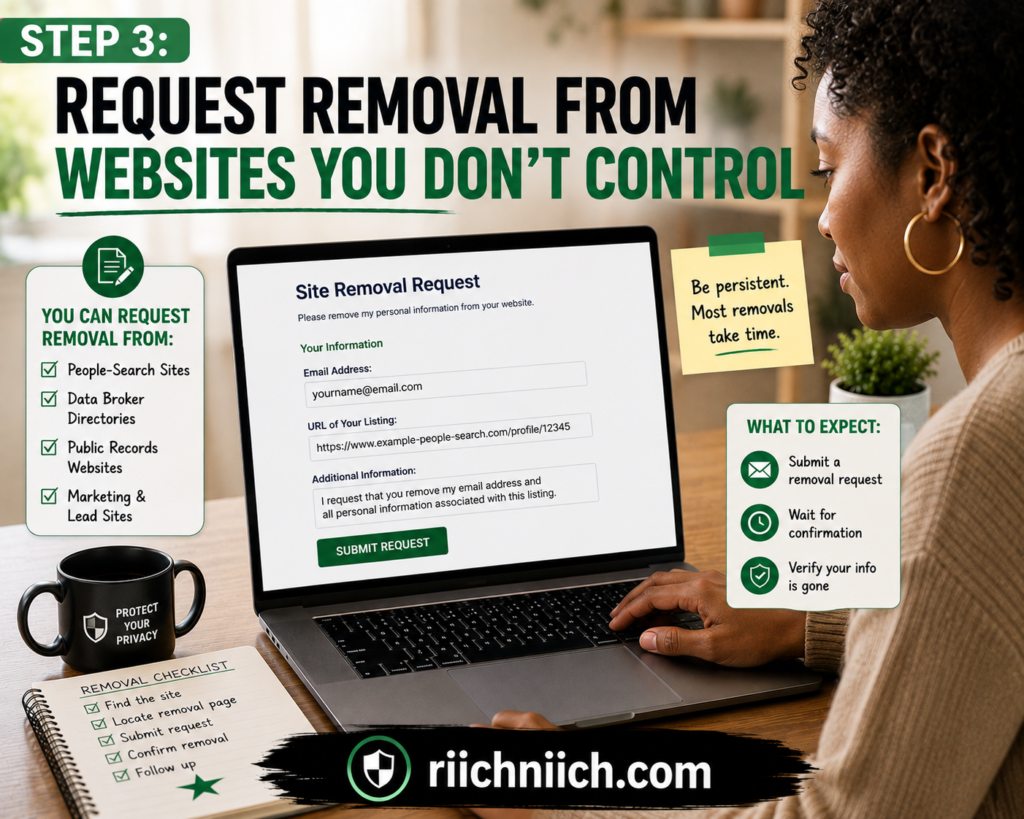
The next step in how to remove your email address from the internet is dealing with websites you cannot edit yourself.
You might discover your email address on an old organization page, online directory, forum post, business listing, archived profile, or another third-party website. Because you do not control the site, you usually cannot simply log in and delete the information.
Instead, you need to ask the website owner or administrator to remove it.
Google recommends contacting the website owner when you want information removed from the internet at its source. Even if Google removes a page from its search results, the original webpage can still exist and may remain accessible through a direct link, social media, or another search engine.
Find the Website’s Contact Information
Start by looking around the website for a way to contact the owner or administrator.
Check the:
- Contact Us page
- About page
- Privacy Policy
- Site footer
- Support page
- Privacy request form
- Account or profile settings
If the website has a dedicated privacy request or personal-information removal form, use that before sending a general support message.
If you cannot find contact information on the site, Google also suggests looking up the domain’s registration information or contacting the website’s hosting provider when you cannot reach the site owner.
Make Your Removal Request Simple and Specific
You do not need to write a lengthy explanation.
Tell the website owner exactly what information you want removed and where it appears. Providing the exact URL can make it much easier for the administrator to locate the page.
A simple request could say:
Hello,
My personal email address is currently displayed on this page:
[PAGE URL]
The email address is [YOUR EMAIL ADDRESS].
I am requesting that my email address be removed from the publicly accessible page.
Please let me know when the information has been removed.
Thank you.
Keep a copy of your request and record the date you sent it. If you are contacting multiple websites, add each request to the removal list you created in Step 1.
Ask for the Email Address To Be Removed, Not Just Hidden
When possible, request that the email address be removed from the actual webpage rather than simply asking the site owner to make the page harder to find through Google.
This distinction is important when researching how to remove your email address from the internet.
Removing a Google result and removing information from the original website are two different things. Google specifically states that removing a result from Google Search does not necessarily remove the information from the internet.
The best outcome is usually:
Remove the email from the original website → verify that it is gone → address any outdated search result that remains.
That tackles the information at its source.
Check the Page Again After the Website Responds
If the website owner agrees to your request, revisit the page and confirm that your email address is actually gone.
Then search for the address again.
You may discover that Google still displays an old version of the information even though the source page has changed. In that situation, Google provides a process for refreshing outdated search results.
Do not repeatedly contact the website owner if the email has already disappeared from their page but remains in Google’s old search information. At that point, the source website has done its part.
What If the Website Owner Doesn’t Respond?
Not every website will cooperate.
If you receive no response, follow up after a reasonable amount of time and look for another contact method. For example, a website may have both a general contact address and a separate privacy or support department.
If your personal email appears in Google Search, you may also be able to request removal from Google’s results even when the website owner does not remove the original information.
Google’s personal-information removal policy specifically includes email addresses among the types of contact information that may qualify. Google’s Results about you feature can also help you find eligible results and submit removal requests.
Remember, however, that this addresses visibility on Google Search—not necessarily the webpage itself.
Be Careful With Sites That Demand Payment for Removal
If a random website tells you that you must pay the site directly—or pay an agency—to remove personal content, do not automatically hand over your credit card.
Google has a specific policy covering certain sites with exploitative removal practices that require payment to remove content. Qualifying results may be reported to Google for removal from Search.
That is different from voluntarily subscribing to a legitimate data-removal service.
With a data-removal service, you are paying a separate privacy company to perform opt-out and removal work across supported databases on your behalf. You are not paying the website displaying your information as a condition for taking it down.
That distinction becomes especially important in the next two steps.
When Manual Removal Starts Becoming Too Much Work
If you find your email on two or three independent websites, contacting each site manually is usually manageable.
If you discover dozens of listings, however, how to remove your email address from the internet can quickly turn into an ongoing project.
This is where buyer intent becomes stronger.
A paid data-removal service may make sense when much of your exposure comes from people-search sites and data brokers and you would rather pay for automation than repeatedly submit opt-out requests yourself.
However, don’t pay for a service just because one ordinary website displays your email. Try the site’s free removal or privacy-request process first.
The next step deals with a much more common source of exposed personal information: people-search sites.
Step 4: Remove Your Email From People-Search Sites
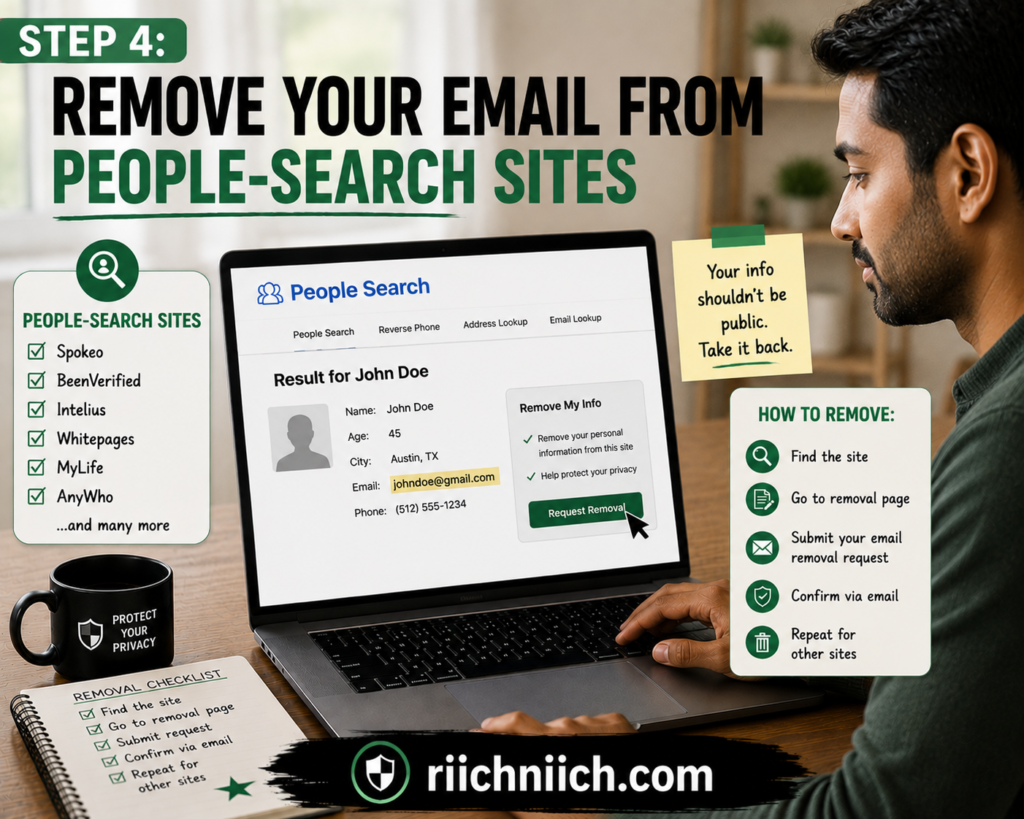
People-search sites can be one of the most frustrating parts of how to remove your email address from the internet because your information may appear on multiple sites at the same time.
These websites compile information about individuals and make it searchable. Depending on the site and the data available, a profile may connect your name with contact information and other personal details.
The Federal Trade Commission explains that people-search sites may obtain information from public records, publicly available social media profiles, and other data brokers. Most people-search sites also provide a way to opt out, although removing your information from one site does not automatically remove it from the others.
That makes these sites an important target when you’re trying to remove email address from internet sources that you never intentionally signed up for.
Find People-Search Profiles Connected to You
Start by searching for yourself on major search engines using combinations of your:
Name + email address
Name + city
Email address + phone number
You can also search your exact email address in quotation marks, as you did in Step 1.
When you find a people-search profile, confirm that it actually belongs to you before submitting an opt-out request. People with similar names can easily be confused, and you don’t want to waste time trying to remove someone else’s record.
Keep adding each confirmed profile to your removal list.
Look for the Site’s Opt-Out or Privacy Page
Once you identify a profile, look for an Opt Out, Remove My Information, Privacy Request, Do Not Sell or Share My Personal Information, or similarly named page.
The exact process varies by website.
You may need to provide the URL of your profile, enter an email address for verification, confirm a removal request through email, or complete other steps required by the site.
The FTC notes that most people-search sites provide an opt-out process, but you need to submit requests separately to each site where your information appears.
Be methodical. Complete one removal request, record the date, and then move to the next site.
Be Careful About the Information You Provide
There is an uncomfortable part of learning how to remove email from people search sites: some opt-out processes may ask you to provide information to verify your identity.
Only provide what is actually necessary to complete the legitimate removal process.
If a website unexpectedly asks for highly sensitive information that does not appear necessary, investigate the site’s privacy policy and removal instructions before proceeding. Avoid sending sensitive documents or personal information through an unverified email address simply because someone claims it is required.
The goal is to reduce your exposure—not create another unnecessary copy of your personal information.
Use a Separate Email for Opt-Out Requests When Appropriate
If a people-search site’s removal process requires an email address for verification, consider whether you want to use your primary private email.
A separate email address dedicated to privacy requests can help keep removal confirmations organized while limiting how often your primary address is shared.
Just make sure you actually monitor the privacy-request inbox while completing removals. Some sites may send a verification link that must be clicked before the request is processed.
Removing Yourself Once May Not Be Enough
This is one of the most important things to understand about people-search removal.
Your information can potentially return.
The FTC specifically warns that opting out does not necessarily mean your information will stay off a people-search site permanently. Records can change, and information may reappear, which means periodically checking these sites can be necessary.
That is why you should not simply submit an opt-out request and forget about it.
After the site says your record has been removed, return later and search for yourself again. Mark the listing as Removed only after you verify that the public profile is actually gone or the targeted information is no longer displayed.
Manual Opt-Out vs. Paying for Data Removal
This is one of the strongest buyer-intent points in the entire process.
You generally do not need to pay to submit people-search opt-outs yourself. The FTC says you can opt out manually for free.
If you only find a few profiles, manual removal may be the better choice.
But imagine finding your information on 15, 30, or more databases. Now you have to locate each opt-out page, submit each request, verify emails, track removals, and eventually check whether your information has returned.
That is where a paid data-removal service can become useful.
Instead of paying because removal is impossible on your own, you’re paying to reduce the repetitive work. Depending on the service, that may include searching supported databases, submitting removal requests, tracking their status, and periodically checking for information that resurfaces.
The FTC recommends looking at factors such as how many sites a paid service covers, whether it provides removal reports, and how frequently it rescans before choosing one.
For someone serious about how to remove your email address from the internet, that gives you a straightforward decision:
A handful of listings? Try removing them yourself.
Dozens of listings or information that keeps returning? A reputable data-removal service may save significant time.
People-Search Removal Is Only Part of the Problem
Getting your email removed from people-search websites is an important privacy win, but don’t assume the job is finished.
A people-search site may be only one endpoint in a much larger data ecosystem. Your information could still exist in other databases that collect, aggregate, share, or sell consumer information.
That means the next step in how to remove your email address from the internet goes deeper than removing the public profiles you can easily find.
Next, we’ll tackle data brokers and how to opt out of the databases that may be helping personal information circulate in the first place.
Step 5: Opt Out of Data Brokers

After removing your email from obvious people-search sites, the next step in how to remove your email address from the internet is to go after the broader data-broker ecosystem.
Data brokers collect, aggregate, share, or sell consumer information. Depending on the broker, that information may include email addresses, phone numbers, demographic information, browsing-related data, and other details used to build consumer profiles.
The FTC explains that people-search sites are themselves a type of data broker and may obtain information from other brokers, public social-media profiles, and public records.
That helps explain why removing your email from one website does not necessarily make it disappear elsewhere.
For a deeper walkthrough of the manual removal process, see our complete guide on How to Opt Out of Data Brokers and reduce the amount of personal information these companies maintain about you.
Find Data Brokers That Have Your Information
Start with the removal list you created earlier.
If you find a company storing or displaying information about you, look for links or pages labeled:
- Opt Out
- Privacy Choices
- Delete My Information
- Consumer Privacy Request
- Do Not Sell or Share My Personal Information
Follow the company’s official procedure and record when you submitted the request.
When you’re trying to remove email from data brokers, organization matters. One broker might process your request quickly, another may require email verification, and another may have no record matching the information you provide.
Understand What Opting Out Actually Does
Opting out does not necessarily erase every copy of your email address everywhere on the internet.
Instead, the exact result depends on the broker, the request you make, applicable law, and whether some information is exempt from deletion.
This is an important distinction.
Your objective with how to opt out of data brokers is to reduce how widely your personal information is being collected, sold, or shared—not to assume that one opt-out request will erase your entire digital footprint.
The FTC also warns that information can sometimes reappear after an opt-out, particularly when underlying records change.
That means data-broker removal should be treated as an ongoing privacy task rather than something you necessarily complete once and never revisit.
Submit Opt-Out Requests Yourself for Free
You do not automatically need a paid service.
Many data brokers and people-search sites provide their own opt-out processes, allowing you to submit requests yourself. The FTC specifically notes that consumers can opt out of people-search sites individually for free rather than paying a service to perform the process.
Manual removal is especially reasonable when you only have a small number of listings.
Create a simple workflow:
Find the broker → locate its official privacy page → submit the request → complete verification → record the date → check again later.
The downside is time.
If you discover your personal information across dozens of databases, repeating that process individually can become tedious.
A New Option for California Residents: DROP
There is also an important development worth knowing about.
California residents now have access to the state’s Delete Request and Opt-out Platform (DROP), operated by the California Privacy Protection Agency.
DROP allows an eligible California resident to submit a single deletion request covering more than 600 registered data brokers, rather than contacting every broker individually. The service is free.
As of August 1, 2026, registered data brokers are required to begin processing DROP deletion requests. CalPrivacy says brokers process requests on a rolling 45-day basis, while status updates can sometimes take up to 90 days to appear.
DROP does have an important limitation: it is currently for California residents.
Still, it is a good example of why you should check whether your state provides privacy rights or official tools that can help with data-broker removal before paying a company to do the work.
When a Paid Data-Removal Service Makes Sense
This is where the buyer-intent side of how to remove your email address from the internet becomes especially important.
You are usually not paying a data-removal service because manual opt-outs are impossible.
👉 If you want to skip the repetitive opt-out process, Incogni can automatically send removal requests to supported data brokers on your behalf and continue working to remove your information when it reappears.
You’re paying because doing them repeatedly takes time.
A data-removal service may be worth considering if:
- Your information appears across many data brokers.
- You don’t want to find individual opt-out forms yourself.
- You want removals monitored over time.
- You want reports showing which supported brokers have been contacted.
- Your information keeps reappearing after previous removals.
- You would rather pay for convenience than regularly repeat the process yourself.
The FTC recommends checking how many websites a paid service covers, whether it provides reports showing where it has opted you out, and how frequently it rescans for information that has returned before signing up.
Those are much better buying criteria than simply choosing whichever service promises to “erase you from the internet.”
Manual Removal vs. Data-Removal Service
A simple way to decide is to put a value on your time.
If you find five data brokers and can submit the requests in an afternoon, paying for a subscription may not make sense.
If you’re dealing with dozens of databases—and you want them checked repeatedly—the equation changes.
A reputable data-removal service can essentially turn an ongoing manual privacy chore into an automated process across the brokers it supports.
That can be particularly valuable if your goal is not simply to remove email address from internet listings once, but to reduce your broader personal-data footprint over time.
Just remember that no legitimate service can guarantee that every trace of your email address will disappear from the entire internet.
Verify That Your Information Was Actually Removed
Whether you opt out manually or pay for assistance, don’t treat “request submitted” as the same thing as “information removed.”
Go back and check.
Search your email again. Review the original listing. Check the status provided by the broker or removal service.
If you’re eligible for California DROP, you can also use your DROP ID to check how participating brokers processed your request. CalPrivacy lists possible outcomes including deleted, exempted, opted out, record not found, and pending.
This verification step is what turns data removal from a collection of submitted forms into an actual privacy strategy.
Once you’ve reduced your email’s exposure across data brokers, there is another highly visible place to address: Google Search itself. The next step covers when you can request that Google remove search results containing your email address.
Step 6: Remove Your Email Address From Google Search Results When Possible
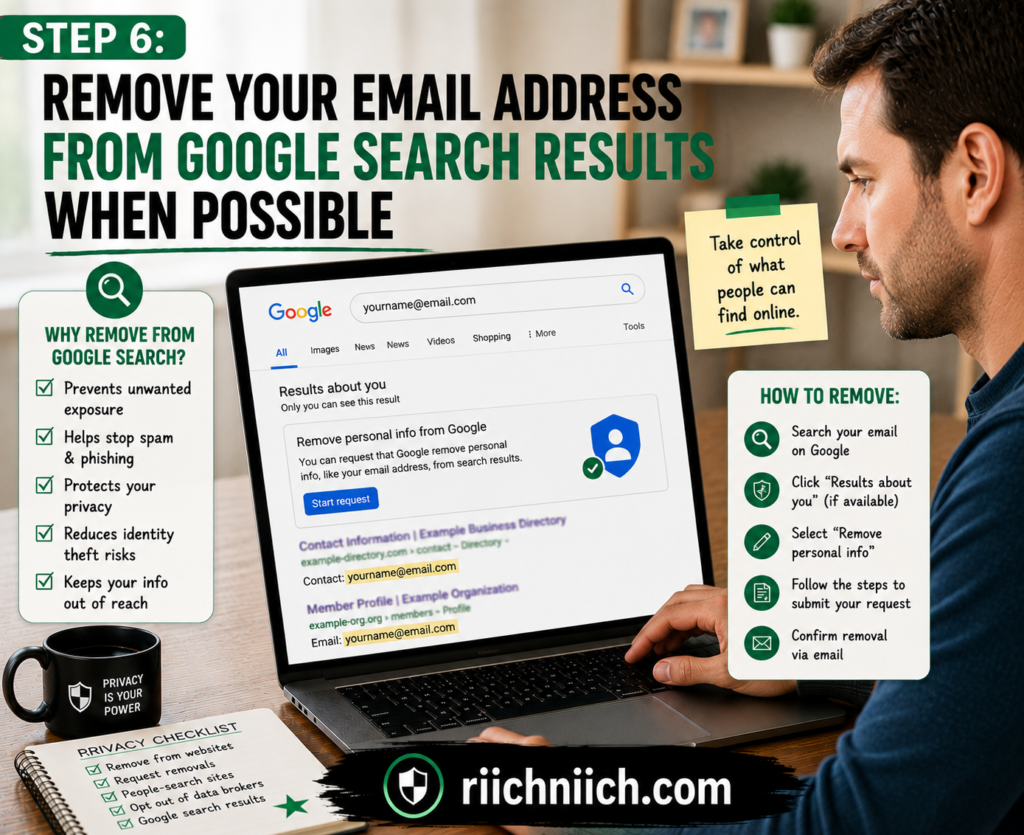
After removing your email from websites, people-search sites, and data brokers, the next step in how to remove your email address from the internet is to deal with Google Search results that still expose it.
Google allows you to request removal of certain personally identifiable information from Search, and an email address is specifically included among the types of personal contact information that may qualify.
This can make your email much harder for someone to find through a simple Google search. But there is an important limitation: removing your email from Google Search is not the same as removing it from the internet.
Understand What Google Can—and Cannot—Remove
Google Search indexes information published on other websites. If your email appears on a third-party webpage, Google may display that page in its search results.
If Google approves your removal request, the result may stop appearing in Google Search. However, Google explains that the information can remain on the original website and could still be discovered through a direct link, social media, or another search engine.
That’s why the strongest approach is:
Remove the email from the original website whenever possible → then remove or update the Google result.
This distinction is critical for anyone researching how to remove email address from Google. Google can reduce the visibility of your information in its search engine, but it cannot simply delete information from a website it does not control.
Use Google’s “Results About You” Tool
One of the easiest ways to remove email address from Google search is through Google’s Results about you feature.
The tool can search for results containing personal information associated with you, including:
- Email addresses
- Phone numbers
- Home addresses
- Social Security numbers
- Passport numbers
- Driver’s license numbers
You can enter multiple email addresses you want Google to monitor. If Google identifies matching search results, you can review them and request removal of eligible results. You can also enable notifications so Google alerts you when it finds new results containing your information.
For someone serious about how to remove your email address from the internet, the monitoring feature is particularly useful because you do not have to rely entirely on remembering to search for your email manually.
Request Removal Directly From a Google Search Result
You can also start a removal request while searching Google.
When signed into your Google Account, find the result containing your personal information and open About this result. Google currently provides a reporting path through Remove result, followed by the option indicating that the result contains personal information you do not want displayed.
Follow Google’s prompts and submit the requested information.
Google will review the request rather than automatically deleting every result you report.
You can monitor submitted requests through Results about you, where Google may display statuses such as In progress, Approved, Denied, or Undone.
Not Every Email Address Will Qualify for Removal
Finding your email on Google does not guarantee that Google will remove the result.
Google says it considers whether the information has public value. For example, certain pages belonging to government institutions, educational institutions, or newspapers may not offer the normal removal option through Results about you.
Google’s policy also generally expects the information you’re reporting to be your personal information and something you do not control yourself. If the email appears on a social profile or personal website that you own, Google directs you toward removing the information yourself instead.
This is another reason the earlier steps in this guide matter.
You should not treat Google removal as a shortcut for cleaning up pages you already control.
What If the Website Already Removed Your Email but Google Still Shows It?
Here’s another common situation.
You contact a website owner, they remove your email, and you confirm that the address is no longer visible on the actual page.
But Google still shows the old information.
In this situation, Google’s Refresh Outdated Content tool can be useful. Google says the tool is designed for pages or images that no longer exist or pages where important content has already been removed but outdated information remains in Search.
This tool is not designed to remove information that is still sitting unchanged on the live webpage.
Think of it this way:
Email still on website: Deal with the website or use an applicable personal-information removal process.
Email removed from website but still appearing in Google: Request an outdated-content refresh.
Check the Result Again After Google Processes Your Request
Don’t assume that submitting a request means the result has been removed.
Check its status.
Google says an approved personal-information request may result in full removal, where the webpage no longer appears in Google Search, or partial removal, where it does not appear for searches involving your name or identifier but could still appear for other searches.
After an approval, search your email address again using quotation marks and check whether the unwanted result still appears.
Add the outcome to the removal list you created earlier:
Requested → Under Review → Approved/Denied → Verified
That gives you a much clearer picture of what has actually disappeared.
Google Removal Is Free—Don’t Pay Someone Just for This Step
There is also an important buyer-intent distinction here.
Google provides its personal-information removal processes and Results about you directly. You do not need to purchase a data-removal subscription simply to submit an eligible Google request.
A paid privacy service becomes more compelling when you’re trying to manage a larger collection of data brokers and people-search sites and want ongoing removal assistance.
In other words, don’t pay for automation where a straightforward free request solves the problem.
If you’re dealing with dozens of data-broker profiles, repeated exposure, and information that keeps resurfacing, a paid removal service may save significant time. But for one email address appearing in an eligible Google result, start with Google’s own removal tools.
Removing Your Email From Google Is Only One Layer
Getting an unwanted result removed from Google can significantly reduce its visibility, but it should be viewed as one layer of a broader privacy cleanup.
The most effective approach to how to remove your email address from the internet is to combine source removal, people-search opt-outs, data-broker removal, eligible Google Search removal, and ongoing monitoring.
And even after your email disappears from public search results, there is another question you need to answer:
Has that email already been exposed somewhere you can’t see through a normal Google search?
That’s what we’ll investigate in Step 7 by checking whether your email address has appeared in a known data breach.
Step 7: Check Whether Your Email Was Exposed in a Data Breach
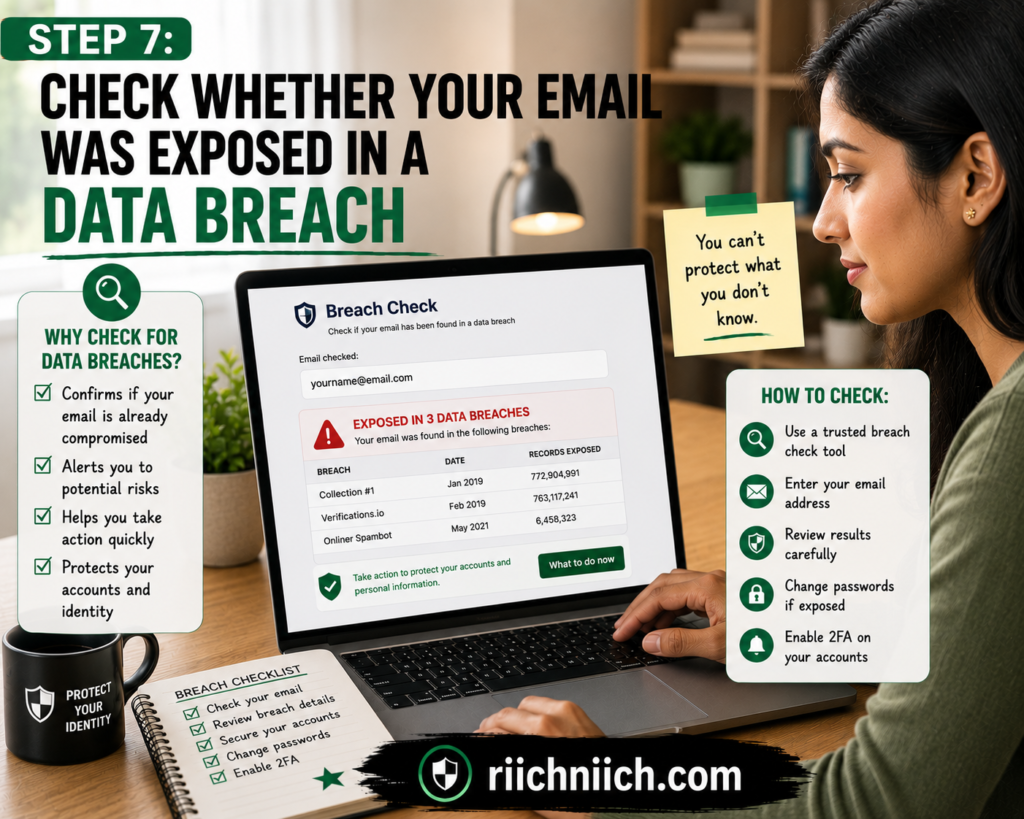
Removing your email address from public websites and search results is important, but there is another source of exposure you cannot find with a normal Google search: data breaches.
A company may have collected your email legitimately when you created an account, made a purchase, or subscribed to a service. If that company later suffers a breach, your email address—and potentially other information connected to it—may be exposed.
That is why checking for breaches is an essential part of how to remove your email address from the internet. You cannot necessarily remove information from a breach that has already occurred, but you can find out what may have been exposed and protect the accounts associated with that email.
If you’re unsure whether your address has already been compromised, our guide on How to Know If Your Email Was Leaked explains the warning signs to look for and what to do next.
Use a Reputable Breach-Checking Tool
Enter your email address, and the service checks whether that address appears in the data breaches loaded into its database. If it finds a match, you can review the affected services and available details about what types of information were exposed. Have I Been Pwned also offers notifications for future breaches involving your email address.
This gives you a simple way to check if email was leaked without searching through suspicious breach databases or visiting questionable websites yourself.
A Breach Match Does Not Mean Your Email Account Was Hacked
This distinction is extremely important.
Suppose you used your email address to create an account with an online retailer, and that retailer later suffered a breach. Finding your email in that breach does not automatically mean someone gained access to your actual email inbox.
It means your email address appeared among information associated with that particular breach.
What matters next is what other information was exposed.
Depending on the incident, compromised information could potentially include usernames, passwords, phone numbers, dates of birth, addresses, or other account information.
Review the breach details carefully instead of assuming that every breach creates the same level of risk.
Change Passwords Connected to the Breached Account
If a breached service exposed passwords—or you have any reason to believe the password may have been compromised—change that password immediately.
More importantly, consider whether you reused it anywhere else.
If the same email-and-password combination protects several accounts, one compromised password can create problems beyond the breached service. Change reused passwords and give important accounts unique credentials.
Your email account itself deserves particular attention because it often acts as the recovery point for your other accounts. The FTC explains that someone who takes control of an email account could potentially request password-reset links for other accounts and use those emails to take control of them.
Turn On Multifactor Authentication
Passwords should not be your only defense.
Enable multifactor authentication (MFA) on your email account and other important accounts whenever it is available.
MFA requires another form of verification in addition to your password. Cybersecurity and Infrastructure Security Agency (CISA) explains that this extra layer can help protect an account even if an attacker compromises one authentication factor, such as the password.
Start with the accounts that would cause the most damage if someone gained access:
Email → Financial accounts → Cloud storage → Social media → Shopping accounts → Other important services
Pay Attention to What Was Exposed
An email address data breach becomes more serious when additional sensitive information was compromised.
If a breach exposed only your email address, your response will be different from a breach involving passwords, financial information, or a Social Security number.
The FTC maintains resources explaining what consumers can do following a data breach and directs people to IdentityTheft.gov for steps based on the type of information exposed.
For example, the FTC advises that exposure of a Social Security number can warrant checking credit reports for unfamiliar accounts and considering protections such as a credit freeze or fraud alert.
The key is to respond to the actual information compromised, rather than treating every breach as identical.
Watch for Phishing After a Breach
If your email address has been exposed, become particularly cautious about unexpected messages.
An attacker does not necessarily need access to your inbox to target you. Knowing your email address gives them somewhere to send phishing attempts.
Be suspicious of unexpected messages telling you to:
- Reset your password immediately.
- Verify your account.
- Confirm a purchase you don’t recognize.
- Download a security update.
- Provide personal information.
- Call an unfamiliar support number.
If a message claims to come from a company you use, avoid relying on the links or phone numbers in the message. Navigate to the company’s official website or app yourself.
Consider Monitoring if Your Information Has Been Exposed Repeatedly
This is another point where buyer intent becomes relevant.
Checking an email address manually is easy and can be free. You do not need to purchase an identity-protection product simply because your email appeared in one breach.
However, the decision changes if your personal information has appeared in multiple breaches or you want ongoing monitoring instead of repeatedly checking manually.
Depending on the product, identity-protection or monitoring services may watch for certain personal information associated with known compromised data, alert you to potential exposure, and provide additional identity or credit-monitoring features.
The important distinction is that monitoring does not erase a past breach.
You’re paying for detection, alerts, and potentially additional protection or recovery assistance—not a magic button that pulls stolen information back after it has already circulated.
For someone researching how to remove your email address from the internet, that distinction can prevent you from paying for a service based on unrealistic expectations.
A Clean Breach Check Is Good—But Not a Guarantee
If a breach-checking service finds nothing, that’s encouraging, but it does not prove your email has never been exposed.
A breach checker can only report information available in the data it knows about. There may be incidents that have not been discovered, disclosed, or added to its database.
So don’t use a clean result as a reason to reuse passwords or skip MFA.
Instead, treat breach checking as another layer in your privacy strategy:
Find exposure → understand what was compromised → change affected passwords → enable MFA → monitor for future problems.
This is where how to remove your email address from the internet starts shifting from removal to ongoing protection. You have addressed public websites, data brokers, Google Search, and known breaches.
But there is still another place your email could appear without showing up in an ordinary search.
Step 8 is checking whether your email address has been exposed on the dark web.
Step 8: Check Whether Your Email Is on the Dark Web
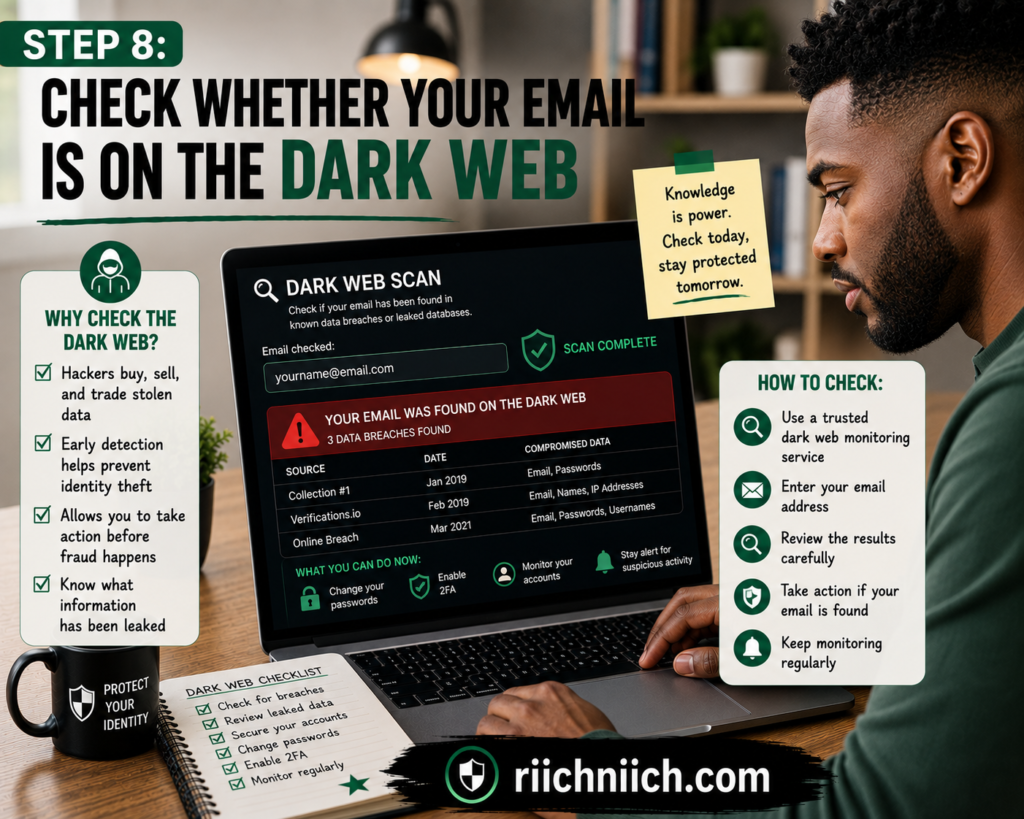
After checking known data breaches, the next step in how to remove your email address from the internet is determining whether your email or other information associated with it has surfaced in compromised data monitored by dark-web or credential-monitoring services.
The dark web includes areas of the internet that traditional search engines do not index. Not everything on the dark web is criminal, but the FTC notes that stolen credentials and personal information from data breaches can end up in dark-web marketplaces and other underground sources.
This matters because searching your email address on Google will not tell you everything about where your information may have circulated.
What Does It Mean If Your Email Is Found on the Dark Web?
If a monitoring service alerts you that your email address has been found, don’t automatically assume someone has hacked your inbox.
An alert generally means that the monitoring service detected your email—or information associated with it—in compromised data it monitors.
What matters most is what was exposed alongside the email address.
For example:
Email address only: Your address may receive more phishing or spam attempts.
Email + password: Change the affected password immediately, especially anywhere you reused it.
Email + personal information: Pay closer attention to phishing, impersonation, and possible identity-theft risks.
Email + highly sensitive information: Take additional protective measures appropriate to the specific information exposed.
The FTC specifically recommends changing passwords when you receive a legitimate warning that your information has appeared on the dark web, beginning with your email account. It also recommends using different passwords for different accounts and enabling multifactor authentication when available.
Don’t Go Searching the Dark Web Yourself
You do not need to download a special browser and start exploring unknown dark-web websites to check if email is on the dark web.
That is unnecessary and can expose you to questionable or malicious sites.
A safer approach is to use a reputable breach or dark-web monitoring service that checks compromised datasets and other monitored sources on your behalf.
Before paying for ongoing monitoring, read our guide on What is Dark Web Monitoring and Is It Worth It? to understand what these services can actually detect—and what they cannot do.
Also be careful with unsolicited emails claiming your information has been found for sale.
The FTC warns that a message supposedly alerting you about dark-web exposure could itself be phishing. If you already use a legitimate monitoring service and receive an alert, don’t automatically click the link in the email. Instead, access the service through a website or app you already know is legitimate.
Dark-Web Monitoring Is Not the Same as Removal
This distinction is extremely important for how to remove your email address from the internet.
A dark-web monitoring service generally detects information. It cannot guarantee that stolen information will be erased from every underground database, breach dump, private forum, or criminal marketplace where copies may exist.
Think of it like a smoke detector.
A smoke detector warns you that there may be a fire. It doesn’t remove the fire itself.
Dark-web monitoring works similarly: its primary value is alerting you to discovered exposure so you can respond.
That response might include:
Changing compromised passwords → enabling MFA → checking affected accounts → watching for suspicious activity → taking additional identity-protection measures when warranted.
CISA also recommends credential monitoring as a security measure for detecting compromised credentials and strongly recommends MFA, particularly for important services such as email.
What Should You Do If Your Email Is Found?
First, determine what information the alert says was exposed.
If a password was included, change it immediately on the affected account. If you reused that password elsewhere, change those accounts too.
Then secure your email account with a strong, unique password and MFA.
Next, pay attention to incoming messages. An exposed email address can become a target for phishing attempts designed to trick you into revealing additional information.
If sensitive information beyond your email and password was exposed, your response should match the type of data involved. The FTC provides breach-response resources that explain steps consumers can take based on the information compromised.
Free Checks vs. Paid Dark-Web Monitoring
This is where buyer intent becomes important.
You don’t necessarily need to purchase a subscription simply to discover that your email appeared in compromised data.
The value proposition changes when you want ongoing monitoring.
Instead of performing occasional manual checks, some paid identity-protection services monitor selected personal information and send alerts when they detect potential exposure. Depending on the service and plan, that monitoring may be bundled with additional features such as identity monitoring, credit monitoring, or identity-theft recovery assistance.
That can be useful if you have experienced repeated breaches, have several pieces of personal information you want monitored, or simply prefer automatic alerts.
But understand what you’re buying:
Data removal services focus primarily on requesting removal of personal information from supported data brokers and people-search databases.
Dark-web monitoring focuses on detecting exposed information in sources the monitoring provider can access.
Identity-protection services may combine several monitoring and recovery features into one product.
None should be treated as a guarantee that your personal information will never be exposed.
Don’t Pay for Monitoring Based on Fear Alone
Finding an email address in compromised data does not automatically mean you need the most expensive identity-protection plan available.
Evaluate what was exposed first.
If the only information found is an old email address connected to an old breach and you already use unique passwords and MFA, your immediate risk-management needs may be relatively straightforward.
If the exposure includes current credentials or more sensitive identity information, broader monitoring and recovery services may provide more value.
The FTC advises consumers who receive legitimate dark-web exposure warnings to secure their accounts and take additional measures based on the information involved.
The point of monitoring should be to give you actionable information, not simply make you afraid.
Dark-Web Exposure Changes the Goal From Removal to Protection
Once information has been stolen and copied into compromised datasets, you may not be able to retrieve every copy.
That means this stage of how to remove your email address from the internet requires a different strategy.
For public websites and data brokers, you focus on removal.
For compromised data, you focus on damage prevention.
That means securing the accounts connected to your email, changing compromised credentials, enabling MFA, watching for phishing attempts, and considering ongoing monitoring when the additional protection justifies the cost.
You’ve now addressed both the visible and less-visible ways your email can become exposed. The final step is making sure you don’t undo all that work.
Step 9 is about protecting your email address from being exposed again.
Step 9: Protect Your Email Address From Being Exposed Again
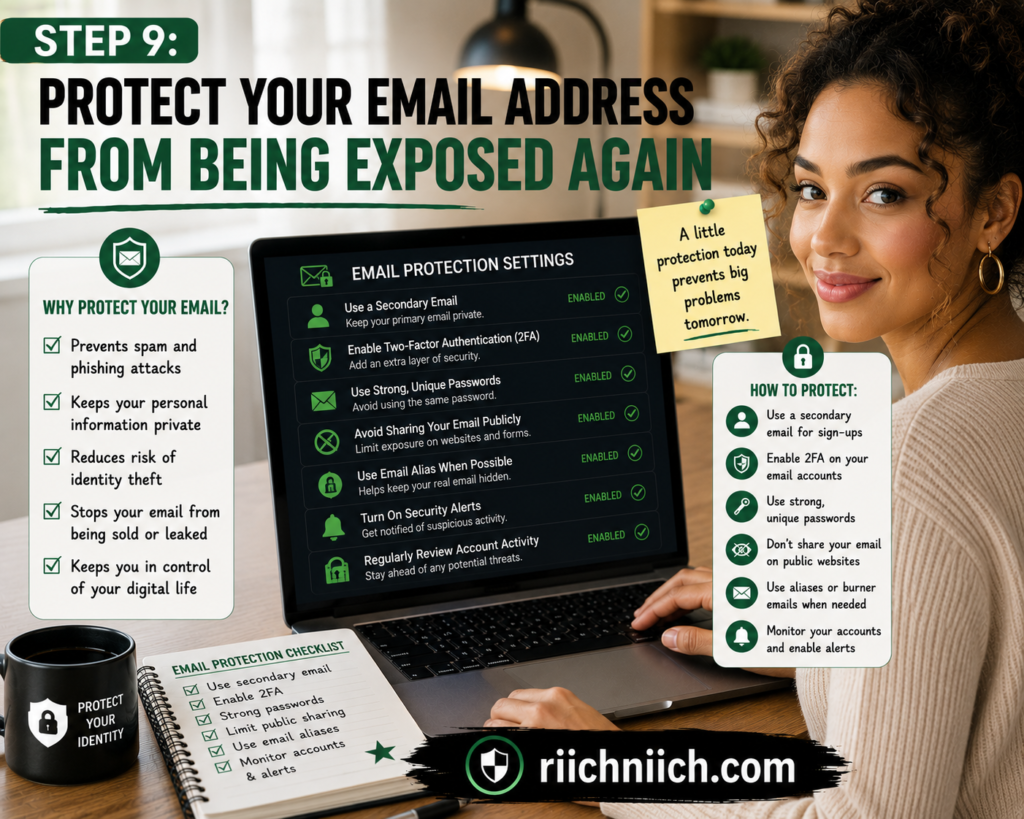
After spending time removing unwanted listings, submitting opt-out requests, and checking for breaches, the final step in how to remove your email address from the internet is preventing unnecessary exposure from building up again.
You cannot guarantee that an email address will never be exposed. A company you trust could suffer a future data breach, and information can sometimes resurface after removal. What you can control is how widely you share your primary email address, how securely you protect the account, and how often you check for new exposure.
The goal should be simple: make your primary email harder to find, harder to misuse, and less useful to anyone who obtains it.
Stop Using One Email Address for Everything
One of the easiest ways to keep your email address private is to stop treating one email address as your universal online identity.
Consider separating your email use into categories:
Primary private email: Banking, financial accounts, healthcare portals, government services, password recovery, and other important accounts.
Public-facing email: Websites, professional profiles, business inquiries, and other situations where an address needs to be visible.
Shopping and subscription email: Retail accounts, newsletters, promotions, loyalty programs, and similar services.
Aliases or disposable addresses: Accounts or services where you don’t want to provide your primary address.
This creates separation between your most important accounts and the email address most likely to circulate publicly.
If your shopping address starts receiving excessive spam, for example, your private email used for sensitive accounts does not necessarily have to be affected.
Think Before Giving Out Your Primary Email
Not every website needs your most important email address.
Before entering it into a form, ask:
Does this company actually need my primary email?
If you’re creating an important financial account, the answer may be yes.
If you’re downloading a free guide, entering a giveaway, joining a promotional mailing list, or trying a website you may never use again, consider using another address or an email alias instead.
This habit can significantly reduce the number of companies and databases holding your primary address over time.
It is one of the simplest ways to prevent email address from being exposed unnecessarily without giving up email altogether.
Use a Strong, Unique Password for Your Email Account
Keeping your email address private and keeping the actual account secure are two different jobs.
Even if your address eventually becomes public, knowing the address should not be enough to access your inbox.
Protect your primary email account with a strong, unique password that you do not reuse anywhere else.
This is especially important because an email account frequently acts as the recovery channel for other online accounts. The FTC warns that someone who compromises an email account could potentially use password-reset messages to take control of additional accounts.
If remembering unique passwords becomes difficult, a reputable password manager can help you create and store different passwords rather than recycling the same credentials across multiple websites.
Turn On Multifactor Authentication
Your email account should also have multifactor authentication enabled whenever your provider supports it.
MFA requires additional verification beyond your password. That means a stolen password by itself may not be enough for someone to access the account.
CISA recommends MFA for email and other important online accounts and notes that some authentication methods provide stronger phishing resistance than others. Security keys and certain authenticator-based methods can provide stronger protection than codes delivered through text or email.
If your email provider offers phishing-resistant authentication, consider using the strongest practical option available to you.
Review Your Account Recovery Settings
Your password and MFA settings aren’t the only things worth checking.
Review the recovery email address and phone number attached to your account. Make sure they still belong to you and remove anything you don’t recognize.
If you ever suspect someone has accessed your email account, also check for unfamiliar forwarding rules. The FTC specifically recommends checking email settings for unauthorized forwarding rules after an account compromise because an attacker could configure messages to be sent to another address.
This is a good security check to perform periodically even when nothing appears wrong.
Be Selective About Newsletters and Online Accounts
Every new account creates another place where your email address may be stored.
That doesn’t mean you should stop creating online accounts. It means you should be more selective.
Before signing up, consider whether you trust the organization and whether you actually need the account.
You can also periodically delete accounts you no longer use. Reducing the number of unnecessary accounts associated with your primary email can shrink your long-term digital footprint.
The fewer unnecessary databases containing your primary address, the fewer places you have to worry about later.
Treat Unexpected Emails With Suspicion
Even after you’ve reduced your exposure, phishing attempts can still reach you.
The FTC recommends avoiding links and attachments in unexpected messages and contacting a company through contact information you already know is legitimate when you are unsure whether a message is real. It also recommends using spam filters and two-factor authentication.
Be particularly suspicious of messages claiming:
Your password expires today.
Your bank account has been suspended.
You have an unpaid invoice.
Someone logged into your account.
You must verify your identity immediately.
Some of those messages can be legitimate. The safer approach is to open the company’s official app or manually navigate to its website instead of trusting the link in an unexpected message.
Check for Your Email Periodically
Learning how to remove your email address from the internet should not end after one cleanup.
Every few months, repeat some of the searches from Step 1.
Search your email address in quotation marks. Review Google Results about you. Check people-search sites where your information previously appeared. Pay attention to legitimate breach notifications and monitoring alerts.
You don’t necessarily need to repeat all nine steps every month.
The objective is simply to catch new exposure before your digital footprint grows again.

Decide Whether Ongoing Privacy Monitoring Is Worth Paying For
This is where the final buyer-intent decision comes in.
You can perform much of this work yourself for free.
If you don’t mind periodically searching for your information, submitting opt-outs, checking breach exposure, and reviewing privacy settings, you may not need another subscription.
But some people would rather automate as much of that work as possible.
Depending on the service, a paid data-removal or identity-protection product may provide recurring data-broker removals, exposure monitoring, dark-web alerts, identity monitoring, or other privacy and security features.
The important thing is to buy based on the problem you actually want solved.
Want help removing information from data brokers? Look primarily at data-removal services.
Want alerts about exposed credentials or personal information? Look at monitoring features.
Want broader monitoring and recovery assistance? An identity-protection service may make more sense.
No service can guarantee that your email will never appear online again. What you’re paying for is primarily automation, monitoring, convenience, and—in some products—recovery assistance.
Make Privacy Maintenance a Habit
The long-term answer to how to remove your email address from the internet is not deleting your email account or trying to become completely invisible online.
It is reducing unnecessary exposure.
Use your primary email selectively. Separate public and private communication when practical. Use unique passwords. Enable strong MFA. Delete accounts you no longer need. Watch for phishing. Periodically check whether your information has resurfaced.
Those habits make it much easier to maintain the work you’ve already done.
And now that you’ve completed all nine steps, there is one important question left to answer:
Can you actually remove your email address from the internet completely—or will some traces always remain?
Can You Completely Remove Your Email Address From the Internet?
In most cases, you cannot guarantee that every copy of an email address has been completely erased from the entire internet.
That does not mean the nine steps you’ve taken are pointless. The realistic goal of how to remove your email address from the internet is to eliminate as many unnecessary public listings as possible, reduce your visibility in search results and data-broker databases, and make your primary email substantially harder to find.
The distinction between complete deletion and reduced exposure is important.
Why Complete Removal Is So Difficult
Once an email address has been used online for years, copies may exist in many different places.
Your address could be stored in:
- Old online accounts
- Public profiles
- Website databases
- People-search sites
- Data-broker databases
- Marketing databases
- Public records
- Archived documents
- Data exposed through previous breaches
Removing your email from one source does not automatically remove every other copy.
For example, deleting an email address from an old profile eliminates that particular source. But another website may have obtained the address independently.
This is why how to remove your email address from the internet should be viewed as a systematic cleanup rather than a single deletion request.
Removing Something From Google Doesn’t Remove It From the Internet
This is one of the most common misconceptions.
Google allows eligible users to request removal of search results containing personal contact information such as an email address. However, Google makes clear that removing a result from Google Search does not necessarily remove the information from the original website.
The webpage may still exist and could potentially be discovered through direct links, social media, or other search engines.
That means the strongest strategy for how to remove email address from Google is usually to remove the information from the original source whenever possible and then address the search result.
If the website has already removed your email but Google is displaying outdated information, Google also provides a process for refreshing outdated search results.
Data-Broker Information Can Reappear
Even successful data-broker and people-search opt-outs may require maintenance.
The FTC warns that information can reappear on people-search sites after an opt-out, particularly when information in underlying public records changes. It recommends periodically checking these sites and submitting another opt-out request if new information appears.
This is why remove email from data brokers should not necessarily be viewed as a one-and-done project.
You might successfully remove your information today and discover another listing months later.

Previously Breached Information Is Different
Information exposed through a data breach creates another challenge.
Once stolen information has been copied or circulated, you generally cannot assume that deleting it from the original breached company’s systems will retrieve every unauthorized copy.
At that point, your strategy changes from removal to protection.
If credentials were exposed, change the affected passwords and any reused passwords. Enable MFA on important accounts. Watch for phishing attempts. If more sensitive information was involved, take protective measures appropriate to that information.
This is also why dark-web monitoring should not be confused with dark-web removal. Monitoring can potentially alert you when certain information is detected in sources covered by the service, but an alert does not mean the service can retrieve every existing copy.
So, What Does Successful Email Removal Actually Look Like?
Success does not require making your email address cease to exist anywhere outside your inbox.
A successful cleanup might mean:
Before: Your primary email appears in Google results, old profiles, several people-search sites, multiple data brokers, and outdated documents.
After: The public profiles are cleaned up, qualifying Google results are removed, data-broker opt-outs are submitted, unnecessary accounts are deleted, and your primary email is no longer routinely shared for new sign-ups.
That is a meaningful reduction in your digital footprint.
If someone searches your name or email afterward and finds substantially less personal information, the cleanup has accomplished something valuable—even if an old copy still exists somewhere you cannot control.
Can a Paid Data-Removal Service Completely Erase You?
No reputable data-removal service should be treated as a magic “Delete Me From the Internet” button.
Paid services can be useful because they can perform removal work across supported data brokers and people-search sites, repeat searches, track requests, and look for information that resurfaces.
But there are limits.
The FTC notes that consumers can opt out of people-search sites themselves for free or pay a service to handle the process. Before paying, the FTC recommends finding out how many websites the service covers, whether it provides reports about completed opt-outs, and how frequently it rescans for information that has returned.
Those are much better criteria for evaluating a service than promises about making you completely disappear online.
When Paying for Removal Makes Sense
Buyer intent really comes down to time versus money.
If you find your email on only a few websites, you may be able to handle the entire cleanup yourself for free.
If you discover dozens of data-broker profiles and don’t want to continually submit, verify, track, and repeat opt-out requests, paying for a reputable data-removal service may be worthwhile.
Think of the purchase as paying for:
Automation + convenience + recurring searches + repeated removal requests
—not guaranteed permanent deletion from the entire internet.
That distinction can help you avoid overpaying for promises no privacy service can realistically guarantee.
Aim for a Smaller Digital Footprint, Not Invisibility
Ultimately, how to remove your email address from the internet is about reducing exposure rather than achieving perfect digital invisibility.
Remove information at its original source whenever possible. Request eligible search-result removals. Opt out of people-search sites and data brokers. Delete unnecessary accounts. Protect your email with a unique password and MFA. Use your primary address more selectively going forward.
Then periodically check whether your information has returned.
If maintaining all of those opt-outs manually becomes too time-consuming, that’s when paying for a data-removal service becomes a much more practical decision—which leads directly to the next question: Should you use one?
Should You Use a Data Removal Service?
A data removal service can be worth paying for if your personal information appears across many data brokers and people-search sites—or if you simply don’t want to spend hours submitting and tracking opt-out requests yourself.
However, you do not need a paid service to complete how to remove your email address from the internet. Many removals can be handled manually for free.
The real question is whether you want to spend your time or your money managing the process.
If you’d rather automate the process, compare the Best Data Removal Services to see which options offer the right combination of broker coverage, recurring removals, and value for your needs.
The Federal Trade Commission explains that consumers can opt out of people-search sites themselves or pay a service to handle opt-outs on their behalf. The FTC also recommends evaluating how many sites a service covers, whether it provides reports showing where you’ve been opted out, and how frequently it rescans for information that returns.
What Does a Data Removal Service Actually Do?
A data removal service typically searches supported data-broker and people-search databases for personal information associated with you and submits opt-out or deletion requests where available.
Depending on the provider and plan, the service may also:
- Identify data-broker profiles connected to you.
- Submit removal requests.
- Track whether requests have been completed.
- Rescan supported databases periodically.
- Submit additional requests if information resurfaces.
- Provide reports showing removal progress.
The exact coverage varies considerably between services, which is why you should examine what a subscription actually includes before paying.
A data removal service also should not be confused with identity theft protection.
Data removal focuses primarily on reducing personal information held or displayed by supported data brokers.
Identity monitoring looks for signs that personal information may be exposed or misused.
Credit monitoring watches for certain changes to your credit files.
Dark-web monitoring looks for selected information within the compromised-data sources a provider monitors.
Some privacy and identity-protection products combine several of these features, but they solve different problems.

When You Probably Don’t Need a Paid Service
Start with manual removal if your digital footprint is relatively small.
Suppose you search for yourself and discover your email on three people-search sites and one old public directory. You may be able to submit all four removal requests yourself without much difficulty.
Paying for an ongoing subscription may not provide enough additional value in that situation.
Manual removal is particularly reasonable when:
You only find a handful of unwanted listings.
You have time to submit opt-out requests yourself.
You don’t mind checking periodically for information that returns.
Your primary goal is removing one specific email address rather than managing a large digital footprint.
In those situations, follow the free processes first.
When a Data Removal Service Becomes Worth Considering
The calculation changes when your personal information is spread across numerous databases.
Imagine trying to remove email from data brokers manually when dozens of companies may have profiles associated with you.
You have to find each company’s privacy page, determine its opt-out procedure, submit the necessary information, complete verification requests, track your submissions, verify removal, and check again later.
A paid service may make sense if:
Your information appears across many data brokers.
You have already removed listings that later returned.
You don’t want to continually monitor people-search websites yourself.
You value your time more than the subscription cost.
You want recurring removal attempts rather than a one-time cleanup.
In this situation, you’re primarily buying automation and convenience.
👉 If you’d rather have the repetitive removal work handled for you, you can try Incogni here and have it start sending data-removal requests to supported brokers on your behalf.
Pay Attention to Coverage
Do not choose a service simply because its homepage promises to protect your privacy.
Find out exactly what it covers.
The FTC specifically recommends asking how many sites the service covers.
A service claiming hundreds of supported brokers may sound more impressive than one covering fewer, but raw numbers should not be your only consideration. You also want to know whether the service covers the databases where your information is actually appearing.
Look for transparency around:
Supported data brokers
Scanning frequency
Removal frequency
Removal status reports
What personal information is required to perform searches
Cancellation policies
Whether monitoring continues after the initial cleanup
The clearer the provider is about these details, the easier it becomes to compare what you’re actually buying.
Look for Recurring Scans
Recurring scanning is one of the strongest reasons to pay for a data removal service instead of doing everything manually.
The FTC warns that information can reappear on people-search sites after you’ve opted out. Changes to underlying records can cause information to surface again.
That means how to remove your email address from the internet can become an ongoing maintenance job.
A service that scans once and never checks again provides a very different value proposition from one that periodically looks for new listings and submits additional removal requests.
Don’t Confuse Removal With a Guarantee
This is probably the most important buying consideration.
No legitimate data removal service should be treated as a guarantee that your email address or personal information will completely disappear from the internet.
There are databases a service may not cover. Some records may be legally available. Previously breached information may have been copied elsewhere. New databases may obtain information in the future.
A service also cannot necessarily remove information from every ordinary website simply because it contains your email address.
Instead, evaluate a service based on what it can realistically control:
How much data-broker coverage does it provide?
How frequently does it search?
How many removal requests does it handle?
Does it show you what has actually been removed?
Does it continue looking for information that resurfaces?
Those questions are far more useful than asking whether a service can “erase you from the internet.”
Don’t Overlook Free Privacy Options
Before purchasing anything, check whether you have access to free privacy rights or government-provided removal tools.
For example, California’s official Delete Request and Opt-out Platform (DROP) allows California residents to submit one deletion request to more than 600 registered data brokers. Data brokers began processing consumer DROP requests on August 1, 2026.
Other privacy rights may depend on where you live and the organization holding your information.
Taking advantage of free options first can help you determine how much work remains before deciding whether a paid service is necessary.
Data Removal Service vs. Doing It Yourself
The choice can be simplified to one question:
How much ongoing work are you willing to do?
If you don’t mind spending an afternoon submitting opt-outs and checking your information every few months, manual removal may be enough.
If you’d rather have a service handle much of the repetitive work across supported databases, paying for automation can make sense.
For someone researching how to remove your email address from the internet, I would not recommend automatically buying a privacy subscription before checking where your information actually appears.
Search first. Remove the easy listings yourself. Then decide whether the remaining workload justifies paying for help.
That approach keeps the purchase based on an actual privacy problem rather than fear.
And remember: removing your email from data brokers addresses only one part of email exposure. If your inbox is already being flooded with unwanted messages, your next priority is different—stopping the spam and reducing the chances that dangerous messages get through.
What To Do If You’re Getting Spam After Your Email Was Exposed
If your email address has already been exposed online, removing public listings may reduce future exposure—but it will not necessarily make existing spam disappear overnight.
Once an address has reached marketing databases, spam lists, breached datasets, or scammers, copies may continue circulating. That means this part of how to remove your email address from the internet requires a slightly different strategy: reduce new exposure while making the email address safer and easier to manage.
The FTC warns that spam is not always harmless advertising. Some unwanted emails are phishing attempts designed to steal passwords, financial information, or other personal data, while others may attempt to deliver malware.
Mark Spam as Spam Instead of Just Deleting It
When unwanted messages reach your inbox, use your email provider’s Spam, Junk, or Report Spam option rather than simply deleting them.
The FTC recommends marking unwanted messages as spam or junk. Many major email providers already use spam filtering, and reporting messages gives the provider additional information it can use to identify unwanted email.
You can also block persistent senders or domains when your email provider supports it.
Don’t expect this to stop every message immediately. Spammers frequently change sending addresses, which is why filtering is more useful than repeatedly blocking individual addresses alone.
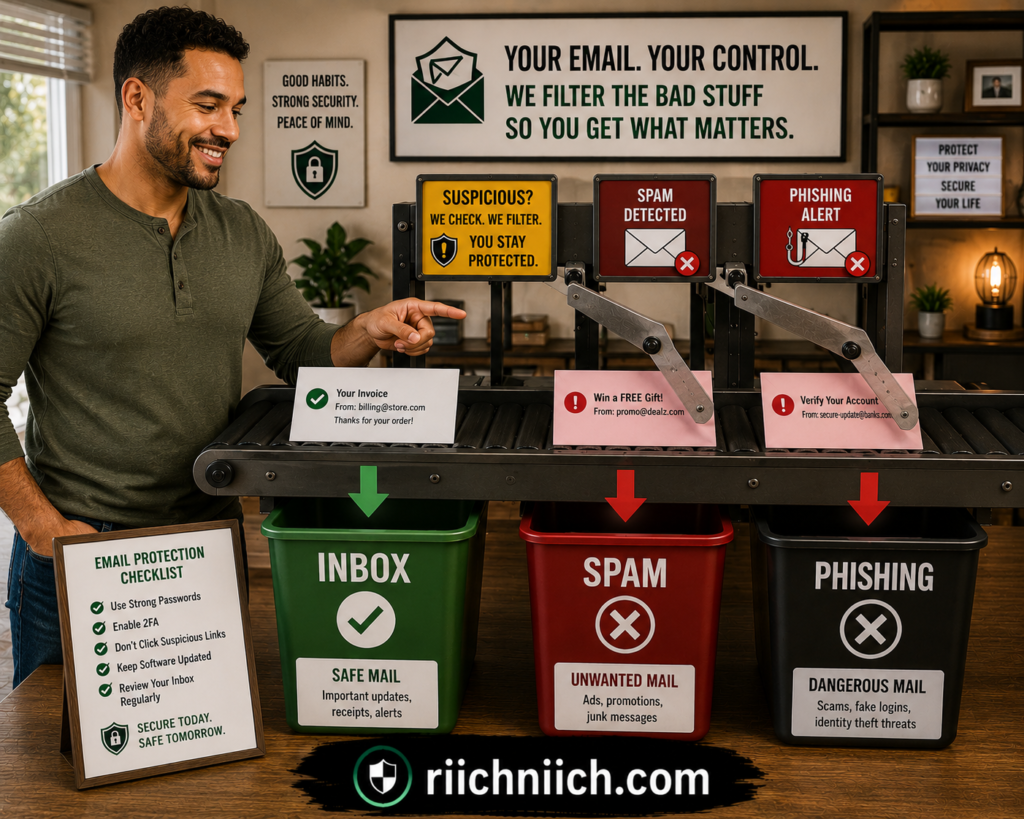
Be Careful With the Unsubscribe Button
There is an important difference between legitimate marketing email and suspicious spam.
If you recognize the company and remember subscribing, using its legitimate unsubscribe option can help reduce unwanted marketing email. The FTC recommends unsubscribing from unwanted legitimate emails as one way to reduce inbox clutter.
But don’t automatically click Unsubscribe inside an obviously suspicious email.
CISA advises deleting suspicious messages without clicking links—including unsubscribe links—because a link inside a phishing message could itself be malicious.
A useful rule is:
Legitimate company you recognize: Use its legitimate unsubscribe process.
Unknown or suspicious sender: Mark it as spam or phishing and delete it without interacting with its links.
Don’t Reply to Suspicious Spam
Avoid replying to suspicious emails with messages such as “Stop emailing me” or “Remove me from your list.”
If the message is malicious, engaging with it does not provide the same protection as reporting it through your email provider.
Instead:
Report → Block when appropriate → Delete.
If an unexpected message claims to come from your bank, retailer, delivery company, or another organization you actually use, don’t trust the contact information inside the email. The FTC recommends contacting the organization through a website or phone number you already know is legitimate.
Watch for Phishing Disguised as Ordinary Spam
When someone searches how to stop spam emails, the biggest concern shouldn’t necessarily be the number of messages—it should be recognizing the dangerous ones.
Phishing emails commonly try to create urgency.
You might receive messages claiming:
- Your account has been suspended.
- Someone logged into your account.
- Your payment failed.
- You have an unpaid invoice.
- You need to verify your identity.
- A package could not be delivered.
- You need to reset your password immediately.
The FTC warns that scammers commonly impersonate familiar organizations and attempt to persuade recipients to click links, open attachments, or provide sensitive information.
If you think the message could be legitimate, open the company’s official app or type its website into your browser yourself instead of using the email’s link.
Protect the Email Account Itself
Getting spam does not automatically mean someone has access to your email account.
However, if your address is already circulating, securing the account becomes even more important.
Use a strong password that you do not reuse on other websites and enable multifactor authentication.
CISA recommends strong passwords and MFA as fundamental protections against unauthorized account access.
If you discover that an old password associated with your email was exposed in a breach, change it anywhere it was reused.
Your email account should receive particular attention because it may be connected to password-reset processes for many of your other accounts.
Consider Creating a Separate Public Email Address
If your primary email has become heavily exposed, start limiting where you use it.
Keep your primary address for important accounts and use a separate address or alias for newsletters, shopping, public profiles, promotions, and lower-priority sign-ups.
This will not erase the spam already associated with your old address, but it can prevent the same problem from spreading to the email you rely on for sensitive accounts.
It also supports the larger objective behind how to remove your email address from the internet: reduce the number of unnecessary places where your most important email is stored or displayed.
Should You Abandon an Email Address That Gets Too Much Spam?
Usually, not immediately.
Changing a primary email address can create significant work because it may be connected to financial accounts, subscriptions, password recovery, personal contacts, and years of correspondence.
Try cleaning up the existing account first:
Strengthen spam filtering → unsubscribe from legitimate marketing → report suspicious spam → secure the account → remove public listings → stop using the address for unnecessary sign-ups.
If an old address has become overwhelmingly difficult to manage, you can gradually transition important accounts to a new private address while keeping the old account active long enough to catch legitimate messages you may have missed.
Do not simply abandon an important address without first updating accounts that use it for recovery.
When Paid Protection May Be Worth It
This is another place where buyer intent should be based on the actual problem.
A data-removal service will not function as an email spam filter. Its value is reducing your personal information across supported data brokers and people-search sites, potentially limiting some sources through which your information continues circulating.
Identity-protection and security products may provide different features, such as breach alerts, dark-web monitoring, identity monitoring, or additional account-security tools.
If your only problem is ordinary promotional spam, your email provider’s built-in filtering may be enough.
If spam is occurring alongside repeated breach exposure, phishing attempts, data-broker listings, or other exposed personal information, broader privacy or identity-monitoring tools may become more valuable.
Don’t buy a product because you received ten annoying emails. Consider paying when the service solves a larger privacy or security problem you actually have.
Report Phishing Attempts
If a spam email is clearly attempting to steal information, report it instead of simply ignoring it.
The FTC recommends forwarding phishing emails to the Anti-Phishing Working Group and reporting phishing attempts through the FTC’s fraud-reporting system.
After reporting the message through the appropriate channels, delete it.
Spam Is Annoying—Account Compromise Is Different
Ultimately, getting more spam after an email address exposed online does not automatically mean your identity has been stolen or your inbox has been hacked.
Treat spam as a warning to tighten your privacy habits.
Use filters, report phishing, avoid suspicious links, reduce where you publish your primary email, secure the account with a unique password and MFA, and continue removing unnecessary public listings.
But if you notice something more serious—such as password-reset emails you didn’t request, unfamiliar sent messages, changed security settings, unknown logins, or accounts being accessed without your permission—you are no longer dealing with ordinary spam.
That leads to the next question: What should you do if hackers already have your email address?
What To Do If Hackers Already Have Your Email Address
If hackers already know your email address, that does not automatically mean your email account has been hacked.
An email address is often public or widely shared. The bigger concern is what else an attacker may have obtained with it—especially a password, recovery information, or other personal data that could help them target your accounts.
At this stage, how to remove your email address from the internet is only part of the solution. You should also secure the email account itself and make sure exposed information cannot easily be turned into account takeover or identity theft.
First, Determine Whether They Have Your Email Address or Your Account
There is a major difference between:
Someone knowing your email address
and
Someone having access to your email account.
If hackers only know your address, they may use it for spam, phishing, password guessing, or attempts to match it with credentials leaked elsewhere.
If someone has actually accessed your inbox, the situation is more urgent.
The FTC identifies warning signs of an account compromise such as an unexpected password or account-information change, an unfamiliar login notification, messages you didn’t send, or being unable to log in to your own account.
FTC: How To Recover Your Hacked Email or Social Media Account
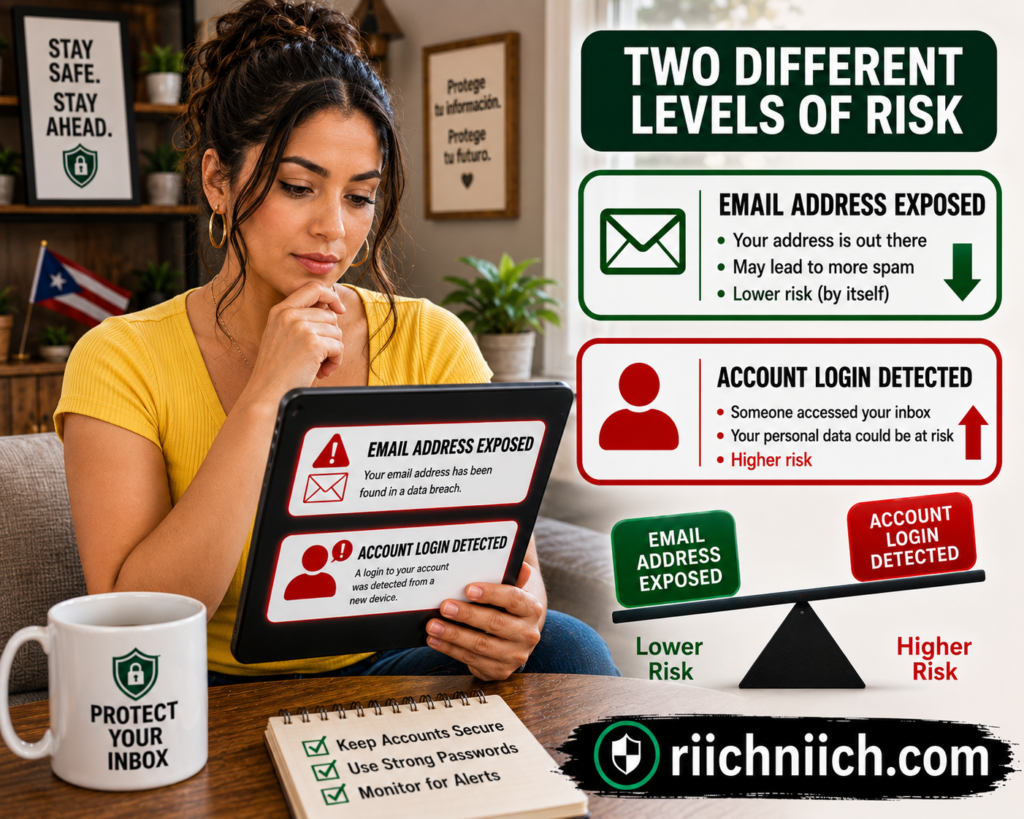
Change Your Password if There Is Any Sign of Compromise
If you believe your password was exposed or someone accessed your account, change the password immediately.
Create a strong, unique password that you have never used on another account.
Password reuse is particularly dangerous because attackers can take credentials exposed through one service and attempt them on other accounts. The FTC recommends changing reused or similar passwords when credentials may have been compromised.
If your email password was reused anywhere else, change those accounts too.
Prioritize:
Email → Banking and financial accounts → Cloud storage → Social media → Shopping accounts → Other important services
If keeping track of unique passwords becomes difficult, this is one situation where paying for a reputable password manager can provide practical value. The objective isn’t simply convenience—it’s making sure one compromised password doesn’t unlock several accounts.
Turn On Multifactor Authentication Immediately
A strong password should not be your only defense.
Enable multifactor authentication on your email account and other important accounts.
CISA explains that MFA adds another authentication requirement, making it harder for an attacker to access an account even when a password has been compromised.
When several MFA options are available, use the strongest practical method. CISA ranks security keys and stronger authenticator-based methods above text or email verification codes, while noting that any MFA is better than having none.
Sign Out of Other Devices and Sessions
Changing your password is important, but if someone is already signed into your account, you also want to terminate unauthorized sessions.
The FTC recommends signing out of the account on all devices after changing the password. This can remove access from another device where someone may already be logged in.
Then review your provider’s security or recent-activity section.
Look for:
- Devices you don’t recognize
- Login locations you don’t recognize
- Unfamiliar applications with account access
- Unexpected changes to security settings
Remove suspicious access when your provider gives you that option.
Check Your Recovery Email and Phone Number
An attacker who gets inside your email account may attempt to make their access more permanent.
Check the recovery email address and phone number associated with your account and make sure they still belong to you. The FTC specifically recommends reviewing recovery information after an account compromise.
Also review any backup authentication methods.
If something has been added or changed without your permission, remove it and secure the account immediately.
Look for Secret Email-Forwarding Rules
This step is easy to overlook.
Someone who gains access to your inbox could create an automatic forwarding rule that sends copies of your messages to another email address.
That means changing your password without removing the forwarding rule could leave sensitive messages flowing somewhere you never intended.
The FTC specifically recommends checking email settings for unauthorized forwarding rules after an account compromise.
Also check your:
Sent folder
Deleted or Trash folder
Filters and rules
Email signature
Connected applications
You’re looking for activity or settings you did not create.
Protect the Accounts Connected to Your Email
Your inbox can function as a master key for other online accounts because password-reset links are frequently delivered by email.
The FTC warns that someone controlling an email account could potentially request password resets for other accounts, receive those reset links, change the passwords, and lock the legitimate owner out.
That means securing the inbox is only the beginning.
Check important accounts associated with the exposed email for suspicious activity, particularly if you have evidence that someone actually accessed the inbox.
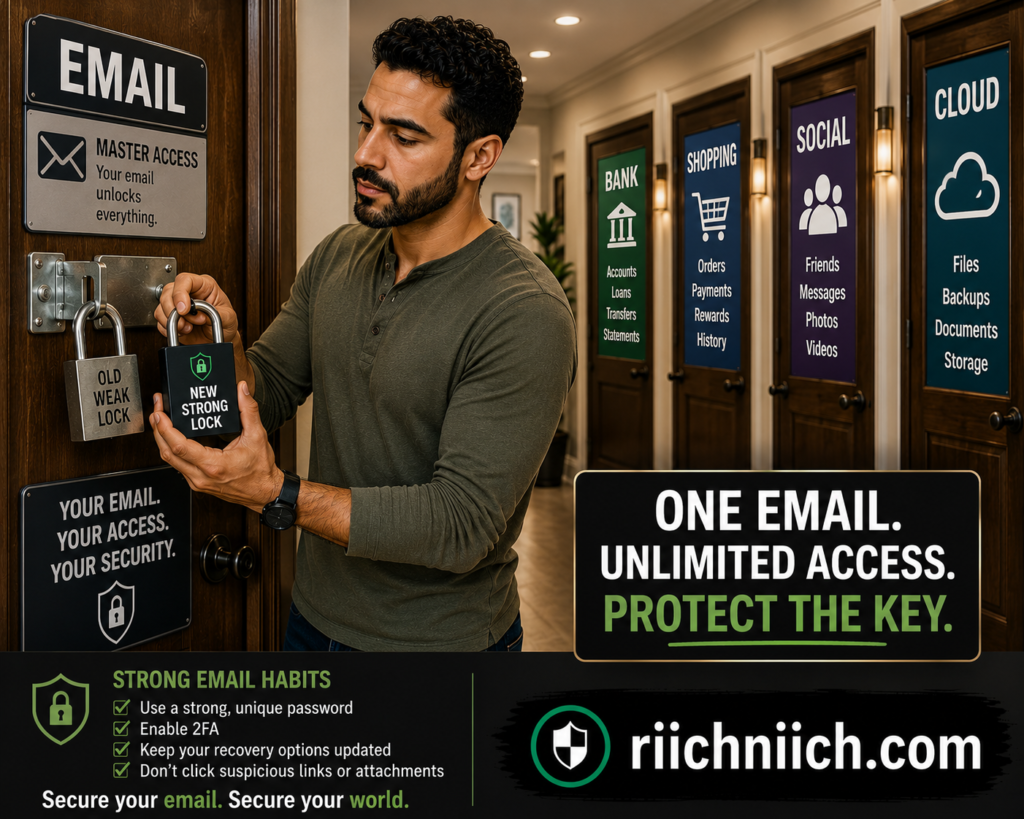
Be Prepared for More Convincing Phishing Attempts
If attackers have your email address plus additional personal information, phishing messages may become more believable.
A scammer might impersonate a company you recognize and claim that your account was compromised, a payment failed, or your password needs to be reset.
This creates an unfortunate situation: a real data exposure can be used to make a fake security warning look legitimate.
Don’t click an unexpected password-reset or security link simply because the message contains accurate information about you.
Instead, open the company’s official app or manually navigate to its website and check the account there.
Don’t Assume Changing Your Email Address Solves Everything
Creating a brand-new email address can sometimes make sense, particularly when an old address has become overwhelmed with spam and phishing.
But don’t rush into abandoning an important address.
If your existing email is tied to years of accounts, simply creating another inbox does not update those accounts or eliminate previously exposed information.
If you decide to transition, do it methodically:
Create the new private address → secure it with a unique password and MFA → move important accounts → update recovery information → keep the old account temporarily for legitimate messages you missed.
And don’t immediately start publishing the new primary address everywhere online.
Otherwise, you may eventually recreate the same exposure problem.
When Paid Monitoring Becomes More Valuable
Buyer intent becomes stronger when an exposed email is only one part of a larger pattern.
If your email has appeared in multiple breaches, credentials have been exposed, or additional personal information has been compromised, you may want more than occasional manual checks.
Depending on the product, paid security or identity-protection services may offer features such as credential monitoring, dark-web monitoring, identity monitoring, credit monitoring, or identity-theft recovery assistance.
👉 If you want broader protection beyond data removal, Aura is worth considering because it combines identity monitoring and other digital-security features in one service.
CISA specifically notes credential monitoring as one measure organizations can use to detect compromised credentials appearing on the dark web.
But remember what you’re buying.
Monitoring can alert you to detected exposure. It cannot guarantee that stolen information will be removed from every place it has already been copied.
Similarly, a data-removal service primarily addresses supported data brokers and people-search sites. It should not be treated as a substitute for changing a compromised password or securing a hacked account.
Take Additional Action if Your Identity Is Being Misused
Knowing your email address is one thing. Using stolen personal information to impersonate you is another.
If you discover unfamiliar accounts, purchases, loans, or other evidence that someone is actually using your identity, move beyond email cleanup and begin identity-theft recovery.
The FTC’s IdentityTheft.gov provides recovery steps based on what information was exposed or misused. It also recommends reviewing your credit reports and considering a credit freeze when appropriate.
Focus on Making the Exposed Email Less Useful
If hackers already have your email address, you may never be able to retrieve every copy of it.
What you can do is make that information far less useful.
Secure the account with a unique password. Enable strong MFA. Remove unauthorized sessions and forwarding rules. Protect connected accounts. Watch for targeted phishing. Continue removing unnecessary public listings and data-broker profiles.
That is an important reality of how to remove your email address from the internet: when information can still be deleted, remove it. When information has already escaped your control, secure everything connected to it.
The next step is avoiding the mistakes that can accidentally make your email exposure worse while you’re trying to clean it up.
‼ Common Mistakes When Trying To Remove Your Email From the Internet
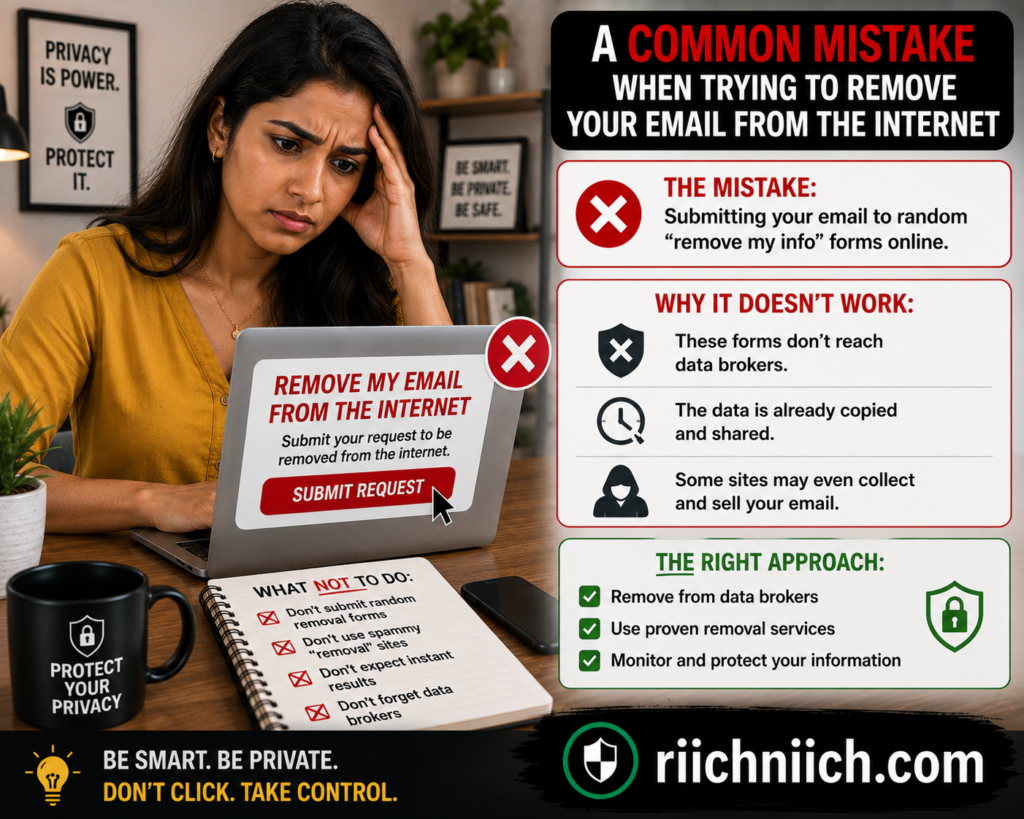
Even when you know how to remove your email address from the internet, a few mistakes can make the process slower, less effective, or even create additional privacy problems.
The biggest mistake is treating email removal as a single action. Your address may exist on websites, Google Search, people-search sites, data brokers, old accounts, and compromised databases simultaneously. Each source requires a different response.
Avoid these common mistakes while cleaning up your digital footprint.
Mistake #1: Only Removing Your Email From Google
Getting an unwanted search result removed from Google can make your email considerably harder to find, but it does not necessarily remove the information from the website hosting it.
Google explicitly explains that removing a result from Search does not remove the information from the internet. Someone could potentially still find the original page through a direct link, social media, or another search engine.
Whenever possible, use this order:
Remove from the original website → verify the removal → address the Google result if necessary.
If the original website has already removed your email but Google still displays outdated information, you can request a refresh of the outdated search result.
Mistake #2: Assuming One Search Finds Everything
Searching your email address in quotation marks is an excellent starting point, but don’t assume that a clean Google search means your address isn’t exposed anywhere else.
Your email could still exist inside data-broker databases, people-search profiles, breached datasets, old accounts, or pages that Google does not currently index.
That is why how to find where your email is listed online requires several approaches rather than one Google search.
Search for the email itself, check old accounts, investigate people-search listings, review known breach exposure, and periodically repeat the process.
Mistake #3: Paying Before Trying Free Removal Options
Don’t assume you need to buy a data-removal subscription the moment you discover your email online.
Many removal options are free.
You can remove information from accounts you control, contact website owners, submit people-search opt-outs, request qualifying Google removals, and use other privacy-request processes without paying a company to do it for you.
The FTC specifically says people can opt out of people-search sites individually for free or pay a service to handle the work.
Start with the easy removals yourself.
If you later discover dozens of data-broker listings and don’t want to manage them individually, then a paid service becomes a more reasonable purchase.
Mistake #4: Assuming a Data-Removal Service Can Erase You From the Internet
This is the opposite mistake.
Paid data-removal services can save considerable time, but you should have realistic expectations about what you’re purchasing.
A service may search supported data brokers, submit opt-outs, monitor removal progress, and periodically check whether information has resurfaced. It cannot guarantee that every copy of your email address will disappear from every database, website, public record, or previously compromised dataset.
The FTC also warns that information can reappear on people-search sites even after an opt-out.
Before paying for a service, the FTC recommends checking how many websites it covers, whether it provides reports about completed opt-outs, and how frequently it rescans for information that has returned.
Mistake #5: Providing More Personal Information Than Necessary
Some legitimate opt-out processes require information to locate your record or verify that you are the person requesting removal. The FTC notes that opting out may require providing information for identity verification.
But that doesn’t mean you should automatically hand over every piece of information a questionable website requests.
Be especially careful with unfamiliar sites requesting sensitive documents or unnecessary personal details.
Verify that you’re using the site’s official privacy or opt-out process and provide only what is reasonably necessary for the request.
The goal is to remove personal information from the internet, not create another unnecessary collection of it.
Mistake #6: Forgetting About Old Accounts and Documents
An old résumé from 2018 might not cross your mind when you’re trying to remove an email address in 2026.
But forgotten content can remain searchable for years.
Check old:
Résumés → PDFs → Forum accounts → Blogs → Portfolios → Professional profiles → Business listings → Public documents
If you control the content, remove the email or delete the obsolete material.
Google also makes an important distinction here: Results about you is generally intended for personal information you don’t control yourself. If the information appears on a page you control, such as your own social profile or blog, you should remove it directly.
Mistake #7: Forgetting To Verify the Removal
Submitting a removal request does not mean the information has disappeared.
Go back and check.
For every important listing, track:
Found → Request Submitted → Processing → Removed → Verified
This is particularly useful when you’re trying to remove email from data brokers, because you may be handling numerous requests at the same time.
Google’s Results about you similarly lets users monitor removal-request statuses such as In progress, Approved, Denied, and Undone.
Mistake #8: Never Checking Whether Your Information Comes Back
One successful cleanup does not guarantee permanent removal.
The FTC specifically recommends periodically checking people-search sites because new information may appear and previously removed information can return when underlying records change.
Set a reminder to search your email periodically and revisit the sites where you previously found information.
You can also use Google’s Results about you to monitor for qualifying personal information appearing in Google Search. Google says the feature can check for matching results and notify you when new results are found.
This is one area where paid data-removal services can offer meaningful buyer value: recurring monitoring and repeated removal work may save you from having to perform these checks manually.
Mistake #9: Using Your Newly Private Email Everywhere Again
Imagine spending hours removing your primary email from websites, Google results, people-search profiles, and data brokers—and then using the same address for every newsletter, giveaway, shopping account, public profile, and online form.
You’re rebuilding the footprint you just cleaned up.
After learning how to remove your email address from the internet, change how you use that address.
Reserve your primary email for important accounts. Consider separate addresses or aliases for public communication, shopping, newsletters, and lower-priority sign-ups.
Removal works much better when it is combined with prevention.
Mistake #10: Confusing Email Exposure With Email Account Hacking
Finding your email online does not automatically mean someone has access to your inbox.
An exposed email address means someone may know the address. An account compromise means someone has actually obtained unauthorized access.
Those situations require different responses.
If your email is merely public, focus on removal, privacy, phishing awareness, and account security.
If you see unfamiliar logins, messages you didn’t send, changed security settings, unauthorized forwarding rules, or other evidence of account compromise, treat it as a security incident and secure the account immediately.
Mistake #11: Paying an Exploitative Website Just To Remove Your Information
Be particularly cautious if a website publishes information about you and then demands payment to remove it.
Google has a specific removal policy for certain exploitative sites that require payment to remove content. If Google’s requirements are met, you can request removal of the offending result from Google Search.
This is completely different from voluntarily paying a legitimate privacy service to submit opt-out requests on your behalf.
One is a company you’re hiring for privacy assistance. The other may be the website displaying your information and demanding money to make it disappear.
Mistake #12: Expecting One Product To Solve Every Privacy Problem
Finally, don’t assume that one subscription handles every aspect of how to remove your email address from the internet.
Different tools solve different problems.
Data-removal services help with supported data brokers and people-search databases.
Dark-web monitoring looks for certain exposed information in monitored compromised-data sources.
Identity monitoring watches for certain signs that personal information may be exposed or misused.
Credit monitoring watches for specified changes to your credit files.
Password managers help you create and store unique passwords.
These services can complement each other, but they are not interchangeable.
The best buying decision is therefore not necessarily choosing the product with the longest feature list. It’s identifying where your email and personal information are actually exposed, handling the free removals first, and then paying for automation or ongoing protection where it genuinely saves you time or provides coverage you want.
Avoiding these mistakes will make your privacy cleanup more effective—and help prevent you from spending money on protection that doesn’t actually solve your problem.
❔❓Frequently Asked Questions About Removing Your Email Address From the Internet

If you’re researching how to remove your email address from the internet, you probably have questions about what can actually be removed, how long the process takes, whether Google can help, and whether paying for a data-removal service is worth it.
Here are straightforward answers to the most common questions.
Can I Completely Remove My Email Address From the Internet?
Usually, you cannot guarantee that every copy of your email address will disappear permanently.
You can remove your address from websites you control, request removal from third-party sites, opt out of people-search sites and data brokers, and ask Google to remove qualifying search results. However, copies may remain in databases, public records, old accounts, or previously compromised datasets.
The realistic objective of how to remove your email address from the internet is therefore to substantially reduce your public exposure rather than achieve complete digital invisibility.
How Do I Find Out Where My Email Address Is Listed Online?
Start by searching your full email address in quotation marks:
Then try combinations involving your name, username, city, or business name.
Don’t stop with Google. Check old accounts, public profiles, people-search sites, and data-broker listings. Also check whether your email has appeared in known data breaches.
Google’s Results about you feature can monitor Search for personal contact information, including multiple email addresses, and notify you when matching results are discovered.
Can I Remove My Email Address From Google Search?
Yes, in certain circumstances.
Google allows people to request removal of search results containing certain personally identifiable information, including email addresses. Google reviews requests against its policies, so removal is not guaranteed.
Some results may remain when Google considers the information valuable to the public, such as certain pages from government institutions, educational institutions, or newspapers.
This gives you an official option when researching how to remove email address from Google, but remember that removing a Google result does not necessarily delete the original webpage.
If Google Removes My Email, Is It Gone From the Internet?
No.
This is one of the most important distinctions in this entire guide.
Google states that even when it removes a result from Search, the information may still exist on the original webpage and could potentially be found through direct links, social media, or other search engines.
Whenever possible, contact the website owner and remove your email from the original source.
Then address the Google result if it remains.
What If I Already Removed My Email From a Website but Google Still Shows It?
Google may not have updated the search result yet.
If the webpage no longer contains your information but Google continues showing outdated information, Google provides a Refresh Outdated Content process that can be used to request an update.
Don’t confuse this with Google’s personal-information removal process. The outdated-content option is particularly useful when the source webpage has already changed but Google hasn’t caught up.
How Long Does It Take To Remove an Email Address From the Internet?
There is no universal timeline.
A page you control could be changed within minutes. A third-party website might take days or weeks to respond. A data broker may have its own processing schedule, while Google must review qualifying removal requests.
Google’s Results about you allows you to track submitted requests and currently shows statuses including In progress, Approved, Denied, and Undone. Google also notes that there can be a delay between approval and the result actually disappearing from Search.
Rather than expecting everything to disappear at once, track each removal separately.
Can I Remove My Email From People-Search Sites for Free?
In many cases, yes.
The FTC says people-search sites generally provide opt-out mechanisms, and consumers can complete these requests individually for free.
The downside is the amount of work involved.
You may need to locate your profile, find the site’s opt-out procedure, submit the request, complete verification, and repeat the process across multiple websites.
The FTC also warns that information may reappear, meaning periodic checks can be necessary.
Is It Worth Paying for a Data-Removal Service?
It depends primarily on the size of your digital footprint and how much you value your time.
If you only find a few unwanted listings, manually submitting free opt-out requests may be sufficient.
If you’re trying to remove email from data brokers across dozens of databases and don’t want to continually repeat the process, a paid data-removal service may provide considerably more value.
The FTC recommends checking how many sites a paid service covers, whether it provides reports about completed opt-outs, and how frequently it rescans for information that reappears.
In other words, you’re primarily paying for automation, convenience, recurring scans, and repeated removal work—not a guarantee that every trace of you will disappear from the internet.
Will Removing My Email From Data Brokers Stop Spam?
Not necessarily.
Removing your email from data brokers can reduce your digital footprint, but it cannot retrieve every copy of an email address that is already circulating.
If you’re researching how to stop spam emails, combine removal with your email provider’s spam filters, careful unsubscribe practices for legitimate marketing, phishing awareness, and better separation between your private and public-facing email addresses.
Removing data-broker listings should be viewed as one privacy measure rather than a guaranteed spam cure.
Should I Delete My Email Account and Start Over?
Usually, that should not be your first move.
An established email address may be connected to financial accounts, subscriptions, cloud services, social media, password recovery, and years of legitimate correspondence.
First try securing and cleaning up the existing account.
If an old address has become overwhelmingly exposed, you can gradually transition important accounts to a new private address. Secure the new account with a unique password and MFA before using it.
Most importantly, don’t immediately start using the new address for every newsletter, public profile, promotion, and random sign-up—or you’ll eventually recreate the same problem.
Does Finding My Email on the Dark Web Mean I’ve Been Hacked?
No.
An email appearing in compromised data does not automatically mean someone has access to your inbox.
It may mean that your address was included in data exposed through another company’s breach.
What matters is what other information was exposed with it. If a password was compromised, change it immediately and anywhere else you reused it. Enable MFA on your email and other important accounts.
Dark-web monitoring can help identify certain exposure, but monitoring should not be confused with removal. Once stolen information has been copied, there may be no practical way to retrieve every copy.
Can Someone Hack Me With Just My Email Address?
Simply knowing your email address is generally not enough to log into your account.
An attacker would typically need additional authentication information or another way to compromise the account.
However, an exposed email gives scammers a target for phishing, password guessing, credential-stuffing attempts involving previously compromised credentials, and other social-engineering attacks.
That’s why how to keep your email address private should be combined with strong account security.
Use a unique password, enable MFA, protect your recovery methods, and remain cautious about unexpected login or password-reset messages.
Should I Use a Separate Email Address for Online Shopping and Newsletters?
For many people, yes.
Separating email addresses can limit the exposure of your most important account.
You might reserve one private address for banking, important accounts, and account recovery while using another for shopping, newsletters, promotions, and less-sensitive sign-ups.
This won’t prevent companies from suffering breaches, but it reduces how widely you distribute the email address connected to your most important accounts.
How Often Should I Check Whether My Email Has Reappeared Online?
There is no required schedule, but periodic checks are worthwhile.
The FTC specifically recommends checking people-search sites periodically because information can reappear after you’ve opted out.
You can also enable notifications through Google’s Results about you so you don’t have to rely entirely on manual searches. Google says it can regularly check for matching personal information and notify you when new results are discovered.
If you repeatedly find your information resurfacing across numerous data brokers, this is one of the situations where paying for recurring data-removal monitoring may be easier than continually doing everything yourself.
What’s the Best Way To Remove Your Email Address From the Internet?
There isn’t one button or service that handles everything.
The most effective approach to how to remove your email address from the internet is to combine the strategies covered throughout this guide:
Find the exposure → remove information at the source → opt out of people-search sites and data brokers → request eligible Google removals → check breach and dark-web exposure → secure the email account → reduce future sharing → monitor for information that returns.
You can complete much of that process yourself for free.
A paid data-removal or monitoring service becomes worth considering when automation, recurring checks, broader supported coverage, and saved time provide enough value to justify the cost.
Image Suggestion: A person reaching the finish line of a neighborhood “Digital Privacy Route,” carrying a completed nine-step checklist while signposts behind them show “Search,” “Remove,” “Opt Out,” “Secure,” and “Monitor.”
Conclusion: How To Remove Your Email Address From the Internet
If your email address is showing up in Google results, old profiles, people-search sites, or data-broker databases, you can take meaningful steps to reduce that exposure.
The most effective approach to how to remove your email address from the internet is not looking for one service or button that promises to erase everything. Instead, work through the problem source by source: remove what you control, request removal of what you don’t, opt out of data brokers, clean up eligible Google results, and then protect the email address from unnecessary future exposure.
You may not be able to erase every historical copy, but you can make your primary email significantly harder to find.
Follow the 9 Steps in Order
For the best results, work through the process systematically:
- Search Google for your email address and document where it appears.
- Remove your email from websites you control, including old profiles and documents.
- Contact websites you don’t control and request removal at the source.
- Opt out of people-search sites displaying your information.
- Opt out of data brokers that have profiles connected to you.
- Request removal from Google Search when the result qualifies.
- Check whether your email was exposed in a data breach.
- Check for dark-web exposure and respond to any compromised credentials.
- Protect your email going forward with better sharing habits, unique passwords, and MFA.
Google’s Results about you feature can help identify Google Search results containing your email address and lets you request removal of eligible results. It can also notify you when new matching results appear.
Just remember that removing something from Google Search does not remove it from the original website. Google recommends contacting the website owner when you want information removed at its source.

Do the Free Work Before You Pay for Anything
You can complete a significant portion of without paying for a subscription.
Removing information from websites you control is free. Contacting website owners is free. Google provides its personal-information removal process directly. And many people-search sites provide opt-out procedures that you can complete yourself.
The FTC confirms that people-search opt-outs can generally be handled individually for free.
So don’t assume that seeing your email online means you immediately need to purchase privacy software.
Start by finding out how much exposure you actually have.
If you discover five unwanted listings, spending an afternoon removing them yourself may make more sense than buying an ongoing subscription.
Pay for a Data-Removal Service When the Time Savings Make Sense
Buyer intent becomes much stronger when your information is scattered across many data brokers and people-search sites.
If you’re trying to remove email from data brokers one company at a time, the process can quickly become repetitive:
Find listing → locate opt-out → submit request → verify request → track removal → check again later.
Now multiply that by dozens of databases.
That’s where a reputable paid data-removal service can provide real value. You’re essentially paying someone—or an automated system—to handle much of that repetitive privacy work across the brokers the service supports.
The FTC recommends checking three important factors before paying: how many websites the service covers, whether it provides reports about the sites where it has opted you out, and how frequently it rescans for information that has returned.
That is a much better way to compare privacy services than simply choosing whichever company makes the biggest promise.
Don’t Expect a Data-Removal Service To Make You Invisible
No legitimate privacy product should be treated as a magic eraser for the entire internet.
People-search information can reappear after an opt-out. The FTC specifically warns that changes to underlying public records can cause information to return, which is why periodic checks may be necessary.
Previously breached information creates an even bigger limitation. Once information has been copied outside the original company’s control, you should not assume that every unauthorized copy can be retrieved.
That means your strategy needs two different goals:
Information you can control: Remove it.
Information you cannot retrieve: Protect yourself against its misuse.
That distinction is one of the most important lessons in how to remove your email address from the internet.
Your Best Defense Is a Smaller Digital Footprint
Once you’ve completed the cleanup, change how you use your email.
Keep your primary email private whenever practical. Consider a separate address or aliases for shopping, newsletters, public profiles, and less-important accounts. Use unique passwords, enable MFA, delete accounts you no longer need, and periodically search for your information again.
Google’s Results about you can also provide ongoing notifications when matching personal information appears in new Google Search results, making it easier to catch exposure that resurfaces.
The Bottom Line
You probably cannot guarantee that every trace of an email address will disappear forever. But that should not stop you from taking action.
The goal of how to remove your email address from the internet is to make your personal information less visible, less widely distributed, and harder to misuse.
Start with free manual removals. Remove your email at the original source whenever possible. Opt out of people-search sites and data brokers. Request eligible Google Search removals. Check for breach and dark-web exposure. Then secure your email and limit where you share it going forward.
If your information is spread across dozens of databases or repeatedly resurfaces, a reputable data-removal service can be worth paying for—primarily because it saves time and automates an ongoing job.
The best outcome isn’t becoming invisible online.
It’s taking back control over who has your email address, where it appears, and how easily someone can connect it to the rest of your personal information.