

How to stop spam calls and scam messages has become one of the biggest online privacy concerns today. From robocalls and phishing texts to fake banking alerts and identity theft scams, cybercriminals are constantly finding new ways to target exposed phone numbers and personal information. In this guide, you will learn how scammers get your information, how to block spam calls and phishing messages, and which privacy tools can help protect your personal data from future scams and identity theft.
Table of Contents
What Are Spam Calls and Scam Messages?
Spam calls and scam messages are fraudulent or unwanted communications designed to trick people into giving away personal information, money, passwords, verification codes, or financial account access. These scams usually happen through robocalls, fake customer support calls, phishing text messages, spoofed phone numbers, or urgent alerts pretending to come from banks, delivery companies, government agencies, or popular apps.
If you are searching for how to stop spam calls and scam messages, understanding how these scams work is the first step toward protecting your personal information and reducing your exposure to fraud.
Many scam calls now use caller ID spoofing to make fake numbers appear local or trustworthy. Scam text messages often contain malicious links designed to steal passwords, install malware, or trick victims into entering banking information. Some scammers even combine leaked personal data from data broker websites and past data breaches to make their messages appear more convincing.
Common examples include:
- “Your account has been locked.”
- “Suspicious activity detected.”
- “Package delivery failed.”
- “You owe unpaid taxes.”
- “Click this link immediately.”
These scams are becoming more advanced because cybercriminals can easily buy personal information online from data brokers, marketing databases, and dark web leak collections. Once your phone number is exposed, you may begin receiving constant robocalls, phishing texts, spam verification codes, and identity theft attempts.
This is why many people eventually look for tools that help:
- stop spam calls
- block scam text messages
- remove phone numbers from spam lists
- protect against identity theft
- remove personal information from data broker sites
Some privacy protection services and data removal tools can help reduce the amount of exposed personal information connected to your phone number online. Removing your information from broker databases can lower the number of spam calls and scam messages you receive over time.
👉 Remove your personal information from data broker sites automatically with Incogni here.
According to the Federal Trade Commission (FTC), phishing scams continue to target millions of people through phone calls and text messages every year. The Federal Communications Commission (FCC) also warns that spam texts and robocalls are among the most common fraud methods used by scammers today.
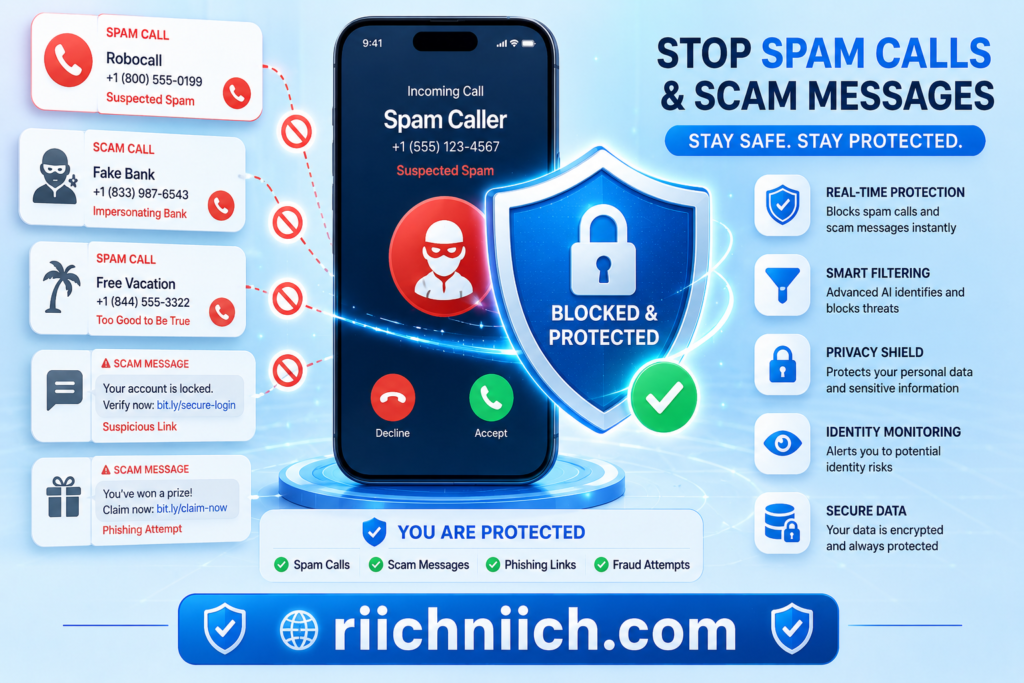
Why You’re Suddenly Getting More Spam Calls and Scam Texts
If you have noticed a sudden increase in spam calls and scam texts, your personal information has likely become more widely available online. Many people searching for how to stop spam calls and scam messages are surprised to learn that their phone number may already exist inside marketing databases, data broker websites, leaked breach records, social media profiles, app tracking systems, or public people-search sites.
Scammers use automated systems that can send thousands of robocalls and phishing text messages every hour. Once your phone number is added to these databases, it can quickly spread across multiple spam networks and fraud operations.
There are several major reasons why spam calls and scam messages increase over time:
Your Phone Number Was Exposed in a Data Breach
Large data breaches regularly expose millions of phone numbers, email addresses, passwords, and personal records. Cybercriminals often buy or trade this information on underground marketplaces and use it for scam campaigns, phishing attacks, and identity theft attempts.
You can also learn the most common ways hackers collect personal information in our guide here:
How Hackers Get Your Personal Data
Data Brokers Sell Personal Information
Data brokers collect and sell personal data from apps, websites, surveys, loyalty programs, social media activity, and public records. Your phone number may be shared with advertisers, marketers, or third-party companies without you realizing it.
Over time, this information can spread across hundreds of databases, increasing the chances of receiving:
- robocalls
- scam texts
- telemarketing calls
- phishing messages
- fake customer support scams
This is one reason many people use privacy tools and data removal services to remove phone numbers from data broker sites and reduce unwanted spam activity.
You Entered Your Phone Number Online
Many websites, mobile apps, giveaways, online stores, and social platforms request phone numbers during signup. Even legitimate companies may share customer data with advertising partners or analytics providers.
The more places your phone number appears online, the easier it becomes for scammers to target you with spam calls and scam messages.
Scammers Use AI and Automated Dialing Systems
Modern scammers use AI-generated phishing messages, automated robocall systems, and caller ID spoofing technology to make scams appear more legitimate. Some scam calls even imitate banks, government agencies, or delivery companies using fake local phone numbers.
According to the Cybersecurity and Infrastructure Security Agency (CISA), phishing and social engineering attacks continue to evolve rapidly because attackers rely heavily on automation and stolen personal information.
Your Information May Be Circulating on the Dark Web
If your personal information was leaked in a breach, scammers may combine your phone number with other exposed data like:
- email addresses
- passwords
- home addresses
- financial information
- social media accounts
You can check whether your exposed information may already be circulating online in our guide here:
How to Check If Your Information Is on the Dark Web
This makes scam messages far more convincing and increases the risk of identity theft.
Learning how to stop spam calls and scam messages often requires more than simply blocking numbers. Reducing your digital exposure, protecting your accounts, and removing your information from broker databases can significantly reduce future scam activity.
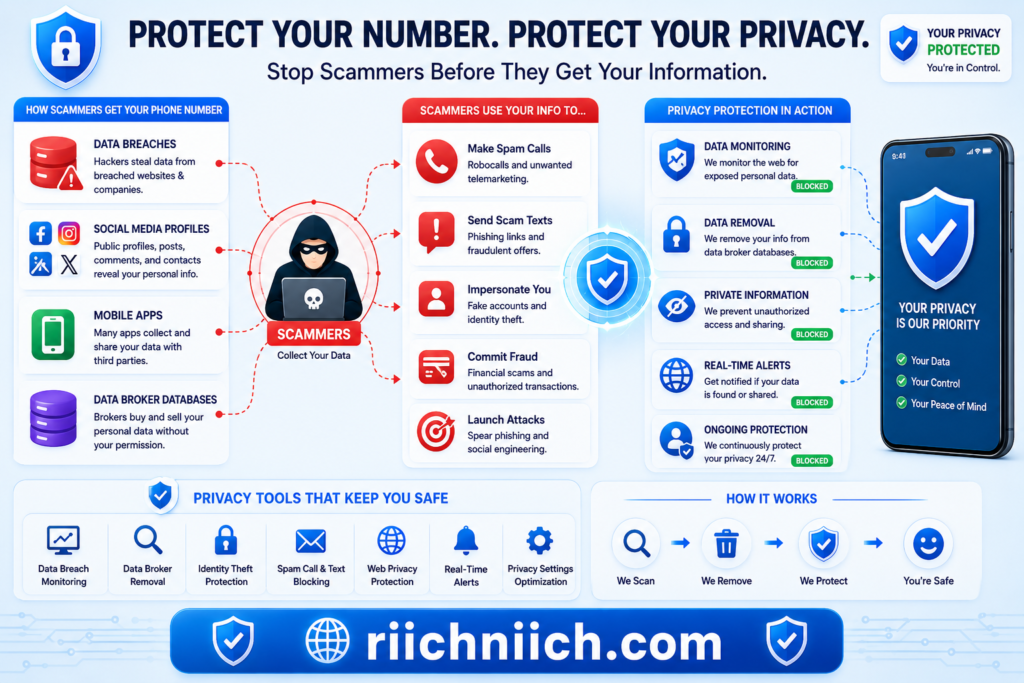
How Scammers Get Your Phone Number
If you are trying to learn how to stop spam calls and scam messages, it is important to understand how scammers get access to your phone number in the first place. In many cases, your personal information is collected, shared, sold, or leaked long before the spam calls begin.
Today, scammers use automated systems, data broker databases, phishing campaigns, and public online records to gather millions of phone numbers quickly and cheaply. Once your number is exposed, it can spread across multiple robocall and scam networks within days.
Here are the most common ways scammers get your phone number:
Data Broker Websites
Data brokers collect personal information from apps, websites, public records, loyalty programs, surveys, and online activity. These companies often build detailed profiles that include:
- phone numbers
- email addresses
- home addresses
- family members
- age ranges
- browsing behavior
This information may then be sold to advertisers, telemarketers, or third-party companies. In some cases, scammers obtain these lists through illegal reselling or data leaks.
This is one reason why many people use privacy protection services to remove personal information from data broker sites and reduce spam call exposure.
Data Breaches and Leaked Databases
When companies experience cyberattacks or security breaches, exposed customer records often include phone numbers. Criminals may later use this information for:
- phishing text messages
- scam verification requests
- fake banking alerts
- robocalls
- identity theft attempts
Even older data breaches can continue circulating online for years.
Social Media and Public Profiles
Many people unknowingly expose their phone numbers through:
- Facebook accounts
- social media bios
- online business pages
- forum accounts
- marketplace listings
Scammers regularly scan public profiles looking for contact information they can use for phishing attacks and spam campaigns.
Reducing public visibility of your phone number can help stop unwanted calls and scam messages before they increase.
Mobile Apps and Online Forms
Some mobile apps request unnecessary permissions or collect personal information for advertising purposes. Sweepstakes forms, quizzes, coupon websites, and free downloads may also collect phone numbers and share them with marketing partners.
The more websites and apps that have access to your number, the higher your chances of receiving spam calls, robocalls, and scam texts.
Random Number Dialing and AI Automation
Some robocall systems simply generate random phone number combinations automatically. Modern scammers now use AI-powered tools that can send massive amounts of phishing text messages and automated scam calls in minutes.
This allows cybercriminals to target thousands of people at once while constantly changing spoofed phone numbers to avoid detection.
According to the Federal Bureau of Investigation (FBI) Internet Crime Complaint Center, phishing and spoofing scams remain among the most common cybercrime tactics affecting consumers.
Understanding how scammers get your phone number is critical if you want to stop spam calls, block scam messages, and protect your personal information online. In many cases, reducing your online exposure and removing your information from broker databases can significantly lower future scam activity.
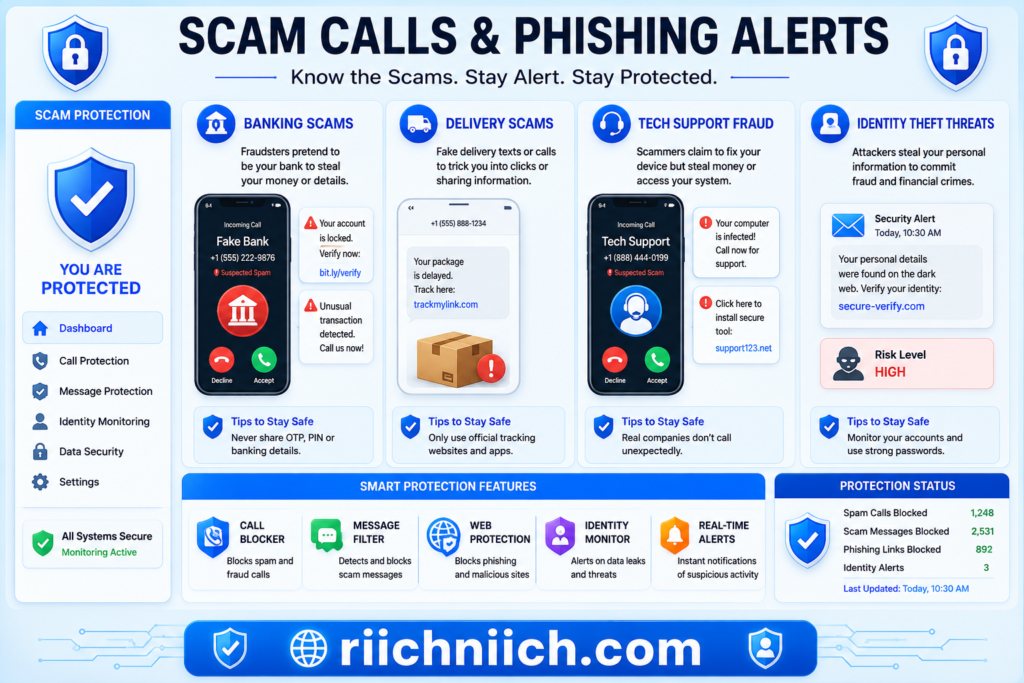
The Most Common Types of Spam Calls and Scam Messages
Understanding the most common scam tactics can help you stop spam calls and scam messages before they lead to identity theft, financial fraud, or stolen personal information. Many scammers rely on fear, urgency, and fake authority to pressure people into clicking malicious links, sharing verification codes, or sending money.
Today’s scam calls and phishing text messages are far more advanced than older robocalls. Some even use AI-generated voices, spoofed phone numbers, and stolen personal data to appear legitimate.
Here are the most common types of spam calls and scam messages people receive today:
Bank Fraud and Suspicious Activity Scams
These scam calls or texts pretend to come from your bank or credit card company. They often claim:
- suspicious activity was detected
- your account has been locked
- a payment failed
- you must verify your identity immediately
The goal is usually to steal:
- banking passwords
- login credentials
- one-time verification codes
- debit or credit card information
Legitimate banks rarely ask for sensitive information through text messages or unexpected calls.
Package Delivery and Shipping Scams
Scammers often impersonate companies like USPS, FedEx, UPS, or Amazon. These messages usually claim:
- a package could not be delivered
- shipping information needs verification
- customs fees are unpaid
- delivery failed due to address issues
These phishing texts often contain fake tracking links designed to steal passwords or install malware on your device.
The United States Postal Inspection Service warns that package tracking scams continue to rise because they exploit everyday online shopping habits.
IRS and Government Impersonation Scams
Some spam calls pretend to come from:
- the IRS
- Social Security Administration
- Medicare
- law enforcement agencies
Scammers may threaten arrests, fines, account suspensions, or legal action unless immediate payment is made.
Government agencies generally do not demand payments through gift cards, cryptocurrency, or urgent phone calls.
Tech Support Scams
Tech support scammers pretend your device has:
- viruses
- hacked accounts
- security problems
- malware infections
These scams often try to convince victims to:
- install remote access software
- pay fake repair fees
- reveal passwords
- provide banking information
Some callers even spoof legitimate company names to appear trustworthy.
Password Reset and Verification Code Scams
These scam messages often claim:
- your account password was changed
- someone logged into your account
- a verification code is required immediately
The goal is usually to trick victims into sharing MFA codes or account recovery information.
This type of phishing attack has become more common as hackers target email accounts, banking apps, and social media profiles.
Fake Prize and Giveaway Scams
These scam texts claim you:
- won a gift card
- earned a free product
- qualified for a prize
- received a cash reward
Victims are usually asked to:
- click suspicious links
- enter payment information
- pay fake processing fees
- provide personal details
Investment and Cryptocurrency Scams
Modern scammers increasingly promote fake investment opportunities through text messages, WhatsApp, Telegram, and social media platforms. These scams often promise:
- guaranteed profits
- fast returns
- insider trading opportunities
- crypto doubling schemes
Learning how to stop spam calls and scam messages starts with recognizing these common tactics early. The faster you identify suspicious calls, phishing texts, and spoofed numbers, the lower your risk of identity theft, account takeovers, and financial fraud.
Warning Signs a Call or Text Message Is a Scam
Recognizing scam warning signs early is one of the most effective ways to stop spam calls and scam messages before they lead to identity theft, stolen passwords, or financial fraud. Many phishing calls and scam texts are designed to create panic, urgency, or confusion so victims react without thinking carefully.
Modern scammers are becoming more sophisticated, but many fraud attempts still follow predictable patterns. Learning these red flags can help you avoid dangerous robocalls, phishing texts, and fake verification scams.
Here are the most common warning signs a call or text message is a scam:
The Message Creates Urgency or Fear
Scammers often try to pressure victims into acting immediately. Common phrases include:
- “Your account will be suspended.”
- “Immediate action required.”
- “Suspicious login detected.”
- “Payment overdue.”
- “You will be arrested.”
Creating panic reduces the chance that someone will stop and verify the message.
Legitimate companies rarely demand urgent action through unexpected text messages or threatening phone calls.
The Caller Requests Personal Information
One of the biggest scam warning signs is when someone asks for:
- passwords
- Social Security numbers
- banking details
- one-time verification codes
- credit card numbers
Real companies generally do not request sensitive information through unsolicited calls or texts.
If you receive a suspicious message, contact the company directly through its official website instead of replying to the message.
The Phone Number Looks Strange or Spoofed
Scammers frequently use caller ID spoofing to make numbers appear local or legitimate. Some calls may even display names of real businesses or government agencies.
Signs of spoofing include:
- repeated calls from similar numbers
- international area codes
- oddly formatted numbers
- calls that hang up immediately
Blocking spam calls becomes much harder when scammers constantly rotate fake numbers.
The Text Contains Suspicious Links
Many phishing text messages contain shortened or fake URLs designed to:
- steal passwords
- install malware
- capture payment information
- hijack accounts
Avoid clicking links in unexpected messages, especially if the sender claims there is an urgent problem with your account or package delivery.
The National Cybersecurity Alliance recommends verifying links carefully before entering any personal information online.
The Message Contains Poor Grammar or Unusual Wording
Although scammers are improving their tactics, many spam messages still contain:
- spelling mistakes
- awkward grammar
- unusual formatting
- strange capitalization
- inconsistent branding
These small details can reveal that the message is fraudulent.
The Caller Demands Unusual Payment Methods
Scammers often request payment through:
- gift cards
- cryptocurrency
- wire transfers
- payment apps
- prepaid debit cards
Legitimate businesses and government agencies rarely demand these payment methods.
You Receive Unexpected Verification Codes
If you suddenly receive account recovery or MFA verification codes you did not request, someone may be attempting to access your accounts. Never share verification codes with anyone claiming to be customer support or fraud prevention staff.
This type of scam is increasingly common in phishing attacks targeting email accounts, banking apps, and social media platforms.
According to the Better Business Bureau Scam Tracker, impersonation scams, phishing messages, and fake account alerts remain some of the most commonly reported fraud attempts.
Learning how to identify scam warning signs can significantly reduce your risk of phishing attacks, spam calls, and identity theft. The sooner you recognize suspicious behavior, the easier it becomes to protect your accounts, phone number, and personal information online.
How to Stop Spam Calls on iPhone and Android
If you want to stop spam calls and scam messages, your smartphone already includes several built-in security features that can help reduce robocalls, phishing attempts, and unwanted telemarketing calls. Both iPhone and Android devices offer tools that automatically filter suspicious numbers, silence unknown callers, and block scam phone numbers before they reach you.
While no method stops every spam call completely, combining device settings with privacy protection tools can dramatically reduce unwanted calls and scam texts over time.
How to Stop Spam Calls on iPhone
Apple includes built-in spam protection features that help identify and silence suspicious calls.
To enable “Silence Unknown Callers” on iPhone:
- Open Settings
- Tap Phone
- Select Silence Unknown Callers
- Turn the feature ON
This feature automatically silences calls from numbers not saved in your contacts, recent outgoing calls, or Siri suggestions.
You can also manually block spam numbers:
- Open the Phone app
- Tap the recent caller
- Select the Info (i) button
- Tap Block this Caller
Apple also allows some carrier-supported spam filtering features through supported mobile providers.
The Apple Support Spam Call Guide explains additional iPhone call filtering and spam protection options.
How to Stop Spam Calls on Android
Android devices often include built-in spam detection through Google Phone and carrier integrations.
To enable spam protection on Android:
- Open the Phone app
- Tap the three-dot menu
- Select Settings
- Tap Caller ID & Spam
- Turn ON:
- Caller ID
- Spam Protection
- Filter spam calls
Many Android devices can automatically warn users about suspected robocalls and scam numbers before answering.
You can also manually block unwanted numbers by opening recent calls and selecting:
- Block
- Report spam
- Block unknown callers
Use Carrier Spam Protection Features
Many wireless carriers now offer free or paid spam filtering services.
Examples include:
- AT&T ActiveArmor
- Verizon Call Filter
- T-Mobile Scam Shield
These tools help:
- block robocalls
- detect spoofed numbers
- identify scam callers
- reduce phishing call attempts
Avoid Answering Unknown Calls
One of the simplest ways to stop spam calls is to avoid answering unfamiliar numbers. Many robocall systems track which numbers successfully answer calls. Answering spam calls may increase future scam attempts.
If the call is legitimate, the caller will usually leave a voicemail.
Report Spam Calls and Scam Numbers
Reporting scam calls helps improve filtering systems and supports fraud investigations.
You can report unwanted calls through:
- your mobile carrier
- built-in phone reporting features
- the FTC National Do Not Call Registry
While the National Do Not Call Registry does not stop illegal scammers completely, it can reduce legitimate telemarketing calls over time.
Reduce Your Online Exposure
Many spam calls originate from exposed personal information online. Data brokers, leaked databases, apps, and public profiles can all contribute to robocall targeting.
Reducing your digital footprint may help:
- stop unwanted calls
- reduce scam texts
- lower phishing attempts
- limit identity theft risks
This is why many people combine phone security settings with privacy tools that remove personal information from data broker sites.
Learning how to stop spam calls and scam messages requires layered protection. Built-in smartphone tools, spam filters, privacy settings, and reduced online exposure all work together to help protect your phone number and personal information.
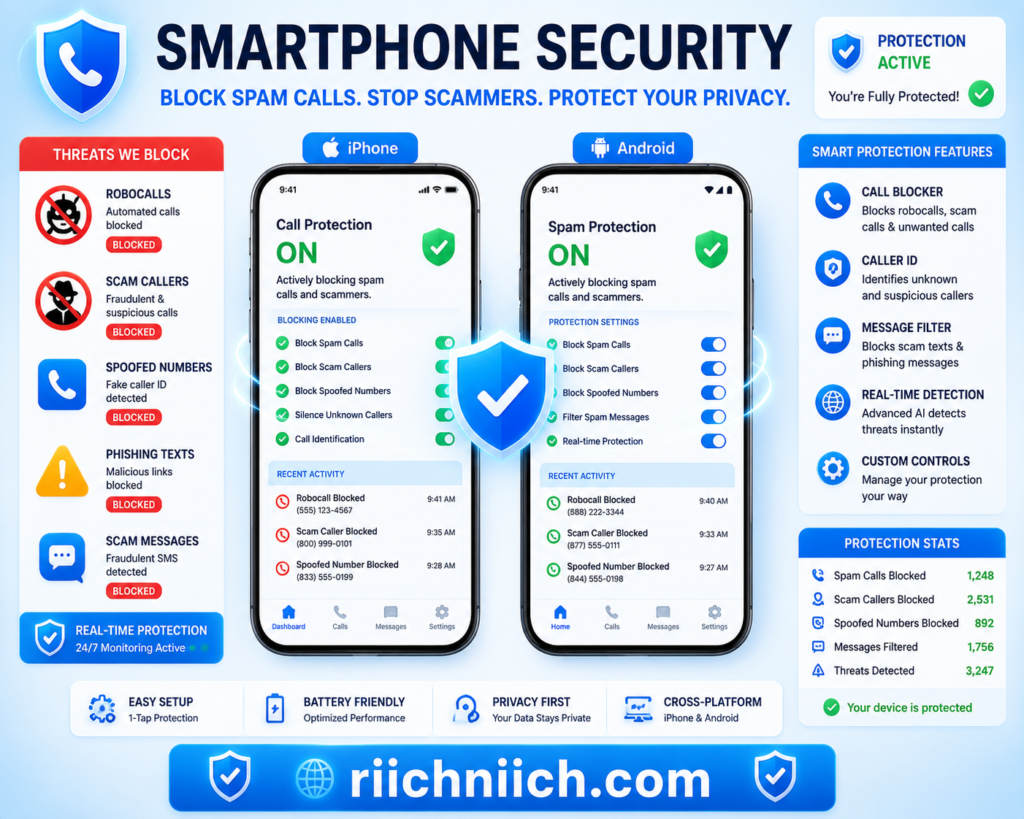
How to Block Scam Text Messages Before They Reach You
Scam text messages have become one of the most common forms of phishing attacks today. If you want to stop spam calls and scam messages, blocking phishing texts before they reach your inbox is one of the most effective ways to protect your personal information, passwords, and financial accounts.
Many scam texts are designed to look legitimate by pretending to come from:
- banks
- delivery companies
- mobile carriers
- streaming services
- government agencies
- online retailers
These messages often contain malicious links that can steal passwords, install malware, or trick users into revealing sensitive information.
Fortunately, both iPhone and Android devices offer built-in tools that help filter and block scam messages automatically.
Enable Spam Message Filtering on iPhone
Apple devices can automatically separate unknown senders from trusted contacts.
To enable message filtering on iPhone:
- Open Settings
- Tap Messages
- Scroll to Filter Unknown Senders
- Turn the feature ON
This moves messages from unknown phone numbers into a separate list, helping reduce exposure to phishing texts and scam links.
You can also:
- block individual phone numbers
- report junk messages
- delete suspicious texts immediately
Enable Spam Protection on Android
Many Android devices include built-in spam message protection through Google Messages.
To enable spam protection:
- Open the Messages app
- Tap your profile icon
- Select Messages Settings
- Tap Spam Protection
- Turn ON:
- Enable Spam Protection
- Caller & Spam ID (if available)
Google’s filtering system can automatically detect and warn users about suspicious phishing texts and scam messages before they are opened.
Never Click Suspicious Links
One of the most important rules for avoiding phishing scams is simple:
- never click suspicious links
- never download unexpected attachments
- never reply to unknown scam texts
Scammers often use fake:
- package tracking pages
- account verification forms
- password reset requests
- payment portals
These fake websites are designed to steal login credentials and personal information.
The Google Safety Center Phishing Protection Guide explains how phishing scams attempt to trick users into revealing sensitive information online.
Block and Report Scam Text Messages
Most devices allow users to report phishing texts directly from the messaging app.
Reporting scam texts helps:
- improve spam filters
- identify malicious phone numbers
- reduce future phishing campaigns
You can also forward suspicious text messages to 7726 (SPAM), which many wireless carriers use for spam reporting and scam investigations.
Avoid Sharing Your Phone Number Publicly
The more widely your phone number appears online, the more likely you are to receive spam texts and scam messages.
Try to avoid posting your phone number on:
- social media profiles
- public forums
- business listings
- giveaway forms
- unsecured websites
Reducing your digital exposure can help decrease robocalls, phishing texts, and unwanted spam activity over time.
Remove Your Information From Data Broker Sites
Data brokers often collect and distribute phone numbers across advertising and marketing databases. This information can eventually reach scammers through leaked databases or illegal reselling operations.
Many privacy-focused users now use data removal services to:
- remove phone numbers from broker sites
- reduce spam calls
- lower phishing risks
- improve online privacy
According to the Cybersecurity & Infrastructure Security Agency (CISA) Phishing Guidance, phishing remains one of the most effective attack methods because scammers rely heavily on social engineering and stolen personal information.
Learning how to block scam text messages before they reach you can significantly reduce your exposure to phishing attacks, identity theft, and financial fraud. Combining spam filtering tools, safer online habits, and reduced personal data exposure creates much stronger protection against modern scam campaigns.
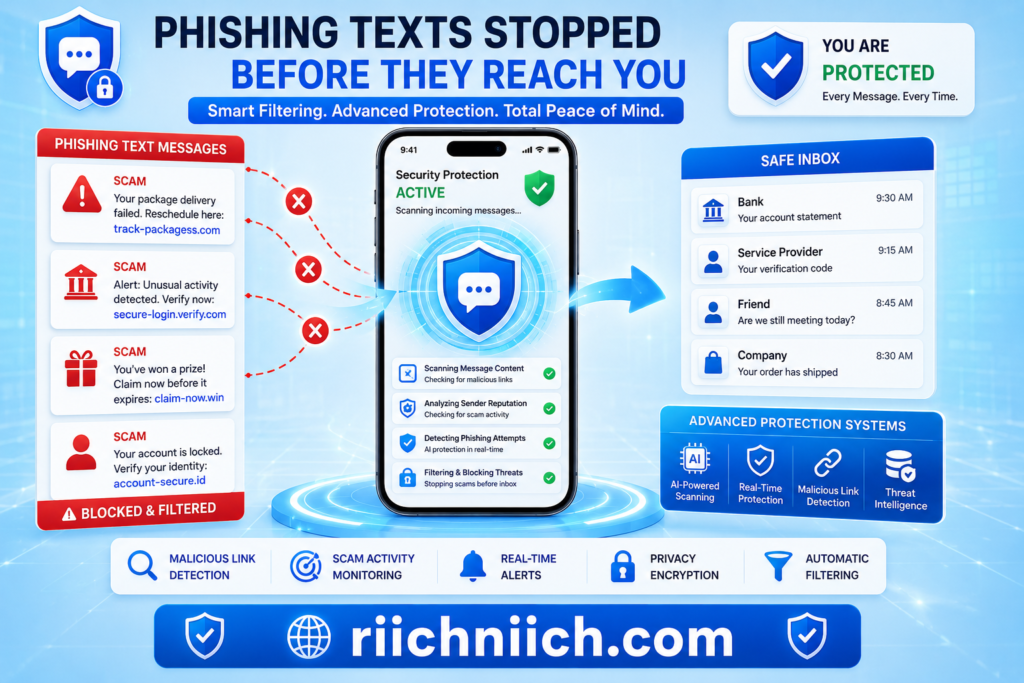
How Data Brokers Contribute to Spam Calls and Scam Messages
If you are trying to stop spam calls and scam messages, data brokers are one of the biggest reasons your phone number may be spreading online. Many people do not realize that their personal information is constantly collected, packaged, and shared across massive advertising and marketing databases.
You can learn exactly how companies collect and sell personal information in our full guide here:
What Is a Data Broker?
Once your phone number enters these systems, it can quickly circulate across:
- telemarketing networks
- advertiser databases
- lead generation companies
- analytics platforms
- public people-search websites
- leaked data collections
Over time, this dramatically increases your chances of receiving robocalls, phishing texts, spam messages, and identity theft scams.
We also explain the most common ways personal information spreads online in our complete guide here:
How Your Personal Data Ends Up Online
What Are Data Brokers?
Data brokers are companies that collect personal information from multiple online and offline sources. They build detailed consumer profiles using information gathered from:
- mobile apps
- social media activity
- public records
- online purchases
- loyalty programs
- website tracking
- surveys and contests
These profiles often include:
- phone numbers
- email addresses
- home addresses
- family relationships
- age ranges
- income estimates
- browsing behavior
Some broker websites even make personal information searchable online.
How Your Phone Number Spreads Online
Once data brokers collect your information, it may be shared with advertisers, third-party marketers, and business partners. In some cases, data can eventually reach spam operations through:
- data leaks
- hacked databases
- illegal reselling
- exposed marketing lists
The more databases your phone number appears in, the more likely scammers are to target you with:
- robocalls
- phishing texts
- fake banking alerts
- package delivery scams
- identity verification scams
This is why many people experience a sudden increase in spam calls after signing up for apps, online forms, or promotional offers.
Data Brokers Increase Phishing Risks
Scammers often combine broker data with information from data breaches and social media profiles. This allows them to create highly convincing scam calls and phishing messages using:
- your real name
- your location
- your email address
- your bank name
- recent purchases
- family information
The more personal details scammers have, the easier it becomes to trick victims into clicking malicious links or revealing sensitive information.
According to the Privacy Rights Clearinghouse, data brokers can collect extensive consumer information with very little transparency for the average user.
Why Blocking Numbers Alone Is Not Enough
Many people try to stop spam calls by manually blocking numbers. While this can help temporarily, scammers constantly rotate spoofed phone numbers using automated systems.
If your phone number remains widely exposed online, new spam calls and scam texts may continue appearing from different numbers.
This is why reducing your online exposure is often more effective long-term than simply blocking calls one-by-one.
How Data Removal Services Can Help
Some privacy protection tools and data removal services help users:
- remove phone numbers from broker sites
- reduce online exposure
- lower robocall frequency
- decrease phishing attempts
- monitor exposed personal information
Removing your information from data broker databases can make it harder for scammers and spam networks to continuously access your phone number.
Learning how data brokers contribute to spam calls and scam messages is critical if you want stronger long-term protection. Reducing your digital footprint, limiting public exposure, and removing your information from broker databases can significantly decrease unwanted calls, phishing texts, and identity theft risks over time.
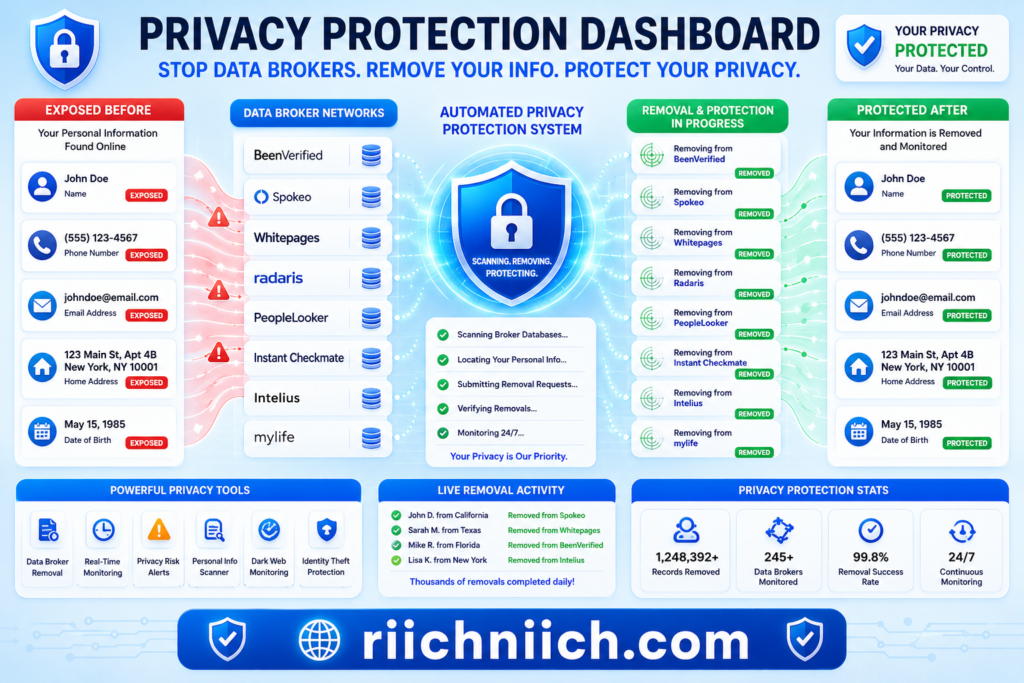
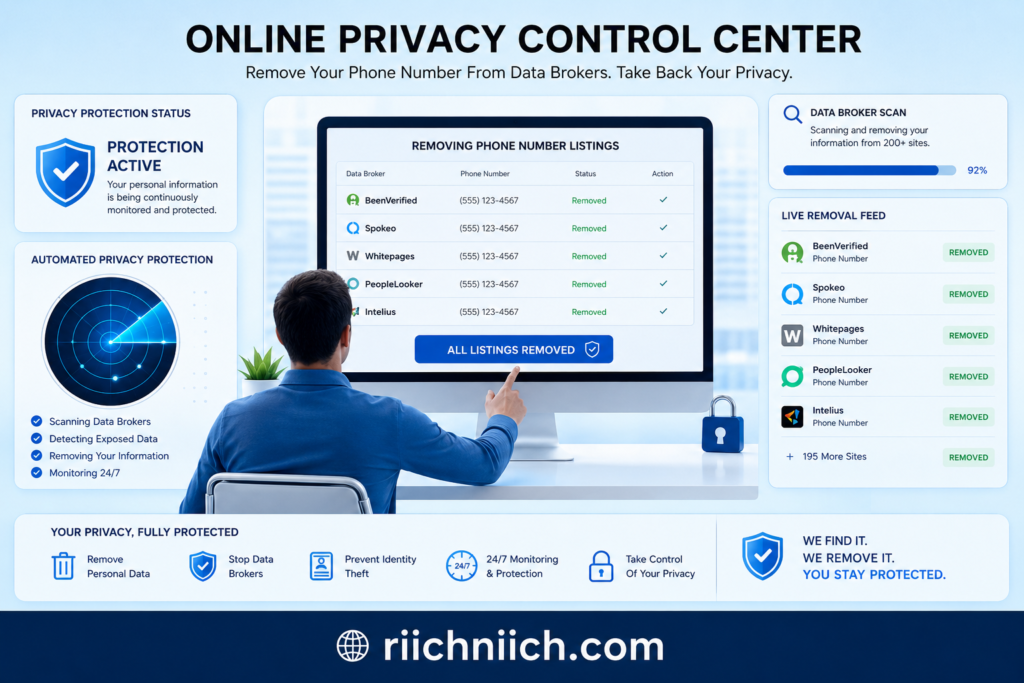
How to Remove Your Phone Number From Data Broker Sites
If you want to stop spam calls and scam messages long-term, removing your phone number from data broker sites is one of the most effective steps you can take. Blocking robocalls and filtering phishing texts may reduce some spam temporarily, but your phone number can continue spreading online if it remains listed across broker databases and people-search websites.
Data brokers collect and share personal information from:
- apps
- social media platforms
- online purchases
- public records
- loyalty programs
- website tracking systems
Once your phone number enters these databases, it may eventually be accessed by telemarketers, advertisers, scammers, or phishing operations.
Removing your information helps reduce:
- spam calls
- robocalls
- scam texts
- phishing attempts
- identity theft risks
Search for Your Phone Number Online
The first step is identifying where your phone number appears online.
Try searching:
- your full name
- your phone number
- your address
- combinations of your personal information
You may discover your information listed on:
- people-search websites
- public directory sites
- marketing databases
- broker platforms
Some sites allow anyone to search for personal details without your permission.
Submit Manual Opt-Out Requests
Most major data broker websites offer opt-out pages that allow users to request removal of personal information.
This process usually requires:
- Finding your listing
- Submitting a removal request
- Verifying your identity
- Waiting for the request to process
However, manual removals can become time-consuming because hundreds of broker sites may contain your information.
Some brokers also re-add personal information later if new data sources become available.
Limit Future Data Collection
Removing your information once is helpful, but preventing future exposure is equally important.
To reduce future spam calls and scam messages:
- avoid sharing your phone number publicly
- limit app permissions
- avoid unnecessary online forms
- use privacy-focused browsers and settings
- reduce social media exposure
The less accessible your phone number is online, the harder it becomes for scammers to target you.
Use Data Removal Services
Many people now use automated data removal services to help remove phone numbers from dozens or even hundreds of broker databases at once.
You can compare the top privacy tools for removing personal information online in our full guide here:
Best Data Removal Services
These services can help:
- monitor broker sites continuously
- submit recurring opt-out requests
- reduce robocall exposure
- lower phishing risks
- improve online privacy
This is especially useful because data brokers frequently republish information after removal.
For people searching how to stop spam calls and scam messages, automated removal tools can often provide faster and more consistent results than manual opt-outs alone.
Monitor Your Information Regularly
Even after removing your phone number, it is important to monitor your online exposure regularly. New breaches, leaked databases, and broker updates may cause your information to reappear over time.
The Identity Theft Resource Center (ITRC) recommends ongoing monitoring and proactive privacy management to reduce exposure to scams and identity theft.
Why This Matters for Scam Prevention
Many phishing campaigns and robocall systems rely on large databases of exposed phone numbers. Reducing your online exposure can significantly lower:
- unwanted calls
- phishing text messages
- scam verification requests
- fake banking alerts
- identity theft attempts
Learning how to remove your phone number from data broker sites is one of the strongest long-term strategies for improving digital privacy and reducing spam activity.
Best Tools to Stop Spam Calls and Protect Your Personal Information
If you want to stop spam calls and scam messages effectively, relying on a single solution is usually not enough. Modern scammers use robocalls, phishing texts, spoofed phone numbers, and stolen personal data from multiple sources. The best protection comes from combining spam filtering tools, privacy protection services, identity monitoring, and stronger online security habits.
Below are some of the best types of tools that can help reduce spam calls, block scam texts, and protect your personal information online.
Spam Call Blocking Apps
Spam call blocking apps help detect and filter suspicious robocalls before they reach your phone. Many use large databases of known scam numbers combined with AI-based threat detection systems.
Popular spam blocking features include:
- robocall detection
- scam caller alerts
- caller ID verification
- automatic spam filtering
- spoofed number detection
Many mobile carriers also provide built-in spam filtering tools for iPhone and Android devices.
These tools can help reduce:
- telemarketing calls
- phishing calls
- fake customer support scams
- identity theft scams
Data Removal Services
Data removal services are one of the most effective long-term tools for reducing spam calls and scam messages. These services work by removing your personal information from data broker sites and people-search databases.
This can help reduce exposure of:
- phone numbers
- email addresses
- home addresses
- family information
- public records
Lowering your online exposure makes it harder for scammers and robocall systems to access your information.
For users focused on privacy and spam reduction, data removal tools are often one of the strongest buyer-intent solutions because they target the source of the problem rather than just blocking individual calls.
If you are comparing privacy tools, see our full breakdown of the two most popular data removal services here: Incogni vs DeleteMe
Identity Theft Protection Services
Spam calls and phishing texts are often connected to identity theft attempts. Identity monitoring tools help detect suspicious activity involving your:
- financial accounts
- Social Security number
- credit profile
- passwords
- leaked personal information
👉 Monitor your identity, financial accounts, and dark web exposure with Aura here.
Some services also monitor dark web databases for exposed personal data connected to your phone number or email address.
Identity protection tools can provide:
- fraud alerts
- credit monitoring
- breach notifications
- identity recovery support
- dark web monitoring
Password Managers
Weak or reused passwords increase the risk of account takeovers after phishing attacks or scam text messages. Password managers help users create and store strong unique passwords securely.
Using stronger passwords can help protect:
- banking accounts
- email accounts
- social media profiles
- online shopping accounts
This becomes especially important if scammers obtain login credentials through phishing texts or fake verification pages.
The National Institute of Standards and Technology (NIST) Password Guidance emphasizes the importance of stronger authentication and phishing protection practices.
VPNs and Secure Internet Protection
Public WiFi networks and unsecured internet connections can increase exposure to phishing attacks and online tracking systems.
Using unsecured public WiFi can expose far more personal information than most people realize. Learn more here: Public WiFi Dangers
VPNs help encrypt internet traffic and improve online privacy.
You can compare the top VPN options for protecting your online privacy here: Best VPN for Privacy
VPNs may help:
- reduce tracking
- secure public WiFi usage
- protect browsing activity
- improve online privacy
👉 Improve your online privacy and reduce tracking exposure with Surfshark here.
While VPNs do not directly block robocalls, they help reduce some forms of online data collection that contribute to targeted advertising and exposure.
👉 Protect your internet activity and secure public WiFi connections with NordVPN here.
Built-In Smartphone Security Features
Both iPhone and Android devices include useful spam protection tools such as:
- spam call filtering
- unknown caller silencing
- scam message detection
- caller ID verification
- spam reporting systems
These built-in protections should always be enabled as part of a broader privacy strategy.
Why Layered Protection Works Best
There is no single tool that completely stops spam calls and scam messages forever. The most effective approach combines:
- spam filtering apps
- data broker removals
- identity monitoring
- password security
- safer browsing habits
- reduced online exposure
According to the Consumer Reports Phone Scam Protection Guide, combining multiple protection methods provides significantly better protection against modern robocall and phishing scams.
Learning how to stop spam calls and protect your personal information requires proactive privacy management. The right combination of security tools can dramatically reduce phishing attempts, robocalls, scam texts, and identity theft risks over time.
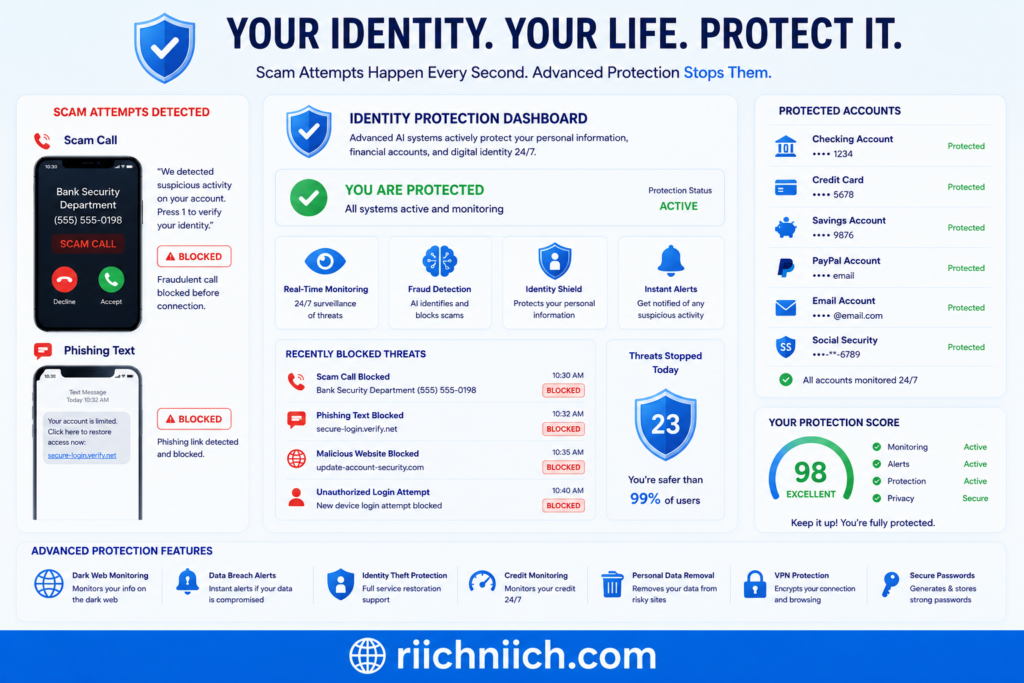
Can Spam Calls and Scam Messages Lead to Identity Theft?
Yes — spam calls and scam messages can absolutely lead to identity theft. In fact, many phishing scams, robocalls, and fake text alerts are specifically designed to steal personal information that criminals can later use for fraud, account takeovers, or financial theft.
If you are researching how to stop spam calls and scam messages, understanding the connection between phishing scams and identity theft is extremely important. Many victims do not realize they have been targeted until fraudulent charges, hacked accounts, or stolen identities begin appearing later.
How Scam Calls Lead to Identity Theft
Scammers often pretend to be trusted organizations such as:
- banks
- credit card companies
- government agencies
- delivery services
- mobile carriers
- tech support teams
Their goal is usually to collect sensitive information like:
- Social Security numbers
- banking information
- passwords
- verification codes
- account login credentials
- birth dates
Once scammers obtain enough information, they may attempt to:
- open fraudulent accounts
- steal money
- access online banking
- hijack email accounts
- commit tax fraud
- perform identity verification scams
Phishing Text Messages Are Extremely Dangerous
Many scam text messages contain malicious links that lead to fake websites designed to steal login credentials or install malware.
Some phishing texts may claim:
- your bank account is locked
- suspicious activity was detected
- a package delivery failed
- you must verify your account immediately
These attacks are effective because scammers create urgency and fear to pressure victims into acting quickly.
Stolen Personal Information Can Spread Quickly
Once scammers obtain personal information, it may be:
- sold on underground marketplaces
- shared among cybercriminal groups
- used in future phishing attacks
- combined with leaked breach data
This creates long-term risks even after the original scam attempt ends.
For example, a scammer who obtains:
- your phone number
- email address
- date of birth
- banking login
may later use that information to bypass security checks or target additional accounts.
Scam Calls Often Target Verification Codes
One increasingly common scam involves attackers requesting MFA or verification codes sent to your phone. These codes are often used to bypass two-factor authentication and gain access to online accounts.
Never share:
- login codes
- password reset links
- authentication codes
- banking verification numbers
with anyone contacting you unexpectedly.
Identity Theft Can Have Long-Term Consequences
Successful phishing attacks and scam messages can result in:
- financial fraud
- damaged credit
- stolen tax refunds
- hacked email accounts
- loan fraud
- account lockouts
You can learn additional ways to reduce identity theft risks in our full protection guide here: How to Protect Yourself From Identity Theft
Recovering from identity theft can take months or even years depending on how much personal information was exposed.
Watch for these common warning signs that your identity may already be compromised: 13 Warning Signs Someone Stole Your Identity
How to Reduce Your Risk
Learning how to stop spam calls and scam messages is one of the best ways to reduce identity theft risks. Strong prevention strategies include:
- blocking robocalls
- filtering phishing texts
- using identity monitoring tools
- removing personal information from data broker sites
- strengthening passwords
- enabling multi-factor authentication
- monitoring financial accounts regularly
According to the U.S. Department of Justice Identity Theft Resources, identity theft frequently begins with stolen personal information gathered through phishing scams and fraudulent communications.
Understanding how spam calls and scam messages lead to identity theft can help you recognize threats earlier and take proactive steps to protect your personal information online.
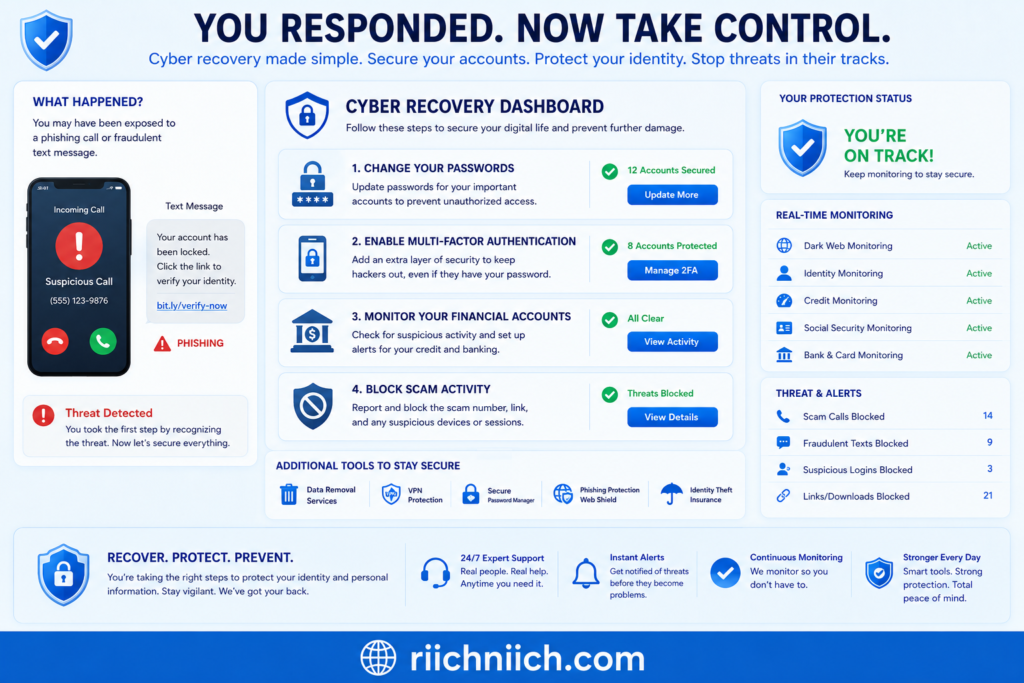
What to Do If You Already Responded to a Scam Call or Text
If you already responded to a scam call or phishing text message, acting quickly can help reduce the risk of identity theft, financial fraud, and account takeovers. Many people searching for how to stop spam calls and scam messages only realize the danger after clicking a suspicious link, answering a robocall, or sharing personal information.
The good news is that fast action can often limit the damage and help protect your accounts before scammers gain deeper access.
Stop Communicating With the Scammer Immediately
If you suspect a call or text was fraudulent:
- stop replying immediately
- do not click additional links
- do not download attachments
- do not provide more information
Continuing the conversation may encourage additional scam attempts or expose more personal data.
Change Your Passwords Immediately
If you entered login information on a suspicious website or shared account credentials, change your passwords immediately.
Focus first on:
- email accounts
- banking accounts
- payment apps
- social media accounts
- cloud storage services
Use strong unique passwords for every account. Password managers can help generate and store secure credentials safely.
Using a secure password manager can help protect your accounts from phishing scams and credential theft. See our recommendations here: Best Password Managers
Enable Multi-Factor Authentication (MFA)
Multi-factor authentication adds an extra layer of protection if scammers obtain your password.
Enable MFA on:
- email accounts
- financial accounts
- social media platforms
- cloud services
- shopping accounts
This helps reduce the risk of unauthorized logins and account takeovers.
Contact Your Bank or Credit Card Provider
If you shared:
- banking information
- debit card details
- credit card numbers
- payment information
contact your financial institution immediately.
Your bank may:
- freeze accounts
- reverse fraudulent charges
- issue new cards
- monitor suspicious transactions
Quick reporting can significantly reduce financial losses.
Scan Your Device for Malware
If you clicked suspicious links or downloaded files from scam messages, run a full security scan on your device.
Malware from phishing texts may:
- steal passwords
- monitor activity
- capture financial information
- access stored login credentials
Keeping your phone and apps updated also helps reduce security vulnerabilities.
Monitor Your Accounts Closely
After responding to a scam call or text, watch for:
- suspicious login attempts
- password reset emails
- unfamiliar transactions
- new account openings
- identity verification requests
Scammers may continue targeting victims after the initial attack.
Consider Identity Monitoring Services
If sensitive information was exposed, identity monitoring tools can help detect:
- fraud alerts
- dark web exposure
- account compromises
- credit changes
- identity theft activity
These services may provide earlier warnings if scammers attempt to misuse your personal information.
Report the Scam
Reporting scam calls and phishing messages helps improve fraud detection systems and supports investigations.
You can report scams to:
- your mobile carrier
- local law enforcement
- the Federal Trade Commission (FTC) Fraud Reporting Portal
- the FBI Internet Crime Complaint Center (IC3)
Reporting helps identify active scam campaigns and may help protect other users from similar attacks.
Reduce Future Exposure
If scammers already have your phone number or personal information, you may experience increased robocalls, phishing texts, and scam attempts in the future.
Reducing your online exposure can help lower future risks by:
- removing your information from data broker sites
- tightening privacy settings
- limiting public contact information
- using spam filtering tools
Learning how to stop spam calls and scam messages becomes even more important after a phishing attempt because scammers often target previous victims repeatedly.
Taking fast action after responding to a scam call or text can significantly reduce identity theft risks and help secure your accounts before additional damage occurs.
If you believe your identity or accounts were compromised, follow these immediate recovery steps here: What to Do Immediately If Your Identity Is Stolen
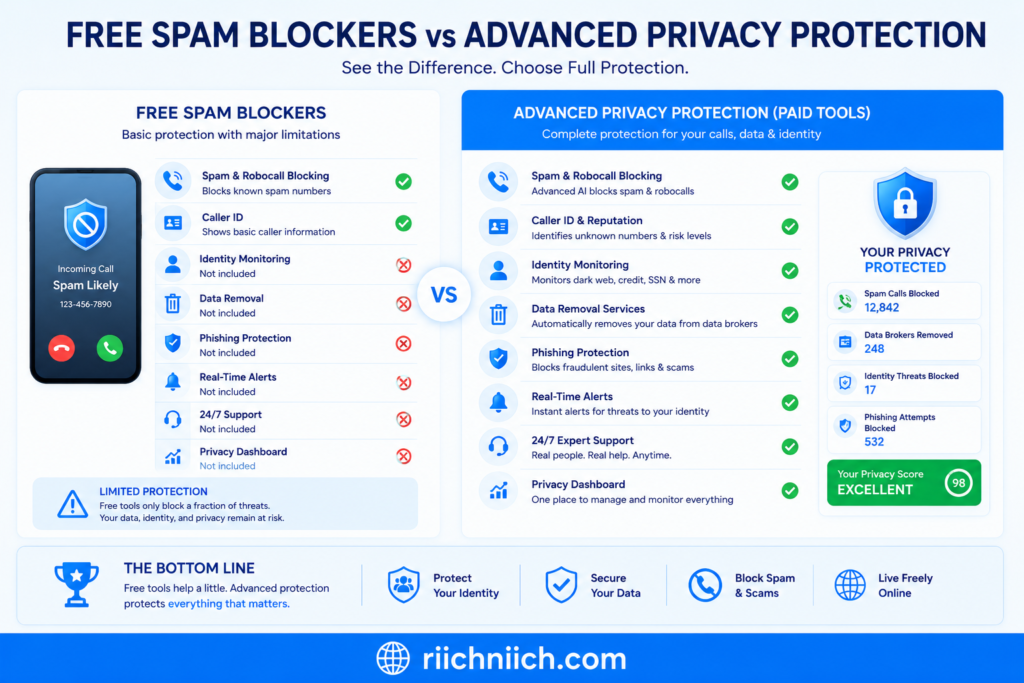
Free vs Paid Spam Protection Tools: What Actually Works?
If you are trying to stop spam calls and scam messages, you have probably seen dozens of free and paid spam protection tools claiming to block robocalls, phishing texts, and scam callers automatically. While many of these tools can help, not all protection methods provide the same level of security.
Some free tools offer basic spam filtering, while paid privacy services may provide broader protection against phishing attacks, identity theft, data exposure, and scam activity.
Understanding the difference can help you choose the right level of protection for your situation.
What Free Spam Protection Tools Usually Include
Most smartphones already include basic spam protection features for free.
Free tools often provide:
- spam call detection
- caller ID warnings
- scam text filtering
- unknown caller blocking
- spam reporting
Examples include:
- iPhone spam filtering
- Android spam protection
- carrier-level robocall blocking
- Google Messages spam filtering
These tools are useful for reducing obvious robocalls and phishing messages without additional cost.
Free spam protection works well for:
- casual users
- basic robocall filtering
- blocking known scam numbers
- reducing simple spam texts
However, free tools often have limitations because scammers constantly rotate spoofed phone numbers and phishing domains.
Where Free Tools Fall Short
Free spam blockers typically focus only on filtering calls or messages after they are already sent.
They usually do not:
- remove your information from data broker sites
- monitor identity theft risks
- detect dark web exposure
- prevent personal data collection
- monitor leaked credentials
This means your phone number may still remain widely exposed online even if spam filters block some calls.
As long as scammers and robocall systems continue accessing your personal information, new scam attempts may keep appearing.
What Paid Spam Protection Tools Offer
Paid privacy and identity protection tools usually provide broader protection by targeting the root causes of spam exposure.
Depending on the service, paid tools may include:
- advanced robocall filtering
- scam text detection
- data broker removals
- dark web monitoring
- identity theft protection
- password breach alerts
- VPN protection
- credit monitoring
Some tools continuously monitor your personal information and automatically remove exposed data from broker databases over time.
This layered approach can help:
- reduce spam calls
- lower phishing attempts
- limit identity theft risks
- improve long-term privacy
Data Removal Services vs Basic Spam Blockers
One major difference between free and paid protection tools is data exposure management.
Free spam blockers usually:
- block incoming calls
- identify suspicious numbers
Paid data removal tools may:
- remove your phone number from broker sites
- reduce public exposure
- lower future robocall activity
- reduce scam targeting
For users dealing with constant spam calls and scam texts, reducing online exposure is often more effective long-term than simply blocking numbers one-by-one.
Identity Protection Adds Another Layer of Security
Some scam calls are designed specifically to steal:
- passwords
- verification codes
- banking information
- Social Security numbers
Identity protection tools can help detect:
- suspicious activity
- leaked credentials
- fraud attempts
- unauthorized account access
This becomes especially important if you have already responded to phishing messages or experienced data exposure.
So What Actually Works Best?
The most effective strategy usually combines:
- built-in spam filtering
- stronger privacy settings
- password security
- data broker removals
- identity monitoring
- safer online habits
There is no single app that completely eliminates spam calls and scam messages forever. However, layered protection dramatically improves your defenses against phishing attacks and robocall scams.
According to the Cybersecurity and Infrastructure Security Agency (CISA) Mobile Security Guidance, combining multiple security and privacy protections is one of the best ways to reduce exposure to phishing attacks and mobile threats.
If you are serious about learning how to stop spam calls and scam messages, paid privacy and identity protection tools often provide stronger long-term protection than free spam filters alone — especially for users with heavily exposed personal information online.
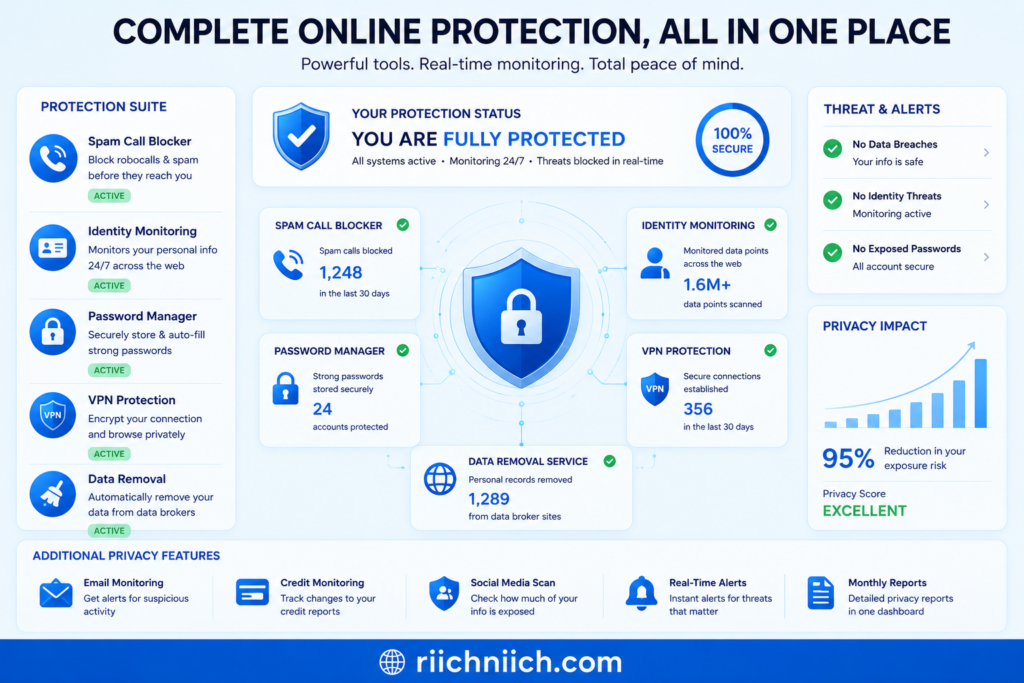
How to Protect Your Personal Data From Future Spam and Scams
Learning how to stop spam calls and scam messages is not just about blocking robocalls after they happen. Long-term protection comes from reducing your digital exposure and making it harder for scammers, data brokers, and phishing networks to access your personal information in the first place.
The more exposed your personal data becomes online, the more likely you are to receive:
- spam calls
- scam texts
- phishing emails
- identity theft attempts
- fake account alerts
- financial fraud scams
Protecting your personal information proactively can significantly reduce future scam activity and improve your overall online privacy.
Limit Where You Share Your Phone Number
Many websites, apps, contests, and online services request phone numbers even when they are not necessary.
Before entering your number:
- ask whether it is required
- avoid public postings
- skip unnecessary signup forms
- avoid sharing personal information on social media
The fewer databases your phone number enters, the lower your risk of future robocalls and phishing campaigns.
Strengthen Your Account Security
Strong account security reduces the damage scammers can cause if your information is exposed.
Best practices include:
- using strong unique passwords
- enabling multi-factor authentication
- avoiding password reuse
- using a password manager
- updating passwords after data breaches
This makes it much harder for attackers to hijack accounts using stolen credentials from phishing scams or leaked databases.
Keep Your Devices and Apps Updated
Software updates often include important security patches that protect against:
- malware
- phishing attacks
- spyware
- mobile vulnerabilities
Outdated devices are easier for cybercriminals to exploit through malicious links and scam messages.
Enable automatic updates whenever possible on:
- smartphones
- browsers
- operating systems
- security apps
Reduce Your Data Broker Exposure
Data brokers are one of the biggest sources of personal information exposure online. Removing your information from broker databases can help reduce:
- spam calls
- scam texts
- phishing attempts
- identity theft targeting
Many privacy-conscious users regularly monitor and remove their information from:
- people-search sites
- marketing databases
- public records platforms
Reducing your digital footprint makes it harder for scammers to build detailed identity profiles.
Use Spam Filtering and Privacy Tools
Modern spam protection tools can help block:
- robocalls
- phishing texts
- spoofed callers
- malicious links
- scam websites
Some tools also provide:
- dark web monitoring
- identity theft alerts
- VPN protection
- fraud monitoring
👉 Protect your personal information with advanced monitoring and privacy tools using Coveron here.
Layered protection works much better than relying on a single app or spam filter alone.
Be Careful With Links and Attachments
Many phishing scams begin with fake:
- package delivery texts
- banking alerts
- account warnings
- password reset requests
Never click suspicious links from unknown senders. If a message appears urgent, visit the company’s official website directly instead of using the provided link.
Monitor Your Personal Information Regularly
Checking your accounts and online exposure regularly can help you detect problems early.
Monitor:
- banking activity
- account logins
- credit reports
- breach notifications
- suspicious password reset attempts
Early detection can dramatically reduce the impact of identity theft and financial fraud.
Build Long-Term Privacy Habits
The best way to stop spam calls and scam messages over time is to combine:
- safer online habits
- reduced data exposure
- stronger passwords
- privacy tools
- identity monitoring
- spam filtering systems
No single solution completely eliminates scams forever, but proactive privacy management can greatly reduce your exposure to phishing attacks, robocalls, and identity theft risks.
Protecting your personal data today helps reduce future spam activity and creates stronger long-term online security.
Conclusion: How to Stop Spam Calls and Scam Messages Effectively
Learning how to stop spam calls and scam messages requires more than simply blocking random phone numbers. Modern scammers use robocalls, phishing texts, spoofed caller IDs, leaked databases, and stolen personal information to target people constantly. As long as your personal data remains widely exposed online, new scam attempts may continue appearing.
The most effective long-term strategy combines:
- spam call filtering
- scam text blocking
- stronger account security
- identity monitoring
- data broker removals
- safer online habits
- reduced digital exposure
Built-in iPhone and Android spam protection tools can help reduce robocalls and phishing texts immediately. However, reducing the amount of personal information available online is often what makes the biggest long-term difference.
Removing your phone number from data broker sites can help:
- reduce unwanted calls
- lower phishing attempts
- decrease scam text messages
- limit identity theft risks
- improve online privacy
Identity protection services, password managers, spam filtering tools, and privacy-focused security platforms can also add stronger layers of protection against modern phishing scams and fraudulent activity.
Most importantly, always stay cautious when receiving:
- urgent account alerts
- verification requests
- suspicious links
- fake delivery messages
- unexpected financial warnings
Scammers rely heavily on fear, urgency, and stolen personal information to trick victims into reacting quickly.
According to the Federal Communications Commission (FCC) Consumer Scam Guidance, scam tactics continue evolving rapidly as cybercriminals adapt their methods to bypass traditional spam filters and security systems.
If you want to stop spam calls and scam messages effectively, the best approach is proactive privacy protection combined with strong digital security habits. The less exposed your personal information becomes online, the harder it is for scammers, robocall systems, and phishing networks to target you in the future.
Pingback: How to Remove Your Phone Number From Data Broker Sites - Riich Niich
Pingback: How Hackers Get Your Email Address - Riich Niich