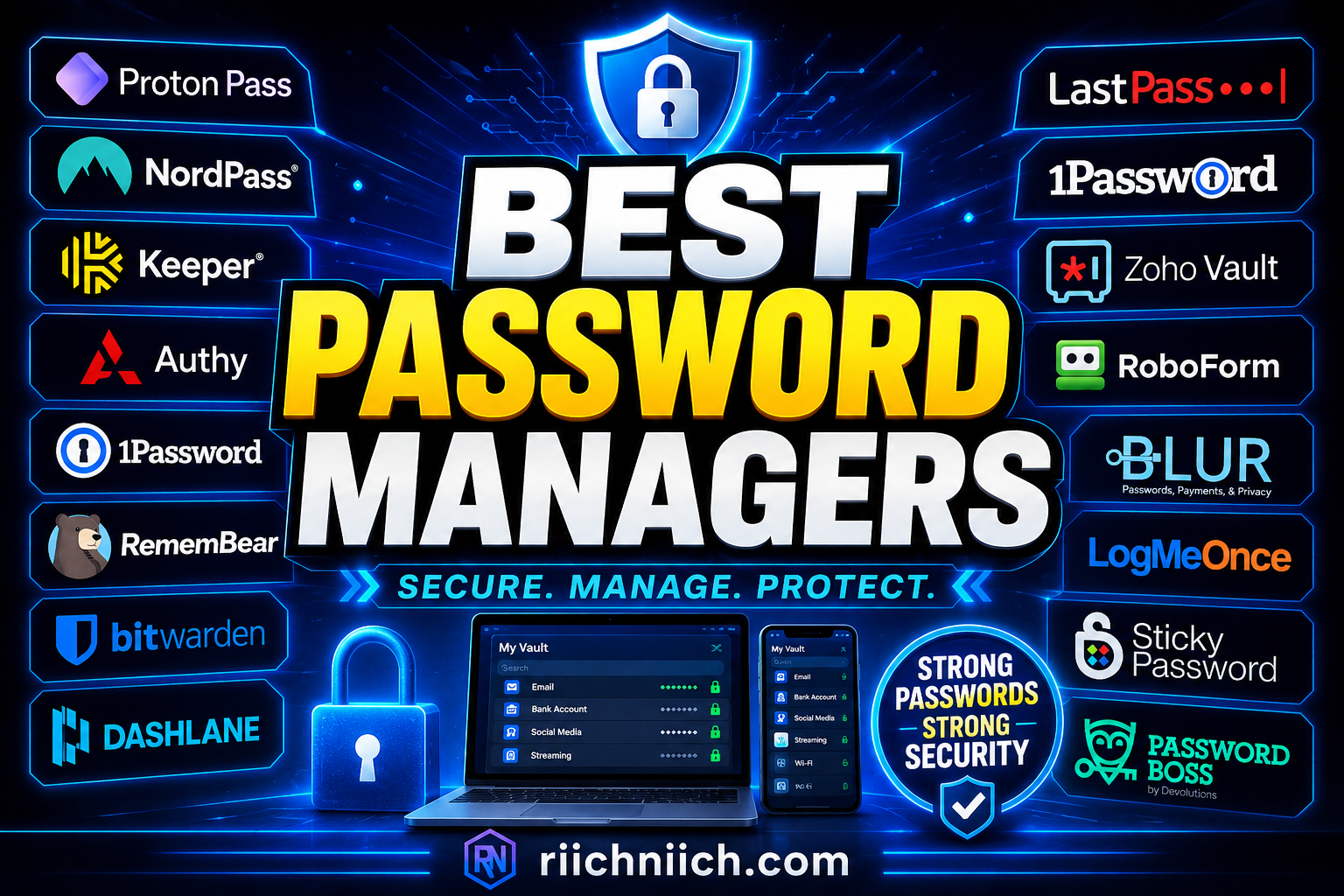
Best Password Managers: Protect Your Accounts Before It’s Too Late!
The best password managers are no longer optional—they’re essential in a world where cyber-crime is rapidly increasing. Every year, millions of accounts are compromised due to weak or reused passwords, making it easier than ever for hackers to access personal data.
The biggest problem? Most people still reuse the same password across multiple accounts. That means if just one account is breached, everything—from your email to your bank account—can be exposed. This is one of the fastest ways identity theft happens today.
In this guide, you’ll discover the best password managers to protect your accounts, prevent hacking, and secure your digital life—along with clear recommendations to help you choose the right one quickly.
Want to understand how identity theft actually starts? Read our guide on How Identity Theft Happens.
Table of Contents
Quick Answer: What Are the Best Password Managers Right Now?
The best password managers in 2026 are tools that securely store your passwords, generate strong credentials, and help protect your accounts from hackers and identity theft. If you’re looking for a quick recommendation based on features, security, and value, here are the top options right now:
- Aura — Best overall for combining password management with identity theft protection
- 1Password — Best for families and multi-device security
- Dashlane — Best for ease of use and automatic password management
- Bitwarden — Best free password manager with strong open-source security
- NordPass — Best for simple, user-friendly protection
These best password managers use advanced encryption to keep your login information safe, even in the event of a data breach. Most also include features like autofill, password generators, dark web monitoring, and secure storage for sensitive information.
According to the Cyber-security and Infrastructure Security Agency, using strong and unique passwords for every account is one of the most important steps you can take to protect your personal data online. A password manager makes this easy by generating and storing complex passwords automatically.
Additionally, the National Institute of Standards and Technology recommends using password managers to reduce the risks associated with password reuse and weak credentials.
From a buyer perspective, choosing one of the best password managers comes down to your needs:
- Want all-in-one protection? → Aura is your best bet
- Need a family-friendly solution? → Go with 1Password
- Looking for a free option? → Bitwarden is a strong choice
- Prefer simplicity and automation? → Dashlane or NordPass
The bottom line:
If you’re serious about preventing hacking and identity theft, investing in one of the best password managers is one of the smartest and easiest security decisions you can make today.
What Is a Password Manager and How Does It Work?
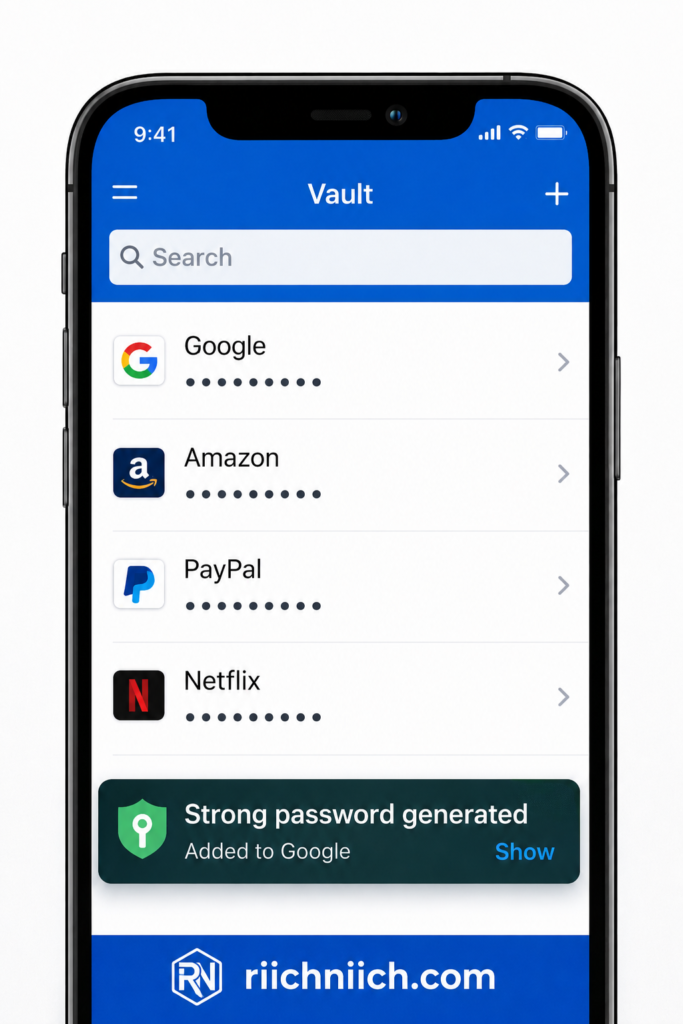
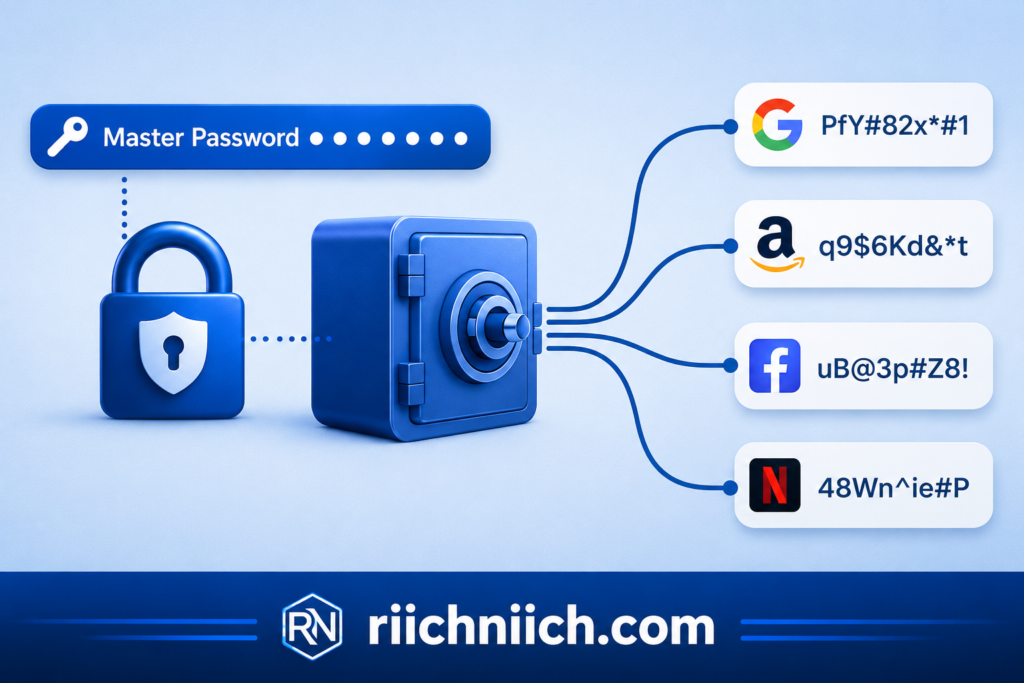
A password manager is a secure tool that stores, generates, and autofills your passwords so you don’t have to remember them. The best password managers not only keep your login credentials safe, but also help prevent hacking, data breaches, and identity theft.
Instead of using the same weak password across multiple sites (which is one of the biggest security risks), a password manager allows you to create strong, unique passwords for every account—and stores them all in one protected vault.
How a Password Manager Works
Here’s a simple breakdown of how the best password managers function:
- You Create a Master Password
This is the only password you need to remember. It unlocks your secure vault. - Your Passwords Are Encrypted
All your stored passwords are protected using advanced encryption (the same level used by banks and governments). - Passwords Are Stored in a Secure Vault
Your login credentials are saved safely and can only be accessed after logging in. - Autofill Makes Logging In Easy
The password manager automatically fills in your usernames and passwords on websites and apps. - Password Generator Creates Strong Passwords
It generates complex passwords (likeX7$kP!9zQ#) that are nearly impossible to guess.
Why This Matters for Security
Most people reuse passwords across multiple accounts. This creates a huge risk.
According to the Federal Trade Commission, stolen passwords are one of the most common ways identity theft occurs.
The Cyber-security and Infrastructure Security Agency also recommends using password managers to protect against credential theft and hacking attempts.
With the best password managers, even if one account is compromised, your other accounts remain secure because each password is unique.
What Makes the Best Password Managers Different?
Not all tools are created equal. The best password managers offer:
- End-to-end encryption (often called “zero-knowledge” security)
- Cross-device syncing (phone, tablet, desktop)
- Dark web monitoring for leaked passwords
- Secure storage for sensitive data (like credit cards or IDs)
- Multi-factor authentication (extra layer of protection)
These features turn a simple tool into a complete security system for your digital life.
Why You Should Care
If you’re considering one of the best password managers, here’s the reality:
Hackers don’t break in—they log in.
That means if your passwords are weak or reused, your accounts are vulnerable. A password manager removes that risk almost instantly.
It’s one of the lowest-cost, highest-impact security upgrades you can make today.
Why You Need a Password Manager in 2026
In 2026, cyber threats are no longer rare—they’re constant. The reality is simple: if you’re not using one of the best password managers, your accounts are significantly more vulnerable to hacking and identity theft.
Passwords Are the #1 Target for Hackers
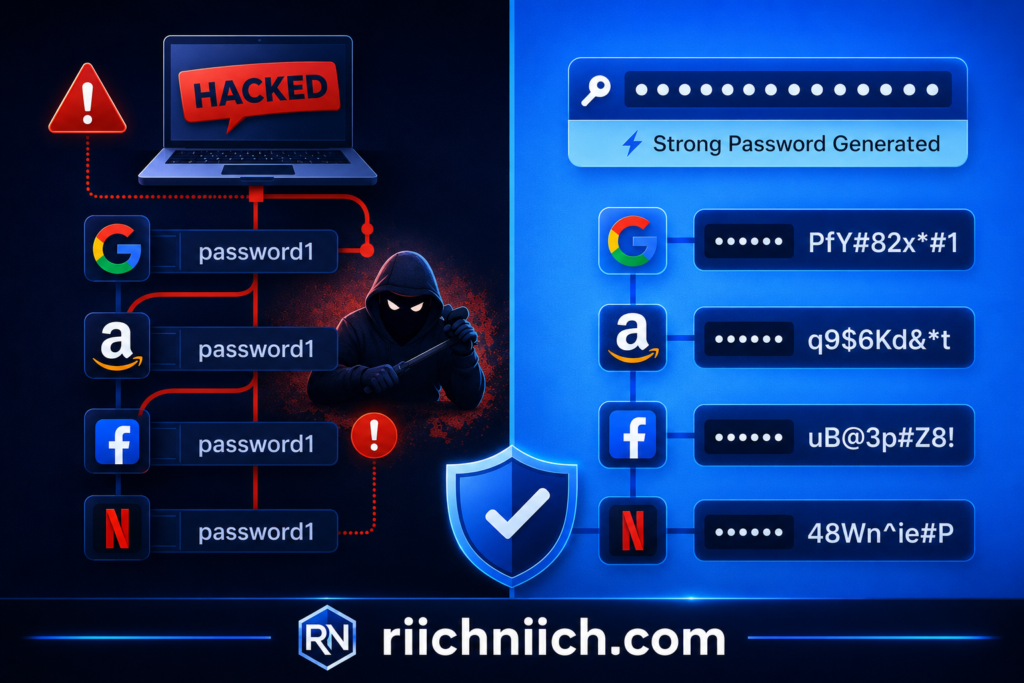
Most cyber-attacks today don’t involve sophisticated hacking—they rely on stolen or reused passwords.
- Around 80–85% of people reuse passwords across multiple accounts
- Nearly 83% of users don’t use unique passwords for every account
- About 46% of people had passwords stolen in recent years
This creates a dangerous domino effect:
If one account is breached, hackers can access everything else tied to that password.
The best password managers eliminate this risk by generating and storing unique passwords for every account automatically.
If your information has already been exposed, here’s exactly what to do immediately if your identity is stolen.
Data Breaches Are Exploding
Cyber-crime is growing at an alarming rate:
- Over 24 billion passwords have been exposed in data breaches
- A massive leak of 16 billion credentials has already fueled ongoing attacks
- Cyber-crime is projected to cost $10.5 trillion annually
Hackers aren’t slowing down—they’re scaling.
Using one of the best password managers ensures your accounts stay protected even when major companies get breached.
Hackers Don’t Break In—They Log In
One of the most important things to understand:
Stolen credentials are responsible for a huge percentage of breaches
- About 22% of breaches start with stolen login credentials
This means attackers are simply logging into accounts using leaked passwords.
The best password managers stop this by:
- Creating complex, unguessable passwords
- Preventing password reuse
- Alerting you if your credentials are exposed
Most People Still Use Risky Password Habits
Despite the risks, many people still:
- Write passwords down
- Store them in notes apps
- Use simple passwords like “123456”
- Reuse the same password everywhere
In fact, only about 1 in 3 people use a password manager today.
That means most people are still vulnerable—which also means you have an opportunity to protect yourself before becoming a victim.
Password Managers Solve This Instantly
The best password managers fix the biggest security problems immediately:
- Generate strong, unique passwords
- Store them securely with encryption
- Autofill logins safely
- Sync across all your devices
- Monitor for data breaches
Instead of managing dozens (or hundreds) of passwords yourself, everything is handled securely in one place.
This Is One of the Smartest Security Investments
If you’re deciding whether to get one of the best password managers, here’s the bottom line:
The cost of a password manager is small.
The cost of identity theft can be thousands of dollars—and months of recovery.
Most password managers cost just a few dollars per month, yet they protect:
- Your bank accounts
- Your credit
- Your personal identity
- Your online life
That’s an extremely high return on investment.
Bottom Line
In 2026, using one of the best password managers is no longer optional—it’s essential.
With rising data breaches, password leaks, and identity theft, this is one of the easiest and most effective ways to protect yourself online.
Best Password Managers (Top Picks Ranked)
If you’re looking for the best password managers, the goal is simple: choose a tool that keeps your accounts secure, is easy to use, and fits your lifestyle (individual, family, or budget). Based on security, features, and real-world performance, here are the top password managers ranked for 2026:
1. Aura — Best All-in-One Security Solution
👉 Aura stands out because it combines a password manager with full identity theft protection.
Key Features:
- Secure password vault + generator
- Dark web monitoring
- Identity theft protection & credit monitoring
- Antivirus + VPN included
Why It’s #1:
Aura goes beyond just passwords—it protects your entire digital identity, making it ideal for users who want complete security in one platform.
Best for: All-in-one protection + identity theft prevention
2. 1Password — Best for Families and Advanced Features
1Password is widely recognized for its premium features and strong security design.
Key Features:
- End-to-end encryption
- Travel Mode (hide sensitive data when traveling)
- Secure password sharing
- Cross-platform syncing
According to expert testing, 1Password ranks as a top performer due to its advanced features and strong cross-platform functionality
Best for: Families and users with multiple devices
3. Dashlane — Best for Ease of Use and Automation
Dashlane is one of the most user-friendly options among the best password managers.
Key Features:
- Autofill and password generator
- Dark web monitoring
- Built-in VPN
- Real-time phishing alerts
Dashlane is known for combining strong security with a simple interface, making it a popular choice for everyday users
Best for: Beginners and automation
4. Bitwarden — Best Free Password Manager
If you want powerful security without paying, Bitwarden is one of the best password managers available for free.
Key Features:
- Open-source security (high transparency)
- Unlimited password storage (even on free plan)
- Cross-device syncing
- Optional premium upgrade
Bitwarden is consistently praised for its low cost and strong feature set, making it a top budget option
Best for: Budget users and tech-savvy individuals
5. NordPass — Best for Simplicity and Performance
👉 NordPass is a password manager developed by the team behind NordVPN. It offers encrypted password storage, autofill, and breach monitoring to help keep your accounts secure.
Key Features:
- Zero-knowledge encryption
- Password health reports
- Data breach scanner
- Biometric login
Experts highlight NordPass for its ease of use, affordability, and strong feature set, making it a top recommendation for most users
Best for: Simple, fast, and secure password management
What Makes These the Best Password Managers?
All of these tools share essential features:
- Secure encrypted password storage
- Strong password generation
- Autofill for convenience
- Cross-device compatibility
Security experts consistently recommend using password managers because they allow you to create unique passwords for every account, reducing the risk of large-scale breaches
Which One Should You Choose?
If you’re trying to decide quickly:
- Want total protection (passwords + identity theft) → Choose Aura
- Need a family-friendly solution → Choose 1Password
- Prefer ease of use → Choose Dashlane
- Want a free option → Choose Bitwarden
- Want simple + modern security → Choose NordPass
Bottom Line
The best password managers aren’t just about convenience—they are one of the most effective tools for preventing hacking and identity theft.
Choosing the right one depends on your needs, but any of the options above will dramatically improve your online security.
Aura — Best All-in-One Password Manager for Identity Protection
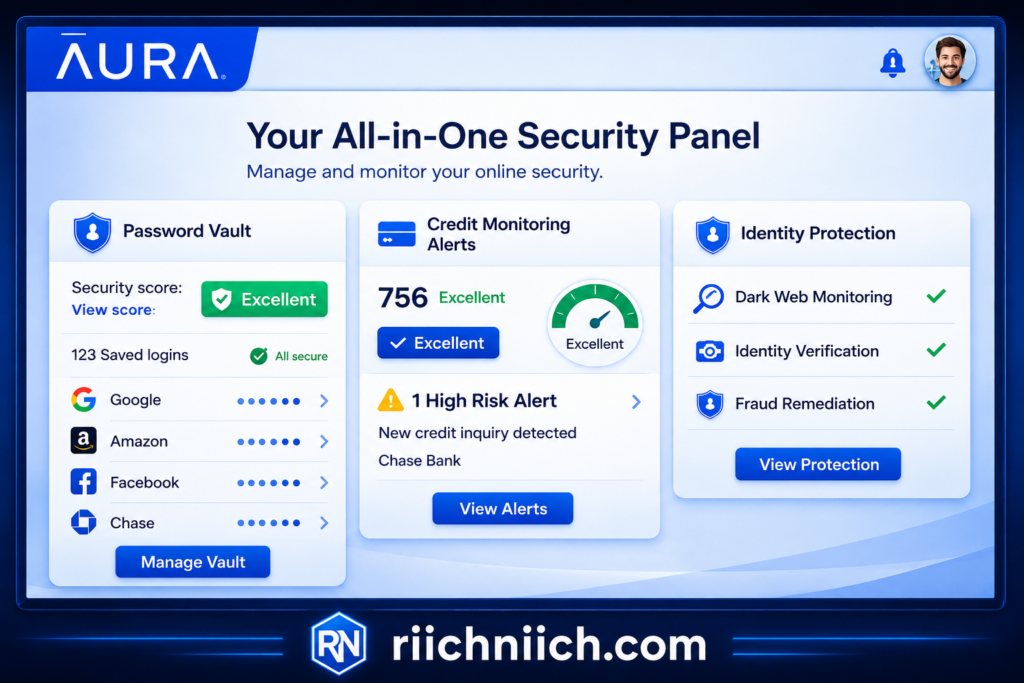
If you’re looking for one of the best password managers that goes beyond just storing passwords, Aura stands out as a powerful all-in-one solution. It combines password management with identity theft protection, credit monitoring, and digital security tools—making it ideal for users who want complete protection, not just convenience.
What Makes Aura Different?
Unlike most tools that focus only on passwords, Aura is built as a full cyber-security platform.
With a single subscription, you get:
- A secure password manager
- Identity theft protection
- Credit monitoring
- Dark web monitoring
- Antivirus + VPN
This “all-in-one” approach is what separates Aura from other options among the best password managers.
Key Features of Aura Password Manager
Here’s what you can expect:
- Encrypted Password Vault
Stores unlimited passwords securely with military-grade encryption - Password Generator
Creates strong, unique passwords instantly for every account - Breach Alerts & Monitoring
Notifies you if your passwords are exposed in a data breach - Auto-Save & Autofill
Saves login details and fills them in automatically across devices - Secure Digital Vault
Store sensitive data like IDs, financial info, and documents
These features make Aura one of the best password managers for users who want both security and simplicity.
Built for Identity Protection (Major Advantage)
Here’s where Aura really shines:
Most password managers only protect logins.
Aura protects your entire identity.
- Monitors your Social Security number and financial accounts
- Tracks suspicious activity in real time
- Offers up to $1 million in identity theft insurance
- Provides fraud resolution support if something goes wrong
According to security testing, Aura is considered one of the most comprehensive identity protection services available, with strong monitoring and fast alerts.
This makes it one of the best password managers for preventing identity theft, not just managing passwords.
Pros and Cons
Pros:
- All-in-one security (passwords + identity + credit)
- Strong encryption and breach monitoring
- Easy-to-use interface
- Great for families and beginners
- Fast alerts for suspicious activity
Cons:
- Password manager features are more basic than standalone tools
- Higher cost compared to simple password managers
- Some advanced features (like passkeys) may be limited
Who Should Choose Aura?
Aura is one of the best password managers if you:
- Want complete protection (not just passwords)
- Are concerned about identity theft or fraud
- Prefer an all-in-one solution instead of multiple apps
- Have a family and want shared protection
If you only need a basic password manager, there are cheaper options.
But if you want full digital security, Aura is one of the strongest choices available.
👉 Check current pricing and full details here.
Bottom Line
Aura earns its spot among the best password managers because it does more than just manage passwords—it helps protect your entire digital life.
If your goal is to prevent hacking, monitor your identity, and simplify your security setup, Aura is one of the smartest investments you can make.
1Password — Best Password Manager for Families
If you’re searching for one of the best password managers for households, 1Password is consistently ranked as the top choice for families. It combines strong security, easy password sharing, and flexible account management—making it ideal for keeping everyone’s accounts safe in one place.
Why 1Password Is Perfect for Families
What makes 1Password stand out among the best password managers is its family-focused design.
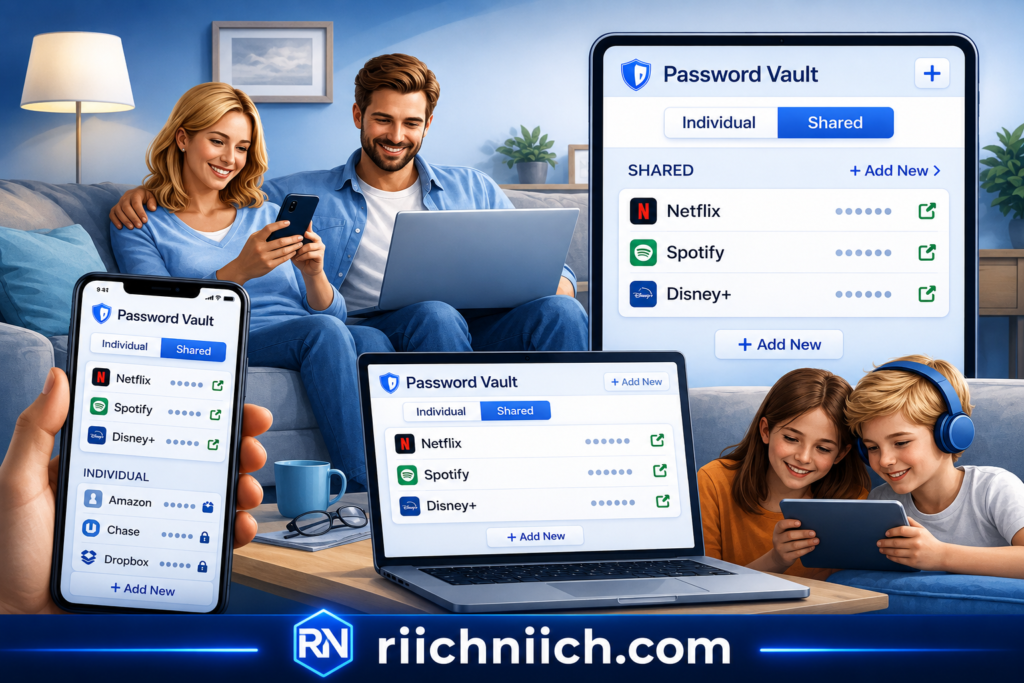
With a family plan, you can:
- Create separate private vaults for each family member
- Share passwords safely through a shared vault
- Manage access and permissions easily
- Recover accounts if someone gets locked out
This structure allows everyone to stay secure while still sharing important logins like streaming services or household accounts.
According to reviews, family plans allow multiple users to manage and share passwords securely while keeping personal data private.
Top Security Features
1Password is known for its top-tier security, which is why it’s often listed among the best password managers available.
Key features include:
- AES-256 Encryption + Secret Key
Adds an extra layer of protection beyond just a master password - Zero-Knowledge Architecture
Your data is encrypted before it leaves your device - Watchtower Alerts
Notifies you of weak or compromised passwords - Two-Factor Authentication (2FA)
Adds an extra layer of login security
Notably, 1Password has a strong reputation for security and reliability, with no major breaches reported.
Easy Sharing Without Risk
One of the biggest challenges families face is sharing passwords safely.
1Password solves this with:
- Shared vaults for common accounts
- Instant password updates for all members
- Secure sharing without sending passwords via text or email
Even real users highlight how effective this is:
“Vault sharing is wonderful for shared accounts…”
This makes it one of the best password managers for households that share logins regularly.
Works Across All Devices
1Password works on:
- Smartphones (iOS & Android)
- Laptops & desktops
- Browsers (Chrome, Safari, Edge, etc.)
It syncs automatically, so every family member always has access to updated passwords across devices.
Pros and Cons
Pros:
- Excellent for families and shared accounts
- Strong encryption and security architecture
- Easy password sharing with control
- Works on all major devices
- Reliable and widely trusted
Cons:
- No free version available
- Slight learning curve for beginners
- Requires subscription
Who Should Choose 1Password?
1Password is one of the best password managers if you:
- Have a family or multiple users to manage
- Want secure password sharing
- Need strong security without complexity
- Prefer a trusted, proven solution
If you’re managing passwords for multiple people, 1Password is one of the smartest and safest choices available.
Bottom Line
1Password earns its place among the best password managers because it balances security, usability, and family functionality better than almost any competitor.
If your goal is to protect multiple users while keeping things simple and organized, 1Password is a top-tier option worth considering.
Dashlane — Best for Ease of Use and Automation
If you want one of the best password managers that’s simple, fast, and requires almost no effort to use, Dashlane is one of the top choices available today. It’s designed to automate your password security while keeping everything easy—even if you’re not tech-savvy.
Why Dashlane Stands Out for Ease of Use
Dashlane is widely known for its clean interface and smooth user experience.
- Simple setup process
- Automatically imports your existing passwords
- Works seamlessly across devices and browsers
- Minimal learning curve for beginners
In fact, reviews consistently highlight Dashlane’s user-friendly platform and intuitive design, making it easy for anyone to start securing their accounts quickly
This is why it’s often considered one of the best password managers for beginners and everyday users.
Powerful Automation Features
Dashlane doesn’t just store passwords—it does the work for you.
Key automation features include:
- Autofill Login Credentials
Instantly logs you into websites and apps - Auto-Save New Passwords
Saves passwords as you create or update accounts - Password Generator
Creates strong, unique passwords automatically - Password Health Dashboard
Identifies weak, reused, or compromised passwords
These features help eliminate the most common security mistakes without requiring extra effort from you.
Security Features That Back It Up
Even though Dashlane is easy to use, it doesn’t sacrifice security.
- AES-256 Encryption (bank-level security)
- Zero-Knowledge Architecture (only you can access your data)
- Two-Factor Authentication (2FA)
- Dark Web Monitoring for compromised passwords
Dashlane also includes real-time alerts and password health tools, helping you stay ahead of potential threats
This combination of automation + security is what makes Dashlane one of the best password managers on the market.
Bonus Features (Extra Value)
Dashlane goes beyond basic password management by including:
- Built-in VPN for safer browsing on public WiFi
- Phishing alerts to detect suspicious websites
- Secure notes & payment storage
These extras make Dashlane a strong all-in-one solution for everyday digital security.
Pros and Cons
Pros:
- Extremely easy to use (great for beginners)
- Strong automation saves time
- Excellent password health tools
- Includes VPN and dark web monitoring
- Works across all major devices
Cons:
- Premium plan is more expensive than some competitors
- Free version is limited (only one device)
- Some features may vary across apps
Who Should Choose Dashlane?
Dashlane is one of the best password managers if you:
- Want a set-it-and-forget-it solution
- Prefer automation over manual control
- Are new to password managers
- Want security without complexity
If you don’t want to spend time managing passwords, Dashlane is one of the easiest and most effective solutions available.
Bottom Line
Dashlane earns its place among the best password managers because it makes security effortless.
If your goal is to protect your accounts without overthinking it, Dashlane delivers one of the best combinations of simplicity, automation, and strong protection.
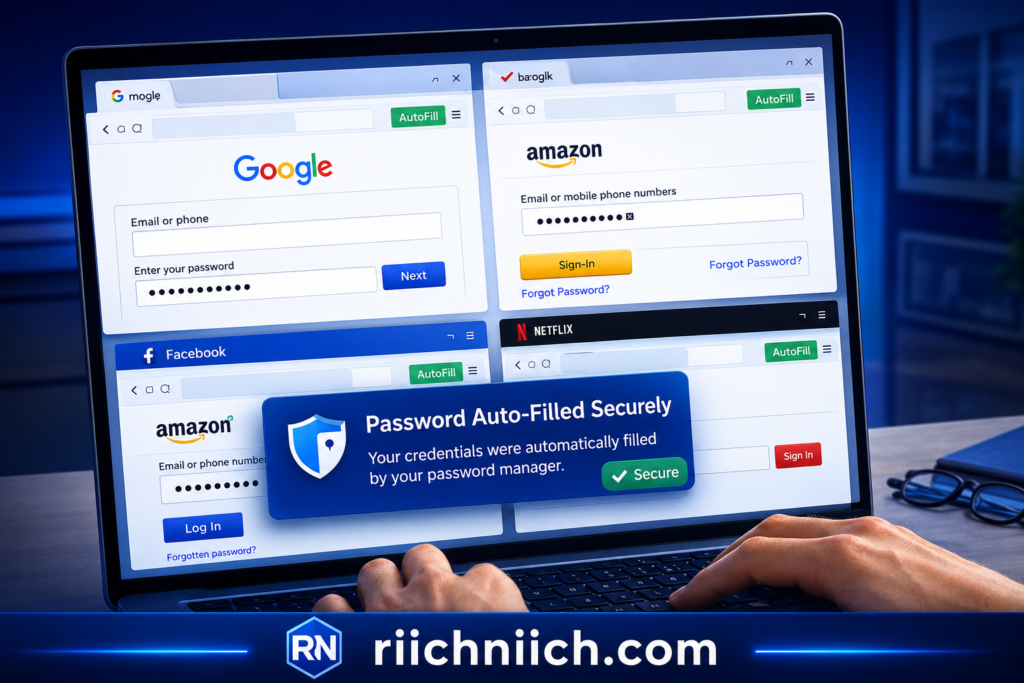
Bitwarden — Best Free Password Manager Option
If you’re looking for one of the best password managers without paying a monthly fee, Bitwarden is widely considered the top free option available today. It offers strong security, unlimited password storage, and cross-device syncing—features that many competitors only include in paid plans.
Why Bitwarden Is the Best Free Option
What makes Bitwarden stand out among the best password managers is its generous free plan.
With Bitwarden, you get:
- Unlimited password storage
- Sync across unlimited devices
- Secure password generator
- Autofill for websites and apps
Unlike many competitors, Bitwarden does not limit you to one device or a small number of passwords on the free plan.
This makes it one of the most cost-effective ways to secure your accounts.
Strong Security (Even on the Free Plan)
Bitwarden doesn’t cut corners on security—even for free users.
Key security features include:
- End-to-End Encryption (AES-256)
- Zero-Knowledge Architecture (only you can access your data)
- Multi-Factor Authentication (2FA)
- Regular third-party security audits
Bitwarden uses end-to-end encryption so your data is encrypted before it leaves your device, meaning even the company cannot access your vault.
Additionally, its open-source nature allows security experts to inspect and verify the code, increasing trust and transparency.
Open-Source Advantage (Big Trust Factor)
One major reason Bitwarden ranks among the best password managers is that it is open-source.
This means:
- Anyone can review the code
- Security vulnerabilities can be found and fixed faster
- There is full transparency in how your data is protected
Experts often highlight that open-source tools benefit from continuous community auditing, which helps strengthen security over time.
Works Everywhere (Unlimited Devices)
Bitwarden works across:
- Desktop (Windows, Mac, Linux)
- Mobile (iOS & Android)
- Browsers (Chrome, Safari, Edge, Firefox)
It syncs your passwords across all devices automatically, making it easy to manage your logins anywhere.
This is a major advantage over other free tools that restrict syncing.
Pros and Cons
Pros:
- Completely free with unlimited passwords
- Works across unlimited devices
- Strong encryption and zero-knowledge security
- Open-source transparency
- Very affordable premium upgrade
Cons:
- Interface is less polished than some competitors
- Fewer advanced features in the free version
- Password sharing can be slightly less intuitive
Who Should Choose Bitwarden?
Bitwarden is one of the best password managers if you:
- Want a free solution with real security
- Are on a budget but still want strong protection
- Prefer open-source transparency
- Don’t need advanced premium features
If you’re just getting started or want to improve your security without spending money, Bitwarden is one of the smartest choices available.
Bottom Line
Bitwarden earns its place among the best password managers by offering powerful security features for free—something very few competitors can match.
If you want a reliable, secure, and budget-friendly way to protect your accounts, Bitwarden is one of the best options you can choose today.
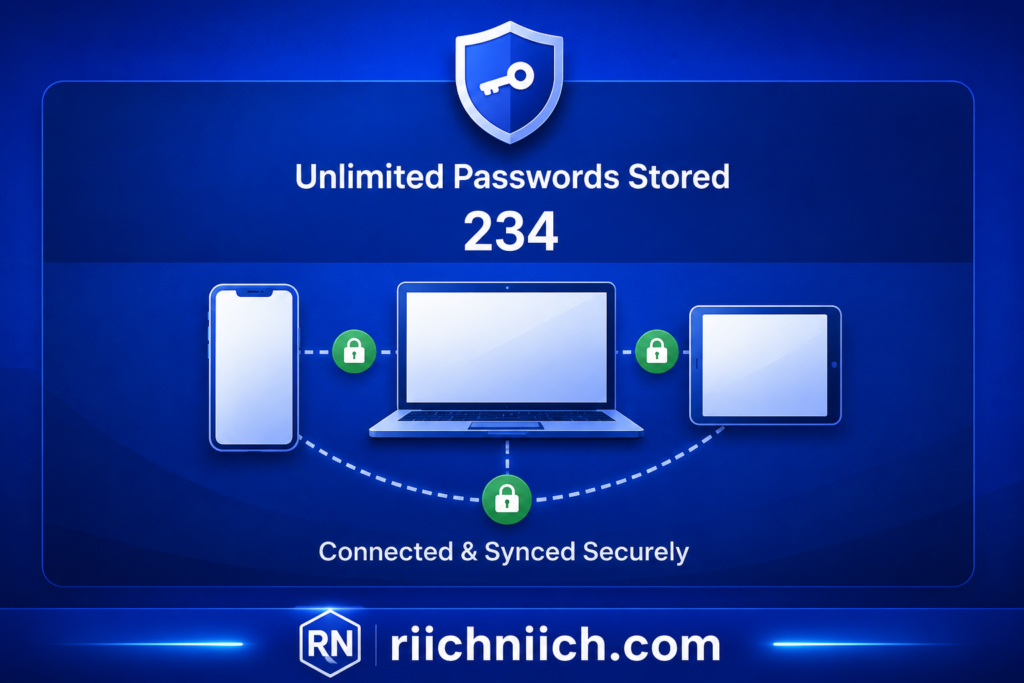
NordPass — Best for Simplicity and Security
If you’re looking for one of the best password managers that balances strong security with a clean, easy-to-use experience, NordPass is a top contender. Built by the team behind NordVPN, it’s designed for users who want powerful protection without complexity.
Why NordPass Stands Out
NordPass is known for doing two things extremely well:
Keeping your data secure
Keeping everything simple
Its interface is clean, modern, and easy to navigate—even for beginners. This makes it one of the best password managers for users who want security without a steep learning curve.
In fact, reviews consistently highlight NordPass as a user-friendly password manager with strong security features and intuitive design
Advanced Security Made Simple
NordPass uses some of the most modern security technology available today.
Key security features include:
- XChaCha20 Encryption (advanced, next-gen encryption)
- Zero-Knowledge Architecture (only you can access your data)
- Multi-Factor Authentication (MFA) for extra protection
- End-to-End Encryption to secure your vault
With zero-knowledge security, even NordPass cannot see your passwords—everything is encrypted on your device before being stored
This is a key reason why NordPass is consistently ranked among the best password managers for security-conscious users.
Smart Features That Improve Security
NordPass doesn’t just store passwords—it actively helps you stay secure.
Key features include:
- Password Health Tool
Identifies weak, reused, or old passwords - Data Breach Scanner
Alerts you if your credentials have been exposed - Autofill & Auto-Save
Logs you in instantly and securely - Passkey Support
Enables passwordless login for supported websites
These features make NordPass one of the best password managers for proactive security, not just storage.
Simple Across All Devices
NordPass works seamlessly across:
- Desktop (Windows, Mac, Linux)
- Mobile (iOS & Android)
- Browsers (Chrome, Edge, Safari, Firefox)
It syncs your passwords automatically, so you always have access no matter where you log in.
This combination of simplicity + cross-platform access is a major reason it’s considered one of the best password managers for everyday use.
⚖️ Pros and Cons
Pros:
- Extremely easy to use
- Modern, strong encryption (XChaCha20)
- Clean and simple interface
- Password health and breach monitoring tools
- Affordable pricing with a free plan
Cons:
- Free version has some limitations (like device restrictions)
- Fewer advanced features than some premium competitors
- Organization tools can be basic for power users
Who Should Choose NordPass?
NordPass is one of the best password managers if you:
- Want strong security without complexity
- Prefer a clean, beginner-friendly interface
- Need a simple daily password solution
- Want modern features like passkeys and breach monitoring
If you value ease of use just as much as security, NordPass is one of the smartest choices available.
Bottom Line
NordPass earns its place among the best password managers by delivering high-level security in a simple, easy-to-use package.
If you want a password manager that “just works” while still protecting your data at a high level, NordPass is an excellent option.
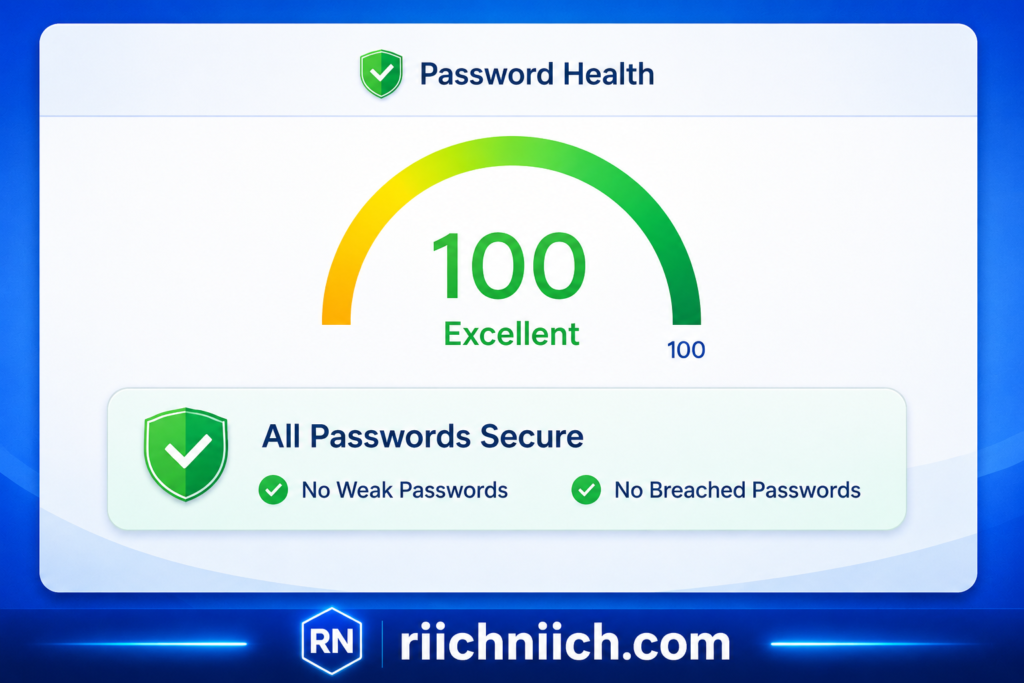
Password Manager Comparison Table (Features, Pricing, and Value)
Choosing between the best password managers can feel overwhelming—but this is where a clear comparison makes your decision easy. Below is a side-by-side breakdown of features, pricing, and overall value so you can quickly pick the right option.
Quick Comparison of the Best Password Managers
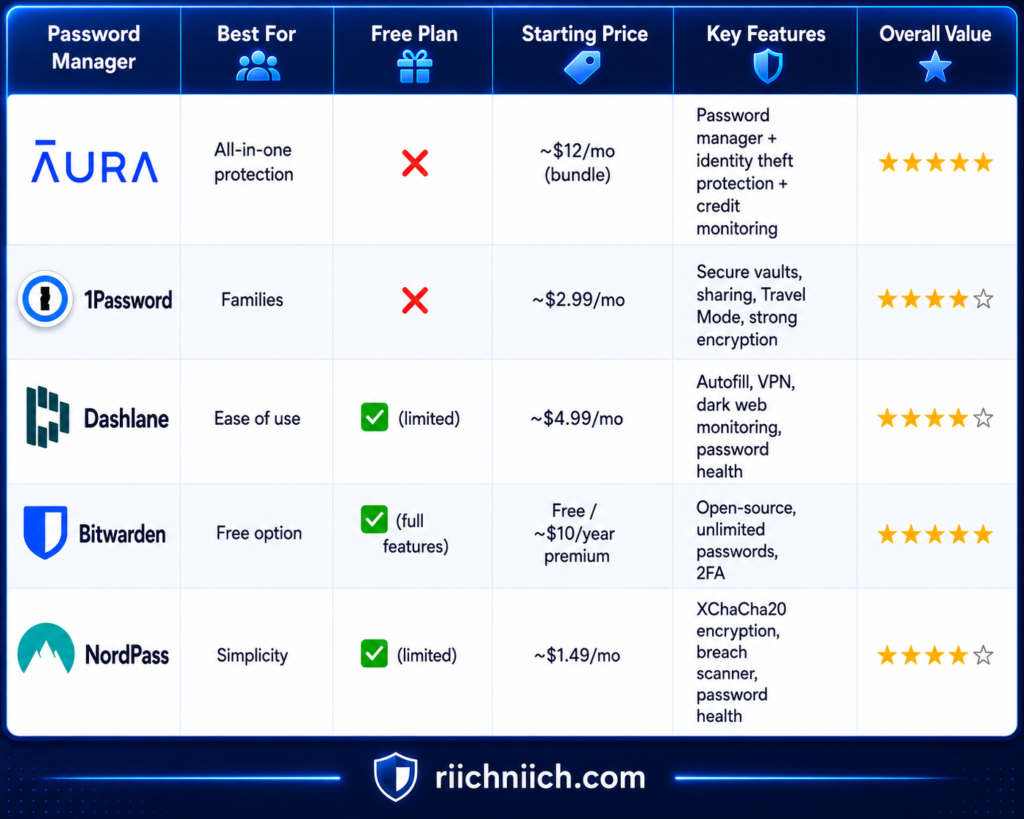
Key Takeaways From This Comparison
- Bitwarden offers the best free value with unlimited passwords and strong security at no cost
- NordPass is one of the most affordable premium options, starting as low as ~$1.29–$1.49/month on long-term plans
- Dashlane costs more but includes extra tools like a VPN and dark web monitoring, increasing its overall value
- 1Password is a premium option with no free plan, but it offers advanced features and strong usability
Overall, most of the best password managers offer similar core features (encryption, autofill, password generation), but differ in price, extras, and ease of use
Which One Gives the Best Value?
Here’s how to decide quickly:
- Want free + powerful security → Bitwarden
- Want cheap + simple premium option → NordPass
- Want ease of use + automation → Dashlane
- Want family + sharing features → 1Password
- Want full identity + password protection → Aura
The “best” choice depends on whether you value price, features, or total protection.
Bottom Line
All of the best password managers listed here will significantly improve your security—but the right one depends on your needs and budget.
If you want:
- Maximum value → Bitwarden
- Best overall security bundle → Aura
- Best balance of price + usability → NordPass or Dashlane
Make your decision simple, and choose the one that fits your situation today.
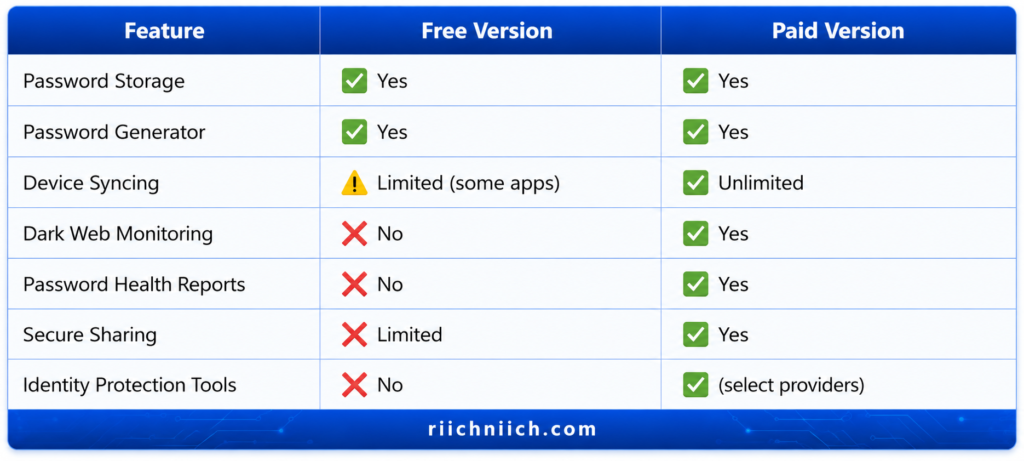
Free vs Paid Password Managers: Which One Should You Choose?
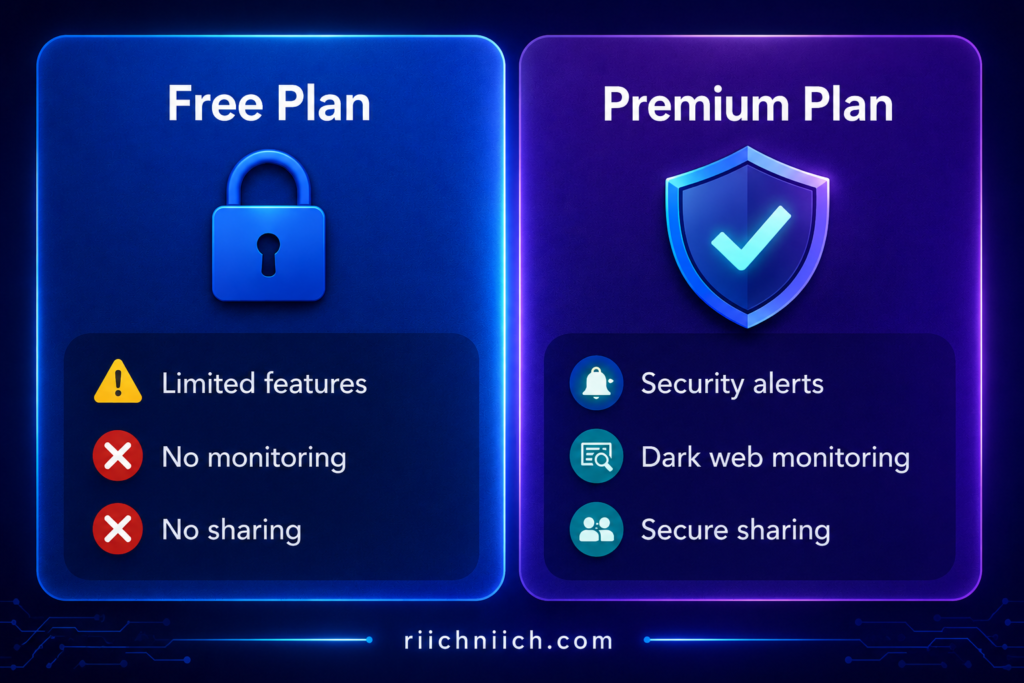
When choosing between the best password managers, one of the biggest decisions is whether to go with a free or paid option. Both can improve your security—but they offer very different levels of protection, convenience, and features.
Free Password Managers: What You Get
Free plans from the best password managers can be surprisingly powerful.
Typical features include:
- Secure password storage
- Password generator
- Autofill login credentials
- Basic encryption (AES-256)
- Limited syncing or device access (depending on provider)
For example, some providers like Bitwarden offer unlimited password storage and syncing even on free plans, which is rare.
According to the Cyber-security and Infrastructure Security Agency, using a password manager—even a free one—is far safer than reusing passwords or storing them insecurely.
Best for:
- Beginners
- Budget users
- People with basic security needs
Paid Password Managers: What You Get
Paid versions of the best password managers unlock advanced features designed for stronger protection and convenience.
Common premium features:
- Dark web monitoring (alerts if your data is leaked)
- Password health reports (detect weak or reused passwords)
- Secure password sharing
- Multi-device syncing with no restrictions
- Encrypted file storage
- Built-in VPN or identity protection (in some tools like Aura)
The National Institute of Standards and Technology emphasizes the importance of using unique, complex passwords for every account—something premium password managers make easier through automation and monitoring tools.
Best for:
- Families or multiple users
- People managing sensitive accounts (banking, investments)
- Anyone serious about preventing identity theft
Key Differences (Quick Breakdown)
Which One Should YOU Choose?
Here’s the simple decision guide:
- Choose FREE if:
- You just want basic protection
- You have a limited budget
- You’re securing a small number of accounts
- Choose PAID if:
- You want maximum protection and convenience
- You have financial accounts or sensitive data
- You want alerts for breaches and threats
- You prefer an all-in-one security solution
The truth is: both options are better than doing nothing—but paid plans offer significantly stronger protection and automation.
Important Reality Check
Free tools help—but they don’t go far enough for many users.
- They may not alert you if your password is leaked
- They may lack advanced security monitoring
- They often limit features that prevent real-world attacks
This is why many cyber-security experts recommend upgrading to a paid plan for full protection.
Bottom Line
The best password managers offer both free and paid options—but the right choice depends on your level of risk.
- Free = Good starting point
- Paid = Full protection and peace of mind
If you’re serious about protecting your accounts, identity, and finances, upgrading to a paid password manager is often well worth the investment.
Still unsure if premium protection is worth it? Read our full guide on do you really need identity theft protection.
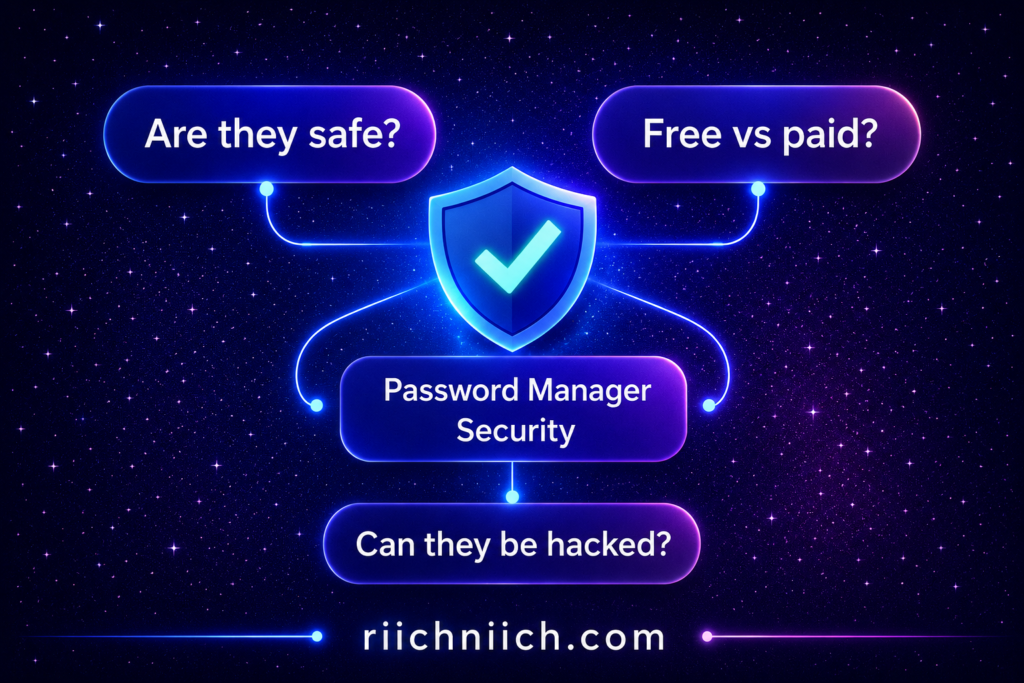
Are Password Managers Safe? What You Need to Know
One of the most common questions people ask before choosing from the best password managers is:
“Are they actually safe?”
The short answer is: Yes—password managers are one of the safest ways to protect your accounts, especially compared to reusing passwords or storing them in browsers or notes apps.
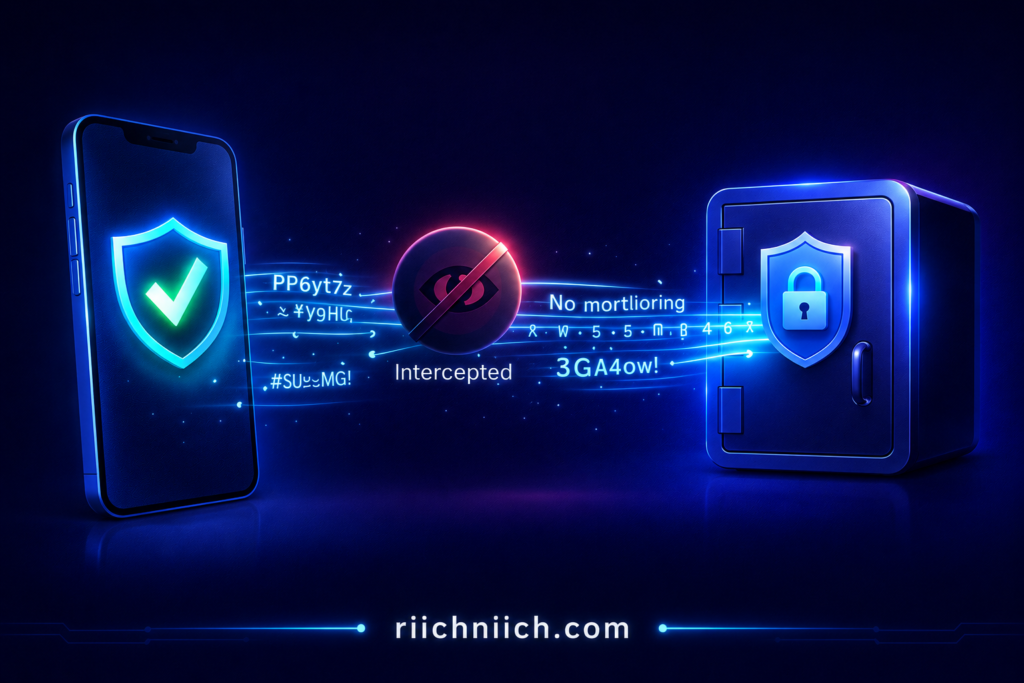
Why Password Managers Are Considered Safe
The best password managers are built with advanced security systems designed to protect your data—even if a company’s servers are compromised.
Here’s how they keep you safe:
- End-to-End Encryption
Your passwords are encrypted on your device before being stored - Zero-Knowledge Architecture
Only you can access your vault—not even the company - Master Password Protection
Your entire vault is locked behind one strong password - Multi-Factor Authentication (MFA)
Adds an extra layer of security beyond your master password
According to the Cyber-security and Infrastructure Security Agency, password managers are a recommended tool for creating and storing strong, unique passwords securely.
The National Institute of Standards and Technology also supports the use of password managers to reduce risks associated with weak or reused credentials.
Why Password Managers Are Safer Than Your Current Habits
Let’s be honest—most people:
- Reuse the same password across multiple sites
- Use simple, easy-to-guess passwords
- Store passwords in unsafe places
These habits are exactly what hackers rely on.
The best password managers eliminate these risks by:
- Generating strong, unique passwords for every account
- Storing them securely
- Automatically filling them in (so you don’t reuse or forget them)
Can Password Managers Be Hacked?
This is where things get real.
No system is 100% immune to attacks.
But here’s the key difference:
Even if a password manager is breached:
- Your data is still encrypted and unreadable
- Hackers cannot access your passwords without your master password
Most security incidents involve:
- Weak master passwords
- Phishing attacks
- Poor user habits
Not the password manager itself.
How to Make Password Managers Even Safer
To get the most protection from the best password managers, follow these simple rules:
- Use a strong master password (long and unique)
- Enable multi-factor authentication (MFA)
- Avoid phishing links and fake login pages
- Keep your devices updated
These steps dramatically reduce your risk.
Should You Trust a Password Manager?
If you’re deciding whether to use one of the best password managers, here’s the reality:
The risk of NOT using one is far greater than using one.
Without a password manager:
- You’re more likely to reuse passwords
- You’re more vulnerable to data breaches
- Your accounts are easier to hack
With a password manager:
- Your passwords are stronger
- Your accounts are isolated (no domino effect)
- You gain real protection against identity theft
Bottom Line
The best password managers are not only safe—they are one of the most important tools you can use to protect your digital life.
While no system is perfect, password managers significantly reduce your risk of hacking and identity theft when used correctly.
If you want stronger security with minimal effort, a password manager is one of the smartest decisions you can make.
For even stronger protection, you can combine password security with tools like a credit freeze or credit lock.
Password Manager vs Identity Theft Protection: What’s the Difference?
When comparing the best password managers to identity theft protection services, many people assume they do the same thing—but they actually serve very different roles in your security.
Understanding this difference is critical if you want complete protection.
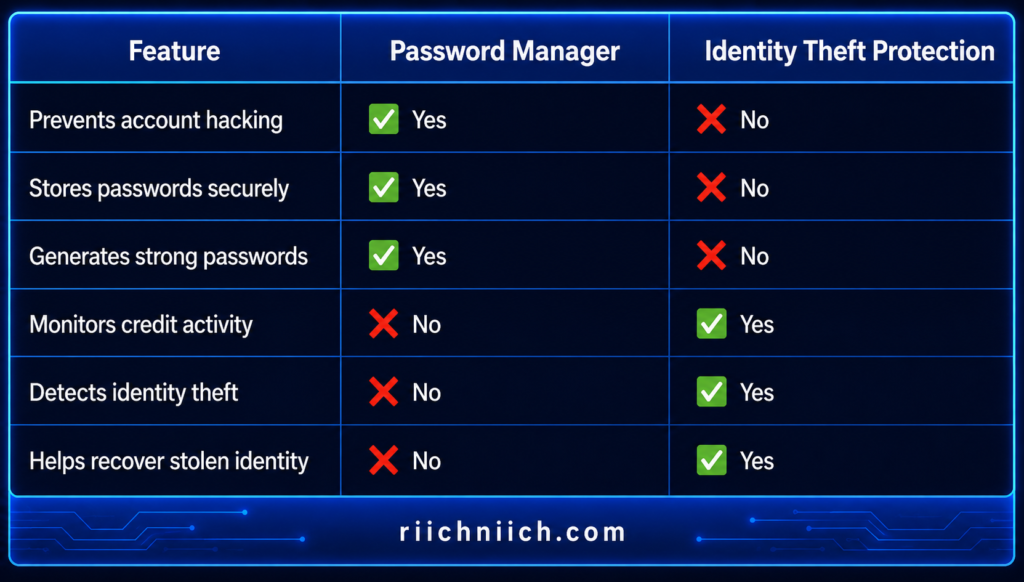
What a Password Manager Does
The best password managers are designed to prevent hacking before it happens.
They help you:
- Store passwords securely
- Generate strong, unique passwords
- Autofill login credentials safely
- Avoid password reuse (a major security risk)
In short:
A password manager protects your logins and accounts.
According to the Cyber-security and Infrastructure Security Agency, using unique passwords for every account is one of the most effective ways to reduce cyber risk—and password managers make this easy.
What Identity Theft Protection Does
Identity theft protection services focus on monitoring and recovery, not just prevention.
They help you:
- Monitor your Social Security number and personal data
- Track suspicious activity on your credit reports
- Alert you to fraud or identity misuse
- Assist with recovery if your identity is stolen
In short:
Identity protection services protect your identity, finances, and personal data after exposure.
The Federal Trade Commission explains that identity theft often involves stolen personal information being used to open accounts or commit fraud—something monitoring services are designed to detect.
If you’re comparing full protection services, check out our breakdown of the best identity theft protection services.
Key Differences (Simple Breakdown)
Which One Do You Actually Need?
Here’s the truth:
You don’t have to choose one or the other.
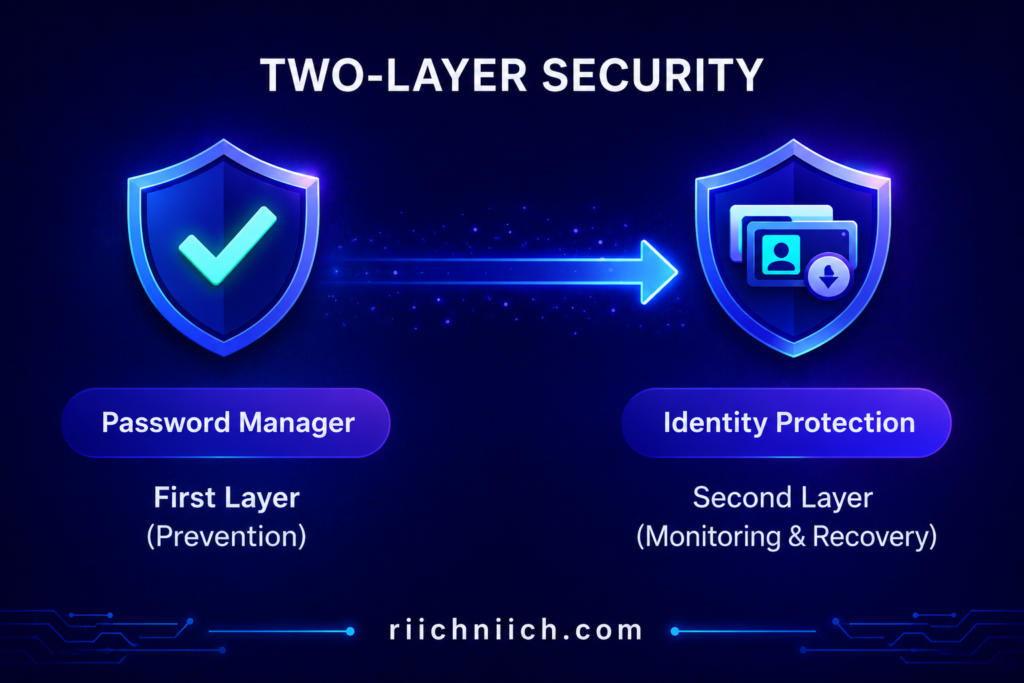
They serve different purposes:
- Password managers = Prevention
- Identity protection = Detection + Recovery
The best password managers stop hackers from getting into your accounts in the first place.
Identity theft protection helps you respond if something slips through.
The Smartest Strategy
If you want maximum protection, the best approach is to use both:
- Use a password manager to secure your accounts
- Use identity protection to monitor and respond to threats
Some services (like Aura) combine both into one platform, offering:
- Password management
- Credit monitoring
- Identity theft protection
This all-in-one approach simplifies your security setup while covering more risks.
While password managers protect your accounts, identity monitoring services like IdentityIQ help detect misuse of your personal information.
Important Reality
Most identity theft starts with stolen login credentials.
If your passwords are weak or reused:
- Hackers can access your accounts
- Your personal data can be exposed
- Identity theft becomes much easier
This is why the best password managers play such a critical role—they stop attacks at the source.
Bottom Line
The best password managers and identity theft protection services are not competitors—they are complementary tools.
- Password managers protect your accounts
- Identity protection safeguards your identity and finances
If you’re serious about security, using both together gives you the strongest defense against modern cyber threats.
How to Choose the Best Password Manager for Your Needs
With so many options available, choosing between the best password managers can feel overwhelming. The key is to focus on what matters most for your situation—security, ease of use, features, and budget.
The right choice isn’t about picking the “most popular” tool—it’s about choosing the one that fits your specific needs and habits.
1. Prioritize Security First (Non-Negotiable)
When evaluating the best password managers, security should always come first.
Look for:
- End-to-end encryption (AES-256 or equivalent)
- Zero-knowledge architecture (only you can access your data)
- Multi-factor authentication (MFA)
- Regular security audits
The National Institute of Standards and Technology recommends using secure password storage tools and avoiding password reuse—features that strong password managers provide.
If a tool lacks these basics, it’s not worth considering.
2. Choose Based on Ease of Use
The best security tool is the one you’ll actually use.
Some of the best password managers focus on simplicity, while others offer advanced features.
Ask yourself:
- Do you want something simple and automatic?
- Or do you prefer more control and customization?
If it feels complicated, you’re less likely to use it consistently—which defeats the purpose.
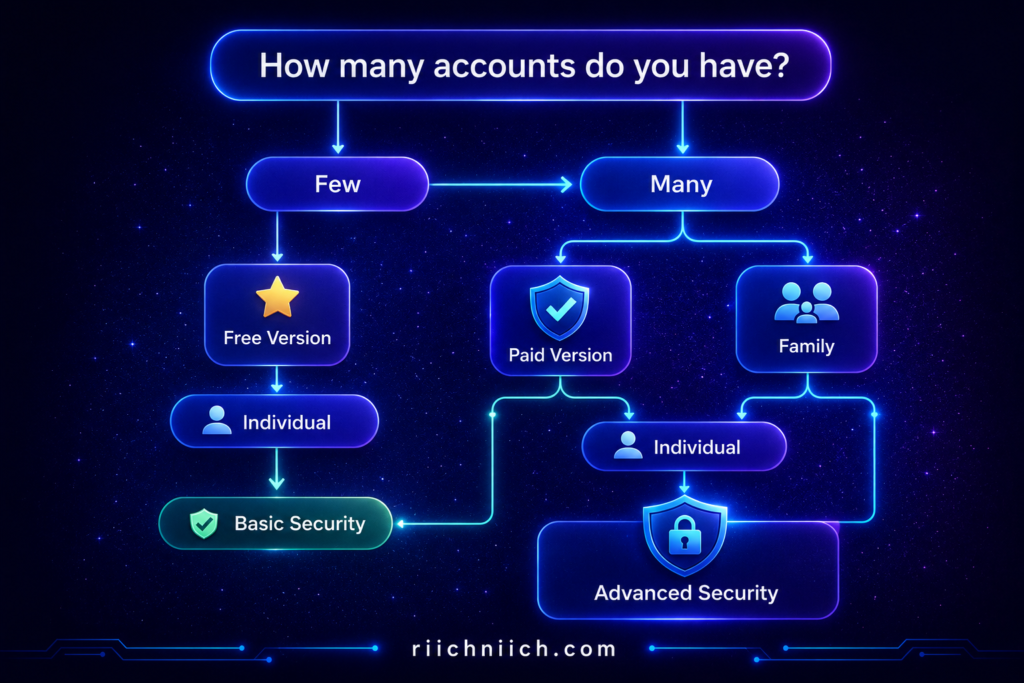
3. Consider Your Lifestyle (Individual vs Family)
Your needs depend on how many people will use the tool.
- Individual users → Basic plans or free options may be enough
- Families → Look for shared vaults and multi-user plans
- Business users → Require advanced permissions and controls
Some of the best password managers offer family plans with shared access and recovery options, which can be a major advantage.
4. Compare Free vs Paid Features
Budget matters—but so does protection.
- Free plans = basic password storage and autofill
- Paid plans = advanced security, monitoring, and sharing
According to the Cyber-security and Infrastructure Security Agency, using strong, unique passwords is critical—and password managers help enforce this across all accounts.
If you have sensitive accounts (banking, investments), upgrading to a paid plan is usually worth it.
5. Check Device Compatibility
Make sure the password manager works across all your devices:
- Smartphone (iOS/Android)
- Laptop/Desktop
- Browsers (Chrome, Safari, Edge, etc.)
The best password managers sync seamlessly so you can access your passwords anywhere.
6. Look for Extra Security Features
Beyond the basics, some tools offer features that can significantly improve your protection:
- Dark web monitoring
- Password health reports
- Secure file storage
- Built-in VPN (in some cases)
- Identity theft protection (all-in-one tools like Aura)
These extras can make a big difference if you want complete digital security.
7. Match the Tool to Your Risk Level
Not everyone needs the same level of protection.
- Low risk (basic accounts) → Free password manager may be enough
- Moderate risk (multiple accounts, online shopping) → Paid password manager
- High risk (financial accounts, identity concerns) → All-in-one security solution
The more sensitive your data, the more you should invest in protection.
Simplify Your Decision
If you’re still unsure, here’s a quick shortcut:
- Want all-in-one protection → Choose Aura
- Want family-friendly features → Choose 1Password
- Want easy automation → Choose Dashlane
- Want free + secure option → Choose Bitwarden
- Want simple and modern security → Choose NordPass
All of these are among the best password managers, so you can’t go wrong—just pick based on your needs.
Bottom Line
Choosing from the best password managers comes down to security, usability, and fit.
The best choice is the one you’ll use consistently to protect your accounts.
Take a few minutes to match your needs to the right tool—and you’ll dramatically improve your online security.
Common Password Mistakes That Put You at Risk
Even with access to the best password managers, many people still fall into habits that leave their accounts exposed. The truth is, most cyber-attacks don’t happen because of advanced hacking—they happen because of simple password mistakes.
If you avoid the following risks, you can dramatically improve your online security.
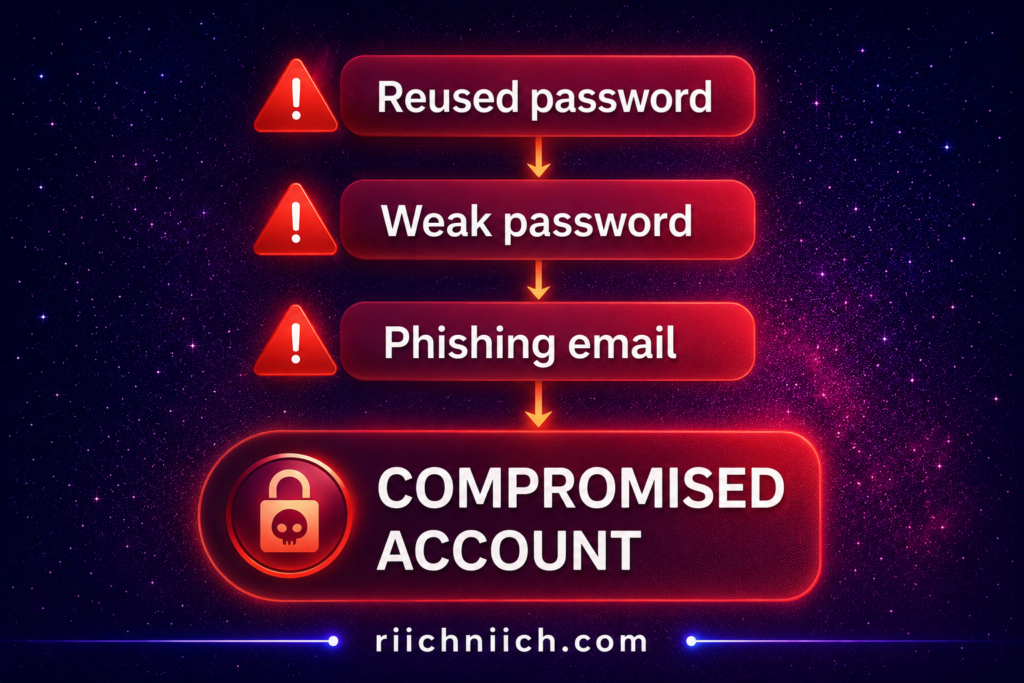
1. Reusing the Same Password Everywhere
This is the most dangerous mistake.
If one website gets breached and your password is exposed:
Hackers can try that same password on your email, bank, and other accounts.
According to the Federal Trade Commission, credential stuffing (using stolen passwords across multiple sites) is a common tactic used in identity theft.
The best password managers solve this by generating unique passwords for every account.
2. Using Weak or Predictable Passwords
Passwords like:
- “123456”
- “password123”
- Your name or birthday
…are extremely easy for hackers to guess.
These can be cracked in seconds using automated tools.
The National Institute of Standards and Technology recommends using long, complex passwords that are difficult to guess—something password managers create instantly.
3. Writing Passwords Down or Storing Them Insecurely
Many people still:
- Write passwords on paper
- Store them in notes apps
- Save them in unsecured documents
If someone gains access to your device (or even your workspace), your accounts are exposed.
The best password managers store everything in an encrypted vault, making it far more secure than manual storage.
4. Falling for Phishing Attacks
Hackers often send fake emails or messages that look real, asking you to log in.
If you enter your password on a fake site, your account is instantly compromised.
According to the Cyber-security and Infrastructure Security Agency, phishing is one of the most common ways attackers steal login credentials.
Many of the best password managers help prevent this by:
- Only autofilling passwords on legitimate websites
- Not recognizing fake domains
5. Not Updating Compromised Passwords
If your password is leaked in a data breach and you don’t change it:
Hackers can access your account at any time.
Many people don’t even realize their data has been exposed.
The best password managers often include:
- Breach alerts
- Password health reports
These tools notify you immediately so you can take action.
6. Not Using Multi-Factor Authentication (MFA)
Relying only on a password—even a strong one—is not enough.
MFA adds a second layer (like a code on your phone), making it much harder for attackers to get in.
Security experts strongly recommend enabling MFA wherever possible to reduce unauthorized access risks.
7. Trying to Remember Everything Yourself
This leads to:
- Reusing passwords
- Creating simple passwords
- Forgetting to update them
Humans are not designed to manage dozens (or hundreds) of complex passwords.
The best password managers handle this automatically, removing human error from the equation.
Why These Mistakes Matter
If you’re deciding whether to use one of the best password managers, here’s the reality:
Most people don’t get hacked because of sophisticated attacks.
They get hacked because of avoidable mistakes.
A password manager eliminates nearly all of these risks by:
- Creating strong passwords
- Storing them securely
- Managing them automatically
Bottom Line
Avoiding these common mistakes is one of the fastest ways to improve your security.
The best password managers are designed specifically to fix these problems—making them one of the most effective tools for protecting your accounts and preventing identity theft.
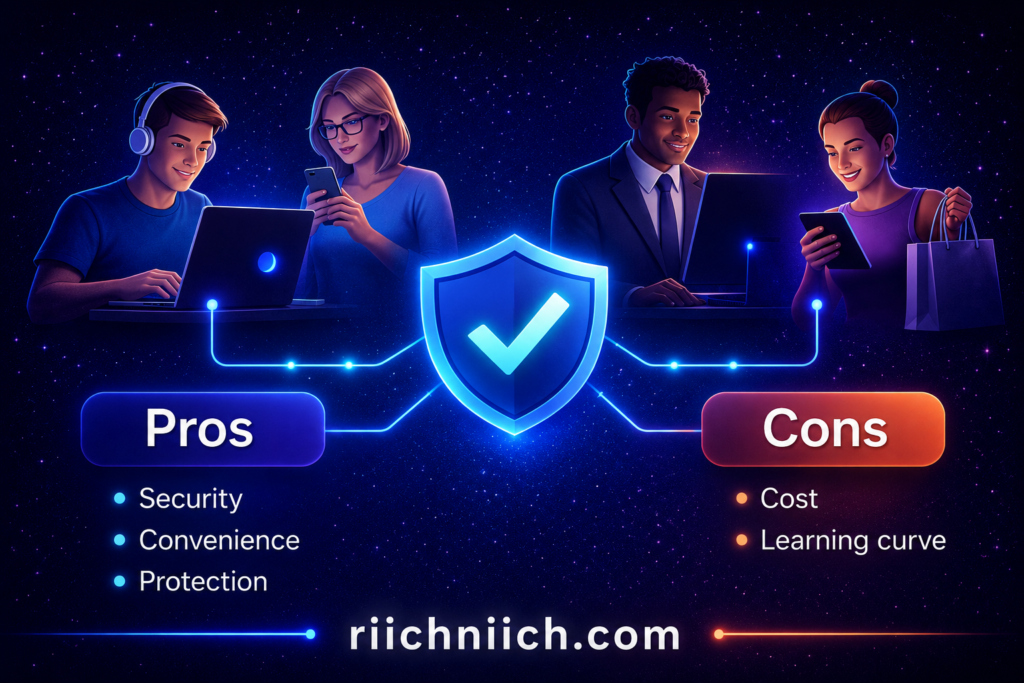
Pros and Cons of Using a Password Manager
Before choosing one of the best password managers, it’s important to understand both the advantages and potential drawbacks. While password managers are one of the most effective security tools available, they’re not perfect—and knowing the full picture helps you make a smarter decision.
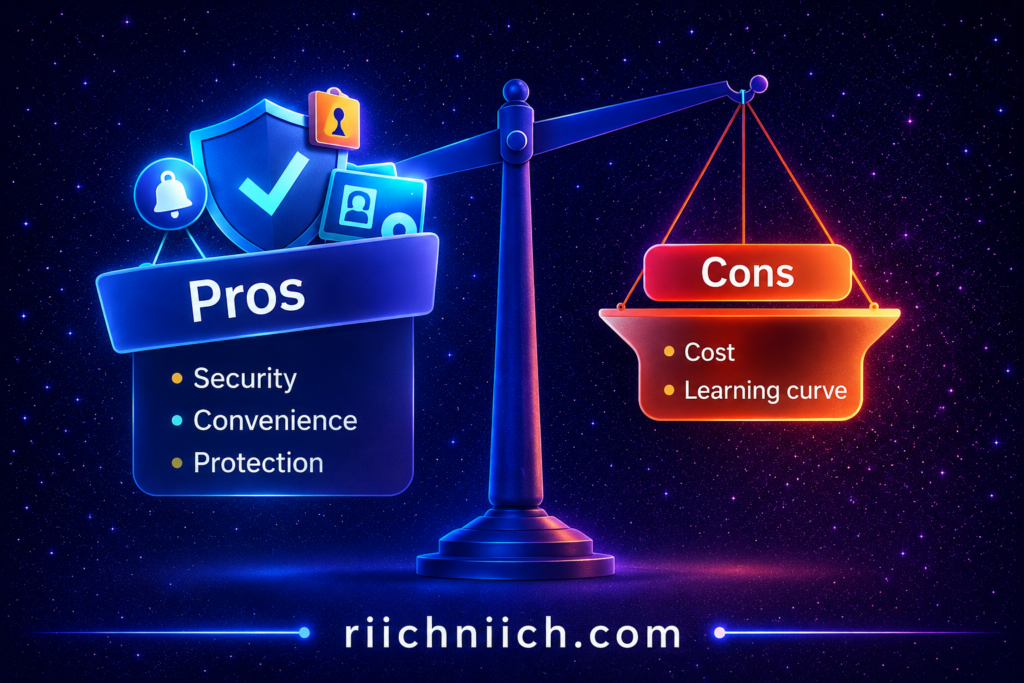
Pros of Using a Password Manager
1. Stronger Security for All Your Accounts
The best password managers generate long, complex passwords that are nearly impossible to guess.
This eliminates weak passwords and reduces the risk of hacking.
According to the Cyber-security and Infrastructure Security Agency, using strong, unique passwords for every account is one of the most effective ways to improve cyber-security.
2. No More Password Reuse
Password managers create a different password for every account, preventing the “domino effect” where one breach leads to multiple account takeovers.
This is one of the biggest security upgrades you can make instantly.
3. Convenience and Time Savings
Instead of remembering dozens of passwords:
- Autofill logs you in instantly
- Passwords are saved automatically
- Everything is accessible in one secure vault
The best password managers make security effortless.
4. Access Across All Devices
You can access your passwords on:
- Phones
- Laptops
- Tablets
- Browsers
This makes managing accounts seamless wherever you are.
5. Alerts for Breaches and Weak Passwords
Many of the best password managers include:
- Breach monitoring
- Password health reports
- Security alerts
These features help you take action before problems escalate.
Cons of Using a Password Manager
1. Your Master Password Is Critical
Your entire vault is protected by one master password.
If you forget it, you may lose access to your stored passwords (depending on the provider).
If it’s weak, your security is compromised.
2. Premium Features Cost Money
While free options exist, the best password managers often require a subscription for full features like:
- Dark web monitoring
- Secure sharing
- Advanced security tools
However, most plans are relatively inexpensive compared to the cost of identity theft.
3. Learning Curve for Beginners
Some users may find it confusing at first:
- Setting up the vault
- Importing passwords
- Understanding features
That said, most modern password managers are designed to be user-friendly.
4. Dependence on Technology
If you lose access to your device or internet (in some cases), accessing your passwords may be temporarily inconvenient.
This is rarely a major issue but worth considering.
Are the Pros Worth It?
For most people, the answer is yes—by a wide margin.
The security benefits of using one of the best password managers far outweigh the downsides.
The National Institute of Standards and Technology recommends using password managers to reduce password-related risks and improve overall security.
What This Means for You
If you’re deciding whether to use one of the best password managers, here’s the key takeaway:
- The cons are manageable and avoidable
- The pros directly protect your accounts and identity
Most risks come from user behavior (like weak master passwords), not the tool itself.
Bottom Line
The best password managers offer one of the highest returns on security for the lowest effort.
- They eliminate common password mistakes
- They protect against hacking and identity theft
- They simplify your digital life
For most users, the benefits far outweigh the drawbacks—making a password manager a smart and practical investment.
Who Should Use a Password Manager?
The short answer: almost everyone should be using one of the best password managers today.
If you have online accounts (and you do), a password manager is one of the easiest ways to protect your data, money, and identity.
1. Anyone With Multiple Online Accounts
If you have:
- Banking apps
- Social media
- Shopping accounts
You’re managing dozens of passwords whether you realize it or not.
Most people reuse passwords because it’s easier—but that creates major risk.
According to the Cyber-security and Infrastructure Security Agency, using unique passwords for every account is critical for preventing unauthorized access.
The best password managers make this simple by generating and storing strong passwords automatically.
2. People With Financial or Sensitive Information Online
If you use:
- Online banking
- Credit cards
- Investment platforms
You are a high-value target for hackers.
A password manager helps protect:
- Your financial accounts
- Your credit profile
- Your personal identity
This is where the best password managers provide real value by preventing unauthorized access before it happens.
3. Families Sharing Accounts
Families often share:
- Streaming services
- WiFi passwords
- Household accounts
But sharing passwords through text or email is risky.
Some of the best password managers offer:
- Shared vaults
- Secure access controls
- Easy password updates for everyone
This makes them ideal for families who want both convenience and security.
4. Remote Workers and Professionals
If you work online or remotely, you likely manage:
- Work accounts
- Client logins
- Cloud platforms
A single compromised password could expose sensitive business data.
The National Institute of Standards and Technology recommends secure password practices for protecting professional and organizational systems.
The best password managers help you:
- Organize credentials
- Secure work accounts
- Reduce human error
5. Frequent Online Shoppers
If you regularly shop online, your data is stored across multiple websites.
This increases your exposure in the event of a data breach.
Password managers help by:
- Creating unique passwords for each retailer
- Preventing account takeovers
- Securing saved payment information
6. Anyone Who Wants Simplicity and Security
Even if you’re not “tech-savvy,” password managers are designed to be easy.
You don’t need to remember anything except one master password.
The best password managers handle:
- Password creation
- Storage
- Autofill
- Security alerts
This makes them perfect for anyone who wants better security with less effort.
Who Might NOT Need One?
Very few people fall into this category—but technically:
If you only have 1–2 accounts and already use strong, unique passwords (which is rare), you might not need one.
For everyone else, the benefits far outweigh the downsides.
The Real Question
The real question isn’t:
“Who should use a password manager?”
It’s:
“Who is at risk without one?”
And the answer is: almost everyone online today.
Bottom Line
The best password managers are not just for tech experts—they are for anyone who wants to protect their accounts, identity, and personal data.
If you:
- Use multiple accounts
- Store sensitive information online
- Want stronger security without extra effort
Then a password manager is one of the smartest tools you can use.
Frequently Asked Questions About Password Managers
If you’re considering one of the best password managers, you probably still have a few questions before making a decision. Below are the most common questions—answered clearly so you can choose with confidence.
Are password managers worth it?
Yes—password managers are absolutely worth it.
They solve the biggest security risks:
- Weak passwords
- Password reuse
- Poor password storage
According to the Cyber-security and Infrastructure Security Agency, using strong, unique passwords for every account is one of the most effective ways to protect yourself online—and password managers make this easy.
For just a few dollars per month (or even free), the best password managers provide a high level of protection against hacking and identity theft.
Can password managers be hacked?
No system is completely immune—but the best password managers are extremely secure.
Even if a provider is compromised:
- Your data is encrypted
- Hackers cannot read your passwords without your master password
Most real-world risks come from:
- Weak master passwords
- Phishing attacks
- Poor user habits
Not the password manager itself.
What happens if I forget my master password?
This depends on the provider.
- Some offer account recovery options
- Others (especially zero-knowledge systems) cannot recover your data
This is why it’s critical to:
- Use a strong but memorable master password
- Store a backup in a secure place
The National Institute of Standards and Technology emphasizes the importance of secure credential management practices, including safeguarding master access.
Are free password managers safe?
Yes—many free options are safe and effective.
Some of the best password managers (like Bitwarden) offer:
- Strong encryption
- Unlimited password storage
- Cross-device syncing
However, free plans may lack:
- Breach monitoring
- Advanced security features
- Secure sharing
Paid plans provide more comprehensive protection.
Do password managers work on all devices?
Yes. Most of the best password managers work across:
- Smartphones (iOS & Android)
- Laptops and desktops
- Web browsers
They sync automatically so your passwords are always available.
Are password managers safer than saving passwords in a browser?
Yes—significantly safer.
Browsers:
- Have limited security features
- Are more vulnerable to malware
- Don’t always enforce strong password practices
Password managers:
- Use stronger encryption
- Offer advanced security features
- Help generate and manage secure passwords
This makes them a much better option for protecting your accounts.
Can I share passwords safely with a password manager?
Yes—many of the best password managers offer secure sharing features.
This allows you to:
- Share login access without revealing the actual password
- Control who has access
- Update passwords instantly for all users
This is especially useful for families and teams.
Do password managers protect against identity theft?
Partially.
Password managers:
- Prevent unauthorized access to your accounts
But they do NOT:
- Monitor your credit
- Track identity fraud
- Help recover stolen identity
For full protection, many users combine a password manager with identity theft protection services.
Bottom Line
The best password managers are safe, effective, and one of the easiest ways to protect your digital life.
If you still have doubts, remember this:
- Most cyber-attacks target weak or reused passwords
- Password managers eliminate that risk almost entirely
Choosing the right one is a simple step that can make a major difference in your security.
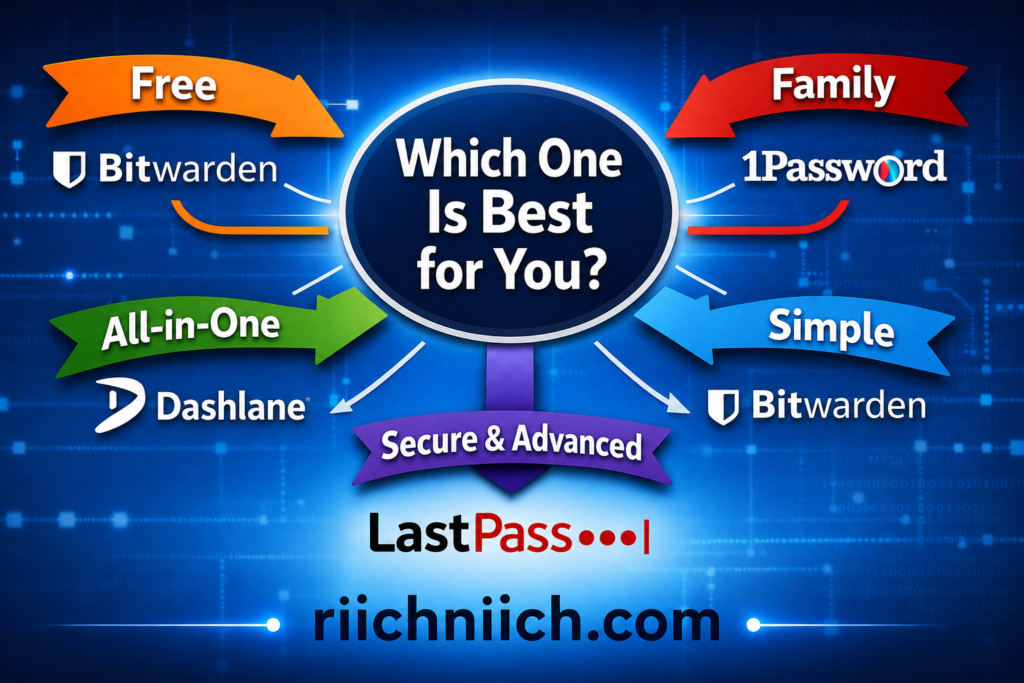
Conclusion: Which Password Manager Is Best for You?
After reviewing all the options, here’s the bottom line:
The best password managers all accomplish the same core goal—protect your accounts with strong, unique passwords stored securely. But the right one for you depends on your needs, budget, and level of protection.
According to expert testing, top tools like NordPass, 1Password, Bitwarden, Dashlane, and Aura consistently rank among the best due to their balance of security, usability, and features.
Quick Decision Guide (Choose in 10 Seconds)
If you want a fast answer, here’s how to pick from the best password managers:
- Best Overall Protection → Aura
(Password manager + identity theft + credit monitoring) - Best for Families → 1Password
(Secure sharing + multi-user vaults) - Best for Ease of Use → Dashlane
(Automation + simple interface) - Best Free Option → Bitwarden
(Unlimited passwords + strong security) - Best Value + Simplicity → NordPass
(Affordable + modern security features)
What Matters Most When Choosing
All of the best password managers share these essentials:
- Strong encryption to protect your data
- Password generation to prevent weak passwords
- Auto-fill for convenience
- Cross-device syncing
The difference comes down to extras:
- Do you want identity protection?
- Do you need family sharing?
- Do you want something free or premium?
Password managers are widely recommended because they eliminate password reuse and reduce breach risks, which are among the most common causes of account compromise.
Don’t Overthink It
Here’s a key truth most people miss:
The best password manager is the one you actually use consistently.
- A simple tool you use daily is better than a complex one you avoid
- A free plan you stick with is better than a paid plan you ignore
The Real Risk Isn’t Choosing Wrong
The real risk is:
Not using a password manager at all
Security experts agree that password managers are still one of the safest and most effective ways to manage credentials, even though no system is perfect.
Without one:
- You’re more likely to reuse passwords
- Your accounts are easier to hack
- A single breach can affect everything
Before you decide, see how Aura compares to competitors in our Aura vs LifeLock comparison.
You can also compare features in our detailed Aura vs Identity Guard breakdown.
Final Recommendation
If you want the simplest path forward:
Start with one of the best password managers listed in this guide today.
- Want everything in one place? → Aura
- Want free + powerful? → Bitwarden
- Want simple + modern? → NordPass
You can always upgrade or switch later—but starting now is what protects you.
If you’re considering all-in-one security tools, see our full review of Is Aura Worth It?
Bottom Line
The best password managers are not just convenience tools—they are essential security tools in today’s digital world.
If you:
- Use multiple accounts
- Store personal or financial data online
- Want to prevent hacking and identity theft
Then choosing a password manager is one of the smartest decisions you can make.
Pingback: Best Antivirus for Families (2026 Guide) - Riich Niich
Pingback: How to Remove Your Personal Information from the Internet (2026 Guide) - Riich Niich
Pingback: Cybersecurity Tips Everyone Should Know (2026 Guide) - Riich Niich
Pingback: Public WiFi Dangers (And How To Stay Safe) - Riich Niich
Pingback: How to Stay Safe on Social Media in 2026 (Avoid These Costly Mistakes) - Riich Niich
Pingback: Is Online Banking Safe in 2026? (Risks + How to Protect Your Money) - Riich Niich
Pingback: How Your Personal Data Ends Up Online - Riich Niich
Pingback: How to Check If Your Information Is on the Dark Web - Riich Niich
Pingback: How Hackers Get Your Email Address - Riich Niich
Pingback: Is Incogni Worth It in 2026? (Full Review + Results) - Riich Niich
Pingback: Best VPN for Privacy (Stay Anonymous & Protect Your Data Online) - Riich Niich
Pingback: How To Protect Your Personal Data Online (Complete Guide) - Riich Niich
Pingback: How to Protect Your Email From Hackers - Riich Niich
Pingback: What To Do After A Data Breach - Riich Niich
Pingback: How To Stop Identity Theft Before It Happens - Riich Niich
Pingback: How to Secure Your Online Accounts After a Data Breach - Riich Niich
Pingback: Identity Theft Prevention Checklist: 20 Practical Steps + Free Printable - Riich Niich
Pingback: What Is a Data Broker? - Riich Niich